

ProductPRODUCT
Featured products
Contact Us
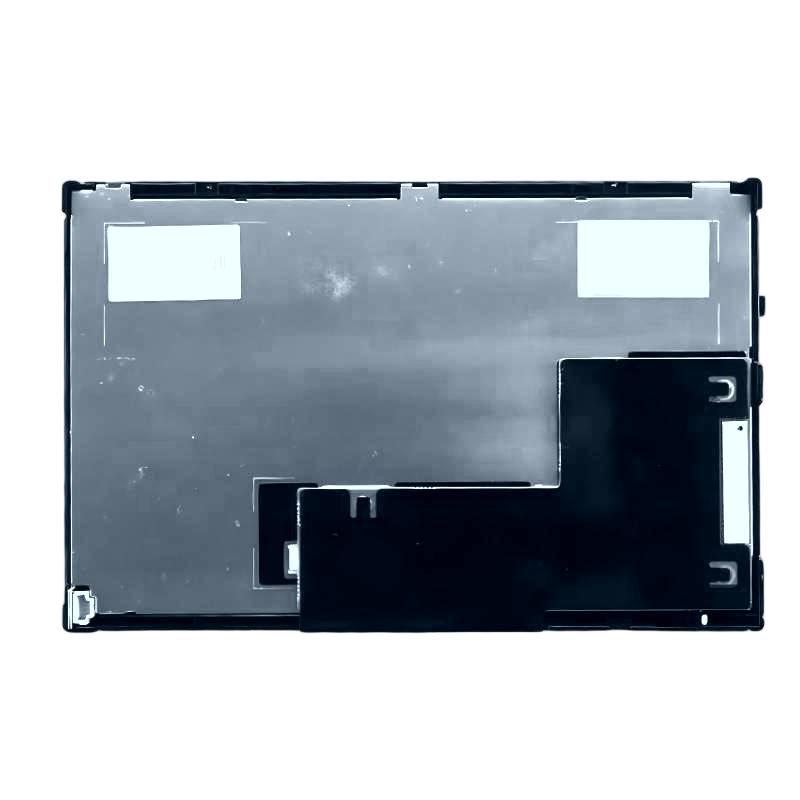
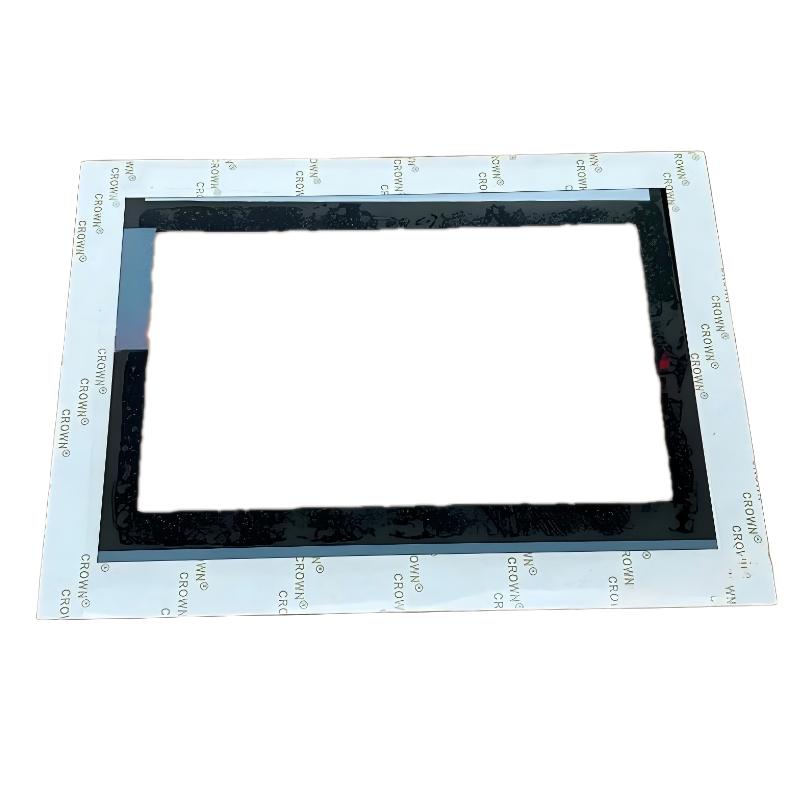
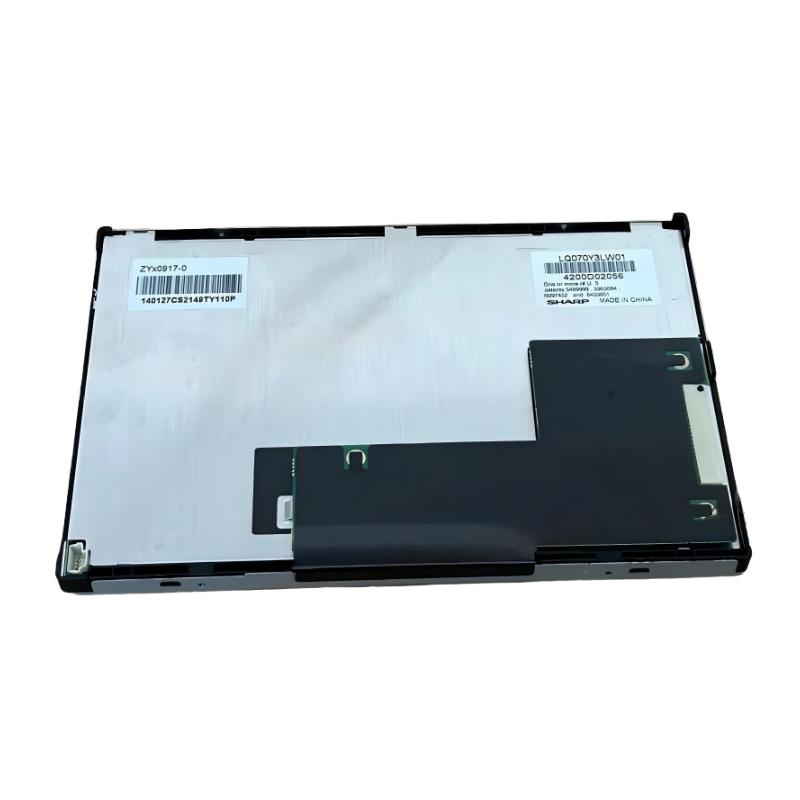
- Siemens
- 6AG1124-0GC01-4AX0
- SIPLUS HMI TP700 Comfort Touch Panel Screen
- Germany
- 214 × 158 mm
- 1.56kg
- Xiamen, China
- New & In Stock
- T/T, PayPal, Western Union
- 1 Year
- 1-3 Working Days
- DHL, UPS, TNT, FedEx and EMS.
- 24-Hour Service
- COO
- 7
Our advantage

Global Logistics
We have a 10-year logistics and express cooperation agreement, so our products can be shipped to any place in the world.

Brand new and original
Our products are imported in bulk from the place of origin. Because of the cooperative relationship, our products are all original and 100% new.

24-hour service
We provide 7*24 hours service to our customers. We will be there whenever you need us.

Price advantage
All our products are priced very favorably because we have our own warehouse and supply.
| Company Information | |||
| [email protected] | |||
| Mobile | +8615980777398 | ||
| +8615980777398 | |||
| 15980777398 |
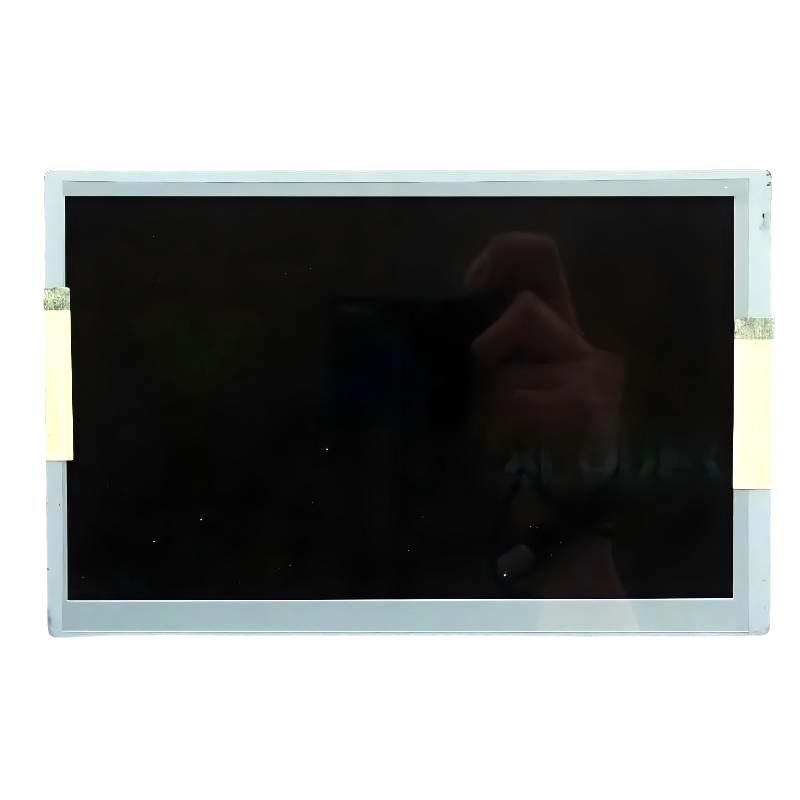
Siemens 6AG1124-0GC01-4AX0: Product Overview, Technical Specifications, Applications, Advantages, and Related Models
1. Product Introduction
The Siemens 6AG1124-0GC01-4AX0 is an industrial automation product identified by a SIPLUS order number. Before assigning detailed specifications, it is important to distinguish this product from similarly numbered HMI operator panels, communication devices, and other automation components.
The model number alone should not be used to assume the display size, communication interfaces, dimensions, weight, or software compatibility. These details depend on the exact product designation and hardware version.
To avoid presenting unverified information as fact, the product overview below separates the general selection considerations for a SIPLUS industrial automation device from specifications that need confirmation against the exact model.
2. Detailed Technical Specifications
The 6AG1124-0GC01-4AX0 is a SIPLUS HMI TP700 Comfort panel based on the standard 6AV2124-0GC01-0AX0 hardware platform. It is designed for industrial visualization, operator interaction, and communication with compatible automation equipment.
Despite the “TP700” designation, this model has a 7-inch display. It is a touchscreen panel without physical function keys, so operators interact with its screens using the resistive touchscreen and on-screen keyboard.
| Parameter | Technical Specification |
|---|---|
| Model Number | 6AG1124-0GC01-4AX0 |
| Brand | Siemens |
| Product name | SIPLUS HMI TP700 Comfort |
| Product series | SIPLUS Comfort Panels Standard |
| Standard reference model | 6AV2124-0GC01-0AX0 |
| Product category | Industrial Human-Machine Interface (HMI) |
| Display type | TFT color display |
| Screen size | 7 inches |
| Display resolution | 800 × 480 pixels |
| Number of display colors | 16.7 million |
| Touchscreen type | Analog resistive |
| Physical function keys | 0 |
| On-screen keyboard | Numeric and alphanumeric |
| Backlight | LED, dimmable |
| Typical backlight service-life rating | Approximately 80,000 hours at 25°C |
| Nominal supply voltage | 24 V DC |
| Permissible supply voltage | 19.2–28.8 V DC |
| Typical power consumption | Approximately 12 W |
| Rated current | Approximately 0.5 A |
| Operating temperature | 0°C to +50°C |
| Environmental protection feature | Conformal coating |
| Front material | Aluminum |
| Front-side protection | IP65 when correctly installed |
| PROFINET / Industrial Ethernet interfaces | 2 |
| RS-422 interface | 1 |
| RS-485 interface | 1 |
| USB interfaces | 2 |
| Usable project/user memory | Approximately 12 MB |
| Maximum online languages | 32 |
| Password protection levels | Up to 50 |
| Front width | 214 mm |
| Front height | 158 mm |
| Mounting cutout width | Approximately 197 mm |
| Mounting cutout height | Approximately 141 mm |
| Overall depth | 63 mm |
| Net product weight | 1.56 kg |
| Approximate packaged weight | 1.60 kg |
| Approximate packaging dimensions | 273 × 172 × 86 mm |
| Mounting method | Panel mounting |
| Main application | Machine operation, process visualization, and industrial monitoring |
Dimension note: The product’s front dimensions are approximately 214 × 158 mm, while the mounting cutout is smaller. The exact mounting drawing should be used before manufacturing a cabinet opening. The dimensions above are for preliminary planning, not a substitute for the installation instructions.
Weight note: The net weight is approximately 1.56 kg. Packaging weight and shipping dimensions are separate measurements and should be checked when arranging transportation or calculating freight.
3. Display and Operator Interface
The TP700 Comfort uses a 7-inch TFT color display with an 800 × 480 pixel resolution. Although its display is smaller than that of a 12-inch operator panel, it provides a useful balance between screen visibility and installation space.
The display supports approximately 16.7 million colors. This allows application designers to create clear machine overviews, process diagrams, alarm screens, trend displays, and operating menus.
A carefully designed screen can show equipment status, measured values, production counts, and alarm information in an organized format. For machines with a relatively simple operating procedure, a 7-inch screen may be sufficient to present the most important information without taking up excessive cabinet space.
The panel uses an analog resistive touchscreen. Operators can select on-screen buttons, enter numerical values, navigate menus, and acknowledge messages through touch input.
Because the panel does not have physical function keys, the screen layout plays an important role in everyday operation. Frequently used controls should be easy to locate, while less common settings can be placed on separate screens.
The display backlight is dimmable, allowing its brightness to be adjusted according to the installation environment and operator preferences. Proper brightness settings can improve readability while helping reduce unnecessary backlight operation.
The display’s stated backlight service-life rating is approximately 80,000 hours at 25°C. This is a component rating under specified conditions, not a guarantee that the complete panel will operate for that duration without maintenance or failure.
4. Communication Interfaces and Connectivity
The 6AG1124-0GC01-4AX0 provides communication options for integration with compatible industrial controllers and automation equipment.
Its two Industrial Ethernet / PROFINET interfaces support Ethernet-based communication. Depending on the network configuration, these interfaces can be used to connect the panel to the automation network and support appropriate network arrangements.
The panel also provides RS-422 and RS-485 interfaces. These are useful when an application requires compatible serial communication with supported equipment.
Two USB interfaces provide additional connectivity for supported peripherals and service functions. Depending on the engineering configuration, these may be used with compatible USB storage devices or other supported accessories.
The available interfaces make the TP700 Comfort suitable for applications that combine Ethernet-based control systems with other industrial communication requirements. However, interface availability does not mean that every device or protocol is automatically supported.
Before integrating the panel, confirm the controller model, communication protocol, device address, engineering software version, and project configuration. Correct network cabling and grounding are also important for stable operation.
5. Product Brand and Series
Brand: Siemens
The 6AG1124-0GC01-4AX0 belongs to the Siemens industrial automation product range. It is designed to provide the operator interface within a machine or automated production system.
An HMI panel allows operators to interact with the process, but it does not normally replace the PLC or the machine’s control system. The PLC executes control logic, processes input signals, manages outputs, and enforces programmed operating conditions.
The HMI presents relevant information and provides the controls that operators are permitted to use. This division allows the user interface to focus on visibility and usability while the controller remains responsible for the actual control process.
Product Series: SIPLUS Comfort Panels Standard
The product belongs to the SIPLUS Comfort Panels Standard series.
The Comfort Panel family is designed for industrial visualization applications that need more extensive operator-interface functions than a basic HMI panel may provide.
The TP700 Comfort offers a color touchscreen, multiple communication interfaces, project memory, password protection, and support for multilingual applications. These capabilities make it suitable for machine interfaces that require organized visualization and more advanced operator interaction.
The SIPLUS version includes conformal coating on electronic assemblies and is specified for operation from 0°C to +50°C.
Conformal coating is intended to provide additional protection for electronic components against certain environmental influences. It should not be interpreted as making the entire panel waterproof, corrosion-proof, or suitable for unrestricted outdoor use.
The installation environment still needs to meet the specified temperature and other operating requirements. Enclosure design, humidity, contamination, ventilation, and cleaning practices should all be considered.
6. Main Applications
6.1 Machine Operation and Monitoring
The TP700 Comfort can serve as the main operator interface for industrial machinery.
It can be configured to display operating status, process values, alarm messages, and control options. Operators may use the interface to select operating modes, enter permitted parameters, or acknowledge messages.
The exact functions depend on the application project and the connected controller.
6.2 Packaging Machinery
Packaging equipment often requires a visual interface for product selection, production settings, cycle monitoring, and fault handling.
The TP700 Comfort can display information such as operating speed, current production count, machine status, and alarm notifications. Recipe functions may also be used to manage different product configurations when supported by the project.
The touchscreen design allows the operator to navigate through menus and enter values without requiring a large physical keypad.
6.3 Assembly and Production Equipment
On assembly machines, the HMI can display the current production step, station status, operating mode, and fault information.
It can also provide maintenance screens and diagnostic information to help staff identify equipment problems.
For machines with a moderate number of process values, the 7-inch display can provide an effective interface while keeping the installation compact.
6.4 Process Control and Auxiliary Equipment
The panel can be used with compatible auxiliary process equipment, such as dosing systems, mixing units, temperature-control equipment, and production support machinery.
Depending on the application, the interface may display measured values, allow authorized setpoint entry, and show the progress of a process sequence.
Critical limits and safety-related conditions should be enforced by the appropriate control and safety systems rather than relying solely on the HMI.
6.5 Equipment Using PROFINET
The two Industrial Ethernet / PROFINET interfaces make the panel suitable for compatible Ethernet-based automation systems.
It can be used where the operator interface needs to exchange data with a compatible controller over PROFINET.
When planning an installation, confirm the required network topology, controller compatibility, device addressing, and engineering configuration.
6.6 Existing Industrial Installations
The TP700 Comfort may be considered for maintenance or replacement projects involving compatible equipment.
Before replacing an existing HMI, compare the original order number, mounting dimensions, power requirements, communication interfaces, and project software.
A similar screen size or product name does not guarantee direct interchangeability. Older projects may also require conversion or engineering changes before they can run correctly on replacement hardware.
6.7 Maintenance and Troubleshooting
A well-designed HMI project can provide operators and maintenance personnel with useful diagnostic information.
Examples include alarm lists, equipment status, communication warnings, process values, and instructions for checking common faults.
Clear messages can reduce the time needed to identify the source of a problem. However, the effectiveness of the interface depends on the quality of the application design and the information supplied by the controller.
7. Main Advantages of the 6AG1124-0GC01-4AX0
7.1 Compact 7-Inch Touchscreen
The 7-inch display provides a practical interface for machines that do not require a large visualization screen.
Its relatively compact dimensions make it suitable for installations where cabinet space is limited. At the same time, the color display provides enough room for clearly arranged operating controls, status indicators, and alarm information.
7.2 High-Color Display
Support for approximately 16.7 million colors gives application designers flexibility when creating process screens.
Color can be used to distinguish normal operation, warnings, faults, manual mode, and automatic mode. Consistent visual conventions make the interface easier to understand, particularly when several machines use the same operating principles.
7.3 Resistive Touch Operation
The resistive touchscreen supports direct interaction with on-screen controls.
Operators can select buttons, navigate menus, and enter values through the screen. This design allows a wide range of functions to be arranged without dedicating physical space to a large collection of keys.
7.4 Multiple Communication Interfaces
The combination of Industrial Ethernet / PROFINET, RS-422, RS-485, and USB interfaces provides flexibility for supported automation configurations.
This is useful when an installation includes different generations of equipment or requires communication with compatible devices through more than one interface type.
The exact supported protocols and operating modes should still be confirmed before finalizing the system design.
7.5 Conformal Coating
The SIPLUS version includes conformal coating for additional protection of electronic assemblies.
This feature can be useful in industrial environments where the equipment may be exposed to certain contaminants or less controlled ambient conditions.
It does not eliminate the need for correct installation, suitable enclosure protection, or compliance with the specified operating temperature range.
7.6 Multilingual Operator Interface
Support for up to 32 online languages can be valuable for machines used by operators in different regions.
A properly configured project can provide localized labels, messages, and operating instructions. This can make training and routine operation easier for teams working in multilingual environments.
The actual languages available to the operator depend on the HMI project and its configuration.
7.7 Password Protection
The panel supports multiple password protection levels, allowing the application designer to separate access rights for different user groups.
For example, routine operators may be permitted to start a machine and acknowledge alarms, while maintenance staff or supervisors may have access to additional settings.
Appropriate access control can help reduce unintended changes to important operating parameters.
7.8 Backup and Restore Functions
Supported backup and restore functions can simplify maintenance and replacement work.
A suitable backup strategy helps preserve the HMI configuration and can reduce the time required to recover from a hardware problem. The exact backup method depends on the engineering project and the supported storage options.
7.9 Practical Integration with Automation Equipment
The panel is designed for industrial operator-interface tasks rather than general-purpose computing.
It provides a dedicated platform for process visualization and machine interaction, with communication options suited to compatible automation systems.
Its suitability depends on the application’s actual requirements, including the number of screens, communication protocols, data-handling needs, and environmental conditions.
8. Five Related Models in the Same Product Family
The following models are useful for comparison when selecting a Comfort Panel with a different display size or environmental specification.
The related-model table includes approximate physical dimensions and weights where appropriate. These figures are intended for preliminary selection only; the exact order number and hardware revision should be checked before installation.
| Model Number | Product Name | Display Size | Resolution | Main Interfaces | Operating Temperature | Dimensions (W × H × D) | Weight (kg) |
|---|---|---|---|---|---|---|---|
| 6AG1124-0GC01-4AX0 | SIPLUS TP700 Comfort | 7 inches | 800 × 480 | PROFINET / Ethernet, RS-422, RS-485, USB | 0°C to +50°C | 214 × 158 × 63 mm | 1.56 |
| 6AG1124-0JC01-4AX0 | SIPLUS TP900 Comfort | 9 inches | Verify exact variant | Ethernet / PROFINET; confirm interfaces | Verify exact variant | Verify mechanical drawing | Verify exact variant |
| 6AG1124-0MC01-4AX0 | SIPLUS TP1200 Comfort | 12 inches | Verify exact variant | Ethernet / PROFINET; confirm interfaces | Verify exact variant | Verify mechanical drawing | Verify exact variant |
| 6AG1124-0QC01-4AX0 | SIPLUS TP1500 Comfort | 15 inches | Verify exact variant | Ethernet / PROFINET; confirm interfaces | Verify exact variant | Verify mechanical drawing | Verify exact variant |
| 6AG1124-0UC01-4AX0 | SIPLUS TP1900 Comfort | 19 inches | Verify exact variant | Ethernet / PROFINET; confirm interfaces | Verify exact variant | Verify mechanical drawing | Verify exact variant |
Selection note: The model numbers above are intended as related-series candidates. Confirm that each exact order number corresponds to the required display size, environmental variant, communication interfaces, and product revision before placing an order.
8.1 SIPLUS TP700 Comfort — 6AG1124-0GC01-4AX0
This is the reference model for the comparison. Its 7-inch screen and multiple communication interfaces make it suitable for compact machine-level visualization.
It is a practical choice when the application needs more flexible communication and visualization functions than a basic operator panel provides, but does not require a larger display.
8.2 SIPLUS TP900 Comfort — 6AG1124-0JC01-4AX0
A TP900 Comfort model may be worth considering when the operator needs more screen space than a 7-inch panel provides.
The larger screen can help organize machine overviews, alarm information, and process values more clearly. Before selecting the exact SIPLUS variant, confirm the order number and environmental specification.
8.3 SIPLUS TP1200 Comfort — 6AG1124-0MC01-4AX0
The TP1200 Comfort is a potential option for applications requiring a larger visualization area.
It may suit machinery with more operating parameters, detailed process diagrams, or multiple equipment sections that need to be visible from a central operator station.
Its larger physical dimensions also mean that cabinet space and mounting requirements should be reviewed carefully.
8.4 SIPLUS TP1500 Comfort — 6AG1124-0QC01-4AX0
A 15-inch Comfort Panel may be useful for more demanding operator-interface applications where visibility is a priority.
The larger screen can make complex machine overviews and diagnostic pages easier to organize. However, the required cabinet opening, installation depth, power requirements, and environmental features must be confirmed for the exact model.
8.5 SIPLUS TP1900 Comfort — 6AG1124-0UC01-4AX0
A 19-inch Comfort Panel is worth considering for applications that require a large local display.
It may suit centralized machine stations, production-line overview screens, or systems where operators need to review a large amount of information from one location.
Its larger size means that mounting space, viewing distance, and installation ergonomics become especially important.
9. Five Other Siemens Models Worth Considering
The following models represent additional options for industrial automation. They include HMI operator panels and other automation products that may be useful in related applications.
They are not all direct substitutes for the TP700 Comfort. The appropriate choice depends on whether the project needs a different operator panel, a controller, or another component of the automation system.
| Model Number | Product Name | Product Type | Main Characteristics | Typical Role | Dimensions (W × H × D) | Weight (kg) |
|---|---|---|---|---|---|---|
| 6AV2124-0GC01-0AX0 | TP700 Comfort | HMI operator panel | 7-inch color touchscreen, 800 × 480 resolution | Machine visualization and operator control | Approx. 214 × 158 × 63 mm | Approx. 1.4 |
| 6AV2124-0JC01-0AX0 | TP900 Comfort | HMI operator panel | 9-inch-class Comfort Panel; verify exact revision | Larger machine interface | Verify exact drawing | Verify exact variant |
| 6AV2124-0MC01-0AX0 | TP1200 Comfort | HMI operator panel | 12-inch-class Comfort Panel; verify exact revision | Expanded process visualization | Verify exact drawing | Verify exact variant |
| 6ES7214-1AG40-0XB0 | SIMATIC S7-1200 CPU 1214C | Programmable logic controller | Compact PLC for machine automation; verify I/O and communication configuration | Machine control and logic execution | Verify exact hardware drawing | Verify exact variant |
| 6ES7511-1AK02-0AB0 | SIMATIC S7-1500 CPU 1511-1 PN | Programmable logic controller | PLC with PROFINET capability; verify firmware and hardware revision | More advanced machine and process control | Verify exact hardware drawing | Verify exact variant |
The dimensions and weights for the PLC models are marked for verification because they depend on the exact hardware configuration and product revision. These models should not be treated as direct HMI replacements.
9.1 Standard TP700 Comfort — 6AV2124-0GC01-0AX0
The standard TP700 Comfort is the underlying hardware reference for the SIPLUS model discussed in this article.
It provides a 7-inch color touchscreen and communication capabilities for compatible industrial automation systems. It is a relevant comparison when determining whether the SIPLUS environmental variant is necessary for a particular installation.
The standard and SIPLUS versions should be compared according to operating conditions, environmental protection requirements, and the exact project configuration.
9.2 Standard TP900 Comfort — 6AV2124-0JC01-0AX0
The TP900 Comfort is a related HMI option for applications that require a larger display.
It may be useful when a 7-inch interface becomes crowded or when operators need to see more process information at once.
The selection should be based on the required screen size, cabinet dimensions, communication interfaces, and software compatibility.
9.3 Standard TP1200 Comfort — 6AV2124-0MC01-0AX0
The TP1200 Comfort is a larger operator-panel option for applications with more demanding visualization requirements.
It can be considered for production systems where several groups of process values, equipment states, and diagnostic messages need to be arranged clearly.
Because it occupies more space than a 7-inch panel, the mounting layout should be reviewed before the device is selected.
9.4 SIMATIC S7-1200 CPU 1214C — 6ES7214-1AG40-0XB0
The S7-1200 CPU 1214C is a programmable logic controller intended for machine automation.
Unlike an HMI panel, the PLC executes control logic and manages the process through its configured inputs, outputs, and communication interfaces.
A compatible HMI can provide the operator interface while the PLC handles the machine’s actual control sequence. This combination is common in compact automation systems.
9.5 SIMATIC S7-1500 CPU 1511-1 PN — 6ES7511-1AK02-0AB0
The S7-1500 CPU 1511-1 PN is a programmable logic controller for more advanced automation applications.
It can be considered when the control system requires a different level of processing capability or a more extensive PLC architecture than a compact controller provides.
When pairing a PLC with the TP700 Comfort, confirm the communication configuration, supported engineering environment, and controller compatibility before implementation.
10. Comparison: SIPLUS TP700 Comfort and Standard TP700 Comfort
The SIPLUS and standard TP700 Comfort models share a related hardware platform, but they are intended to address different environmental requirements.
| Comparison Item | 6AG1124-0GC01-4AX0 | 6AV2124-0GC01-0AX0 |
|---|---|---|
| Product name | SIPLUS TP700 Comfort | TP700 Comfort |
| Display size | 7 inches | 7 inches |
| Resolution | 800 × 480 pixels | 800 × 480 pixels |
| Display colors | 16.7 million | 16.7 million |
| Touchscreen | Resistive | Resistive |
| Physical function keys | 0 | 0 |
| PROFINET / Ethernet interfaces | 2 | Confirm exact hardware revision |
| Serial interfaces | RS-422 and RS-485 | Confirm exact hardware revision |
| USB interfaces | 2 | Confirm exact hardware revision |
| Nominal supply voltage | 24 V DC | 24 V DC |
| Permissible supply voltage | 19.2–28.8 V DC | Confirm exact hardware revision |
| Conformal coating | Yes | Standard variant |
| Operating temperature | 0°C to +50°C | Confirm exact hardware revision |
| Front dimensions | 214 × 158 mm | Approximately 214 × 158 mm |
| Overall depth | 63 mm | Approximately 63 mm |
| Net weight | 1.56 kg | Approximately 1.4 kg |
The SIPLUS model is worth considering when the application requires the additional environmental protection associated with its product variant.
The standard TP700 Comfort may be appropriate for installations that meet its specified operating conditions without requiring the same environmental features.
Neither version should be selected based on the model name alone. Confirm the exact product designation, operating limits, interfaces, and mounting details before making a substitution.
11. Installation and Maintenance Recommendations
Correct installation helps preserve the panel’s operating reliability and prevents avoidable commissioning problems.
Before mounting the TP700 Comfort, check the cabinet cutout and available installation depth. Ensure that there is enough room behind the panel for the power connector, network cables, USB access, and cable routing.
The front sealing arrangement and mounting clips should be installed according to the device instructions. Improper mounting can affect mechanical stability and the intended front-side protection.
The power supply should provide the required 24 V DC within the permissible voltage range. Check the wiring polarity and electrical connections before switching on the panel.
For network communication, use suitable industrial Ethernet cabling and verify the controller and HMI settings. Communication faults may result from incorrect addressing, network configuration, wiring, or project settings rather than a hardware failure.
Clean the display using methods compatible with the panel’s materials. Avoid abrasive tools and unsuitable cleaning chemicals that may damage the touchscreen surface or the front seal.
Keep a current backup of the HMI project. A project backup can make replacement and recovery easier if the panel needs to be repaired or exchanged.
12. Purchasing Checklist
The following checklist can help confirm that the selected panel matches the intended application.
| Check Item | Specification or Requirement | Why It Matters |
|---|---|---|
| Model Number | 6AG1124-0GC01-4AX0 | Confirms the exact SIPLUS TP700 Comfort variant |
| Product family | SIPLUS Comfort Panels Standard | Identifies the intended product series |
| Display | 7-inch TFT color display | Confirms the required screen size |
| Resolution | 800 × 480 pixels | Helps establish screen-layout compatibility |
| Touchscreen | Analog resistive | Confirms the input method |
| Communication | PROFINET / Ethernet and supported serial interfaces | Must match the automation system |
| Power supply | 24 V DC nominal | Confirms electrical compatibility |
| Permissible voltage | 19.2–28.8 V DC | Helps confirm supply suitability |
| Operating temperature | 0°C to +50°C | Confirms the specified environmental range |
| Front dimensions | 214 × 158 mm | Helps check available panel space |
| Mounting cutout | Approximately 197 × 141 mm | Helps plan cabinet fabrication |
| Overall depth | 63 mm | Confirms rear clearance |
| Net weight | 1.56 kg | Helps with mounting and handling |
| Engineering software | Confirm device and project compatibility | Reduces commissioning risk |
| Accessories | Check mounting hardware, connectors, and cables | Helps prevent installation delays |
| Product condition | Confirm new, used, repaired, or refurbished status | Supports purchasing and acceptance decisions |
13. Overall Assessment
The Siemens 6AG1124-0GC01-4AX0 SIPLUS TP700 Comfort is a 7-inch industrial HMI panel intended for machine operation, process visualization, and communication with compatible automation systems.
Its main features include a 16.7-million-color TFT display, resistive touchscreen, two Industrial Ethernet / PROFINET interfaces, RS-422 and RS-485 interfaces, two USB interfaces, and conformal coating for additional protection of electronic assemblies.
The panel is suitable for machine-level applications where operators need access to operating values, alarm messages, diagnostic information, and configured control functions. Its compact size can be useful where cabinet space is limited but a dedicated industrial visualization interface is still required.
The principal considerations when selecting this model are the communication architecture, engineering software compatibility, installation dimensions, power supply, and operating environment. Its SIPLUS designation makes the environmental specification particularly important to the selection process.
For replacement work, confirm the full order number and the mounting drawing before purchase. A similar model name or display size does not guarantee that another panel will fit the same opening or support the same project without modification.
Overall, the TP700 Comfort is a practical option for compatible industrial automation installations that need a compact touchscreen interface with flexible communication options and additional environmental protection.