

ProductPRODUCT
Featured products
Contact Us
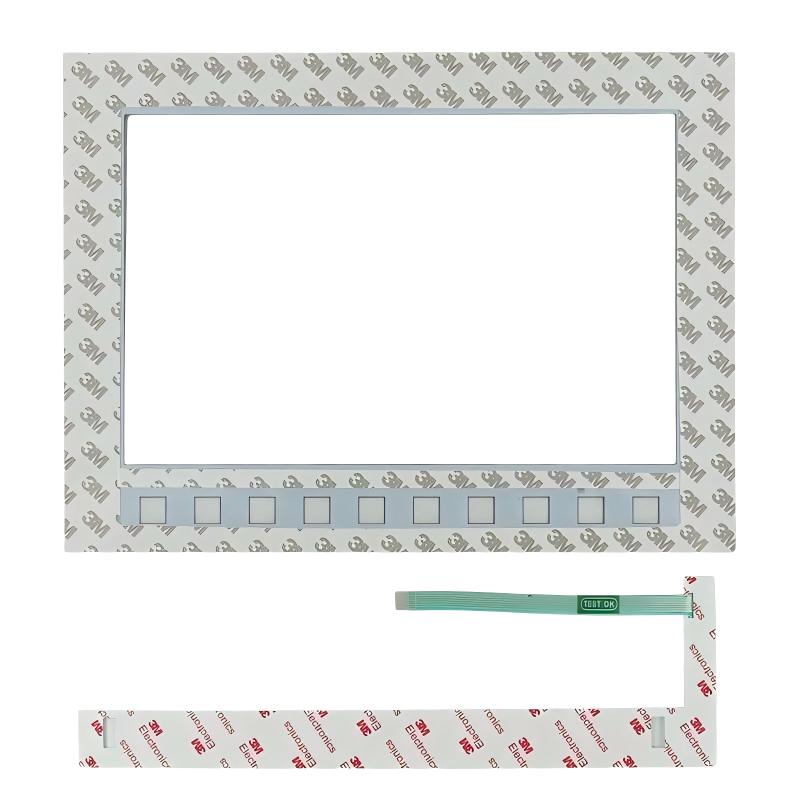
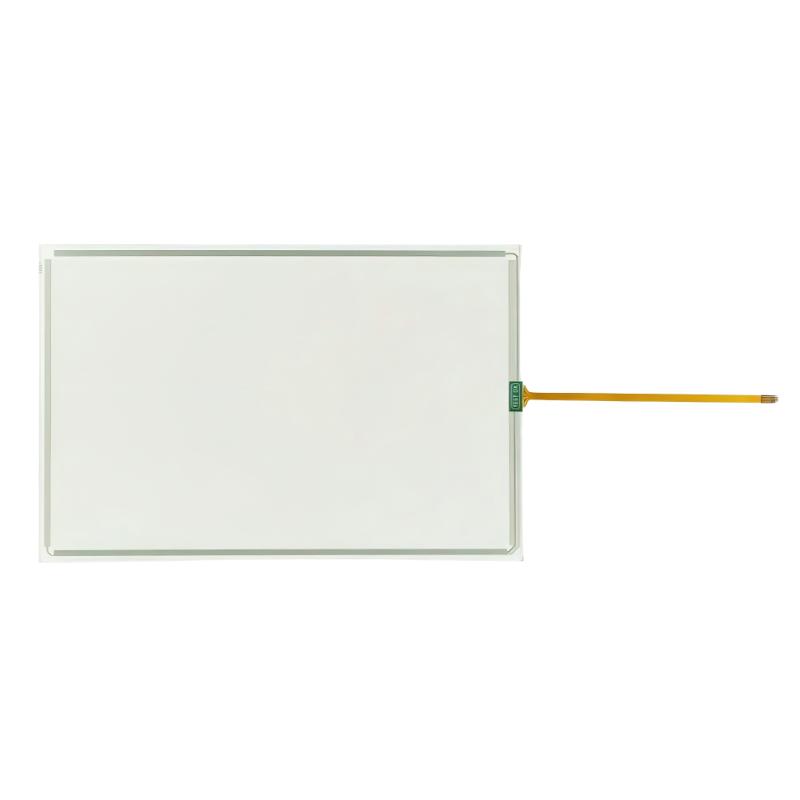
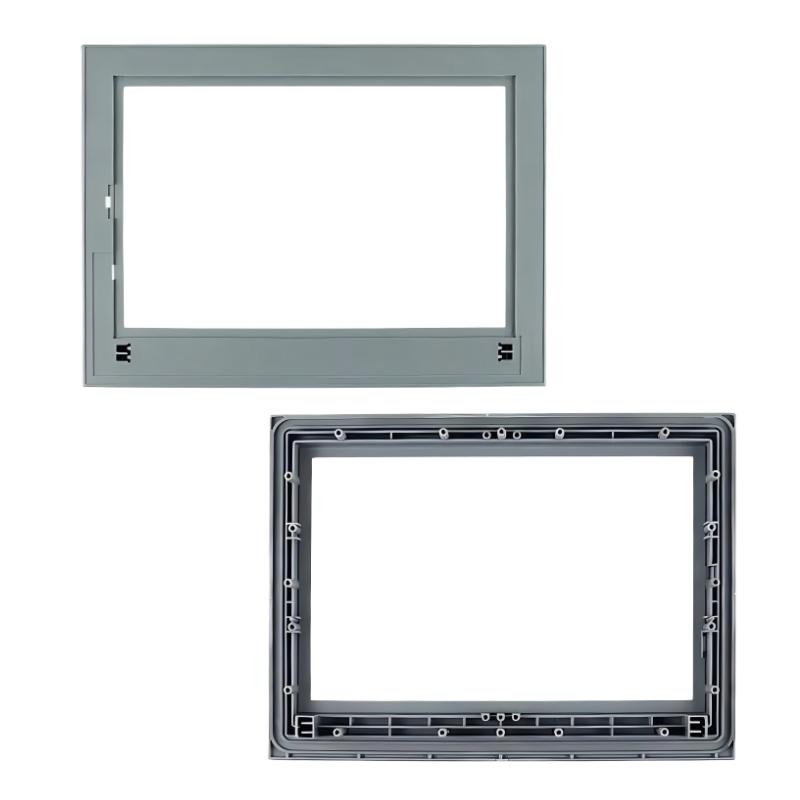
- Siemens
- 6AG1123-2MA03-2AX0
- SIPLUS HMI KTP700 Basic DP
- Germany
- 1280 × 800 pixels
- 2.17kg
- Xiamen, China
- New & In Stock
- T/T, PayPal, Western Union
- 1 Year
- 1-3 Working Days
- DHL, UPS, TNT, FedEx and EMS.
- 24-Hour Service
- COO
- 6
Our advantage

Global Logistics
We have a 10-year logistics and express cooperation agreement, so our products can be shipped to any place in the world.

Brand new and original
Our products are imported in bulk from the place of origin. Because of the cooperative relationship, our products are all original and 100% new.

24-hour service
We provide 7*24 hours service to our customers. We will be there whenever you need us.

Price advantage
All our products are priced very favorably because we have our own warehouse and supply.
| Company Information | |||
| [email protected] | |||
| Mobile | +8615980777398 | ||
| +8615980777398 | |||
| 15980777398 |
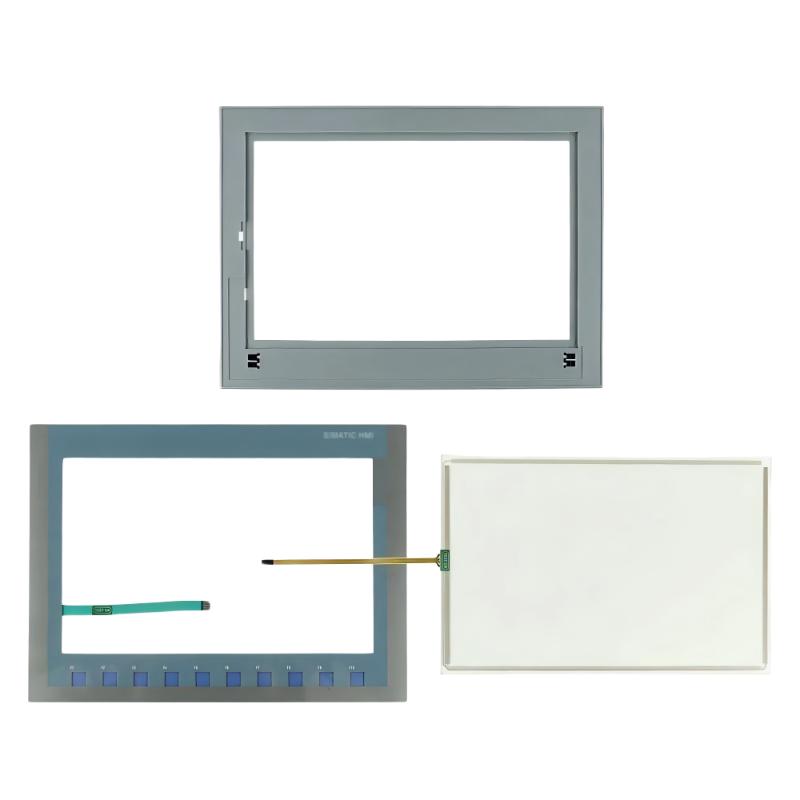
Siemens 6AG1123-2MA03-2AX0 SIPLUS HMI KTP1200 Basic DP: Product Overview, Technical Specifications, Applications, and Related Models
1. Product Introduction
The Siemens 6AG1123-2MA03-2AX0 is a SIPLUS HMI KTP1200 Basic DP operator panel designed for industrial automation and machine operation. It provides a visual interface between operators and automated equipment, allowing users to monitor process conditions, view alarms, enter operating values, and interact with control systems.
As part of the SIPLUS range, this model is intended for industrial environments where equipment may face more demanding ambient conditions than those typically found in clean indoor control rooms. Its design is suited to applications that require a dependable operator interface alongside compatible automation equipment.
The KTP1200 Basic DP combines a large color display with touchscreen operation and physical function keys. This arrangement gives operators two ways to interact with the interface: they can select on-screen controls directly or use configured keys for frequently performed actions. The physical keys can be useful where operators wear gloves, need consistent access to common functions, or work with repetitive operating procedures.
The “DP” designation indicates a PROFIBUS DP communication interface. This makes the panel relevant to automation systems that use PROFIBUS-based communication rather than relying exclusively on PROFINET. Before selecting it for a new installation, the available communication ports and the control system’s compatibility should be checked against the machine’s actual requirements.
Important identification note: The exact order number is 6AG1123-2MA03-2AX0. It should not be confused with similarly named KTP1200 Basic PN products, which use PROFINET, or with standard SIMATIC HMI models that do not carry the SIPLUS designation. The product code and the complete device label should be checked before ordering replacement equipment.
2. Product Parameters
The table below summarizes the principal identification and technical characteristics associated with the 6AG1123-2MA03-2AX0. Exact mechanical dimensions, interface details, and environmental limits should be confirmed against the nameplate and the applicable device documentation before the panel is installed or used as a direct replacement.
| Parameter | Specification |
|---|---|
| Model number | 6AG1123-2MA03-2AX0 |
| Product name | SIPLUS HMI KTP1200 Basic DP |
| Brand | Siemens |
| Product family | SIPLUS Basic Panels (2nd Generation) |
| Product category | Human-Machine Interface (HMI) operator panel |
| Standard reference model | 6AV2123-2MA03-0AX0 |
| Display type | TFT widescreen display with LED backlighting |
| Screen size | 12 inches |
| Display resolution | 1280 × 800 pixels |
| Display colors | 65,536 colors |
| Operating method | Resistive touchscreen and physical function keys |
| Number of function keys | 10 programmable function keys |
| Primary communication interface | PROFIBUS DP |
| Additional interfaces | RS-485/RS-422 and USB, subject to the configured interface details |
| Rated power supply | 24 V DC |
| Permissible supply voltage | 19.2–28.8 V DC |
| Typical power consumption | Approximately 13.2 W |
| Operating temperature | -10°C to +50°C |
| Conformal coating | Yes |
| Front width | Approximately 330 mm |
| Front height | Approximately 245 mm |
| Built-in depth | Approximately 60 mm |
| Overall product weight | 2.17 kg |
| Configuration software generation | WinCC Basic V13 / STEP 7 Basic V13 or compatible engineering environment |
| Main communication purpose | Operator control and monitoring over PROFIBUS |
| Typical installation | Panel or cabinet mounting |
| Intended environment | Industrial indoor applications within the specified operating limits |
Dimensions and weight note: The front dimensions and built-in depth above describe the panel’s installation envelope, while the 2.17 kg figure is the stated product net weight. Packaging dimensions are different from the device’s physical dimensions and should not be used to design a panel cutout. Always check the mechanical drawing and mounting instructions for the exact installation.
3. Display and Operator Controls
The KTP1200 Basic DP uses a 12-inch widescreen TFT display with LED backlighting. Its 1280 × 800 resolution provides enough screen area for machine overviews, process diagrams, operating parameters, alarm lists, and maintenance information to be arranged in a clear layout.
The display supports 65,536 colors, allowing projects to distinguish operating states through consistent visual conventions. For example, a machine designer can use different colors to represent stopped, running, warning, and fault conditions. Color alone should not be the only indicator for safety-critical information; text labels and clear alarm messages should also be used.
The touchscreen allows operators to select buttons, enter values, navigate screens, and acknowledge messages. Its resistive design responds to pressure rather than relying on the electrical properties of a finger, making it a practical option for industrial control panels.
The panel also provides 10 programmable function keys. These can be assigned to common commands or screen-navigation tasks, depending on the HMI project design. In applications where operators repeatedly perform the same actions, physical keys can help make the operating procedure more consistent.
The large display is particularly useful when several types of information must be visible at the same time. A screen might show the current production stage, operating speed, temperature, equipment status, and recent alarms without forcing the operator to switch constantly between pages.
4. Communication and System Compatibility
The defining communication feature of the 6AG1123-2MA03-2AX0 is its PROFIBUS DP interface. PROFIBUS is widely associated with industrial control systems that connect programmable logic controllers, distributed devices, and operator interfaces through an established fieldbus network.
This model is therefore a practical candidate for existing machinery that already uses PROFIBUS-based communication. It can provide the operator interface for a control system without requiring the entire machine to be redesigned around a different network technology.
The panel’s RS-485/RS-422-related interface capabilities and USB connection can support additional communication or service tasks, depending on the configuration and intended use. Exact port functions should be checked against the device documentation before designing a connection scheme.
The engineering environment is another important consideration. The product is associated with WinCC Basic V13 and STEP 7 Basic V13-era configuration support. When integrating it into an existing project, the engineering software version, device support package, PLC type, communication driver, and project migration requirements should all be checked first.
A matching connector or a physically compatible cable does not, by itself, guarantee that two devices can communicate. The PLC configuration, PROFIBUS address, bus parameters, cable termination, project configuration, and application logic must all be correct.
5. Product Series and Brand
Brand: Siemens
The product belongs to the Siemens industrial automation portfolio. Its role is to provide the human-machine interface within an automation system, complementing the controller, field devices, drives, and other equipment that carry out the actual process.
Product family: SIPLUS Basic Panels (2nd Generation)
The 6AG1123-2MA03-2AX0 belongs to the SIPLUS Basic Panels (2nd Generation) family. This family combines basic HMI functionality with features intended for industrial operating environments.
The SIPLUS designation is important because it identifies a product variant with additional environmental protection features. For this model, the product description specifies conformal coating on electronic assemblies and an operating temperature range of -10°C to +50°C.
Conformal coating is a protective layer applied to electronic assemblies to help reduce the risk of damage from environmental contaminants. It is useful where humidity, airborne contamination, or other challenging conditions may affect electronics. It does not mean that the complete panel is waterproof, suitable for outdoor exposure without further protection, or immune to every form of chemical or environmental damage.
The KTP1200 Basic DP is a basic operator panel rather than a high-end SCADA workstation. Its intended role is to deliver practical machine operation and monitoring, with a large screen and a fieldbus interface suited to compatible control systems.
6. Main Applications
6.1 Industrial Machinery
The panel can serve as the local operator interface for production machines, packaging equipment, assembly stations, and other automated machinery using a compatible PROFIBUS control system.
Operators can use the HMI to start or stop permitted operations, choose operating modes, enter production settings, monitor cycle progress, and respond to alarms. The actual controls available on the screen depend on the PLC program and the machine’s safety design.
6.2 Production Lines
In a production line, the panel can present machine status and operating information in one place. A properly designed project may show current production counts, running time, process values, fault messages, and the status of individual machine sections.
This information can help operators recognize abnormal conditions more quickly and communicate faults to maintenance staff with greater precision.
6.3 Packaging and Material Handling
Packaging systems and material-handling equipment often require frequent interaction with operating parameters. The panel can be configured to display product settings, conveyor status, cycle information, alarm messages, and manual operating controls.
For equipment that uses established PROFIBUS communication, the DP variant may be a more suitable fit than a panel designed specifically for PROFINET.
6.4 Process Equipment
The HMI may be used for compatible process equipment such as dosing systems, mixing machines, temperature-control units, and auxiliary production equipment.
Depending on the control program, operators can view measured values, adjust permitted setpoints, acknowledge alarms, and monitor whether the process is running within the expected range.
Any value entered through the HMI should still be validated by the control system. Important interlocks, protective limits, and safety functions should not rely solely on the operator interface.
6.5 Existing PROFIBUS Installations
One of the clearest use cases is maintaining or upgrading an established automation system that already communicates over PROFIBUS DP.
Keeping the same communication architecture may reduce the amount of engineering work involved in replacing an operator panel. However, compatibility must be verified at the project level, particularly if the original HMI uses an older software version or custom screens.
6.6 Maintenance and Troubleshooting
A well-designed HMI project can give maintenance personnel access to alarm history, status indicators, fault descriptions, and diagnostic screens. These features can shorten the time required to identify a fault and decide which part of the machine needs attention.
The usefulness of the panel depends not only on its hardware but also on the quality of the application project. Clear alarm text, consistent screen layouts, meaningful status indicators, and well-organized navigation all contribute to effective maintenance.
7. Key Product Advantages
7.1 Large 12-Inch Display
The 12-inch display provides a generous workspace for operational screens. It is useful when a machine requires several values, status indicators, and control elements to be visible together.
Compared with a smaller operator panel, the larger screen can make it easier to organize information without crowding every screen with small buttons and text.
7.2 Touchscreen and Physical Keys
The combination of touchscreen input and 10 function keys gives project designers flexibility. Frequently used commands can be assigned to physical keys, while less common functions can remain on the touchscreen.
This approach can make the interface more practical for repetitive tasks and help keep frequently used controls in predictable locations.
7.3 PROFIBUS DP Connectivity
The PROFIBUS DP interface is a major advantage when working with compatible existing systems. It allows the panel to fit into an established fieldbus architecture without automatically requiring a change to PROFINET.
For maintenance projects, preserving a proven communication arrangement may simplify integration and reduce unnecessary changes elsewhere in the machine.
7.4 Conformal Coating
The SIPLUS version includes conformal coating intended to improve protection of electronic assemblies against environmental influences. This is particularly relevant when the installation environment is less controlled than a standard office or clean electrical room.
The coating is an added layer of protection, not a substitute for correct enclosure design, appropriate installation, ventilation, cleaning procedures, and compliance with the panel’s specified environmental limits.
7.5 Broad Industrial Use
The panel’s display size, touch-and-key operation, and fieldbus connectivity make it suitable for a variety of machine-level HMI tasks.
A single interface can combine status monitoring, operator commands, alarm acknowledgement, and the entry of permitted process values, reducing the need for separate displays or scattered local controls.
7.6 Practical Replacement Potential
When an existing machine uses a compatible KTP1200 Basic DP, this model may be considered for replacement or maintenance planning.
Before purchase, the original order number, mounting dimensions, electrical connections, communication configuration, project file, and software compatibility should be checked. Similar model names do not guarantee that the devices are interchangeable.
7.7 Clear Separation Between HMI and Control Logic
The panel provides the operator interface, while the PLC or other control equipment normally executes the machine’s control logic. This division helps keep the user interface focused on displaying information and accepting permitted commands.
A well-structured system can therefore make machine operation easier to understand without moving essential control or safety functions into the HMI itself.
8. Important Selection and Installation Considerations
The 6AG1123-2MA03-2AX0 should be selected based on the actual requirements of the machine rather than screen size alone.
First, confirm that the control system supports the panel’s PROFIBUS DP communication. A machine that requires PROFINET may need a different model, such as a compatible PN variant.
Second, check the temperature range and installation environment. This model is specified for operation from -10°C to +50°C, but the temperature measured inside a cabinet may be higher than the surrounding room temperature. Cabinet design and ventilation should be considered accordingly.
Third, verify the panel cutout, mounting depth, clearance, and cable routing. The front dimensions and built-in depth are useful for planning, but the exact mounting drawing should be used for fabrication.
Fourth, confirm the engineering software and project requirements. A panel that is electrically compatible may still require project conversion, software adjustments, or screen redesign before it can operate correctly.
Finally, inspect the product label and accessories when sourcing a replacement. Confirm the complete order number, product condition, included mounting hardware, connectors, and any required cables before installation.
9. Five Related Models in the Same Series or Product Range
The following models are worth considering when selecting a replacement panel, designing a new machine, or comparing display sizes and communication options. The key differences are display size, communication interface, environmental specification, and physical installation requirements.
| Model Number | Product Name | Display Size | Resolution | Communication | Operating Temperature | Dimensions (W × H × D) | Weight (kg) |
|---|---|---|---|---|---|---|---|
| 6AG1123-2GA03-2AX0 | SIPLUS KTP700 Basic DP | 7 inches | 800 × 480 pixels | PROFIBUS DP | Check exact specification | Approx. 214 × 158 × 39 mm; verify drawing | Approx. 0.8–1.0 kg; verify exact variant |
| 6AG1123-2GB03-2AX0 | SIPLUS KTP700 Basic PN | 7 inches | 800 × 480 pixels | PROFINET | Check exact specification | Approx. 214 × 158 × 39 mm; verify drawing | Approx. 0.8–1.0 kg; verify exact variant |
| 6AG1123-2JB03-2AX0 | SIPLUS KTP900 Basic PN | 9 inches | 800 × 480 pixels | PROFINET | -20°C to +50°C | Approx. 267 × 182 × 55 mm; verify drawing | Approx. 1.13 kg |
| 6AG1123-2MB03-2AX0 | SIPLUS KTP1200 Basic PN | 12 inches | 1280 × 800 pixels | PROFINET | -10°C to +50°C | Approx. 330 × 245 × 60 mm; verify drawing | Approx. 2.17 kg |
| 6AG1123-2MA03-2AX0 | SIPLUS KTP1200 Basic DP | 12 inches | 1280 × 800 pixels | PROFIBUS DP | -10°C to +50°C | Approx. 330 × 245 × 60 mm; verify drawing | 2.17 kg |
Selection note: The dimensions and weights for related models are provided as preliminary comparison figures, not as fabrication or shipping specifications. Verify the exact order number, mechanical drawing, and device revision before using them for a panel cutout or replacement order.
9.1 KTP700 Basic DP — 6AG1123-2GA03-2AX0
The KTP700 Basic DP is a smaller option for machines that use PROFIBUS but do not need a 12-inch display. It may suit compact production equipment, individual machine stations, or applications with a relatively simple operating interface.
Its smaller screen can help reduce the space required on a cabinet door. The trade-off is that complex process diagrams and large alarm lists may need to be divided across more screens.
9.2 KTP700 Basic PN — 6AG1123-2GB03-2AX0
The KTP700 Basic PN offers a similar general operator-panel concept with PROFINET connectivity. It is worth considering when the automation system uses PROFINET and a 7-inch screen is sufficient for the intended application.
The DP and PN versions should not be treated as interchangeable solely because their names and display sizes are similar. Their network interfaces and project configurations differ.
9.3 KTP900 Basic PN — 6AG1123-2JB03-2AX0
The KTP900 Basic PN is a 9-inch option that offers more display area than a 7-inch panel while remaining smaller than the 12-inch KTP1200 models.
It can be suitable for machine stations where the operator needs a larger display but the cabinet layout or budget does not justify a 12-inch interface. Its PROFINET connection makes it relevant to compatible Ethernet-based automation systems.
9.4 KTP1200 Basic PN — 6AG1123-2MB03-2AX0
The KTP1200 Basic PN is the closest alternative in terms of screen size and general operator-panel role. Its key distinction is PROFINET communication instead of PROFIBUS DP.
It is worth evaluating when the project uses PROFINET or when the control architecture is being updated. However, a change from DP to PN may require adjustments to network hardware, controller configuration, and the HMI project.
9.5 KTP1200 Basic DP — 6AG1123-2MA03-2AX0
The KTP1200 Basic DP remains the appropriate reference point when a project specifically requires a 12-inch SIPLUS HMI panel with PROFIBUS DP.
Its large display is suitable for projects that need to present multiple process values and operating controls together. Its conformal coating and specified temperature range are additional considerations for industrial installations.
10. Five Popular Siemens Models Worth Considering
The following products cover other common needs within industrial automation. They are not all direct substitutes for the KTP1200 Basic DP: some are operator panels, while others are controllers or drive equipment. Their usefulness depends on whether the project needs an HMI replacement, a controller, or a different component in the automation system.
| Model Number | Product Name | Product Type | Main Technical Characteristics | Communication or Control Role | Dimensions (W × H × D) | Weight (kg) |
|---|---|---|---|---|---|---|
| 6AV2123-2DB03-0AX0 | KTP400 Basic | HMI operator panel | 4-inch-class display; compact operator interface; exact resolution and interface depend on the full configuration | Machine operation and monitoring | Confirm exact hardware drawing | Confirm exact variant |
| 6AV2123-2GA03-0AX0 | KTP700 Basic DP | HMI operator panel | 7-inch display; color interface; physical function keys and touchscreen | PROFIBUS DP-based machine interface | Approx. 214 × 158 × 39 mm; verify drawing | Approx. 0.8–1.0 kg; verify variant |
| 6AV2123-2GB03-0AX0 | KTP700 Basic PN | HMI operator panel | 7-inch display; color interface; physical function keys and touchscreen | PROFINET-based machine interface | Approx. 214 × 158 × 39 mm; verify drawing | Approx. 0.8–1.0 kg; verify variant |
| 6AV2123-2JB03-0AX0 | KTP900 Basic PN | HMI operator panel | 9-inch display; 800 × 480 pixels; color touchscreen and function keys | PROFINET-based machine interface | Approx. 267 × 182 × 55 mm; verify drawing | Approx. 1.13 kg |
| 6AV2123-2MB03-0AX0 | KTP1200 Basic PN | HMI operator panel | 12-inch display; 1280 × 800 pixels; color touchscreen and function keys | PROFINET-based machine interface | Approx. 330 × 245 × 60 mm; verify drawing | Approx. 2.17 kg; verify variant |
Important: The table above is a preliminary product-selection guide. The dimensions and weights for standard HMI models should be checked against the exact hardware revision and product documentation. Do not use approximate figures as final mechanical specifications.
10.1 KTP400 Basic — 6AV2123-2DB03-0AX0
The KTP400 Basic is designed for applications where cabinet space is limited and the operator interface does not need to show many process values at once.
It can be appropriate for small machines, simple operating stations, or equipment where operators mainly need a few status screens and basic commands. A smaller display may also make sense when the HMI is only one part of a larger control arrangement.
Compared with the 12-inch KTP1200 Basic DP, the KTP400 has less screen area. It should therefore be selected only when the application can be organized clearly on a smaller display.
10.2 KTP700 Basic DP — 6AV2123-2GA03-0AX0
The KTP700 Basic DP is a standard HMI option for compatible PROFIBUS installations. It may suit applications that require a straightforward local operator panel but do not need the additional environmental specification associated with the SIPLUS version.
When comparing it with the 6AG1123-2GA03-2AX0, check the environmental requirements carefully. A standard panel and a SIPLUS panel with a similar model name may differ in protection features and operating limits.
10.3 KTP700 Basic PN — 6AV2123-2GB03-0AX0
The KTP700 Basic PN is a practical option for machines using PROFINET and requiring a relatively compact color operator panel.
It can support routine machine operation, status monitoring, alarm acknowledgement, and entry of permitted process values through a properly configured project.
It is best suited to projects where a 7-inch interface provides enough room for the required information and the control system is compatible with the panel’s communication interface.
10.4 KTP900 Basic PN — 6AV2123-2JB03-0AX0
The KTP900 Basic PN offers a larger display than the KTP700 Basic family. It may be useful where operators need to see more process information at once without installing a 12-inch panel.
Typical use cases include machine control stations, packaging systems, and production equipment with several operating parameters or alarm screens. The main selection questions are whether PROFINET is required, whether the screen is large enough, and whether the physical dimensions fit the control cabinet.
10.5 KTP1200 Basic PN — 6AV2123-2MB03-0AX0
The KTP1200 Basic PN is a 12-inch HMI alternative for applications using PROFINET. It shares the broad display-size class of the KTP1200 Basic DP but is designed for a different communication environment.
It may be a better fit when a machine uses PROFINET throughout its control system. If replacing a DP panel with a PN model, however, the change should be treated as a system-integration task rather than a simple like-for-like hardware swap.
11. Comparison: KTP1200 Basic DP vs. KTP1200 Basic PN
The most important decision when comparing the two KTP1200 variants is the communication interface. Both are intended for machine-level operator control and monitoring, but the DP and PN versions serve different network architectures.
| Comparison Item | 6AG1123-2MA03-2AX0 | 6AG1123-2MB03-2AX0 |
|---|---|---|
| Product name | SIPLUS KTP1200 Basic DP | SIPLUS KTP1200 Basic PN |
| Display size | 12 inches | 12 inches |
| Resolution | 1280 × 800 pixels | 1280 × 800 pixels |
| Communication | PROFIBUS DP | PROFINET |
| Conformal coating | Yes | Yes |
| Operating temperature | -10°C to +50°C | -10°C to +50°C |
| Front dimensions | Approx. 330 × 245 mm | Approx. 330 × 245 mm |
| Built-in depth | Approx. 60 mm | Approx. 60 mm |
| Net weight | 2.17 kg | Approx. 2.17 kg; verify exact variant |
| Best suited to | Compatible PROFIBUS-based systems | Compatible PROFINET-based systems |
The DP version is a logical choice for maintaining a compatible PROFIBUS installation. The PN version is worth considering for a compatible PROFINET installation or a planned network upgrade.
The right choice depends on the controller, network design, existing HMI project, and replacement requirements—not simply on the size of the display.
12. Purchasing and Replacement Checklist
Before ordering the 6AG1123-2MA03-2AX0, it is useful to confirm the following items.
| Check Item | What to Confirm | Why It Matters |
|---|---|---|
| Exact model number | 6AG1123-2MA03-2AX0 | Prevents confusion with similar DP and PN models |
| Communication | PROFIBUS DP compatibility | Ensures the panel matches the control system |
| Screen size | 12 inches | Confirms the interface meets operator requirements |
| Resolution | 1280 × 800 pixels | Helps establish project and screen-layout compatibility |
| Operating temperature | -10°C to +50°C | Ensures the installation stays within the specified range |
| Environmental protection | SIPLUS conformal coating | Confirms the intended environmental protection features |
| Supply voltage | 24 V DC nominal; 19.2–28.8 V DC permissible | Ensures compatibility with the available power supply |
| Installation dimensions | Confirm official mechanical drawing | Prevents cabinet cutout and clearance problems |
| Weight | 2.17 kg net | Helps with mounting and handling considerations |
| Software | Confirm project and engineering-software compatibility | Reduces commissioning and migration problems |
| Accessories | Check connectors, mounting hardware, and required cables | Avoids installation delays |
| Product condition | Confirm new, used, repaired, or refurbished status | Helps set appropriate inspection and acceptance requirements |
For a replacement project, it is particularly useful to retain a copy of the original HMI project and record the PLC type, network settings, device address, and current operating screens before removing the existing panel.
13. Overall Assessment
The Siemens 6AG1123-2MA03-2AX0 SIPLUS KTP1200 Basic DP is a 12-inch industrial HMI operator panel intended for machine-level operation and monitoring in compatible PROFIBUS DP systems.
Its main strengths are its large color display, touchscreen and physical-key operation, PROFIBUS connectivity, and conformal coating for additional protection of electronic assemblies. The specified operating temperature range of -10°C to +50°C makes it a candidate for industrial environments that require these characteristics.
The most suitable applications are machines and production systems that already use PROFIBUS DP and need a substantial local operator interface. The panel can provide access to operating values, machine status, alarms, and configured operator commands, while the PLC remains responsible for executing the control logic.
The most important selection point is communication compatibility. If the existing machine uses PROFIBUS DP, this model may be a sensible choice. If the system is based on PROFINET, a compatible PN model should be evaluated instead.
For a purchase or replacement, confirm the complete model number, project compatibility, mounting dimensions, environmental requirements, and required accessories before installation. This helps ensure that the selected panel fits both the physical cabinet and the automation system it is intended to serve.