

ProductPRODUCT
Featured products
Contact Us
- Siemens
- 6AV2124-0GC01-0AX0
- SIMATIC HMI Comfort Panel
- Germany
- 214 × 158 × 63 mm
- 1.576 kg
- Xiamen, China
- New & In Stock
- T/T, PayPal, Western Union
- 1 Year
- 1-3 Working Days
- DHL, UPS, TNT, FedEx and EMS.
- 24-Hour Service
- COO
- 5
Our advantage

Global Logistics
We have a 10-year logistics and express cooperation agreement, so our products can be shipped to any place in the world.

Brand new and original
Our products are imported in bulk from the place of origin. Because of the cooperative relationship, our products are all original and 100% new.

24-hour service
We provide 7*24 hours service to our customers. We will be there whenever you need us.

Price advantage
All our products are priced very favorably because we have our own warehouse and supply.
| Company Information | |||
| [email protected] | |||
| Mobile | +8615980777398 | ||
| +8615980777398 | |||
| 15980777398 |
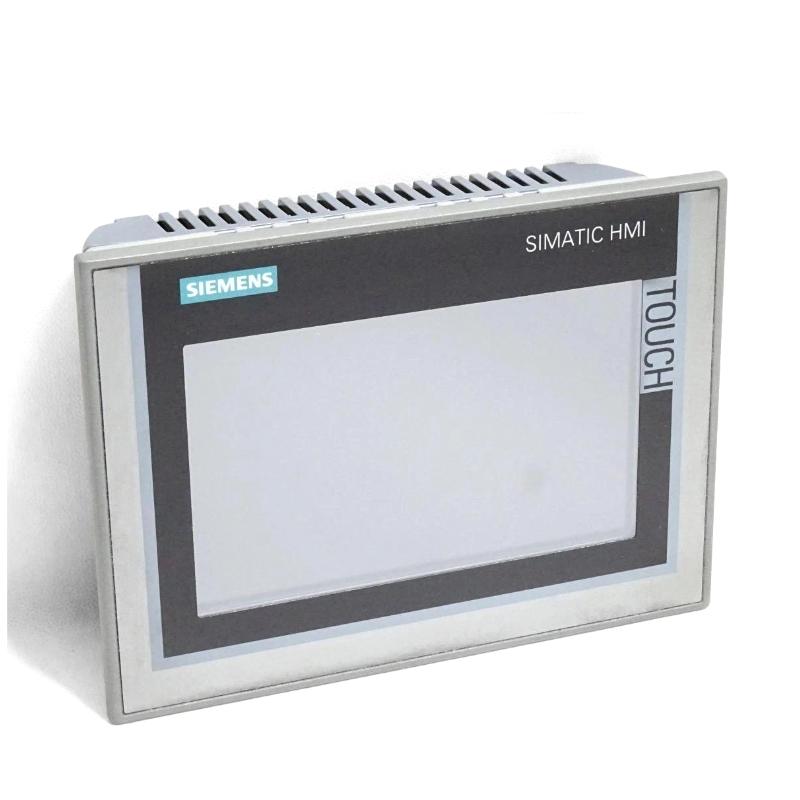
Product Overview
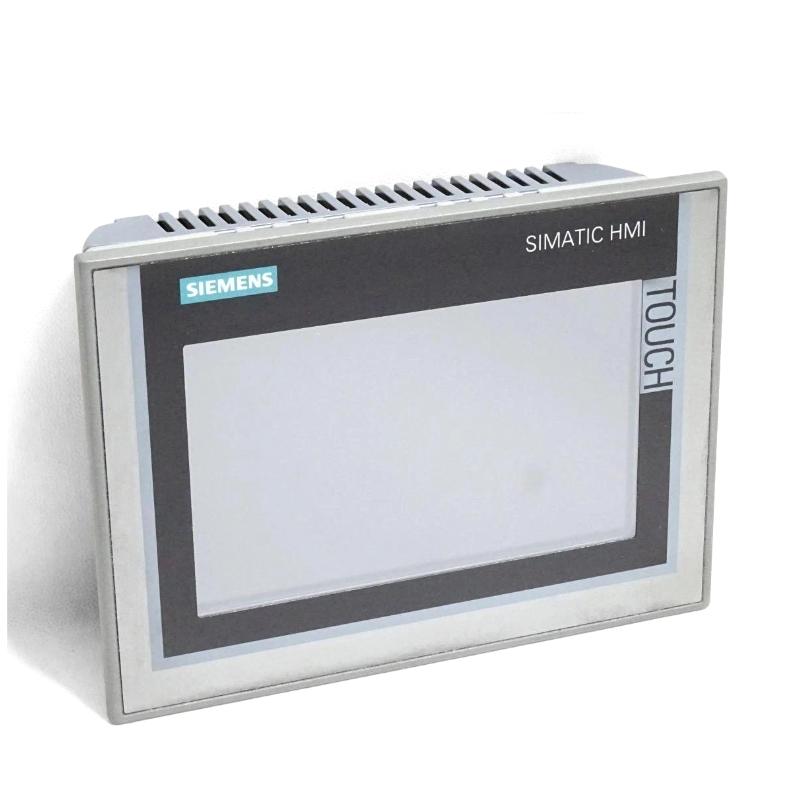
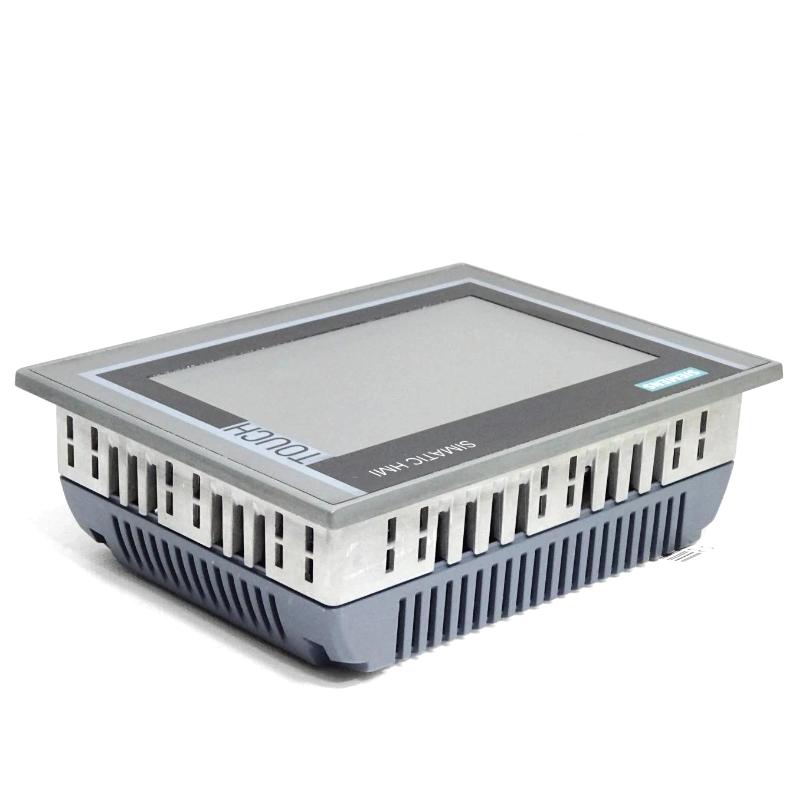
The Siemens 6AV2124-0GC01-0AX0 is a SIMATIC HMI TP700 Comfort Panel used for operator control and machine visualization in industrial automation systems. It combines a 7-inch widescreen TFT display with touch operation, allowing operators to monitor process variables, access equipment controls, review alarms, and interact with PLC-based machinery from a local interface.
Unlike entry-level operator panels, the TP700 Comfort belongs to Siemens’ Comfort Panel family, which supports more extensive visualization and communication requirements. Its 16-million-color display allows machine builders to organize process graphics, operating indicators, alarm information, and parameter-entry screens into a clear interface suited to production environments.
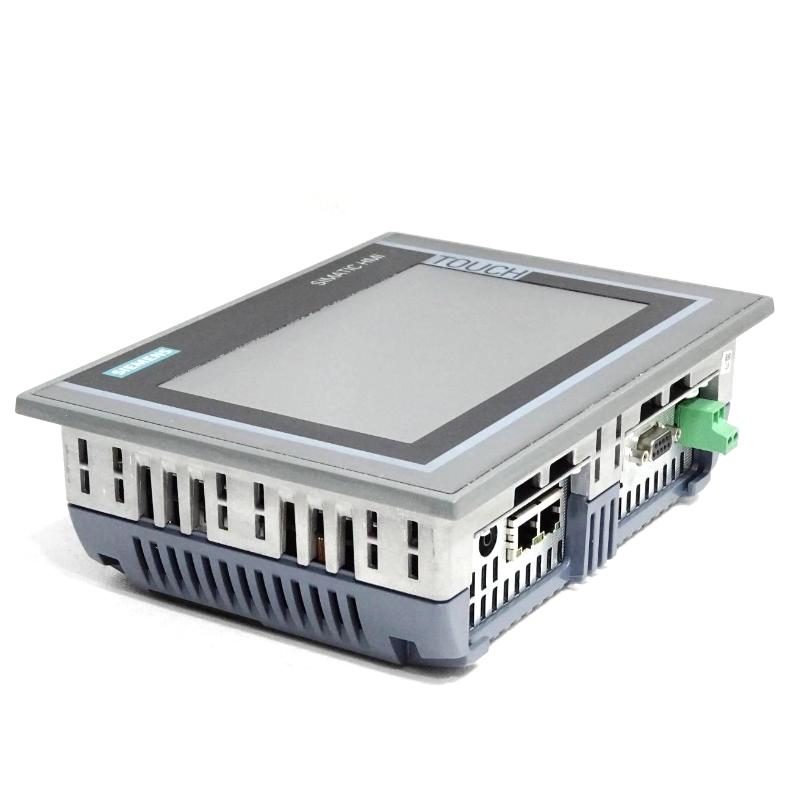
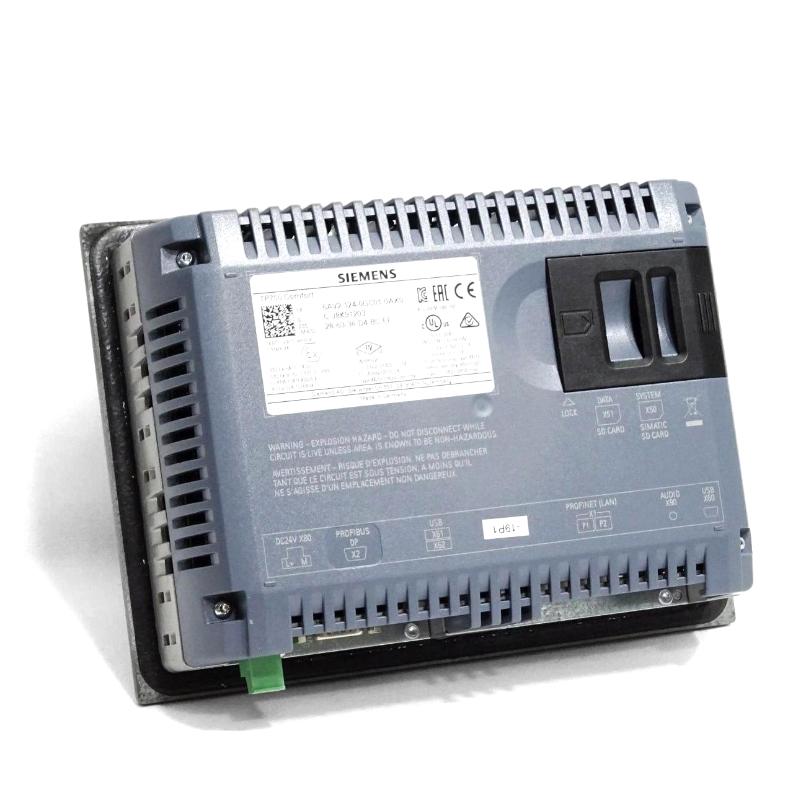
The panel supports PROFINET and MPI/PROFIBUS DP communication, making it suitable for automation architectures that use Ethernet-based connections or compatible PROFIBUS networks. Its 12 MB configuration memory provides storage for the HMI project, while Windows CE 6.0 forms part of the panel’s operating platform. Configuration is supported from WinCC Comfort V11.
In a production machine, the TP700 Comfort can display operating modes, production counts, motor states, temperature readings, and fault messages. An operator can select a machine section, adjust permitted parameters, or acknowledge an alarm through the touchscreen. The PLC remains responsible for executing the actual machine logic and determining whether requested operations are permitted.
The availability of both PROFINET and MPI/PROFIBUS DP interfaces is particularly useful when integrating the panel into established Siemens automation installations. It allows the communication architecture to be selected according to the controller, network design, and requirements of the machine project.
The 6AV2124-0GC01-0AX0 is therefore suited to applications requiring a dedicated local interface with graphical visualization, touch-based operation, and integration into a compatible Siemens control system. Correct engineering of communication links, HMI tags, alarm definitions, and operator permissions is essential to ensure that the displayed information corresponds to the actual machine state.
Technical Specifications
| Parameter | Specification |
|---|---|
| Manufacturer | Siemens |
| Model | 6AV2124-0GC01-0AX0 |
| Product Family | SIMATIC HMI Comfort Panels |
| Product Type | TP700 Comfort HMI Panel |
| Display Type | Widescreen TFT display |
| Screen Size | 7 inches |
| Display Resolution | 800 × 480 pixels |
| Number of Display Colors | 16 million |
| Operating Method | Touch operation |
| Operating System | Windows CE 6.0 |
| Configuration Memory | 12 MB |
| PROFINET Interface | 1 |
| MPI/PROFIBUS DP Interface | 1 |
| Configuration Software | WinCC Comfort V11 or later compatible versions |
| Front Housing Material | Aluminum |
| Dimensions | 214 × 158 × 63 mm |
| Weight | 1.576 kg |
Product Features
- 7-inch widescreen display: Presents machine graphics, process measurements, operating states, and alarm information on a dedicated operator screen.
- 800 × 480 resolution: Supports graphical layouts for equipment monitoring, operating controls, and process visualization.
- 16-million-color display: Allows clear visual differentiation between machine states, warning conditions, and process information.
- Touch operation: Enables direct interaction with configured buttons, selection fields, parameter entries, and navigation elements.
- PROFINET communication: Connects the panel to compatible controllers and industrial Ethernet automation networks.
- MPI/PROFIBUS DP interface: Supports integration into compatible Siemens automation systems using these communication interfaces.
- 12 MB configuration memory: Provides memory for the HMI project and associated configuration data.
- Windows CE 6.0 platform: Supplies the panel’s embedded operating environment.
- WinCC Comfort engineering: Supports HMI project development using the compatible Siemens engineering environment.
- Alarm visualization: Displays configured fault messages and operating warnings to assist operators during production and troubleshooting.
- Process parameter entry: Allows authorized users to enter values and issue commands through configured HMI objects.
- Industrial aluminum front housing: Provides the specified front-panel construction for machine and control-cabinet installations.
Working Principle
The 6AV2124-0GC01-0AX0 functions as the operator visualization layer of a PLC-based automation system. It exchanges data with the connected controller, displays information defined in the HMI project, and sends configured operator actions to the control system.
Operator Input → TP700 Comfort Panel → PROFINET or MPI/PROFIBUS DP → PLC → Machine Equipment
During engineering, the machine builder creates an HMI project containing screens, process indicators, navigation controls, input fields, and alarm displays. Each object is associated with the appropriate controller variable or HMI function. The completed project is transferred to the panel using the supported engineering and connection method.
During operation, the panel reads the configured process data and updates the corresponding screen elements. For example, a pump-control screen may show the pump’s running state, discharge pressure, operating mode, and active alarms. The information displayed depends on the values supplied by the controller and the configuration of the HMI tags.
When an operator touches a configured button, the panel performs the associated action. This may involve writing a command request, changing a permitted setpoint, selecting another screen, or acknowledging an alarm. The PLC evaluates machine conditions and interlocks before carrying out any operation that affects the equipment.
The alarm system provides another important part of the operating process. When the controller or HMI detects a configured fault condition, the panel can display the associated message and allow the operator to access relevant diagnostic information. Proper alarm configuration helps distinguish operating warnings from conditions requiring immediate attention.
Communication reliability depends on correct device addressing, network configuration, controller compatibility, and tag mapping. During commissioning, engineers should test both the displayed values and the commands sent from the panel. This verifies that the HMI is not merely connected but is exchanging the intended information with the automation system.
Role in a Siemens SIMATIC HMI Control Architecture
The TP700 Comfort occupies the operator-interface layer between personnel and the machine control system. It presents information from the PLC and provides the interface through which permitted operator actions are communicated to the controller.
Field Instruments and Actuators → SIMATIC PLC → Industrial Communication Network → TP700 Comfort Panel → Operator
| System Component | Function |
|---|---|
| Siemens 6AV2124-0GC01-0AX0 | Displays machine information and accepts configured operator input |
| SIMATIC PLC | Executes machine logic, sequences, and interlock processing |
| PROFINET Network | Transfers data between compatible automation devices |
| MPI/PROFIBUS DP Network | Supports communication with compatible automation equipment |
| Digital Input Module | Acquires discrete sensor and equipment states |
| Analog Input Module | Acquires supported process measurement signals |
| Motor Starter or Drive | Controls motor operation according to the machine design |
| Pressure Transmitter | Supplies pressure information to the control system |
| Temperature Sensor | Provides temperature measurements for monitoring or control |
| HMI Alarm Configuration | Defines the presentation of faults, warnings, and operating messages |
| Engineering Workstation | Develops and transfers the HMI project |
The HMI does not replace the PLC’s control responsibilities. The controller executes the machine program, while the TP700 Comfort provides visualization and operator interaction. Safety-related functions must remain within the appropriately engineered safety system rather than relying solely on ordinary HMI commands.
Industrial Applications
| Application | Typical Use |
|---|---|
| Packaging Machinery | Displaying production status, operating modes, alarms, and setup parameters |
| Conveyor Systems | Monitoring conveyor sections, motor states, and operating sequences |
| Assembly Lines | Providing local equipment visualization and operator navigation |
| Material Handling | Displaying machine conditions and configured manual-control functions |
| Water Treatment | Monitoring pump status, process measurements, and equipment alarms |
| Industrial Pumping Systems | Presenting pressure readings, operating states, and control parameters |
| Food and Beverage Production | Visualizing process conditions and production equipment status |
| Machine Tools | Providing operator access to machine settings and diagnostic screens |
| Plastics Processing | Displaying machine operating values and process-related alarms |
| General Manufacturing | Serving as a local HMI for PLC-controlled production equipment |
Installation and Maintenance
- Confirm the panel model: Verify that 6AV2124-0GC01-0AX0 matches the intended TP700 Comfort application and communication requirements.
- Prepare the mounting location: Check the panel cutout, mounting arrangement, and enclosure conditions against the installation requirements.
- Check the power supply: Provide the specified 24 V DC supply and verify the connection polarity before energizing the panel.
- Plan the communication connection: Determine whether the application will use PROFINET or MPI/PROFIBUS DP and prepare the corresponding network connection.
- Configure device communication: Set the required device addresses, network parameters, and controller connection settings within the engineering project.
- Develop the HMI screens: Create the required process displays, navigation controls, parameter fields, and alarm views using compatible WinCC Comfort engineering software.
- Map controller variables: Link screen objects to the correct PLC tags and verify the intended data types and communication addresses.
- Configure operator permissions: Define the permitted actions for different operating roles where access restrictions are required.
- Test touchscreen operation: Check screen navigation, input fields, buttons, and other configured touch objects.
- Verify data exchange: Confirm that displayed process values update correctly and that communication faults can be identified during testing.
- Test operating commands: Verify that HMI commands work with the intended PLC logic, interlocks, and machine operating conditions before production use.
- Maintain project records: Archive the approved HMI project, communication settings, software version, and commissioning results for future maintenance.
Related Components
| Component | Function |
|---|---|
| Siemens 6AV2124-0GC01-0AX0 | Provides operator visualization and touch-based interaction |
| Siemens SIMATIC S7-1200 PLC | Executes compact machine-control applications |
| Siemens SIMATIC S7-1500 PLC | Supports more extensive machine and process control |
| Siemens PROFINET Network Components | Connect compatible controllers, HMI panels, and field devices |
| Siemens PROFIBUS DP Network Components | Support communication with compatible PROFIBUS devices |
| Siemens Digital Input Modules | Acquire discrete equipment and sensor signals |
| Siemens Analog Input Modules | Acquire supported analog process measurements |
| Siemens SINAMICS Drives | Control compatible motor applications |
| Industrial 24 V DC Power Supply | Supplies the HMI and other compatible control devices |
| Industrial Communication Cable | Carries data between connected automation devices |
| Engineering Workstation | Develops and transfers the HMI configuration |
Recommended Related Models
| Model / Product Family | Product Type | Typical Application |
|---|---|---|
| Siemens 6AV2124-0GC01-0AX0 | TP700 Comfort HMI Panel | Touch-based operator visualization with PROFINET and MPI/PROFIBUS DP interfaces |
| Siemens 6AV2124-0GC13-0AX0 | TP700 Comfort HMI Panel | Related TP700 Comfort model for comparison within the product family |
| Siemens 6AV2124-0JC01-0AX0 | TP900 Comfort HMI Panel | Operator visualization with a larger display |
| Siemens 6AV2124-0MC01-0AX0 | TP1200 Comfort HMI Panel | Larger-screen operator interface for more extensive visualization |
| Siemens SIMATIC S7-1200 | Programmable Logic Controller | Compact machine automation |
| Siemens SIMATIC S7-1500 | Programmable Logic Controller | Advanced machine and process control |
| Siemens WinCC Comfort | HMI Engineering Software | Developing compatible Comfort Panel projects |
Key Advantages
- Provides a 7-inch color touchscreen for local machine operation.
- Supports PROFINET and MPI/PROFIBUS DP communication.
- Integrates with Siemens WinCC Comfort engineering software.
- Supports graphical process displays, alarms, and operator commands.
- Fits PLC-based automation systems requiring a dedicated local visualization interface.
Technical FAQs
What distinguishes the TP700 Comfort from a SIMATIC Basic Panel?
The TP700 Comfort belongs to the Comfort Panel family and supports a different range of visualization and communication capabilities from Basic Panels. This model includes both PROFINET and MPI/PROFIBUS DP interfaces, making it suitable for compatible automation architectures using either connection type.
Which communication interface should be used when connecting the panel to a PLC?
The choice depends on the PLC, network architecture, and available communication interfaces. PROFINET is suitable for compatible Ethernet-based installations, while MPI/PROFIBUS DP supports compatible legacy and established Siemens networks. The HMI project must be configured for the selected connection.
What does the 12 MB configuration memory mean for an HMI project?
The configuration memory is available for the panel’s HMI project and associated configuration data. The project must remain within the device’s supported resource limits, including memory, screen objects, tags, and configured functions.
What should be checked if the panel displays an incorrect process value?
Check the controller’s source variable, HMI tag mapping, data type, scaling, and communication status. If the PLC value is correct but the displayed value is not, investigate the HMI configuration and any conversion or scaling applied to the screen object.