

ProductPRODUCT
Featured products
Contact Us
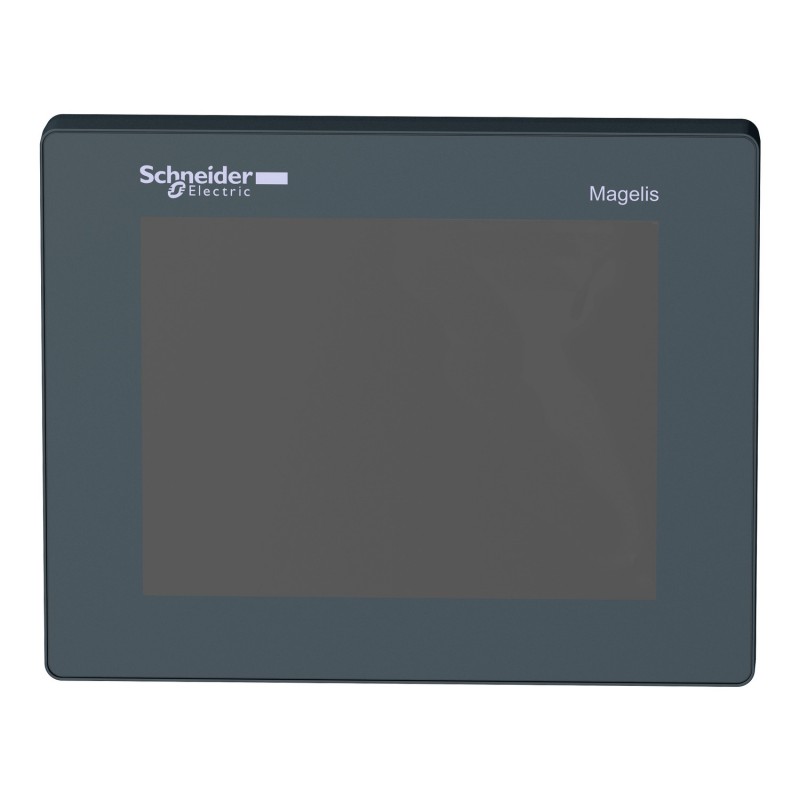
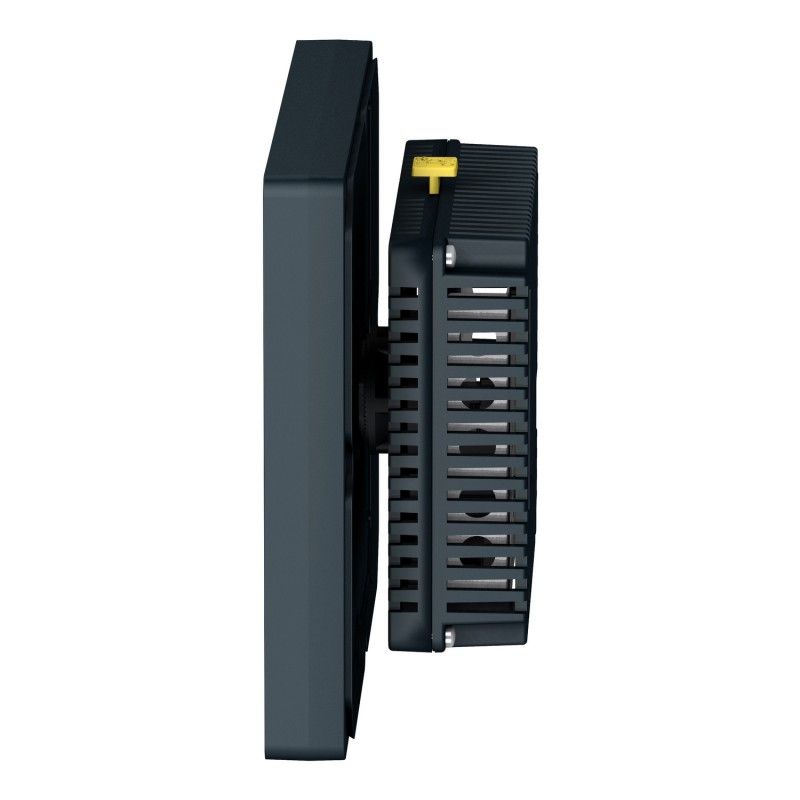
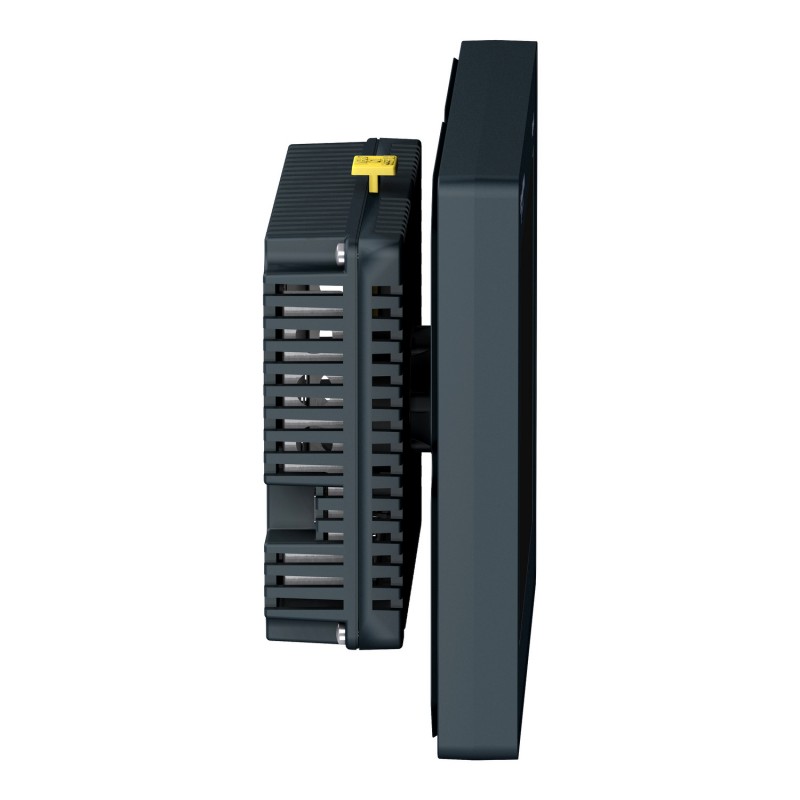
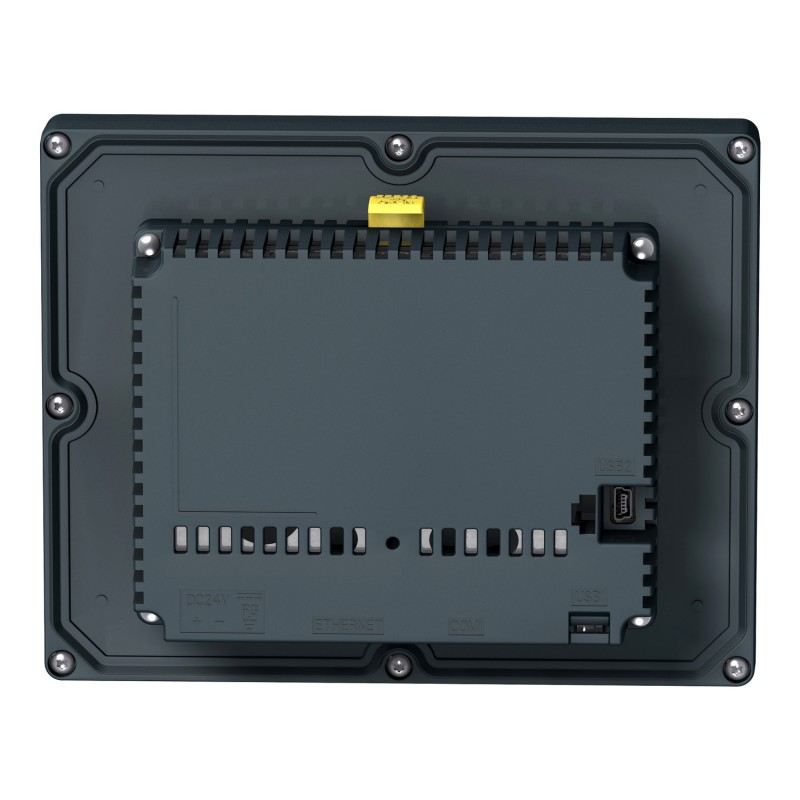
- Schneider
- HMISTU855
- Colour Touch Panel Screen
- France
- 129.15 × 163 × 56.5 mm
- 1.66 kg
- Xiamen, China
- New & In Stock
- T/T, PayPal, Western Union
- 1 Year
- 1-3 Working Days
- DHL, UPS, TNT, FedEx and EMS.
- 24-Hour Service
- COO
- 5
Our advantage

Global Logistics
We have a 10-year logistics and express cooperation agreement, so our products can be shipped to any place in the world.

Brand new and original
Our products are imported in bulk from the place of origin. Because of the cooperative relationship, our products are all original and 100% new.

24-hour service
We provide 7*24 hours service to our customers. We will be there whenever you need us.

Price advantage
All our products are priced very favorably because we have our own warehouse and supply.
| Company Information | |||
| [email protected] | |||
| Mobile | +8615980777398 | ||
| +8615980777398 | |||
| 15980777398 |
Product Overview
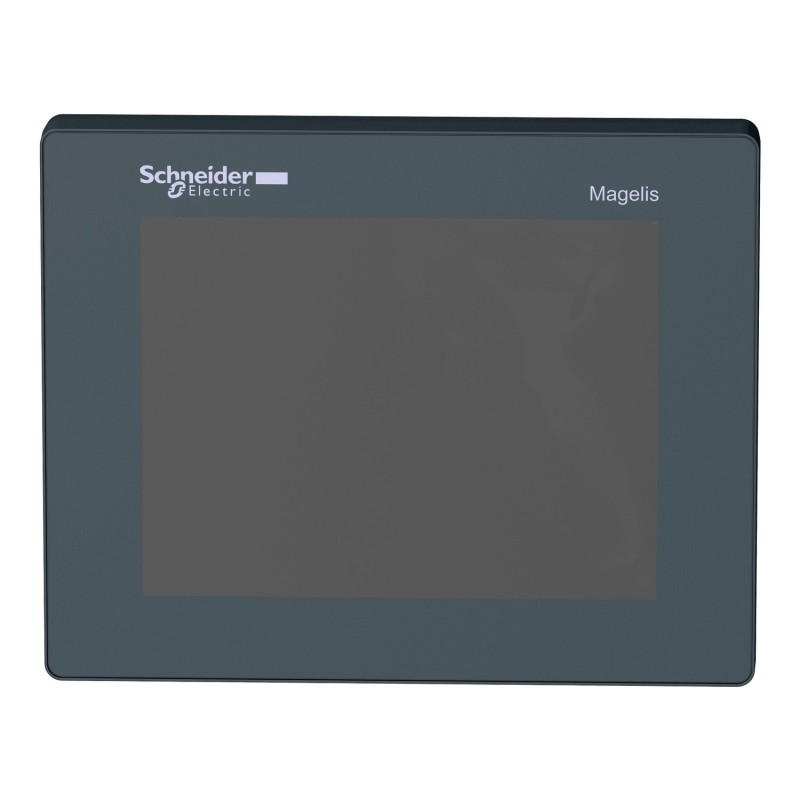
The Schneider HMISTU855 Harmony STO & STU Colour Touch Panel Screen is a 5.7-inch industrial human-machine interface (HMI) used for machine visualization, process monitoring and operator interaction. It combines a color TFT touchscreen with serial and Ethernet communication interfaces, allowing it to exchange operating data with compatible PLCs and automation equipment.
The HMISTU855 is suited to machines that need more display space than a compact 3.5-inch operator terminal can provide. Its QVGA screen supports graphical operating pages, process values, alarm messages and operator controls. This makes it useful for packaging equipment, material-handling systems and production machinery where operators regularly switch between operating screens and diagnostic information.
One distinctive feature of the Harmony STU platform is its modular mounting arrangement. The terminal uses a 22 mm mounting hole rather than requiring the conventional rectangular cutout used by many panel-mounted HMIs. This arrangement can simplify integration into suitable machine panels, although the display and rear module still require the specified installation clearance.
The HMISTU855 communicates with compatible controllers through its RS-232C/RS-485 serial interface or Ethernet connection. Vijeo Designer is used to develop its HMI application, including screen layouts, variable displays, alarm pages and operator commands. The correct configuration depends on the controller, communication protocol and application requirements.
For a machine builder replacing an existing terminal, the important checks are the complete model reference, application compatibility, communication wiring and mounting arrangement. A replacement with a similar screen size may still require different wiring or application changes.
Technical Specifications
| Parameter | Specification |
|---|---|
| Manufacturer | Schneider Electric |
| Model / Part Number | HMISTU855 |
| Product Family | Harmony STO & STU |
| Product Type | Colour Touch Panel Screen |
| HMI Category | Human-Machine Interface |
| Display Size | 5.7 inch |
| Display Type | QVGA TFT colour touchscreen |
| Display Resolution | 320 × 240 pixels (QVGA) |
| Display Colors | 65,536 colors |
| Touchscreen Type | Analog resistive touchscreen |
| Configuration Software | Vijeo Designer |
| Operating System | Harmony |
| Processor | ARM9 |
| Processor Frequency | 333 MHz |
| Rated Supply Voltage | 24 V DC |
| Supply Voltage Limits | 20.4–28.8 V DC |
| Power Consumption | 6.8 W |
| Serial Communication | RS-232C / RS-485 |
| Serial Connector | RJ45 |
| Ethernet Interface | 10BASE-T / 100BASE-TX |
| Ethernet Connector | RJ45 |
| USB Interfaces | 1 × USB Type-A host; 1 × USB Mini-B device |
| Supported Protocols | Modbus, Modbus TCP/IP, Uni-TE and supported third-party protocols |
| Application Memory | 16 MB |
| Backup Memory | 64 KB |
| Backlight Lifespan | 50,000 hours |
| Brightness Levels | 16 |
| Operating Temperature | 0 to 50°C |
| Storage Temperature | −20 to 60°C |
| Mounting Method | 22 mm diameter mounting hole |
| Front Protection | IP65 / NEMA 4X for applicable installation conditions |
| Rear Protection | IP20 |
| Dimensions | 129.15 × 163 × 56.5 mm |
| Weight | 1.66 kg |
Product Features
- 5.7-inch color touchscreen: Provides a larger viewing area for operating pages, process values and alarm information.
- QVGA display: Supports graphical HMI screens at 320 × 240 pixels.
- Ethernet connectivity: Enables communication with compatible controllers over an industrial Ethernet network.
- RS-232C/RS-485 interface: Supports serial communication with compatible PLCs and automation devices.
- Vijeo Designer compatibility: Allows engineers to develop screen layouts, variable displays and operator functions.
- USB connectivity: Provides host and device interfaces for supported peripheral and engineering tasks.
- Modular mounting arrangement: Uses a 22 mm mounting hole, reducing the need for a conventional rectangular panel opening.
- Multiple communication protocols: Supports configured communication with compatible automation equipment.
- Industrial front-panel protection: Supports installation in suitable environments when the specified mounting and sealing conditions are met.
Working Principle
The HMISTU855 operates as the visualization and operator-input layer of a machine control system. Its HMI application defines what operators see on the display and which inputs they can make. The connected PLC or controller remains responsible for executing machine logic and controlling the equipment.
During operation, the terminal reads configured variables from the controller through the selected serial or Ethernet connection. These values are presented as numerical displays, status indicators, alarm messages and other graphical objects. When an operator enters a value or selects a permitted command, the HMI transfers that input to the controller according to the application configuration.
Consider an automated packaging machine with a conveyor, filling mechanism and sealing station. The HMISTU855 can display the operating state of each station, production counts and active alarms. An operator can navigate between screens to inspect individual sections of the machine or enter an authorized production setting. The PLC evaluates the input and determines whether the requested operation is permitted.
The communication interface must be configured correctly for the selected controller. Ethernet communication requires appropriate network settings and a compatible protocol, while serial communication depends on the selected interface, wiring and communication parameters.
If the HMI displays its application but process values stop updating, the problem may lie in the controller connection, protocol settings or variable mapping rather than the touchscreen itself. Checking these elements separately helps distinguish communication faults from display or application problems.
Role in a Harmony STO & STU Machine Control System
The HMISTU855 provides the local operator interface for monitoring machine conditions and entering permitted commands. It works alongside the PLC, communication network and field equipment rather than replacing their control functions.
Operator Input → HMISTU855 HMI Application → Serial / Ethernet Communication → PLC or Controller → Machine Equipment
| System Component | Function | Relationship to the HMISTU855 |
|---|---|---|
| HMISTU855 Touch Panel Screen | Displays process information and accepts operator input | Provides the local visualization interface |
| PLC or Machine Controller | Executes logic, sequencing and interlocks | Exchanges configured variables and commands with the HMI |
| RS-232C / RS-485 Interface | Provides serial data communication | Connects the HMI to compatible controllers |
| Industrial Ethernet Network | Connects automation devices | Provides an alternative communication path |
| Vijeo Designer | Develops and configures the HMI application | Defines screens, variables and operator functions |
| Ethernet Switch | Connects devices on the machine network | Supports network communication where required |
| USB Connection | Supports applicable engineering and peripheral tasks | Provides access to supported USB functions |
| Sensors and Transmitters | Measure process or machine conditions | Supply data to the controller for display |
| Motor Drives | Control motor speed and operation | Receive commands through the machine control system |
| Alarm Logic | Detects and reports abnormal conditions | Supplies alarm information for HMI display |
| 24 V DC Power Supply | Provides operating power | Supplies the terminal within its rated voltage range |
Industrial Applications
| Application | Typical Equipment | Role of the HMISTU855 |
|---|---|---|
| Packaging Machinery | Filling, sealing and labeling systems | Displays production status, machine modes and alarm information |
| Material Handling | Conveyors, transfer units and sorting equipment | Provides access to operating states and permitted commands |
| Food and Beverage Processing | Processing and packaging machinery | Presents process values and operating instructions |
| Assembly Automation | Automated assembly and fastening stations | Displays station status and operator prompts |
| Industrial Pumping | Pumping and utility systems | Provides local monitoring of operating values and faults |
| Machine Tools | Auxiliary machine systems and automated workstations | Supports operator interaction and status visualization |
| Test Equipment | Automated inspection and functional-test stations | Displays test progress, results and alarm messages |
| General OEM Machinery | Purpose-built machines using compatible PLCs | Provides a dedicated operator interface with serial and Ethernet connectivity |
Installation and Maintenance
- Verify the model number: Confirm that HMISTU855 matches the required display, communication and mounting configuration.
- Check the mounting location: Provide the specified 22 mm mounting hole and sufficient clearance for the display and rear module.
- Confirm the power supply: Use a compatible 24 V DC supply within the specified 20.4–28.8 V range.
- Select the communication interface: Determine whether the controller connection uses RS-232C, RS-485 or Ethernet.
- Configure communication parameters: Match the protocol, addressing and other required settings to the connected controller.
- Verify the HMI application: Confirm that the project was developed in Vijeo Designer and matches the installed terminal configuration.
- Check variable assignments: Ensure that controller addresses, data types and scaling correspond to the actual PLC program.
- Inspect the connectors: Check the power terminals, RJ45 interfaces and USB ports for damage or loose connections.
- Secure the terminal: Follow the specified mounting procedure and ensure that the panel installation maintains the required front-panel sealing.
- Transfer and test the application: Load the approved project using a supported method and verify screen navigation and data updates.
- Test operator functions: Check numerical entries, buttons, alarm acknowledgments and permitted commands under controlled conditions.
- Record maintenance findings: Document the model reference, application revision, communication settings and changes made during servicing.
Compatible System Components
| Component | Function | Compatibility Consideration |
|---|---|---|
| Schneider Electric PLC | Executes machine logic and processes I/O | Verify supported communication interfaces and protocols |
| Modbus-Compatible Controller | Exchanges process data with the HMI | Match protocol settings and variable mapping |
| RS-232C Serial Cable | Provides a point-to-point serial connection | Confirm wiring and connector assignments |
| RS-485 Serial Network | Connects compatible devices over a serial bus | Check topology, addressing and termination requirements |
| Industrial Ethernet Cable | Carries network data | Match the connected interfaces and installation conditions |
| Industrial Ethernet Switch | Connects devices within the machine network | Select according to the network architecture |
| Vijeo Designer | Develops the HMI application | Use a compatible software version and target configuration |
| USB Peripheral | Supports applicable USB functions | Confirm peripheral and application compatibility |
| 24 V DC Power Supply | Supplies power to the terminal | Match the specified voltage range and electrical requirements |
| Machine Sensors | Provide process measurements and status signals | Signals are normally processed by the controller before display |
| Motor Drives | Control motor operation | Integrate through the controller or a supported communication arrangement |
Recommended Related Models
| Model / Product | Product Type | Relationship | Selection Consideration |
|---|---|---|---|
| Schneider HMISTU655 | Harmony STO & STU Colour Touch Panel Screen | Related STU model with a 3.5-inch display | Consider when a smaller display is sufficient |
| Schneider HMISTU855 | Harmony STO & STU Colour Touch Panel Screen | Requested 5.7-inch model | Match the complete model reference and required interfaces |
| Schneider HMISTO715 | Harmony STO & STU Touch Panel Screen | Related compact HMI with serial communication | Compare mounting arrangements and communication requirements |
| Schneider HMISTO735 | Harmony STO & STU Touch Panel Screen | Related compact HMI with Ethernet communication | Check the required interface and panel installation design |
| Schneider HMISTM6400 | Harmony ST6 Touch Panel Display | Different HMI platform identified as a replacement for HMISTU855 | Evaluate application migration, communication interfaces and mounting requirements |
Key Advantages
- Provides a 5.7-inch color touchscreen for local machine visualization.
- Supports both serial and Ethernet communication with compatible controllers.
- Uses Vijeo Designer for HMI application development.
- Combines graphical displays, alarm information and operator input in one terminal.
- Uses a modular mounting arrangement based on a 22 mm panel hole.
Technical FAQs
What is the main benefit of the HMISTU855 compared with the HMISTU655?
The HMISTU855 has a 5.7-inch display, while the HMISTU655 has a 3.5-inch display. The larger screen allows more operating information to be presented at once, although the final layout depends on the application design.
Which communication options are available on the HMISTU855?
The terminal provides an RS-232C/RS-485 serial interface and an Ethernet interface. The appropriate connection depends on the controller, supported protocol and communication configuration used by the machine.
Can an existing HMISTU855 application be transferred to another HMI model?
Not necessarily without modification. Application compatibility depends on the target terminal, software configuration, communication drivers and supported screen functions. Before migration, review the project and test it on the intended replacement hardware.
What should be checked when the HMISTU855 cannot communicate with a PLC?
First identify whether the connection uses serial communication or Ethernet. Check the cable and connectors, communication parameters, network addressing where applicable, selected protocol and variable mapping. Confirming these items separately helps isolate the source of the communication failure.