

ProductPRODUCT
Featured products
Contact Us
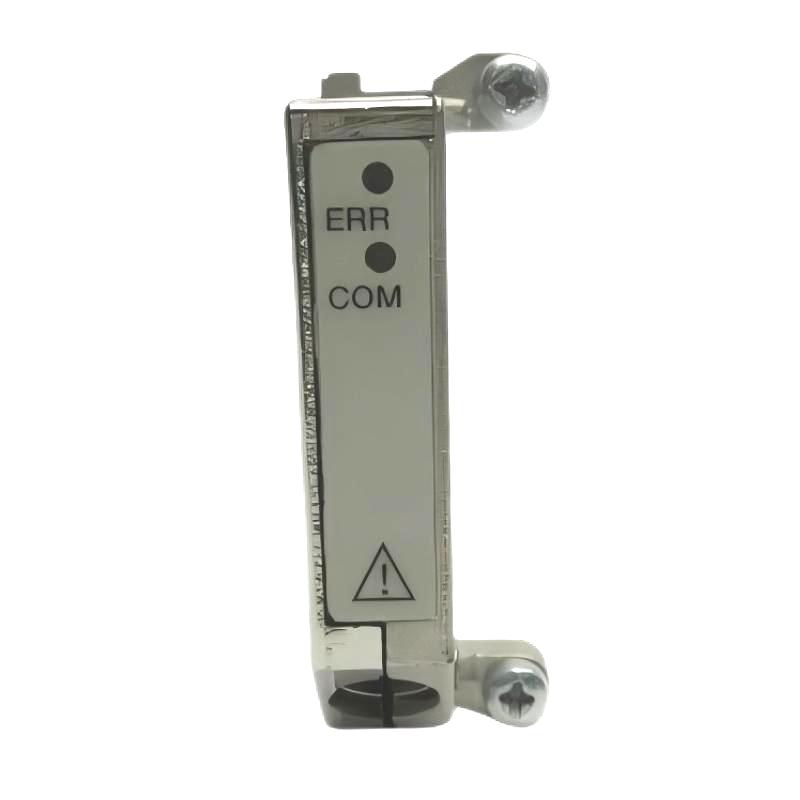
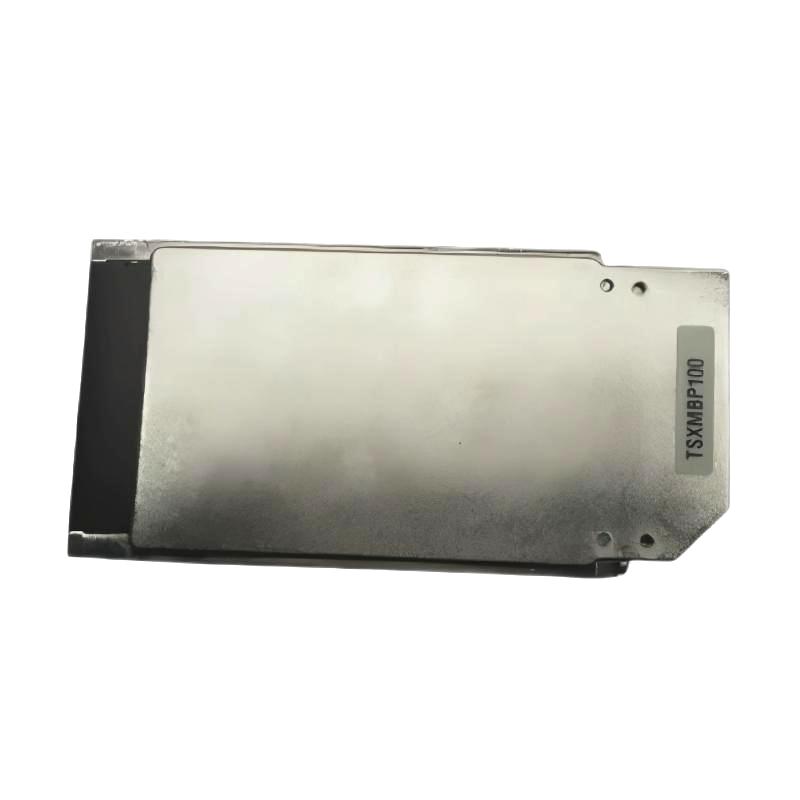
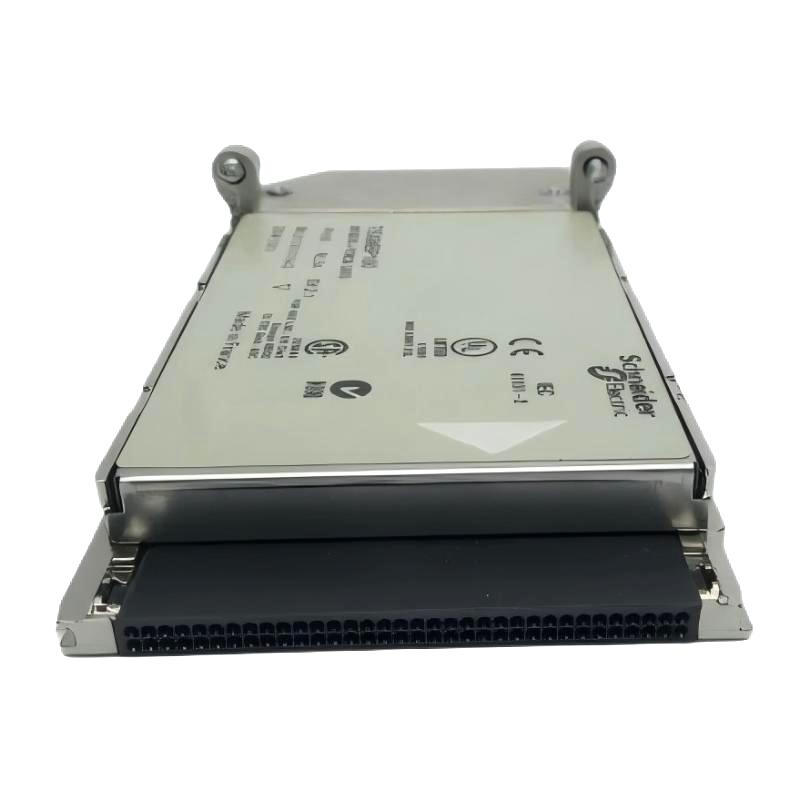
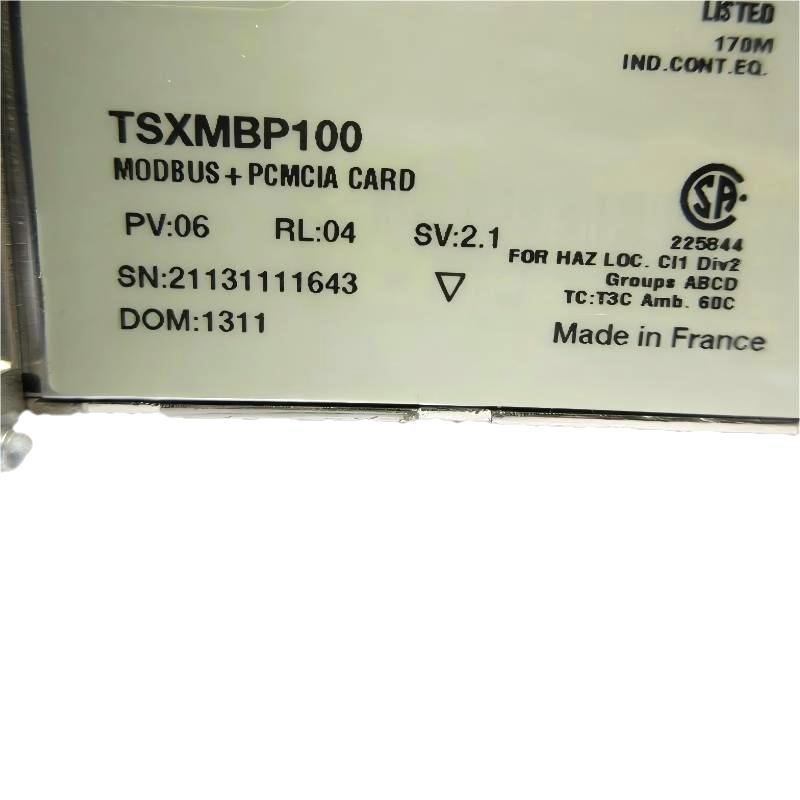
- Schneider
- TSXMBP100
- PCMCIA Card
- France
- 170 x 155 x 35 mm
- 0.11 kg
- Xiamen, China
- New & In Stock
- T/T, PayPal, Western Union
- 1 Year
- 1-3 Working Days
- DHL, UPS, TNT, FedEx and EMS.
- 24-Hour Service
- COO
- 4
Our advantage

Global Logistics
We have a 10-year logistics and express cooperation agreement, so our products can be shipped to any place in the world.

Brand new and original
Our products are imported in bulk from the place of origin. Because of the cooperative relationship, our products are all original and 100% new.

24-hour service
We provide 7*24 hours service to our customers. We will be there whenever you need us.

Price advantage
All our products are priced very favorably because we have our own warehouse and supply.
| Company Information | |||
| [email protected] | |||
| Mobile | +8615980777398 | ||
| +8615980777398 | |||
| 15980777398 |
1. Product Overview
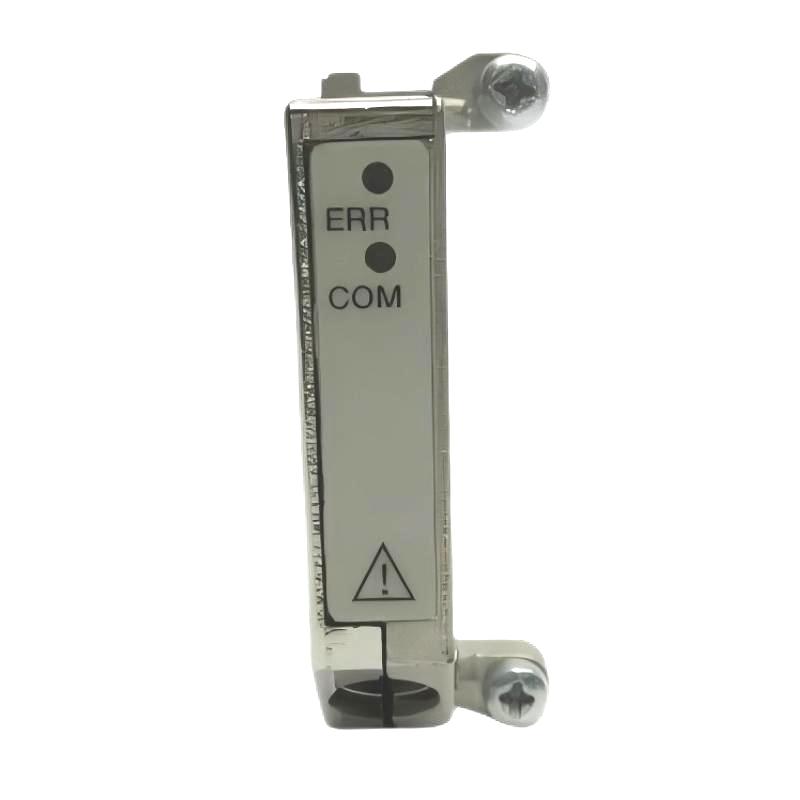
The Schneider TSXMBP100 PCMCIA Card is identified by its supplied product description as a PCMCIA-format card associated with industrial automation equipment. PCMCIA cards have been used in legacy industrial control systems for data storage, configuration transfer, communication, and other specialized functions, depending on the card design and the host equipment.
In industrial automation environments, legacy components remain important for maintaining existing control systems, supporting older equipment, and reducing the need for unnecessary system-wide upgrades. Selecting the correct card is essential because physical format alone does not guarantee compatibility with a particular controller or programming device.
The exact function and supported applications of the TSXMBP100 should be verified against its product label and technical documentation before purchase or installation. Its model designation alone is not sufficient to confirm its memory capacity, communication protocol, or compatibility with specific Schneider Electric controllers.
2. Technical Specifications
| Parameter | Specification |
|---|---|
| Brand | Schneider Electric |
| Model | TSXMBP100 |
| Product Type | PCMCIA Card |
| Product Category | Industrial Automation Accessory |
| Dimensions | 170 × 155 × 35 mm |
| Weight | 0.11 kg |
| Primary Application | To be confirmed from product documentation |
| Card Interface | PCMCIA format, as supplied in the product description |
| Memory Capacity | To be confirmed |
| Supported Protocols | To be confirmed |
| Compatible Equipment | To be confirmed |
| Operating System or Software Requirements | To be confirmed |
| Product Condition | Confirm when ordering |
Specification note: The dimensions and weight above are based on the supplied product information. The stated dimensions are relatively large for a standalone PCMCIA card, so buyers should confirm whether they describe the card, an accessory, or the shipping package. The exact function of the TSXMBP100 also requires verification.
3. Function and Working Principle
PCMCIA is a card interface standard historically used in computers and industrial equipment. Depending on its design, an industrial PCMCIA card may provide memory, data storage, communication, or a dedicated equipment-specific function.
A typical card-based workflow may involve the following steps:
- Physical installation: The card is inserted into a compatible slot on the host device.
- Hardware recognition: The host equipment detects the card if the interface and device specifications are compatible.
- Data access or functional operation: The host uses the card according to its supported function.
- System interaction: Depending on the card type, data may be accessed by an engineering tool, controller, or other compatible equipment.
- Removal and maintenance: The card is removed only according to the equipment manufacturer’s instructions, particularly when data access or writing operations may be in progress.
These steps describe general PCMCIA operation and should not be interpreted as confirmation that every function applies to the TSXMBP100. Its precise operating principle depends on the verified product specification.
4. Role in Industrial Automation Systems
Industrial automation systems often remain in service for many years. During this time, specialized accessories and legacy interfaces may be required to maintain existing equipment.
A compatible PCMCIA card can serve as a supporting component within such an environment, depending on its intended design.
4.1 Legacy Equipment Support
Older industrial computers and automation devices may rely on legacy card interfaces. Maintaining the correct accessory can help preserve existing workflows without requiring immediate replacement of the entire system.
4.2 Data Handling
Some industrial cards support data storage or transfer. Where this function is documented, the card may be used to move configuration data or other supported information between compatible devices.
4.3 Engineering and Maintenance
Legacy engineering tools may require specific accessories to access or maintain installed equipment. Correct part identification helps maintenance personnel select components that match the original system configuration.
4.4 System Continuity
Using a verified compatible replacement can help reduce downtime caused by missing, damaged, or defective accessories. Compatibility must be established before installation rather than inferred from the card’s physical format.
The specific role of the TSXMBP100 within a Schneider Electric system should be confirmed before assigning it to any of these applications.
5. Potential Industrial Applications
Depending on its verified function, a legacy industrial PCMCIA card may be relevant to the following environments:
Manufacturing Facilities
Production facilities frequently maintain older automation equipment alongside newer systems. Correct replacement accessories can help support maintenance of legacy control infrastructure.
Industrial Engineering Workstations
Some older engineering computers use card-based interfaces for specialized hardware functions. The required card must match the workstation’s hardware and software configuration.
Process Control Systems
Long-running process installations may require continued support for legacy devices. Identifying the correct component is essential when maintaining equipment that cannot be replaced without significant engineering work.
Equipment Repair and Refurbishment
Industrial repair providers may need original or compatible accessories when restoring older automation equipment. Verifying the exact part number helps prevent unnecessary purchases and installation delays.
These are general examples of where legacy PCMCIA technology may be encountered, not confirmed application claims for the TSXMBP100.
6. Installation and System Integration
Before installing the Schneider TSXMBP100, confirm that the card is intended for the target equipment.
Recommended procedures include:
- Verify the part number: Check the complete TSXMBP100 designation against the original equipment documentation.
- Identify the host device: Confirm the controller, industrial computer, or engineering tool for which the card is required.
- Check interface compatibility: Ensure that the host supports the specific card type, not merely a similarly sized slot.
- Inspect the card: Look for damaged contacts, cracks, contamination, or signs of corrosion.
- Review software requirements: Confirm whether dedicated drivers, engineering software, firmware, or configuration settings are necessary.
- Follow installation instructions: Use the host equipment’s approved installation and removal procedures.
- Test operation: Verify that the equipment recognizes and operates with the card as expected.
If the card stores or modifies data, back up relevant information before performing maintenance whenever possible. Avoid removing a card during an active write operation unless the equipment documentation explicitly permits it.
7. Common Problems and Troubleshooting
| Problem | Possible Cause | Recommended Action |
|---|---|---|
| Card is not recognized | Incompatible host device or unsupported card type | Verify the exact card specification and host compatibility |
| Card cannot be inserted correctly | Incorrect interface, orientation, or physical damage | Stop installation and check the equipment documentation |
| Intermittent recognition | Dirty or damaged contacts, loose connection, or host-slot fault | Inspect the contacts and host slot using approved maintenance procedures |
| Data cannot be accessed | Unsupported function, software mismatch, or damaged card | Confirm the card’s intended function and software requirements |
| System reports an error | Configuration mismatch or equipment fault | Review the host device’s diagnostic information |
| Replacement card does not work | Incorrect part number or incompatible revision | Compare the replacement against the original hardware and documentation |
These troubleshooting steps are general guidelines. The appropriate diagnostic procedure for the TSXMBP100 depends on its confirmed function and the equipment in which it is installed.
8. Preventive Maintenance
Proper handling and storage can help protect legacy cards and reduce avoidable failures.
Recommended maintenance practices include:
- Store the card in a clean, dry, antistatic environment appropriate for electronic components.
- Avoid touching exposed electrical contacts.
- Inspect the card for visible damage before installation.
- Protect the card from electrostatic discharge during handling.
- Follow the host equipment’s approved insertion and removal procedures.
- Maintain records of the card’s model number and the equipment in which it is used.
- Back up important data when the card’s documented function involves data storage.
- Keep replacement components clearly identified to prevent model mix-ups.
Do not attempt to format, rewrite, or modify the card unless its function and the required procedure have been confirmed.
9. Compatibility and Replacement Considerations
Selecting a replacement for the Schneider TSXMBP100 requires more than matching the PCMCIA form factor.
Before purchasing, verify the following:
- Exact model number and any revision or suffix.
- Intended function of the card.
- Supported host equipment and card interface.
- Memory capacity or communication features, if applicable.
- Software and firmware requirements.
- Data format and compatibility requirements, if applicable.
- Physical condition and connector integrity.
- Availability of a documented replacement part.
A card that fits into a slot is not necessarily electrically or functionally compatible with the host system. Do not substitute another PCMCIA card solely because its dimensions or interface appear similar.
For legacy Schneider Electric installations, checking the existing equipment label, original documentation, and hardware configuration is particularly important before ordering.
10. Key Benefits of Correct Part Selection
Selecting the correct industrial PCMCIA card can offer several practical advantages:
- Legacy system support: Helps maintain existing equipment when the card is a required component.
- Reduced downtime: A verified replacement can help resolve failures caused by a missing or defective card.
- Compatibility assurance: Correct identification reduces the risk of installing an unsuitable accessory.
- Maintenance efficiency: Accurate part information helps technicians plan repairs and procurement.
- Equipment lifecycle support: Appropriate replacement components can help extend the useful life of supported industrial installations.
These benefits depend on confirming the actual purpose and compatibility of the TSXMBP100.
11. Frequently Asked Questions
Q1: What is the Schneider TSXMBP100?
The supplied product information identifies the Schneider TSXMBP100 as a PCMCIA Card. Its exact industrial function should be verified through the product label and technical documentation before use.
Q2: What are the dimensions and weight of the TSXMBP100?
The supplied dimensions are 170 × 155 × 35 mm, and the supplied weight is 0.11 kg. Since these dimensions are unusually large for a standalone PCMCIA card, confirm whether they refer to the card or its packaging.
Q3: Which Schneider Electric controllers support the TSXMBP100?
The compatible equipment has not been established here. Check the original documentation and the model number of the target device before purchasing.
Q4: Can the TSXMBP100 be used as a standard memory card?
This should not be assumed. PCMCIA describes a card interface, but individual cards can have different functions and compatibility requirements. Confirm the TSXMBP100’s specific purpose first.
Q5: Can another PCMCIA card replace the TSXMBP100?
Not necessarily. A replacement must match the required function, interface, electrical characteristics, and software or firmware requirements.
Q6: What should buyers verify before ordering?
Confirm the full part number, actual product function, dimensions, weight, condition, and compatibility with the intended host equipment. For legacy automation systems, verify these details before committing to a replacement.
12. Conclusion
The Schneider TSXMBP100 PCMCIA Card is identified in the supplied product information as an industrial automation-related PCMCIA component. Correct identification is essential when sourcing legacy accessories because similar card formats do not guarantee identical functions or compatibility.
Before ordering or installing the TSXMBP100, verify its exact purpose, supported equipment, and technical requirements. This helps reduce procurement errors and supports reliable maintenance of existing industrial automation systems.