

ProductPRODUCT
Featured products
Contact Us
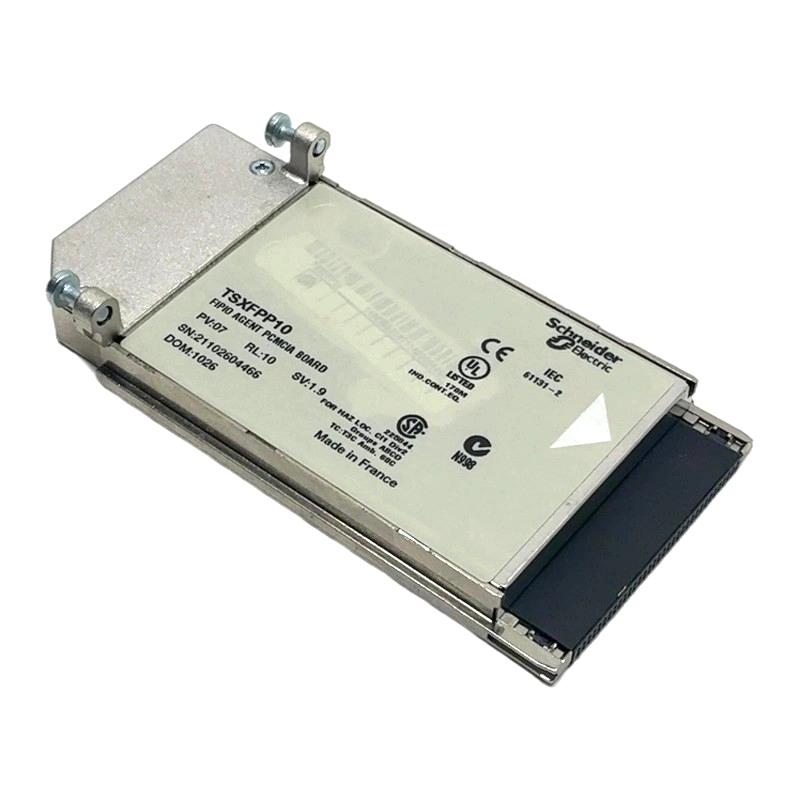
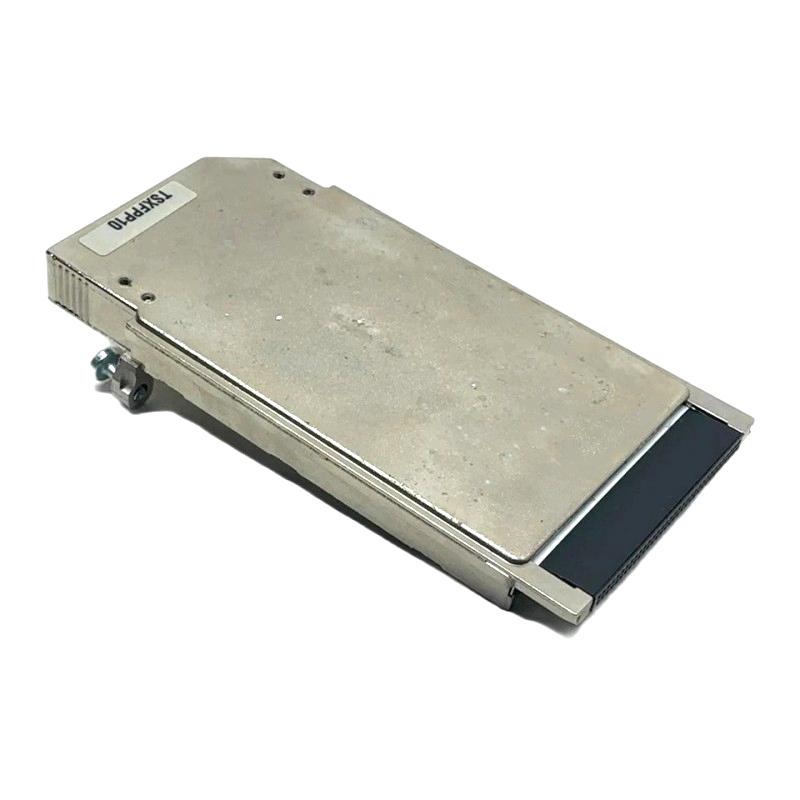
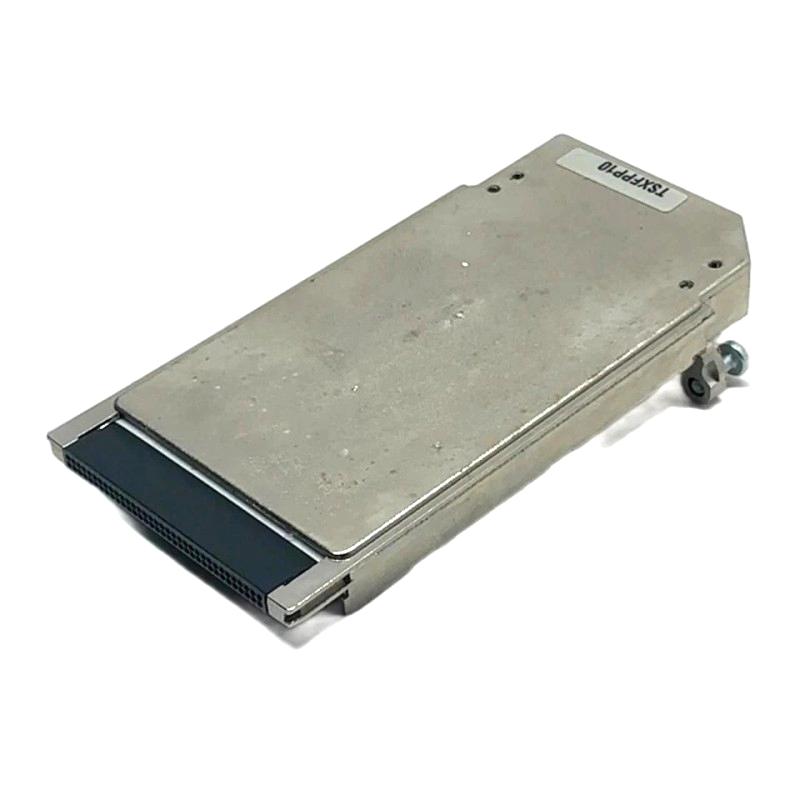
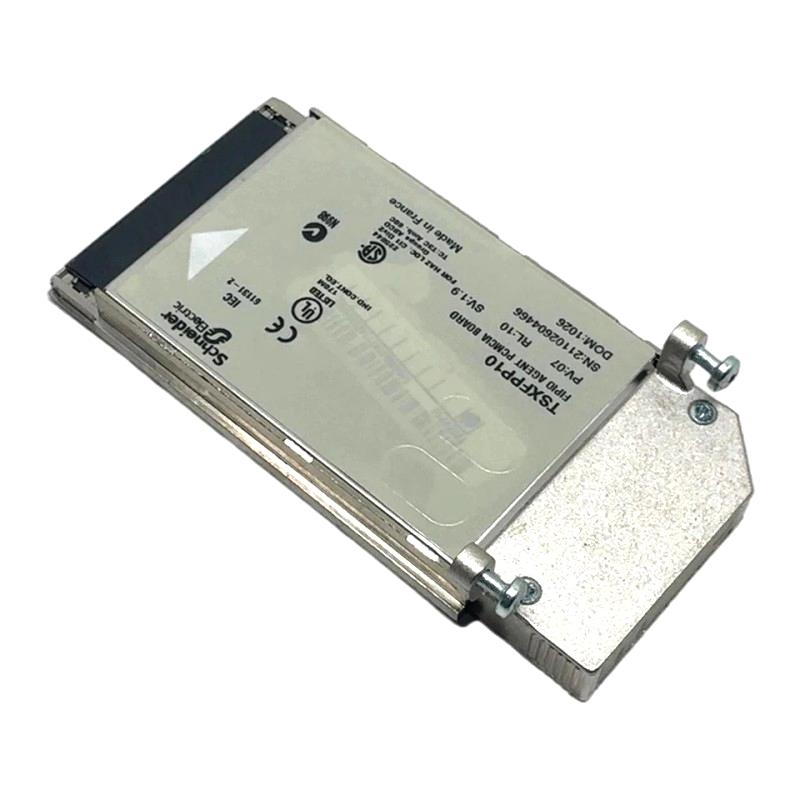
- Schneider
- TSXFPP10
- PCMCIA Card
- France
- 170 x 155 x 35 mm
- 0.11 kg
- Xiamen, China
- New & In Stock
- T/T, PayPal, Western Union
- 1 Year
- 1-3 Working Days
- DHL, UPS, TNT, FedEx and EMS.
- 24-Hour Service
- COO
- 4
Our advantage

Global Logistics
We have a 10-year logistics and express cooperation agreement, so our products can be shipped to any place in the world.

Brand new and original
Our products are imported in bulk from the place of origin. Because of the cooperative relationship, our products are all original and 100% new.

24-hour service
We provide 7*24 hours service to our customers. We will be there whenever you need us.

Price advantage
All our products are priced very favorably because we have our own warehouse and supply.
| Company Information | |||
| [email protected] | |||
| Mobile | +8615980777398 | ||
| +8615980777398 | |||
| 15980777398 |
1. Product Overview
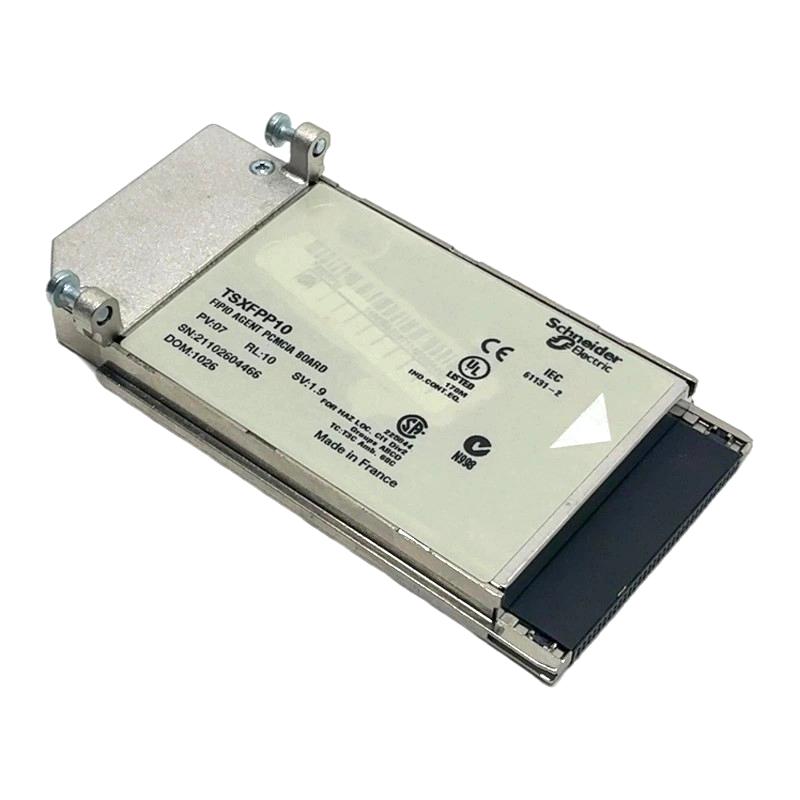
The Schneider Electric TSXFPP10 PCMCIA Card is an industrial automation accessory associated with Schneider Electric’s legacy Modicon control systems. PCMCIA cards were commonly used in industrial computing and automation equipment to provide removable storage, communication capabilities, or other dedicated functions, depending on the card type and supported host device.
In industrial automation environments, specialized memory and interface accessories can play an important role in maintaining existing equipment, supporting configuration tasks, and preserving compatibility with established control platforms. Selecting the correct card is particularly important in legacy installations, where hardware interfaces and software requirements may differ significantly from those used in modern automation systems.
The TSXFPP10 model designation and its exact functional role should be confirmed against the original product label and the relevant Schneider Electric documentation before purchase or installation. The PCMCIA description alone is not sufficient to establish whether a particular card provides memory, communication, programming, or another specialized function.
The supplied dimensions are 170 × 155 × 35 mm, and the supplied weight is 0.11 kg. These measurements should be checked against the actual product and packaging configuration, as PCMCIA cards themselves are generally much smaller than these dimensions.
For maintenance engineers, system integrators, and industrial spare-parts buyers, accurate model identification is essential to avoid compatibility problems and unnecessary downtime.
2. Technical Specifications
| Parameter | Specification |
|---|---|
| Brand | Schneider Electric |
| Model | TSXFPP10 |
| Supplied Product Type | PCMCIA Card |
| Product Family | Schneider Electric industrial automation accessories; exact family requires verification |
| Interface Type | PCMCIA, subject to confirmation against the actual product |
| Primary Function | Requires confirmation from the model-specific documentation |
| Dimensions | 170 × 155 × 35 mm, as supplied |
| Weight | 0.11 kg, as supplied |
| Compatible Equipment | Must be verified against the intended host device |
| Software Requirements | Depend on the confirmed card function and host platform |
| Installation Environment | Compatible industrial automation or computing equipment |
Technical note: The exact function of TSXFPP10 has not been independently established here. Do not assume that it is a memory card, communication card, or programming accessory without confirming the product label and technical documentation. The supplied physical dimensions may refer to the packaged product rather than the card itself.
3. Function and Working Principle
The function of the TSXFPP10 depends on its confirmed hardware type and the equipment for which it was designed. PCMCIA is a removable-card interface historically used in industrial computers, programming terminals, and certain automation products.
3.1 PCMCIA Interface
PCMCIA was developed to support removable peripheral cards in compatible host equipment. Depending on the card and host, this interface could provide storage, communication, or other hardware functions.
In industrial automation, legacy host devices may use specialized cards to extend functionality or support particular maintenance and configuration procedures.
The physical presence of a PCMCIA interface does not establish that two cards are interchangeable. Card type, electrical characteristics, host support, and software compatibility must all be checked.
3.2 Data and Configuration Support
Some industrial PCMCIA cards are designed to store configuration data, programs, or other files used by compatible automation equipment. Other cards may provide communication interfaces or specialized functions.
For the TSXFPP10, these functions should only be described as applicable after the exact product identity has been verified. The card should not be used to store or transfer control programs unless the host equipment and card documentation explicitly support that operation.
3.3 Integration with Legacy Equipment
Industrial facilities often maintain older control systems because replacing an entire machine or automation platform can be expensive and disruptive.
When a specific PCMCIA card is required by a legacy system, sourcing the correct model can help preserve compatibility with the original equipment. The host device’s supported card types and firmware or software requirements are important selection criteria.
4. Role in Industrial Automation Systems
4.1 Maintaining Legacy Control Equipment
Older automation systems may rely on dedicated accessories that are no longer common in newer installations. A compatible card can be important when maintaining equipment that was designed around a specific removable-card interface.
The TSXFPP10 should be matched to the host system’s documented requirements before being used as a replacement.
4.2 Supporting Maintenance Activities
Depending on its verified function, an industrial PCMCIA card may be involved in configuration, data transfer, communication, or other maintenance tasks.
Maintenance teams should identify the required operation before selecting a replacement. A card designed for one function may not work in a host device that requires a different card type.
4.3 Preserving System Compatibility
Legacy industrial systems can depend on specific hardware revisions and software environments. A card that fits physically may still be incompatible because of differences in electrical design, supported functions, or host firmware.
Confirming the exact model and compatibility requirements helps reduce commissioning delays and avoid unnecessary troubleshooting.
5. Industrial Applications
The following applications are relevant to compatible industrial PCMCIA accessories generally. They should not be interpreted as confirmed applications of TSXFPP10 until its specific function has been verified.
5.1 Industrial Equipment Maintenance
Maintenance departments may use specialized removable cards to support the operation or servicing of older automation equipment. The correct card can be important for restoring a system to its original configuration.
5.2 Legacy PLC and Controller Systems
Some legacy control platforms use dedicated accessories for programming, configuration, or data handling. Any intended use of TSXFPP10 with a PLC or controller must be confirmed against the controller’s supported hardware list.
5.3 Industrial Computing
Industrial computers and operator terminals may use PCMCIA interfaces for removable storage or specialized peripheral functions. Compatibility depends on the host’s hardware and software support.
5.4 Machine Tool and Production Equipment
Older machine tools and production systems may contain embedded computers or control terminals with legacy expansion interfaces. A compatible card may be required to maintain the original equipment’s intended functionality.
5.5 Spare-Parts Inventory Management
Specialized cards can be difficult to replace when equipment reaches the later stages of its service life. Accurate model identification helps purchasing teams source suitable parts and maintain an appropriate spare inventory.
6. Installation and System Integration
Installation procedures depend on the card’s verified function and the host device. Always consult the applicable product documentation before inserting or removing the card.
6.1 Verify the Model Number
Check the label for the complete TSXFPP10 designation and any additional identification information. Compare these details with the original equipment documentation and the existing card, if available.
Do not rely exclusively on a supplier’s product title or a visual resemblance.
6.2 Confirm Host Compatibility
Identify the host device, including its product family and hardware revision. Confirm that it supports the exact card type and function.
Check whether the host requires a particular software version, firmware level, driver, or configuration procedure.
6.3 Inspect the Card and Connector
Before installation, inspect the card housing and connector for physical damage, contamination, corrosion, or bent contacts.
Do not insert a damaged card into the host equipment. Ensure that the connector orientation and insertion procedure match the manufacturer’s instructions.
6.4 Follow Safe Installation Procedures
Power down or isolate the host equipment as required by its documentation. Do not assume that the card supports hot insertion or removal.
Use appropriate electrostatic discharge precautions when handling electronic components.
6.5 Perform Functional Verification
After installation, verify that the host recognizes the card and that the intended function operates correctly.
If the card is used for configuration or data storage, confirm that the required data is readable and that any necessary backups are available. If it provides a specialized interface, verify communication using the documented procedure.
7. Common Problems and Troubleshooting
7.1 Card Is Not Recognized
Possible causes:
- Incorrect card model.
- Unsupported card type.
- Incompatible host device.
- Damaged connector or contacts.
- Unsupported firmware or software.
- Improper insertion.
Recommended action:
Confirm the card’s exact identity and supported host requirements. Inspect the connector, verify correct orientation, and follow the host manufacturer’s troubleshooting procedure.
7.2 Card Fits but Does Not Function
Physical fit does not guarantee functional compatibility. Different cards may share a form factor but use different electrical interfaces or provide different functions.
Recommended action:
Check the host’s supported-card documentation and confirm that the installed card matches the required function.
7.3 Data Cannot Be Read
If the confirmed card function involves data storage, reading problems may be associated with unsupported formats, damaged media, incompatible software, or data corruption.
Recommended action:
Follow the documented recovery procedure and avoid formatting or overwriting the card if it may contain important configuration or control data. Maintain a backup before attempting recovery operations.
7.4 Intermittent Operation
Intermittent faults may result from poor contact, physical damage, environmental contamination, or host hardware problems.
Recommended action:
Inspect the card and host connector, verify environmental conditions, and use an approved test procedure to determine whether the problem originates in the card or the host.
7.5 Replacement Card Does Not Resolve the Fault
The underlying problem may be related to the host device, configuration, firmware, or another system component.
Recommended action:
Reconfirm the replacement model and test the host according to the manufacturer’s diagnostic procedure. Avoid repeated replacement without identifying the actual fault.
8. Preventive Maintenance
8.1 Inspect Stored Spare Cards
Keep spare cards in suitable protective packaging. Inspect the housing and connector before use, and avoid handling contacts unnecessarily.
8.2 Protect Against Electrostatic Discharge
Electronic cards can be sensitive to electrostatic discharge. Use appropriate protective handling procedures during installation, removal, and storage.
8.3 Maintain Configuration Backups
If the verified card function involves storing configuration data or programs, maintain separate backups using a supported method. Do not rely on a single removable card as the only copy of critical control data.
8.4 Record Compatibility Information
Record the host device, card model, hardware revision, software requirements, and successful test results. These details can reduce the time needed for future maintenance.
8.5 Plan for Legacy Equipment Support
Because PCMCIA is a legacy interface, facilities should evaluate the long-term availability of compatible accessories and the feasibility of future modernization.
9. Compatibility and Replacement Considerations
The TSXFPP10 should be selected according to its confirmed function rather than its general PCMCIA designation.
Before purchasing a replacement, verify:
- The complete model number and product label.
- The actual card function.
- The supported host device and hardware revision.
- The card’s interface and electrical requirements.
- Any firmware, software, or driver dependencies.
- The dimensions and weight of the actual item or packaged product.
- The availability of documentation and appropriate testing procedures.
If the card is being replaced in an operating machine, compare the original part number directly with the proposed replacement. Do not substitute a generic PCMCIA card unless the host documentation explicitly confirms compatibility.
For used or surplus parts, inspect the physical condition and request functional verification where possible. A card’s appearance alone does not demonstrate that it works correctly.
10. Key Benefits of Correct Card Selection
Accurate Spare-Parts Procurement
Confirming the exact model helps purchasing teams avoid incompatible or incorrectly described components.
Reduced Maintenance Downtime
Having the correct replacement available can reduce the time needed to restore legacy equipment.
Better Hardware Compatibility
Verifying the host device and card function helps avoid installation errors and unnecessary troubleshooting.
Improved Configuration Management
Where supported by the card’s actual function, maintaining accurate records and backups helps preserve important system information.
Long-Term Legacy System Support
Proper identification and storage of specialized accessories can support the continued operation of industrial equipment that relies on older interfaces.
11. Frequently Asked Questions
Q1: What is the Schneider TSXFPP10?
It is supplied as a Schneider Electric PCMCIA card. Its exact function should be verified using the original product label and model-specific documentation.
Q2: What are the supplied dimensions and weight?
The supplied dimensions are 170 × 155 × 35 mm, and the supplied weight is 0.11 kg. These measurements should be checked against the actual product or packaged item because a PCMCIA card itself is generally much smaller.
Q3: Can the TSXFPP10 be used with any PCMCIA slot?
No. Physical compatibility alone is insufficient. The card type, electrical interface, host support, and software requirements must match.
Q4: Is the TSXFPP10 a memory card?
Its exact function has not been confirmed here. Do not classify it as a memory card without checking the applicable Schneider Electric documentation.
Q5: What should buyers check before ordering?
Confirm the complete model number, product function, condition, host compatibility, and any software or firmware requirements.
Q6: Can a generic PCMCIA card replace the TSXFPP10?
Not without documented confirmation. A generic card may have a different function or interface and may not be recognized by the target equipment.
Q7: How can a used TSXFPP10 be evaluated?
Inspect its physical condition, verify the label, confirm host compatibility, and request a functional test using the intended equipment when feasible.
12. Conclusion
The Schneider Electric TSXFPP10 PCMCIA Card is presented as a legacy industrial automation accessory. However, its exact function and compatibility requirements should be confirmed before technical specifications or application claims are finalized.
The supplied dimensions are 170 × 155 × 35 mm, and the supplied weight is 0.11 kg. Because these measurements are unusually large for a PCMCIA card itself, they may describe the packaged item or another associated component.
For industrial spare-parts buyers and maintenance engineers, the most important steps are to verify the product label, identify the intended host equipment, and confirm the card’s supported function. These checks help ensure that the selected component is appropriate for the existing automation system.