

ProductPRODUCT
Featured products
Contact Us
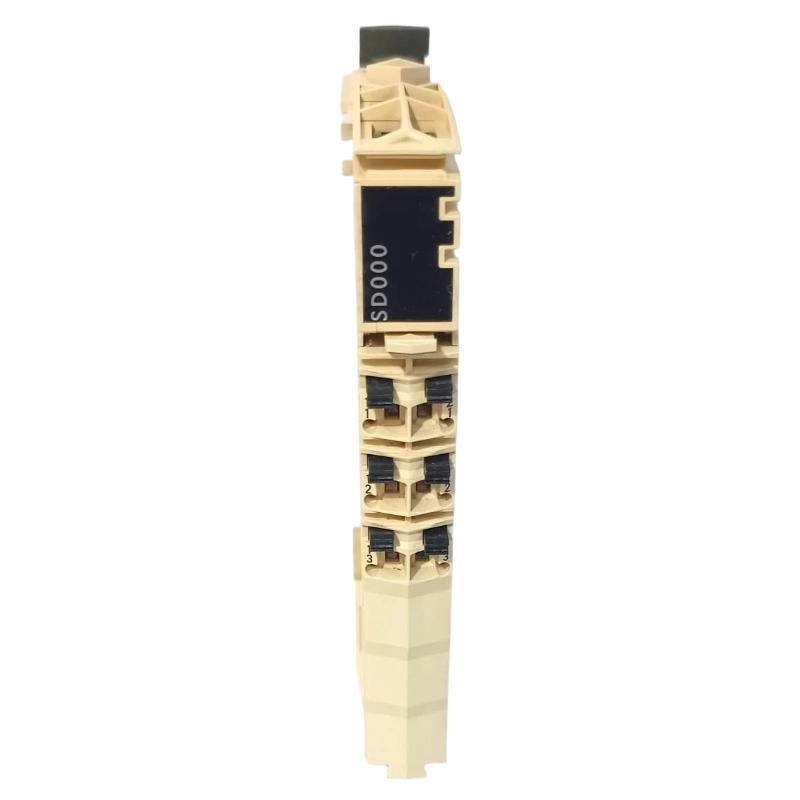
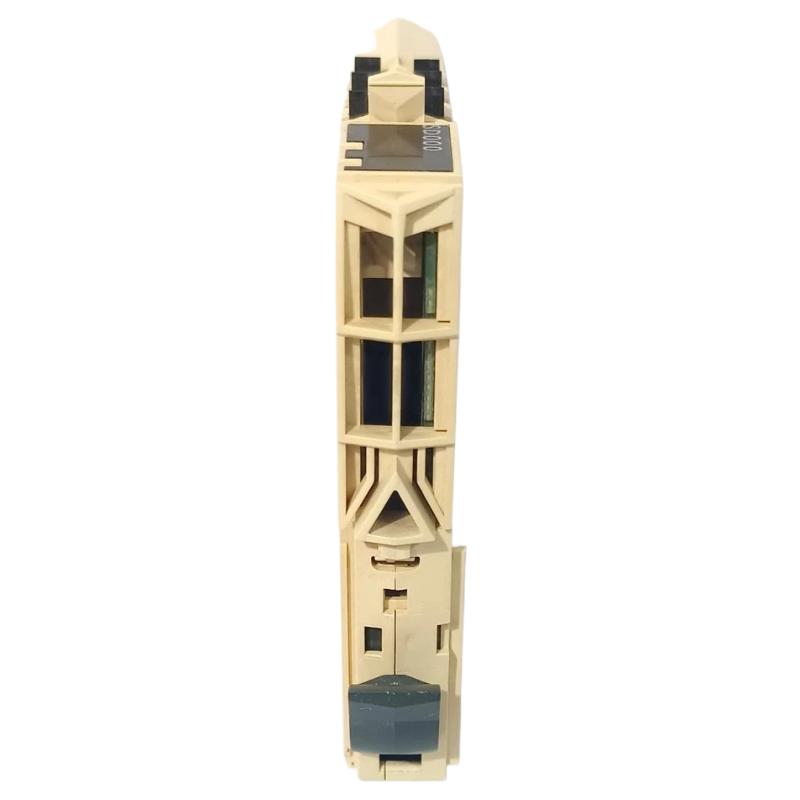
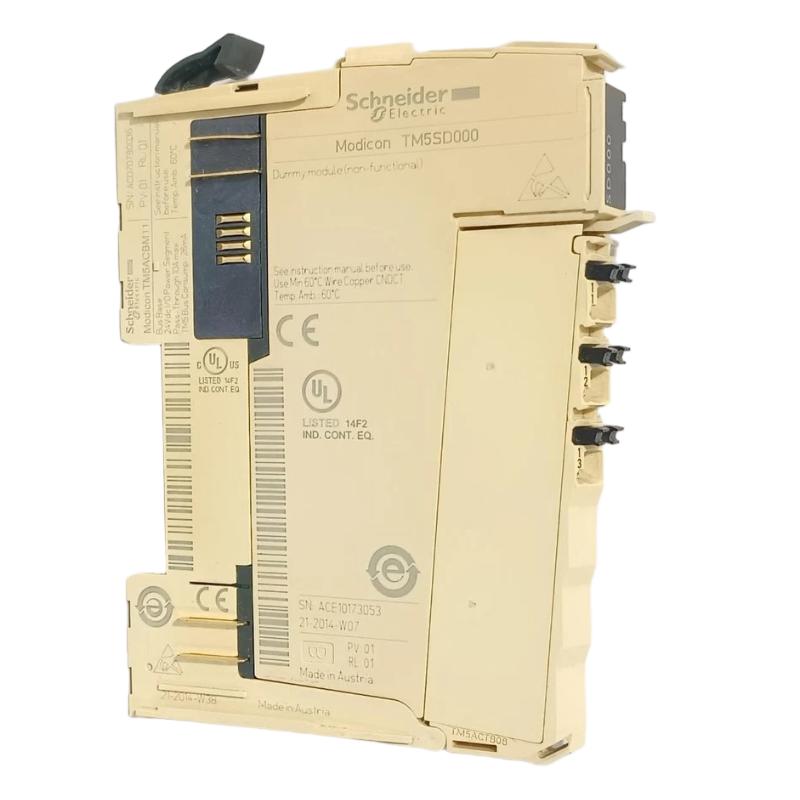
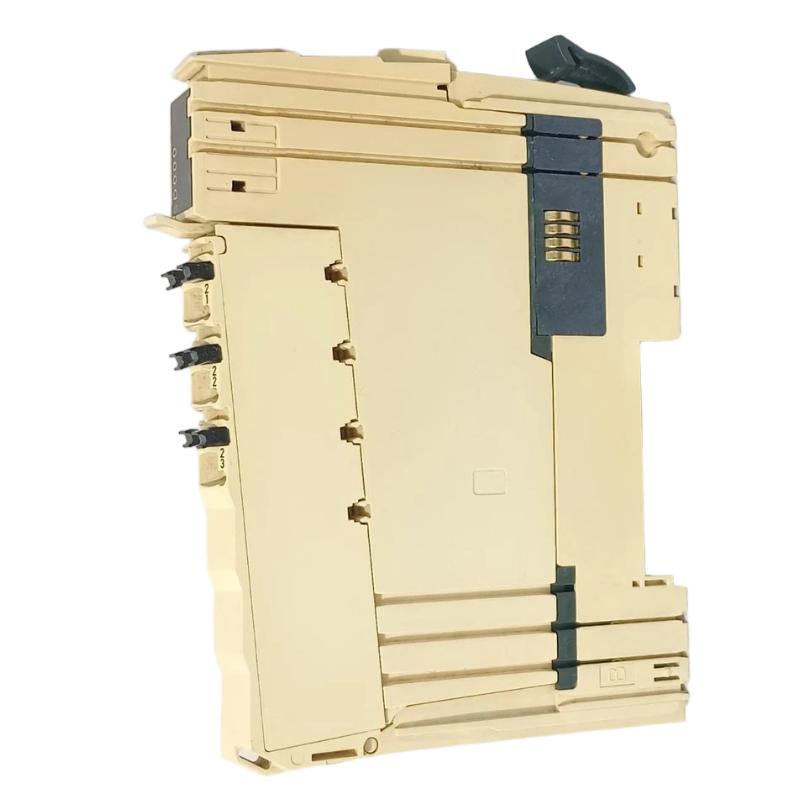
- Schneider
- TM5SD000
- Virtual Module
- France
- 99 × 12.5 × 75 mm
- 0.025 kg
- Xiamen, China
- New & In Stock
- T/T, PayPal, Western Union
- 1 Year
- 1-3 Working Days
- DHL, UPS, TNT, FedEx and EMS.
- 24-Hour Service
- COO
- 11
Our advantage

Global Logistics
We have a 10-year logistics and express cooperation agreement, so our products can be shipped to any place in the world.

Brand new and original
Our products are imported in bulk from the place of origin. Because of the cooperative relationship, our products are all original and 100% new.

24-hour service
We provide 7*24 hours service to our customers. We will be there whenever you need us.

Price advantage
All our products are priced very favorably because we have our own warehouse and supply.
| Company Information | |||
| [email protected] | |||
| Mobile | +8615980777398 | ||
| +8615980777398 | |||
| 15980777398 |
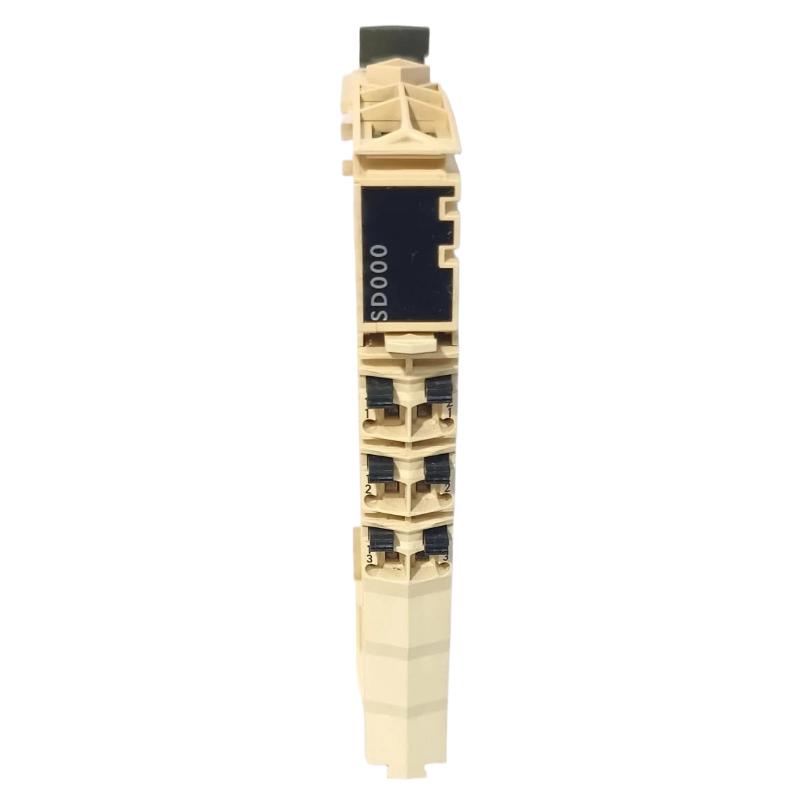
1. Product Overview
The Schneider TM5SD000 Virtual Module is identified as a virtual module associated with industrial automation systems. Unlike conventional hardware modules that provide physical input or output channels, a virtual module generally represents a logical element used within a control-system configuration. Its actual purpose depends on the software environment and hardware architecture in which it is defined.
In modular automation applications, virtual components may be used to represent configured resources, organize system structures, or support the logical configuration of an automation project. However, the precise function of the TM5SD000 should be confirmed against the relevant Schneider Electric product documentation and engineering software before it is configured or used in a live installation.
The supplied product dimensions are 99 × 12.5 × 75 mm, with a weight of 0.025 kg. Because the product is described as a virtual module, these physical specifications should be checked against the actual item being supplied to determine whether they refer to a physical carrier, associated hardware, or a catalog listing.
For engineers, system integrators, and industrial spare-parts purchasers, correct identification is essential. The complete model number, intended software or hardware environment, and supported configuration should be confirmed before selecting the TM5SD000 for a project.
2. Technical Specifications
| Parameter | Specification |
|---|---|
| Brand | Schneider Electric |
| Model | TM5SD000 |
| Product Type | Virtual Module |
| Product Category | Industrial automation configuration component |
| Dimensions | 99 × 12.5 × 75 mm, as supplied |
| Weight | 0.025 kg, as supplied |
| Primary Function | To be confirmed from the model-specific documentation |
| Operating Environment | Confirm the supported engineering software and automation platform |
| Physical Installation | Verify whether the supplied item requires physical mounting |
| Configuration Requirements | Confirm the applicable software and project configuration |
| Compatibility | Verify the supported controller, system architecture, and associated components |
The dimensions and weight above are based on the supplied information. The exact software function, supported platforms, configuration parameters, and compatibility requirements should be verified before implementation.
3. Function and Working Principle
A virtual module generally represents a logical component within an automation system rather than a conventional physical I/O device. Depending on the engineering platform, virtual elements can be used to organize configuration data, represent logical resources, or support the definition of system components.
A typical automation project may contain a controller, physical I/O modules, communication interfaces, application logic, and software-defined resources. The engineering environment uses the project configuration to determine how the controller and associated components are represented and managed.
The specific working principle of the Schneider TM5SD000 cannot be established reliably from the product name alone. Engineers should confirm whether it serves as a software-defined module, a configuration placeholder, a logical resource, or another platform-specific component.
Before using the TM5SD000, verify the following:
- Its official product description and intended function.
- The engineering software or configuration environment that supports it.
- Whether it represents a physical device or a software-defined object.
- Any required controller or system firmware.
- The supported project configuration and associated components.
- The procedures for creating, assigning, modifying, or removing the module.
- Any restrictions that apply during compilation, download, or commissioning.
This verification helps prevent incorrect configuration and ensures that the module is used in the intended system context.
4. Role in Industrial Automation Systems
4.1 Logical System Configuration
Automation engineering software often provides a structured representation of controllers, modules, devices, and application resources. A virtual module may form part of this representation, depending on the platform’s design.
Correct configuration helps maintain consistency between the engineering project and the intended control-system architecture.
4.2 Project Organization
Large automation projects can include multiple logical resources and physical devices. Software-defined components may help organize the project structure and make configuration information easier to review and maintain.
The exact organizational role of the TM5SD000 must be verified for the target engineering environment.
4.3 Integration with Physical Hardware
Virtual components and physical modules may be represented differently in engineering software. A virtual module should not automatically be treated as a substitute for a physical I/O, communication, or interface module.
If the project requires physical signal processing or hardware communication, engineers must ensure that the required physical devices are present and correctly configured.
4.4 Maintenance and Configuration Management
Accurate project records are important when maintaining or upgrading an automation system. Engineers should document the purpose of each virtual component, its configuration dependencies, and any relationship to physical equipment.
4.5 Commissioning and Validation
A project that compiles successfully is not necessarily ready for operational use. The complete configuration must be checked against the actual system architecture, and all required functions must be validated before the equipment returns to service.
5. Industrial Applications
The suitability of the TM5SD000 depends on its confirmed function and supported engineering environment. Potential application contexts for virtual modules and software-defined automation components include the following.
Manufacturing Automation
Manufacturing projects often use engineering software to organize controller configurations, application logic, and associated hardware. Correctly defined logical components can support project structure and maintenance.
Packaging and Assembly Equipment
Packaging and assembly machines may contain complex controller programs and multiple hardware resources. Clear configuration management helps engineers maintain an accurate representation of the system.
Distributed Control Systems
Distributed automation architectures may include controllers, remote I/O, communication components, and software-defined resources. The role of a virtual module must be established before it is incorporated into such an architecture.
Machine Modernization
During an automation upgrade, engineering teams may need to modify an existing project or migrate configuration data. Before retaining or introducing the TM5SD000, verify its support in the target software environment and its relationship to the existing hardware.
Engineering and System Maintenance
When maintaining an automation project, engineers may need to review logical objects, configuration dependencies, and device assignments. A correctly identified virtual module can be managed as part of the documented project structure when supported by the relevant platform.
These examples describe general uses of virtual components in automation engineering and do not establish the specific applications supported by the TM5SD000.
6. Installation and System Integration
Because the product is identified as a virtual module, integration may involve software configuration rather than conventional physical installation. The exact procedure depends on the module’s verified function.
Step 1: Confirm the Product Identity
Verify the complete model number, TM5SD000, and confirm that the item is correctly described as a virtual module. Check the supplier’s product information and the applicable technical documentation.
Step 2: Identify the Engineering Environment
Determine which engineering software, controller platform, and project architecture support the module. Do not assume compatibility based solely on the Schneider Electric brand.
Step 3: Review the Existing Project
Back up the current engineering project before making changes. Review the existing configuration, hardware tree, software-defined components, and any dependencies that may be affected.
Step 4: Verify Configuration Requirements
Determine how the module is represented in the engineering environment and whether it requires specific parameters, assignments, or associated components. Follow the documented configuration procedure.
Step 5: Check Compatibility
Confirm that the target controller, software version, firmware, and project configuration support the intended use of the module. Resolve any compatibility warnings before proceeding.
Step 6: Validate the Configuration
Use the engineering environment’s available validation or compilation functions. Review error messages and warnings, and verify that the resulting configuration matches the intended system design.
Step 7: Test in a Controlled Environment
Where practical, validate project changes in a test environment before applying them to operating equipment. Confirm that the changes do not affect unrelated functions or device assignments.
Step 8: Complete Commissioning
Follow the site’s approved commissioning procedure. Check the complete system configuration, confirm required physical devices are present, and perform appropriate functional tests before returning equipment to normal operation.
Important: Do not attempt to wire or energize the TM5SD000 as if it were a physical I/O module unless its official documentation explicitly defines such a requirement.
7. Troubleshooting Common Problems
Problems involving virtual modules may arise from unsupported software, incorrect configuration, missing dependencies, or inconsistencies between the engineering project and the installed system.
| Symptom | Possible Cause | Recommended Action |
|---|---|---|
| Module cannot be located in the engineering software | Incorrect product identification or unsupported software environment | Verify the model and consult the supported product configuration |
| Configuration or compilation error | Invalid parameters, missing dependencies, or unsupported project settings | Review diagnostic messages and validate the project structure |
| Module is not represented as expected | Incorrect interpretation of the module’s role or configuration | Confirm its intended function and configuration procedure |
| Project does not match installed hardware | Incomplete hardware inventory or incorrect device assignments | Compare the project with the actual system and approved drawings |
| Compatibility warning appears | Software, firmware, or platform mismatch | Verify supported versions and approved configuration combinations |
| System behavior changes after project modification | An unintended configuration dependency or assignment change | Restore the verified backup if necessary and investigate changes systematically |
7.1 Review Error Messages
Record the exact diagnostic text before changing the project. Error messages can help identify whether the issue concerns product support, configuration syntax, device assignments, or another system dependency.
7.2 Verify Software and Firmware Support
Confirm that the engineering environment and target controller support the intended module function. Unsupported versions or incompatible configurations may prevent successful validation or deployment.
7.3 Inspect Configuration Dependencies
Review related components, device assignments, and project settings. A virtual component may depend on other configured resources, so changing it without checking those relationships can introduce additional errors.
7.4 Compare the Project with the Installed System
Ensure that the engineering project accurately represents the intended hardware configuration. Incorrect device assignments or missing physical components may lead to commissioning problems even when the project itself appears valid.
7.5 Restore a Known-Good Configuration When Necessary
If a project modification introduces unexpected behavior, follow the site’s change-control and recovery procedures. Use a verified backup and validate the restored configuration before applying it to operating equipment.
8. Maintenance and Configuration Management
For software-defined automation components, preventive maintenance focuses on project integrity, version control, and configuration traceability.
- Back up engineering projects: Maintain verified backups before major configuration changes.
- Document module purpose: Record the function of the TM5SD000 once it has been confirmed.
- Track software versions: Keep records of the engineering environment and relevant controller firmware.
- Review dependencies: Check related resources before modifying or removing a virtual component.
- Validate changes: Use available project validation and commissioning procedures.
- Maintain configuration history: Record changes, reasons, test results, and approval details.
- Protect production systems: Test significant changes in a controlled environment whenever practical.
These practices help reduce configuration errors and simplify future maintenance.
9. Compatible System Components
The following component categories may need to be reviewed when evaluating a virtual module. Actual compatibility must be confirmed for the TM5SD000.
| Component Category | Verification Requirements |
|---|---|
| Engineering software | Confirm support for the exact module and its intended function |
| Controller or CPU | Verify the supported controller platform and configuration requirements |
| Controller firmware | Confirm compatibility with the selected engineering environment |
| Physical I/O modules | Determine whether the virtual module has any relationship to physical I/O components |
| Project configuration | Review dependencies, assignments, and supported project structure |
| Commissioning tools | Confirm the required validation, download, and diagnostic procedures |
Do not assume that a virtual module replaces a physical component or that it can be used across different controller families without verification.
10. Replacement and Alternative Selection
When selecting an alternative to the Schneider TM5SD000, the first priority is to determine its exact functional role.
| Selection Factor | What to Verify |
|---|---|
| Product identity | Confirm the complete model number and official product description |
| Functional equivalence | Ensure the alternative performs the same defined logical or system function |
| Software compatibility | Verify support in the target engineering environment |
| Controller compatibility | Confirm the supported controller platform and firmware |
| Configuration requirements | Compare parameters, assignments, and project dependencies |
| Physical requirements | Determine whether the item is software-only or associated with physical hardware |
| Migration requirements | Establish whether project conversion or reconfiguration is needed |
| Validation requirements | Define the testing needed before deployment |
A similar product name does not guarantee equivalent behavior. An alternative should only be selected after its function and compatibility have been established.
11. Key Product Considerations
Clear product identification: Confirming the exact TM5SD000 designation helps prevent confusion between virtual components and physical automation modules.
Configuration accuracy: Correctly understanding the module’s purpose helps maintain consistency between the engineering project and the intended system design.
Project maintainability: Documented configuration dependencies and change histories make future troubleshooting easier.
Controlled integration: Verifying software and controller compatibility before deployment helps reduce avoidable commissioning problems.
Accurate physical specifications: The supplied dimensions of 99 × 12.5 × 75 mm and weight of 0.025 kg can be retained for product-record purposes, but their relevance to a virtual module should be confirmed against the actual supplied item.
Specific performance characteristics and supported functions should not be assumed until the official product description has been verified.
12. Technical FAQs
Q1: What is the Schneider TM5SD000?
It is identified in the supplied product information as a Schneider Virtual Module. Its precise function and supported engineering environment require confirmation from model-specific documentation.
Q2: What are the dimensions of the TM5SD000?
The supplied dimensions are 99 × 12.5 × 75 mm. Because the product is described as virtual, confirm whether these dimensions refer to the actual supplied item or an associated physical component.
Q3: What is the weight of the TM5SD000?
The supplied weight is 0.025 kg. Its applicability should be checked if the product is a software-defined component rather than a standalone physical device.
Q4: Does a virtual module require physical wiring?
Not necessarily. A virtual module generally represents a logical or software-defined element, but the exact requirements depend on the product’s documented function. Do not assume physical wiring is required.
Q5: Can the TM5SD000 replace a physical I/O module?
This cannot be assumed. A virtual component does not automatically provide the electrical connections or signal-processing functions of physical I/O hardware.
Q6: Why might the module not appear in the engineering software?
Possible reasons include an incorrect product designation, unsupported software, or an incorrect understanding of how the module is represented. Verify the official product information and software support.
Q7: What should be checked before changing the configuration?
Back up the project, verify software and firmware compatibility, review configuration dependencies, and confirm the intended function of the module before making changes.
Q8: How can configuration-related faults be reduced?
Maintain accurate project records, validate changes before deployment, monitor diagnostic messages, and follow documented commissioning and change-control procedures.
Q9: How can a suitable alternative be selected?
Confirm the original module’s function, software requirements, controller compatibility, and configuration role. Choose an alternative only when its functional equivalence is established.
13. Conclusion
The Schneider TM5SD000 Virtual Module is identified as a virtual component for an industrial automation context. Its precise function, software support, and relationship to physical hardware should be verified before it is incorporated into an engineering project.
The supplied dimensions of 99 × 12.5 × 75 mm and weight of 0.025 kg can be recorded as provided, but their relevance should be confirmed because the product is described as virtual. By validating product identity, checking software and controller compatibility, maintaining reliable project backups, and testing configuration changes systematically, engineers can reduce integration risks and support dependable automation system maintenance.