

ProductPRODUCT
Featured products



Contact Us
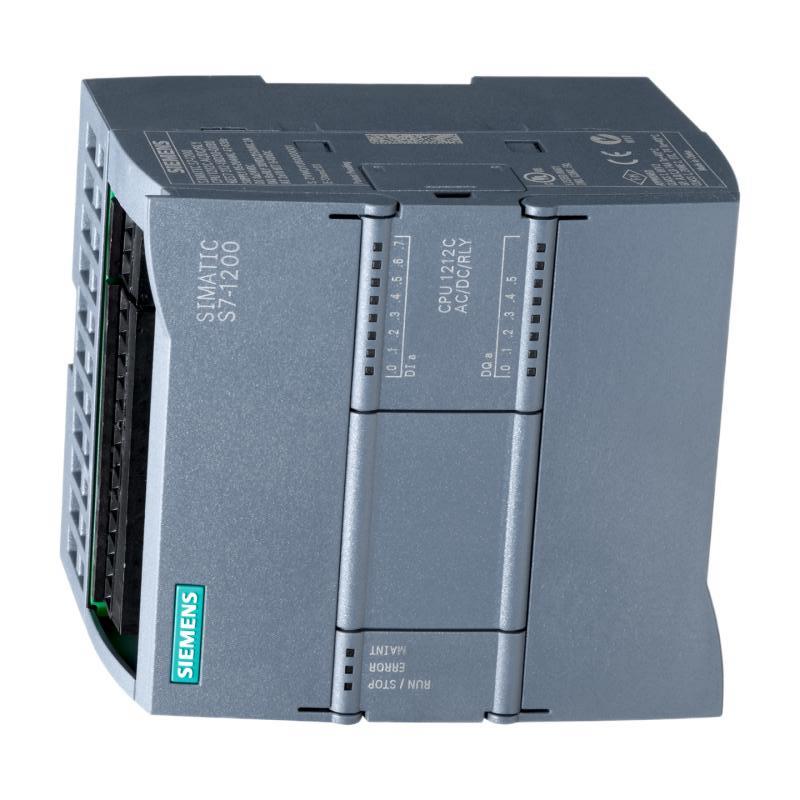
- Siemens
- 6AG1212-1AE40-2XB0
- Central Processing Unit
- Germany
- 90 × 100 × 75 mm
- 0.37 kg
- Xiamen, China
- New & In Stock
- T/T, PayPal, Western Union
- 1 Year
- 1-3 Working Days
- DHL, UPS, TNT, FedEx and EMS.
- 24-Hour Service
- COO
- 6
Our advantage

Global Logistics
We have a 10-year logistics and express cooperation agreement, so our products can be shipped to any place in the world.

Brand new and original
Our products are imported in bulk from the place of origin. Because of the cooperative relationship, our products are all original and 100% new.

24-hour service
We provide 7*24 hours service to our customers. We will be there whenever you need us.

Price advantage
All our products are priced very favorably because we have our own warehouse and supply.
| Company Information | |||
| [email protected] | |||
| Mobile | +8615980777398 | ||
| +8615980777398 | |||
| 15980777398 |
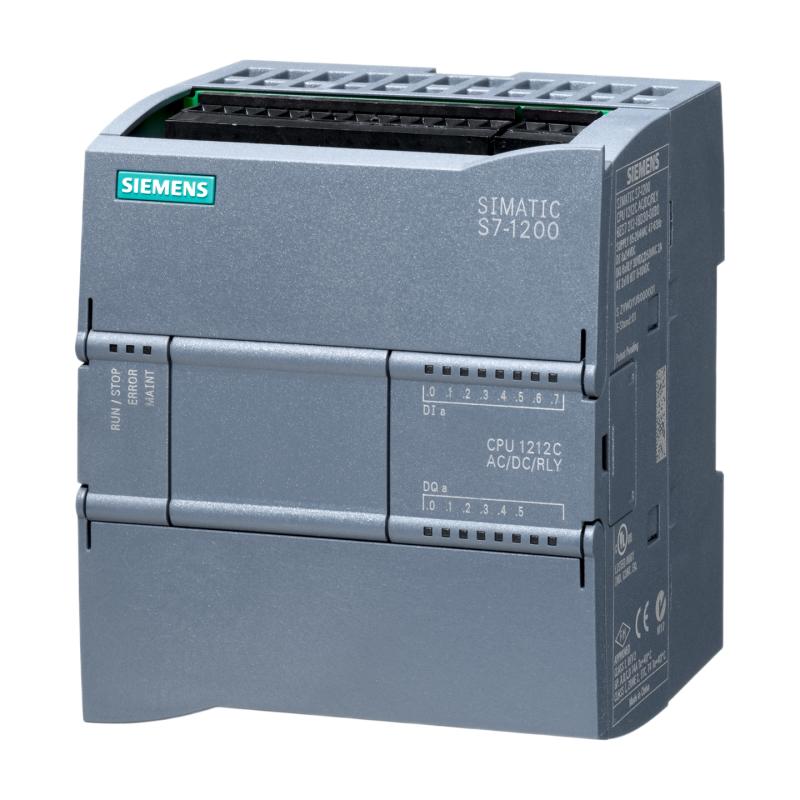
Product Overview
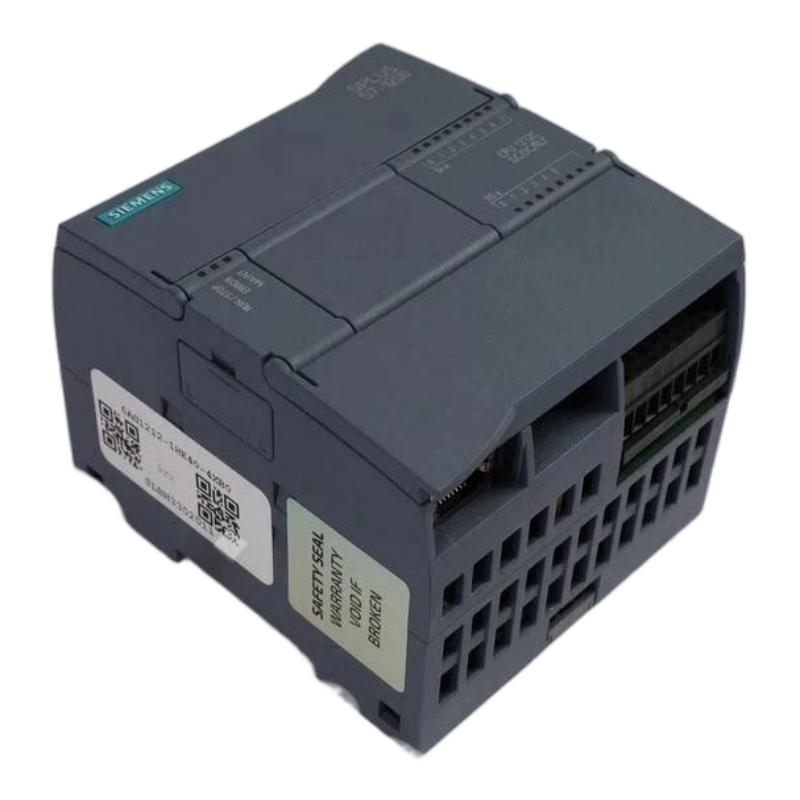
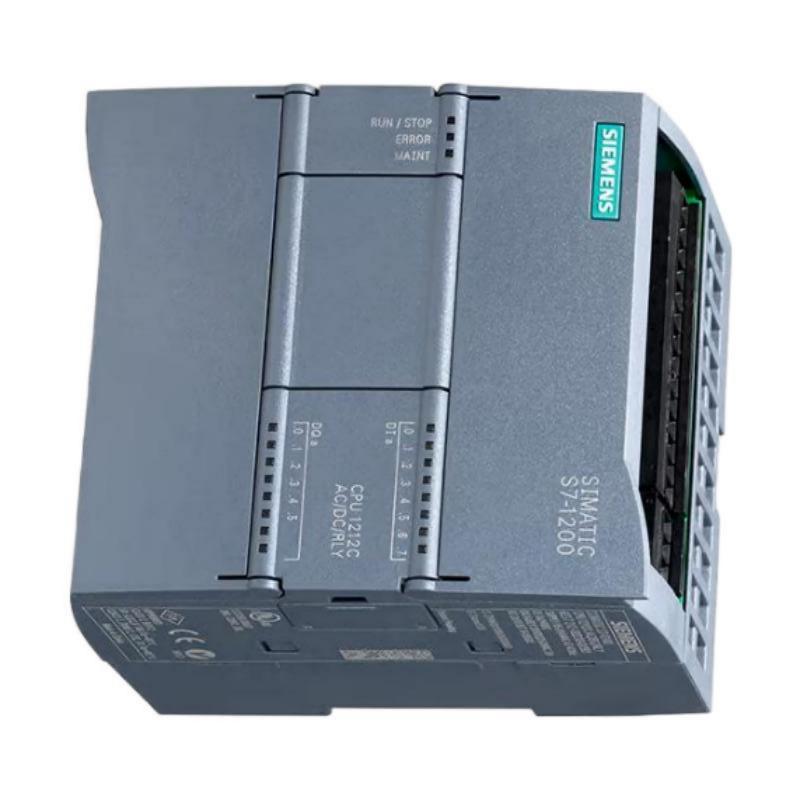
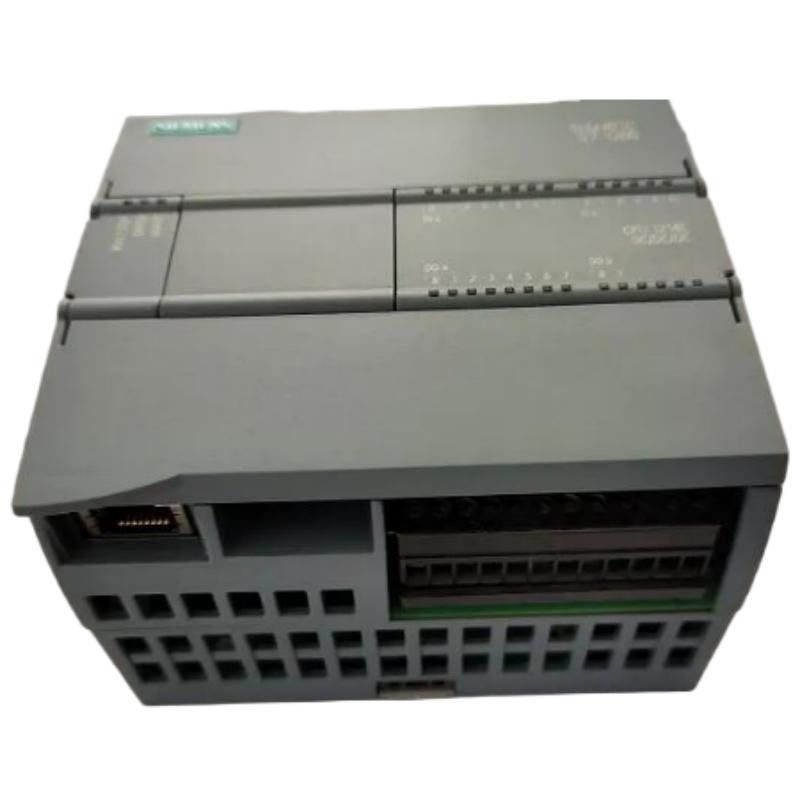
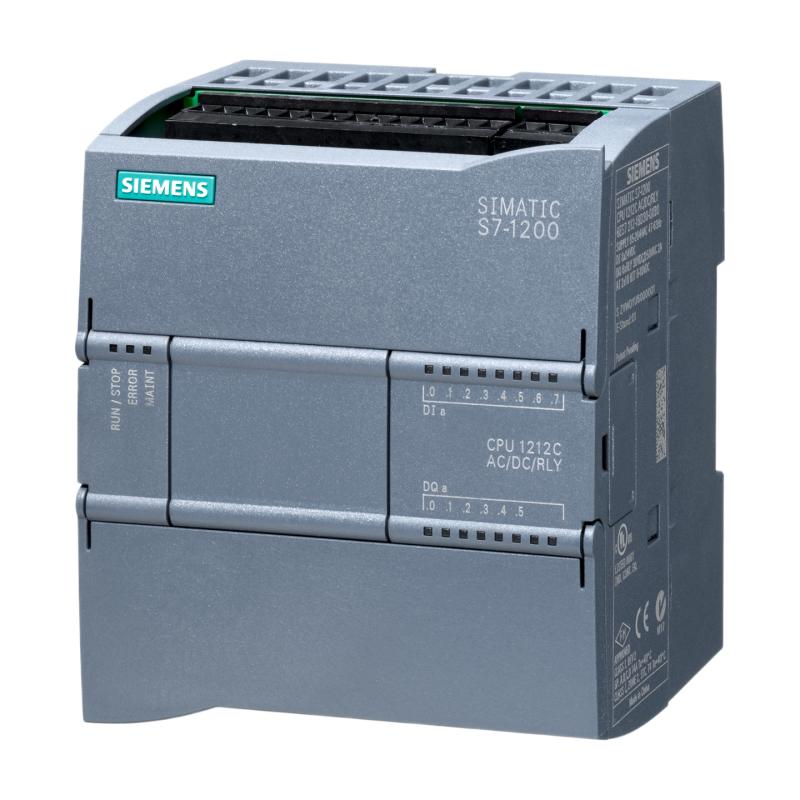
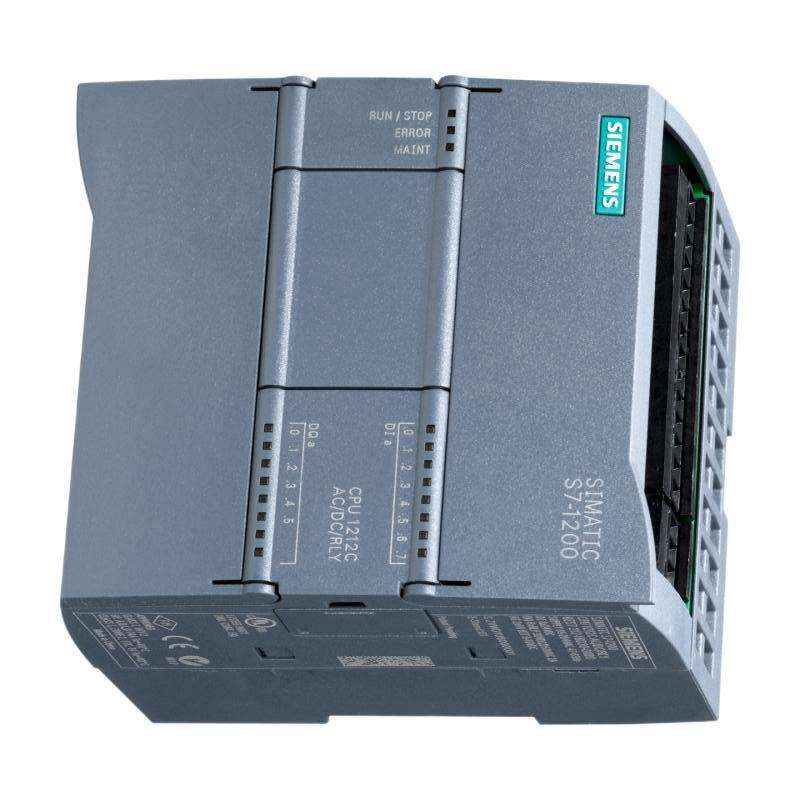
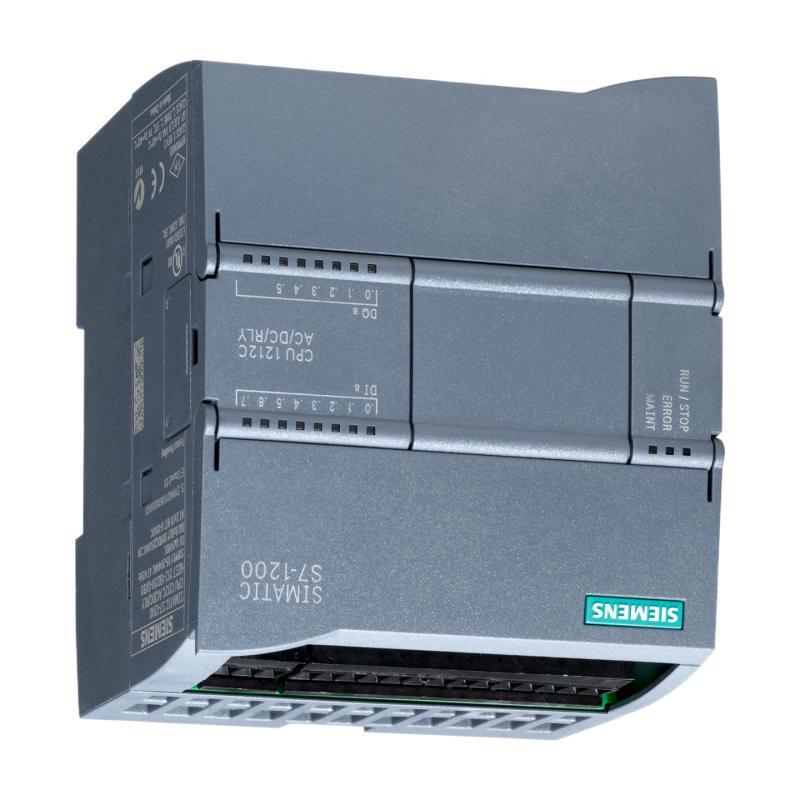
The Siemens 6AG1212-1AE40-2XB0 Central Processing Unit is an industrial automation controller designed to serve as the processing core of a compatible Siemens control system. As a Central Processing Unit, it executes the control program, processes input information, manages output commands, and coordinates communication with other automation devices.
A CPU is one of the most important components in a PLC-based automation architecture. It receives information from connected input devices, evaluates the programmed control logic, and generates commands for outputs and other connected equipment. This creates a continuous control cycle between the physical process and the automation program.
The Siemens 6AG1212-1AE40-2XB0 has user-provided dimensions of 90 × 100 × 75 mm and a listed weight of 0.37 kg. Its compact form factor is useful for control cabinets and machine-control applications where efficient use of installation space is important.
The CPU can form part of a broader automation system containing I/O modules, communication interfaces, HMI panels, sensors, actuators, drives, safety equipment, and industrial networks.
Technical Specifications
| Parameter | Specification |
|---|---|
| Manufacturer | Siemens |
| Model | 6AG1212-1AE40-2XB0 |
| Product Type | Central Processing Unit |
| Controller Role | PLC / Automation Processing Unit |
| Application | Industrial Automation and Machine Control |
| Dimensions | 90 × 100 × 75 mm |
| Weight | 0.37 kg |
| Installation | Industrial Control Cabinet |
| Control Function | Program Execution and Automation Control |
| System Integration | I/O Modules, HMI, Sensors, Drives and Industrial Networks |
| Typical Application | Machine Automation and Process Control |
Exact CPU memory, integrated I/O, communication interfaces, performance specifications, firmware compatibility, and electrical characteristics should be verified against the exact product identification and hardware configuration before system engineering or replacement.
What Is the Siemens 6AG1212-1AE40-2XB0?
The Siemens 6AG1212-1AE40-2XB0 is a Central Processing Unit used as the processing element of a compatible industrial automation system.
The CPU performs the logical operations required to control a machine or process.
A simplified PLC architecture is:
Sensors / Inputs → CPU → Outputs / Actuators
In a larger automation system, the structure can be represented as:
Field Devices → I/O System → CPU → Industrial Network / HMI / Actuators
The CPU continuously processes the configured control program and uses information from the connected system to determine the appropriate control response.
Central Processing Unit Working Principle
The CPU operates through a continuous sequence of control operations.
Input Acquisition
Information from connected sensors, switches, measurement devices, and other input equipment is made available to the controller.
Examples of process information can include:
- Machine position
- Level
- Pressure
- Temperature
- Flow
- Presence detection
- Motor status
- Equipment feedback
The exact input architecture depends on the connected I/O modules.
Program Execution
The CPU processes the user-configured automation program.
The program contains the logical relationships required to control the machine or process.
Typical control functions can include:
- Logic operations
- Sequencing
- Interlocking
- Timing
- Counting
- Monitoring
- Alarm handling
- Equipment coordination
Output Processing
After processing the control logic, the CPU provides commands to the appropriate output system.
These commands may control:
- Contactors
- Valves
- Relays
- Motors
- Drives
- Solenoids
- Indicator devices
- Other automation equipment
Communication
The CPU can also participate in the wider automation architecture through compatible communication interfaces and connected system components.
This allows information to move between the controller, HMI, engineering station, remote I/O, drives, and other industrial devices where supported by the specific configuration.
Role in Industrial Automation
The CPU acts as the central decision-making element of a PLC control system.
A typical automation sequence can be represented as:
Process → Sensors → I/O → CPU → Control Logic → Outputs → Machine
For example, a sensor may detect that a product has reached a certain position. The input information is transferred to the control system, the CPU executes the relevant program logic, and an output command can then activate a motor, valve, or other machine component.
This type of architecture allows automated equipment to operate according to predefined sequences rather than requiring continuous manual intervention.
Industrial Applications
The Siemens 6AG1212-1AE40-2XB0 can be incorporated into suitable industrial automation systems where its exact hardware configuration and performance characteristics meet the application requirements.
Manufacturing Machinery
PLCs are widely used to control production machinery, including automated sequences, machine interlocks, sensors, and actuators.
Conveyor Systems
A PLC CPU can coordinate conveyor movement with sensors and other equipment.
The controller can manage start, stop, sequencing, and machine interlocking functions.
Packaging Equipment
Packaging systems often require coordinated control of motors, sensors, pneumatic devices, and machine sequences.
A central processing unit can provide the logic required to synchronize these operations.
Material Handling
Automated material-handling equipment can use PLC control for movement, positioning, detection, and safety-related interlocks.
Process Equipment
The CPU can be incorporated into suitable process-control systems where information from sensors must be evaluated and used to control process equipment.
Building and Utility Automation
Depending on system configuration, PLC technology can also be applied to utility equipment and automated facility systems.
PLC System Architecture
A typical system built around the CPU may include several functional layers.
| System Layer | Typical Equipment | Function |
|---|---|---|
| Field Level | Sensors and switches | Detect process conditions |
| I/O Level | Digital / analog I/O | Transfers field signals |
| Control Level | 6AG1212-1AE40-2XB0 | Executes automation logic |
| Visualization | HMI | Operator monitoring and control |
| Drive Level | Variable speed drives | Controls motors |
| Communication | Industrial network | Transfers system information |
| Engineering | Programming workstation | Configuration and maintenance |
This architecture allows the CPU to operate as the central controller while distributing field connections and operator interfaces across the complete automation system.
I/O Integration
A CPU normally works together with appropriate input and output modules when the application requires more field connections than are directly available.
The system may include:
- Digital input modules
- Digital output modules
- Analog input modules
- Analog output modules
- Communication modules
- Technology modules
- Remote I/O equipment
The exact module selection should be based on the required signal types, channel count, electrical characteristics, and system architecture.
HMI Integration
An HMI can provide an operator interface for a PLC-controlled machine.
Typical HMI functions include:
- Start and stop commands
- Machine status
- Process values
- Alarm display
- Fault information
- Production information
- Parameter adjustment
- Manual operation
The CPU processes the control logic while the HMI provides a human-readable interface to the automation system.
This separation allows operators to interact with the machine without directly modifying the underlying control program.
Industrial Communication
Modern PLC systems often rely on communication networks to exchange information with other automation equipment.
Depending on the exact hardware configuration and supported interfaces, a PLC architecture may communicate with:
- Remote I/O
- HMIs
- Engineering stations
- Variable speed drives
- Servo systems
- Other PLCs
- Industrial sensors
- Supervisory systems
Communication configuration should always be based on the actual interfaces and supported protocols of the specific CPU and connected equipment.
Installation Guidelines
The supplied physical dimensions of the 6AG1212-1AE40-2XB0 are:
90 × 100 × 75 mm
The listed weight is:
0.37 kg
These values should be considered when planning the control cabinet and mounting arrangement.
Cabinet Installation
The CPU should be installed in a suitable industrial enclosure that protects the electronics from excessive dust, moisture, vibration, and contamination.
The cabinet should provide sufficient space for:
- CPU installation
- Adjacent modules
- Wiring
- Communication connections
- Ventilation
- Maintenance access
Mounting Arrangement
The CPU and associated modules should be securely mounted according to the applicable installation method.
The arrangement should also allow technicians to access connectors and wiring during commissioning and maintenance.
Commissioning Procedure
A structured commissioning process helps reduce configuration errors.
Step 1: Confirm CPU Identification
Verify the complete product number:
6AG1212-1AE40-2XB0
Check the product label before installation.
Step 2: Inspect the Hardware
Check the CPU, connectors, mounting arrangement, and associated modules for visible damage.
Step 3: Verify Power
Confirm that the control-system power supply is suitable for the installed hardware.
Step 4: Check I/O Connections
Verify that connected sensors and actuators are wired to the correct modules and terminals.
Step 5: Load the Control Program
Transfer the appropriate control configuration and user program to the CPU using the applicable engineering environment.
Step 6: Check Communication
Verify communication between the CPU and connected HMI, I/O, drives, and other automation devices.
Step 7: Test Inputs and Outputs
Test the field signals individually where possible.
Confirm that input changes are correctly recognized and output commands operate the intended equipment.
Step 8: Test the Machine Sequence
Run the complete machine through controlled operating conditions and verify the expected sequence.
Troubleshooting the Siemens 6AG1212-1AE40-2XB0
When a PLC system develops a fault, the CPU should be evaluated together with the power supply, I/O modules, program, communication network, and field equipment.
CPU Does Not Start
Possible causes include:
- Power supply problems
- Wiring problems
- Hardware fault
- Incorrect installation
- Configuration problems
- Module-related issues
Check the CPU status indicators and power connections first.
Inputs Are Not Detected
Possible causes include:
- Sensor fault
- Wiring problem
- Incorrect I/O connection
- Input module problem
- Field power problem
- Configuration issue
The signal should be traced from the field device through the I/O system to the CPU.
Outputs Do Not Operate
Check:
- PLC program logic
- Output status
- Output module
- Field wiring
- Actuator condition
- Interlocks
- Safety conditions
A PLC output problem does not necessarily indicate a CPU hardware failure.
Communication Failure
Communication problems may result from:
- Network wiring
- Incorrect configuration
- Addressing issues
- Device configuration
- Communication hardware
- Controller program settings
Troubleshooting should identify whether the problem exists at the CPU, network, remote device, or configuration level.
Unexpected Machine Behavior
Unexpected operation may be associated with:
- Incorrect program logic
- Incorrect input signals
- Faulty sensors
- Incorrect parameters
- Communication problems
- Output wiring
- Interlock conditions
The PLC diagnostic information and program logic should be reviewed systematically.
Preventive Maintenance
Regular maintenance can help improve PLC system reliability.
Inspect the Control Cabinet
Keep the enclosure clean and maintain suitable environmental conditions.
Check Wiring
Inspect power, I/O, and communication connections for looseness or damage.
Monitor Diagnostic Information
Review CPU and system diagnostic information for recurring faults.
Maintain Program Backups
Keep a current backup of the approved control program and configuration.
Inspect Connected Equipment
A PLC may appear to have a control problem when the actual fault is located in a sensor, actuator, drive, or field wiring.
The complete system should therefore be included in preventive maintenance.
Replacement Considerations
When replacing a Siemens 6AG1212-1AE40-2XB0, the complete order number should be verified.
Important considerations include:
- Full product number
- Hardware version
- Firmware compatibility
- Program configuration
- I/O arrangement
- Communication configuration
- Connected modules
- Power requirements
- Installation dimensions
The supplied physical dimensions are:
90 × 100 × 75 mm
The listed weight is:
0.37 kg
A CPU with a similar appearance or physical size should not automatically be considered a direct replacement.
Physical Dimensions and Handling
The 6AG1212-1AE40-2XB0 has supplied dimensions of 90 × 100 × 75 mm and a listed weight of 0.37 kg.
These parameters are useful for:
- Control cabinet design
- Module replacement
- Spare-parts planning
- Equipment transportation
- Installation preparation
- Panel layout
During handling, protect the CPU and connectors from impact, static discharge, moisture, and contamination.
Compatible System Components
A PLC CPU may form part of an automation system containing:
- Digital input modules
- Digital output modules
- Analog input modules
- Analog output modules
- Communication modules
- HMI panels
- Industrial Ethernet equipment
- Remote I/O
- Variable speed drives
- Servo systems
- Sensors
- Actuators
- Engineering workstations
The exact combination depends on the control architecture and application requirements.
Engineering Best Practices
Maintain Accurate Hardware Documentation
Record the complete CPU order number, installed modules, firmware information, and system configuration.
Keep Program Backups
A current and verified program backup can significantly simplify CPU replacement and recovery.
Separate Control and Power Wiring
Appropriate wiring practices can reduce electrical interference and improve signal reliability.
Label Field Connections
Clear identification of sensors, actuators, and communication cables simplifies troubleshooting and maintenance.
Monitor Diagnostic Information
Regularly reviewing controller and system diagnostics can help identify developing problems before they cause production interruptions.
Verify Replacement Compatibility
Never select a replacement CPU based only on physical appearance. Hardware, firmware, I/O, communication, and program compatibility should all be considered.
Key Advantages
Centralized Control
The CPU provides a central processing point for executing machine and process-control logic.
Compact Installation
The supplied dimensions of 90 × 100 × 75 mm are suitable for compact control-panel planning.
Industrial Automation Integration
The CPU can operate as part of a broader PLC architecture containing I/O, HMI, drives, sensors, and communication equipment.
Programmable Control
PLC-based control allows machine sequences and process logic to be adapted through software configuration.
Practical Maintenance
Diagnostic information, program monitoring, and modular system architecture can simplify troubleshooting when the system is correctly configured.
Lightweight Construction
With a listed weight of 0.37 kg, the unit can be handled easily during installation, replacement, and maintenance.
Technical FAQs
What is the Siemens 6AG1212-1AE40-2XB0?
The Siemens 6AG1212-1AE40-2XB0 is identified as a Central Processing Unit used as the processing element of a compatible industrial automation system.
What is the main function of the CPU?
The CPU executes the automation program, processes input information, controls outputs, and coordinates the operation of connected automation equipment.
What are the dimensions of the 6AG1212-1AE40-2XB0?
The supplied dimensions are 90 × 100 × 75 mm.
How much does the CPU weigh?
The supplied weight is 0.37 kg.
Can the CPU work with I/O modules?
A PLC CPU can form part of a modular automation system containing compatible input, output, communication, and other expansion modules.
Can the CPU be connected to an HMI?
Yes, a compatible HMI can be integrated into the PLC system to provide operator monitoring and control functions.
What can cause a PLC CPU system to fail?
Potential causes include power problems, hardware faults, incorrect configuration, program errors, communication failures, I/O problems, and faults in connected field equipment.
What should be checked before replacing the CPU?
The complete product number, hardware and firmware compatibility, program configuration, I/O architecture, communication requirements, and connected modules should be verified.
Why is program backup important?
A verified program backup can simplify system recovery and CPU replacement if the original controller becomes unavailable.
Conclusion
The Siemens 6AG1212-1AE40-2XB0 Central Processing Unit is an industrial automation controller designed to serve as the processing core of a compatible PLC system. By executing control logic and coordinating information between field devices, I/O modules, operator interfaces, and automation equipment, the CPU provides the central processing function required for automated machine and process control.
The supplied physical specifications are 90 × 100 × 75 mm, with a listed weight of 0.37 kg. These dimensions and weight are useful for control cabinet planning, replacement preparation, transportation, and spare-parts management.
For reliable operation, the 6AG1212-1AE40-2XB0 should be correctly installed, configured, and integrated with compatible I/O and automation equipment. Accurate program backups, proper wiring, systematic commissioning, diagnostic monitoring, and careful replacement procedures can help maintain stable PLC operation and reduce industrial automation downtime.