

ProductPRODUCT
Featured products
Contact Us
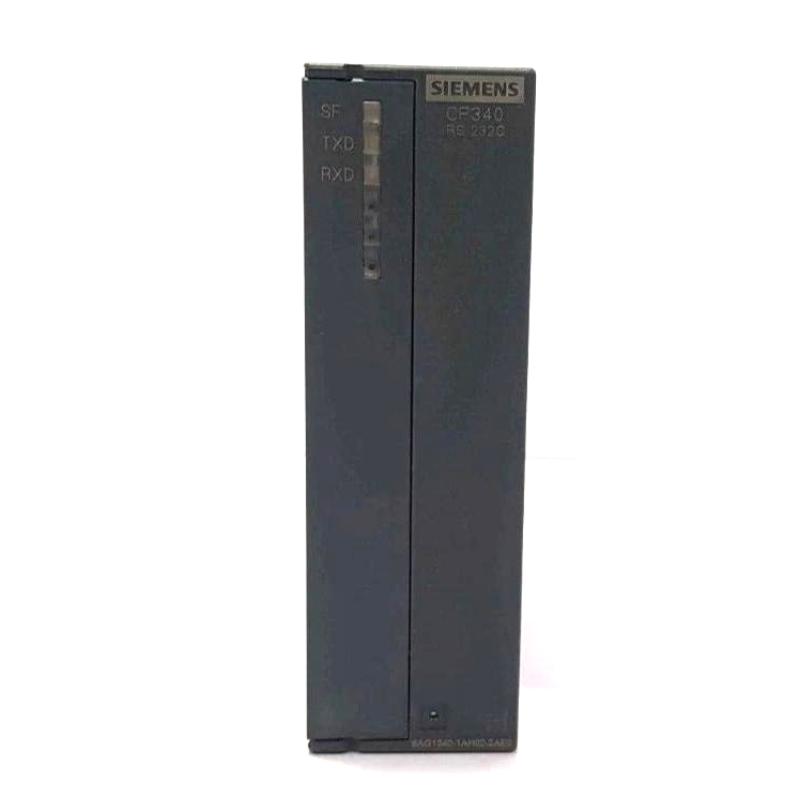
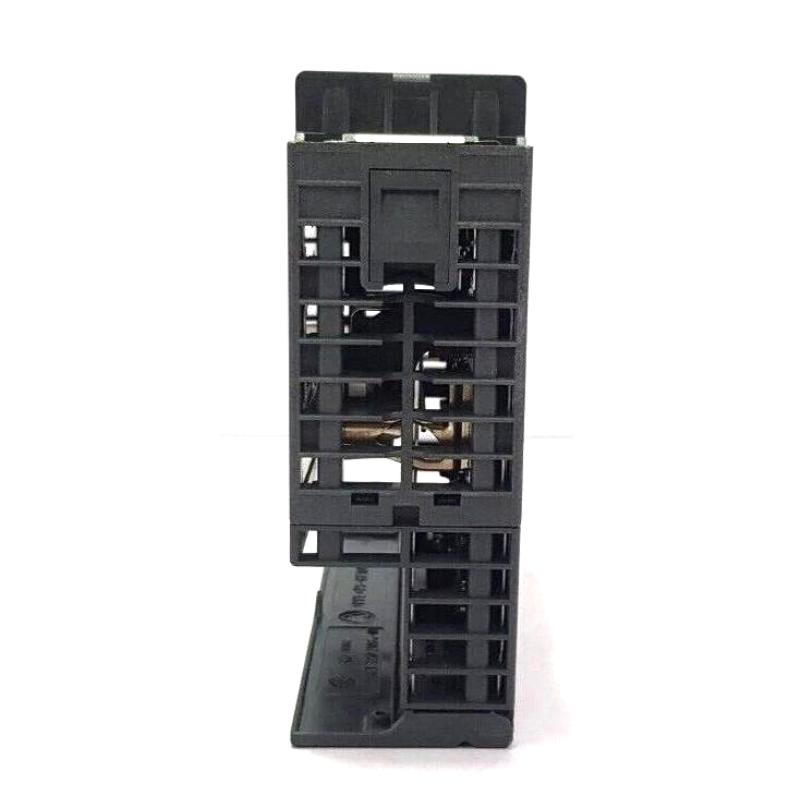
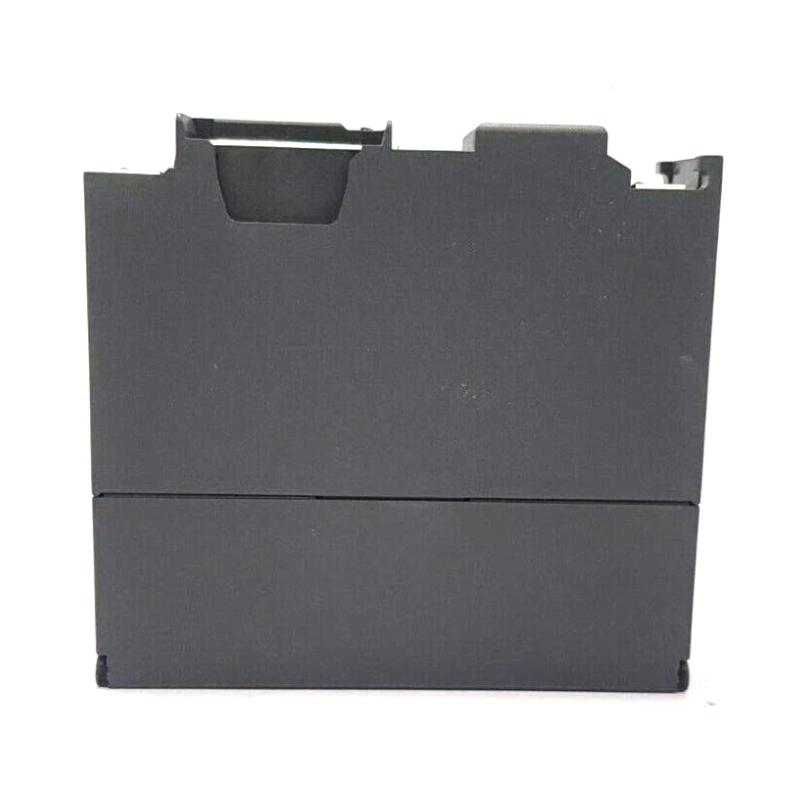
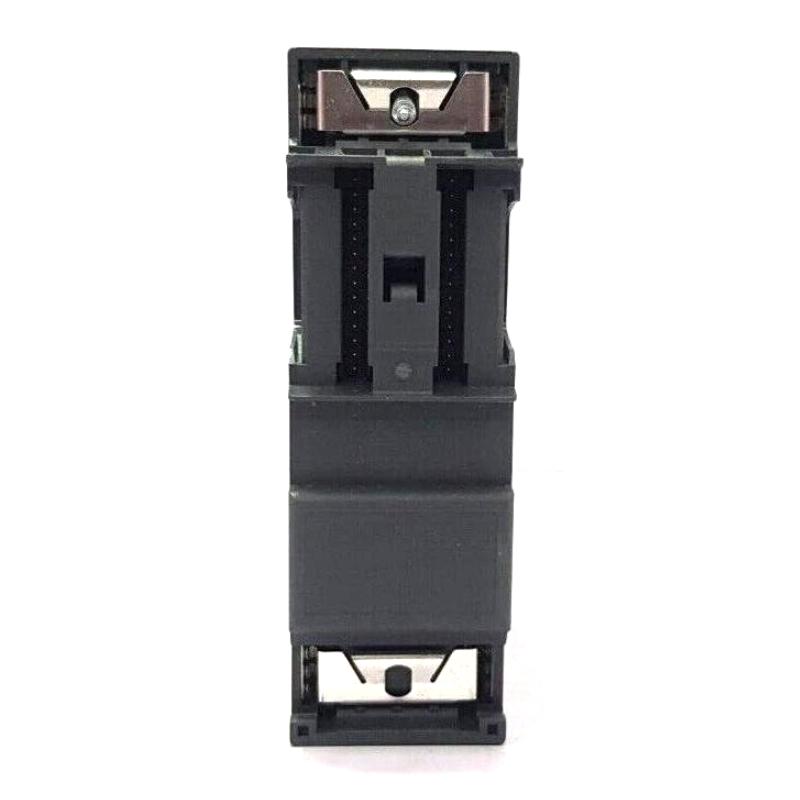
- Siemens
- 6AG1340-1AH02-2AE0
- Communication Module
- Germany
- 40 × 125 × 120 mm
- 0.362 kg
- Xiamen, China
- New & In Stock
- T/T, PayPal, Western Union
- 1 Year
- 1-3 Working Days
- DHL, UPS, TNT, FedEx and EMS.
- 24-Hour Service
- COO
- 59
Our advantage

Global Logistics
We have a 10-year logistics and express cooperation agreement, so our products can be shipped to any place in the world.

Brand new and original
Our products are imported in bulk from the place of origin. Because of the cooperative relationship, our products are all original and 100% new.

24-hour service
We provide 7*24 hours service to our customers. We will be there whenever you need us.

Price advantage
All our products are priced very favorably because we have our own warehouse and supply.
| Company Information | |||
| [email protected] | |||
| Mobile | +8615980777398 | ||
| +8615980777398 | |||
| 15980777398 |
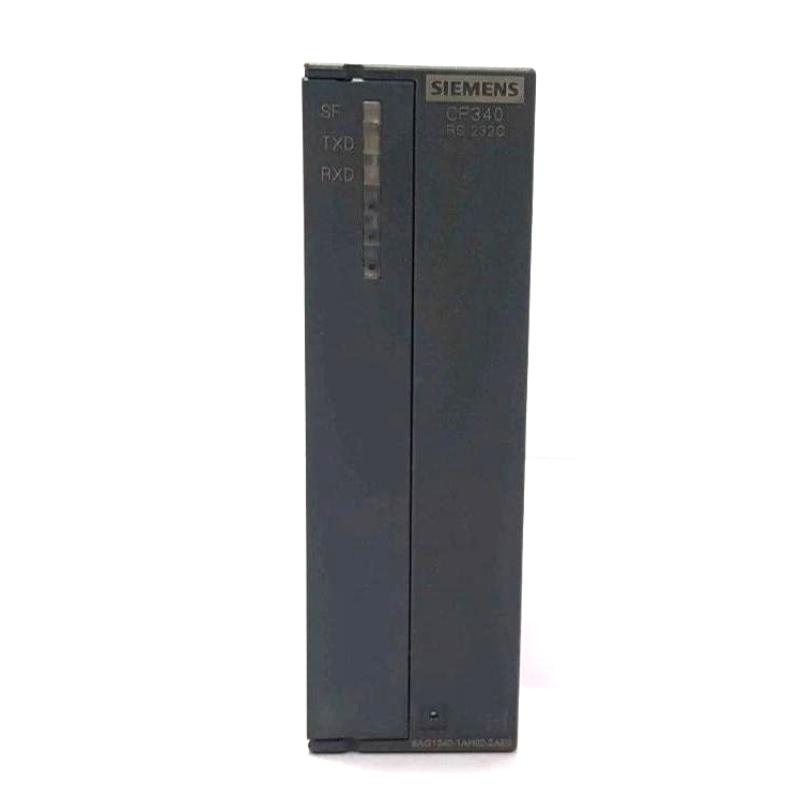
Product Overview
The Siemens 6AG1340-1AH02-2AE0 SIPLUS S7-300 Communication Module is a communication component for Siemens SIMATIC S7-300 automation systems. As a SIPLUS variant, it targets installations where the control hardware may be exposed to environmental conditions that require a more demanding equipment specification.
Within an S7-300 control station, a communication module sits between the PLC’s internal control architecture and an external automation network or connected system. Instead of processing field signals directly like a digital or analog I/O module, its main task is to handle data exchange between the PLC and other devices.
A typical application could involve an S7-300 controller exchanging production data with another PLC, a supervisory system, a machine controller, or other automation equipment. The communication module handles the corresponding data-transfer path while the CPU continues executing the control program.
For engineers maintaining an existing S7-300 installation, the module’s exact communication function and network configuration should be checked before replacement. A communication failure does not necessarily mean the module itself has failed. Network wiring, connectors, addressing, configuration parameters, the remote device, or the PLC program can all produce similar symptoms.
The 6AG1340-1AH02-2AE0 is therefore best considered as part of a complete communication path rather than as an isolated hardware component.
Technical Specifications
| Parameter | Specification |
|---|---|
| Manufacturer | Siemens |
| Model | 6AG1340-1AH02-2AE0 |
| Product Family | SIPLUS |
| Product Series | S7-300 |
| Product Type | SIPLUS S7-300 Communication Module |
| System Role | PLC Communication Interface |
| Application | Industrial Automation |
| Platform | Siemens SIMATIC S7-300 |
| Installation | S7-300 Automation Station |
| Dimensions | 40 × 125 × 120 mm |
| Weight | 0.362 kg |
Product Features
The 6AG1340-1AH02-2AE0 is intended for communication within an S7-300-based automation architecture, with the SIPLUS version suited to installations requiring enhanced environmental suitability.
- Siemens SIPLUS S7-300 Communication Module
- Model 6AG1340-1AH02-2AE0
- Designed for S7-300 automation architectures
- Handles communication between the PLC and connected systems
- Supports integration of the controller into a wider automation network
- SIPLUS variant for demanding industrial environments
- Suitable for machine and process-control installations
- Relevant to PLC-to-PLC and supervisory communication applications
- Suitable for system expansion and maintenance projects
- Compact module format for S7-300 installations
The actual communication capability depends on the module configuration and the network architecture in which it is installed. Engineers should verify the existing hardware and project configuration before selecting a replacement.
Working Principle
The communication module can be understood as the data-transfer interface between the S7-300 control station and an external communication partner.
A simplified data path is:
External Automation Device → Communication Network → 6AG1340-1AH02-2AE0 → S7-300 CPU → PLC Program
For outgoing data, the process works in the opposite direction:
PLC Program → S7-300 CPU → Communication Module → Network → External Device
During operation, the CPU determines which process or control data needs to be exchanged. The communication module handles the corresponding communication path according to the configured system architecture.
For example, a machine controller may need to exchange operating status, commands, production information, or diagnostic data with another automation station. The communication module provides the hardware interface through which this information can be transferred.
From a troubleshooting standpoint, communication should be treated as a complete chain:
PLC Configuration → Module → Connector / Network → Remote Device → Remote Configuration
If data stops updating, checking only the communication module can lead to unnecessary replacement. Engineers should first determine whether the module is detected correctly by the PLC, whether the physical network connection is intact, and whether the remote communication partner is operating normally.
Role in an S7-300 Communication Architecture
The communication module extends the S7-300 station beyond its local rack.
A simplified architecture is:
S7-300 CPU → 6AG1340-1AH02-2AE0 → Industrial Network → PLC / HMI / Supervisory System
| System Element | Function |
|---|---|
| 6AG1340-1AH02-2AE0 | Provides the applicable communication interface |
| S7-300 CPU | Executes the control program and manages application data |
| S7-300 Rack | Hosts the PLC hardware |
| Network Connection | Carries data between automation devices |
| Remote PLC | Exchanges control or process information |
| HMI / Supervisory System | Presents operational data and commands |
| Engineering Station | Used for configuration and diagnostics |
| Field-Level Devices | Supply or receive process-related information |
This arrangement allows the S7-300 controller to participate in a larger automation system rather than operating as an isolated PLC.
Communication and Diagnostic Considerations
When communication becomes intermittent or stops completely, the module should be examined together with the network infrastructure.
Useful diagnostic points include:
- Module recognition by the S7-300 station
- Communication configuration
- Network connection
- Connector condition
- Cable condition
- Remote-device status
- Communication parameters
- CPU diagnostics
- Application data handling
- Network loading
- Configuration consistency between communication partners
A useful maintenance approach is to establish whether the problem is hardware-related, network-related, or configuration-related before replacing the module.
For intermittent faults, engineers should also consider loose connectors, environmental conditions, cabinet vibration, and power interruptions rather than focusing only on software configuration.
Industrial Applications
The 6AG1340-1AH02-2AE0 can be relevant wherever an S7-300 controller needs to exchange information with other parts of an automation system.
| Application | Typical Use |
|---|---|
| Manufacturing Lines | Data exchange between PLC stations |
| Machine Automation | Communication between machine controllers |
| Process Control | Transfer of process and equipment data |
| Production Monitoring | Sending operating information to supervisory systems |
| Material Handling | Coordination between PLC-controlled equipment |
| Packaging Systems | Machine-to-machine data exchange |
| Industrial Utilities | Connecting PLC stations with monitoring systems |
| Infrastructure Automation | Communication between distributed control stations |
The exact application depends on the communication protocol, network structure, and project configuration associated with the installed module.
Installation and Maintenance
Communication-module maintenance requires attention to both the physical network and the PLC configuration.
Before replacement, engineers should:
- Confirm the complete 6AG1340-1AH02-2AE0 order number.
- Verify the installed S7-300 configuration.
- Record the existing communication configuration.
- Identify connected communication partners.
- Check network cables and connectors.
- Inspect the module for physical damage.
- Verify the module’s diagnostic status.
- Check the CPU diagnostic buffer where applicable.
- Confirm the communication parameters.
- Back up relevant configuration data before modification.
- Isolate the system according to the approved maintenance procedure.
- Remove the existing module correctly.
- Install the replacement module.
- Recheck network connections.
- Restore the applicable configuration.
- Restart the PLC station as required.
- Confirm module recognition.
- Test communication with the connected device.
- Verify actual data exchange rather than only checking link status.
- Monitor the system for intermittent communication errors.
When replacing an existing module, preserving the original configuration is particularly useful. A physically correct replacement can still fail to communicate if the project configuration or network parameters do not match the existing installation.
Compatible System Components
The communication module normally works as part of a larger S7-300 automation and networking system.
| Component | Function |
|---|---|
| S7-300 CPU | Executes PLC logic and manages application data |
| 6AG1340-1AH02-2AE0 | Provides the applicable communication function |
| S7-300 Rack | Integrates the automation modules |
| Network Infrastructure | Connects PLC and external devices |
| Remote PLC | Exchanges control and process information |
| HMI | Displays operating information |
| SCADA / Supervisory System | Provides higher-level monitoring |
| Engineering Station | Supports configuration and diagnostics |
| Field Devices | Supply process information or receive commands |
The exact combination depends on the network protocol and the automation architecture used by the application.
Recommended Related Models
For this product, the most relevant recommendations are other SIPLUS S7-300 communication and control modules, rather than power supplies or unrelated signal modules.
| Model / Product Family | Product Type | Typical Application |
|---|---|---|
| Siemens 6AG1340-1AH02-2AE0 | SIPLUS S7-300 Communication Module | PLC network communication |
| Siemens 6AG1341-1CH02-2AE0 | SIPLUS S7-300 Communication Module | Industrial communication applications |
| Siemens 6AG1341-1AH02-2AE0 | SIPLUS S7-300 Communication Module | S7-300 communication architecture |
| Siemens 6AG1351-1AH02-2AE0 | SIPLUS S7-300 Function Module | Specialized automation functions |
| Siemens 6AG1315-2EH14-2AB0 | SIPLUS S7-300 CPU | PLC control applications |
| Siemens 6AG3317-2AK14-2AB0 | SIPLUS S7-300 CPU | Higher-performance S7-300 control |
| Siemens 6AG1337-8SB00-7AY0 | SIPLUS PS Power Supply Module | S7-300 system power supply |
| Siemens 6AG1337-3BA00-7AA0 | SIPLUS PS Power Supply Module | S7-300 automation power supply |
Key Advantages
- Siemens SIPLUS S7-300 Communication Module.
- Model 6AG1340-1AH02-2AE0.
- Intended for S7-300 automation architectures.
- Connects the PLC station with external communication partners.
- Supports data exchange within industrial automation systems.
- SIPLUS version for demanding environmental applications.
- Suitable for PLC communication and system expansion.
- Relevant to maintenance and replacement of existing S7-300 installations.
Technical FAQs
What should be checked first when an S7-300 communication link suddenly fails?
Start by determining whether the module itself is recognized normally by the PLC. Then check the physical connection, network device, communication configuration, and remote station. This separates a module fault from a network or configuration problem.
Can the 6AG1340-1AH02-2AE0 be replaced without checking the existing communication configuration?
The hardware should not be treated as a plug-and-play replacement without checking the existing project. Communication parameters, connected devices, addressing, and the specific S7-300 configuration can affect whether the replacement operates correctly.
Why can an intermittent communication fault be difficult to diagnose?
An intermittent problem may result from a loose connector, damaged cable, unstable power, environmental conditions, network disturbances, or configuration issues. Because the communication path contains several components, the fault may disappear temporarily when the system is restarted.
What should be verified after installing a replacement communication module?
First confirm that the S7-300 recognizes the module correctly. Then verify the communication configuration and establish an actual data exchange with the connected device. A link indication alone does not necessarily prove that application data is being transferred correctly.