

ProductPRODUCT
Featured products



Contact Us
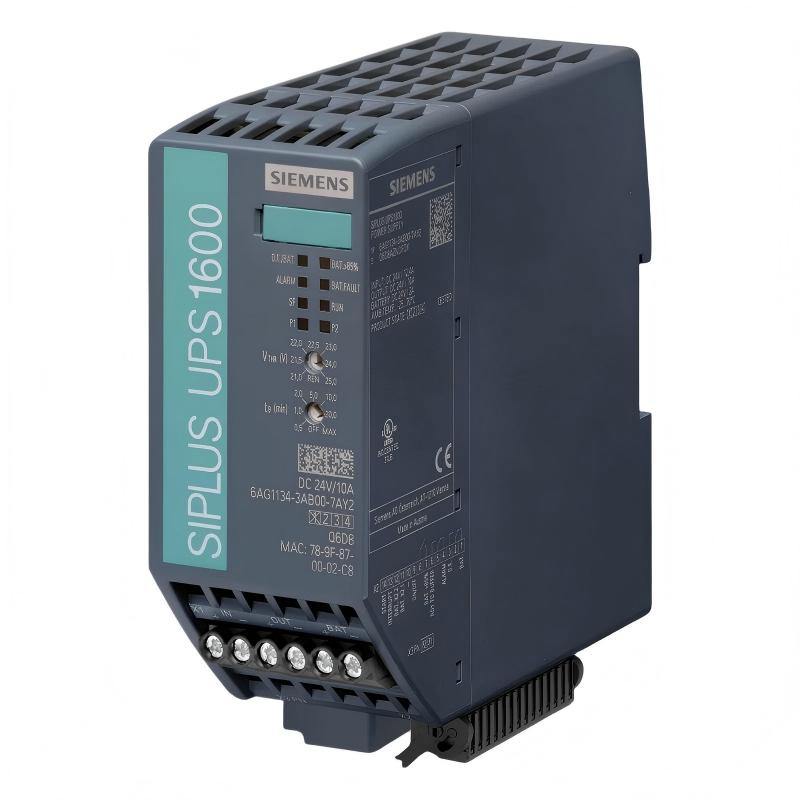
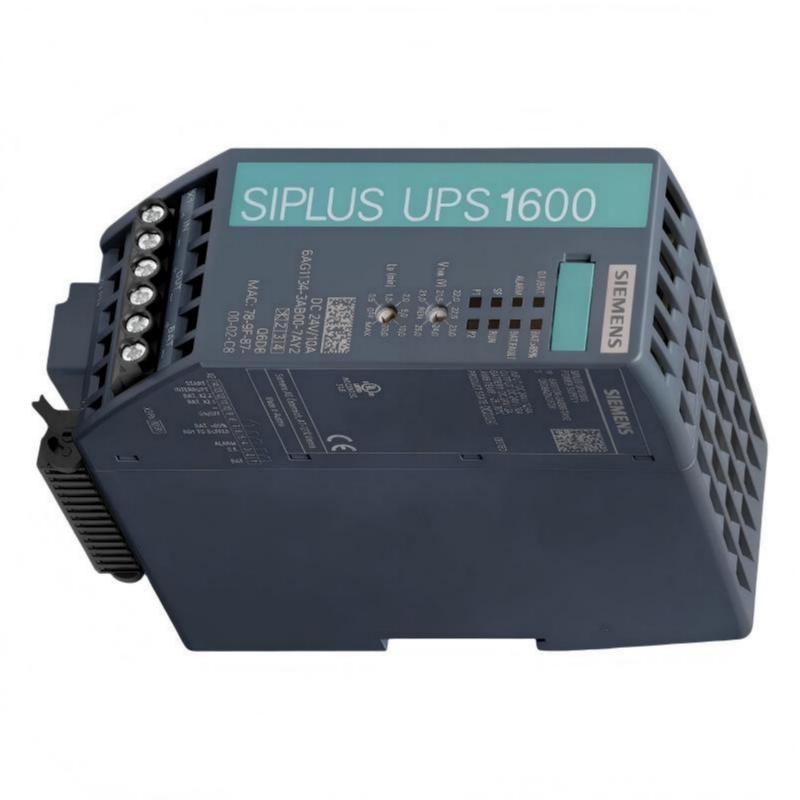
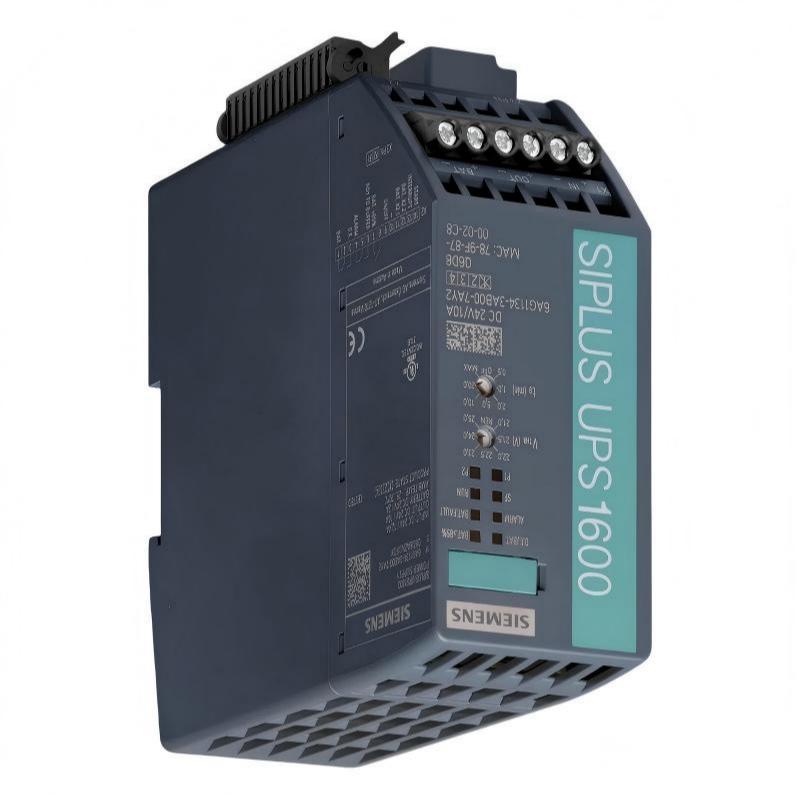
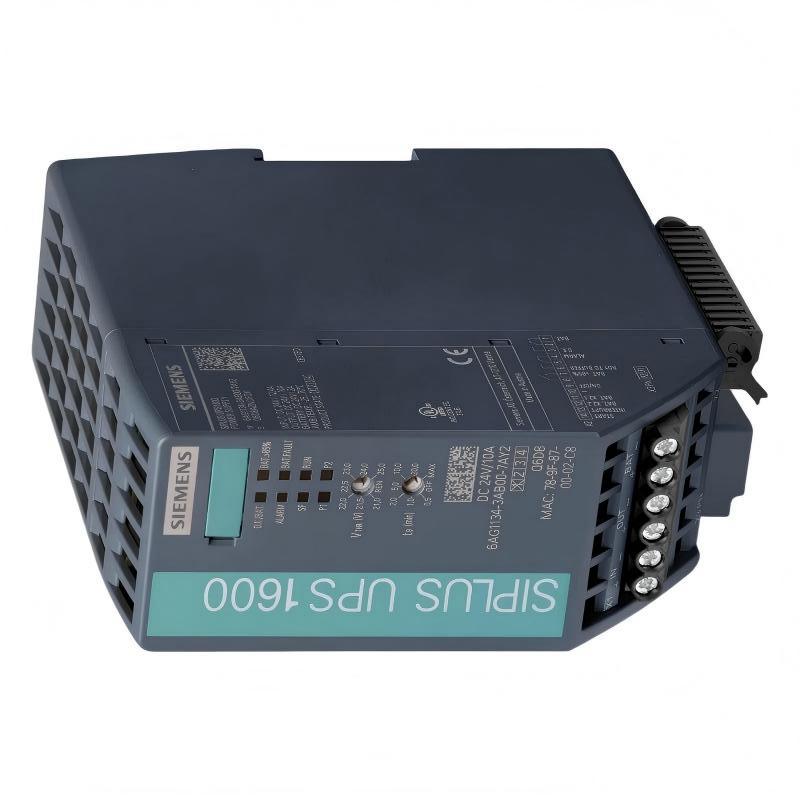
- Siemens
- 6AG1134-3AB00-7AY2
- Battery Module
- Germany
- 50×139×125mm
- 0.44 kg
- Xiamen, China
- New & In Stock
- T/T, PayPal, Western Union
- 1 Year
- 1-3 Working Days
- DHL, UPS, TNT, FedEx and EMS.
- 24-Hour Service
- COO
- 57
Our advantage

Global Logistics
We have a 10-year logistics and express cooperation agreement, so our products can be shipped to any place in the world.

Brand new and original
Our products are imported in bulk from the place of origin. Because of the cooperative relationship, our products are all original and 100% new.

24-hour service
We provide 7*24 hours service to our customers. We will be there whenever you need us.

Price advantage
All our products are priced very favorably because we have our own warehouse and supply.
| Company Information | |||
| [email protected] | |||
| Mobile | +8615980777398 | ||
| +8615980777398 | |||
| 15980777398 |
Product Overview
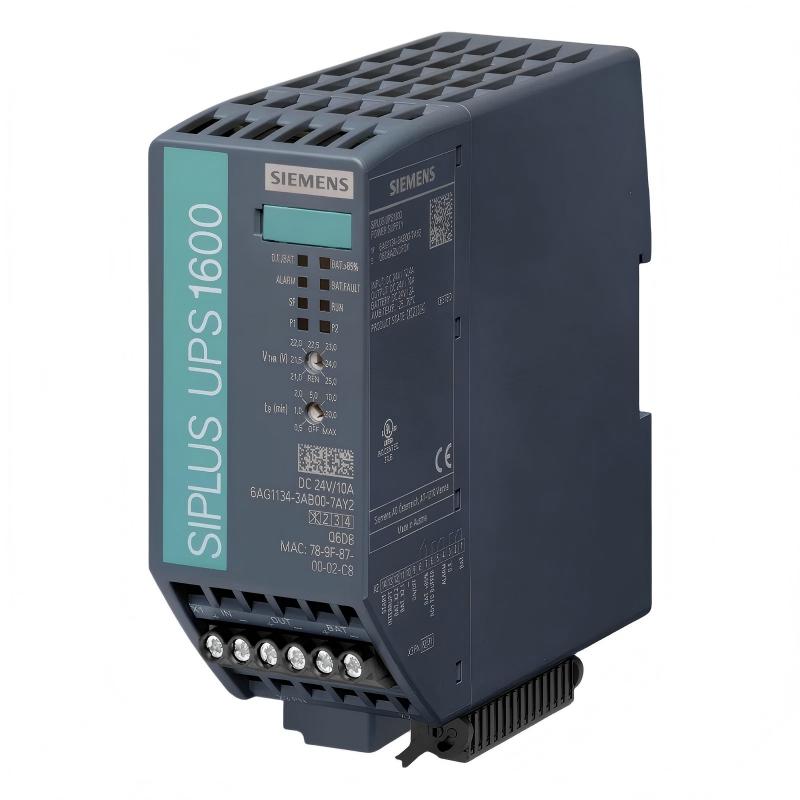
The Siemens 6AG1134-3AB00-7AY2 Battery Module is an industrial battery module designed to provide stored energy for compatible Siemens automation power-backup systems. It serves as an energy-storage component rather than a PLC processing or I/O device.
In an industrial control system, the battery module works together with a suitable UPS or backup-power arrangement. During normal operation, the connected power system maintains the battery in a charged condition. When the primary power source is interrupted, stored energy can be made available to critical DC loads through the associated backup system.
The compact form factor of the 6AG1134-3AB00-7AY2 makes it suitable for control cabinets and industrial installations where space must be used efficiently. Its supplied dimensions are 50 × 139 × 125 mm, with a product weight of 0.44 kg.
The supplied product information is:
- Manufacturer: Siemens
- Model: 6AG1134-3AB00-7AY2
- Product Type: Battery Module
- Application: Industrial Automation Backup Power
- Dimensions: 50 × 139 × 125 mm
- Weight: 0.44 kg
- Primary Function: Backup Energy Storage
- Installation Environment: Industrial Control Cabinet
The battery should be used only with a compatible backup-power system whose voltage, charging characteristics, protection requirements, and battery configuration match the module.
Technical Specifications
| Parameter | Specification |
|---|---|
| Manufacturer | Siemens |
| Model | 6AG1134-3AB00-7AY2 |
| Product Type | Battery Module |
| Application | Industrial Automation |
| Primary Function | Backup Energy Storage |
| Dimensions | 50 × 139 × 125 mm |
| Weight | 0.44 kg |
| Installation | Industrial Control Cabinet |
| System Role | Energy Storage |
| Connection | Backup Power / Battery Circuit |
| Maintenance | Periodic inspection recommended |
| Typical Application | Industrial DC Backup Power |
The physical dimensions and weight are particularly relevant when designing or modifying a control cabinet because adequate space must be reserved for mounting, cable routing, inspection, and replacement.
Function and Working Principle
The 6AG1134-3AB00-7AY2 stores electrical energy and supplies that energy to the associated backup-power system when the normal power source is interrupted.
A simplified architecture is:
Primary Power Source
↓
Industrial DC Power Supply
↓
UPS / Backup Power System
↕
6AG1134-3AB00-7AY2 Battery Module
↓
Critical Automation Loads
During normal operation, the primary power source supplies the connected DC equipment while the battery is maintained in its required charged condition.
During a power interruption:
Primary Power Failure
↓
Battery Discharge
↓
UPS / Backup Controller
↓
Critical DC Loads
The battery therefore functions as an energy reserve that helps prevent immediate loss of power to selected automation equipment.
Depending on the system design, protected loads may include:
- PLC controllers
- Remote I/O
- HMI equipment
- Industrial communication devices
- Network switches
- Control relays
- Monitoring equipment
- Industrial PCs
- Instrumentation
The actual backup duration depends on the connected load, battery condition, environmental temperature, discharge characteristics, and the associated UPS system.
Role in Industrial Control Systems
A stable control-power supply is important for automated production and process systems. A sudden power interruption can result in:
- PLC shutdown
- HMI restart
- Loss of communication
- Loss of process information
- Unexpected machine stopping
- Loss of alarm status
- Production interruption
A battery-backed DC power system can provide a controlled response to such events.
For example:
Normal Operation
AC/DC Supply → UPS → Critical Load
Power Interruption
Primary Supply ✕
Battery → UPS → Critical Load
This arrangement can provide sufficient time for continued operation or an orderly shutdown, depending on the system design.
Typical Industrial Applications
Manufacturing Automation
The battery module can be used in backup systems supporting:
- Assembly machines
- Production lines
- Conveyor systems
- Packaging machinery
- Inspection equipment
- Robotic systems
- Material handling equipment
Process Control
Potential applications include:
- Pump stations
- Water treatment systems
- Process monitoring
- Industrial utilities
- Instrumentation
- Control systems
Maintaining power to control electronics can help prevent unnecessary process restarts.
Industrial Communication
A battery-backed power system can support critical:
- Industrial Ethernet switches
- Communication gateways
- Remote I/O
- Network equipment
- Data acquisition equipment
This can help maintain communication during short-duration power interruptions.
Controlled Shutdown Applications
Backup power may also be used to provide time for:
- Saving controller data
- Closing applications
- Recording process status
- Completing shutdown sequences
- Maintaining alarm functions
- Safely stopping equipment
Installation Guide
1. Verify Product Identification
Before installation, confirm:
Siemens 6AG1134-3AB00-7AY2
Inspect the battery module for:
- Cracks
- Swelling
- Leakage
- Corrosion
- Damaged housing
- Damaged terminals
- Broken wiring
- Signs of overheating
Do not install a battery that appears damaged.
2. Confirm Electrical Compatibility
Before connecting the module, verify compatibility with the intended backup-power system.
Check:
- Battery voltage
- Battery capacity
- UPS compatibility
- Charging voltage
- Charging current
- Battery monitoring
- Protection requirements
- Connection arrangement
A battery module should not be selected solely because its physical dimensions are compatible.
3. Prepare the Cabinet
The supplied dimensions are:
- Width: 50 mm
- Height: 139 mm
- Depth: 125 mm
Provide sufficient additional clearance for:
- Cable connections
- Inspection
- Maintenance
- Ventilation
- Battery removal
- Mechanical fastening
Avoid placing the battery near equipment that produces excessive heat.
4. Secure the Module
The module should be mechanically secured according to the cabinet design.
Verify:
- Stable mounting
- Correct orientation
- No excessive cable tension
- No mechanical pressure on terminals
- Adequate vibration resistance
The supplied weight is 0.44 kg, but mounting must still be suitable for the expected industrial environment.
5. Inspect the Battery Connections
Before connection, inspect:
- Positive terminal
- Negative terminal
- Cable insulation
- Connector condition
- Protection devices
- Terminal tightness
Pay particular attention to polarity.
6. Connect the Battery
Connect the battery module to the compatible backup-power system according to the approved electrical drawings.
Verify:
Positive → Positive
Negative → Negative
Do not assume polarity based only on cable color.
7. Verify Protection
Confirm that the battery circuit includes the required protective device.
Never bypass a specified fuse or circuit breaker.
Battery circuits can deliver high current during short-circuit conditions even when the nominal battery voltage is relatively low.
Commissioning Procedure
Step 1 — Visual Inspection
Check the module housing and terminals.
Step 2 — Mechanical Verification
Confirm that the module is securely mounted.
Step 3 — Polarity Verification
Verify positive and negative connections.
Step 4 — Compatibility Verification
Confirm the battery is correctly matched to the UPS or backup-power system.
Step 5 — Wiring Verification
Compare all connections with the electrical drawings.
Step 6 — System Power-Up
Restore the primary power supply.
Step 7 — Charging Verification
Confirm that the battery enters the expected charging condition.
Step 8 — Diagnostic Verification
Check UPS and battery-related diagnostic information.
Step 9 — Backup Test
Perform a controlled power-interruption test when permitted by the equipment and plant procedures.
Step 10 — Load Test
Verify that critical equipment remains powered for the required period.
Troubleshooting Guide
Problem 1: Battery Does Not Charge
Possible causes:
- Incorrect connection
- Reverse polarity
- UPS charging fault
- Loose terminal
- Protection device open
- Battery degradation
- Incorrect system configuration
Recommended Checks
- Verify polarity.
- Inspect battery wiring.
- Check protective devices.
- Measure charging voltage.
- Check UPS diagnostic information.
- Evaluate battery condition.
Problem 2: Battery Alarm Appears
Possible causes include:
- Low battery voltage
- Poor connection
- Battery aging
- Charging failure
- Open protection circuit
- Incorrect battery configuration
Start by checking the battery circuit before replacing the UPS.
Problem 3: Backup Time Is Too Short
Possible causes:
- Battery aging
- Excessive load
- High ambient temperature
- Incomplete charging
- Frequent discharge
- Long storage period
A battery can still show an apparently normal voltage while having reduced usable capacity.
Problem 4: Battery Voltage Is Low
Possible causes:
- Deep discharge
- Charging failure
- Battery aging
- Long storage
- Excessive load
- Internal battery fault
Check the charging circuit and battery condition.
Problem 5: Battery Becomes Hot
Possible causes:
- Abnormal charging
- High ambient temperature
- Internal battery fault
- Short circuit
- Incorrect charging conditions
Abnormal heating requires immediate investigation.
Problem 6: UPS Frequently Switches to Battery
Possible causes:
- Unstable primary power
- DC supply fluctuations
- Loose wiring
- Poor electrical connection
- Power-supply fault
Repeated discharge cycles can significantly reduce battery service life.
Problem 7: Battery Protection Device Opens
Possible causes:
- Short circuit
- Damaged cable
- Incorrect wiring
- Excessive current
- Fault in connected equipment
Do not simply replace the protection device repeatedly.
Problem 8: Critical Load Loses Power During an Outage
Possible causes:
- Battery discharged
- Battery capacity degraded
- Open battery circuit
- Protection device failure
- UPS fault
- Loose terminal
- Incorrect system configuration
Trace the complete backup-power path.
Battery Fault Diagnosis
A structured diagnostic path is recommended:
Primary Power
↓
DC Power Supply
↓
UPS / Backup Controller
↓
Battery Protection
↓
6AG1134-3AB00-7AY2
↓
Battery Connection
↓
Critical DC Load
This method allows technicians to determine whether the fault originates from the primary power supply, UPS, battery, protection circuit, wiring, or connected load.
Preventive Maintenance
| Inspection Item | Recommended Check |
|---|---|
| Battery Housing | Inspect for damage or swelling |
| Terminals | Check for corrosion |
| Wiring | Inspect insulation |
| Connections | Check mechanical security |
| Polarity | Verify when servicing |
| Protection Device | Inspect condition |
| Charging Voltage | Monitor periodically |
| Temperature | Check cabinet conditions |
| UPS Diagnostics | Review battery alarms |
| Backup Performance | Test periodically |
| Battery Age | Record installation date |
Preventive maintenance is important because battery degradation can occur without obvious external signs.
Battery Life Considerations
Battery performance is affected by:
- Ambient temperature
- Charging conditions
- Discharge depth
- Number of discharge cycles
- Storage duration
- Connected load
- Cabinet ventilation
High temperature generally accelerates battery aging.
For this reason, avoid locating the battery immediately beside:
- Variable frequency drives
- Power supplies
- Transformers
- Braking components
- High-power switching devices
- Other heat-generating equipment
Good cabinet thermal management can improve battery reliability.
Common Installation Mistakes
Reverse Polarity
Connecting the battery backwards can cause severe electrical problems.
Always verify polarity before energizing the system.
Bypassing Battery Protection
Never bypass a specified protection device.
The protection circuit is necessary to limit fault current and protect the battery wiring.
Inadequate Mounting
Although the module weighs only 0.44 kg, it must still be securely installed to prevent movement and cable stress.
Excessive Temperature
High temperatures accelerate battery degradation and reduce service life.
Incorrect Battery Matching
Battery voltage, capacity, charging characteristics, and UPS compatibility must be considered together.
Skipping Backup Testing
A normal charging indication does not necessarily prove that the battery can deliver its required backup capacity.
Periodic controlled testing is recommended for critical applications.
6AG1134-3AB00-7AY2 Troubleshooting Table
| Symptom | Possible Cause | Recommended Action |
|---|---|---|
| Battery does not charge | Charging-system problem | Check UPS and battery circuit |
| Battery alarm | Low voltage or connection fault | Inspect battery circuit |
| Backup time too short | Capacity degradation | Evaluate battery condition |
| Battery voltage low | Deep discharge | Check charging system |
| Battery becomes hot | Charging or internal fault | Stop and investigate |
| Frequent battery operation | Unstable primary supply | Check incoming power |
| Protection device opens | Short circuit or excessive current | Find fault before replacement |
| Load loses power | Battery or UPS fault | Trace backup path |
| Battery ages quickly | High temperature | Improve thermal conditions |
Key Advantages
- Designed for industrial automation backup-power applications
- Compact 50 × 139 × 125 mm form factor
- 0.44 kg supplied weight
- Suitable for space-conscious control cabinets
- Provides stored energy for critical automation equipment
- Supports UPS-based power continuity
- Helps reduce uncontrolled controller shutdowns
- Can support controlled shutdown sequences
- Suitable for industrial control and communication systems
- Easy to incorporate into compact backup-power arrangements
Technical FAQs
What is the Siemens 6AG1134-3AB00-7AY2?
The 6AG1134-3AB00-7AY2 is a Siemens battery module designed to provide stored energy for a compatible industrial backup-power system.
What is its primary function?
Its primary function is to store electrical energy and make that energy available to the associated backup-power system when the normal supply is interrupted.
Is this a PLC module?
No. The 6AG1134-3AB00-7AY2 is an energy-storage component, not a PLC CPU, digital input, digital output, or communication module.
What are its dimensions?
The supplied dimensions are 50 × 139 × 125 mm.
What is the weight?
The supplied weight is 0.44 kg.
Can it be used as a standalone power supply?
It should be regarded as a battery component for a compatible backup-power system rather than as a standalone regulated DC power supply.
Why does backup time decrease as the battery ages?
Battery capacity gradually declines with use and age. High temperature, frequent discharge, deep discharge, and unsuitable storage can accelerate capacity loss.
Why does the battery become hot?
Possible causes include abnormal charging, high ambient temperature, an internal battery fault, excessive current, or a short circuit.
Why does the UPS switch to battery frequently?
An unstable primary supply, voltage fluctuations, poor connections, or an upstream power-supply problem can cause frequent battery operation.
What should I check if the battery does not charge?
Check polarity, wiring, protective devices, charging voltage, UPS diagnostics, and battery condition.
What should I do if the battery protection device repeatedly opens?
Do not repeatedly replace it. Investigate possible short circuits, damaged cables, excessive current, or faults in the connected equipment.
How can I determine whether the battery has lost capacity?
A controlled backup-time or capacity test provides more useful information than voltage measurement alone.
Why is cabinet temperature important?
Elevated temperature accelerates battery aging and can significantly reduce service life.
How often should the battery be inspected?
The inspection interval should be based on the criticality of the system and the operating environment. Critical applications generally benefit from periodic visual inspection, diagnostic review, and controlled backup testing.
Conclusion
The Siemens 6AG1134-3AB00-7AY2 Battery Module is a compact industrial energy-storage component designed to support compatible automation backup-power systems. With supplied dimensions of 50 × 139 × 125 mm and a weight of 0.44 kg, it is well suited to applications where cabinet space and equipment weight are important considerations.
The battery module does not perform PLC processing or I/O functions. Instead, it provides stored energy that can be used by the associated backup-power system when the primary power supply is interrupted. This can help maintain critical PLC, HMI, communication, instrumentation, and other DC loads during short-duration power failures or controlled shutdown procedures.
Reliable operation depends on correct electrical compatibility, polarity, wiring, protection, mechanical installation, and environmental conditions. During troubleshooting, technicians should evaluate the complete power path from the primary supply through the UPS and battery circuit to the critical load rather than immediately assuming that the battery itself is defective.
For critical industrial systems, periodic inspection and controlled backup testing are strongly recommended. Monitoring charging behavior, battery temperature, diagnostic status, and actual backup performance can help identify battery degradation before a real power interruption occurs.