

ProductPRODUCT
Featured products



Contact Us
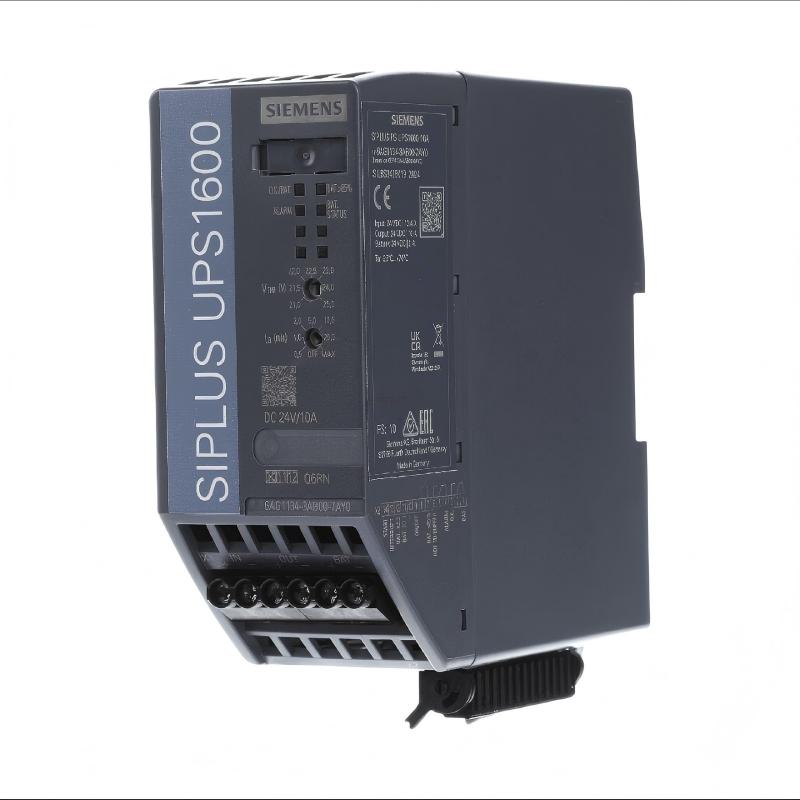
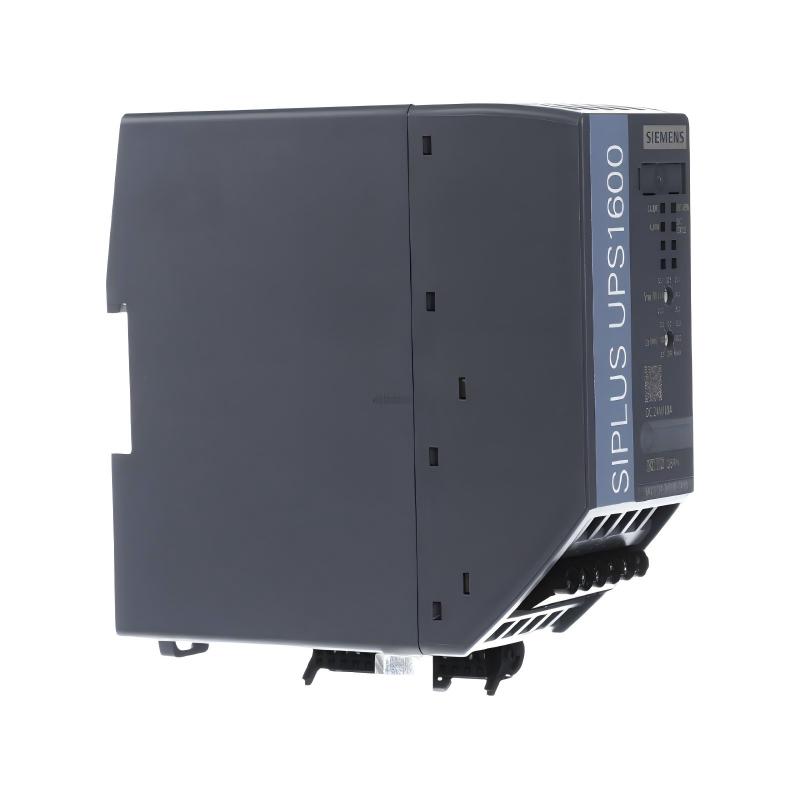
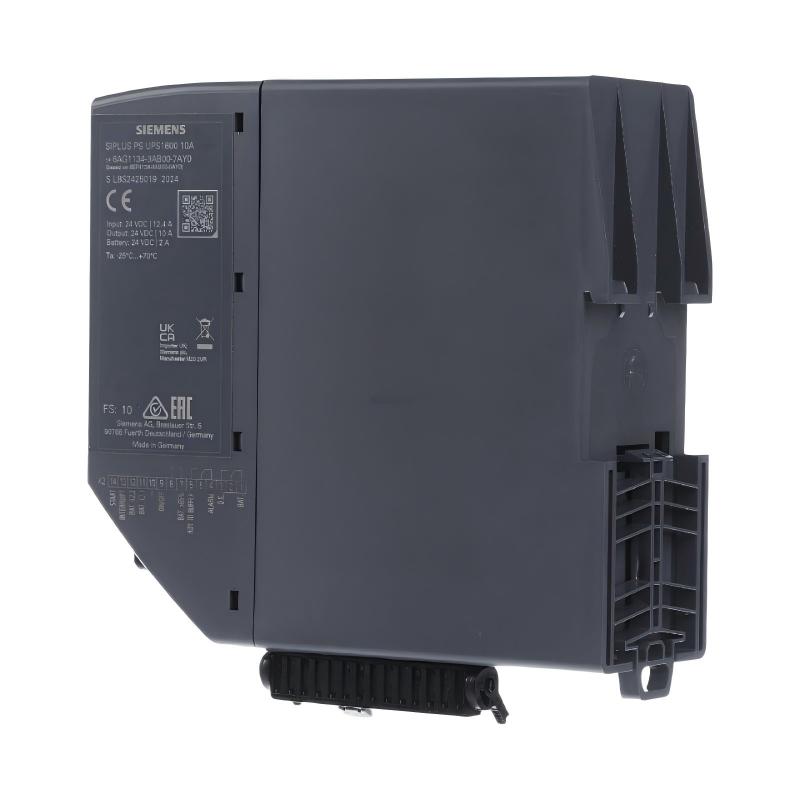
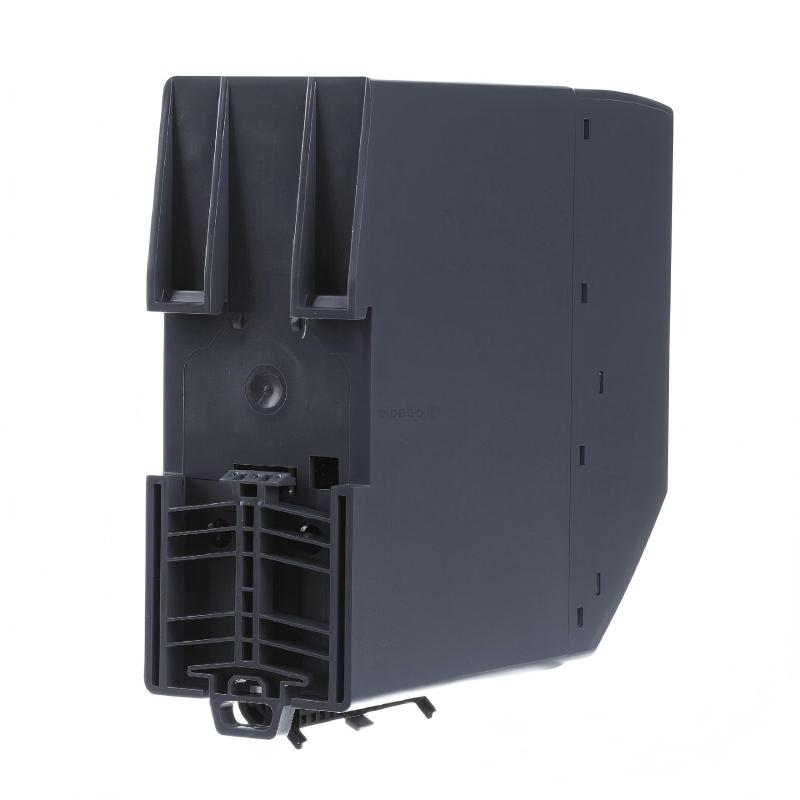
- Siemens
- 6AG1134-3AB00-7AY0
- Battery Module
- Germany
- 50×139×125mm
- 0.38 kg
- Xiamen, China
- New & In Stock
- T/T, PayPal, Western Union
- 1 Year
- 1-3 Working Days
- DHL, UPS, TNT, FedEx and EMS.
- 24-Hour Service
- COO
- 80
Our advantage

Global Logistics
We have a 10-year logistics and express cooperation agreement, so our products can be shipped to any place in the world.

Brand new and original
Our products are imported in bulk from the place of origin. Because of the cooperative relationship, our products are all original and 100% new.

24-hour service
We provide 7*24 hours service to our customers. We will be there whenever you need us.

Price advantage
All our products are priced very favorably because we have our own warehouse and supply.
| Company Information | |||
| [email protected] | |||
| Mobile | +8615980777398 | ||
| +8615980777398 | |||
| 15980777398 |
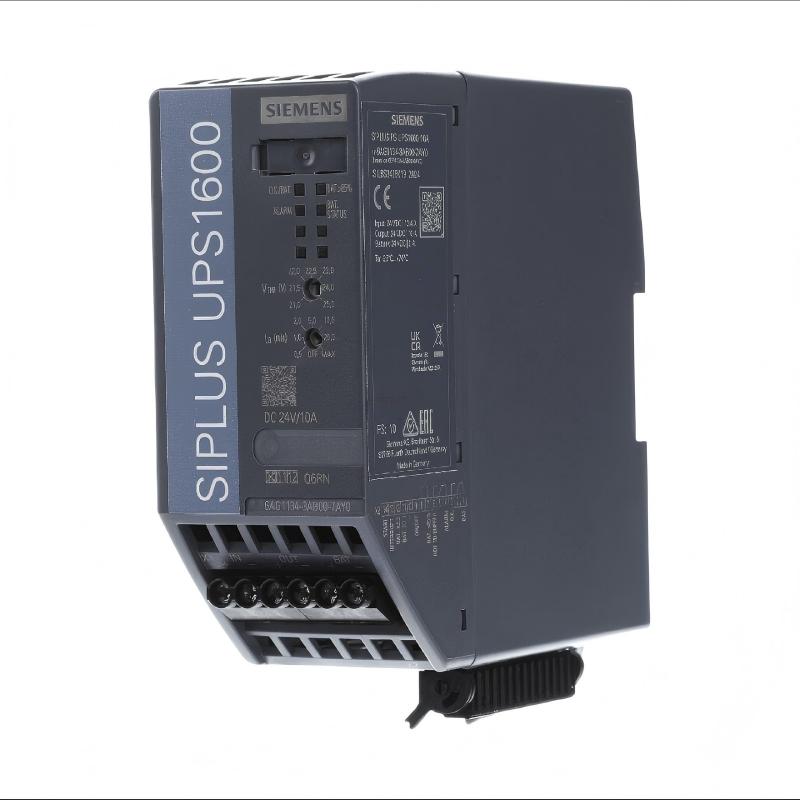
Product Overview
The Siemens 6AG1134-3AB00-7AY0 Battery Module is a compact industrial energy-storage component designed for use within compatible Siemens automation power-backup systems. It provides stored electrical energy that can be used to maintain critical control equipment when the primary power source is interrupted.
Unlike a PLC input or output module, a battery module does not process automation signals. Its primary purpose is to store energy and make that energy available to the associated backup-power system when required.
The compact design of the 6AG1134-3AB00-7AY0 makes it suitable for control cabinets where available installation space is limited. Correct battery selection is important because the battery voltage, capacity, charging characteristics, protection requirements, and connected UPS system must all be compatible.
The supplied product information is:
- Manufacturer: Siemens
- Model: 6AG1134-3AB00-7AY0
- Product Type: Battery Module
- Application: Industrial Automation Backup Power
- Dimensions: 50 × 139 × 125 mm
- Weight: 0.38 kg
- Installation Environment: Industrial Control Cabinet
- Primary Function: Backup Energy Storage
The exact electrical characteristics and compatible UPS equipment should be confirmed from the system’s approved engineering documentation before installation.
Technical Specifications
| Parameter | Specification |
|---|---|
| Manufacturer | Siemens |
| Model | 6AG1134-3AB00-7AY0 |
| Product Type | Battery Module |
| Application | Industrial Automation |
| Primary Function | Backup Energy Storage |
| Dimensions | 50 × 139 × 125 mm |
| Weight | 0.38 kg |
| Installation | Control Cabinet |
| System Role | Energy Storage |
| Connection | Battery/Backup Power Circuit |
| Maintenance | Periodic inspection recommended |
The supplied dimensions and weight should be used when planning cabinet installation, mechanical clearance, and equipment replacement.
Function and Working Principle
The 6AG1134-3AB00-7AY0 stores electrical energy and supplies that stored energy to a compatible backup-power circuit when the normal power source becomes unavailable.
A typical architecture is:
Primary Power Supply
↓
Industrial DC Power System
↓
UPS / Backup Controller
↕
6AG1134-3AB00-7AY0 Battery Module
↓
Critical Automation Load
Under normal operating conditions, the associated power system maintains the battery in a charged state.
During a power interruption, the backup system changes operating mode and uses energy stored in the battery to continue supplying the connected critical loads.
Depending on the system design, protected equipment may include:
- PLC controllers
- Remote I/O
- HMI equipment
- Industrial communication devices
- Control relays
- Monitoring equipment
- Industrial computers
- Instrumentation
The actual backup duration depends on battery capacity, load current, battery condition, ambient temperature, and the characteristics of the connected backup system.
Role in Industrial Control Systems
Reliable backup power can be important when a sudden loss of control power could cause:
- Unexpected machine shutdown
- Loss of process data
- Controller restart
- Communication interruption
- Loss of alarm information
- Production interruption
- Improper shutdown of industrial computers
The battery module therefore acts as an energy buffer between the normal power source and critical automation equipment.
For example:
Normal Condition
Primary Power → UPS → Load
↕
Battery Charging
Power Failure
Primary Power ✕
↓
Battery → UPS → Critical Load
This arrangement gives the control system time to continue operation or perform an orderly shutdown.
Typical Industrial Applications
Manufacturing Equipment
The battery module can be incorporated into backup systems supporting:
- Assembly machines
- Automated production lines
- Packaging equipment
- Material handling systems
- Inspection machinery
- Machine control cabinets
Process Automation
Backup power can be valuable for:
- Pump stations
- Water treatment systems
- Process monitoring
- Industrial utilities
- Instrumentation systems
- Automated process equipment
Maintaining controller power during short interruptions can prevent unnecessary process restarts.
Communication Systems
Critical industrial communication equipment may require uninterrupted DC power.
Potential protected equipment includes:
- Ethernet switches
- Remote I/O adapters
- Communication gateways
- Industrial network devices
- Monitoring equipment
Installation Guide
1. Verify the Product
Before installation, confirm the product identification:
Siemens 6AG1134-3AB00-7AY0
Inspect the module carefully.
Check for:
- Damaged enclosure
- Cracks
- Swelling
- Leakage
- Corrosion
- Damaged terminals
- Damaged wiring
- Signs of overheating
Do not install a battery module that shows physical damage.
2. Confirm System Compatibility
The battery module must be connected to a compatible Siemens backup-power system.
Before installation, verify:
- Battery voltage
- Battery capacity
- UPS compatibility
- Charging requirements
- Connection method
- Battery monitoring requirements
- Protection arrangement
Do not connect the battery directly to an unrelated power supply unless the system documentation specifically permits that configuration.
3. Prepare the Installation Area
The supplied dimensions are:
- Width: 50 mm
- Height: 139 mm
- Depth: 125 mm
Allow additional space for:
- Wiring
- Ventilation
- Inspection
- Maintenance
- Safe removal
- Cable routing
Avoid placing the battery immediately beside equipment that generates excessive heat.
4. Secure the Battery
The battery must be mechanically secured so that vibration or cabinet movement cannot damage its connections.
Verify:
- Stable mounting
- Correct orientation
- No cable tension
- No mechanical pressure on terminals
- Adequate clearance
The module weighs approximately 0.38 kg, so its mounting arrangement should still be suitable for the expected industrial vibration environment.
5. Inspect the Connection
Before connecting the battery, inspect:
- Positive connection
- Negative connection
- Cable insulation
- Connector condition
- Protection device
- Battery terminals
Pay particular attention to polarity.
6. Connect the Battery
Connect the battery to the compatible backup-power system according to the approved electrical drawings.
Verify:
Positive → Positive
Negative → Negative
Do not guess the polarity from cable color alone.
7. Verify Protection
Confirm that the battery circuit has the required protective device.
Battery protection is important because batteries can deliver substantial current into a short circuit.
Never bypass a specified fuse or circuit-protection component.
Commissioning Procedure
Step 1 — Visual Inspection
Inspect the battery and connection points.
Step 2 — Mechanical Verification
Confirm secure mounting.
Step 3 — Polarity Verification
Verify positive and negative connections.
Step 4 — Compatibility Check
Confirm that the connected UPS or backup system is designed for the battery.
Step 5 — Wiring Verification
Compare all connections with the electrical drawings.
Step 6 — Power-Up
Restore the primary power system.
Step 7 — Charging Check
Verify that the battery is being charged correctly.
Step 8 — Diagnostic Check
Review available UPS or power-system diagnostic information.
Step 9 — Backup Test
When permitted by the equipment and plant procedures, perform a controlled power-loss test.
Step 10 — Load Verification
Confirm that critical loads remain powered during the test.
Troubleshooting Guide
Problem 1: Battery Does Not Charge
Possible causes include:
- Incorrect battery connection
- Incorrect polarity
- Charging-system fault
- Loose terminal
- Damaged battery
- Battery protection device open
- Incompatible backup system
Recommended Checks
- Check battery polarity.
- Inspect the connection.
- Check the protection device.
- Verify charging voltage.
- Check the UPS diagnostic status.
- Evaluate battery condition.
Problem 2: Backup System Reports Battery Fault
Possible causes include:
- Low battery voltage
- Battery connection problem
- Battery aging
- Open protection circuit
- Incorrect battery configuration
- Charging failure
Check the battery circuit before replacing the UPS controller.
Problem 3: Backup Time Is Too Short
Possible causes:
- Battery degradation
- Excessive load
- High cabinet temperature
- Incomplete charging
- Frequent discharge cycles
- Long storage period
A battery may still show a normal voltage while having significantly reduced usable capacity.
Problem 4: Battery Voltage Is Abnormally Low
Possible causes include:
- Deep discharge
- Charging failure
- Long storage
- Battery aging
- Excessive standby load
- Internal battery fault
Check the charging circuit and battery condition before returning the system to normal operation.
Problem 5: Battery Becomes Hot
Possible causes include:
- Abnormal charging
- Internal battery fault
- Excessive ambient temperature
- Incorrect charging conditions
- Electrical short circuit
Abnormal heating should not be ignored.
Problem 6: Backup Power Activates Frequently
Possible causes:
- Unstable primary supply
- DC voltage fluctuations
- Poor connections
- Power-supply problems
- Incorrect system configuration
Frequent battery discharge can shorten battery life.
Problem 7: Battery Protection Fuse Opens
Possible causes include:
- Short circuit
- Damaged cable
- Incorrect wiring
- Excessive current
- Fault in the connected backup system
Do not repeatedly replace the fuse without identifying the underlying cause.
Problem 8: Critical Load Loses Power During an Outage
Possible causes include:
- Battery discharged
- Battery capacity degraded
- Open battery circuit
- Protection device failure
- UPS malfunction
- Loose battery connection
- Incorrect system configuration
Trace the complete backup power path from the battery to the protected load.
Battery Fault Diagnosis
A systematic troubleshooting path is recommended:
Primary Power
↓
DC Power Supply
↓
UPS / Backup Controller
↓
Battery Protection
↓
6AG1134-3AB00-7AY0
↓
Battery Connection
↓
Critical Automation Load
This approach makes it easier to determine whether the fault originates from the primary supply, UPS, battery, protection circuit, wiring, or load.
Preventive Maintenance
| Inspection Item | Recommended Check |
|---|---|
| Battery Housing | Inspect for cracks or swelling |
| Terminals | Check for corrosion |
| Wiring | Inspect insulation |
| Connections | Check security |
| Polarity | Verify during maintenance |
| Protection Device | Check condition |
| Charging Voltage | Monitor periodically |
| Temperature | Check cabinet conditions |
| UPS Diagnostics | Review alarms |
| Backup Performance | Test periodically |
| Battery Age | Record installation date |
Preventive maintenance is especially important for backup batteries because degradation may not always be visible during normal operation.
Battery Life Considerations
Battery service life is influenced by:
- Ambient temperature
- Charging voltage
- Charging frequency
- Discharge depth
- Number of discharge cycles
- Storage conditions
- Connected load
- Maintenance practices
High operating temperatures generally accelerate battery aging.
The battery should therefore not be installed directly beside:
- Power semiconductors
- High-temperature transformers
- Braking resistors
- High-power drives
- Heat-generating power supplies
Adequate cabinet thermal management can improve long-term reliability.
Common Installation Mistakes
Reverse Polarity
Incorrect polarity can cause serious electrical faults.
Always verify the positive and negative terminals before connecting the battery.
Bypassing Protection
A battery protection device should never be bypassed.
A battery can deliver high short-circuit current even when its nominal voltage is relatively low.
Poor Mechanical Installation
Vibration and mechanical movement can place stress on battery cables and terminals.
The module should be mounted securely.
Excessive Temperature
High temperature can accelerate battery aging and reduce available capacity.
Maintain suitable cabinet environmental conditions.
Incorrect Battery Matching
A battery module should not be selected solely by physical dimensions.
Electrical characteristics, charging requirements, voltage, capacity, and compatibility with the UPS system must all be considered.
Insufficient Backup Testing
A UPS system may appear normal while the battery has lost significant capacity.
Periodic controlled testing is therefore important for critical applications.
6AG1134-3AB00-7AY0 Troubleshooting Table
| Symptom | Possible Cause | Recommended Action |
|---|---|---|
| Battery does not charge | Charging fault | Check UPS and charging circuit |
| Battery alarm | Low voltage or connection problem | Inspect battery circuit |
| Backup time too short | Battery degradation | Evaluate battery capacity |
| Battery voltage low | Deep discharge | Check charging system |
| Battery becomes hot | Battery or charging fault | Stop and investigate |
| Backup activates frequently | Unstable primary power | Check incoming supply |
| Protection fuse opens | Short circuit | Find and correct fault |
| Load loses power | Battery or UPS failure | Trace backup power path |
| Battery ages rapidly | High temperature | Improve cabinet conditions |
Key Advantages
- Designed for industrial automation backup-power applications
- Compact 50 × 139 × 125 mm form factor
- Lightweight 0.38 kg design
- Suitable for control-cabinet installation
- Provides stored energy for critical DC loads
- Supports UPS-based power continuity
- Helps reduce uncontrolled PLC shutdowns
- Can support controlled shutdown procedures
- Useful for automation and industrial communication systems
- Suitable for applications where compact battery installation is required
Technical FAQs
What is the Siemens 6AG1134-3AB00-7AY0?
The Siemens 6AG1134-3AB00-7AY0 is a battery module intended to provide stored energy for compatible Siemens industrial backup-power systems.
What is the main function of the battery module?
Its primary function is to store electrical energy and provide that energy to the associated backup-power system when the primary supply is interrupted.
Is the 6AG1134-3AB00-7AY0 a PLC module?
No. It is an energy-storage component rather than a PLC input, output, or processing module.
What are its dimensions?
The supplied dimensions are 50 × 139 × 125 mm.
What is its weight?
The supplied weight is 0.38 kg.
Can the battery be connected directly to a PLC?
It should not be treated as a direct PLC power source unless the complete electrical system has specifically been designed and approved for that configuration. It is intended to operate as part of a compatible backup-power system.
Why does the backup time decrease over time?
Battery capacity naturally decreases with aging. High temperature, frequent discharge, deep discharge, and poor storage conditions can accelerate this process.
Why does the battery become hot?
Possible causes include abnormal charging, excessive ambient temperature, internal battery degradation, or an electrical fault.
Why does the UPS switch to battery frequently?
An unstable primary power source, voltage fluctuations, loose wiring, or a power-supply problem can cause repeated battery operation.
What should I check if the battery does not charge?
Check battery polarity, wiring, protection devices, charging voltage, UPS diagnostics, and battery condition.
What should I do if the battery fuse repeatedly opens?
Do not repeatedly replace it. Investigate for short circuits, damaged wiring, excessive current, or faults in the connected backup system.
How can I determine whether the battery has degraded?
A controlled backup-time or capacity test is more useful than voltage measurement alone. A battery can have normal voltage but insufficient usable capacity.
Why is temperature important?
Elevated temperature accelerates battery aging and can substantially reduce service life.
How should the battery be maintained?
Inspect the housing, terminals, wiring, protection devices, charging behavior, environmental temperature, and backup performance periodically.
Conclusion
The Siemens 6AG1134-3AB00-7AY0 Battery Module is a compact energy-storage component intended for industrial automation backup-power applications. With supplied dimensions of 50 × 139 × 125 mm and a weight of 0.38 kg, it is suitable for installations where cabinet space and equipment weight must be carefully considered.
The module’s role is to provide stored energy to a compatible UPS or backup-power system during primary power interruptions. By maintaining power to critical automation equipment, a properly designed backup system can help prevent uncontrolled PLC shutdowns, communication interruptions, data loss, and unexpected machine stops.
Installation should focus on system compatibility, correct polarity, secure mechanical mounting, proper protection, reliable wiring, and suitable environmental conditions. During troubleshooting, technicians should evaluate the entire backup-power path rather than immediately assuming that the battery itself is defective.
For critical industrial applications, regular inspection and controlled backup testing are recommended. Monitoring battery condition, temperature, charging behavior, and actual backup performance can help identify degradation before a power failure exposes the problem.