Product Overview
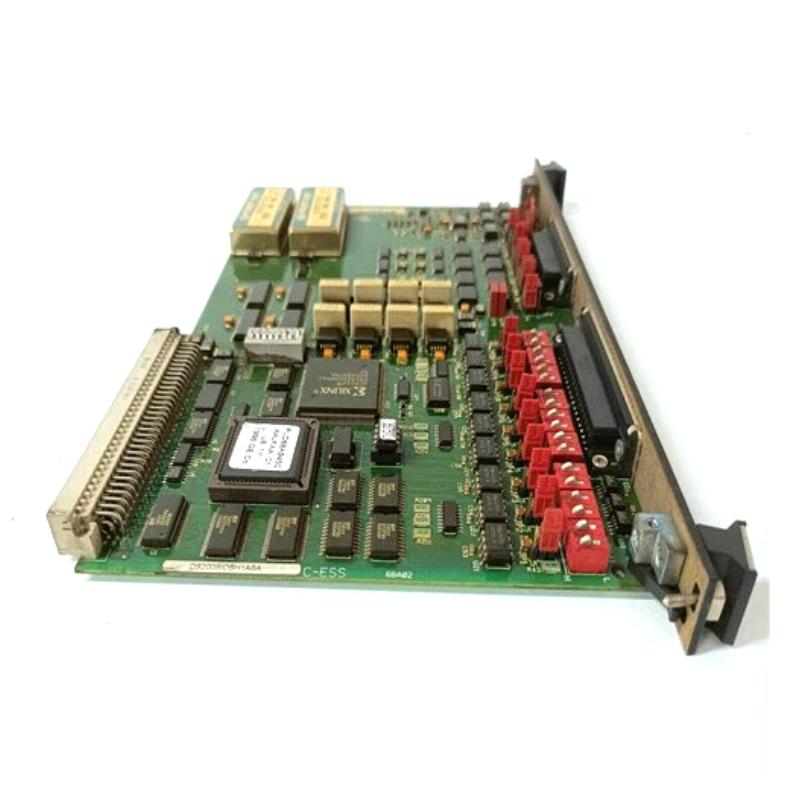
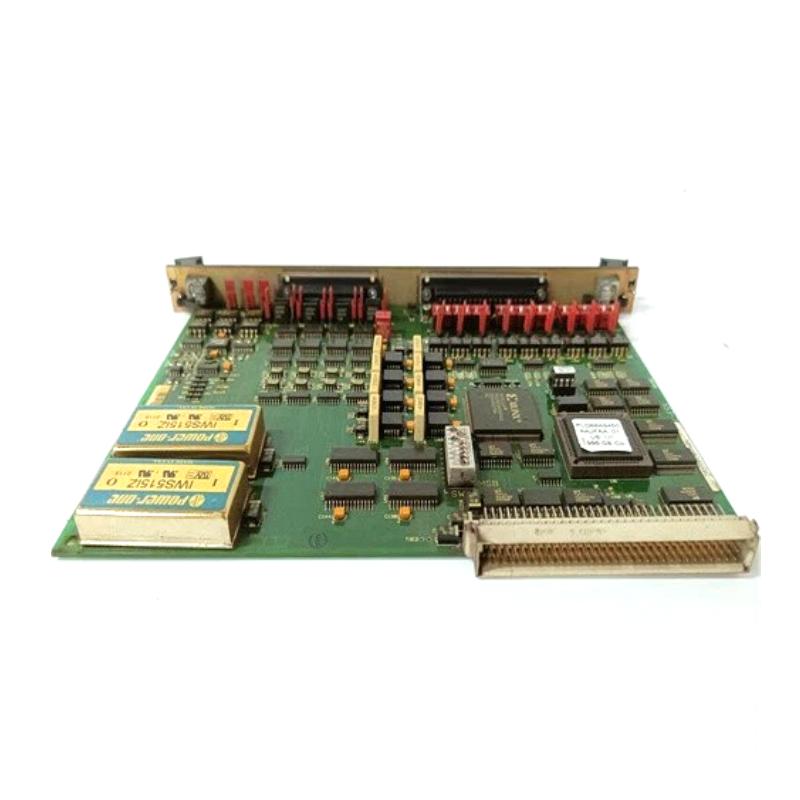
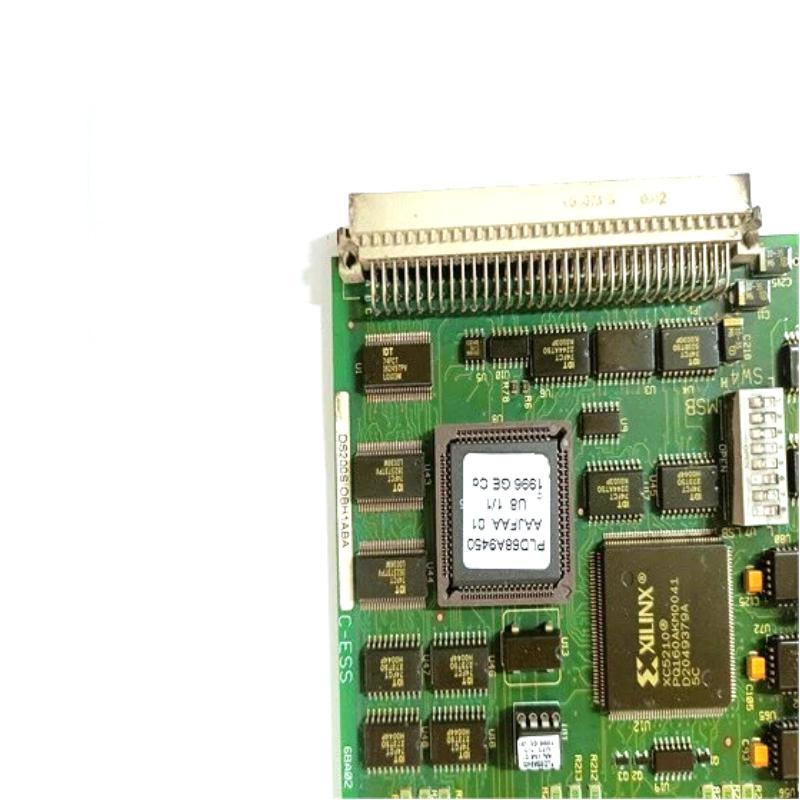
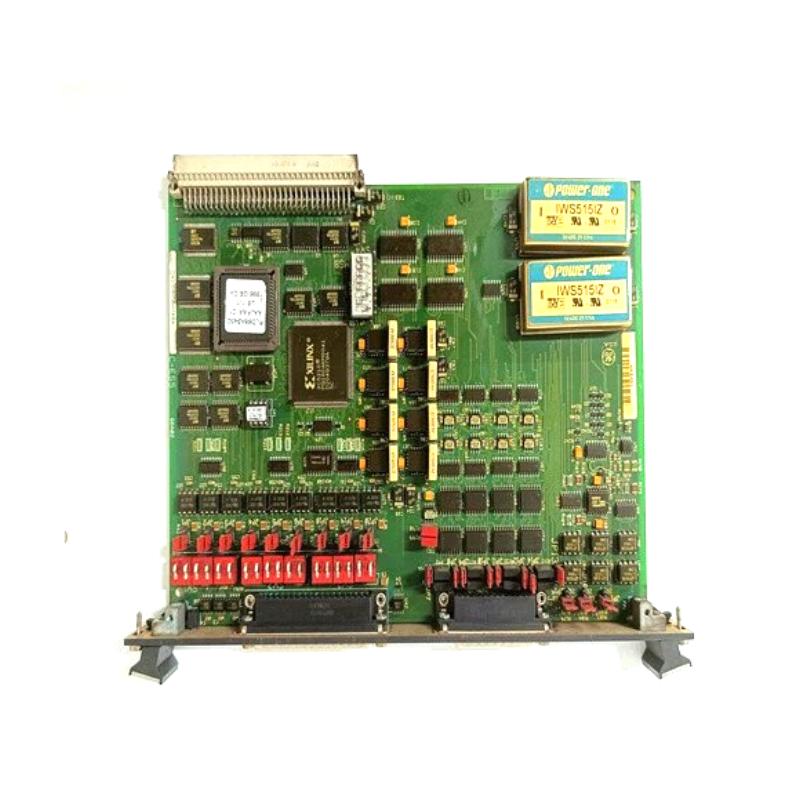
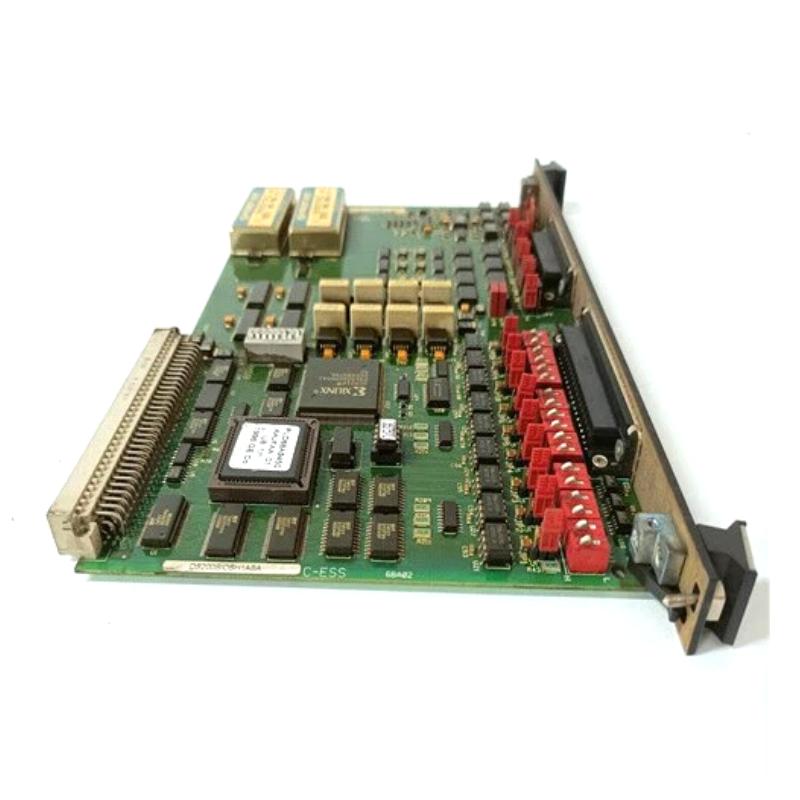
The GE DS200SIOBH1ABA VME Standard I/O Card is an industrial input/output interface board designed for compatible GE control and automation systems. It provides an interface between system control electronics and external input/output signals, supporting the exchange of operating information between field devices, control processors, and related system modules.
As an I/O interface component, the DS200SIOBH1ABA can play an important role in signal acquisition, output control, system monitoring, and communication within a modular industrial control architecture. Its VME-oriented design makes it suitable for systems where multiple control and interface boards operate together through a structured backplane arrangement.
The stated dimensions are 200 × 50 × 120 mm, with a weight of 0.7 kg. Its compact board format allows installation in industrial control cabinets and modular control frames.
Technical Specifications
| Parameter |
Details |
| Manufacturer |
GE |
| Model |
DS200SIOBH1ABA |
| Product Type |
VME Standard I/O Card |
| Series |
GE Industrial Control |
| Main Function |
Input/Output Interface |
| Interface Type |
VME-Based Modular I/O |
| Application |
Industrial Automation and Control |
| Installation |
Control Frame / Cabinet |
| Dimensions |
200 × 50 × 120 mm |
| Weight |
0.7 kg |
Function and Working Principle
The DS200SIOBH1ABA operates as an interface between external signals and the control system.
A simplified signal path is:
Field Devices → I/O Interface → VME Backplane → Control Processor → Output Modules
Depending on the system configuration, the I/O card can support functions such as:
- Input signal acquisition
- Output signal transmission
- Digital signal interfacing
- Control-system data exchange
- Equipment status monitoring
- Interface between field circuitry and processor modules
The board allows the control system to receive operating information and transmit control commands to connected equipment.
VME-Based System Integration
VME-based control architectures use a modular backplane to connect processors, I/O cards, communication boards, and other functional modules.
Within such an architecture, an I/O board can provide a dedicated interface between external signals and the system’s internal processing environment.
Typical architecture:
Field Signals → I/O Card → VME Backplane → CPU/Controller → Control Logic
This modular arrangement simplifies system expansion, maintenance, and replacement because individual functional boards can be serviced without necessarily replacing the complete control platform.
Main Features
Standard I/O Interface
The DS200SIOBH1ABA is designed to handle I/O-related communication within compatible control architectures.
Potential functions include:
- Signal acquisition
- Signal transmission
- Equipment status monitoring
- Control-command transfer
- System diagnostics
- Processor interface
Modular VME Architecture
The board’s VME-oriented design allows it to operate as part of a modular control-frame configuration.
Advantages of this approach include:
- Centralized backplane communication
- Modular hardware architecture
- Simplified board replacement
- Flexible system expansion
- Efficient integration with control processors
Compact Industrial Design
The board measures 200 × 50 × 120 mm and weighs 0.7 kg.
This compact form factor is suitable for control cabinets where multiple boards and interface modules must operate within limited space.
Industrial Applications
The DS200SIOBH1ABA can be used in compatible industrial automation and control environments, including:
- Power generation
- Turbine control
- Industrial drive systems
- Manufacturing automation
- Process control
- Heavy industrial machinery
- Energy infrastructure
- Modular control systems
Installation Guide
Step 1 – Verify Compatibility
Before installing the board:
- Confirm the complete part number.
- Check the hardware revision.
- Verify the VME frame configuration.
- Confirm backplane compatibility.
- Compare connector positions.
- Inspect the replacement board for damage.
Step 2 – Shut Down the System
Before removing or installing an electronic board:
- Stop the equipment.
- Disconnect applicable power.
- Follow lockout/tagout procedures.
- Allow stored electrical energy to discharge.
- Use suitable ESD protection.
Never remove a board from an energized system unless the equipment is specifically designed and approved for hot-swapping.
Step 3 – Record Existing Connections
Before removing the original board:
- Identify connected cables.
- Label connectors where necessary.
- Record cable positions.
- Check board orientation.
- Inspect the surrounding frame.
This helps prevent incorrect connections during reinstallation.
Step 4 – Remove the Existing I/O Card
Carefully:
- Disconnect external connectors.
- Release the board from its mounting hardware.
- Remove the card from the VME frame.
- Avoid touching exposed electronic components.
- Place the removed board on an ESD-safe surface.
Step 5 – Install the DS200SIOBH1ABA
Install the replacement card by:
- Aligning it with the correct VME slot.
- Ensuring proper board orientation.
- Carefully engaging the backplane connector.
- Securing the board.
- Reconnecting external wiring.
Do not force the board into the slot if alignment is incorrect.
Step 6 – Restore Power
After installation:
- Inspect all connections.
- Confirm board seating.
- Restore system power.
- Monitor startup diagnostics.
- Check board status.
- Verify communication with the controller.
Functional Testing
After installation, verify:
- Input signal acquisition
- Output signal response
- Controller communication
- Field-device status
- Diagnostic indicators
- System alarms
- Overall control-system operation
Testing should be performed systematically to distinguish board faults from external wiring or field-device problems.
Common Failure Symptoms
| Symptom |
Possible Cause |
| Missing input signals |
I/O circuit or wiring problem |
| Outputs do not respond |
Output interface fault |
| Controller cannot communicate with card |
Backplane or board problem |
| Intermittent I/O operation |
Connector or wiring issue |
| Diagnostic alarm |
Board or system fault |
| Incorrect field status |
Signal interface problem |
| Complete I/O loss |
Power, backplane, or board failure |
Troubleshooting Guide
Input Signal Failure
If input signals are missing:
- Check field wiring.
- Verify sensor operation.
- Inspect connectors.
- Check the VME card seating.
- Verify system power.
- Review controller diagnostics.
Do not immediately replace the I/O card without first checking the external signal source.
Output Signal Failure
If an output does not activate:
- Verify the control command.
- Check output wiring.
- Inspect the connected load.
- Check connector seating.
- Review system diagnostics.
- Test the output circuit where appropriate.
VME Communication Problem
If the controller cannot communicate with the card:
- Verify board seating.
- Inspect the backplane connector.
- Check slot configuration.
- Inspect power to the control frame.
- Review controller diagnostics.
A communication problem may originate from the backplane rather than the I/O card itself.
Intermittent Operation
Intermittent I/O faults may result from:
- Loose connectors
- Vibration
- Oxidized contacts
- Poor wiring
- Thermal cycling
- Contamination
- Unstable power
Inspect the complete signal path before replacing the board.
Physical Inspection
During maintenance, inspect the DS200SIOBH1ABA for:
- Burn marks
- Damaged connectors
- Bent pins
- Cracked solder joints
- Corrosion
- Dust accumulation
- Discolored components
- Mechanical damage
Keep the board and its surrounding cabinet clean and dry.
Preventive Maintenance
Recommended maintenance activities include:
- Periodic connector inspection
- Control-cabinet cleaning
- Backplane inspection
- Monitoring system alarms
- Checking power stability
- Inspecting field wiring
- Reviewing recurring I/O faults
- Maintaining proper cabinet ventilation
Proper preventive maintenance can help reduce unexpected I/O failures and improve system availability.
System Integration
The DS200SIOBH1ABA typically operates as part of a larger modular control system.
| System Component |
Function |
| Control Processor |
Executes control logic |
| VME Backplane |
Provides board-to-board interconnection |
| I/O Card |
Handles field input/output signals |
| Communication Board |
Provides system data communication |
| Power Supply |
Provides operating power |
| Field Sensors |
Generate process feedback |
| Output Devices |
Execute control commands |
Correct operation requires the I/O card, backplane, processor, field wiring, and connected devices to work together.
Key Advantages
- VME-based modular I/O architecture
- Supports industrial signal interfacing
- Compact installation format
- Suitable for control-frame applications
- Facilitates modular maintenance
- Supports field signal acquisition and output control
- Suitable for demanding industrial environments
- Dimensions: 200 × 50 × 120 mm
- Weight: 0.7 kg
Technical FAQs
What is the GE DS200SIOBH1ABA?
The GE DS200SIOBH1ABA is a VME Standard I/O Card designed to provide input/output interfacing within compatible GE industrial control systems.
What is the main function of the board?
Its primary function is to provide an interface between external field signals and the control system, supporting input acquisition, output control, and system monitoring.
What does VME mean in this application?
VME refers to a modular computer and control-system architecture that uses a shared backplane to connect processors, I/O cards, and other system boards.
Where can the DS200SIOBH1ABA be used?
It can be used in compatible industrial automation, turbine control, power-generation, drive-control, and process-control systems.
What are the dimensions?
The stated dimensions are 200 × 50 × 120 mm.
What is the weight?
The stated weight is 0.7 kg.
What can cause I/O communication problems?
Possible causes include poor board seating, damaged connectors, backplane problems, unstable power, incorrect wiring, field-device faults, or a defective I/O card.
Should the board be removed while the system is powered?
Unless the specific equipment is designed and approved for live board replacement, the system should be shut down and electrically isolated before removing the board.
Conclusion
The GE DS200SIOBH1ABA VME Standard I/O Card is a modular industrial interface board designed to connect field input/output signals with compatible GE control-system electronics. Its VME-based architecture allows it to operate as part of a larger control frame containing processors, communication modules, power supplies, and additional I/O hardware.
With stated dimensions of 200 × 50 × 120 mm and a weight of 0.7 kg, the board provides a compact solution for industrial control cabinets and modular automation systems.
For maintenance engineers and industrial automation technicians, proper board compatibility verification, careful VME backplane installation, accurate wiring, ESD protection, and systematic signal troubleshooting are essential for maintaining reliable operation of systems using the DS200SIOBH1ABA.