

ProductPRODUCT
Featured products
Contact Us
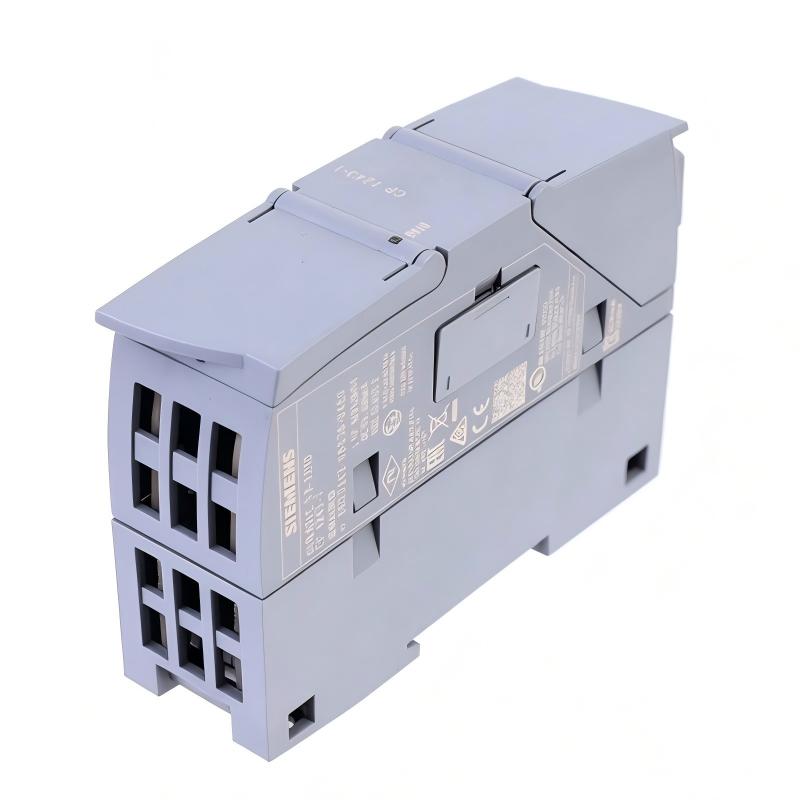
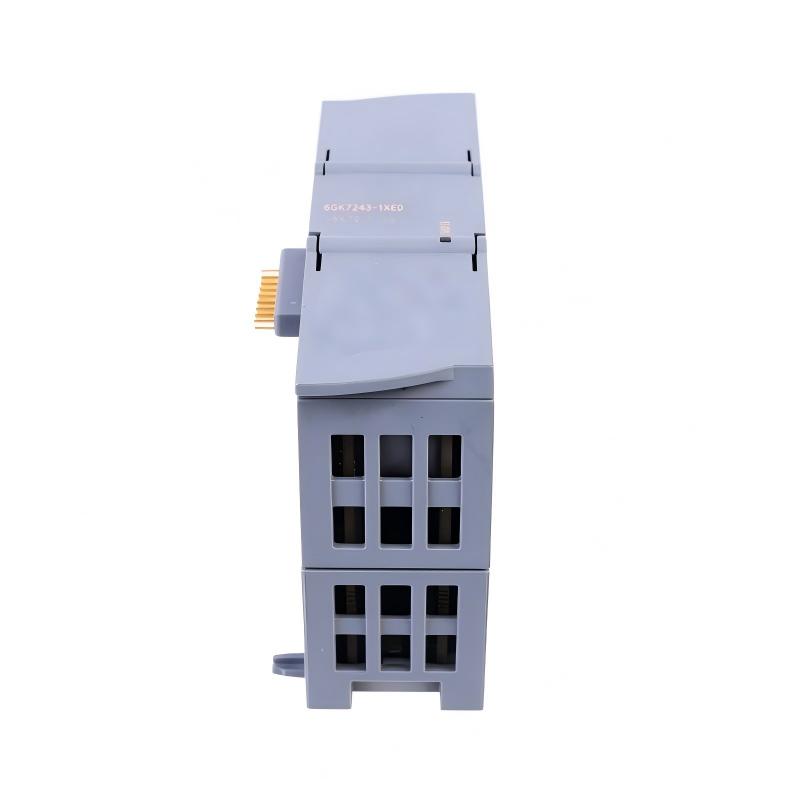
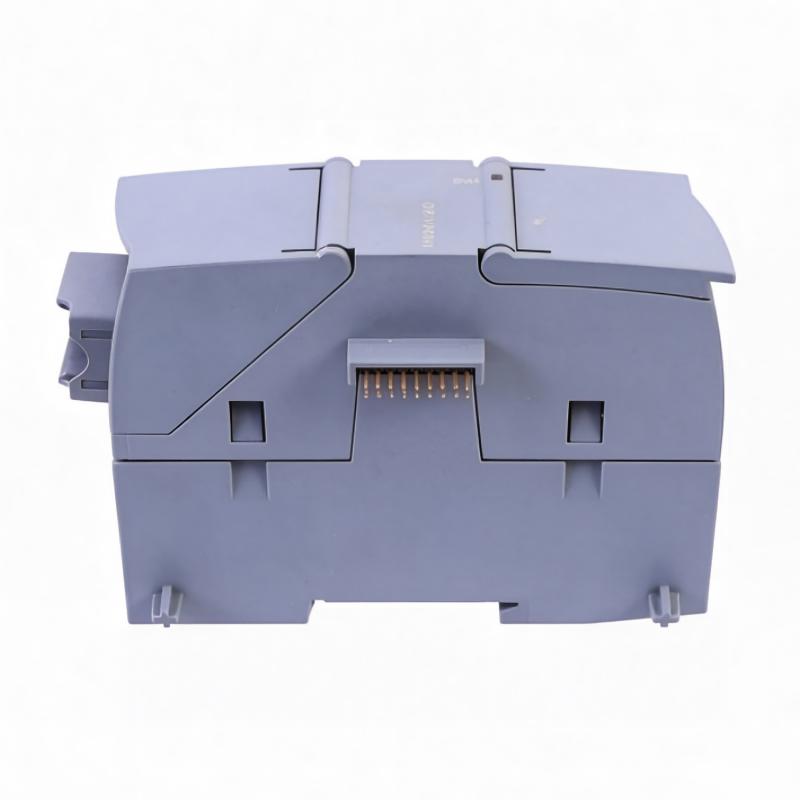
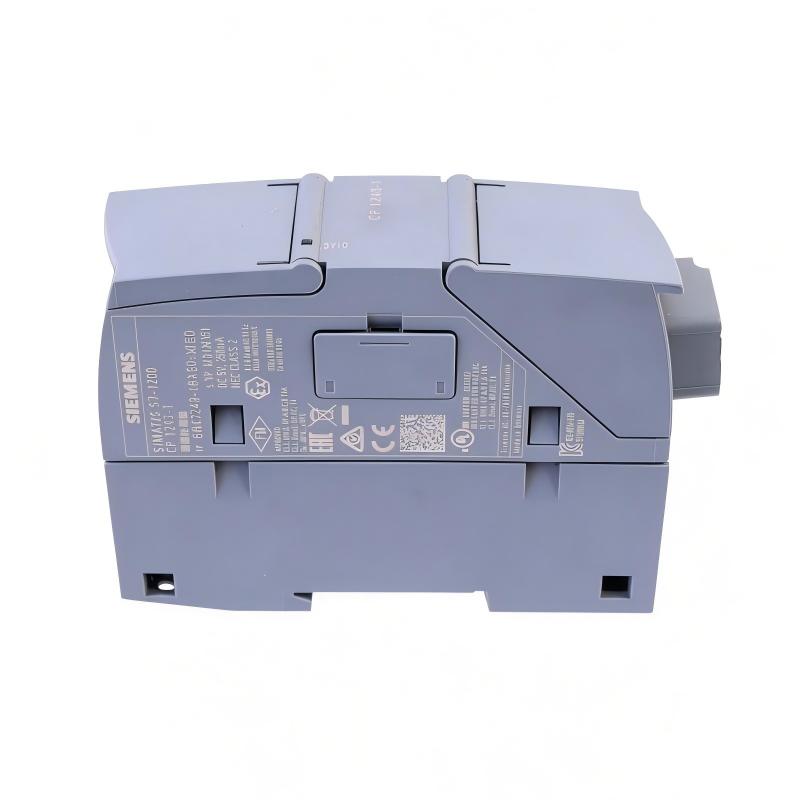
- Siemens
- 6AG2243-1BX30-1XE0
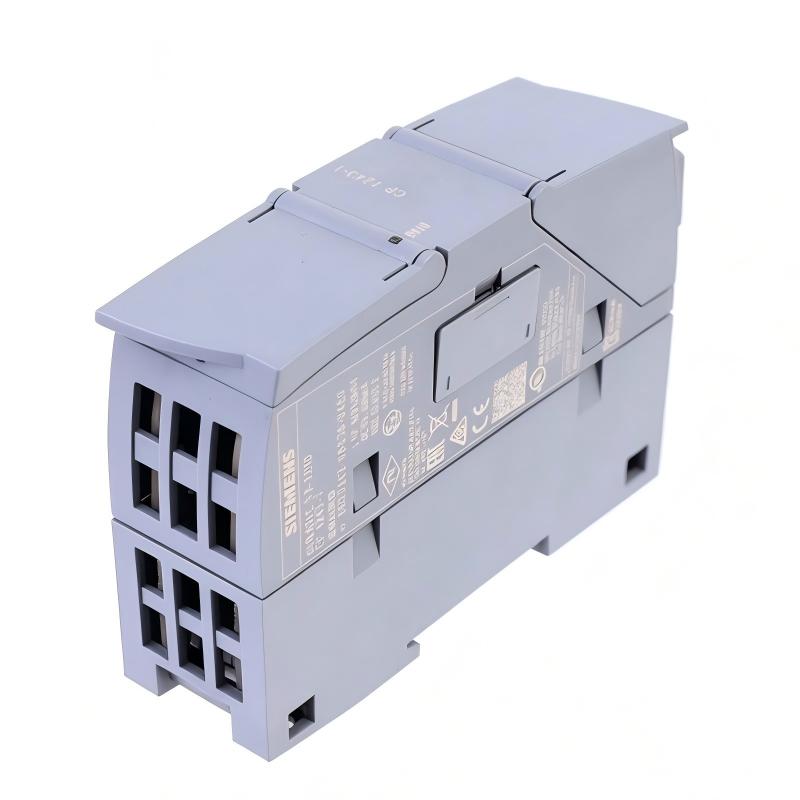
- SIPLUS S7-1200 CP1243-1 Ethernet Communication Processor
- Germany
- 30 × 110 × 75 mm
- 0.179 kg
- Xiamen, China
- New & In Stock
- T/T, PayPal, Western Union
- 1 Year
- 1-3 Working Days
- DHL, UPS, TNT, FedEx and EMS.
- 24-Hour Service
- COO
- 10
Our advantage

Global Logistics
We have a 10-year logistics and express cooperation agreement, so our products can be shipped to any place in the world.

Brand new and original
Our products are imported in bulk from the place of origin. Because of the cooperative relationship, our products are all original and 100% new.

24-hour service
We provide 7*24 hours service to our customers. We will be there whenever you need us.

Price advantage
All our products are priced very favorably because we have our own warehouse and supply.
| Company Information | |||
| [email protected] | |||
| Mobile | +8615980777398 | ||
| +8615980777398 | |||
| 15980777398 |
Introduction
The Siemens 6AG2243-1BX30-1XE0 SIPLUS S7-1200 CP1243-1 Ethernet Communication Processor is designed to expand the industrial Ethernet communication capabilities of Siemens S7-1200 PLC systems. It provides a dedicated communication interface for connecting the controller to industrial networks, supervisory systems, and compatible automation equipment.
As part of the SIPLUS product range, this communication processor is based on the standard CP 1243-1 and incorporates conformal coating to improve protection against environmental influences. It is intended for industrial applications where reliable communication between controllers, engineering systems, and higher-level automation equipment is essential.
The CP1243-1 supports Ethernet-based communication functions, including communication through open user communication mechanisms and supported industrial protocols. Depending on the configured application, it can exchange data with other controllers, connect to supervisory systems, and support remote access functions.
For maintenance and replacement projects, the complete order number 6AG2243-1BX30-1XE0 should be used to identify the correct product configuration.
Technical Specifications
| Parameter | Specification |
|---|---|
| Brand | Siemens |
| Model | 6AG2243-1BX30-1XE0 |
| Product Type | SIPLUS S7-1200 CP1243-1 Ethernet Communication Processor |
| Base Product | 6GK7243-1BX30-0XE0 |
| Product Series | SIPLUS S7-1200 |
| Communication Interface | Industrial Ethernet |
| Ethernet Connection | RJ45 |
| Ethernet Speed | 10/100 Mbit/s |
| Communication Functions | S7 communication, open user communication and supported Ethernet services |
| Security Functions | Security features depend on firmware and configuration |
| Protective Design | Conformal coating |
| Dimensions | 30 × 110 × 75 mm |
| Weight | 0.179 kg |
Note: The precise supported protocols, security functions, firmware requirements, and environmental limits should be confirmed against the documentation for the exact SIPLUS order number. Do not assume that every function available on another CP1243-1 variant is supported identically.
Functional Overview
The CP1243-1 provides an additional Ethernet communication processor for an S7-1200 PLC. It extends the controller’s communication options and helps separate certain communication tasks from the CPU’s primary control functions.
Industrial Ethernet Connectivity
The module provides an RJ45 Ethernet interface for connection to compatible industrial networks. It can be integrated into network architectures containing PLCs, industrial switches, supervisory computers, and other Ethernet-enabled equipment.
S7 Communication
Supported S7 communication functions allow compatible Siemens automation devices and applications to exchange information. This can be useful for transferring process data between controllers and higher-level systems.
Open User Communication
Open user communication provides a way to exchange application-specific data through supported Ethernet communication mechanisms. Engineers can configure communication connections and data handling according to the requirements of the connected equipment.
Remote Monitoring and Diagnostics
Depending on the firmware and configuration, supported communication functions can help engineers access diagnostic information and monitor the controller’s communication status. Network access should be controlled through appropriate security and authorization settings.
Industrial Network Integration
The CP1243-1 can be used as part of a larger automation network, allowing an S7-1200 system to communicate with compatible devices and software platforms.
Industrial Applications
Factory Automation
In manufacturing systems, the communication processor can connect an S7-1200 PLC to industrial Ethernet networks. It supports data exchange between controllers, monitoring computers, and other automation equipment.
SCADA and Supervisory Systems
Compatible supervisory applications can communicate with the PLC through supported Ethernet services. This allows process values, equipment status, and other operational information to be exchanged between the control layer and supervisory layer.
Distributed Automation
In installations containing multiple PLC stations, Ethernet communication can support the exchange of information between different control areas. The actual architecture depends on the configured communication services and network design.
Industrial Equipment Monitoring
The module can support communication between the S7-1200 controller and monitoring systems that collect machine status, operating information, and process data.
Remote Engineering and Maintenance
Where supported and properly configured, Ethernet connectivity can help maintenance personnel access diagnostic information and perform authorized engineering tasks. Remote access should always be protected by suitable network security measures.
Hardware Design and System Integration
The CP1243-1 is designed for integration into the S7-1200 system. Its compact communication-module format helps extend network functionality without requiring a separate industrial computer or external communication gateway for every application.
Important integration considerations include:
- PLC compatibility: Confirm that the S7-1200 CPU and firmware support the communication processor.
- Ethernet cabling: Use suitable industrial Ethernet cables and connectors for the installation environment.
- Network topology: Plan IP addressing, subnet configuration, switching equipment, and communication paths before commissioning.
- Software configuration: Check the required STEP 7 engineering environment and supported firmware functions.
- Data exchange: Define communication partners, connection parameters, data areas, and application-level handling.
- Network security: Restrict access to authorized devices and apply appropriate protection to engineering and communication services.
- Environmental protection: Observe the specified SIPLUS operating conditions. Conformal coating does not eliminate the need for suitable cabinet design and environmental control.
Installation and Commissioning
Correct installation and configuration are essential for stable Ethernet communication.
1. Verify the product identity
Check the equipment label and confirm the complete order number 6AG2243-1BX30-1XE0. Record the existing PLC hardware and firmware configuration before replacement.
2. Check system compatibility
Confirm that the S7-1200 CPU, firmware, and engineering software support the CP1243-1. Review the hardware configuration requirements before installation.
3. Install the communication processor
Mount the module according to Siemens installation instructions and ensure that the connection to the S7-1200 system is secure.
4. Connect the Ethernet cable
Connect the RJ45 port to the intended industrial Ethernet network. Inspect the cable, connector, and switch port before powering up the system.
5. Configure network parameters
Assign the required IP address and subnet settings. Ensure that the communication processor and connected devices use a compatible network configuration.
6. Configure communication services
Use the supported STEP 7 engineering environment to configure the required communication functions, connection partners, and data exchange parameters.
7. Download and test the configuration
Transfer the approved configuration to the PLC system. Check module status, Ethernet link indicators, and communication diagnostics.
8. Validate application communication
Test data exchange with the connected PLCs, computers, or supervisory applications. Confirm that the correct values are transferred and that communication remains stable under normal operating conditions.
Troubleshooting and Maintenance
Ethernet communication faults can originate from physical connections, network addressing, configuration errors, firmware compatibility, or security settings. A systematic inspection process can help isolate the cause.
| Fault Symptom | Possible Cause | Recommended Action |
|---|---|---|
| Ethernet link is unavailable | Cable, connector, or switch-port problem | Inspect the RJ45 connection and test the network cable |
| PLC communication fails | Incorrect IP address or subnet configuration | Verify network parameters at both ends |
| Communication is intermittent | Network congestion or unstable physical connection | Check switch diagnostics, cable quality, and network traffic |
| Communication partner is not reachable | Incorrect connection configuration | Review the configured communication partner and connection parameters |
| Data exchange is unsuccessful | Incorrect data area or communication instruction | Inspect the PLC program and communication settings |
| Module is not recognized | Installation or hardware configuration issue | Check module mounting and PLC hardware configuration |
| Remote access is unavailable | Security configuration or network restrictions | Review access permissions, firewall rules, and supported remote services |
| Communication stops after a configuration change | Firmware or configuration incompatibility | Review the configuration history and verify supported versions |
Preventive maintenance should include checking Ethernet cables, RJ45 connectors, network switches, cabinet temperature, and diagnostic records. Before replacing the communication processor, confirm that the network infrastructure and connected devices are operating correctly.
Technical FAQs
1. What is the Siemens 6AG2243-1BX30-1XE0?
It is a SIPLUS S7-1200 CP1243-1 Ethernet Communication Processor designed to extend Ethernet communication capabilities in compatible S7-1200 PLC systems.
2. What is the main function of the CP1243-1?
Its primary role is to provide additional Ethernet communication functions for the S7-1200 controller, supporting data exchange with compatible automation equipment and software systems.
3. What physical network connection does it use?
The CP1243-1 uses an RJ45 Ethernet connection.
4. Can it communicate with SCADA systems?
It can communicate with compatible supervisory systems through supported Ethernet communication services. The exact configuration depends on the SCADA software, PLC firmware, and selected communication method.
5. What is the difference between CP1243-1 and CP1242-5?
The CP1243-1 is an Ethernet communication processor, while the CP1242-5 provides PROFIBUS DP slave communication. They are designed for different network technologies and cannot be treated as direct functional replacements.
6. What is the purpose of the SIPLUS conformal coating?
Conformal coating provides additional protection for electronic components against environmental influences. The module must still be operated within its specified environmental limits.
7. Which engineering software is used for configuration?
STEP 7 is used for configuring supported S7-1200 hardware and communication functions. The required version and available functions should be verified against the module’s firmware documentation.
8. Why might Ethernet communication fail after installation?
Possible causes include incorrect IP settings, damaged cables, incompatible firmware, incorrect connection parameters, or network security restrictions. Check the physical and logical network configuration systematically.
9. Can this module replace a standard CP1243-1?
Replacement suitability depends on the exact hardware and firmware configuration, environmental requirements, and system compatibility. Compare the complete order numbers and technical documentation before making the change.
10. What should be checked before purchasing this communication processor?
Confirm the complete order number 6AG2243-1BX30-1XE0, PLC compatibility, communication requirements, firmware support, physical condition, and environmental suitability.
Conclusion
The Siemens 6AG2243-1BX30-1XE0 SIPLUS S7-1200 CP1243-1 Ethernet Communication Processor provides additional Ethernet communication capabilities for compatible S7-1200 PLC systems. It supports integration with industrial networks, supervisory applications, and other automation equipment through supported communication services.
Its conformal-coated SIPLUS design makes it suitable for applications requiring additional environmental protection, while its compact dimensions of 30 × 110 × 75 mm and weight of 0.179 kg support integration into S7-1200 installations.
For reliable operation, engineers should verify PLC compatibility, firmware requirements, network settings, and communication configuration before installation and commissioning.