

ProductPRODUCT
Featured products
Contact Us
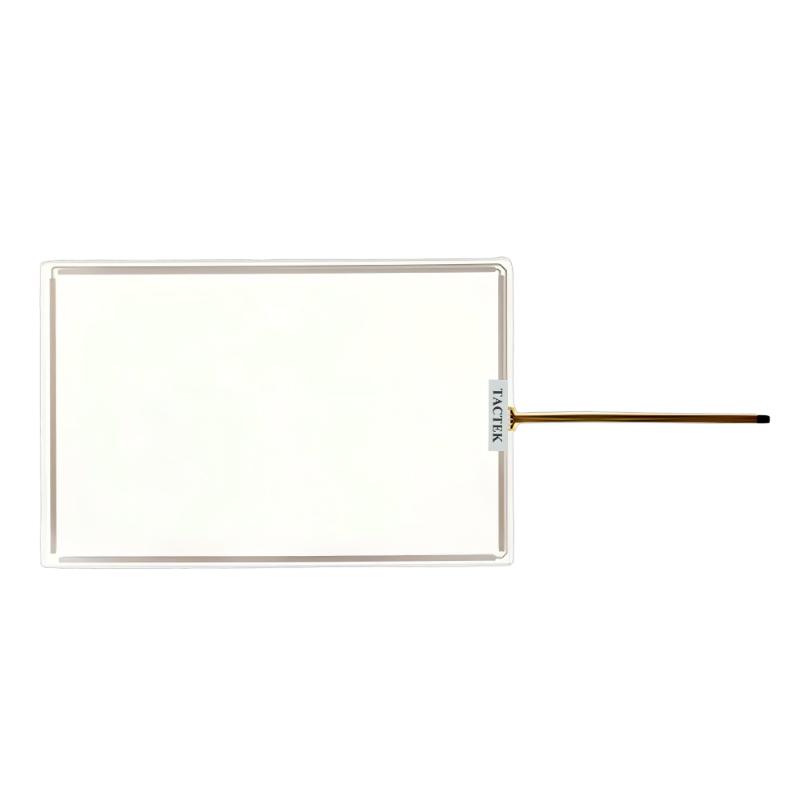
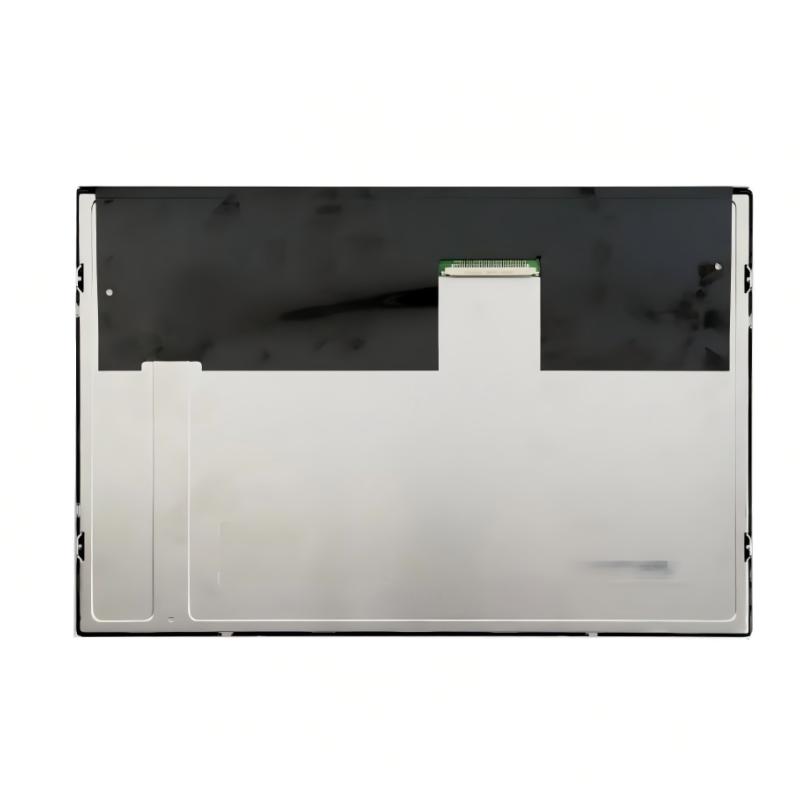
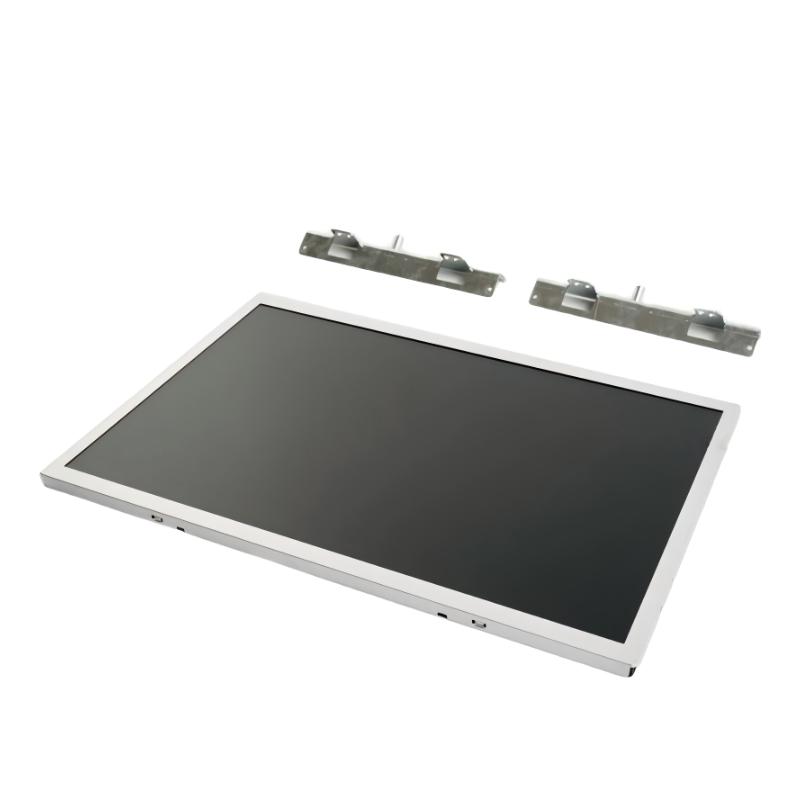
- Siemens
- 6AG1123-2MB03-2AX0
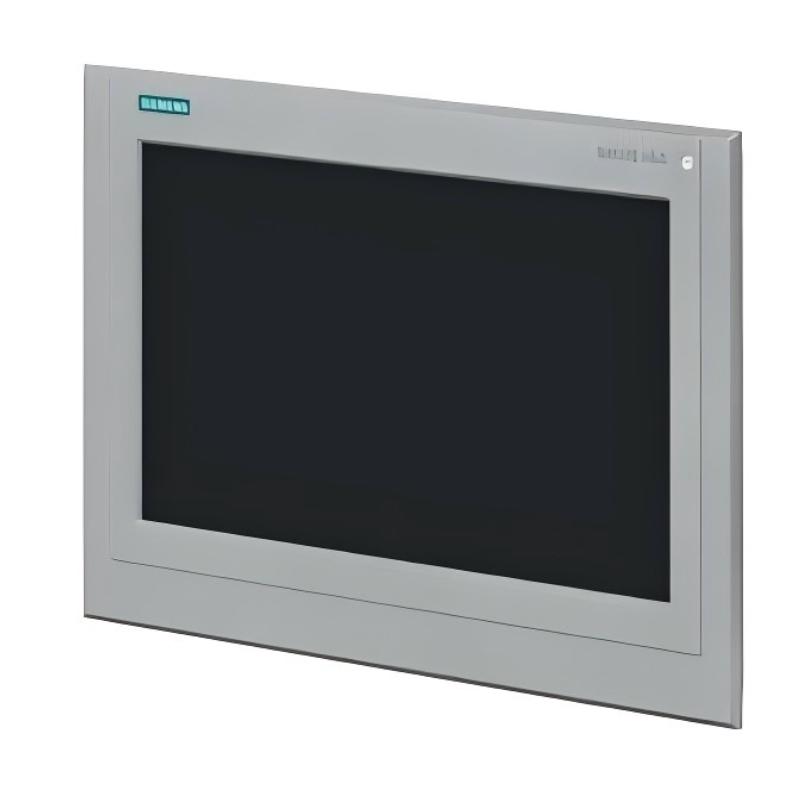
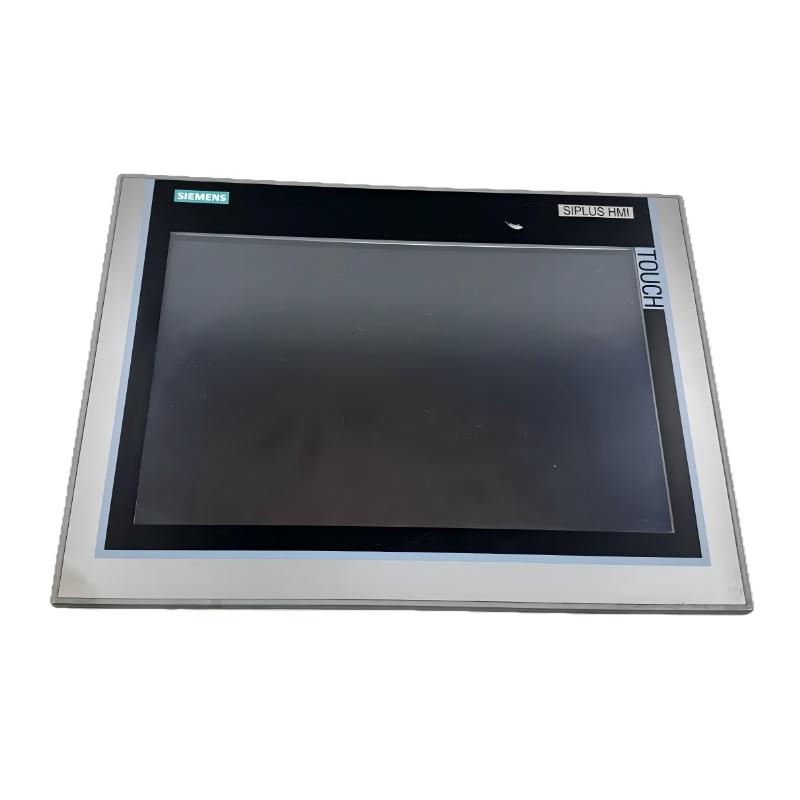
- SIPLUS HMI KTP700 Basic DP
- Germany
- 330 × 245 mm
- 1.7kg
- Xiamen, China
- New & In Stock
- T/T, PayPal, Western Union
- 1 Year
- 1-3 Working Days
- DHL, UPS, TNT, FedEx and EMS.
- 24-Hour Service
- COO
- 5
Our advantage

Global Logistics
We have a 10-year logistics and express cooperation agreement, so our products can be shipped to any place in the world.

Brand new and original
Our products are imported in bulk from the place of origin. Because of the cooperative relationship, our products are all original and 100% new.

24-hour service
We provide 7*24 hours service to our customers. We will be there whenever you need us.

Price advantage
All our products are priced very favorably because we have our own warehouse and supply.
| Company Information | |||
| [email protected] | |||
| Mobile | +8615980777398 | ||
| +8615980777398 | |||
| 15980777398 |
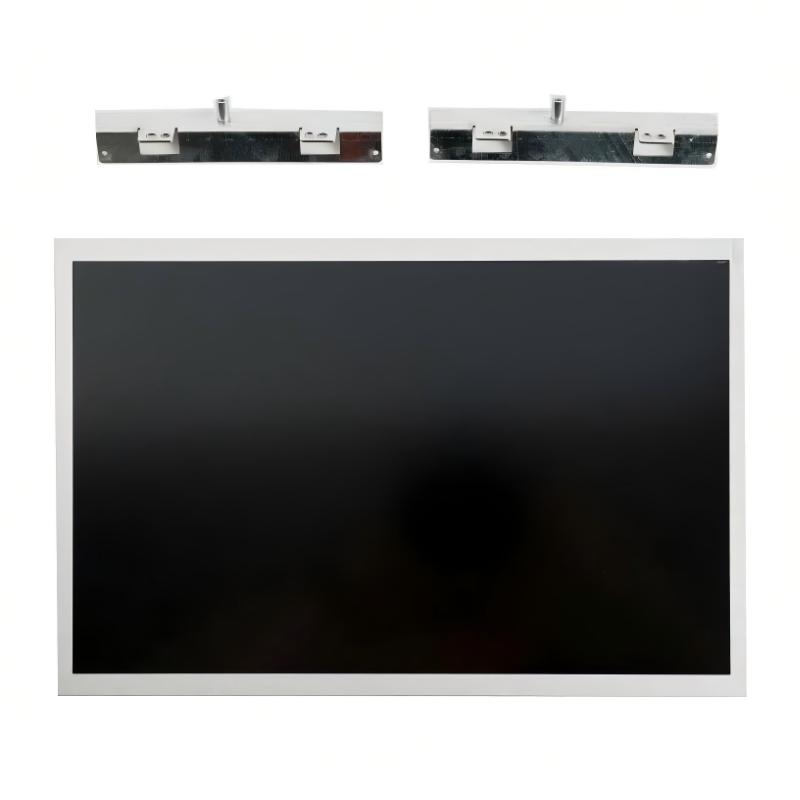
Siemens 6AG1123-2MB03-2AX0 SIPLUS KTP1200 Basic PN: Product Specifications, Features, Applications, and Related Models
1. Product Overview
The Siemens 6AG1123-2MB03-2AX0 is a SIPLUS HMI KTP1200 Basic PN operator panel designed for industrial automation systems. It provides a visual interface through which operators can monitor equipment, view process information, acknowledge alarms, enter operating parameters, and interact with compatible programmable logic controllers (PLCs).
The panel belongs to the SIPLUS Basic Panels product family. It combines a large color display with touchscreen operation and physical function keys, making it suitable for machinery and production equipment that require a straightforward, locally accessible control interface.
The KTP1200 Basic PN is particularly relevant to systems using PROFINET communication. It can serve as the operator interface for individual machines, packaging equipment, assembly systems, material-handling applications, and other automated processes that need clear operating information and convenient access to machine functions.
The SIPLUS designation distinguishes this version from comparable standard HMI models. The product is associated with additional environmental protection features, including conformal coating of electronic assemblies. These features can be useful in industrial installations where environmental conditions require more consideration than a typical clean indoor environment.
When selecting this model, it is important to distinguish it from the related KTP1200 Basic DP version. Although the two products have a similar general purpose and display size, the DP version is intended for PROFIBUS DP communication, whereas the PN version is intended for PROFINET-based systems.
Product identification
| Parameter | Specification |
|---|---|
| Model Number | 6AG1123-2MB03-2AX0 |
| Brand | Siemens |
| Product name | SIPLUS HMI KTP1200 Basic PN |
| Product category | Industrial HMI operator panel |
| Product family | SIPLUS Basic Panels (2nd Generation) |
| Standard reference model | 6AV2123-2MB03-0AX0 |
| Main function | Machine operation, monitoring, and operator interaction |
| Communication type | PROFINET |
| Display class | 12-inch widescreen color display |
| Input methods | Touchscreen and physical function keys |
| Environmental feature | Conformal coating |
| Typical installation | Industrial control cabinet or machine panel |
| Intended application | Industrial automation and machine-level control |
The precise hardware revision, interfaces, environmental limits, and software compatibility should be checked against the complete product designation before purchasing or installing the device.
2. Technical Specifications
The following table summarizes the main technical characteristics associated with the KTP1200 Basic PN SIPLUS model. Values marked as approximate should be treated as preliminary selection information rather than final engineering dimensions.
| Parameter | Specification |
|---|---|
| Model Number | 6AG1123-2MB03-2AX0 |
| Display type | TFT widescreen color display |
| Backlight | LED |
| Display size | 12 inches |
| Resolution | 1280 × 800 pixels |
| Display colors | 65,536 colors |
| Operating method | Resistive touchscreen and physical function keys |
| Number of function keys | 10 programmable function keys |
| Communication interface | PROFINET |
| USB interface | Available; confirm exact functions for the hardware revision |
| Rated power supply | 24 V DC |
| Permissible supply voltage | Confirm against the exact product specification |
| Power consumption | Confirm against the exact product specification |
| Operating temperature | Commonly specified as -10°C to +50°C for this SIPLUS variant; verify the applicable revision |
| Conformal coating | Yes |
| Front width | Approximately 330 mm |
| Front height | Approximately 245 mm |
| Overall depth | Approximately 60 mm; confirm the mechanical drawing |
| Net weight | Approximately 2.17 kg; confirm the exact hardware variant |
| Mounting type | Panel mounting |
| Engineering environment | Compatible WinCC Basic / TIA Portal engineering environment |
| Main purpose | Operator control and monitoring of automated equipment |
Dimensions and weight: The approximate dimensions above are intended for preliminary comparison. The front dimensions, mounting cutout, and installation depth are different measurements and should not be treated as interchangeable. Use the exact mechanical drawing when preparing a cabinet opening or planning installation clearance.
The net weight is also different from the packed shipping weight. If the panel is being purchased for export, warehousing, or freight calculation, the supplier’s packaging information should be checked separately.
3. Product Dimensions, Weight, and Installation Requirements
The physical size of the KTP1200 Basic PN is an important consideration when selecting it for a new control cabinet or replacing an existing operator panel. Its 12-inch screen provides a relatively large viewing area, so the cabinet door must have sufficient space for the display, mounting clips, connectors, and cables.
The following table separates the panel’s main external dimensions from the mounting cutout and packaging dimensions.
| Parameter | Specification |
|---|---|
| Model Number | 6AG1123-2MB03-2AX0 |
| Front width | 330 mm |
| Front height | 245 mm |
| Mounting cutout width | 310 mm |
| Mounting cutout height | 221 mm |
| Overall installation depth | 60 mm |
| Display width | 261.1 mm |
| Display height | 163.2 mm |
| Net product weight | 1.710 kg |
| Approximate packaged weight | 2.2 kg |
| Approximate packaging dimensions | 400 × 299 × 91 mm |
| Mounting orientation | Landscape or portrait, subject to installation requirements |
| Installation method | Panel mounting |
The 1.710 kg net weight refers to the panel itself. The packaged weight includes packaging materials and should not be used when calculating the panel’s mounting load.
Before cutting a cabinet opening, confirm the dimensions on the mechanical drawing for the exact device revision. Allow enough clearance behind the panel for power connections, the PROFINET cable, USB access, and the required cable bend radius.
The panel should be mounted securely on a suitable flat surface. Correct gasket placement and proper tightening of the mounting clips are important for maintaining the intended front-side protection.
4. Display Performance and Operator Controls
The KTP1200 Basic PN uses a 12-inch TFT widescreen display with LED backlighting. Its resolution of 1280 × 800 pixels provides space for detailed operating screens without requiring the operator to navigate through a large number of separate pages.
This screen size is useful for machines with multiple process values, operating modes, alarm messages, and status indicators. For example, a machine overview can display production status, motor conditions, temperature values, operating speed, and alarm notifications on a single screen when the project is designed appropriately.
The display supports 65,536 colors. This allows interface designers to use color consistently to distinguish normal operation, warnings, faults, manual mode, and automatic mode. Good interface design should also include readable text and clear symbols so that operators do not have to rely on color alone to understand a machine’s condition.
The panel supports touchscreen operation and 10 programmable function keys. The touchscreen provides direct access to screen buttons, numerical inputs, selection fields, and navigation controls. The physical keys can be assigned to frequently used commands, depending on the HMI application.
The combination of touch operation and physical keys can be particularly useful on machines where operators repeat the same procedures throughout a shift. Frequently used commands can be placed on physical keys, while less common functions remain available through the screen.
The panel can also be configured to present alarms, recipes, operating parameters, and maintenance information. These functions depend on the engineering project and the data supplied by the connected control system; they are not automatically available in every application.
5. Communication Interface and System Integration
The KTP1200 Basic PN is designed for PROFINET-based industrial communication. PROFINET is commonly used to exchange data between compatible controllers, operator panels, and other automation devices.
Through a correctly configured connection, the panel can display PLC values and provide an interface for permitted operator commands. Typical examples include displaying a machine’s operating state, changing production settings, acknowledging alarms, selecting operating modes, and viewing process values.
The product includes one PROFINET interface and one USB interface. The Ethernet-based interface is central to communication with compatible automation equipment, while the USB interface can support applicable service or data-transfer functions.
A successful installation requires more than connecting a cable. The network configuration, controller settings, device addressing, HMI project, and communication parameters must be set up correctly.
The panel is based on the standard KTP1200 Basic PN model 6AV2123-2MB03-0AX0, with SIPLUS environmental protection features. The engineering environment associated with this product generation includes WinCC Basic V13 and STEP 7 Basic V13. For a current project or replacement installation, verify the available device support and the compatibility of the installed engineering software before proceeding.
When replacing an older panel, it is advisable to back up the original project and record the existing network settings. If the new panel uses a different communication architecture or hardware revision, project conversion or configuration changes may be necessary.
6. Product Brand and Series
Brand: Siemens
The product belongs to the Siemens industrial automation portfolio and is intended for human-machine interaction within automated equipment.
An HMI panel does not normally perform all the machine’s control functions itself. Instead, it provides the interface through which operators view information and issue permitted commands. The PLC or another compatible controller handles the control logic, reads input signals, and manages outputs according to the programmed application.
This division allows the operator interface to focus on usability, while the controller remains responsible for executing the machine’s logic and interlocks.
Product Series: SIPLUS Basic Panels (2nd Generation)
The 6AG1123-2MB03-2AX0 belongs to the SIPLUS Basic Panels (2nd Generation) series.
The series is intended for basic machine operation and monitoring. Its panels provide a practical set of HMI functions without the complexity of a high-end visualization workstation.
The SIPLUS version of the KTP1200 Basic PN includes conformal coating on electronic assemblies and is specified for an operating temperature range of -10°C to +50°C. These features can be useful where the equipment must operate in industrial environments that require additional consideration of temperature and environmental exposure.
Conformal coating is a protective layer applied to electronic assemblies. It can help reduce the risk of damage caused by certain environmental contaminants, but it does not make the complete device waterproof or suitable for every corrosive, dusty, or outdoor environment.
The specified operating temperature also needs to be considered alongside the actual installation conditions. A control cabinet exposed to heat from drives, power supplies, and other equipment can become considerably warmer than the surrounding room.
7. Main Application Areas
7.1 Machine Operation and Monitoring
The KTP1200 Basic PN can be used as the main operator interface for individual machines. Operators can view the machine’s operating state, select permitted operating modes, enter production parameters, and respond to alarms.
A well-organized screen layout can reduce unnecessary navigation and help operators find the information they need during routine operation.
7.2 Packaging Equipment
Packaging machines often require operators to select product settings, monitor cycle progress, adjust permitted values, and respond to faults. The 12-inch display provides enough room to organize several groups of information on the same screen.
Depending on the application, the HMI can present product selections, conveyor status, machine speed, production counters, alarm messages, and maintenance instructions.
7.3 Assembly and Manufacturing Lines
In assembly applications, the panel can display the current production stage, station status, part counts, cycle information, and fault conditions.
The touchscreen allows operators to navigate between screens, while physical function keys can be assigned to common tasks. This can make the interface easier to use in applications with repetitive operating procedures.
7.4 Material Handling and Conveying Systems
Conveyor systems, transfer stations, and other material-handling equipment often need a central interface for monitoring motors, sensors, operating modes, and fault conditions.
The HMI can present a simplified overview of the equipment and allow authorized operators to select commands or inspect relevant process values.
The control logic should still manage protective conditions and operating interlocks. The HMI should not be treated as a replacement for the machine’s required safety systems.
7.5 Process Equipment
The panel may be used with compatible mixing systems, dosing equipment, temperature-control units, and auxiliary process machinery.
Typical interface functions include displaying measured values, entering permitted setpoints, monitoring process stages, and acknowledging alarms. The precise functions depend on the controller program and the HMI project.
For processes involving critical temperature, pressure, speed, or dosing limits, the controller should validate entered values and enforce appropriate operating limits.
7.6 Existing PROFINET Installations
The PROFINET interface makes this model suitable for compatible systems that already use PROFINET communication.
It may be considered for new machinery or for replacing an existing panel in a PROFINET-based installation. Compatibility should be checked carefully when the original device uses an older project format or a different hardware revision.
7.7 Maintenance and Troubleshooting
A useful HMI project can provide maintenance personnel with alarm descriptions, status information, process values, and diagnostic screens.
Clear messages can help staff distinguish between a sensor fault, a communication problem, an operating condition, or a machine interlock. This can reduce the time spent searching for the cause of an interruption.
The value of these functions depends heavily on project quality. Meaningful alarm descriptions, consistent navigation, and clearly labeled operating controls are just as important as the panel’s hardware capabilities.
8. Main Product Advantages
8.1 Large Display Area
The 12-inch screen offers more room than smaller operator panels. This is helpful when the machine requires several operating values and status indicators to be displayed together.
The larger screen can also make buttons and text easier to arrange without overcrowding the interface. It is particularly useful for equipment with several operating modes or a relatively large number of process values.
8.2 Clear Color Visualization
The 65,536-color display supports clear visual differentiation between normal operation, warnings, faults, and other operating conditions.
Consistent colors, readable labels, and meaningful symbols can help operators understand the machine’s status more quickly. The project designer should use a consistent visual standard throughout the application.
8.3 Touchscreen and Physical Function Keys
The panel combines touchscreen operation with 10 programmable function keys.
This allows the HMI project to place frequent commands on physical keys while using the touchscreen for navigation, parameter entry, and less frequently used functions.
The arrangement can be useful for operators who work with the same machine for long periods and benefit from consistent control locations.
8.4 PROFINET Connectivity
PROFINET communication allows the panel to work with compatible controllers and automation devices in a networked industrial system.
For installations that already use PROFINET, this can simplify the choice of communication architecture and make the panel a practical candidate for machine-level visualization.
The controller configuration and HMI project must still be compatible. A shared network standard does not guarantee that every panel can replace every other panel without engineering changes.
8.5 Additional Environmental Protection
The SIPLUS version features conformal coating on electronic assemblies and a specified operating temperature range of -10°C to +50°C.
These features can be useful for installations where the environmental conditions make additional protection desirable. They should nevertheless be evaluated alongside cabinet design, humidity, contamination, ventilation, and the machine’s maintenance requirements.
8.6 Practical Machine-Level Functionality
The panel is intended to provide the essential functions needed for routine machine operation and monitoring.
Depending on the configured project, these functions can include:
- Machine status display.
- Operator command entry.
- Alarm and message handling.
- Process-value display.
- Numerical and text input.
- Recipe handling.
- Production and operating counters.
- Maintenance and diagnostic screens.
The exact availability of these functions depends on the project and controller configuration.
8.7 Suitable for Existing Equipment
The KTP1200 Basic PN may be a useful replacement candidate when an existing machine uses a compatible panel and PROFINET communication.
A replacement should not be ordered based only on the product family or screen size. Confirm the complete order number, cutout dimensions, mounting depth, electrical connections, project compatibility, and required accessories.
8.8 A Straightforward Operator Interface
The KTP1200 Basic PN is designed for machine-level visualization rather than serving as a general-purpose computer.
This makes it suitable for applications where the priority is to provide a stable, purpose-built interface for operating equipment and viewing process information.
The interface should be designed around the operator’s daily tasks, with important information easy to find and less frequently used functions kept separate from routine controls.
9. Five Related Models in the Same Series
The following models provide a useful comparison of different screen sizes and communication options within the SIPLUS Basic Panels family.
The dimensions and weights in this table are intended for preliminary product selection. Where exact figures are not confirmed, they are explicitly marked for verification rather than presented as guaranteed specifications.
| Model Number | Product Name | Screen Size | Resolution | Communication | Operating Temperature | Dimensions (W × H × D) | Weight (kg) |
|---|---|---|---|---|---|---|---|
| 6AG1123-2GA03-2AX0 | SIPLUS KTP700 Basic DP | 7 inches | 800 × 480 pixels | PROFIBUS DP | Verify exact variant | Approx. 214 × 158 × 39 mm; verify drawing | Verify exact variant |
| 6AG1123-2GB03-2AX0 | SIPLUS KTP700 Basic PN | 7 inches | 800 × 480 pixels | PROFINET | Verify exact variant | Approx. 214 × 158 × 39 mm; verify drawing | Verify exact variant |
| 6AG1123-2JB03-2AX0 | SIPLUS KTP900 Basic PN | 9 inches | 800 × 480 pixels | PROFINET | -20°C to +50°C | Approx. 267 × 182 × 55 mm; verify drawing | Approx. 1.13 kg |
| 6AG1123-2MA03-2AX0 | SIPLUS KTP1200 Basic DP | 12 inches | 1280 × 800 pixels | PROFIBUS DP | -10°C to +50°C | Approx. 330 × 245 × 60 mm; verify drawing | Approx. 2.17 kg |
| 6AG1123-2MB03-2AX0 | SIPLUS KTP1200 Basic PN | 12 inches | 1280 × 800 pixels | PROFINET | -10°C to +50°C | 330 × 245 × 60 mm overall; cutout 310 × 221 mm | 1.710 kg net |
9.1 KTP700 Basic DP
The KTP700 Basic DP is a smaller operator panel intended for compatible PROFIBUS DP systems.
Its smaller screen can be suitable for compact machines and applications where only a limited number of operating values and commands need to be displayed. It may also be useful where cabinet space is restricted.
Compared with the KTP1200 Basic PN, the KTP700 Basic DP has a smaller display and uses a different communication interface. It should therefore be considered only when both the screen size and network interface fit the application.
9.2 KTP700 Basic PN
The KTP700 Basic PN provides a compact HMI option for compatible PROFINET installations.
It can be appropriate for smaller production machines, individual workstations, and auxiliary equipment that does not need a large display. Its main benefit is a smaller installation footprint, although a smaller screen may require additional navigation when the application has many functions.
9.3 KTP900 Basic PN
The KTP900 Basic PN offers a 9-inch display and PROFINET connectivity.
It is a reasonable option when a 7-inch panel is too small but a 12-inch panel would occupy more space than necessary. It may suit packaging machines, assembly equipment, and production stations with a moderate number of operating screens.
9.4 KTP1200 Basic DP
The KTP1200 Basic DP is closely related to the KTP1200 Basic PN in terms of display size and general operator-panel functionality.
Its key distinction is PROFIBUS DP communication. It is worth considering for existing machines that use this fieldbus and need a compatible large-screen operator interface.
The DP and PN models should not be substituted for one another without checking the communication architecture and engineering requirements.
9.5 KTP1200 Basic PN
The KTP1200 Basic PN is the subject of this article. Its 12-inch display, touchscreen, physical function keys, PROFINET interface, and SIPLUS environmental features make it suitable for compatible machine-level HMI applications.
It is particularly relevant when a machine requires a large local display and uses PROFINET for communication with its controller.
10. Five Other Siemens Models Worth Considering
The following models represent additional options in the industrial automation range. They are not all direct replacements for the KTP1200 Basic PN, so their suitability depends on whether the application requires an HMI, a controller, or another automation component.
| Model Number | Product Name | Product Type | Main Characteristics | Communication / Function | Dimensions (W × H × D) | Weight (kg) |
|---|---|---|---|---|---|---|
| 6AV2123-2DB03-0AX0 | KTP400 Basic | HMI operator panel | Compact display, touchscreen, basic machine visualization | Check exact hardware variant | Verify exact drawing | Verify exact variant |
| 6AV2123-2GA03-0AX0 | KTP700 Basic DP | HMI operator panel | 7-inch color display, touchscreen and function keys | PROFIBUS DP | Approx. 214 × 158 × 39 mm; verify drawing | Verify exact variant |
| 6AV2123-2GB03-0AX0 | KTP700 Basic PN | HMI operator panel | 7-inch color display, touchscreen and function keys | PROFINET | Approx. 214 × 158 × 39 mm; verify drawing | Verify exact variant |
| 6AV2123-2JB03-0AX0 | KTP900 Basic PN | HMI operator panel | 9-inch color display, 800 × 480 pixels | PROFINET | Approx. 267 × 182 × 55 mm; verify drawing | Approx. 1.13 kg |
| 6AV2123-2MB03-0AX0 | KTP1200 Basic PN | HMI operator panel | 12-inch color display, 1280 × 800 pixels | PROFINET | 330 × 245 × 60 mm overall; cutout 310 × 221 mm | Approx. 1.71 kg net |
The dimensions and weights marked for verification should be confirmed against the exact hardware revision before purchase or installation. Similar product names do not guarantee identical mounting dimensions or interfaces.
10.1 KTP400 Basic
The KTP400 Basic is intended for applications where a compact HMI is sufficient.
It can be useful for smaller machines with a limited number of operating screens, status indicators, and operator commands. It may also suit applications where a large display is unnecessary because the machine’s controls are relatively simple.
The main trade-off is screen space. If the operator needs to view many values at once, a larger panel may provide a clearer and more efficient interface.
10.2 KTP700 Basic DP
The KTP700 Basic DP is suitable for compatible PROFIBUS-based machine interfaces.
It can provide the essential HMI functions required for machine operation and monitoring while occupying less panel space than a 12-inch device.
When comparing it with the SIPLUS version, check the environmental requirements carefully. The standard and SIPLUS variants may differ in their environmental protection specifications.
10.3 KTP700 Basic PN
The KTP700 Basic PN is a compact choice for applications using PROFINET.
It can support routine operator tasks such as viewing machine status, entering permitted settings, and acknowledging alarms. The suitability of the screen depends on how much information the application needs to present.
For machines with complex process diagrams or large alarm lists, a 9-inch or 12-inch panel may be more convenient.
10.4 KTP900 Basic PN
The KTP900 Basic PN provides a middle ground between a compact 7-inch panel and a larger 12-inch interface.
It may suit applications where operators need to view several operating values together but do not need the larger screen of the KTP1200 family.
Its PROFINET interface makes it a candidate for compatible Ethernet-based automation systems.
10.5 KTP1200 Basic PN
The standard KTP1200 Basic PN is the closest related model to the SIPLUS version discussed here.
It provides a similar general HMI role and display size, with PROFINET communication. The key selection question is whether the installation requires the additional environmental features of the SIPLUS model.
For applications where those features are important, the SIPLUS version may be preferable. For a standard installation, the appropriate choice depends on the required operating conditions and the exact project specifications.
11. Comparison Between the KTP1200 Basic PN and DP Versions
The KTP1200 Basic PN and KTP1200 Basic DP share a similar display size and general operator-panel purpose. Their most important difference is the communication interface.
| Comparison Item | 6AG1123-2MB03-2AX0 | 6AG1123-2MA03-2AX0 |
|---|---|---|
| Product name | SIPLUS KTP1200 Basic PN | SIPLUS KTP1200 Basic DP |
| Display size | 12 inches | 12 inches |
| Resolution | 1280 × 800 pixels | 1280 × 800 pixels |
| Display colors | 65,536 | 65,536 |
| Operating method | Touchscreen and function keys | Touchscreen and function keys |
| Function keys | 10 | 10 |
| Main communication interface | PROFINET | PROFIBUS DP |
| Conformal coating | Yes | Yes |
| Operating temperature | -10°C to +50°C | -10°C to +50°C |
| Front dimensions | 330 × 245 mm | Approximately 330 × 245 mm |
| Overall depth | 60 mm | Approximately 60 mm |
| Net weight | 1.710 kg | Approximately 2.170 kg; verify exact revision |
| Typical application | Compatible PROFINET installations | Compatible PROFIBUS DP installations |
The PN model is the natural candidate for a compatible PROFINET system, while the DP model is intended for compatible PROFIBUS DP installations.
The choice should be based on the controller and network architecture rather than the display size alone. A communication change may require modifications to the PLC configuration, network hardware, and HMI project.
12. Power Supply and Electrical Considerations
The KTP1200 Basic PN uses a nominal 24 V DC supply. The specified permissible voltage range is 19.2–28.8 V DC.
When planning the power supply, allow for the panel’s rated consumption and consider the total load connected to the same supply. The power supply should remain within its specified limits during normal operation and during expected load changes.
Use suitable wiring and protective measures in accordance with the installation requirements. Confirm the polarity, terminal arrangement, grounding, and electrical protection before energizing the device.
The PROFINET connection should also be planned carefully. Select suitable industrial Ethernet cabling, ensure the network layout is appropriate, and check that the controller and HMI settings agree.
If the panel is installed in a cabinet containing drives, switching devices, or other equipment that can generate electrical interference, cable routing and grounding practices should be considered as part of the overall installation design.
13. Software Configuration and HMI Project Design
The hardware is only one part of a complete operator interface. The HMI project determines what the operator sees and which commands are available.
A typical project may include a home screen, machine overview, manual-operation screen, parameter page, alarm list, recipe interface, and maintenance page. The exact structure should be based on the machine’s operating procedure.
For the KTP1200 Basic PN, the engineering environment must support the device and its hardware revision. The product is associated with WinCC Basic V13 and STEP 7 Basic V13-era configuration support, but the suitability of a particular software version should be confirmed for the actual project.
When designing the interface, use consistent screen layouts and clear labels. Important values should be easy to locate, and operator commands should be distinguishable from status information.
Alarm messages should explain the problem in practical terms. A message such as “Drive fault: check motor protection and drive status” is generally more useful to a maintenance technician than a generic message such as “Error 12.”
Input fields should also be configured carefully. Numerical limits, permitted operating modes, and confirmation steps can help prevent unintended changes to production settings.
For safety-related functions, the HMI should not replace the required safety equipment or safety logic. Emergency stops, protective interlocks, and other safety measures must be implemented using the appropriate system design.
14. Maintenance and Service Recommendations
Routine maintenance can help preserve the panel’s usability and reduce avoidable downtime.
The front surface should be cleaned using methods compatible with the device materials. Avoid aggressive chemicals, abrasive tools, and cleaning procedures that could damage the display or compromise the front seal.
Inspect the panel mounting periodically, especially where the equipment experiences vibration. Loose mounting hardware can affect stability and may compromise the intended front-side protection.
Check the power and network connections if communication problems occur. A fault may be caused by the network cable, controller configuration, device addressing, or project settings rather than by the HMI itself.
Keeping a backup of the HMI project is also important. A current project file can simplify replacement and reduce the time required to restore the machine’s normal interface after a hardware failure.
When replacing a panel, record the original configuration before disconnecting the old device. Confirm the model number, network settings, mounting dimensions, connector arrangement, and software compatibility before fitting the replacement.
15. Purchasing Checklist
The following checklist can help reduce the risk of ordering an incompatible panel.
| Check Item | Requirement | Reason |
|---|---|---|
| Model Number | 6AG1123-2MB03-2AX0 | Confirms the required SIPLUS PN variant |
| Product series | SIPLUS Basic Panels (2nd Generation) | Confirms the product family |
| Communication | PROFINET | Must match the intended automation network |
| Display | 12-inch TFT, 1280 × 800 pixels | Confirms screen size and resolution |
| Input method | Touchscreen and 10 function keys | Confirms operator-control requirements |
| Supply voltage | 24 V DC nominal, 19.2–28.8 V DC permissible | Confirms power compatibility |
| Operating temperature | -10°C to +50°C | Confirms the intended environmental range |
| Front dimensions | 330 × 245 mm | Helps assess available panel space |
| Mounting cutout | 310 × 221 mm | Helps prepare the cabinet opening |
| Overall depth | 60 mm | Helps confirm rear clearance |
| Net weight | 1.710 kg | Supports mounting and handling planning |
| Software compatibility | Confirm project and engineering environment | Reduces commissioning risk |
| Accessories | Confirm cables, connectors, and mounting hardware | Helps prevent installation delays |
| Product condition | Confirm new, used, repaired, or refurbished status | Helps establish acceptance requirements |
16. Overall Evaluation
The Siemens 6AG1123-2MB03-2AX0 SIPLUS KTP1200 Basic PN is a 12-inch industrial HMI operator panel designed for machine operation and monitoring in compatible PROFINET-based automation systems.
Its main features include a 1280 × 800 color display, touchscreen operation, 10 programmable function keys, PROFINET connectivity, and conformal coating for additional protection of electronic assemblies. Its specified operating temperature range of -10°C to +50°C makes it suitable for installations that fall within those limits.
The panel is particularly useful for machinery that needs a large local operator interface without requiring a more complex visualization workstation. It can present process values, machine status, alarms, recipes, and configured operator commands in one place.
Its suitability depends on the communication architecture, software compatibility, installation conditions, and required HMI functions. For a replacement project, the complete order number and mounting dimensions should be checked before purchase.
In summary, the KTP1200 Basic PN is a practical option for compatible PROFINET installations that need a large color display and straightforward machine-level visualization. Correct configuration, suitable cabinet installation, and a well-designed HMI project are essential to obtaining reliable performance from the device.