

ProductPRODUCT
Featured products
Contact Us
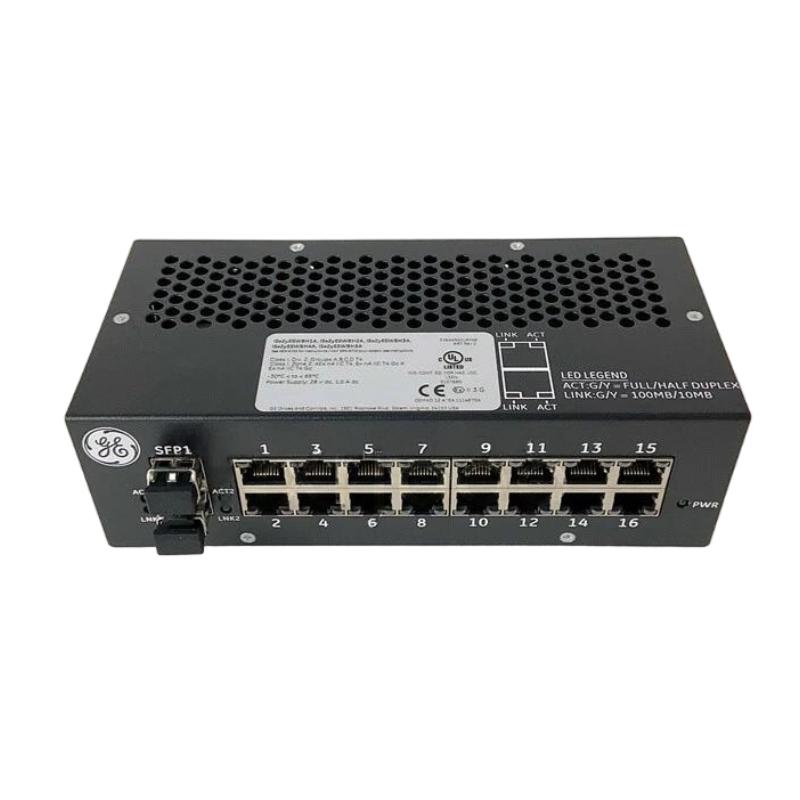
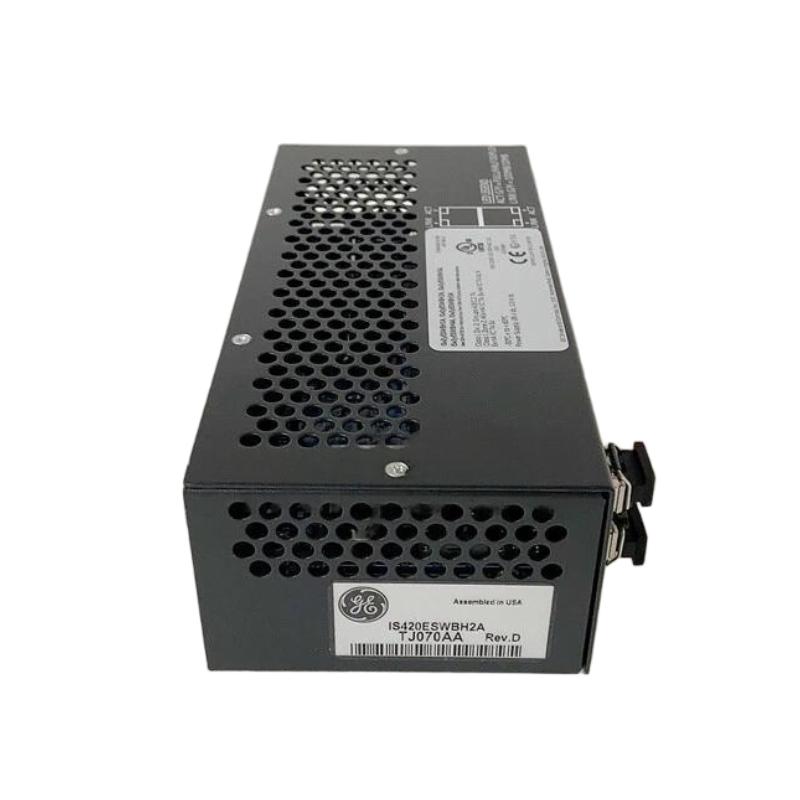
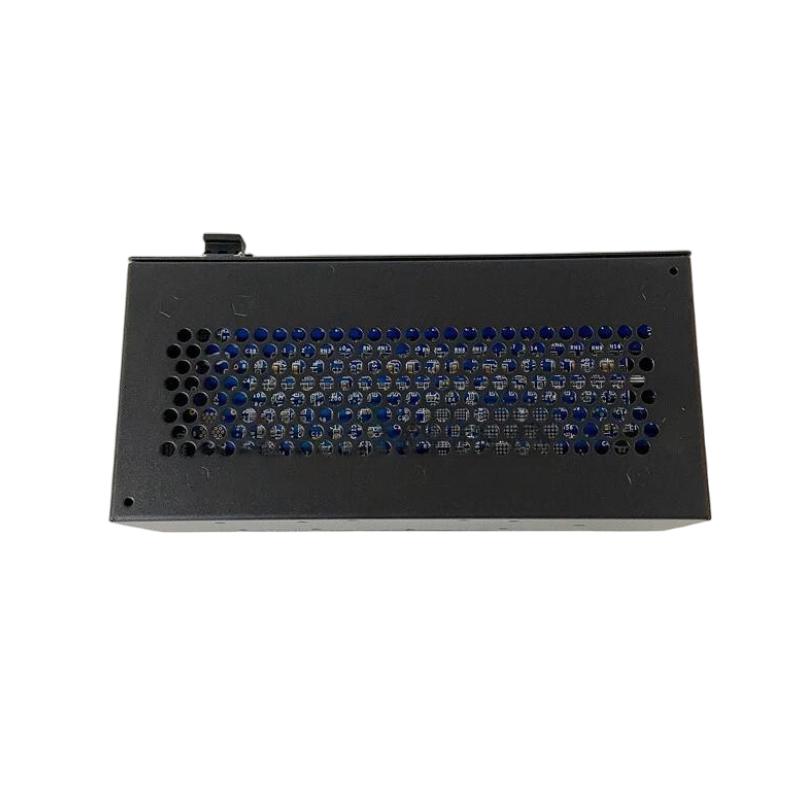
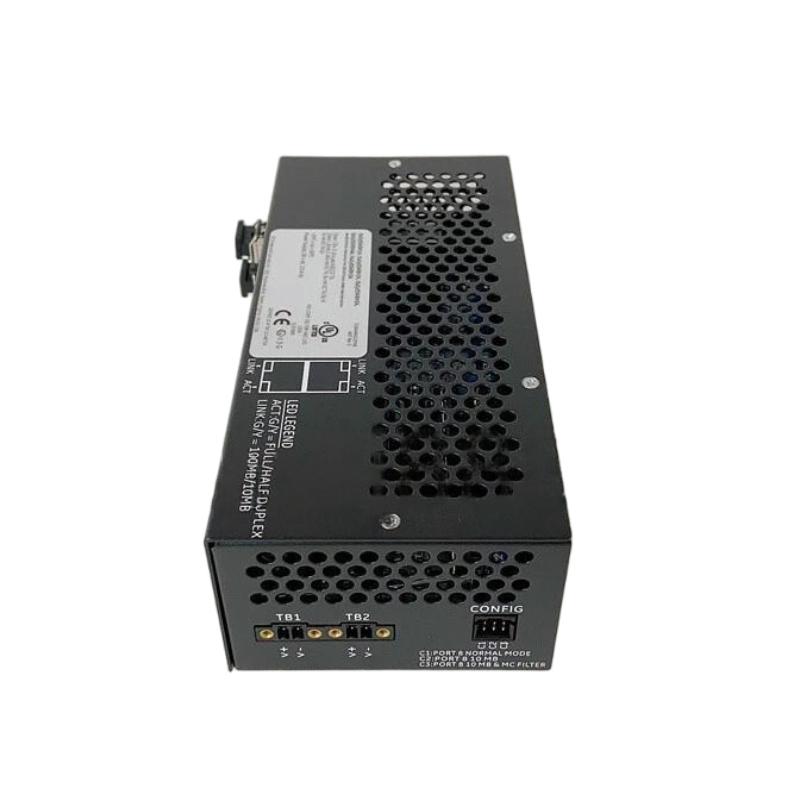
- GE
- IS420ESWBH2A
- Ethernet Switch
- USA
- 188 x 86 x 56 mm
- 0.907 kg
- Xiamen, China
- New & In Stock
- T/T, PayPal, Western Union
- 1 Year
- 1-3 Working Days
- DHL, UPS, TNT, FedEx and EMS.
- 24-Hour Service
- COO
- 15
Our advantage

Global Logistics
We have a 10-year logistics and express cooperation agreement, so our products can be shipped to any place in the world.

Brand new and original
Our products are imported in bulk from the place of origin. Because of the cooperative relationship, our products are all original and 100% new.

24-hour service
We provide 7*24 hours service to our customers. We will be there whenever you need us.

Price advantage
All our products are priced very favorably because we have our own warehouse and supply.
| Company Information | |||
| [email protected] | |||
| Mobile | +8615980777398 | ||
| +8615980777398 | |||
| 15980777398 |
Product Overview
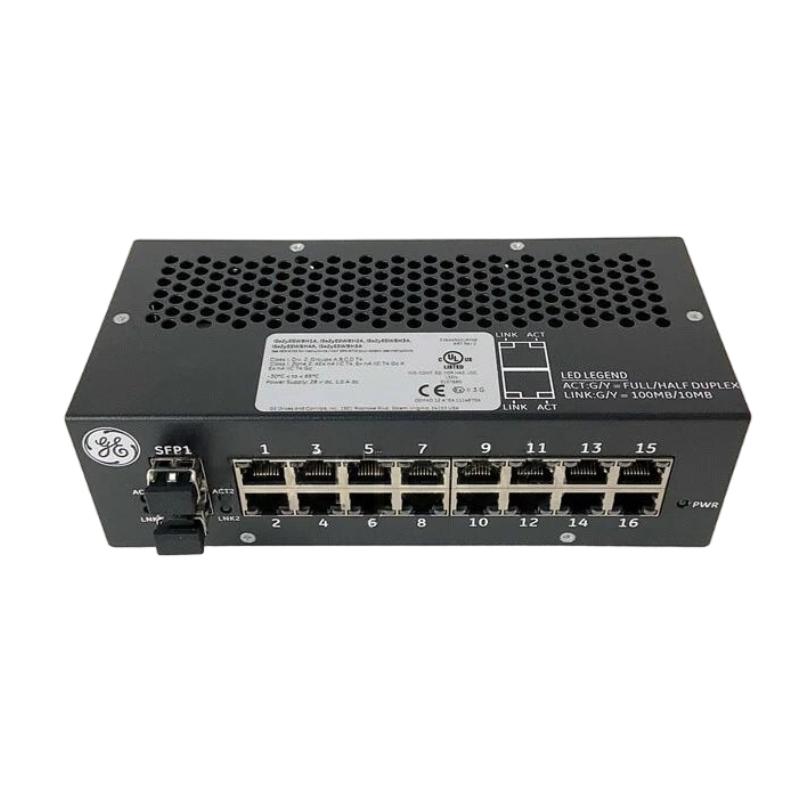
The GE IS420ESWBH2A Ethernet Switch is an industrial networking component designed for use in compatible automation and control-system environments. Industrial Ethernet switches provide the network connectivity needed for exchanging information between controllers, communication interfaces, operator stations, monitoring equipment, and other authorized devices. By establishing connections between network nodes, a switch helps support the flow of operational data throughout an industrial installation.
In modern automation architectures, dependable communication is essential for coordinating equipment, monitoring system conditions, and maintaining access to operational information. Network switches form part of the underlying infrastructure that allows connected devices to exchange data through an organized communication network. Selecting an appropriate switch requires consideration of the network topology, interface characteristics, environmental requirements, and the compatibility of the connected equipment.
The GE IS420ESWBH2A has listed dimensions of 188 × 86 × 56 mm and a weight of approximately 0.907 kg. These physical specifications are useful for cabinet-space planning, replacement preparation, shipping calculations, and spare-parts management. The complete model designation should be checked against the original equipment label before procurement or installation to ensure that the selected unit matches the intended hardware configuration.
For industrial maintenance teams and system integrators, the IS420ESWBH2A should be evaluated according to its documented network functions and the requirements of the host control system. Correct product identification, suitable cabling, appropriate electrical connections, and systematic commissioning help reduce communication problems and support reliable equipment operation.
Technical Specifications
| Parameter | Specification |
|---|---|
| Manufacturer | General Electric (GE) |
| Model | IS420ESWBH2A |
| Product Type | Ethernet Switch |
| Product Category | Industrial Network Equipment |
| Primary Function | Ethernet connectivity for compatible industrial devices |
| Dimensions | 188 × 86 × 56 mm |
| Weight | 0.907 kg |
| Application | Industrial automation and control-system networking |
| Number of Ports | Verify from the product-specific documentation |
| Supported Ethernet Speeds | Confirm from the applicable hardware specifications |
| Network Management Features | Verify for the exact model |
| Power Requirements | Confirm before installation |
| Mounting Requirements | Follow the designated installation procedure |
| Environmental Ratings | Verify against the operating environment |
| Replacement Identification | Complete model number and applicable hardware revision |
Note: The table includes the supplied product identification and physical specifications. Port count, supported data rates, connector types, power input, and advanced network functions should be verified against the technical documentation for the exact hardware version.
What Is the GE IS420ESWBH2A Ethernet Switch?
The GE IS420ESWBH2A is identified as an Ethernet switch intended for compatible industrial network installations. An Ethernet switch connects multiple network devices and provides a mechanism for transferring data between them according to its supported switching functions.
Industrial control systems frequently contain a combination of controllers, I/O equipment, operator interfaces, engineering workstations, and supervisory devices. These components may need to exchange operating states, diagnostic information, process data, and other authorized communications. A switch provides the network connections required for communication between devices that share a compatible network architecture.
Compared with a general-purpose controller, an Ethernet switch primarily provides network connectivity rather than executing process-control logic. Its specific responsibilities depend on its design, supported features, and position within the network.
The model designation alone does not establish the IS420ESWBH2A’s exact port configuration, network speed, management functions, or redundancy capabilities. These characteristics should be confirmed before the switch is selected for a particular installation.
Function and Working Principle
Network Connectivity
An Ethernet switch provides physical connections for compatible network devices. Each connected device can transmit and receive data through the network interface provided by the installation.
The IS420ESWBH2A should be connected only to devices and interfaces that meet its documented electrical and communication requirements. The exact port arrangement must be verified before wiring begins.
Ethernet Frame Forwarding
A conventional Ethernet switch forwards network frames according to the destination information available to its switching logic. This allows connected devices to exchange information through the appropriate network paths.
The detailed forwarding behavior and any additional functions of the IS420ESWBH2A should be established from its product-specific documentation rather than assumed from its general product category.
Communication Between Automation Devices
Industrial automation equipment exchanges a variety of information, including equipment status, diagnostic messages, process values, and supervisory data. A network switch can provide the connectivity required for these exchanges when the connected devices and network configuration are compatible.
The reliability of this communication depends on the switch, cabling, connectors, power conditions, connected equipment, and overall network design.
Integration Into an Existing Network
A switch generally operates as one component within a broader industrial communication architecture. Its installation must take account of the intended network topology, the number of required connections, and any specific requirements for segmentation, redundancy, or network management.
For the IS420ESWBH2A, the approved network configuration and supported capabilities should be verified before integration into operational equipment.
Role in Industrial Automation Systems
Industrial automation relies on communication infrastructure to connect control equipment with monitoring and supervisory systems. Ethernet switches help establish the network paths through which compatible devices exchange information.
Connecting Networked Equipment
A switch can connect multiple devices within a designated network segment. This allows connected equipment to exchange data according to the communication architecture and network configuration.
Supporting Process Monitoring
Controllers and monitoring systems may exchange process measurements, equipment status, alarms, and diagnostic information. A switch can form part of the communication path used to deliver these data to the intended destination.
Organizing Industrial Networks
Industrial installations require structured network layouts, clearly identified connections, and documented communication paths. A dedicated switch can help consolidate network connections and simplify cable organization within an approved architecture.
Supporting Fault Diagnosis
When communication problems occur, technicians must determine whether the issue originates from the switch, cabling, connected devices, power arrangements, or another network component. Understanding the switch’s location in the communication path helps narrow the investigation.
Maintaining Network Availability
Reliable network operation depends on suitable equipment selection, correct installation, and appropriate maintenance. A correctly matched switch can contribute to the intended communication infrastructure, although overall network availability also depends on the surrounding system.
Industrial Applications
The following examples describe common applications of industrial Ethernet switches. They are general use cases and should not be interpreted as confirmation that the IS420ESWBH2A is approved for every listed environment.
Industrial Control Cabinets
Industrial control cabinets often contain controllers, network interfaces, operator equipment, and other electronic assemblies. An Ethernet switch can provide network connections between compatible devices while supporting organized cable routing.
Process Automation
Process facilities rely on communication between control equipment and monitoring systems. A network switch may form part of the infrastructure used to transfer operational information through the designated network.
Power Generation and Utility Systems
Power and utility installations may use industrial communication networks for equipment monitoring and control-system integration. Any switch used in these environments must satisfy the network, environmental, and operational requirements of the specific installation.
Manufacturing Automation
Manufacturing systems commonly connect controllers, operator interfaces, engineering equipment, and monitoring devices. A suitable switch can provide network connectivity between devices within the approved production-system architecture.
Industrial Monitoring Networks
Monitoring devices and supervisory applications may exchange equipment status and diagnostic information. A network switch can support these communication paths when the interface characteristics and network configuration are compatible.
Equipment Maintenance and Refurbishment
During planned maintenance or equipment refurbishment, an Ethernet switch may require inspection, replacement, or reinstallation. Confirming the exact part number and supported network functions helps reduce the risk of introducing communication incompatibilities.
Installation and System Integration
Correct installation is essential for maintaining network reliability and avoiding unnecessary communication interruptions. The GE IS420ESWBH2A should be installed by qualified personnel according to the requirements of the host system.
1. Verify the Product Identification
Confirm the complete model number IS420ESWBH2A against the product label and original equipment records. Record any additional revision information and verify that the selected unit matches the intended application.
Do not substitute a different switch solely because its enclosure or dimensions appear similar.
2. Review the Network Architecture
Before installation, identify the connected devices, cable destinations, and intended network paths. Review the network diagram and record the original connection arrangement before removing the existing unit.
If the network includes designated redundant paths, segmented networks, or specific port assignments, ensure these requirements are documented and preserved.
3. Follow Electrical Safety Procedures
Follow the host equipment’s shutdown and electrical isolation procedures before accessing the switch or its connections. Confirm that the equipment is in the required safe state and use appropriate electrostatic discharge precautions when handling electronic hardware.
Do not connect or disconnect equipment under power unless the applicable system documentation explicitly permits that procedure.
4. Confirm Mounting Requirements
The listed dimensions of 188 × 86 × 56 mm can assist with checking available installation space and planning cable access. Verify the required mounting arrangement, clearance, and environmental conditions using the relevant equipment documentation.
The physical dimensions alone do not establish mounting compatibility with a particular enclosure or control cabinet.
5. Verify Power and Interface Requirements
Confirm the specified power input, connector type, and supported network interfaces before making connections. Use only compatible cables and follow the installation requirements for the exact hardware version.
Do not assume that the switch supports a particular Ethernet speed, fiber connection, or power arrangement without verification.
6. Connect the Network Cables
Connect each cable according to the approved network diagram. Check that the connectors are securely seated and that cables are routed without excessive strain or interference with other equipment.
Preserving the original cable destinations helps avoid accidental disconnection of devices from their expected communication paths.
7. Complete Commissioning Checks
After installation, follow the prescribed startup and network-verification procedure. Check available status indications according to the product documentation and confirm that the expected devices can communicate.
Review system diagnostics for unresolved network faults before returning the installation to normal operation.
Troubleshooting the GE IS420ESWBH2A Ethernet Switch
Network communication faults can originate from the switch, cabling, power supply, connected devices, or wider network configuration. A structured diagnostic approach helps isolate the cause before equipment is replaced.
No Network Communication
If connected devices cannot communicate, inspect the following:
- Confirm that the switch receives the specified power.
- Check network cables and connectors for damage or poor seating.
- Verify the switch’s model and installation arrangement.
- Confirm that cables are connected to their intended destinations.
- Check the operating condition of connected devices.
- Review host-system diagnostic messages.
- Confirm that the switch’s interfaces meet the network requirements.
A communication failure should not automatically be attributed to the switch until the other parts of the communication path have been evaluated.
One Network Connection Is Unavailable
If one connection fails while other devices remain accessible, inspect the cable, connector, and connected equipment associated with that path.
Where the approved maintenance procedure permits, test with a known-good compatible cable or device. Record any temporary changes and restore the documented network arrangement after testing.
Intermittent Communication
Intermittent network behavior may be caused by loose connections, damaged cabling, unstable power, electrical interference, environmental conditions, or a fault in another connected device.
Inspect the affected network path and record when the problem occurs. Determining whether the fault affects one device or several devices can help narrow the likely cause.
Multiple Devices Lose Communication
If several devices become unavailable at the same time, investigate shared network components. These may include the switch, its power source, an upstream connection, or another common communication path.
A simultaneous loss of communication does not prove that the switch itself has failed. Check the shared elements before replacing hardware.
Communication Problems After Replacement
If network faults begin after a replacement, verify the complete part number, power connections, cable destinations, and network configuration.
Compare the new installation with the original network diagram. Confirm that any required settings or commissioning steps have been completed and that the replacement meets the system’s documented requirements.
Repeated Network Alarms
Review the diagnostic messages and identify which devices or network segments are affected. Record the alarm sequence, recent maintenance activities, and the results of completed checks.
This information can help distinguish a local connection fault from a broader network issue.
Maintenance Recommendations
Regular inspection and accurate documentation help preserve network reliability and simplify future troubleshooting.
Inspect Network Cabling
Check cables for damaged insulation, loose connectors, excessive strain, and unsuitable routing. Replace defective cables according to the approved maintenance procedure.
Monitor Communication Faults
Review recurring communication alarms and equipment reports. Repeated faults may indicate a developing issue involving cabling, connected devices, power, or another network component.
Maintain the Installation Environment
Keep the switch within the operating conditions specified for the exact hardware version. Excessive temperature, moisture, dust, vibration, and contamination can affect electronic equipment and its connections.
Check Mounting and Cable Security
Confirm that the switch is securely mounted and that connected cables are appropriately supported. Avoid cable routing that places unnecessary mechanical stress on connectors.
Preserve Network Documentation
Maintain updated network diagrams, cable identifiers, connection assignments, device records, and relevant configuration information. Accurate documentation reduces maintenance time and helps prevent installation errors.
Manage Spare Parts
Record the complete part number, hardware revision, product condition, and storage location of each spare unit. Confirm compatibility before using a spare switch during planned maintenance or emergency repair.
Compatible System Components
The IS420ESWBH2A must be selected according to the requirements of the host network. The following table lists general component categories commonly found in industrial Ethernet installations. It does not establish direct compatibility with any specific product model.
| Component Category | Typical Function | Compatibility Consideration |
|---|---|---|
| Industrial Controller | Executes control logic and coordinates equipment | Verify supported network interfaces |
| Network Interface Assembly | Connects equipment to a communication network | Confirm interface type and data-rate requirements |
| Operator Interface | Displays equipment status and process information | Verify network configuration requirements |
| Engineering Workstation | Supports authorized engineering and maintenance tasks | Confirm access and network requirements |
| Remote I/O Equipment | Exchanges field signals with the control system | Verify the required communication path |
| Ethernet Cabling | Transfers data between connected devices | Match cable and connector specifications |
| Upstream Network Equipment | Connects different network segments | Confirm the approved topology and configuration |
| Control Power Supply | Provides electrical power to equipment | Verify the specified power requirements |
The actual connected equipment should be determined from the approved system architecture and product-specific documentation.
Replacement and Procurement Considerations
Selecting a replacement for the GE IS420ESWBH2A requires verification of the complete product identity, network interfaces, and intended application.
Exact Model Identification
Confirm IS420ESWBH2A against the product label and original equipment records. Check any revision or assembly information before ordering.
Interface Compatibility
Verify the required number and type of network interfaces, supported data rates, and any special connection requirements. A switch with a similar appearance may not provide the interfaces required by the original installation.
Power and Environmental Requirements
Confirm the specified power input and operating conditions of the replacement unit. Ensure that the device is appropriate for the actual installation environment.
Required Network Features
If the application requires managed switching, network redundancy, segmentation, or specific diagnostic features, confirm that the replacement explicitly supports those requirements.
Do not assume that a particular feature is available simply because the device is classified as an industrial Ethernet switch.
Dimensions and Weight
The listed dimensions are 188 × 86 × 56 mm, and the listed weight is 0.907 kg. These specifications assist with installation planning, inventory management, handling, and transportation preparation.
Product Condition and Traceability
When procuring a replacement, establish whether the unit is new, refurbished, or previously used. Retain available inspection and testing records, and document the model and revision for future maintenance.
Key Advantages
Industrial Network Connectivity
An Ethernet switch provides connectivity between compatible network devices within a designated automation architecture.
Compact Physical Format
The listed dimensions of 188 × 86 × 56 mm provide useful information for evaluating installation space and organizing spare-parts inventory.
Support for Organized Network Design
A dedicated switch can help consolidate network connections and make cable identification and maintenance procedures easier to manage.
Clear Product Identification
The complete IS420ESWBH2A model designation provides a reference for procurement, inventory control, and replacement verification.
Practical Maintenance Planning
Accurate physical specifications and documented network connections support replacement preparation and reduce the risk of avoidable installation errors.
Technical FAQs
What is the GE IS420ESWBH2A?
The GE IS420ESWBH2A is identified as an Ethernet switch for compatible industrial networking applications. Its exact capabilities and approved host-system compatibility should be confirmed using the applicable product documentation.
What are the dimensions of the IS420ESWBH2A?
The listed dimensions are 188 × 86 × 56 mm.
How much does the IS420ESWBH2A weigh?
The listed weight is approximately 0.907 kg.
How many ports does the IS420ESWBH2A have?
The port count has not been specified in the supplied product information. Confirm the number of ports from the physical label or the technical documentation for the exact model.
What does an Ethernet switch do in industrial automation?
An Ethernet switch connects compatible network devices and forwards data according to its supported switching functions. It can provide the communication paths required by controllers, monitoring equipment, and other authorized devices.
Which Ethernet speeds does the IS420ESWBH2A support?
The supported data rates have not been established by the information provided here. Verify the interface specifications before selecting the switch for a particular network.
Can another Ethernet switch replace the IS420ESWBH2A?
Not automatically. A replacement must meet the system’s requirements for interfaces, data rates, power input, environmental conditions, and any required network features.
What should be checked if network communication fails?
Inspect the power source, cables, connectors, port assignments, connected devices, and available system diagnostics. Check the complete communication path before determining whether the switch requires replacement.
How should the IS420ESWBH2A be maintained?
Maintenance should include cable and connector inspections, environmental checks, review of recurring communication faults, and updates to network documentation. Follow the specific maintenance procedures for the installed hardware.
Conclusion
The GE IS420ESWBH2A Ethernet Switch is an industrial networking component intended to provide connectivity within a compatible automation and control-system environment. With listed dimensions of 188 × 86 × 56 mm and a weight of approximately 0.907 kg, it offers defined physical specifications for equipment identification, cabinet planning, and spare-parts management.
Reliable operation depends on confirming the correct model, matching the supported network interfaces to the application, maintaining suitable electrical and environmental conditions, and following the approved network configuration. Port count, Ethernet speeds, management capabilities, and direct compatibility with other equipment should be verified before installation or replacement.
For industrial maintenance engineers, system integrators, and spare-parts purchasers, accurate identification of the GE IS420ESWBH2A and verification of its intended network role are essential steps toward maintaining reliable industrial communication.