

ProductPRODUCT
Featured products
Contact Us
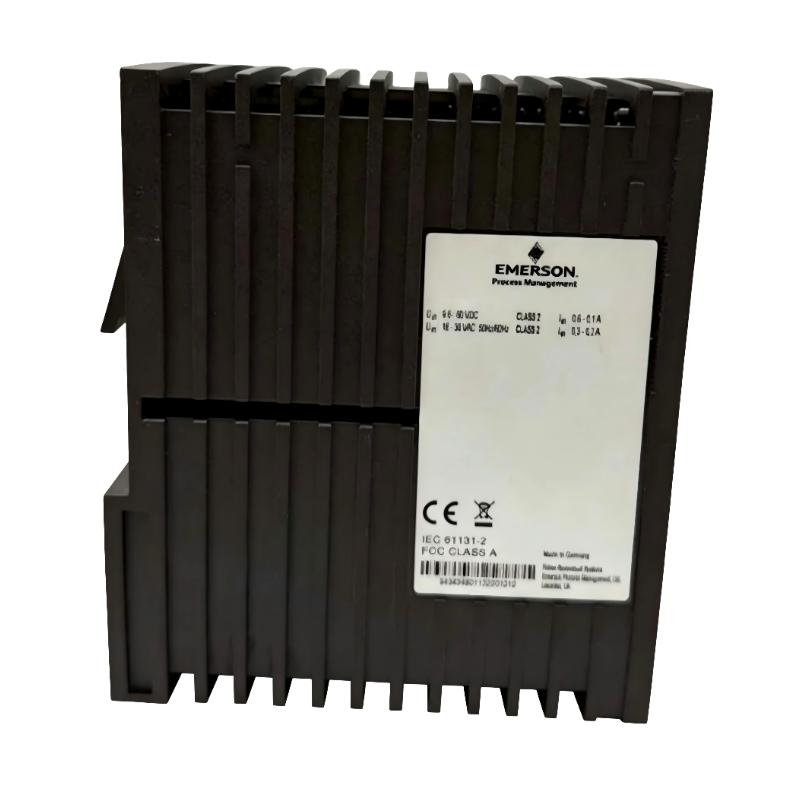
- Emerson
- VE6022P4
- Ethernet Switch
- USA
- 138 x 73 x 115 mm
- 0.57 kg
- Xiamen, China
- New & In Stock
- T/T, PayPal, Western Union
- 1 Year
- 1-3 Working Days
- DHL, UPS, TNT, FedEx and EMS.
- 24-Hour Service
- COO
- 31
Our advantage

Global Logistics
We have a 10-year logistics and express cooperation agreement, so our products can be shipped to any place in the world.

Brand new and original
Our products are imported in bulk from the place of origin. Because of the cooperative relationship, our products are all original and 100% new.

24-hour service
We provide 7*24 hours service to our customers. We will be there whenever you need us.

Price advantage
All our products are priced very favorably because we have our own warehouse and supply.
| Company Information | |||
| [email protected] | |||
| Mobile | +8615980777398 | ||
| +8615980777398 | |||
| 15980777398 |
Product Overview
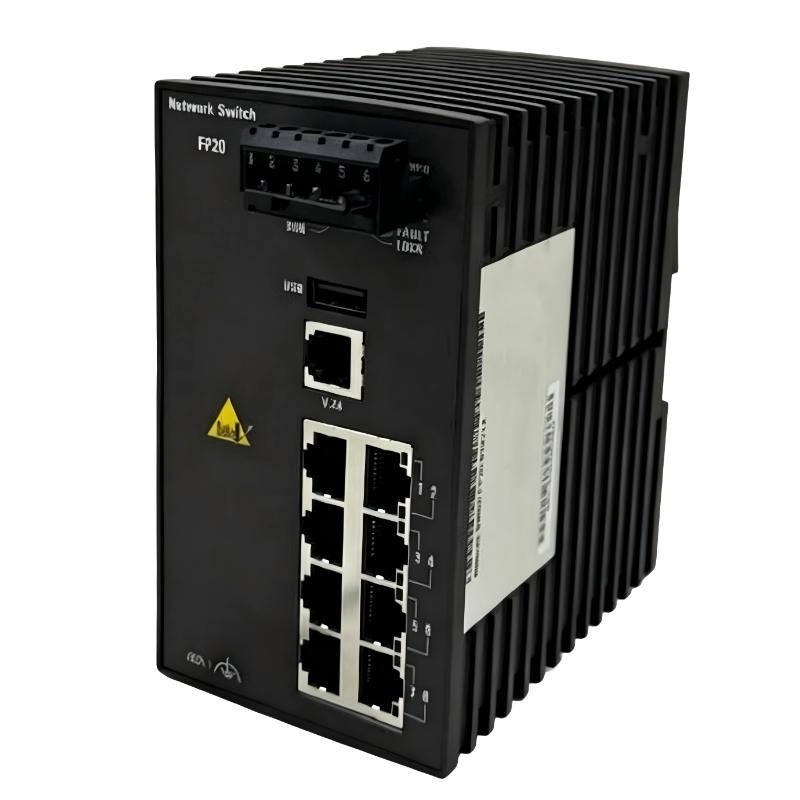
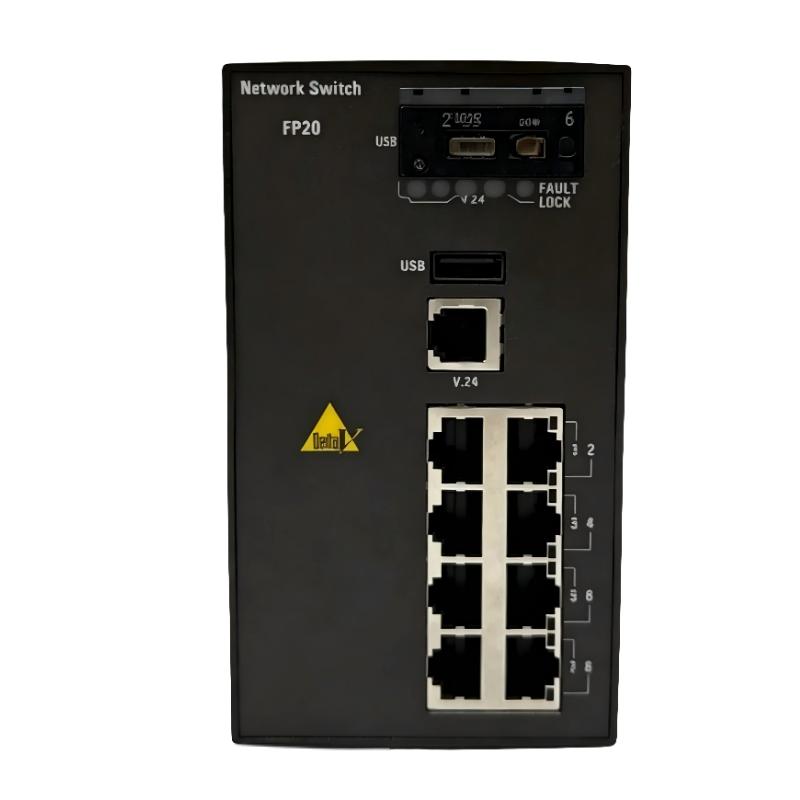
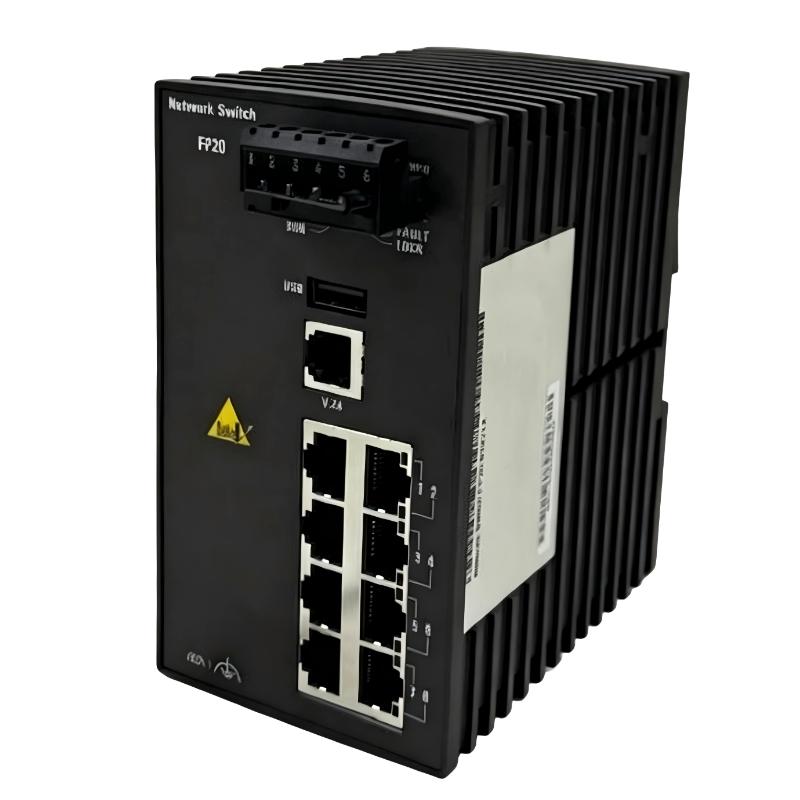
The Emerson VE6022P4 Ethernet Switch is an industrial networking component designed to support Ethernet-based communication within process automation and industrial control environments. As automation systems become increasingly interconnected, reliable communication between controllers, distributed I/O, operator stations, engineering computers, and supervisory systems has become an essential part of plant infrastructure.
An Ethernet switch provides a central communication point for multiple network devices. Instead of requiring individual direct connections between every device, network equipment can be interconnected through a structured switching architecture. This simplifies system design and provides a practical foundation for distributed automation communication.
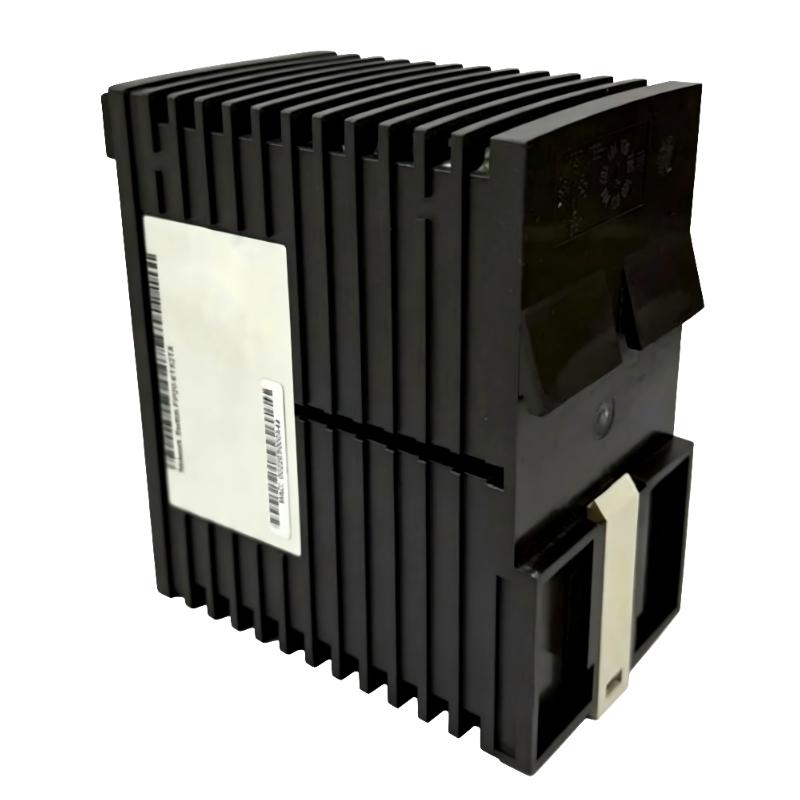
The Emerson VE6022P4 has listed dimensions of 138 × 73 × 115 mm and a listed weight of 0.57 kg. Its relatively compact form factor allows it to be considered for industrial control cabinets and automation equipment where available mounting space must be used efficiently.
The exact communication specifications of an individual VE6022P4 installation should be verified against the applicable hardware documentation. Parameters such as port configuration, Ethernet transmission rate, power requirements, network-management functions, redundancy capabilities, and environmental ratings should not be assumed solely from the model number.
Technical Specifications
| Parameter | Specification |
|---|---|
| Manufacturer | Emerson |
| Model | VE6022P4 |
| Product Type | Ethernet Switch |
| Primary Function | Industrial Ethernet network connectivity |
| Application | Industrial Automation and Process Control |
| Network Role | Ethernet switching and device interconnection |
| Installation | Industrial control cabinet / compatible automation equipment |
| Dimensions | 138 × 73 × 115 mm |
| Weight | 0.57 kg |
| Typical Applications | Process control, industrial networking, distributed automation |
The physical specifications above are based on the supplied product information. Exact communication and electrical characteristics should be verified for the specific hardware configuration before installation.
Understanding the VE6022P4 Ethernet Switch
The Emerson VE6022P4 functions as part of the communication infrastructure of an industrial automation system. It is not a PLC processor and does not replace a controller responsible for executing application logic.
Instead, its role is to provide network connectivity between compatible Ethernet devices.
A typical architecture may include:
Field Devices → Remote I/O → Controller → Ethernet Network → HMI / SCADA
The Ethernet switch operates within the communication portion of this architecture.
Depending on the system design, the network can carry information such as:
- Process values
- Device status
- Controller data
- Alarm information
- Diagnostic information
- Configuration data
- Supervisory information
The actual protocols and communication functions depend on the connected equipment and network design.
Ethernet Switching Function
Ethernet switching is based on forwarding network traffic between connected devices.
When an Ethernet device transmits information, the network infrastructure determines where that traffic needs to go. A switch provides the physical and logical interconnection required for communication between multiple network devices.
In an industrial environment, this can allow several equipment categories to share a structured communication network.
For example:
PLC ↔ VE6022P4 ↔ Remote I/O
or:
PLC ↔ VE6022P4 ↔ HMI
or:
Controller ↔ VE6022P4 ↔ SCADA System
The exact network arrangement should be determined by the automation engineer according to system requirements.
Role in Process Automation
Industrial automation systems often distribute equipment across multiple cabinets, production areas, or process units.
Without a suitable communication infrastructure, connecting these devices can become difficult and inefficient.
An Ethernet switch can provide a central point for network interconnection.
The VE6022P4 may therefore contribute to several automation functions, including:
- Controller communication
- Remote I/O connectivity
- HMI communication
- SCADA data exchange
- Engineering access
- Equipment diagnostics
- Distributed system integration
This communication infrastructure becomes particularly important in large systems where many devices need to exchange information continuously.
Industrial Applications
Distributed Control Systems
Process automation systems often contain controllers and I/O equipment distributed throughout a facility.
Ethernet networking can provide the communication infrastructure needed to connect these control components.
Typical environments include:
- Chemical plants
- Oil and gas facilities
- Power generation
- Water treatment
- Wastewater processing
- Pharmaceutical production
- Food and beverage plants
- Industrial utilities
Remote I/O Communication
Remote I/O allows signal-processing equipment to be installed closer to field devices.
This can reduce the amount of long field wiring required between sensors, actuators, and centralized control equipment.
Where Ethernet communication is supported, switching infrastructure can connect remote I/O stations with controllers and other network devices.
HMI and Operator Systems
Human-machine interfaces require reliable access to controller and process information.
An industrial Ethernet network can provide the communication path between controllers and operator interfaces.
This enables operators to view:
- Process status
- Equipment conditions
- Alarm information
- Diagnostic information
- Production parameters
SCADA Systems
SCADA platforms collect and display information from industrial control systems.
A network switch can support communication between controllers and supervisory computers, depending on the system architecture.
Industrial Machine Networks
Machine builders may also use Ethernet networks to connect PLCs, HMIs, remote I/O, drives, and intelligent field equipment.
The VE6022P4 can be incorporated into an appropriate network when its specific technical characteristics meet the application requirements.
Industrial Ethernet Architecture
A well-designed industrial Ethernet network normally separates equipment according to its functional role.
Field Level
Sensors and actuators interact with the physical process.
I/O Level
Input/output equipment converts field signals into information usable by the controller.
Control Level
PLC or process-control equipment executes programmed control functions.
Network Level
Ethernet switches provide connectivity between networked devices.
Supervisory Level
HMI and SCADA systems provide monitoring, visualization, and operator functions.
Engineering Level
Engineering stations provide programming, configuration, diagnostics, and maintenance access.
The VE6022P4 may occupy a position within the network infrastructure layer.
Installation Guidelines
Confirm Product Identification
Before installation, verify the complete identification:
Emerson VE6022P4 Ethernet Switch
Do not assume that another VE6022-series model is electrically or functionally interchangeable simply because the enclosure dimensions are similar.
Review Cabinet Layout
The listed physical dimensions are:
138 × 73 × 115 mm
The listed weight is:
0.57 kg
Allow sufficient space for installation, cable routing, connectors, ventilation, and maintenance access.
Mounting Considerations
The switch should be installed securely using the mounting arrangement provided by the applicable equipment design.
The installation position should also allow network cables to be connected without excessive mechanical stress.
Cable Routing
Ethernet cables should be routed in an organized manner.
Where possible, keep communication wiring separated from:
- Motor power cables
- Variable-frequency drive cables
- High-current conductors
- Contactor wiring
- Other sources of electrical interference
Network Integration
Before connecting the VE6022P4 to an existing automation network, the engineer should understand the intended network topology.
Important considerations include:
- Connected controllers
- Remote I/O locations
- HMI stations
- SCADA systems
- Engineering computers
- Network segmentation
- Cable routes
- Power arrangements
- Maintenance access
A network diagram should be maintained for future troubleshooting.
For larger installations, clear documentation of switch-to-device connections can significantly reduce maintenance time.
Commissioning Procedure
After mechanical installation and cable connection, the VE6022P4 should be commissioned systematically.
Step 1: Physical Inspection
Check the switch and surrounding installation area for:
- Mechanical damage
- Loose mounting
- Contamination
- Damaged cables
- Poor cable routing
Step 2: Power Verification
Verify that the switch receives the appropriate supply according to the applicable system design.
Step 3: Network Connection Verification
Inspect each connected Ethernet cable and connector.
Confirm that the connections correspond with the approved network drawing.
Step 4: Device Communication Test
Check communication between the switch and connected automation devices.
Examples include:
- Controller to remote I/O
- Controller to HMI
- Controller to SCADA
- Engineering workstation to controller
Step 5: Application-Level Test
A successful physical connection does not necessarily mean that application communication is functioning correctly.
Verify that the required process information is being exchanged correctly.
Step 6: Record Commissioning Results
Document network connections, device status, configuration information, and observed communication conditions.
VE6022P4 Troubleshooting
Network Devices Are Offline
If several connected devices lose communication at the same time, inspect common network infrastructure first.
Possible areas include:
- Switch power
- Network cables
- Connectors
- Upstream network equipment
- Controller communication
- Configuration
- Environmental conditions
A simultaneous loss of multiple devices can indicate a shared network problem rather than several independent device failures.
Only One Device Is Offline
If one device cannot communicate while other network devices remain operational, inspect the local communication path.
Check:
- Device power
- Ethernet cable
- Network connector
- Device network configuration
- Controller status
- Device interface
- Diagnostic information
This method helps isolate the problem before replacing the switch.
Intermittent Network Communication
Intermittent communication can be particularly difficult to diagnose.
Potential causes include:
- Loose connectors
- Damaged cables
- Electromagnetic interference
- Unstable power
- Incorrect configuration
- Temperature-related problems
- Connected-device faults
Record when the communication problem occurs and determine whether it correlates with machine operation or other electrical events.
Communication Drops During Equipment Startup
If network communication becomes unstable when large motors, drives, or other equipment starts, investigate electrical noise and power-related conditions.
Review:
- Cabinet grounding
- Cable separation
- Shielding practices
- Power quality
- Network cable routing
- Equipment bonding
Preventive Maintenance
Preventive maintenance helps identify network problems before they cause extended production interruptions.
Visual Inspection
Inspect the VE6022P4 for:
- Dust
- Moisture
- Corrosion
- Mechanical damage
- Loose connections
- Excessive heat
Ethernet Cable Inspection
Check network cables for:
- Crushed sections
- Excessive bending
- Damaged insulation
- Loose connectors
- Mechanical tension
- Poor cable support
Network Condition Monitoring
Where network diagnostics are available, periodically review communication errors and abnormal events.
Unexpected increases in communication errors can indicate deteriorating cables, connectors, interference, or equipment problems.
Cabinet Maintenance
Maintain a clean and suitable control cabinet environment.
Excessive heat, dust, moisture, vibration, and contamination can reduce the reliability of electronic equipment.
Replacement and Compatibility Considerations
Replacing an Ethernet switch in an operating automation system requires more than checking the physical dimensions.
Before replacement, confirm:
- Complete model number
- Hardware revision
- Network topology
- Connected equipment
- Power requirements
- Communication requirements
- Existing configuration
- Cabinet mounting arrangement
The supplied physical specifications for the VE6022P4 are:
138 × 73 × 115 mm
0.57 kg
These values can be used for cabinet planning and logistics, but physical dimensions alone should not be treated as proof of compatibility.
A replacement must provide the communication and electrical characteristics required by the existing network.
Compatible Automation System Components
The VE6022P4 may be incorporated into industrial automation architectures containing different categories of network-connected equipment.
| System Component | Typical Function |
|---|---|
| Industrial Controller | Executes process and machine-control logic |
| Remote I/O | Interfaces with distributed field signals |
| HMI | Provides operator visualization |
| SCADA Computer | Supervisory monitoring and data collection |
| Engineering Station | Programming and system diagnostics |
| Industrial Computer | Data processing and application functions |
| Ethernet Devices | Exchange digital process information |
| Network Infrastructure | Provides communication paths |
The exact equipment connected to the VE6022P4 depends on the application.
Industrial Network Engineering Best Practices
Maintain a Network Diagram
Keep an updated drawing of switch connections and network devices.
Label Every Cable
Clear cable labels make troubleshooting and maintenance considerably easier.
Document Changes
Network modifications should be recorded after installation or commissioning.
Avoid Uncontrolled Network Expansion
Adding network devices without considering the existing topology can make system management and troubleshooting more complicated.
Protect Communication Wiring
Use suitable cable routing practices and avoid unnecessary exposure to high-power electrical interference.
Keep Replacement Information Available
The exact product identification should be recorded in the site’s spare-parts database:
Emerson VE6022P4 Ethernet Switch
This reduces the risk of ordering an incorrect related model.
Physical Characteristics
The physical information supplied for the Emerson VE6022P4 is summarized below:
| Physical Parameter | Value |
|---|---|
| Length | 138 mm |
| Width | 73 mm |
| Depth | 115 mm |
| Overall Dimensions | 138 × 73 × 115 mm |
| Weight | 0.57 kg |
The physical size should be considered together with connector clearance and Ethernet cable bend radius when designing the cabinet layout.
Key Advantages
Compact Industrial Network Component
The 138 × 73 × 115 mm dimensions provide a compact form factor for suitable industrial network installations.
Lightweight Design
The listed 0.57 kg weight simplifies handling during installation, replacement, and inventory management.
Structured Ethernet Connectivity
The switch can provide a practical communication point for compatible Ethernet-based automation equipment.
Suitable for Distributed Automation
Industrial Ethernet infrastructure can connect controllers, remote I/O, operator interfaces, supervisory computers, and other networked equipment.
Supports Organized Network Architecture
A properly designed Ethernet switching structure helps engineers create a documented and maintainable industrial communication system.
Technical FAQs
What is the Emerson VE6022P4?
The Emerson VE6022P4 is an Ethernet Switch intended for use within suitable industrial automation and process-control communication networks.
What is the function of an Ethernet switch?
An Ethernet switch provides network connectivity between compatible Ethernet devices and forwards network communication within the connected network architecture.
What are the dimensions of the VE6022P4?
The listed dimensions are 138 × 73 × 115 mm.
How much does the VE6022P4 weigh?
The listed weight is 0.57 kg.
Is the VE6022P4 a controller?
No. It is a network infrastructure component rather than a PLC or process-control CPU.
Can the VE6022P4 connect a PLC and remote I/O?
It can form part of an Ethernet network connecting compatible controllers and remote I/O equipment when the network architecture and communication requirements are appropriate.
What can cause Ethernet communication failure?
Possible causes include loss of power, damaged cables, loose connectors, incorrect configuration, electromagnetic interference, environmental problems, or faults in connected equipment.
Why should similar Emerson Ethernet switches not automatically be considered interchangeable?
Different model variants may have different communication, electrical, management, or hardware characteristics. Compatibility should therefore be confirmed before replacement.
What should be checked before installing a VE6022P4?
Verify the model identification, hardware revision, physical installation space, power requirements, network architecture, connected devices, and applicable communication specifications.
How should the VE6022P4 be maintained?
Regular inspection should include the switch, network cables, connectors, cabinet environment, and available communication diagnostics.
Conclusion
The Emerson VE6022P4 Ethernet Switch is a compact industrial networking component intended to provide Ethernet connectivity within suitable process automation and industrial control systems. By forming part of the network infrastructure, it can help connect controllers, distributed I/O, HMI stations, SCADA systems, engineering workstations, and other compatible Ethernet devices.
The VE6022P4 has listed dimensions of 138 × 73 × 115 mm and a weight of 0.57 kg, making these specifications useful for cabinet-layout planning, equipment handling, storage, and replacement preparation.
Reliable operation depends on more than the switch itself. Correct network architecture, appropriate cable routing, stable power, suitable cabinet conditions, accurate configuration, and systematic troubleshooting all contribute to dependable industrial Ethernet communication.
For replacement or system integration, the complete Emerson VE6022P4 identification should be checked against the existing automation architecture. Exact port configuration, Ethernet performance, network-management features, redundancy functions, power requirements, and environmental specifications should be verified for the applicable hardware configuration before commissioning.