
NewsNEWCENTER
Featured products
Contact Us
Emerson KJ4110X1-BA1 I/O Terminal Block Fault Diagnosis
2026-11-19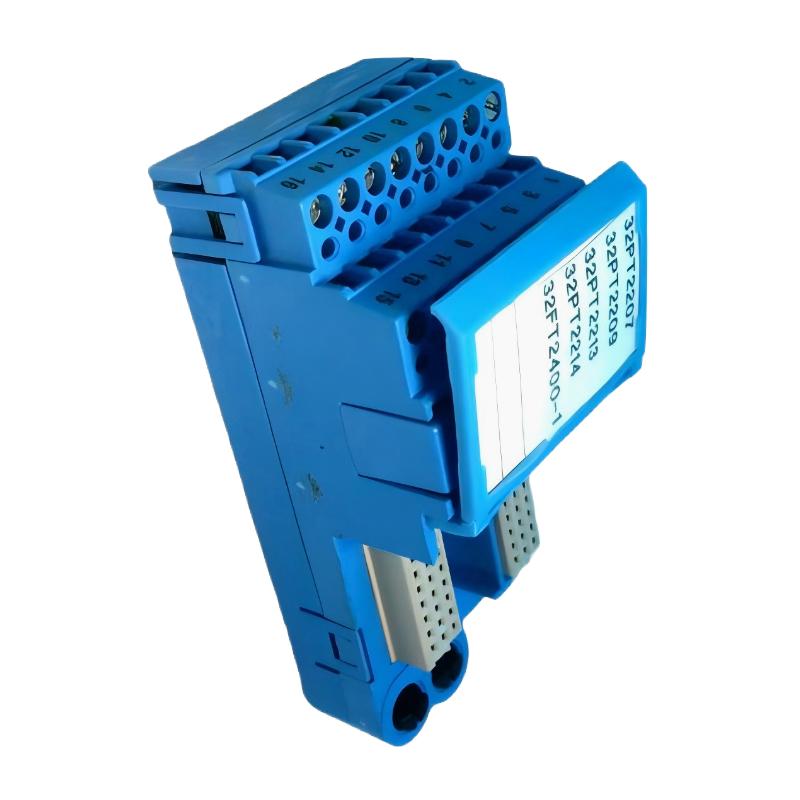
The Emerson KJ4110X1-BA1 I/O Terminal Block is a field-wiring interface used in specified DeltaV I/O configurations. When a connected channel reports an abnormal signal, troubleshooting should cover terminal connections, module compatibility, field-device wiring, channel configuration, and the associated I/O module. Because this model is identified in legacy documentation as an intrinsically safe terminal block for particular arrangements, hazardous-area requirements must also be considered before inspection or repair.
Emerson KJ4110X1-BA1 Common I/O Terminal Block Fault Symptoms
Terminal-block-related problems can appear as missing field signals, unstable readings, unexpected output behavior, or I/O communication and diagnostic alarms. However, these symptoms do not automatically indicate a defective terminal block. The connected field device, I/O card, carrier, wiring, and system configuration may produce similar symptoms.
- One channel has no signal while other channels operate normally.
- A field signal changes intermittently during equipment vibration or maintenance.
- The control system displays a signal that differs from the field-device condition.
- An I/O module reports a channel or hardware diagnostic.
- A replacement terminal block does not resolve the original fault.
- The I/O module and terminal block cannot be assembled correctly.
Record the affected channel, alarm timestamp, process condition, and any recent maintenance activity before disturbing the wiring. This information helps distinguish a persistent hardware fault from an intermittent field-circuit problem.
KJ4110X1-BA1 Missing or Incorrect I/O Signal Diagnosis
A missing or incorrect signal can result from an open field circuit, incorrect terminal assignment, reversed polarity, an unpowered field device, or an incompatible I/O configuration. The correct diagnostic method depends on whether the associated channel is an input or an output.
For an input channel
- Confirm that the field device is operating and producing the expected signal.
- Check the field-device power supply where applicable.
- Compare the field wiring with the approved loop drawing.
- Inspect the relevant terminal connections for looseness or corrosion.
- Verify that the correct I/O module and channel are assigned in DeltaV.
- Use an approved signal test method to determine whether the fault is in the field circuit or downstream I/O hardware.
For an output channel
- Confirm the intended output command and control-system status.
- Check the associated I/O module diagnostics.
- Verify the field-device supply and external circuit protection.
- Inspect the output wiring and terminal connections.
- Perform an approved functional test with operations authorization.
Do not apply an external test voltage to an I/O terminal unless the applicable hardware documentation explicitly permits the test arrangement.
Emerson KJ4110X1-BA1 Intermittent Connection and Wiring Faults
Intermittent faults are often difficult to identify because the channel may appear normal during a brief inspection. Loose terminations, damaged conductors, poor connector seating, corrosion, and mechanical stress can cause a signal to disappear and return unexpectedly.
Inspection points
- Check conductor seating and terminal tightness using the specified procedure.
- Inspect cable insulation for cuts, crushing, or heat damage.
- Look for corrosion or contamination around the connection area.
- Verify that the terminal block is fully seated in the correct carrier position.
- Check for excessive cable tension or unsupported conductors.
- Review whether the fault occurs during vibration, temperature changes, or equipment switching.
Where a connection must be retightened or a conductor reterminated, isolate the relevant circuit and follow the approved maintenance procedure. Do not use uncontrolled movement or pulling of live conductors as a diagnostic test.
KJ4110X1-BA1 Compatibility, Keying, and Hardware Assembly Problems
A terminal block that does not seat correctly may be incompatible with the selected carrier or I/O module, incorrectly keyed, or mechanically damaged. This should be treated as a hardware compatibility issue rather than corrected by applying additional force.
Diagnostic checks
- Read the complete terminal-block model number.
- Verify the intended I/O module model and carrier type.
- Check the key position against the approved hardware configuration.
- Inspect the connector and mounting surfaces for damage.
- Compare the installed assembly with the system hardware drawings.
Legacy DeltaV documentation associates KJ4110X1-BA1 with specific intrinsically safe I/O arrangements. Do not assume that it is interchangeable with another terminal block simply because the external dimensions or connector appearance are similar.
KJ4110X1-BA1 Intrinsically Safe Circuit Fault Checks
Where the KJ4110X1-BA1 is used in an intrinsically safe installation, troubleshooting must preserve the approved protection concept. A terminal connection fault cannot be assessed independently of the associated I/O module, field device, wiring parameters, and hazardous-area installation requirements.
Safety-related checks
- Confirm the hazardous-area classification and applicable equipment approvals.
- Verify the associated apparatus and field-device compatibility.
- Review the approved intrinsic safety loop assessment.
- Check segregation between intrinsically safe and non-intrinsically safe wiring.
- Confirm that grounding and shielding follow the approved design.
- Observe the required isolation and de-energization procedure before handling field connections.
Never bypass an intrinsic safety barrier, alter a certified circuit arrangement, or substitute components without an engineering review. If certification or loop compatibility is uncertain, stop the work and obtain the approved documentation.
Emerson KJ4110X1-BA1 Step-by-Step Fault Diagnosis Workflow
A structured process prevents unnecessary replacement of the terminal block and reduces the risk of introducing additional wiring faults. The following workflow is suitable as a general maintenance sequence, subject to the specific DeltaV hardware and site safety instructions.
- Identify the symptom: Record whether the problem is a missing signal, incorrect value, intermittent connection, output failure, or hardware alarm.
- Confirm hardware identity: Verify the KJ4110X1-BA1 label and its intended I/O module and carrier.
- Review diagnostics: Record DeltaV module and channel status before changing the installation.
- Check the field device: Confirm its operating condition and expected signal.
- Inspect the wiring: Compare terminal assignments with the approved drawings.
- Check the physical assembly: Verify connector seating, mechanical keying, and terminal condition.
- Test the circuit: Use an approved method appropriate to the input or output channel.
- Correct the identified fault: Repair the wiring or replace damaged components only after confirming the cause.
- Verify the result: Repeat the channel test and confirm that the system reports the expected status.
Illustrative engineering scenario
The following example is hypothetical and is intended to demonstrate a diagnostic approach. A DeltaV operator reports that one field input intermittently changes to an abnormal state. Other channels on the same I/O module remain stable. The maintenance technician records the channel diagnostics, verifies the field device, and compares the loop wiring with the cabinet drawing. After the circuit is safely isolated, inspection identifies a conductor that is not properly secured at its termination. The connection is corrected according to the specified procedure, and the channel is tested again before the loop is returned to service.
The important diagnostic point is that a single-channel fault should prompt investigation of that channel’s field circuit and termination before the entire I/O module or terminal block assembly is replaced.
Example fault record
Equipment: Emerson DeltaV I/O terminal block
Model: KJ4110X1-BA1
Affected I/O module: ____________________
Affected channel: _______________________
Reported symptom: _______________________
DeltaV diagnostic: ______________________
Field-device condition: __________________
Wiring inspection result: ________________
Terminal inspection result: ______________
Corrective action: ______________________
Final functional test: ___________________
Use actual observations and measured results. The record should not contain assumed terminal assignments or unverified electrical values.
Emerson KJ4110X1-BA1 Troubleshooting FAQs
Why does a DeltaV channel show no signal?
Possible causes include a failed field device, missing field power, an open circuit, incorrect terminal wiring, a loose connection, or an I/O module problem. Check the complete signal path systematically.
Can a faulty terminal connection affect only one channel?
Yes. A loose or damaged connection in an individual field circuit can cause a single-channel fault while other channels continue to operate normally.
What causes intermittent signals at the terminal block?
Common possibilities include loose conductors, damaged cables, poor connector seating, corrosion, and mechanical stress. Inspect the affected circuit under the approved isolation procedure.
How do I know whether the terminal block or I/O card is defective?
Review module diagnostics, verify field-device operation, inspect the wiring, and use an approved test method to isolate the fault. Do not replace components solely on the basis of a generic channel alarm.
Can I replace the KJ4110X1-BA1 with another DeltaV terminal block?
Only if the replacement is explicitly approved for the same carrier, I/O module, signal arrangement, and safety requirements. Similar appearance does not establish compatibility.
What does an incorrect key position indicate?
It may indicate that the terminal block and intended I/O module are not a compatible combination or that the assembly has been configured incorrectly. Verify the approved hardware arrangement instead of modifying the keying.
Can I test the terminal block with an ordinary multimeter?
A meter may be suitable for specific de-energized continuity checks if the procedure permits them. Do not use it to probe energized circuits or apply test conditions that could damage the I/O hardware.
Does replacing the terminal block require channel reconfiguration?
Whether configuration work is needed depends on the replacement and system arrangement. Verify the hardware identity and channel mapping, then follow the site’s approved replacement procedure.
What precautions apply to intrinsically safe installations?
Maintain the approved loop design, equipment compatibility, wiring segregation, grounding, and hazardous-area work controls. Isolate circuits as required before handling connections.
When should the terminal block be replaced?
Replacement is appropriate when physical damage or a confirmed internal connection defect is identified, or when the manufacturer or engineering procedure requires it. First rule out field wiring, module compatibility, and downstream equipment faults.
Emerson KJ4110X1-BA1 Troubleshooting Conclusion
Reliable troubleshooting of the Emerson KJ4110X1-BA1 requires more than checking the terminal block itself. Engineers should verify the DeltaV hardware combination, inspect field wiring, evaluate the associated I/O module, review channel diagnostics, and preserve intrinsic safety requirements where applicable. A channel-by-channel diagnostic approach helps identify the actual fault, avoid unnecessary hardware replacement, and restore dependable field signal connections.