

ProductPRODUCT
Featured products
Contact Us
- Allen Bradley
- 1786-BNC2TNC
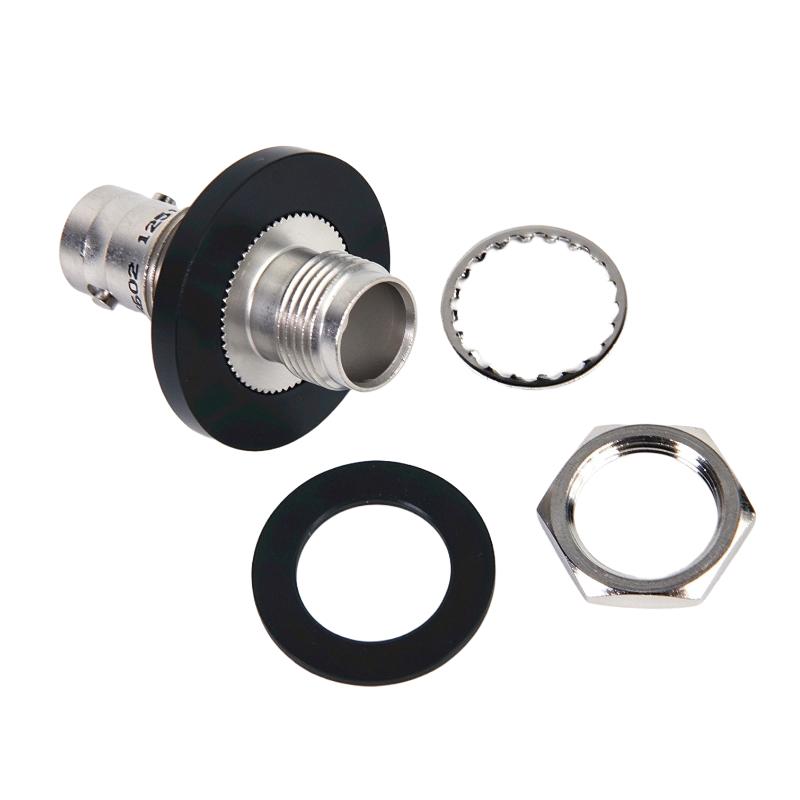
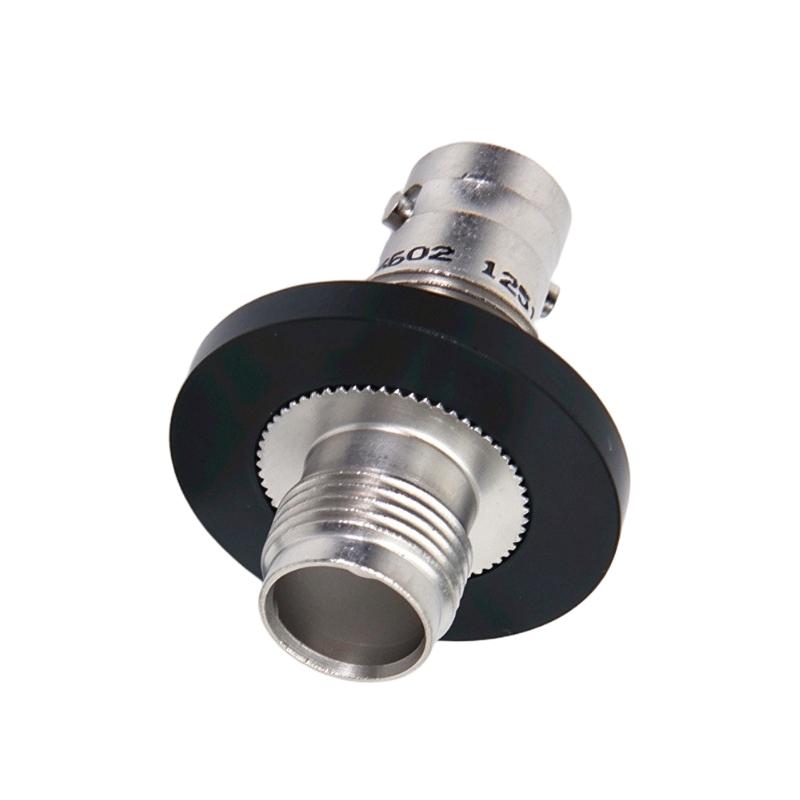
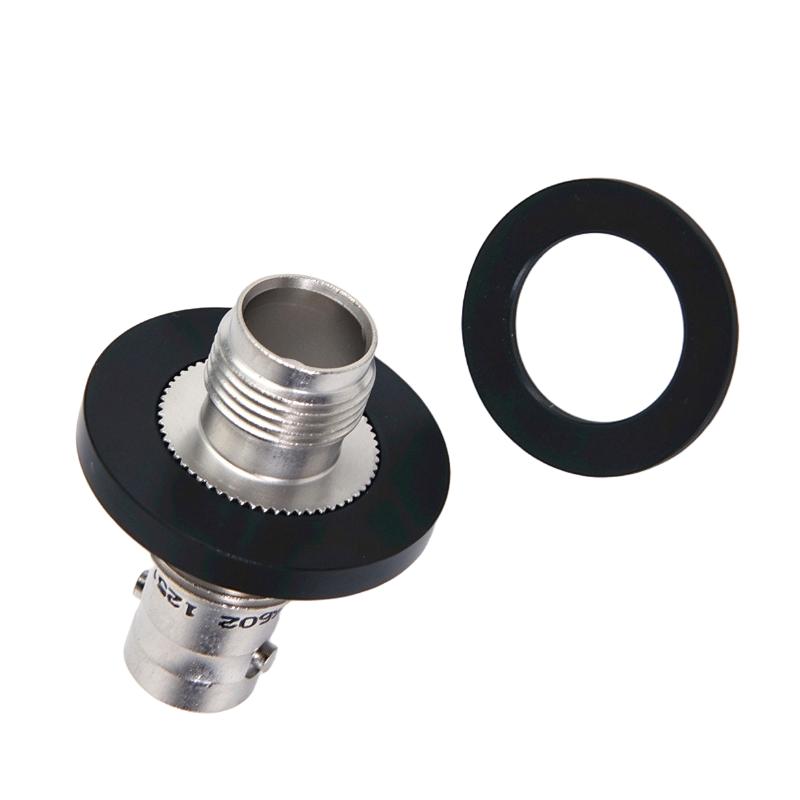
- ControlNet BNC-to-TNC Isolated Bulkhead Connector
- USA
- 50 × 20 × 40 mm
- 0.1 kg
- Xiamen, China
- New & In Stock
- T/T, PayPal, Western Union
- 1 Year
- 1-3 Working Days
- DHL, UPS, TNT, FedEx and EMS.
- 24-Hour Service
- COO
- 5
Our advantage

Global Logistics
We have a 10-year logistics and express cooperation agreement, so our products can be shipped to any place in the world.

Brand new and original
Our products are imported in bulk from the place of origin. Because of the cooperative relationship, our products are all original and 100% new.

24-hour service
We provide 7*24 hours service to our customers. We will be there whenever you need us.

Price advantage
All our products are priced very favorably because we have our own warehouse and supply.
| Company Information | |||
| [email protected] | |||
| Mobile | +8615980777398 | ||
| +8615980777398 | |||
| 15980777398 |
Product Overview
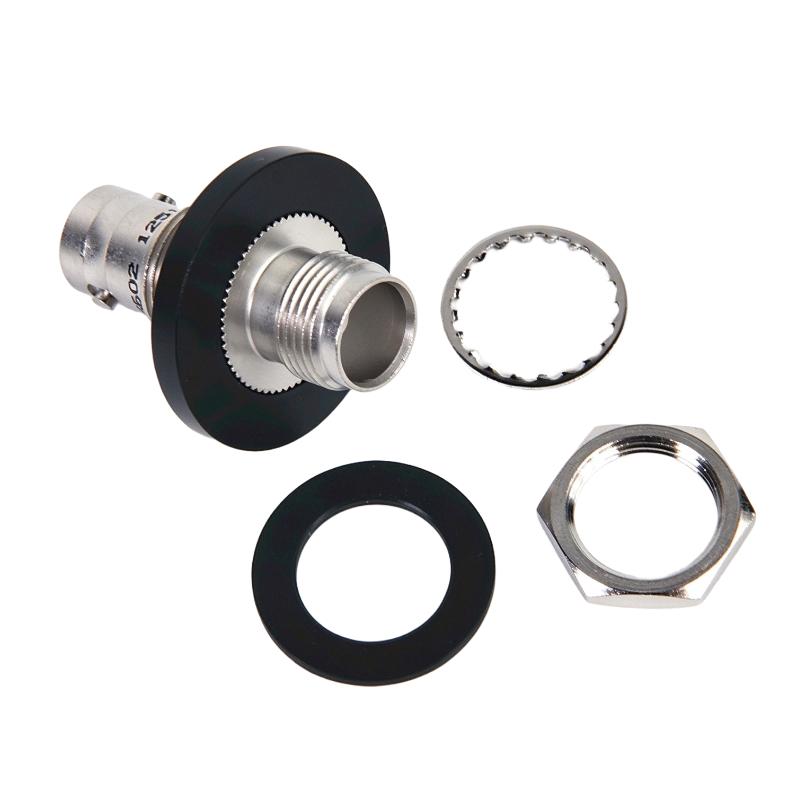
The Allen-Bradley 1786-BNC2TNC is a ControlNet coaxial adapter used to connect a BNC coaxial cable segment to a TNC coaxial cable segment. It provides a transition between different coaxial connector configurations within an industrial ControlNet network.
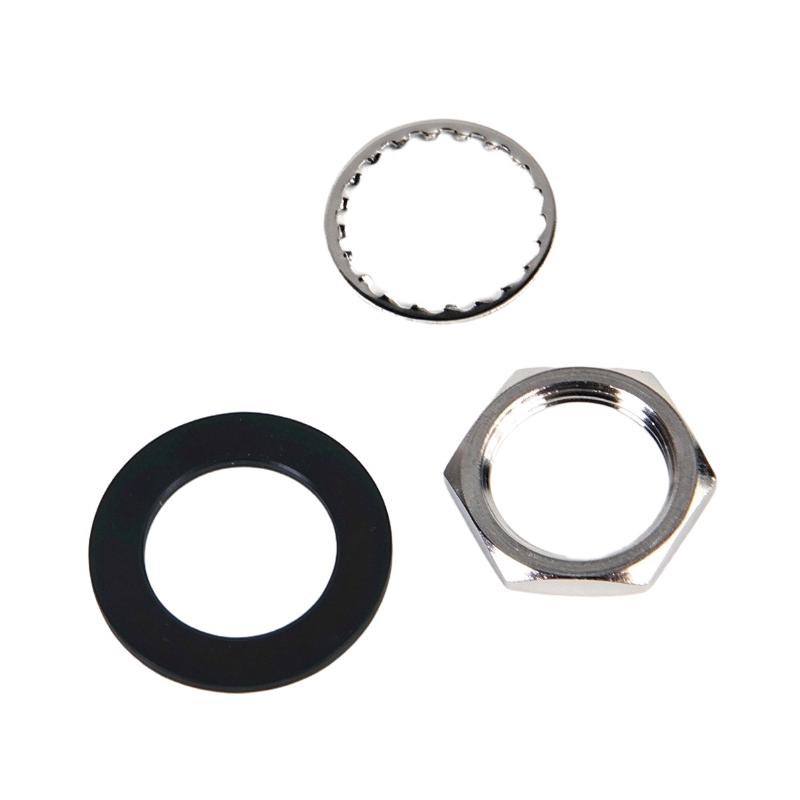
The adapter is particularly useful when ControlNet trunk cables need to pass through control cabinet walls, metal enclosures, or equipment mounting panels. Its isolated bulkhead construction maintains the electrical isolation of the coaxial cable shield from grounded metallic surfaces.
Unlike a conventional inline coaxial adapter, the 1786-BNC2TNC is intended for bulkhead installation. It allows engineers to route network cabling between different equipment areas while maintaining the required isolation arrangement.
The BNC-to-TNC connection also supports ControlNet installations that combine conventional BNC cable connections with TNC-based network components. This is useful in industrial systems where different coaxial connection arrangements are required within the same network topology.
The connector does not perform signal amplification, network switching, or protocol conversion. Its function is to maintain the physical coaxial connection and electrical isolation required by the ControlNet media system.
Technical Specifications
| Parameter | Specification |
|---|---|
| Manufacturer | Allen-Bradley / Rockwell Automation |
| Model | 1786-BNC2TNC |
| Product Type | ControlNet BNC-to-TNC Isolated Bulkhead Connector |
| Product Family | ControlNet Media |
| Network Protocol | ControlNet |
| Connector Configuration | BNC-to-TNC |
| BNC Interface | BNC Coaxial Connection |
| TNC Interface | TNC Coaxial Connection |
| Connector Arrangement | Coaxial Adapter |
| Adapter Type | Isolated Bulkhead |
| Application | ControlNet Coaxial Cable Connection |
| Mounting Type | Cabinet Panel / Wall Bulkhead |
| Electrical Isolation | Isolated from Ground When Properly Installed |
| Operating Temperature | 0–60 °C |
| Storage Temperature | -40–85 °C |
| Relative Humidity | 5–95%, noncondensing |
| Protection Specification | IP67 for specified wired and locked connections |
| Dimensions | 50 × 20 × 40 mm |
| Weight | 0.1 kg |
Product Features
- BNC-to-TNC coaxial connection for compatible ControlNet cable segments.
- Isolated bulkhead construction for cabinet and wall installations.
- Supports electrical isolation between the coaxial cable shield and grounded metallic surfaces.
- Connects different ControlNet coaxial connector configurations.
- Suitable for cable routing through industrial control enclosures.
- Supports ControlNet trunk cable installation and network expansion.
- Passive coaxial connection without additional signal processing.
- Suitable for industrial automation network maintenance.
Working Principle
The 1786-BNC2TNC functions as a passive coaxial adapter within the ControlNet communication system.
The adapter connects a BNC coaxial cable segment to a TNC coaxial cable segment. The connected cable sections maintain the physical signal path required for communication between ControlNet network components.
Its isolated bulkhead arrangement allows the connector to pass through a metallic cabinet wall or mounting panel without allowing the coaxial cable shield to become unintentionally grounded through the mounting surface.
This isolation is important because unwanted grounding contact can introduce electrical noise into the ControlNet network and affect communication stability.
The adapter itself does not process network packets, regenerate signals, or establish communication addresses. It simply maintains the required coaxial connection and isolation.
Typical Connection Arrangement:
BNC Coaxial Cable Segment → 1786-BNC2TNC Adapter → TNC Coaxial Cable Segment → ControlNet Network
During installation, the connector must be mounted according to the specified bulkhead arrangement. The cable connections should be properly secured, and the connector must remain isolated from grounded metallic surfaces.
Role in Allen-Bradley ControlNet Media Architecture
Within the Allen-Bradley ControlNet architecture, the 1786-BNC2TNC serves as a physical connection component between BNC and TNC coaxial cable sections.
ControlNet uses coaxial media to establish communication between PLC controllers, repeaters, network taps, and other connected devices. The 1786-BNC2TNC supports installations where cable sections must pass through equipment enclosure walls while maintaining the intended electrical isolation.
The adapter is a passive media component rather than an active communication device. It does not control network traffic or perform data processing. Its role is to maintain the physical cable connection within the overall ControlNet topology.
| Component | Product Description | Function |
|---|---|---|
| 1786-BNC2TNC | BNC-to-TNC Isolated Bulkhead Connector | Connects BNC and TNC cable segments |
| 1786-BNC | ControlNet BNC Cable Connector | Provides coaxial cable termination |
| 1786-BNCJ | ControlNet BNC Bullet Connector | Connects compatible BNC cable sections |
| 1786-BNCP | ControlNet BNC Barrel Connector | Provides coaxial plug-to-plug connection |
| 1786-BNCJI | ControlNet Isolated BNC Bullet Connector | Provides isolated BNC connection |
| 1786-TPS | ControlNet Straight T-Tap | Connects network nodes to coaxial trunk |
| 1786-TPR | ControlNet Right-Angle T-Tap | Provides an alternative network tap arrangement |
Industrial Applications
| Application | Typical Use |
|---|---|
| Control Cabinet Installation | Passing ControlNet coaxial connections through cabinet panels |
| Factory Automation | Connecting different coaxial media sections |
| Process Automation | Maintaining ControlNet trunk connections |
| Industrial Network Expansion | Joining BNC and TNC cable sections |
| Distributed Control Systems | Supporting coaxial network installations |
| Manufacturing Equipment | Connecting ControlNet wiring between enclosures |
| ControlNet Repeater Systems | Supporting compatible coaxial media arrangements |
| Industrial Maintenance | Replacing damaged bulkhead connectors |
| Equipment Integration | Establishing isolated coaxial panel connections |
| Legacy Automation Systems | Maintaining existing ControlNet installations |
Installation and Maintenance
- Verify Part Number: Confirm that the connector is Allen-Bradley 1786-BNC2TNC and has the required BNC-to-TNC configuration.
- Check Cable Compatibility: Identify the BNC and TNC coaxial cable sections before installation.
- Select Mounting Position: Choose a suitable cabinet panel or wall location that accommodates the bulkhead connector and cable routing.
- Prepare the Mounting Opening: Follow the applicable installation instructions for the required panel opening and mounting arrangement.
- Maintain Electrical Isolation: Ensure that the connector assembly does not make unintended electrical contact with grounded metallic enclosure surfaces.
- Connect the BNC Cable: Attach the compatible BNC coaxial cable to the designated connection.
- Connect the TNC Cable: Attach the TNC coaxial cable to the threaded connection and secure it properly.
- Check Connector Engagement: Verify that both coaxial connections are fully engaged and mechanically secure.
- Inspect Cable Routing: Avoid excessive bending, twisting, or mechanical tension on the connected coaxial cable sections.
- Verify Network Continuity: Check the connected ControlNet media path and confirm that the network operates normally.
- Inspect the Bulkhead Assembly: Examine the mounting interface and connector surfaces for corrosion, looseness, or damage during maintenance.
- Document Installation: Record the connector part number, mounting location, connected cable types, and network inspection results.
Compatible System Components
| Model | Product Description | Application |
|---|---|---|
| 1786-BNC | Allen-Bradley ControlNet Coaxial BNC Connector | BNC cable connection |
| 1786-BNCJ | Allen-Bradley ControlNet BNC Bullet Connector | BNC cable segment connection |
| 1786-BNCP | Allen-Bradley ControlNet BNC Barrel Connector | Coaxial cable connection |
| 1786-BNCJI | Allen-Bradley ControlNet Isolated BNC Bullet Connector | Isolated coaxial connection |
| 1786-TPS | Allen-Bradley ControlNet Straight T-Tap | Network node connection |
| 1786-TPR | Allen-Bradley ControlNet Right-Angle T-Tap | Alternative network tap arrangement |
Recommended Related Models
| Model | Product Description |
|---|---|
| 1786-BNC | Allen-Bradley ControlNet Coaxial BNC Connector |
| 1786-BNCJ | Allen-Bradley ControlNet BNC Bullet Connector |
| 1786-BNCP | Allen-Bradley ControlNet BNC Barrel Connector |
| 1786-BNCJI | Allen-Bradley ControlNet Isolated BNC Bullet Connector |
| 1786-TPS | Allen-Bradley ControlNet Straight T-Tap |
| 1786-TPR | Allen-Bradley ControlNet Right-Angle T-Tap |
Key Advantages
- BNC-to-TNC coaxial connection for ControlNet media.
- Isolated bulkhead configuration for panel and wall installation.
- Maintains coaxial shield isolation from grounded mounting surfaces.
- Supports different ControlNet coaxial connector arrangements.
- Allows network cables to pass through control cabinet walls.
- Helps prevent unwanted grounding contact and electrical noise.
- Suitable for industrial ControlNet cable routing.
- Supports maintenance of existing coaxial network infrastructure.
Technical FAQs
1. What is the main function of the 1786-BNC2TNC?
The 1786-BNC2TNC connects a BNC coaxial cable segment to a TNC coaxial cable segment. Its bulkhead arrangement allows the connection to pass through a cabinet panel or wall while maintaining electrical isolation.
2. Why is electrical isolation important for this connector?
ControlNet is an isolated network system. Unwanted contact between the coaxial shield and grounded metallic surfaces can introduce electrical noise. The isolated bulkhead arrangement helps prevent this problem when installed correctly.
3. Can the 1786-BNC2TNC function as a ControlNet signal repeater?
No. It is a passive coaxial adapter. It provides a physical connection between compatible cable sections but does not amplify signals, regenerate communication data, or function as a network repeater.
4. Can a standard BNC-to-TNC adapter replace the 1786-BNC2TNC?
Not necessarily. A standard inline adapter may provide the same basic connector conversion but may not provide the isolated bulkhead mounting arrangement required for the original installation.