

ProductPRODUCT
Featured products
Contact Us
- Siemens
- 6AG4012-2CC20-0BX0
- Rack-Mounted Computer
- Germany
- 430 × 176 × 465.8 mm
- 17 kg
- Xiamen, China
- New & In Stock
- T/T, PayPal, Western Union
- 1 Year
- 1-3 Working Days
- DHL, UPS, TNT, FedEx and EMS.
- 24-Hour Service
- COO
- 14
Our advantage

Global Logistics
We have a 10-year logistics and express cooperation agreement, so our products can be shipped to any place in the world.

Brand new and original
Our products are imported in bulk from the place of origin. Because of the cooperative relationship, our products are all original and 100% new.

24-hour service
We provide 7*24 hours service to our customers. We will be there whenever you need us.

Price advantage
All our products are priced very favorably because we have our own warehouse and supply.
| Company Information | |||
| [email protected] | |||
| Mobile | +8615980777398 | ||
| +8615980777398 | |||
| 15980777398 |
Introduction
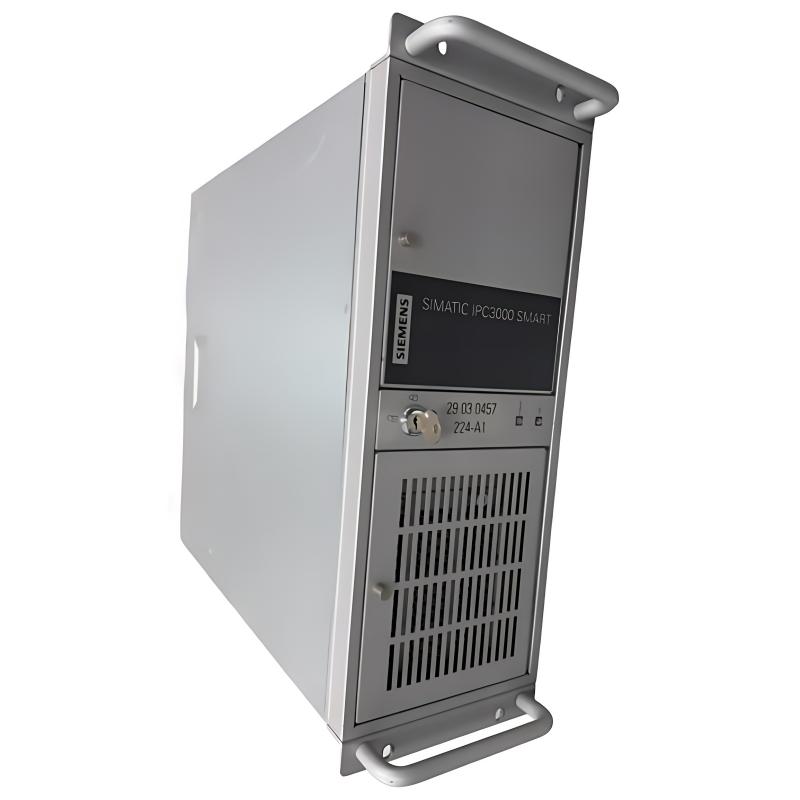
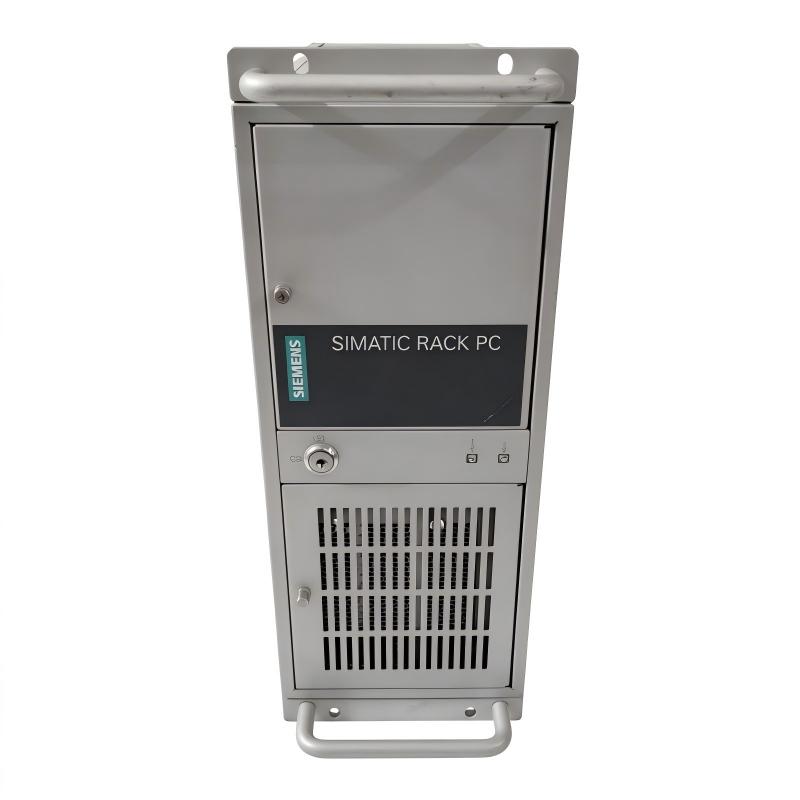
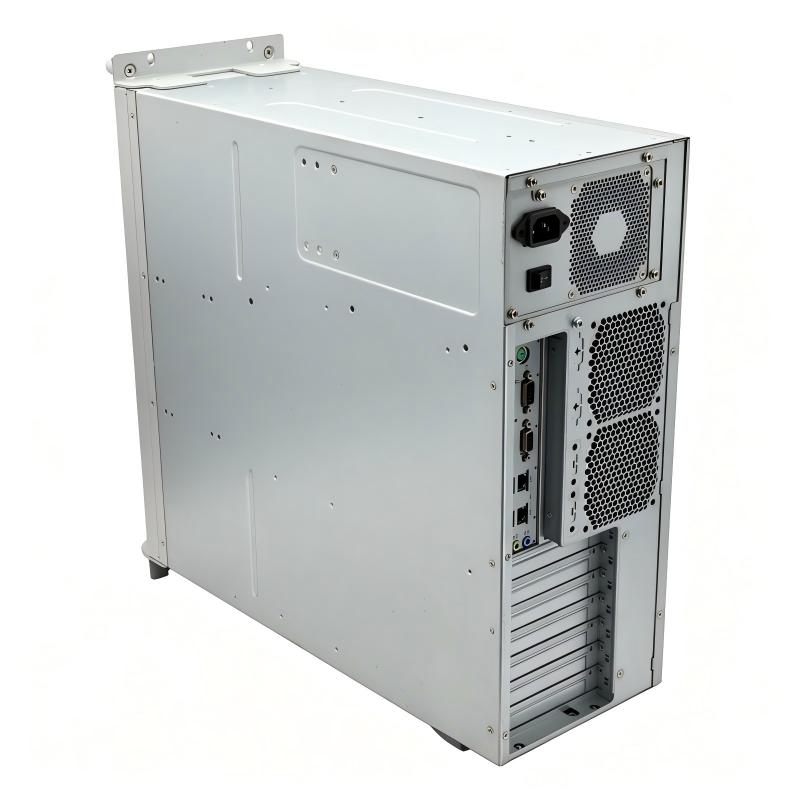
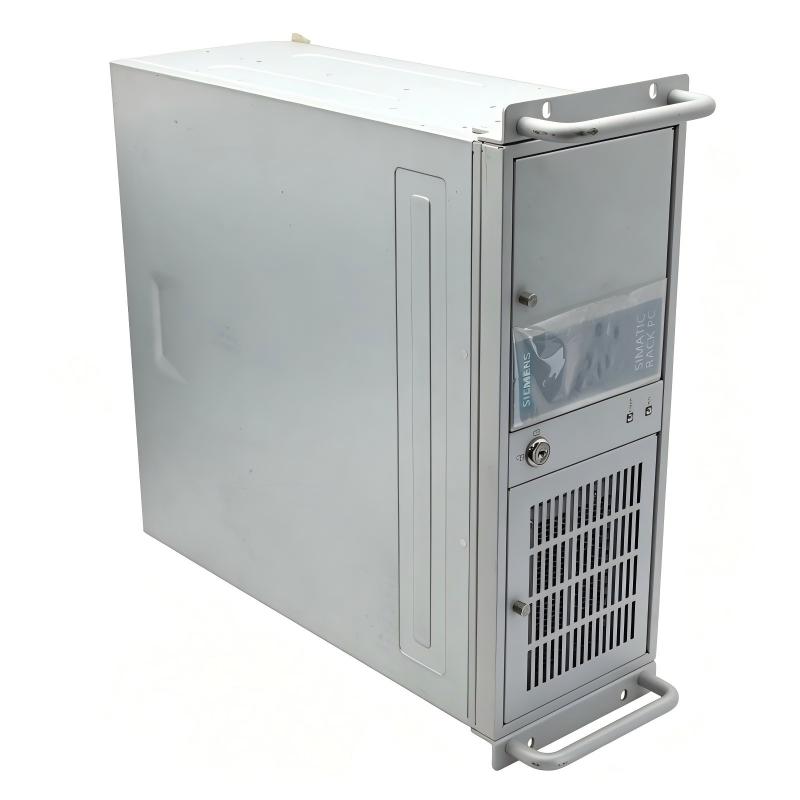
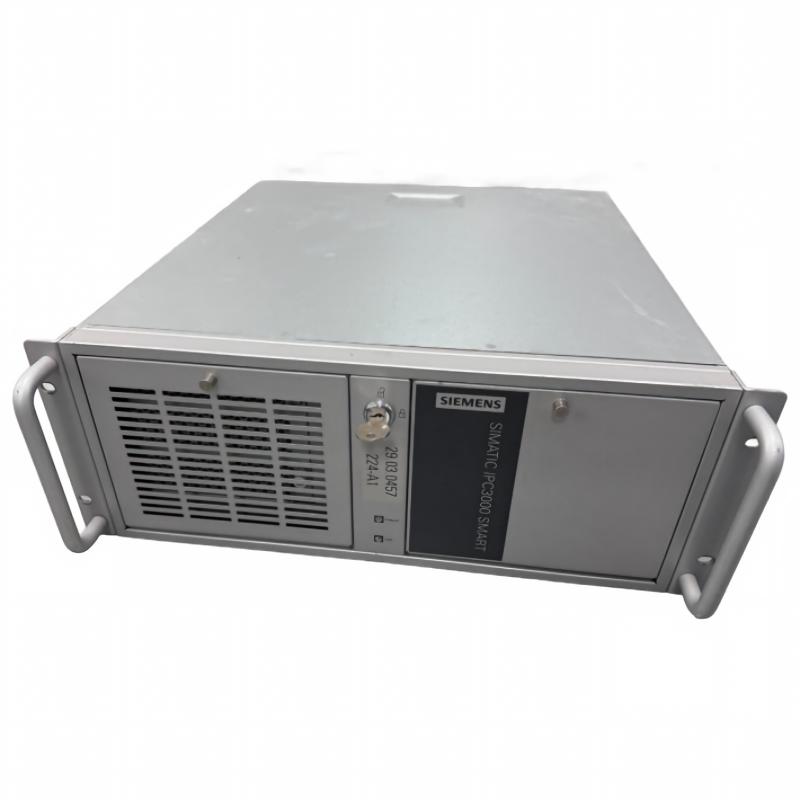
The Siemens 6AG4012-2CC20-0BX0 is a SIMATIC IPC347G industrial rack-mounted computer designed for industrial automation, production monitoring, and data processing applications. Featuring a 19-inch, 4U chassis, it can be installed in compatible industrial cabinets and equipment racks.
This configuration uses an Intel Core i7-6700 processor, 8 GB DDR4 memory, and a 512 GB solid-state drive. It combines general-purpose computing performance with industrial communication interfaces, making it suitable for applications that require connections to PLCs, industrial networks, monitoring systems, and peripheral equipment.
The IPC347G platform is designed for industrial environments where reliable computing, flexible connectivity, and convenient cabinet integration are important. Typical uses include SCADA workstations, HMI applications, engineering stations, machine monitoring, and production information management.
Technical Specifications
| Parameter | Specification |
|---|---|
| Brand | Siemens |
| Product Family | SIMATIC IPC |
| Product Series | IPC347G |
| Model | 6AG4012-2CC20-0BX0 |
| Product Type | Rack-Mounted Industrial Computer |
| Chassis Format | 19-inch, 4U |
| Processor | Intel Core i7-6700 |
| Processor Cores / Threads | 4 cores / 8 threads |
| Base Frequency | 3.4 GHz |
| Maximum Turbo Frequency | Up to 4.0 GHz |
| Processor Cache | 8 MB |
| Installed Memory | 8 GB DDR4 |
| Maximum Supported Memory | Up to 32 GB |
| Storage | 512 GB SSD |
| Power Supply Input | 100–240 V AC |
| Power Supply Rating | 350 W |
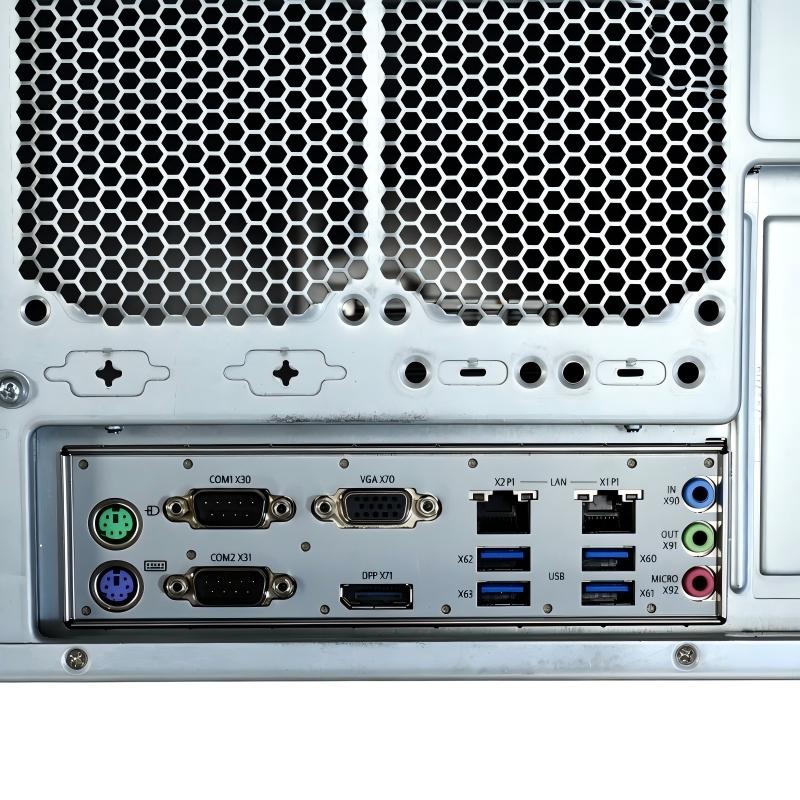
| Ethernet Interfaces | 2 × Gigabit Ethernet |
| Serial Interfaces | 2 × COM, supporting RS232 / RS422 / RS485 |
| Additional Serial Connections | 2 × COM pin headers |
| Graphics Interfaces | 1 × DisplayPort, 1 × VGA |
| Other Interfaces | USB, PS/2, audio |
| Front Protection Rating | IP20 |
| Dimensions | 430 × 176 × 465.8 mm |
| Weight | 17 kg |
The supplied dimensions and weight are retained as provided. Confirm the mechanical drawing and nameplate of the individual unit before finalizing rack or cabinet installation.
Hardware Architecture and Computing Performance
Intel Core i7-6700 Processor
The IPC347G configuration is equipped with an Intel Core i7-6700 processor. It features four physical cores and eight processing threads, with a base frequency of 3.4 GHz and a maximum turbo frequency of up to 4.0 GHz.
This processor provides computing resources for industrial applications involving data processing, visualization, communication, and equipment management.
It can support compatible applications such as:
- Industrial HMI and visualization software.
- Production monitoring and reporting.
- PLC communication and engineering tools.
- Equipment diagnostics and maintenance applications.
- Local data processing and storage.
- Industrial network management.
Actual application performance depends on the software environment, workload, and installed system configuration.
8 GB DDR4 Memory
The computer is supplied with 8 GB DDR4 memory. This provides working memory for the operating system, industrial applications, communication services, and background processes.
The IPC347G platform supports memory expansion up to 32 GB, subject to the applicable hardware configuration. For applications involving several concurrent services or larger data sets, additional memory may improve system responsiveness.
Before upgrading, check the supported memory type, module arrangement, and motherboard requirements.
512 GB Solid-State Storage
The 512 GB SSD provides storage for the operating system, industrial applications, configuration files, and local production data.
Solid-state storage offers faster data access than conventional mechanical drives and has no rotating disk mechanism. This can be beneficial for industrial computers that frequently access application files, databases, and system logs.
For long-term operation, users should monitor available storage capacity and maintain regular backups of important configuration and production information.
Industrial Rack-Mounted Chassis
The IPC347G uses a 19-inch, 4U rack-mounted design. This format allows the computer to be installed alongside compatible industrial network equipment and other cabinet-mounted devices.
Its supplied dimensions are 430 × 176 × 465.8 mm, with a weight of 17 kg. Installation planning should account for mechanical support, cable clearance, ventilation, and access to the front and rear interfaces.
The platform supports horizontal and vertical mounting where permitted by the manufacturer’s installation instructions.
Communication and Connectivity
Dual Gigabit Ethernet Interfaces
Two Gigabit Ethernet interfaces provide network connectivity for compatible industrial and standard Ethernet equipment.
They can be used to connect the computer to PLC networks, industrial switches, engineering workstations, production servers, and other network-enabled devices.
In installations requiring network separation, the two interfaces can be configured according to the plant’s network architecture. Appropriate segmentation and access controls should be applied when connecting operational technology equipment.
Serial Communication Interfaces
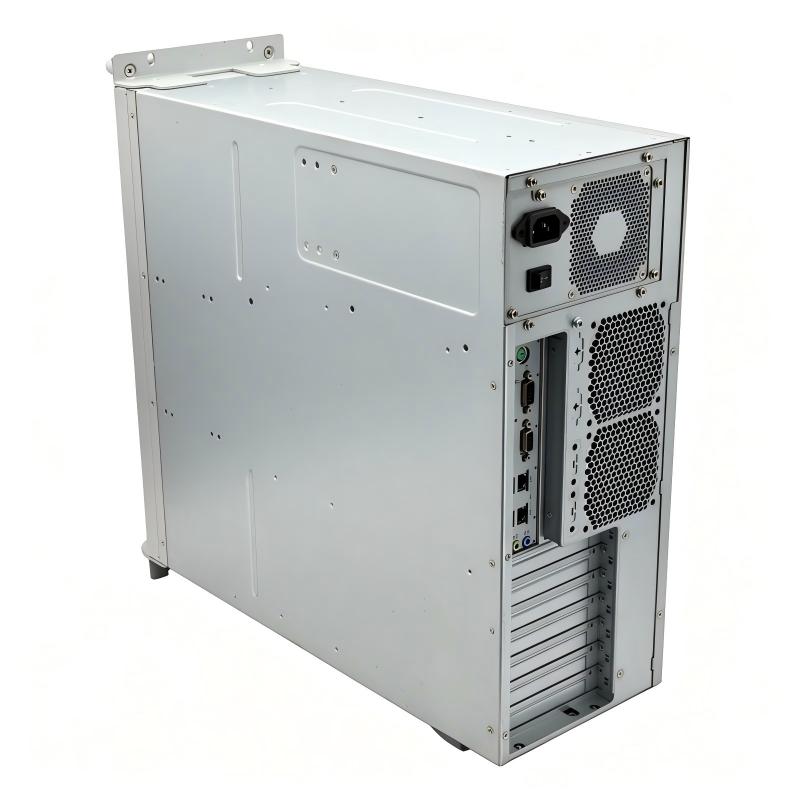
The IPC347G provides two COM ports supporting RS232, RS422, and RS485 communication standards. Two additional COM pin headers are also available for supported internal connections.
Serial communication remains important in many industrial environments, particularly where existing instruments, controllers, and machine peripherals use established serial interfaces.
Before connecting external equipment, verify the required electrical standard, connector pin assignment, cable arrangement, baud rate, parity, and other communication parameters.
DisplayPort and VGA
The computer provides one DisplayPort and one VGA interface for compatible monitors.
DisplayPort supports digital display connections, while VGA can be useful when integrating older industrial displays. The selected monitor and resolution should be checked against the graphics capabilities of the installed system.
USB, PS/2, and Audio Interfaces
USB interfaces support compatible keyboards, mice, removable storage devices, and other peripherals. PS/2 connections provide additional compatibility with conventional keyboard and mouse equipment.
The audio interfaces can be used with compatible audio peripherals where required by the application.
The exact location and availability of each connection should be checked against the delivered unit’s interface layout.
Industrial Applications
Factory Automation and Production Monitoring
The 6AG4012-2CC20-0BX0 can serve as a local computing platform in manufacturing facilities. It can run compatible applications for collecting machine information, displaying operating conditions, and managing production data.
Its Ethernet and serial interfaces provide connection options for both modern networked devices and equipment using traditional serial communication.
SCADA and HMI Systems
SCADA and HMI applications require computing resources for process visualization, alarm handling, trend display, and operator interaction.
With a compatible operating system and suitable software installed, the IPC347G can function as a host computer for industrial visualization systems.
Before deployment, verify the application’s requirements for processor performance, memory, storage, operating-system version, and communication drivers.
Industrial Engineering Workstations
Engineering personnel often require computers for PLC programming, equipment configuration, diagnostics, and maintenance tasks.
The Core i7 processor provides a platform for compatible engineering applications. The available memory and storage should be evaluated against the requirements of the specific software being used.
Machine Data Acquisition
Industrial production equipment generates information from controllers, sensors, drives, and monitoring devices. The IPC347G can provide local computing resources for receiving, processing, and storing this information.
Its Ethernet and serial interfaces support integration with compatible data sources.
Centralized Industrial Computing
The 19-inch rack format allows the computer to be installed in centralized control cabinets or equipment rooms. It can operate as a local application host or workstation alongside compatible network and automation equipment.
This arrangement can simplify equipment organization and provide a centralized location for industrial computing resources.
Installation and Commissioning
1. Verify the Product Identification
Confirm the complete Siemens ordering number, 6AG4012-2CC20-0BX0, on the product nameplate.
Check the processor, memory, SSD capacity, and operating-system delivery status before installation. Do not assume that another IPC347G configuration has identical hardware or software.
2. Prepare the Rack Cabinet
Ensure that the cabinet supports a 19-inch, 4U installation and provides sufficient depth for the computer and its connected cables.
The supplied weight is 17 kg. Use suitable mounting hardware and rack supports to prevent mechanical strain on the chassis.
Allow sufficient clearance for airflow and routine maintenance.
3. Connect the Power Supply
The IPC347G platform supports a 100–240 V AC input and uses a 350 W rated power supply.
Before connecting the computer, verify the available supply voltage, protective earthing, and power cable condition. Electrical work should be performed by qualified personnel.
4. Connect Network and Peripheral Equipment
Connect the Gigabit Ethernet interfaces to the intended network infrastructure. Verify the network addressing and communication settings.
For serial devices, confirm whether RS232, RS422, or RS485 is required. Check the connector pin assignment and cable arrangement before connecting the equipment.
Connect the monitor through DisplayPort or VGA and attach the required keyboard, mouse, and other peripherals.
5. Configure the Operating Environment
Verify the operating system supplied with the individual unit and confirm that it supports the intended industrial applications.
Install the required drivers, communication software, and application packages. Check that the network interfaces, display adapter, storage device, and serial ports are recognized correctly.
Create a system backup after completing the initial configuration.
6. Perform Commissioning Tests
Test the Ethernet interfaces with the intended PLCs, switches, or servers. Verify serial communication using the correct interface standard and communication parameters.
Run the target industrial applications and check system performance under representative operating conditions before releasing the computer for production use.
Maintenance and Troubleshooting
Regular inspection helps maintain computer availability and reduce unexpected downtime.
| Problem | Possible Cause | Recommended Action |
|---|---|---|
| Computer does not start | Power supply issue or loose connection | Check AC input and power cable |
| No display output | Monitor or video cable fault | Check DisplayPort/VGA connection and monitor settings |
| Ethernet communication failure | Incorrect network settings or damaged cable | Inspect network configuration and cabling |
| Serial communication failure | Incorrect interface selection or wiring | Verify RS232/RS422/RS485 settings and pin assignment |
| Slow system performance | High CPU or memory utilization | Review running applications and system resources |
| SSD not detected | Storage connection or device fault | Check storage recognition and drive health |
| Unexpected shutdown | Power instability or overheating | Inspect power supply and cabinet ventilation |
| Operating system fails to start | Boot configuration or software corruption | Check boot settings and recovery options |
| Intermittent network connection | Cable, switch, or network configuration issue | Test the network connection and inspect switches |
| Excessive internal temperature | Dust accumulation or restricted airflow | Inspect ventilation openings and cooling components |
Preventive Maintenance Recommendations
- Inspect the chassis and rack mounting hardware.
- Keep ventilation openings free from dust and obstructions.
- Check cabinet airflow and cooling conditions.
- Inspect power, Ethernet, and serial cables for damage.
- Monitor SSD health and available storage capacity.
- Review system event logs and application error records.
- Back up important industrial application data and configuration files.
- Document hardware changes, software updates, and maintenance activities.
Internal cleaning and hardware replacement should be performed by qualified personnel using appropriate electrostatic discharge protection.
Configuration and Replacement Considerations
When purchasing or replacing the 6AG4012-2CC20-0BX0, verify the complete catalog number and installed configuration.
The IPC347G family includes multiple hardware variants. Although they may share the same rack format and general interface family, processor, memory, storage, and operating-system delivery can differ.
Before selecting a replacement, compare:
- Complete Siemens ordering number.
- Processor model and performance.
- Installed memory capacity and supported expansion.
- SSD capacity and storage interface.
- Operating-system version and software licensing.
- Ethernet and serial communication requirements.
- Display and peripheral interfaces.
- Rack dimensions, weight, and power requirements.
A replacement computer should be evaluated against the existing application’s software and communication requirements. Similar dimensions alone do not guarantee full compatibility.
Technical FAQs
1. What is the Siemens 6AG4012-2CC20-0BX0?
It is a SIMATIC IPC347G industrial rack-mounted computer designed for automation computing, production monitoring, and industrial data processing.
2. Which processor does this configuration use?
It uses an Intel Core i7-6700 processor with four cores, eight threads, a 3.4 GHz base frequency, and a maximum turbo frequency of up to 4.0 GHz.
3. How much memory is installed?
The supplied configuration includes 8 GB DDR4 memory. The IPC347G platform supports expansion up to 32 GB, subject to hardware compatibility.
4. What storage capacity does it provide?
This configuration includes a 512 GB solid-state drive.
5. What power supply does the computer use?
It supports a 100–240 V AC input and uses a 350 W rated power supply.
6. How many Ethernet interfaces are available?
It provides two Gigabit Ethernet interfaces for compatible industrial and standard network connections.
7. Does the IPC347G support serial communication?
Yes. It provides two COM ports supporting RS232, RS422, and RS485, along with two additional COM pin headers.
8. Which display interfaces are available?
The computer provides one DisplayPort and one VGA interface for compatible monitors.
9. What are the dimensions and weight?
The supplied dimensions are 430 × 176 × 465.8 mm, and the supplied weight is 17 kg.
10. What should be checked before replacing this computer?
Verify the complete catalog number, processor, memory, storage, operating system, communication interfaces, mechanical dimensions, and application compatibility.
Conclusion
The Siemens 6AG4012-2CC20-0BX0 SIMATIC IPC347G is a 19-inch, 4U industrial rack-mounted computer equipped with an Intel Core i7-6700 processor, 8 GB DDR4 memory, and a 512 GB SSD.
Its dual Gigabit Ethernet interfaces, serial communication ports, and display connections provide flexibility for industrial computing, engineering, monitoring, and data acquisition applications.
For maintenance teams and system integrators, confirming the exact hardware configuration and software requirements is essential when installing or replacing this industrial computer. Proper rack installation, ventilation, electrical connection, and communication testing help support stable operation in industrial environments.