

ProductPRODUCT
Featured products
Contact Us
- Schneider
- CEXADSCZZSPAZZ
- License
- France
- 8 GB
- 0.1 kg
- Xiamen, China
- New & In Stock
- T/T, PayPal, Western Union
- 1 Year
- 1-3 Working Days
- DHL, UPS, TNT, FedEx and EMS.
- 24-Hour Service
- COO
- 14
Our advantage

Global Logistics
We have a 10-year logistics and express cooperation agreement, so our products can be shipped to any place in the world.

Brand new and original
Our products are imported in bulk from the place of origin. Because of the cooperative relationship, our products are all original and 100% new.

24-hour service
We provide 7*24 hours service to our customers. We will be there whenever you need us.

Price advantage
All our products are priced very favorably because we have our own warehouse and supply.
| Company Information | |||
| [email protected] | |||
| Mobile | +8615980777398 | ||
| +8615980777398 | |||
| 15980777398 |
Introduction
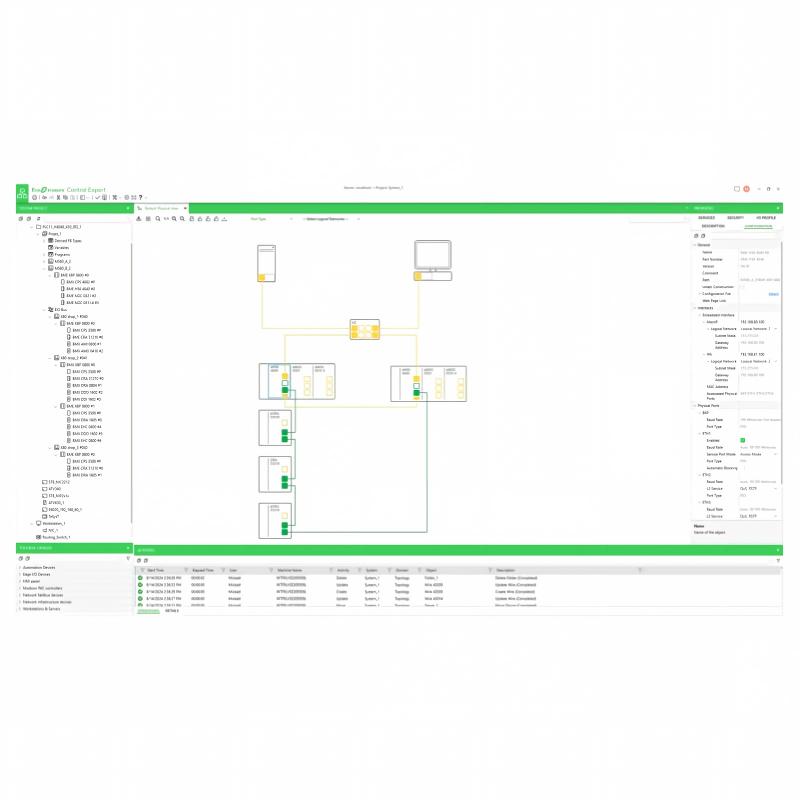
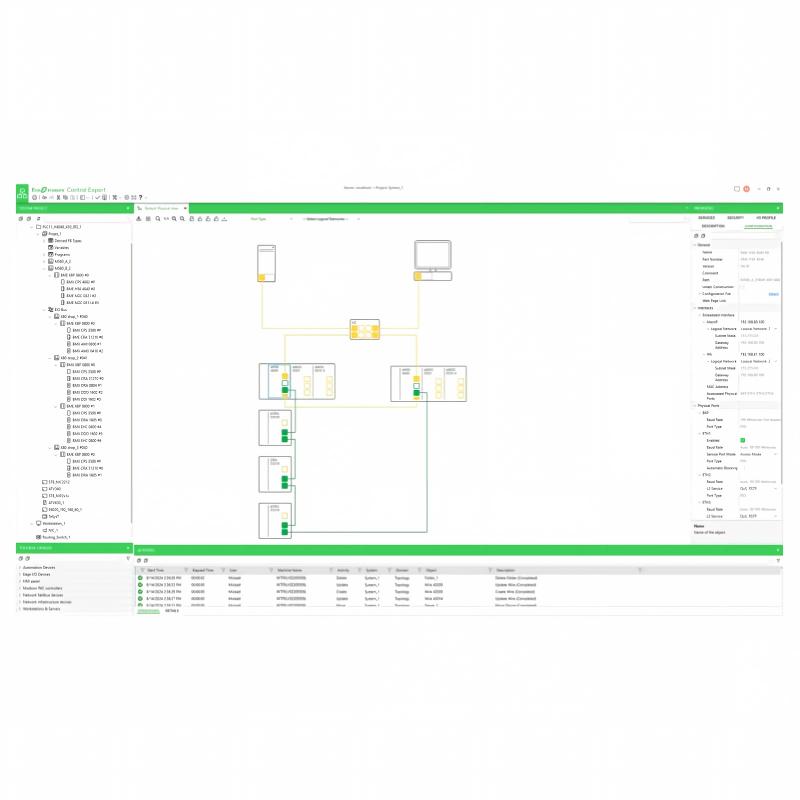
The Schneider Electric CEXADSCZZSPAZZ is a digital software license for the M580 Safety add-on within the EcoStruxure Control Expert engineering environment. It extends the capabilities of the Control Expert Large (L) or Extra Large (XL) license by providing engineering functions for configuring and working with compatible Modicon M580 safety controllers.
In industrial automation, safety controllers are used in applications where equipment protection and process safety are essential. Engineers need appropriate software tools to develop, configure, maintain, and diagnose safety-related control systems. The M580 Safety add-on provides the additional engineering functionality required for supported safety controller projects.
This product is a permanent, single-user, node-locked digital license. It is intended for one licensed workstation and is supplied in digital format rather than as a physical hardware module. The specified memory requirement is 8 GB.
Technical Specifications
| Parameter | Specification |
|---|---|
| Brand | Schneider Electric |
| Model | CEXADSCZZSPAZZ |
| Product Type | Software License |
| Software Range | EcoStruxure Control Expert |
| Software Designation | Control Expert M580 Safety Add-On |
| License Category | Permanent |
| License Format | Digital |
| License Type | Node-Locked |
| License Capacity | Single User |
| Compatible Software Edition | Control Expert L or XL |
| Application | M580 Safety Engineering |
| Compatible Platform | Modicon Controllers |
| Hosting | On-Premise |
| Software Version Listed | V16 |
| Supported Operating Systems | Windows 10, Windows 11, Windows Server 2019, Windows Server 2022 |
| Memory Requirement | 8 GB |
| Minimum Display Resolution | 800 × 600 pixels |
| Supported Languages | English, Chinese, French, German, Italian, Spanish |
| Dimensions | Not applicable – digital license |
| Weight | 0.1 kg (listed product data) |
Software Functions and Working Principle
1. M580 Safety Engineering Extension
The CEXADSCZZSPAZZ provides the M580 Safety add-on functionality for EcoStruxure Control Expert L or XL.
It is designed for engineering projects involving compatible Modicon M580 safety controllers. Once activated in a supported Control Expert installation, the add-on enables the relevant safety engineering functions required for working with these controller configurations.
The license is not a standalone PLC programming environment. It extends an eligible Control Expert installation and must be used together with the appropriate base software license.
2. Safety Controller Configuration
Safety automation projects require careful configuration of controller hardware, application logic, and system parameters.
The M580 Safety add-on supports the engineering workflow for compatible safety controller projects. It helps engineers work within the Control Expert environment when developing or maintaining safety-related automation applications.
The exact configuration options depend on the controller model, firmware, software version, and project architecture.
3. Integration with EcoStruxure Control Expert
EcoStruxure Control Expert provides a common engineering environment for supported Schneider Electric automation platforms.
The CEXADSCZZSPAZZ integrates with this environment as an additional software license. It allows eligible Control Expert L or XL installations to access the M580 Safety engineering functionality.
This arrangement helps engineering teams maintain a unified software environment for supported standard and safety automation projects.
4. Node-Locked Single-User Licensing
The license is classified as permanent, digital, and node-locked.
A single-user node-locked license is assigned to one authorized workstation according to Schneider Electric’s activation and license-management procedures.
Before installation, verify the licensing requirements, workstation assignment, and activation process. A node-locked license should not be assumed to support unrestricted use across multiple computers.
5. Digital License Delivery
Unlike physical PLC modules and communication accessories, the CEXADSCZZSPAZZ is delivered in digital license format.
There is no physical circuit board, processor, or communication interface associated with the license itself. Its purpose is to authorize access to specific software functionality.
The listed weight of 0.1 kg is supplied product data and should not be interpreted as the weight of a physical software module.
Industrial Applications
Modicon M580 Safety Systems
The primary application of the CEXADSCZZSPAZZ is engineering work involving compatible Modicon M580 safety controllers.
It provides the software authorization required for the M580 Safety add-on within an eligible Control Expert L or XL installation.
Process Automation
Chemical plants, energy facilities, water treatment installations, and other process industries use safety-related automation functions to help manage equipment and process risks.
The license supports the engineering software environment used for compatible M580 Safety projects in these applications.
Industrial Machine Safety
Industrial machinery may require safety-related control functions as part of its overall protection architecture.
Engineering teams can use the licensed M580 Safety functionality when configuring supported safety controller applications. The final safety design must still comply with applicable standards and undergo the required validation procedures.
Engineering and System Maintenance
The license is also relevant to system integrators and maintenance engineers responsible for existing M580 Safety installations.
It provides access to the required engineering add-on for supported project maintenance, configuration, and modification activities.
Installation and License Activation
1. Verify the Base Software License
Before purchasing or activating CEXADSCZZSPAZZ, confirm that the workstation has an eligible EcoStruxure Control Expert L or XL base license.
The M580 Safety add-on is not a replacement for the main Control Expert software license.
2. Check Computer Requirements
The listed memory requirement is 8 GB.
The specified operating system options include:
- Windows 10
- Windows 11
- Windows Server 2019
- Windows Server 2022
Also verify processor capability, available storage, administrator permissions, and compatibility with the installed Control Expert release.
3. Install the Compatible Control Expert Software
Install the appropriate Control Expert version according to Schneider Electric’s software installation instructions.
Check the compatibility of the base software, M580 Safety add-on, controller firmware, and engineering workstation before opening or modifying an existing project.
4. Activate the Digital License
Follow Schneider Electric’s official digital license delivery and activation procedure.
Use the authorized license information to activate the add-on on the intended workstation. Confirm that the license manager recognizes the activation and that the correct license status is displayed.
5. Verify M580 Safety Functionality
Open the appropriate Control Expert environment and check that the M580 Safety add-on functions are available.
For an existing safety project, verify that the required controller references and configuration catalog are recognized. If a license-related error appears, check the activated license and installed software edition.
6. Back Up Engineering Projects
Before making changes to an existing safety project, create a verified backup.
Record the software version, controller model, firmware version, and license configuration. This information helps maintain project consistency and supports future troubleshooting.
Troubleshooting and License Management
| Problem | Possible Cause | Recommended Action |
|---|---|---|
| M580 Safety functions are unavailable | Add-on license not activated | Check the license manager and activation status |
| Safety controller reference is missing | Required safety add-on is not installed or licensed | Verify the installed add-on and base license |
| Project cannot open correctly | Software or controller compatibility issue | Check Control Expert version and controller references |
| License activation fails | Incorrect activation information or workstation assignment | Follow the official license activation procedure |
| Software reports insufficient memory | Workstation does not meet the memory requirement | Verify available RAM and close unnecessary applications |
| License is not recognized | Incorrect software installation or license configuration | Review the installation and license status |
| Project configuration is incompatible | Unsupported controller or firmware combination | Check the project compatibility requirements |
| License cannot be used on another PC | Node-locked licensing restriction | Review the official license transfer procedure |
License Maintenance Recommendations
- Keep the license information in a secure location.
- Record the workstation associated with the node-locked license.
- Maintain backups of important engineering projects.
- Document the installed Control Expert version and add-on version.
- Verify license activation after workstation maintenance or software reinstallation.
- Use supported software updates and follow Schneider Electric licensing procedures.
- Restrict access to engineering workstations according to plant cybersecurity policies.
Technical FAQs
1. What is the Schneider Electric CEXADSCZZSPAZZ?
It is a permanent digital license for the M580 Safety add-on in the EcoStruxure Control Expert engineering environment.
2. What is the main purpose of this license?
It enables the M580 Safety engineering functionality for compatible Control Expert L or XL installations.
3. Is CEXADSCZZSPAZZ a standalone software package?
No. It is an add-on license and requires an eligible EcoStruxure Control Expert L or XL base license.
4. How many users does the license support?
It is a single-user node-locked license intended for one authorized workstation.
5. What is the required computer memory?
The specified memory requirement is 8 GB.
6. Which operating systems are listed as compatible?
The listed operating systems are Windows 10, Windows 11, Windows Server 2019, and Windows Server 2022. Actual compatibility should be checked against the installed software release.
7. Is the license permanent or subscription-based?
It is classified as a permanent license.
8. Can this license be used with Modicon M580 controllers?
Yes. It is designed for M580 Safety engineering applications involving compatible Modicon controllers.
9. Does the license include a physical PLC module?
No. It is a digital software license and does not include a physical controller, I/O module, or communication adapter.
10. What should be checked before purchasing this license?
Confirm that the workstation has a valid Control Expert L or XL base license, that the intended controller project requires the M580 Safety add-on, and that the operating system and software versions are compatible.
Conclusion
The Schneider Electric CEXADSCZZSPAZZ EcoStruxure Control Expert M580 Safety Add-On License provides the software authorization required for compatible M580 Safety engineering applications. Its permanent, single-user, node-locked digital licensing model makes it suitable for engineering workstations used to configure and maintain supported Modicon safety controller systems.
Before activation, verify the Control Expert base license, workstation requirements, software version, and controller compatibility. Correct license management and project backups help maintain a consistent engineering environment for industrial safety automation.