

ProductPRODUCT
Featured products
Contact Us
- Allen Bradley
- 6181P-17A2MW71DC
- Integrated Display Industrial Computer
- USA
- 452 x 104.8 x 356 mm
- 11.1 kg
- Xiamen, China
- New & In Stock
- T/T, PayPal, Western Union
- 1 Year
- 1-3 Working Days
- DHL, UPS, TNT, FedEx and EMS.
- 24-Hour Service
- COO
- 4
Our advantage

Global Logistics
We have a 10-year logistics and express cooperation agreement, so our products can be shipped to any place in the world.

Brand new and original
Our products are imported in bulk from the place of origin. Because of the cooperative relationship, our products are all original and 100% new.

24-hour service
We provide 7*24 hours service to our customers. We will be there whenever you need us.

Price advantage
All our products are priced very favorably because we have our own warehouse and supply.
| Company Information | |||
| [email protected] | |||
| Mobile | +8615980777398 | ||
| +8615980777398 | |||
| 15980777398 |
Product Overview
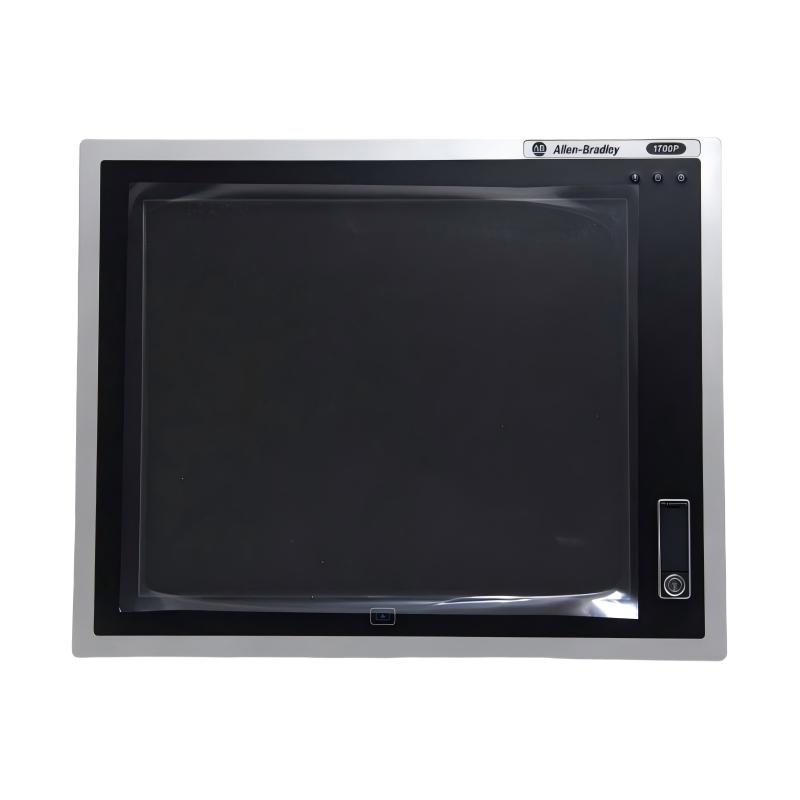
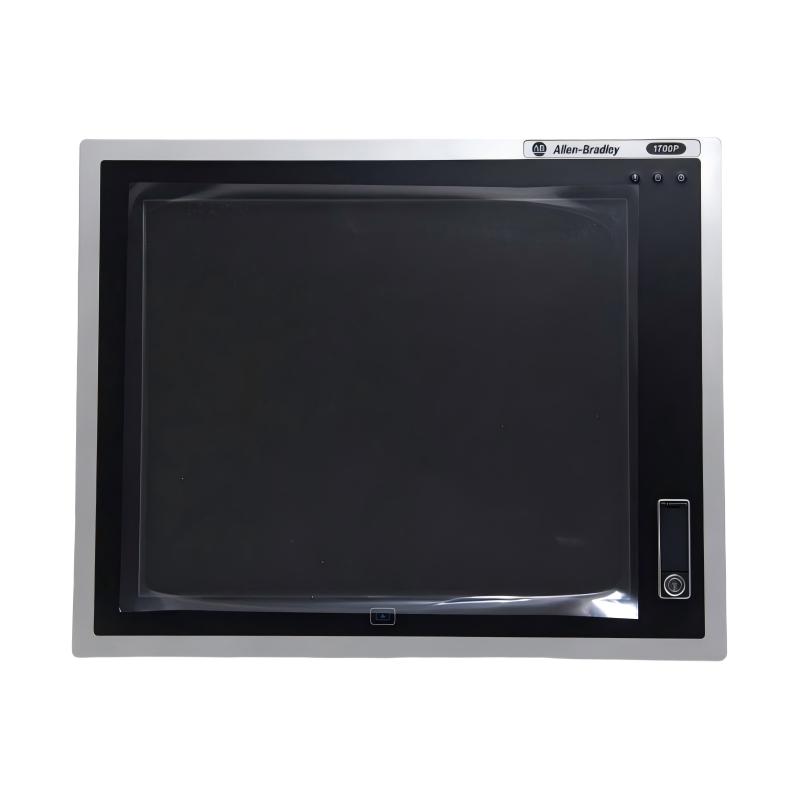
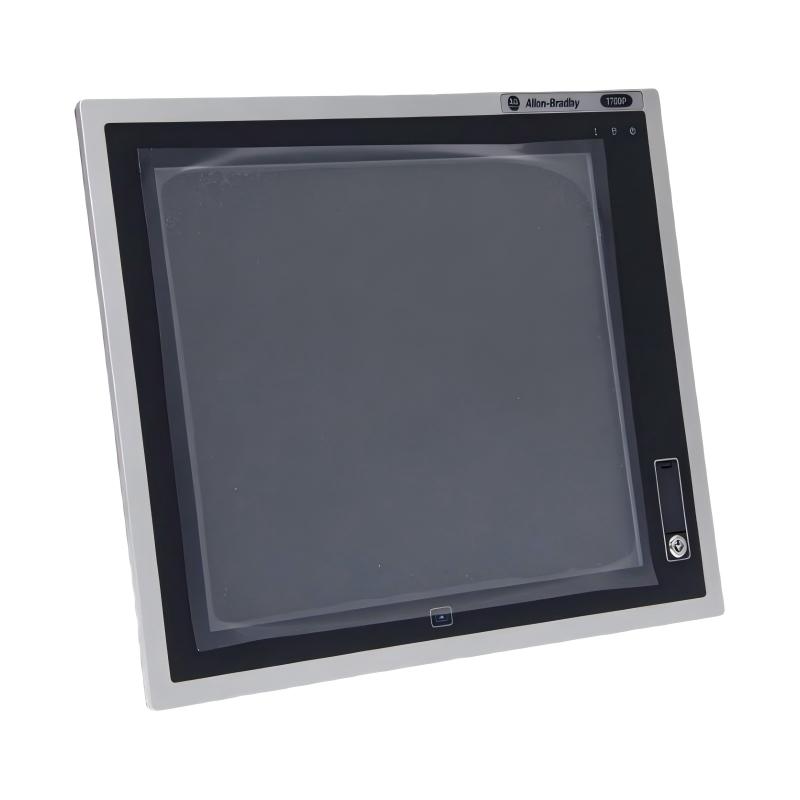
The Allen-Bradley 6181P-17A2MW71DC Integrated Display Industrial Computer is a 17-inch industrial panel computer designed for operator interaction, machine monitoring, and industrial automation applications. It belongs to the Allen-Bradley 6181P Next Generation Integrated Display Industrial Computer family from Rockwell Automation.
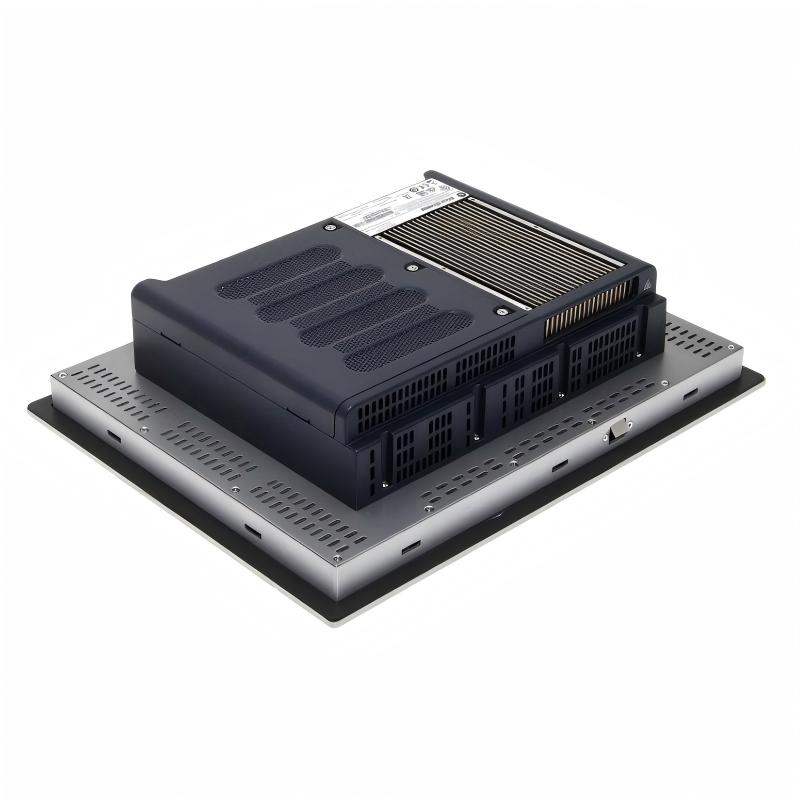
Unlike a conventional desktop computer, this integrated industrial computer combines a display, processing hardware, storage, and operator input in a single panel-mounted unit. This design allows it to be installed directly into a machine enclosure or industrial control cabinet, providing a centralized interface for production monitoring, equipment operation, and visualization software.
The 6181P-17A2MW71DC features a 17-inch display with an aluminum 5:4 bezel and analog resistive touchscreen technology. Its performance configuration includes an Intel Core i3-4102E dual-core processor operating at 1.6 GHz, 4 GB of DDR3 memory, and a 256 GB MLC solid-state drive. The system is supplied with Windows 7 Professional SP1 64-bit.
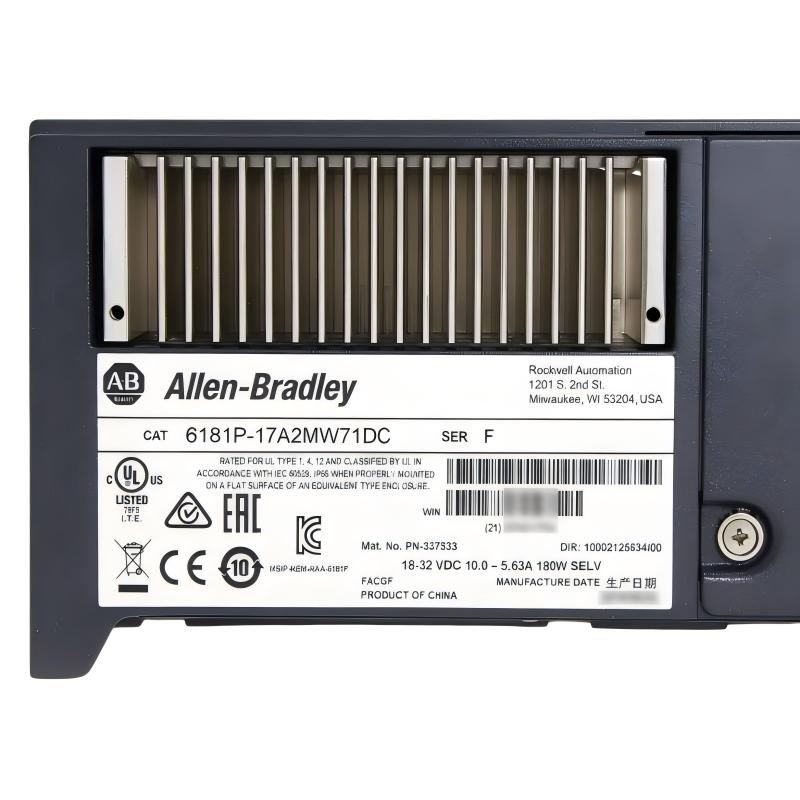
This model uses an 18–32 V DC power supply, making it suitable for installations designed around a low-voltage DC power distribution system. Its integrated design helps reduce the need for separate display and computer hardware, while its industrial construction supports panel-mounted operation in manufacturing and process-control environments.
The computer can serve as an operator station for industrial visualization applications, equipment monitoring, production data access, and machine-level control interfaces. Depending on the installed software and system architecture, it may communicate with PLCs, controllers, drives, and other automation equipment through its available interfaces.
The 6181P-17A2MW71DC is a discontinued model. When purchasing or replacing this computer, users should pay particular attention to the operating system image, hardware configuration, touchscreen condition, storage health, and compatibility with existing industrial software.
Technical Specifications
| Parameter | Specification |
|---|---|
| Brand | Allen-Bradley |
| Manufacturer | Rockwell Automation |
| Model | 6181P-17A2MW71DC |
| Product Series | 6181P |
| Product Type | Integrated Display Industrial Computer |
| Display Size | 17 inches |
| Display Format | 5:4 |
| Display Resolution | 1280 × 1024 pixels |
| Touchscreen Type | Analog resistive |
| Bezel Material | Aluminum |
| Processor | Intel Core i3-4102E |
| Processor Cores | 2 |
| Processor Speed | 1.6 GHz |
| Chipset | Intel QM87 |
| Installed Memory | 4 GB DDR3 |
| Maximum Memory | 16 GB |
| Storage Type | 2.5-inch MLC Solid-State Drive |
| Storage Capacity | 256 GB |
| Operating System | Windows 7 Professional SP1 64-bit |
| Power Supply | 18–32 V DC |
| Ethernet Interfaces | 2 × 10/100/1000 Mbps |
| USB Interfaces | 5 × USB 3.0 |
| Serial Interfaces | 2 × RS-232 |
| Display Interfaces | DisplayPort and DVI-I |
| Expansion | 1 × PCI Express x8 slot |
| Dimensions | 452 × 104.8 × 356 mm |
| Weight | 11.1 kg |
| Product Lifecycle | Discontinued |
| Typical Installation | Industrial panel mounting |
Specifications should be checked against the unit’s nameplate, hardware revision, and installed configuration before replacement or system integration.
Function and Working Principle
The 6181P-17A2MW71DC operates as an industrial computer with an integrated display and touchscreen. It processes application software, receives information from connected automation equipment, and presents operating information to users through its display.
1. Industrial Computing and Data Processing
The Intel Core i3-4102E processor provides the computing capability required to run compatible industrial applications. It processes operating instructions, visualization data, communication tasks, and other software functions.
The dual-core processor operates at 1.6 GHz and is supported by 4 GB of installed DDR3 memory. This configuration is intended for industrial computing workloads supported by the original hardware and software environment.
The computer’s actual performance depends on the operating system, installed applications, communication workload, and available system resources.
2. Integrated Display Operation
The 17-inch display provides a visual interface for operators and maintenance personnel. Its 1280 × 1024 resolution supports the presentation of process graphics, equipment status, alarm information, and operating parameters.
The 5:4 display format is suitable for industrial applications designed around traditional panel-computer screen layouts. Existing HMI projects should be checked for screen resolution and aspect-ratio compatibility before replacing the computer.
3. Resistive Touchscreen Input
The computer uses analog resistive touchscreen technology. Operators can interact with supported software by touching the display rather than relying exclusively on a keyboard or mouse.
Resistive touch technology detects pressure applied to the screen surface. This makes it suitable for applications where operators use a finger or compatible pointing tool to select controls, enter values, and navigate interface screens.
Touchscreen calibration and condition should be checked during maintenance, especially on equipment that has been used continuously for many years.
4. Solid-State Data Storage
The 256 GB MLC SSD provides storage for the operating system, industrial applications, configuration files, and locally retained data.
Compared with conventional mechanical hard drives, solid-state storage has no rotating disk mechanism. This can be beneficial in industrial environments where vibration and continuous operation are important considerations.
For long-term reliability, users should monitor storage health, maintain appropriate free space, and keep verified backups of the operating system and application configuration.
5. Industrial Communication
The 6181P-17A2MW71DC includes Ethernet and serial interfaces for connecting with compatible industrial equipment and external devices.
Ethernet connections can support communication with PLCs, industrial networks, servers, and other computers. Serial interfaces can be used with compatible legacy equipment and communication devices.
The actual communication functions depend on the installed software, drivers, network configuration, and protocols supported by the connected equipment.
Role in Industrial Control Systems
The 6181P-17A2MW71DC can function as an operator interface and industrial computing platform within a wider automation architecture. It provides the computing and display resources needed to present production information and support operator interaction.
PLC and Controller Communication
In a typical industrial automation system, a PLC executes machine-control logic while the industrial computer provides visualization and data access.
The computer can exchange information with compatible PLCs through supported communication interfaces and software drivers. Operators can then view machine conditions, monitor production parameters, and enter commands through the industrial application.
The computer does not replace the PLC’s real-time control functions. Safety-critical and deterministic machine-control operations should remain within appropriately designed control hardware and safety systems.
HMI and SCADA Applications
The integrated display can be used to run compatible HMI or supervisory applications. These applications may present equipment status, process graphics, alarm information, production data, and operator controls.
Depending on the application architecture, the computer may operate as a machine-level HMI station or as a node in a larger supervisory control system.
Software versions and operating-system compatibility must be verified before installing or migrating applications.
Production Data Access
Industrial computers can provide access to production information collected from controllers and connected devices. This may include operating status, process values, alarm records, and production-related data.
The 6181P-17A2MW71DC can support such functions when suitable software and communication connections are available.
Equipment Monitoring and Maintenance
Maintenance personnel can use an industrial computer to access diagnostic information, review alarms, and operate approved maintenance applications.
Keeping system images, software installers, communication settings, and configuration backups available can simplify recovery after hardware failure.
Industrial Applications
The Allen-Bradley 6181P-17A2MW71DC is designed for industrial computing and operator-interface applications. Its integrated 17-inch display and computing hardware make it suitable for installations that require a panel-mounted computer.
1. Manufacturing Production Lines
Manufacturing facilities use industrial computers to provide operators with access to machine status, production information, and process controls.
The 6181P can display production dashboards, machine operating conditions, and process graphics through compatible software. Its integrated design allows the computer to be installed in an operator panel near the production equipment.
2. Process Automation
In process-control environments, operators need access to process values, equipment status, alarms, and operating parameters.
The computer can serve as a visualization station connected to a suitable PLC or supervisory system. Its role is to present information and support operator interaction rather than independently perform all process-control functions.
3. Packaging and Material Handling
Packaging machinery and material-handling systems often require operator stations for production setup, speed monitoring, alarm acknowledgement, and equipment diagnostics.
A panel-mounted industrial computer can provide a centralized interface for these functions. Application software and controller communication must be configured according to the machine design.
4. Machine Operation and Configuration
Industrial machinery may require a dedicated computer for accessing configuration software, operating instructions, and diagnostic tools.
The 6181P can be used as an integrated operator station where its hardware and operating system remain compatible with the required applications.
5. Factory Information Systems
Some manufacturing facilities use industrial computers to access production records, equipment information, and local data services.
With suitable network configuration and software, the computer can provide a workstation for production personnel and maintenance teams.
6. Legacy Automation Systems
The 6181P-17A2MW71DC may be especially relevant to existing installations that depend on its original display format, DC power supply, hardware interfaces, and Windows 7 software environment.
Maintaining the original computer can reduce the scope of changes required for certain legacy systems. However, the condition of the hardware and the availability of compatible software should be assessed before deciding whether to repair or replace it.
Installation and System Integration
Correct installation helps maintain stable operation and protects the computer from electrical, mechanical, and environmental problems.
1. Verify the DC Power Supply
The 6181P-17A2MW71DC uses an 18–32 V DC input. Before installation, confirm that the available power supply operates within this range and can provide sufficient current for the computer.
Check the polarity, wiring, protective devices, and grounding arrangement. Avoid connecting the computer to an AC supply or a DC source outside the specified input range.
2. Prepare the Panel Cutout
The supplied product dimensions are 452 × 104.8 × 356 mm. These are the overall computer dimensions and should not be treated as the panel cutout dimensions.
The panel opening must be prepared according to the manufacturer’s mounting drawing. Confirm the required cutout size, mounting clearances, and installation method before modifying the cabinet.
The computer should be securely mounted to prevent movement caused by vibration or repeated touchscreen operation.
3. Check Environmental Conditions
Industrial computers should be installed within their specified operating temperature and humidity ranges.
The documented operating temperature range for this model is 0–55 °C, with non-condensing relative humidity requirements. Avoid installation locations exposed to excessive heat, direct liquid exposure, corrosive substances, or heavy conductive dust.
Allow sufficient space around the computer for heat dissipation and maintenance access.
4. Connect Network and Peripheral Devices
Connect Ethernet, serial, USB, and display interfaces according to the requirements of the application.
Before connecting legacy equipment, verify signal levels, connector pin assignments, communication parameters, and supported protocols. Use suitable industrial cables and maintain appropriate separation between communication wiring and high-voltage power conductors.
5. Configure the Operating System and Applications
The specified configuration uses Windows 7 Professional SP1 64-bit. Industrial applications, device drivers, and communication software should be checked for compatibility with this operating system.
Before replacing the computer or reinstalling the operating system, create a complete backup of application files, configuration settings, drivers, and any required licenses.
For legacy control systems, confirm that replacement hardware can run the original software environment before making changes to the production system.
6. Commissioning and Functional Testing
After installation, verify the DC supply, display operation, touchscreen response, network connectivity, serial communication, and storage condition.
Test the industrial applications and confirm that the computer can communicate with the intended PLCs and other devices.
Check display resolution, touchscreen calibration, startup behavior, and alarm presentation. Document the final system configuration for future maintenance.
Compatible System Components
The 6181P-17A2MW71DC can be incorporated into a broader industrial automation system with compatible controllers, networks, and peripherals.
| Component | Function | Integration Considerations |
|---|---|---|
| Allen-Bradley PLC | Executes machine-control logic | Verify communication drivers and supported protocols |
| ControlLogix Controller | Provides industrial control and data exchange | Confirm network architecture and application compatibility |
| CompactLogix Controller | Controls machine and process functions | Check Ethernet communication settings and software versions |
| Industrial Ethernet Switch | Connects computers and automation devices | Verify network speed, topology, and industrial suitability |
| HMI / SCADA Software | Displays process information and operator controls | Confirm Windows 7 and hardware compatibility |
| 24 V DC Power Supply | Provides operating power | Maintain the specified 18–32 V DC input range |
| USB Keyboard and Mouse | Supports maintenance and operator input | Check peripheral compatibility |
| Serial Communication Device | Connects compatible legacy equipment | Verify RS-232 pin assignments and communication parameters |
| Industrial Cabinet | Provides mounting and environmental protection | Confirm cutout dimensions, cooling, and mounting requirements |
These are examples of components that may be used in an industrial installation. They are not necessarily included with the 6181P-17A2MW71DC.
Alternative Models and Replacement Considerations
The 6181P-17A2MW71DC has been discontinued. Replacement selection should consider display size, mounting dimensions, power input, operating system, processor performance, communication interfaces, and the software used by the existing automation system.
| Alternative or Related Option | Replacement Considerations |
|---|---|
| Allen-Bradley 6181P-17A2MWX1DC | Related 17-inch configuration using Windows 10 IoT Enterprise; verify hardware and software compatibility |
| Other Allen-Bradley 6181P 17-inch models | Compare bezel material, storage, operating system, power input, and touchscreen configuration |
| Allen-Bradley VersaView industrial computers | May be considered for industrial computing upgrades, subject to application review |
| Industrial Panel PC from another manufacturer | Requires evaluation of mounting, display, interfaces, software, and environmental requirements |
| Industrial computer with separate monitor | May provide an alternative architecture but requires additional panel space and cabling |
Before selecting a replacement, compare the following:
- Display size and resolution.
- Touchscreen technology.
- Panel cutout and mounting dimensions.
- DC or AC power requirements.
- Processor and memory capacity.
- Storage type and capacity.
- Operating-system compatibility.
- Ethernet and serial interfaces.
- USB and display connections.
- Application software and driver support.
- PLC communication requirements.
- Backup and recovery procedures.
A newer industrial computer may offer better processing performance and operating-system support, but it is not automatically a direct replacement. Existing HMI projects, drivers, licenses, and communication configurations may need to be migrated or updated.
Key Advantages
Integrated Computer and Display
The computer combines processing hardware, storage, and a 17-inch touchscreen display in one unit. This reduces the need for separate display and computing equipment.
Industrial Panel-Mount Design
Its integrated form factor supports installation in suitable industrial control cabinets and operator panels.
17-Inch Display
The 17-inch display provides an operator interface for process graphics, production information, and machine status.
Resistive Touchscreen
The analog resistive touchscreen allows operators to interact with compatible industrial applications directly on the display.
Intel Core i3 Processing Platform
The Intel Core i3-4102E processor provides computing resources for supported industrial visualization and data-access applications.
Solid-State Storage
The 256 GB MLC SSD provides storage for the operating system, applications, and configuration files.
Multiple Communication Interfaces
Ethernet, serial, USB, and display interfaces support connections with compatible automation equipment and external peripherals.
DC Power Input
The 18–32 V DC input supports installations designed around industrial DC power distribution.
Technical FAQs
1. What is the Allen-Bradley 6181P-17A2MW71DC?
It is a 17-inch integrated display industrial computer from the Allen-Bradley 6181P family. It combines an industrial computer, touchscreen display, processor, memory, and solid-state storage in a panel-mounted unit.
2. What processor does this model use?
The computer uses an Intel Core i3-4102E dual-core processor operating at 1.6 GHz. It is based on the Intel QM87 chipset.
3. How much memory and storage does it have?
The specified configuration includes 4 GB of DDR3 memory and a 256 GB 2.5-inch MLC solid-state drive. The supported maximum memory is 16 GB, subject to the applicable hardware configuration.
4. What operating system does it use?
This model is supplied with Windows 7 Professional SP1 64-bit. Software and driver compatibility should be checked before reinstalling or upgrading the operating system.
5. What is the display size and resolution?
It has a 17-inch display with a 5:4 aspect ratio and a resolution of 1280 × 1024 pixels. It uses analog resistive touchscreen technology.
6. What power supply does the 6181P-17A2MW71DC require?
It requires an 18–32 V DC input. Confirm the supply voltage and available current before connecting the computer.
7. Can it communicate with Allen-Bradley PLCs?
Yes, it can communicate with compatible Allen-Bradley PLCs through supported Ethernet or serial interfaces and appropriate software drivers. The actual communication capability depends on the installed software, controller, and network configuration.
8. Is this model still manufactured?
No. Rockwell Automation discontinued the 6181P Integrated Display Industrial Computer family on September 30, 2023. Availability may depend on remaining inventory, refurbished equipment, or specialist industrial spare-parts suppliers.
9. What should be checked before replacing this computer?
Check the display size, panel cutout, power supply, operating system, processor configuration, storage, communication interfaces, and installed software. Back up the existing system before making any hardware or operating-system changes.
10. Can the computer be upgraded to Windows 10 or Windows 11?
The original configuration is specified for Windows 7 Professional SP1 64-bit. An operating-system upgrade should not be assumed to be supported. Check processor, firmware, drivers, application requirements, and manufacturer compatibility information before attempting an upgrade.
Procurement and Maintenance Recommendations
When purchasing the Allen-Bradley 6181P-17A2MW71DC, verify the complete catalog number and hardware series on the product label. Confirm that the display, processor, memory, SSD, power input, and operating-system configuration match the requirements of the existing installation.
For used or refurbished equipment, inspect the touchscreen for dead areas, scratches, or calibration problems. Check display brightness, connectors, power input, fan operation where applicable, and the condition of the storage device.
Because this model is discontinued, request clear photographs of the actual unit and ask whether the original operating-system image and recovery files are available. Confirm whether the unit includes the required mounting hardware and whether its installed software can be transferred or restored.
For maintenance, keep the display and ventilation areas clean, monitor storage health, and maintain backups of the operating system, applications, drivers, and configuration files. Periodically check network connections and touchscreen operation.
When planning a replacement, assess whether the existing HMI software and PLC communication configuration can be retained. A modern industrial computer may require application migration, driver changes, new licenses, or modifications to the panel opening and wiring.
Conclusion
The Allen-Bradley 6181P-17A2MW71DC Integrated Display Industrial Computer is a 17-inch panel-mounted industrial computer designed for operator interfaces, industrial visualization, and equipment monitoring. Its configuration includes an Intel Core i3-4102E processor, 4 GB DDR3 memory, a 256 GB MLC SSD, Windows 7 Professional SP1 64-bit, and an 18–32 V DC power supply.
With its resistive touchscreen, aluminum bezel, and multiple communication interfaces, the unit can serve as an operator workstation in compatible industrial automation systems. Since the model has been discontinued, careful verification of hardware configuration, operating-system compatibility, and application requirements is essential when sourcing or replacing this computer.