

ProductPRODUCT
Featured products
Contact Us
- Allen Bradley
- 2711P-T15C22D8S
- PanelView Plus 7 Operator Interface
- USA
- 381 x 56.5 x 318 mm
- 3.07 kg
- Xiamen, China
- New & In Stock
- T/T, PayPal, Western Union
- 1 Year
- 1-3 Working Days
- DHL, UPS, TNT, FedEx and EMS.
- 24-Hour Service
- COO
- 3
Our advantage

Global Logistics
We have a 10-year logistics and express cooperation agreement, so our products can be shipped to any place in the world.

Brand new and original
Our products are imported in bulk from the place of origin. Because of the cooperative relationship, our products are all original and 100% new.

24-hour service
We provide 7*24 hours service to our customers. We will be there whenever you need us.

Price advantage
All our products are priced very favorably because we have our own warehouse and supply.
| Company Information | |||
| [email protected] | |||
| Mobile | +8615980777398 | ||
| +8615980777398 | |||
| 15980777398 |
Product Overview
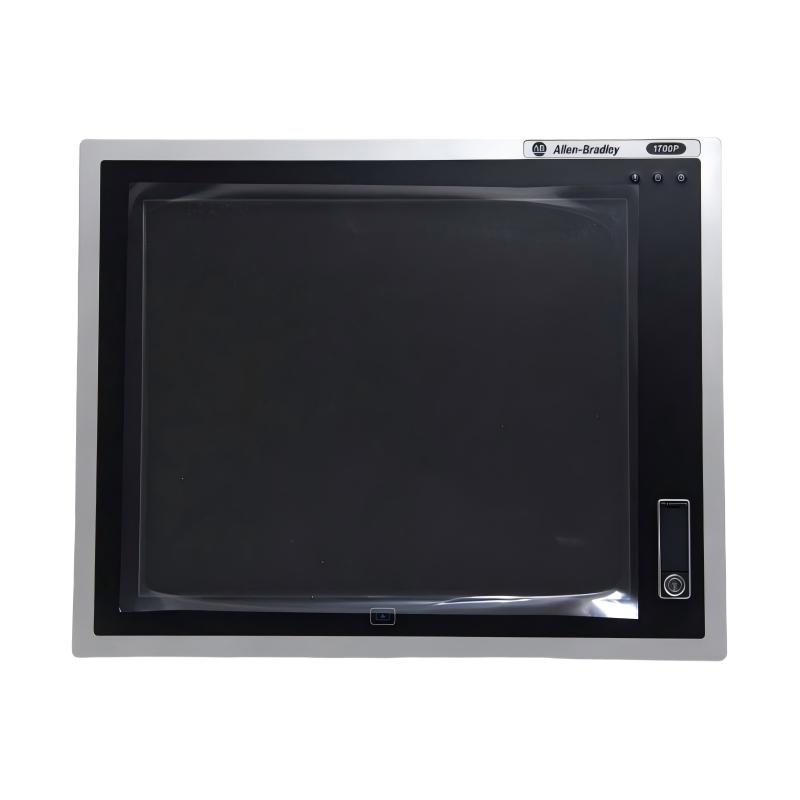
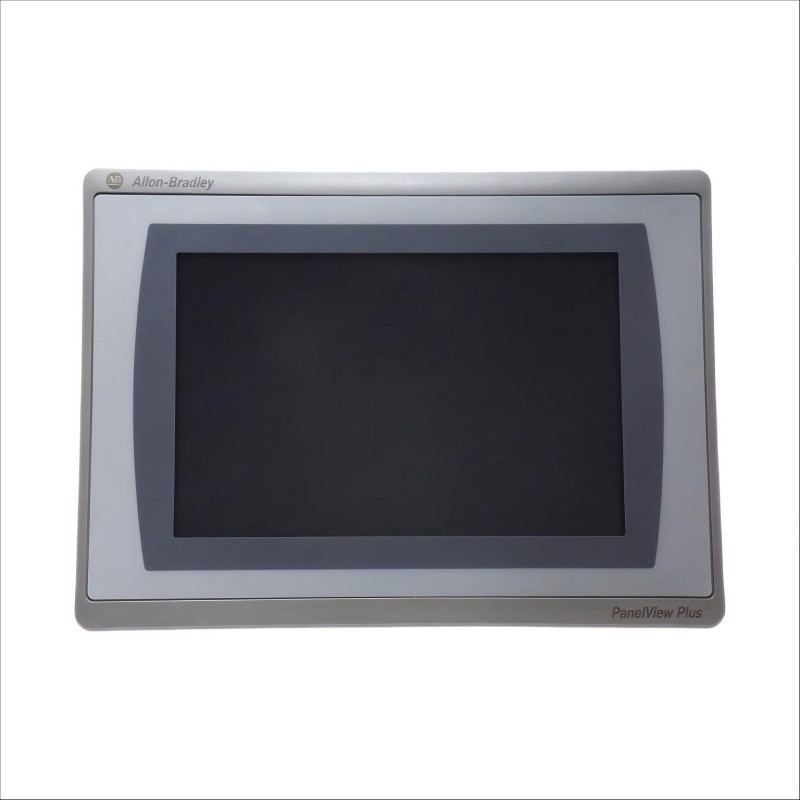
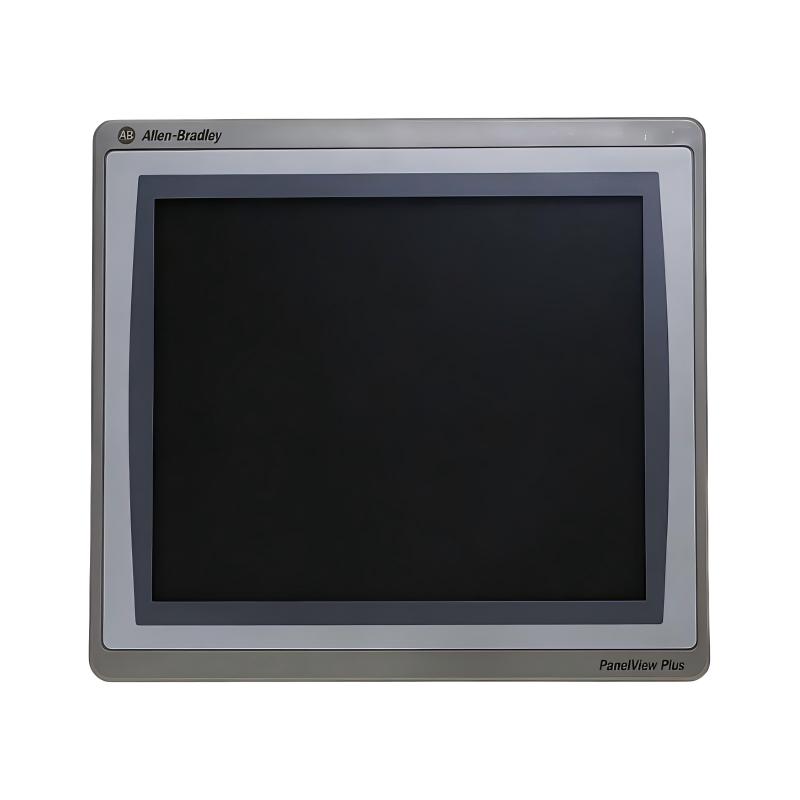
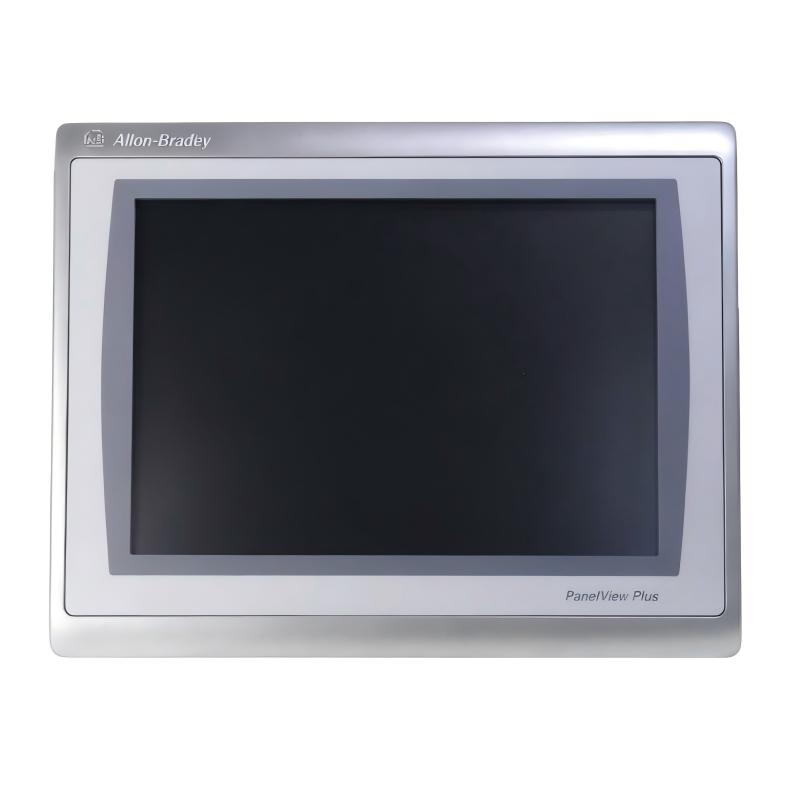
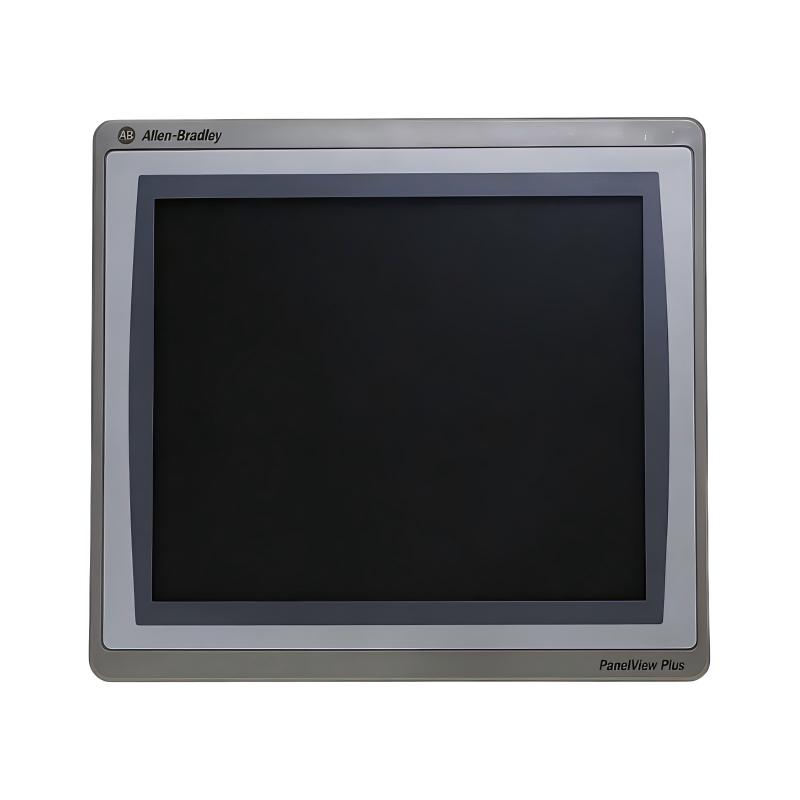
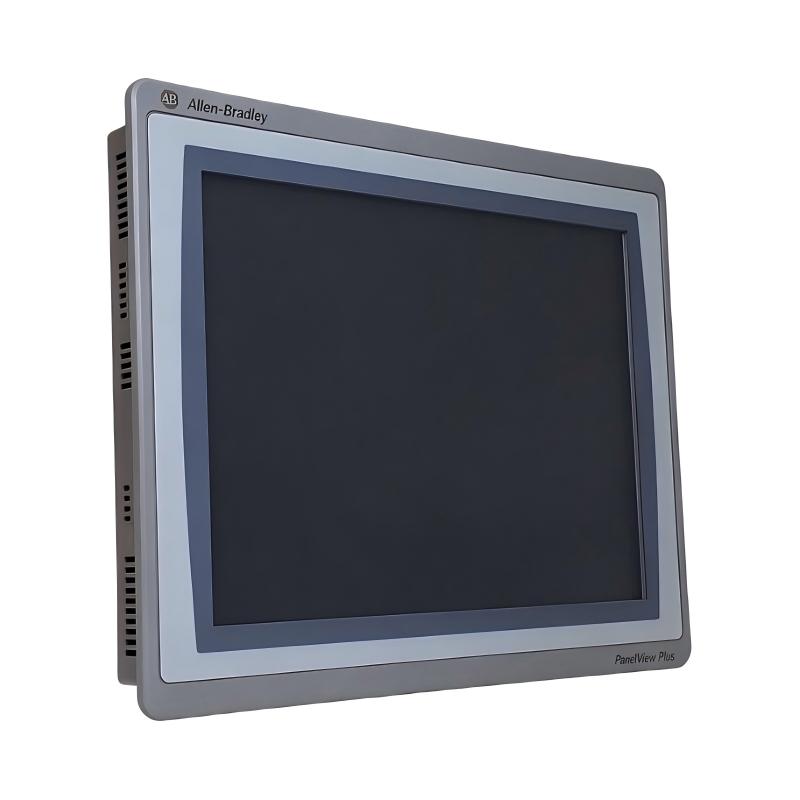
The Allen-Bradley 2711P-T15C22D8S PanelView Plus 7 Operator Interface is a 15-inch industrial human-machine interface (HMI) terminal designed to provide operators with access to machine information, process data, alarms, and equipment control functions. Manufactured by Rockwell Automation, this PanelView Plus 7 Standard terminal combines a color touchscreen with Ethernet connectivity for integration into industrial automation systems.
In modern manufacturing environments, operators need a clear and accessible way to interact with automated machinery. An HMI provides this connection between the control system and the person operating the equipment. Instead of relying entirely on physical switches and indicator lights, operators can use graphical screens to monitor machine conditions, review alarms, enter production parameters, and issue authorized commands.
The 2711P-T15C22D8S features a 15-inch TFT color touchscreen. Its display provides a larger operating area for machine graphics, process diagrams, equipment status indicators, and alarm information. This makes it suitable for applications where operators need to view multiple process conditions from a centralized station.
The terminal uses a 24 V DC power supply and supports Ethernet connectivity with Device Level Ring (DLR) functionality. It belongs to the PanelView Plus 7 Standard family and is designed to work with FactoryTalk View Machine Edition applications.
The device is commonly used in PLC-based automation systems where clear operator interaction and centralized process visualization are important. It can be installed on the front of an industrial control cabinet, providing convenient access to machine information without requiring operators to interact directly with the PLC hardware.
Technical Specifications
| Parameter | Specification |
|---|---|
| Brand | Allen-Bradley |
| Manufacturer | Rockwell Automation |
| Model | 2711P-T15C22D8S |
| Product Series | PanelView Plus 7 Standard |
| Product Type | Operator Interface / HMI Terminal |
| Display Size | 15 inches |
| Display Technology | Color TFT |
| Display Resolution | 1024 × 768 pixels |
| Touchscreen | Resistive touchscreen |
| Input Voltage | 24 V DC |
| Communication Interface | Ethernet with DLR |
| Operating System | Windows CE 6 |
| Application Software | FactoryTalk View Machine Edition |
| Mounting Type | Panel mounting |
| Terminal Height | 318 mm |
| Terminal Width | 381 mm |
| Terminal Depth | 56.5 mm |
| Dimensions Provided | 381 × 56.5 × 318 mm |
| Weight Provided | 3.07 kg |
| Product Status | Active in manufacturer catalog |
| Typical Application | Industrial machine monitoring and operator control |
Note: Confirm the terminal’s nameplate, hardware revision, and technical documentation when planning a replacement or system upgrade. Software compatibility and supported firmware can vary by terminal revision.
Function and Working Principle
The PanelView Plus 7 terminal functions as the operator-facing interface of an industrial automation system. It displays information received from connected controllers and allows operators to interact with the machine through configured graphical screens.
1. Process Visualization
The terminal presents process information in a graphical format. Depending on the application developed for the machine, the display can show equipment status, motor operation, production counters, process values, and alarm conditions.
A 15-inch display provides space for multiple graphical elements. Engineers can organize information into separate screens for machine overview, manual operation, production monitoring, and maintenance.
This arrangement helps operators understand machine conditions without navigating directly through controller programming software.
2. Touchscreen Operation
The touchscreen allows operators to interact with graphical controls displayed on the HMI. Typical interface elements include:
- Start and stop commands.
- Numeric parameter entry.
- Equipment status indicators.
- Alarm acknowledgment controls.
- Navigation buttons.
- Manual and automatic operating selections.
- Process value displays.
The actual functions depend on the FactoryTalk View application developed for the equipment.
Touchscreen commands should always be designed with appropriate permissions, interlocks, and confirmation logic. The HMI provides an operator interface, but safety-critical functions must be handled by suitable safety-related control equipment.
3. PLC Communication
The 2711P-T15C22D8S supports Ethernet connectivity and can exchange data with compatible controllers through the configured automation network.
In a typical installation, the PLC executes the machine-control logic while the HMI provides a graphical interface for operators. The terminal reads controller tags to display machine conditions and writes authorized values or commands when operators interact with the screens.
The communication configuration must match the PLC, network architecture, controller firmware, and application software.
4. Alarm and Event Display
Industrial machines may experience abnormal conditions such as motor overloads, sensor failures, communication interruptions, and process deviations.
An HMI application can display configured alarms and associated messages. Operators can use this information to identify the affected equipment and follow the appropriate troubleshooting procedure.
Alarm presentation should be designed carefully so that important conditions are easy to identify and unnecessary messages do not obscure critical information.
5. Operator Data Entry
The terminal can provide numeric and text-entry functions for authorized process parameters. Depending on the application, operators may enter production quantities, speed references, temperature settings, or other operating values.
Input ranges, access permissions, and validation logic should be configured to prevent incorrect entries from affecting machine operation.
Role in Industrial Control Systems
The 2711P-T15C22D8S is generally installed as the operator interface in a PLC-based control architecture. It connects the machine’s control logic with the people responsible for operation and monitoring.
PLC-Based Automation
A PLC receives signals from field devices, processes control logic, and operates outputs connected to machinery. The PanelView Plus 7 terminal provides a visual interface to selected PLC data.
For example, a PLC may control a conveyor motor while the HMI displays conveyor speed, running status, production count, and fault messages. An operator can select an authorized operating mode or enter a new production setting through the terminal.
The PLC remains responsible for executing the control program. The HMI does not replace the controller.
Industrial Ethernet Communication
The terminal supports Ethernet communication with DLR functionality. Device Level Ring is an Ethernet network topology designed to provide network resilience when configured with compatible devices and infrastructure.
In an appropriate network, ring-capable devices and a ring supervisor can help maintain communication following certain network-link interruptions. The actual network design must follow the requirements of the connected equipment.
Centralized Operator Monitoring
In larger machines or production lines, an HMI can serve as a central monitoring point. Operators can access several screens to review machine status, process conditions, and alarm information.
A well-designed interface can reduce the need to inspect individual control devices and help operators identify abnormal conditions more quickly.
Maintenance and Troubleshooting
Maintenance personnel can use HMI screens to review alarm messages, check equipment status, and observe process values made available by the PLC.
The quality of this information depends on the controller program and HMI application design. Clear alarm descriptions and well-organized diagnostic screens can make troubleshooting more efficient.
Industrial Applications
The PanelView Plus 7 15-inch operator interface can be used in a range of industrial automation environments where graphical monitoring and operator interaction are required.
1. Manufacturing Production Lines
Manufacturing lines often contain multiple machines, conveyors, motors, and sensors. An HMI can provide a centralized screen for monitoring production status and controlling authorized machine functions.
Operators may use the terminal to select operating modes, view production counts, and respond to equipment alarms.
2. Packaging Machinery
Packaging equipment requires coordination between feeding, filling, sealing, labeling, and conveying operations.
A 15-inch touchscreen provides space for displaying machine sections, production settings, and operating status. Operators can use the interface to monitor the production cycle and enter approved process parameters.
3. Material Handling Systems
Conveyors, transfer stations, and sorting equipment often operate as part of a coordinated automation system.
The terminal can display equipment availability, motor status, sensor conditions, and fault messages. It can also provide access to manual controls where the machine design permits them.
4. Water and Wastewater Treatment
Water treatment installations use pumps, valves, instruments, and control equipment to manage process operations.
An HMI can display tank levels, pump status, flow information, and alarm conditions when these values are provided by the connected control system.
The operator interface helps personnel review process conditions and issue authorized commands from a centralized station.
5. Energy and Utility Equipment
Industrial utility systems may use automated pumps, fans, compressors, and auxiliary machinery.
The PanelView Plus 7 terminal can provide a graphical overview of equipment operation, operating modes, and maintenance alarms. Its usefulness depends on the PLC program and the data made available to the HMI application.
6. Industrial Machine Control
Individual machines may require a dedicated operator panel for setup, operation, and troubleshooting.
The 15-inch screen offers a larger display area than compact HMI terminals, making it suitable for applications with several machine functions and multiple information screens.
Installation and System Integration
Proper installation helps ensure reliable operation and communication between the HMI and the connected automation system.
1. Panel Mounting
The supplied dimensions are 381 × 56.5 × 318 mm. The terminal is designed for panel mounting, with its display positioned on the front of the control cabinet.
Before cutting the panel, verify the manufacturer’s installation drawing and required cutout dimensions. The overall terminal dimensions are not the same as the panel cutout dimensions.
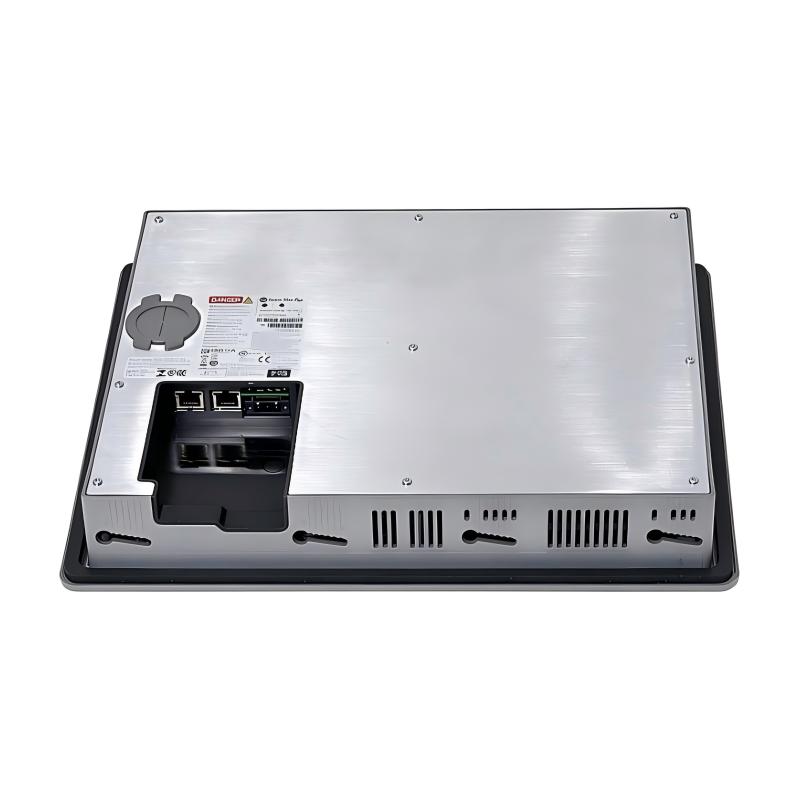
Provide adequate clearance behind the panel for connectors, cables, ventilation, and maintenance access.
2. Power Supply Connection
The 2711P-T15C22D8S uses a 24 V DC power supply.
Before connecting power, verify the supply voltage, polarity, grounding arrangement, and available current capacity. The power source should be suitable for industrial control equipment and comply with the manufacturer’s installation requirements.
Avoid connecting the terminal to an incompatible supply or using wiring that cannot support the required electrical load.
3. Ethernet Network Connection
Connect the HMI to the appropriate industrial Ethernet network using the designated communication port.
The network configuration should account for:
- IP address allocation.
- Subnet configuration.
- PLC communication settings.
- Ethernet cable specifications.
- Network topology.
- DLR configuration, if used.
- Switch and ring-supervisor compatibility.
For a DLR network, ensure that all connected devices and network components support the intended topology.
4. HMI Application Configuration
The terminal is designed to work with FactoryTalk View Machine Edition applications.
The application should be developed and tested using software versions compatible with the terminal’s hardware and firmware. Screen layouts, controller connections, alarm definitions, and operator permissions should be checked before deployment.
When replacing an existing terminal, back up the original application and configuration whenever possible.
5. PLC Communication Testing
After connecting the HMI to the PLC network, verify that the terminal can read and write the intended controller tags.
Test screen navigation, numeric entry, alarm display, status updates, and authorized operator commands. Confirm that communication-loss conditions are handled appropriately and that machine operation remains within the intended safety design.
6. Environmental Conditions
The terminal should be installed in an environment that meets its operating temperature, humidity, vibration, and enclosure requirements.
Avoid exposure to direct water, excessive dust, corrosive substances, or temperatures outside the manufacturer’s specified range. Where necessary, install the terminal in a suitably protected industrial cabinet.
Compatible System Components
The 2711P-T15C22D8S is typically used with other Rockwell Automation components and compatible industrial devices.
| Component | Function | Integration Considerations |
|---|---|---|
| ControlLogix PLC | Executes machine-control logic | Configure compatible Ethernet communication and controller tags |
| CompactLogix PLC | Provides machine and process control | Verify controller firmware and application compatibility |
| FactoryTalk View ME | Develops and manages HMI applications | Use a software version compatible with the terminal |
| Industrial Ethernet Switch | Connects network devices | Select equipment suitable for the required network topology |
| 24 V DC Power Supply | Provides operating power | Verify voltage, polarity, and current capacity |
| Ethernet Cable | Connects the HMI to the automation network | Use appropriate industrial-grade cable |
| Remote I/O Modules | Interface with field sensors and actuators | Access I/O data through the connected controller |
| Sensors and Transmitters | Provide process measurements | Configure PLC scaling and HMI display ranges |
| Industrial Drives | Control motor speed and operation | Display drive status and commands through PLC communication |
| Control Cabinet | Houses automation equipment | Provide suitable mounting, grounding, and environmental protection |
Compatibility depends on controller firmware, communication configuration, software versions, and the specific hardware installed in the automation system.
Alternative Models and Replacement Considerations
The PanelView Plus 7 family includes terminals with different screen sizes, display formats, and performance configurations. A replacement should be selected according to the original application and hardware requirements.
| Related Model | Product Type | Replacement Considerations |
|---|---|---|
| 2711P-T7C22D8S | PanelView Plus 7 Standard HMI | Smaller display; application screen redesign may be necessary |
| 2711P-T10C22D8S | PanelView Plus 7 Standard HMI | Different screen size and panel cutout |
| 2711P-T12W22D8S | PanelView Plus 7 Standard HMI | Different display format and physical dimensions |
| 2711P-T15C21D8S | PanelView Plus 7 Standard HMI | Similar screen size; compare communication and hardware configuration |
| 2711P-T15C22D9P | PanelView Plus 7 Performance HMI | Different product class and performance configuration |
Before replacing the 2711P-T15C22D8S, compare the following:
- Display size and resolution.
- Touchscreen technology.
- Input voltage and power requirements.
- Ethernet interface and network functionality.
- Application compatibility.
- Firmware version.
- Controller communication settings.
- Panel cutout and mounting dimensions.
- Environmental ratings.
- Required certifications.
A terminal with the same screen size is not necessarily a direct replacement. Hardware configuration, application compatibility, and network settings must be reviewed before installation.
Key Advantages
Large 15-Inch Display
The 15-inch color touchscreen provides a substantial viewing area for machine graphics, process diagrams, alarms, and operating information.
Touchscreen Operator Interaction
Operators can use graphical controls to navigate screens, enter values, and access authorized machine functions.
Ethernet Connectivity
The Ethernet interface supports communication with compatible industrial controllers and network devices.
Device Level Ring Support
DLR functionality supports ring-based Ethernet network architectures when configured with compatible network components.
FactoryTalk View ME Compatibility
The terminal supports applications developed for FactoryTalk View Machine Edition, allowing engineers to create customized operator screens and process displays.
Panel-Mounted Design
The terminal is designed for installation on industrial control panels, providing a front-facing interface for operators.
Integration with Rockwell Automation Systems
The device can be integrated into suitable Allen-Bradley PLC-based automation architectures, providing access to controller data and operator functions.
Technical FAQs
1. What is the Allen-Bradley 2711P-T15C22D8S?
It is a 15-inch PanelView Plus 7 Standard operator interface terminal designed for industrial HMI applications. It provides touchscreen operation, color process visualization, and Ethernet communication.
2. What is the screen size?
The terminal has a 15-inch color TFT display with a resolution of 1024 × 768 pixels.
3. What power supply does it require?
The 2711P-T15C22D8S uses a nominal 24 V DC power supply. Verify the permitted input range and wiring requirements in the product documentation.
4. Does this terminal support Ethernet communication?
Yes. It includes Ethernet connectivity and supports Device Level Ring functionality for compatible network configurations.
5. Which software is used to develop its HMI application?
The terminal is designed to work with FactoryTalk View Machine Edition. The development software version must be compatible with the terminal’s firmware and hardware configuration.
6. Can it communicate with a ControlLogix PLC?
Yes. It can communicate with compatible ControlLogix controllers through a properly configured Ethernet network. Controller tags and communication settings must be configured in the HMI application.
7. Can it be used with CompactLogix controllers?
Yes, provided the specific controller, firmware, communication settings, and HMI application are compatible.
8. What is the difference between PanelView Plus 7 Standard and Performance?
They are different product configurations within the PanelView Plus 7 family. They may differ in performance capabilities, hardware options, and supported functions. Check the complete catalog number rather than selecting by screen size alone.
9. What should be checked before replacing an existing HMI?
Confirm the full catalog number, hardware revision, screen dimensions, panel cutout, power supply, Ethernet configuration, firmware, and application compatibility. Back up the existing application before replacement whenever possible.
10. Is the 2711P-T15C22D8S still active?
Rockwell Automation’s product catalog currently identifies this model as Active. Buyers should still verify the hardware revision, firmware support, delivery status, and exact product condition when purchasing.
Procurement and Maintenance Recommendations
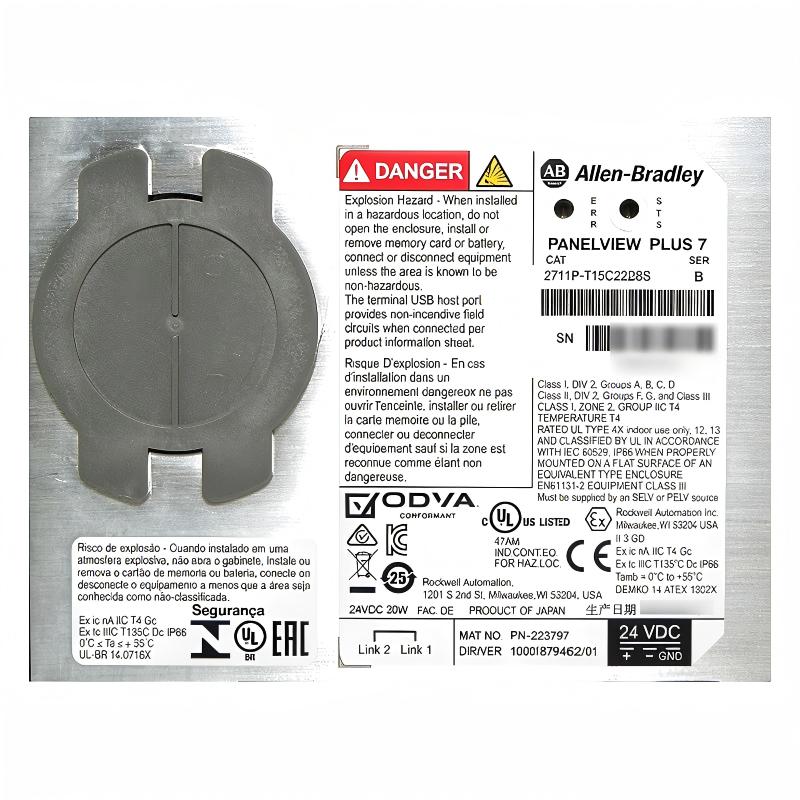
When purchasing the Allen-Bradley 2711P-T15C22D8S, verify the complete catalog number and compare it with the identification label on the installed terminal. Confirm that the unit is the Standard 15-inch touchscreen version with the required 24 V DC and DLR Ethernet configuration.
For replacement projects, request photographs of the front display, rear label, connectors, and mounting area. Check the screen for scratches, dead pixels, touch-response problems, and signs of physical damage. For used equipment, confirm the power-on condition and communication test results.
Before removing an existing HMI, back up its application and record the firmware version, controller connection settings, and network configuration. This information can reduce commissioning time when the replacement terminal is installed.
Routine maintenance should include checking the touchscreen surface, panel mounting, power connections, Ethernet cables, and cabinet ventilation. Keep the display clean using cleaning methods approved by the manufacturer. Avoid abrasive materials and unsuitable solvents.
For critical production equipment, maintain a verified backup of the HMI application and document any software changes. This helps maintenance personnel restore the intended interface configuration after a terminal replacement or system recovery.
Conclusion
The Allen-Bradley 2711P-T15C22D8S PanelView Plus 7 Operator Interface is a 15-inch industrial HMI terminal designed for operator monitoring and machine interaction. With its color TFT touchscreen, 24 V DC power input, and Ethernet connectivity with DLR support, it provides a practical interface for compatible PLC-based automation systems.
Its large display supports detailed process visualization, alarm presentation, and operator data entry. For installation and replacement projects, engineers should verify the complete catalog number, panel cutout, firmware, FactoryTalk View ME application, and controller communication settings to ensure reliable integration.