

ProductPRODUCT
Featured products
Contact Us
- Siemens
- 6AG1124-1QC02-4AX1
- SIPLUS HMI KP1200 Comfort
- Germany
- 483 × 310 × 75 mm
- 4.7kg
- Xiamen, China
- New & In Stock
- T/T, PayPal, Western Union
- 1 Year
- 1-3 Working Days
- DHL, UPS, TNT, FedEx and EMS.
- 24-Hour Service
- COO
- 8
Our advantage

Global Logistics
We have a 10-year logistics and express cooperation agreement, so our products can be shipped to any place in the world.

Brand new and original
Our products are imported in bulk from the place of origin. Because of the cooperative relationship, our products are all original and 100% new.

24-hour service
We provide 7*24 hours service to our customers. We will be there whenever you need us.

Price advantage
All our products are priced very favorably because we have our own warehouse and supply.
| Company Information | |||
| [email protected] | |||
| Mobile | +8615980777398 | ||
| +8615980777398 | |||
| 15980777398 |
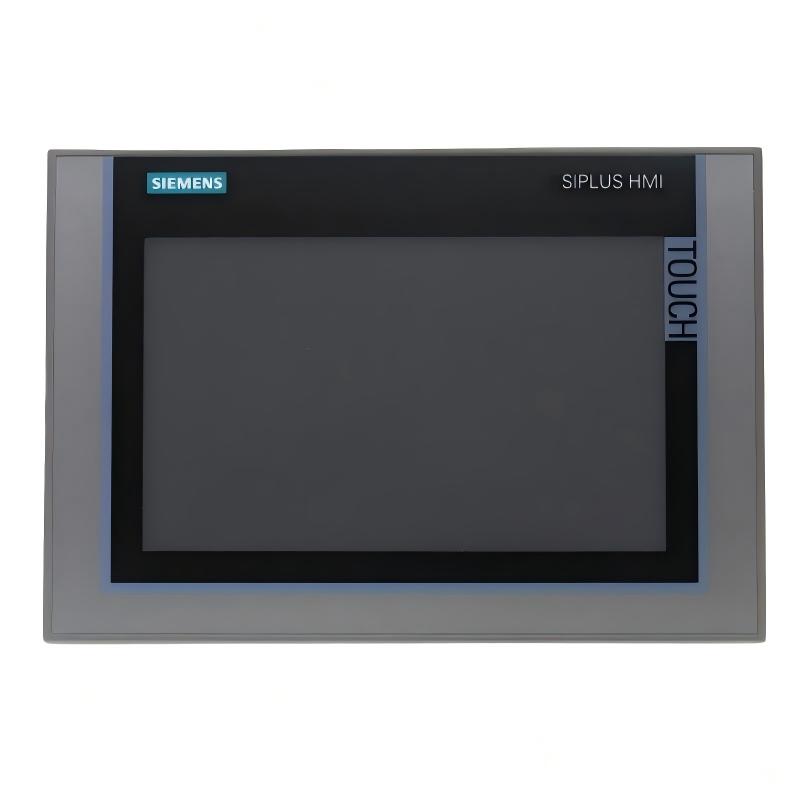
Siemens 6AG1124-1QC02-4AX1: Technical Specifications, Product Introduction, Applications, Advantages, and Related Models
1. Product Overview
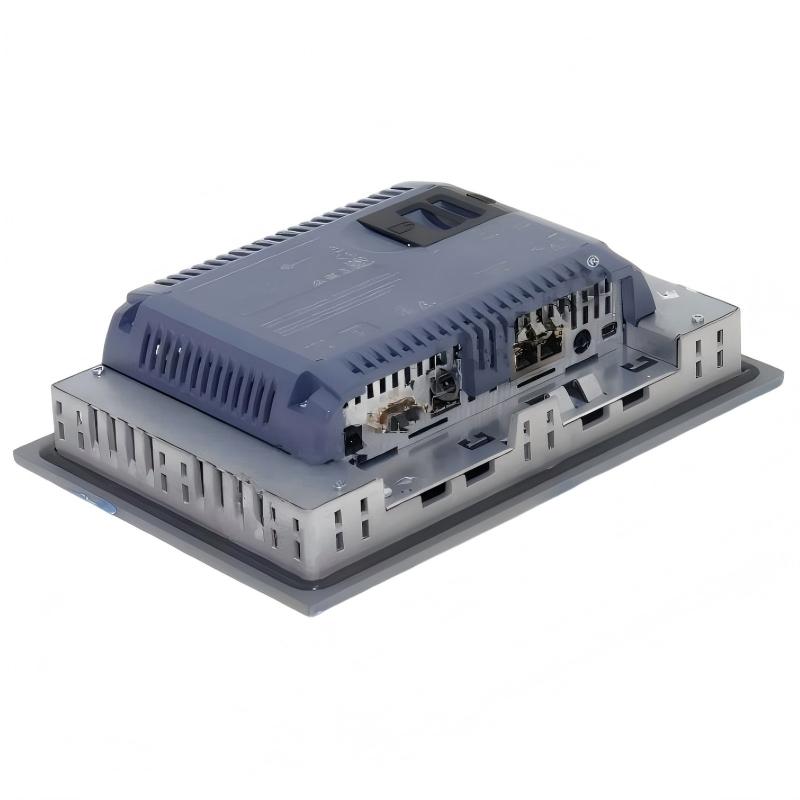
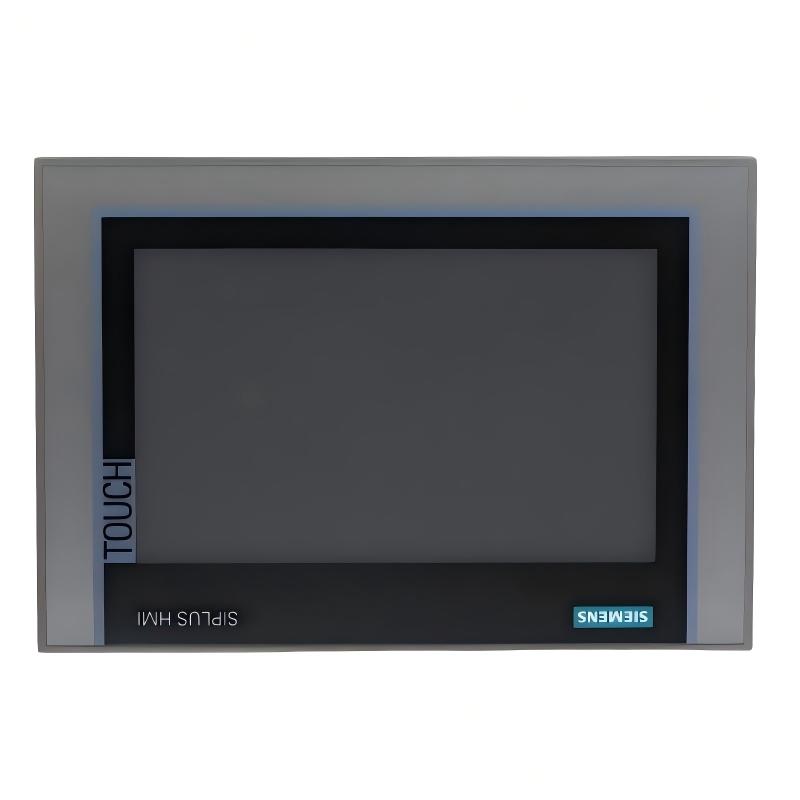
The Siemens 6AG1124-1QC02-4AX1 is a model in the SIPLUS industrial automation product range, associated with the SIMATIC HMI Comfort Panel family. This product category is designed to provide a visual and operational interface between machine operators and industrial control systems.
Human-machine interface (HMI) panels allow operators to monitor machine status, view process values, acknowledge alarms, enter production parameters, and interact with configured automation functions. They are commonly installed on control cabinets, production equipment, packaging machines, and centralized operator stations.
The complete order number is important because different panel variants can have different display sizes, operating methods, communication interfaces, environmental ratings, mounting dimensions, and software compatibility requirements.
For this particular model, the precise device configuration and order-code-specific technical data should be confirmed before procurement. I will distinguish between product-family characteristics and specifications that require verification rather than inventing electrical ratings, dimensions, or weight.
2. Brand and Product Series
| Item | Specification |
|---|---|
| Brand | Siemens |
| Product family | SIPLUS |
| Product series | SIPLUS Comfort Panels Standard |
| Underlying platform | SIMATIC HMI KP1500 Comfort |
| Full model number | 6AG1124-1QC02-4AX1 |
| Product type | Industrial HMI operator panel |
| Operation method | Physical keys |
| Display technology | Widescreen TFT color display |
| Screen diagonal | 15.4 inches |
| Display resolution | 1,280 × 800 pixels |
| Display colors | 16,777,216 colors |
| Programmable function keys | 36 |
| Nominal power supply | 24 V DC |
| User configuration memory | 24 MB |
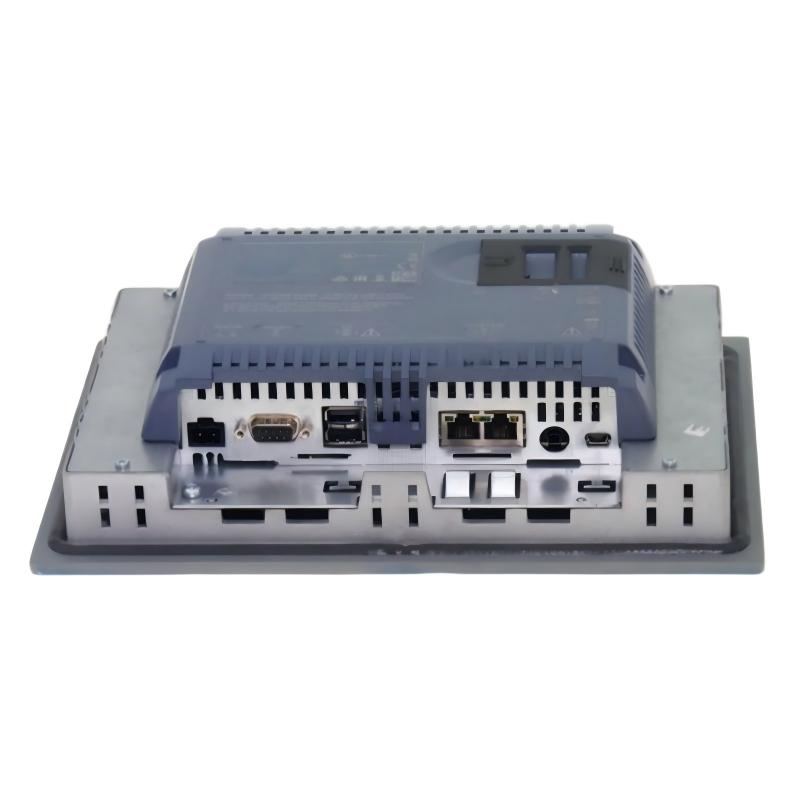
| Industrial Ethernet | 2 interfaces; one interface arrangement includes a two-port switch |
| USB interfaces | 2 × USB 2.0 |
| Front protection rating | IP65 |
| Rear protection rating | IP20 |
| Front enclosure material | Aluminum |
| Operating temperature | 0°C to +50°C for vertical installation under specified conditions |
| Overall dimensions (W × H × D) | 483 × 310 × 75 mm |
| Mounting cutout (W × H) | 450 × 291 mm |
| Net weight (kg) | 4.7 kg |
| Product configuration | SIPLUS version with conformal coating |
| Configuration software | WinCC Comfort in TIA Portal, with the required compatible version and support package |
3. Detailed Technical Parameters
The following table summarizes the main technical characteristics of the 6AG1124-1QC02-4AX1 for purchasing, engineering, and equipment-integration purposes.
| Parameter | Specification |
|---|---|
| Model number | 6AG1124-1QC02-4AX1 |
| Brand | Siemens |
| Product series | SIPLUS Comfort Panels Standard |
| Base model | SIMATIC HMI KP1500 Comfort |
| Device category | Industrial operator panel / HMI |
| Display technology | TFT color display |
| Screen diagonal | 15.4 inches |
| Aspect ratio | Widescreen |
| Horizontal resolution | 1,280 pixels |
| Vertical resolution | 800 pixels |
| Number of display colors | 16,777,216 |
| Operating method | Physical keypad and function keys |
| Programmable function keys | 36 |
| Function-key LEDs | Available on the designated function keys |
| System keys | 28 |
| Numeric keypad | Yes |
| Alphanumeric keypad | Yes |
| Nominal supply voltage | 24 V DC |
| Permissible supply range | 19.2–28.8 V DC |
| User configuration memory | 24 MB |
| Industrial Ethernet interfaces | 2 interfaces |
| Ethernet port arrangement | Includes a two-port switch arrangement |
| PROFINET | Supported |
| PROFIBUS | Supported |
| MPI | Supported |
| TCP/IP | Supported |
| EtherNet/IP | Supported |
| MODBUS | Supported, depending on the configured driver |
| USB interfaces | 2 × USB 2.0 |
| RS-485 interface | Available; confirm the precise interface assignment in the connection documentation |
| Front protection rating | IP65 |
| Rear protection rating | IP20 |
| Front enclosure material | Aluminum |
| Conformal coating | Included in the SIPLUS configuration |
| Operating temperature | 0°C to +50°C for vertical installation under specified conditions |
| Configuration software | WinCC Comfort in TIA Portal |
| Preinstalled operating system | Windows Embedded Compact 2013 |
| Mounting type | Panel-mounted |
| Front width | 483 mm |
| Front height | 310 mm |
| Mounting cutout width | 450 mm |
| Mounting cutout height | 291 mm |
| Overall depth | 75 mm |
| Overall dimensions (W × H × D) | 483 × 310 × 75 mm |
| Mounting cutout (W × H) | 450 × 291 mm |
| Net weight (kg) | 4.7 kg |
| Operating environment | Industrial automation environments within the specified limits |
3.1 Display and Resolution
The 15.4-inch widescreen display provides a substantial area for operator screens, alarm lists, machine diagrams, production statistics, and process values.
Its 1,280 × 800 resolution allows application designers to organize information into several visual sections. The actual readability of the interface depends on font sizes, color contrast, screen layout, and the distance between the operator and the panel.
The display supports 16,777,216 colors, allowing configured screens to use different colors for machine states, warnings, operating modes, and process indicators. Color should be used consistently so that operators can distinguish normal operation from abnormal conditions quickly.
3.2 Physical Keys and Operator Input
The KP1500 Comfort uses physical keys rather than relying entirely on touch input. It has 36 programmable function keys, with designated key LEDs, as well as system keys and numeric and alphanumeric keypads.
Function keys can be assigned to common actions in the HMI project, such as opening a screen, selecting an operating mode, or initiating an authorized command. The exact behavior of each key depends on the configured project.
Physical keys can be useful where operators wear gloves, need consistent tactile feedback, or repeatedly use a small number of predefined functions. Numeric and alphanumeric input also supports the entry of values, identifiers, and other operating information.
3.3 Power Supply
The panel uses a nominal 24 V DC supply, with a permissible range of 19.2–28.8 V DC.
The supply should be stable and appropriately sized for the panel and any connected equipment. Wiring, polarity, protective measures, and grounding should follow the installation requirements.
3.4 Communication Interfaces
The panel provides industrial Ethernet interfaces and USB connectivity. Its communication capabilities support integration with compatible automation controllers and industrial networks.
Supported protocols include PROFINET, PROFIBUS, MPI, TCP/IP, EtherNet/IP, and MODBUS, subject to the required driver, controller compatibility, and project configuration.
Protocol support does not mean that every controller can communicate with the panel without configuration. The HMI project, communication settings, controller firmware, and engineering software must all be compatible.
3.5 Protection and Environmental Suitability
The front of the panel has an IP65 protection rating, while the rear has an IP20 rating.
IP65 front protection is intended to protect against dust ingress and water jets under the conditions defined by the rating. It does not mean that the complete panel is waterproof or suitable for immersion.
The SIPLUS configuration includes a conformal coating intended for specified environmental conditions. The coating does not make the panel suitable for every corrosive, humid, or high-temperature environment. The permitted limits should be checked for the actual installation.
3.6 Dimensions and Weight
The panel has overall dimensions of 483 mm wide, 310 mm high, and 75 mm deep. The specified mounting cutout is 450 × 291 mm.
The front dimensions and mounting cutout are different measurements. The front is the visible panel surface, while the cutout is the opening required in the cabinet or machine enclosure.
The net weight is 4.7 kg. The cabinet door or mounting surface must be sufficiently rigid to support the panel, and the installation must allow clearance for connectors, cables, and maintenance access.
4. Product Introduction
The Siemens 6AG1124-1QC02-4AX1 is a SIPLUS KP1500 Comfort industrial operator panel designed for machine operation, process monitoring, and interaction with industrial automation systems.
The panel provides a visual interface between operators and the equipment controlled by a programmable logic controller (PLC) or another compatible automation controller. Instead of requiring operators to interact directly with controller hardware, the HMI presents machine information through configured screens, indicators, alarm messages, and input fields.
The 15.4-inch widescreen display gives the operator room to view several related pieces of information at once. A machine interface can display operating status, production counts, process values, alarm summaries, and navigation controls on a common screen. This is especially useful for equipment with multiple operating modes or a relatively complex sequence of operations.
The physical keypad distinguishes the KP1500 Comfort from touch-operated panels. Its 36 programmable function keys can be assigned to specific actions within the HMI project. Numeric and alphanumeric input makes it possible to enter values, identifiers, and operating parameters directly at the panel.
The product also provides communication interfaces for connecting to compatible automation equipment. Depending on the selected protocol and configured project, the HMI can exchange operating data with controllers, display process values, report alarms, and provide operator inputs.
The SIPLUS designation is relevant when evaluating environmental conditions. This model includes a conformal coating and is intended to operate within its specified environmental limits. It should still be installed according to its temperature, humidity, enclosure, and mounting requirements.
With a front size of 483 × 310 mm, a mounting cutout of 450 × 291 mm, and a depth of 75 mm, the panel is intended for installation in a suitably prepared control cabinet or machine enclosure. Its net weight of 4.7 kg should be included in mounting and handling calculations.
5. Main Applications
5.1 Industrial Machine Operation
The KP1500 Comfort can be used as the main operator interface on industrial machines. Operators can access operating screens, select authorized machine modes, enter parameters, and monitor machine status.
A well-designed HMI project can place frequently used functions on the main screen while keeping maintenance, configuration, and diagnostic functions on separate screens.
This arrangement helps operators work through routine production tasks without having to navigate through unnecessary menus.
5.2 Production-Line Monitoring
On a production line, the panel can display machine readiness, cycle status, production counts, warnings, and operating conditions.
The large display is useful when operators need to monitor multiple equipment sections or process values simultaneously. For example, a production overview might combine current operating mode, output count, fault status, and selected process parameters.
The quality of the displayed information depends on the data made available by the connected controller and the structure of the HMI project.
5.3 Packaging Machinery
Packaging equipment frequently involves coordinated feeding, filling, sealing, cutting, and conveying operations.
An HMI can provide operating screens for selecting product formats, entering approved settings, monitoring cycle progress, and acknowledging alarms. Physical function keys may be useful for common operator actions that must be easy to repeat.
Recipe functions can also help organize sets of parameters for different product formats. Appropriate access control and validation should be implemented to prevent unauthorized or invalid settings.
5.4 Process Monitoring
The panel can be configured to display process variables such as temperature, pressure, flow, speed, level, and equipment status, provided the corresponding data is available from the control system.
Operators can use these displays to observe process conditions and identify deviations from normal operation. The HMI itself is primarily the visualization and operator-interaction layer; the underlying control functions remain the responsibility of the configured automation system.
5.5 Alarm and Fault Management
Alarm handling is an important function in industrial operator interfaces.
The panel can display configured messages, fault conditions, warnings, and alarm histories where supported by the project. Operators can review available information, acknowledge alarms, and navigate to relevant diagnostic screens.
A clear alarm strategy should distinguish between warnings, faults, and conditions requiring immediate attention. Consistent message wording and sensible priorities can reduce troubleshooting time.
5.6 Recipe and Production-Format Management
Machines that manufacture several products often require different sets of operating parameters.
Recipe functions allow groups of settings to be organized and selected as needed. Depending on the application, these settings may include product identifiers, machine speeds, process targets, timing values, or other approved parameters.
The HMI project should include appropriate validation, access permissions, and confirmation steps for settings that could affect product quality or equipment operation.
5.7 Maintenance and Diagnostics
The panel can provide dedicated screens for maintenance personnel. These may include device status, operating hours, fault information, communication states, and diagnostic messages.
Such information can help technicians narrow down the source of a problem before carrying out physical inspections. The available diagnostic detail depends on the connected controller, device configuration, and programming of the application.
5.8 Material Handling and Logistics Equipment
Conveyors, transfer stations, pallet-handling equipment, and automated loading systems can benefit from a centralized operator interface.
The HMI may display equipment readiness, movement sequences, sensor states, and alarm conditions. Where several machine sections operate together, a summary screen can help operators understand the overall state of the line.
5.9 Utility and Infrastructure Systems
In suitable installations, the panel can be used to monitor pumps, valves, tanks, fans, and other equipment.
A configured interface may present equipment status, operating values, alarms, and permitted control commands. The system designer must ensure that safety-related functions are implemented in the appropriate hardware and control architecture rather than relying on the HMI alone.
6. Product Advantages
6.1 Large Widescreen Display
The 15.4-inch display provides a broad workspace for complex operating screens.
Compared with a smaller panel, it can accommodate more process values, larger navigation elements, alarm summaries, and equipment diagrams. This can reduce the need to move repeatedly between screens when monitoring several related machine conditions.
6.2 Physical Function Keys
The panel has 36 programmable function keys, with designated LEDs for visual feedback.
Physical keys provide tactile input and can be assigned to frequent operating tasks. They can be particularly useful in applications where operators wear gloves or prefer clearly defined key locations.
The LEDs can provide state indications when configured appropriately, helping operators recognize selected functions or operating conditions.
6.3 Numeric and Alphanumeric Input
The integrated keypad supports entry of numerical values and alphanumeric information.
This is useful when operators need to enter setpoints, select identifiers, or provide other information without depending entirely on an on-screen keyboard.
Input validation should still be handled in the HMI project and control system, particularly for parameters that affect machine behavior.
6.4 Industrial Communication Support
The panel supports several industrial communication protocols, including PROFINET, PROFIBUS, MPI, TCP/IP, EtherNet/IP, and MODBUS, subject to compatible drivers and configuration.
This can make it suitable for a range of automation architectures. However, protocol support must be checked against the actual controller, engineering software, and HMI project before installation.
6.5 Front Protection for Industrial Installation
The IP65 front protection rating is useful for panel-mounted equipment exposed to dust or water jets under the specified conditions.
The rear is rated IP20 and therefore requires a suitable protected installation environment. Correct mounting, sealing, and cabinet design are necessary to achieve the intended protection.
6.6 Conformal Coating
The SIPLUS version includes a conformal coating intended to provide additional suitability for specified environmental conditions.
This can be relevant when choosing equipment for installations where environmental exposure is an important selection factor. The coating does not eliminate the need to follow the rated operating conditions or protect the panel from unsuitable environments.
6.7 Integration with HMI Engineering Software
The KP1500 Comfort can be configured using a compatible WinCC Comfort engineering environment.
The project defines the screens, navigation, communication settings, alarms, recipes, and operator actions. This allows the panel to be adapted to the requirements of a particular machine rather than forcing the machine to use a fixed interface.
Compatibility with the existing project and engineering software version should be confirmed before replacing an installed panel.
6.8 Practical Installation Dimensions
The 483 × 310 mm front dimensions and 450 × 291 mm mounting cutout provide a defined mechanical interface for cabinet design.
The 75 mm overall depth should be considered when planning clearance behind the panel, particularly around connectors, cables, and adjacent equipment.
6.9 Moderate Weight for Panel-Mounted Equipment
The panel’s net weight of 4.7 kg makes it manageable for industrial panel installation with suitable handling procedures.
The mounting surface must nevertheless be sufficiently rigid, and the installation should account for vibration, cabinet-door movement, cable loading, and repeated operation of the physical keys.
6.10 Structured Operator Workflows
The combination of a large screen and physical keys supports a structured operator workflow.
Frequently used functions can be assigned to dedicated keys, while detailed process information and maintenance functions can be organized on separate screens. A well-designed interface can help operators complete routine tasks more consistently and find relevant information more quickly.
7. Five Related Models from the Same Series
The following models belong to the SIPLUS Comfort Panels Standard family or are closely related to the KP1500 Comfort platform. They offer alternatives for different display sizes and operating methods.
The complete order number matters: models from the same family may have different screen dimensions, interfaces, mounting requirements, and environmental specifications.
| Model | Product designation | Display size | Resolution | Operation method | Front dimensions (W × H) | Net weight (kg) |
|---|---|---|---|---|---|---|
| 6AG1124-1GC01-4AX0 | SIPLUS KP700 Comfort | 7 inches | Verify exact variant | Physical keys | Verify exact drawing | Verify exact data |
| 6AG1124-1JC01-4AX0 | SIPLUS KP900 Comfort | 9 inches | Verify exact variant | Physical keys | Verify exact drawing | Verify exact data |
| 6AG1124-1MC01-4AX0 | SIPLUS KP1200 Comfort | 12.1 inches | Verify exact variant | Physical keys | Verify exact drawing | Verify exact data |
| 6AG1124-1QC02-4AX1 | SIPLUS KP1500 Comfort | 15.4 inches | 1,280 × 800 | Physical keys | 483 × 310 mm | 4.7 |
| 6AG1124-0QC02-4AX1 | SIPLUS TP1500 Comfort | 15 inches class | Verify exact variant | Touch operation | Verify exact drawing | Verify exact data |
7.1 6AG1124-1GC01-4AX0 — KP700 Comfort
The KP700 Comfort is a smaller operator panel option for machines with relatively compact operating screens.
It may be suitable when the operator needs access to basic status information, common controls, and alarm messages without requiring a large display area. The smaller panel can also help when cabinet-front space is limited.
Before selecting it, consider whether the application can display all necessary information clearly on the smaller screen.
7.2 6AG1124-1JC01-4AX0 — KP900 Comfort
The KP900 Comfort offers a larger display class than the KP700.
It can be considered for applications that need additional room for process values, alarms, operating modes, and navigation. It may provide a practical compromise between cabinet space and display area, depending on the machine’s interface requirements.
7.3 6AG1124-1MC01-4AX0 — KP1200 Comfort
The KP1200 Comfort is a related keypad-operated panel with a 12.1-inch display class.
It may suit machines that need a substantial operator interface but do not require the larger KP1500 front dimensions. The correct selection depends on the existing mounting opening, required screen layout, and communication configuration.
7.4 6AG1124-1QC02-4AX1 — KP1500 Comfort
This is the model covered in this document.
Its 15.4-inch widescreen display, 36 programmable function keys, numeric and alphanumeric input, industrial interfaces, and conformal coating make it a candidate for applications that need a relatively large physical-key operator panel.
7.5 6AG1124-0QC02-4AX1 — TP1500 Comfort
The TP1500 Comfort is a closely related touch-operated alternative.
It may be appropriate when operators prefer direct on-screen interaction rather than dedicated physical keys. Switching from a keypad panel to a touch panel may require changes to the HMI project and operating workflow, so the software and mechanical interfaces should be checked before making a substitution.
8. Five Additional Popular Models from the Same Brand
The following products provide additional comparison options across the industrial operator-panel range. They are useful for evaluating different display sizes, operating methods, and installation requirements.
| Model | Product family | Main application | Key technical characteristics | Dimensions (W × H × D) | Net weight (kg) |
|---|---|---|---|---|---|
| 6AV2124-1QC02-0AX1 | SIMATIC HMI KP1500 Comfort | Large keypad-operated operator interface | 15.4-inch display class; physical keys | Verify exact drawing | Verify exact data |
| 6AV2124-0QC02-0AX1 | SIMATIC HMI TP1500 Comfort | Large touch-operated interface | 15-inch class; touch operation | Verify exact drawing | Verify exact data |
| 6AV2124-1MC01-0AX0 | SIMATIC HMI KP1200 Comfort | Mid-to-large keypad-operated interface | 12.1-inch class; physical keys | Verify exact drawing | Verify exact data |
| 6AV2124-0MC01-0AX0 | SIMATIC HMI TP1200 Comfort | Touch-based machine operation | 12.1-inch class; touch operation | Verify exact drawing | Verify exact data |
| 6AV2124-1JC01-0AX0 | SIMATIC HMI KP900 Comfort | Compact operator interface | 9-inch class; physical keys | Verify exact drawing | Verify exact data |
These are comparison candidates rather than guaranteed replacements. The 6AG1124 models are SIPLUS variants, while the 6AV2124 models belong to the corresponding SIMATIC HMI family. Environmental specifications and individual hardware configurations may differ.
If the existing installation specifically requires the SIPLUS environmental configuration, replacing it with a standard variant should only be considered after checking the actual operating conditions and technical requirements.
9. Installation and Selection Considerations
9.1 Confirm the Exact Model Number
The complete model number should be checked against the device label and the original project documentation.
This is especially important when replacing an existing HMI. A panel with a similar screen size may have a different communication interface, engineering requirement, environmental rating, or mounting cutout.
9.2 Check the HMI Project and Software Version
The panel’s compatibility with the engineering software and the existing HMI project should be confirmed before purchase.
Check the configured device type, project version, supported runtime functions, communication drivers, alarms, recipes, and any required support packages. A replacement panel may require project conversion or a configuration update.
9.3 Verify Controller Communication
The panel’s supported protocols must match the communication requirements of the connected controller.
Confirm the physical interface, network configuration, communication driver, controller firmware, and addressing scheme. A protocol listed as supported does not guarantee that the panel will communicate with every controller without configuration.
9.4 Prepare the Cabinet Opening
The specified front dimensions are 483 × 310 mm, and the mounting cutout is 450 × 291 mm.
The panel depth is 75 mm. Allow sufficient space behind the cabinet front for the body, connectors, cable bends, mounting clips, and maintenance access.
If the panel is being installed in a cabinet door, ensure that the door structure can support the panel and that cables will not be strained when the door opens or closes.
9.5 Consider Environmental Conditions
The front is rated IP65 and the rear IP20.
The rear of the unit must be installed in a suitable protected environment. If the panel will be exposed to condensation, aggressive cleaning, chemicals, unusual humidity, or high temperatures, confirm that these conditions fall within its specified operating limits.
The conformal coating provides additional environmental suitability only within the conditions specified for the product.
9.6 Check the Power Supply
The nominal supply voltage is 24 V DC, with a permissible range of 19.2–28.8 V DC.
The supply must remain within the permitted range under actual operating conditions. Wiring, polarity, grounding, and electrical protection should be checked before energizing the panel.
9.7 Plan for Maintenance and Backup
Before replacing an installed HMI, preserve the original project and relevant configuration details.
Record the communication settings, controller connection, alarm configuration, recipe data, and any project-specific functions. This helps reduce commissioning time and makes it easier to restore the original operating behavior.
9.8 Account for Weight and Handling
The net weight is 4.7 kg. Include this value when checking the mounting structure and planning installation.
The packaging weight may be different from the net weight, so transport and shipping calculations should use the appropriate packaged value.
10. Technical Comparison Checklist
Use this checklist when comparing the KP1500 Comfort with another operator panel.
| Comparison item | Specification for the target model | Why it matters |
|---|---|---|
| Full model number | 6AG1124-1QC02-4AX1 | Identifies the exact hardware configuration |
| Product series | SIPLUS Comfort Panels Standard | Establishes the product family |
| Screen size | 15.4 inches | Determines the available display area |
| Resolution | 1,280 × 800 pixels | Affects screen layout and readability |
| Operation method | Physical keys | Determines the operator input method |
| Function keys | 36 programmable keys | Supports dedicated machine functions |
| Supply voltage | 24 V DC nominal | Determines the power-supply requirement |
| Configuration memory | 24 MB | Relevant to project and user-data requirements |
| Ethernet | 2 interfaces | Important for network integration |
| USB | 2 × USB 2.0 | Supports compatible peripherals and service tasks |
| Front protection | IP65 | Relevant to dust and water-jet exposure |
| Rear protection | IP20 | Requires a suitable protected installation environment |
| Operating temperature | 0°C to +50°C for vertical installation under specified conditions | Determines environmental suitability |
| Overall dimensions | 483 × 310 × 75 mm | Confirms physical clearance |
| Mounting cutout | 450 × 291 mm | Determines the cabinet opening |
| Net weight | 4.7 kg | Supports mounting and handling planning |
| Engineering software | Compatible WinCC Comfort environment | Determines project compatibility |
| Controller protocol | Must match the connected controller | Ensures communication compatibility |
11. Summary of the Main Specifications
| Item | Specification |
|---|---|
| Model | 6AG1124-1QC02-4AX1 |
| Brand | Siemens |
| Product family | SIPLUS |
| Series | SIPLUS Comfort Panels Standard |
| Product designation | KP1500 Comfort |
| Device category | Industrial HMI operator panel |
| Display | 15.4-inch widescreen TFT |
| Resolution | 1,280 × 800 pixels |
| Display colors | 16,777,216 |
| Operation | Physical keypad and function keys |
| Programmable function keys | 36 |
| Nominal supply | 24 V DC |
| Permissible supply range | 19.2–28.8 V DC |
| User configuration memory | 24 MB |
| Industrial Ethernet | 2 interfaces |
| USB | 2 × USB 2.0 |
| Communication protocols | Includes PROFINET, PROFIBUS, MPI, TCP/IP, EtherNet/IP, and MODBUS, subject to configuration |
| Front protection | IP65 |
| Rear protection | IP20 |
| Conformal coating | Included |
| Front material | Aluminum |
| Overall dimensions (W × H × D) | 483 × 310 × 75 mm |
| Mounting cutout (W × H) | 450 × 291 mm |
| Net weight (kg) | 4.7 kg |
| Operating temperature | 0°C to +50°C for vertical installation under specified conditions |
| Main applications | Machine operation, process monitoring, alarm management, recipe handling, and industrial automation |
12. Final Assessment
The Siemens 6AG1124-1QC02-4AX1 is a keypad-operated SIPLUS KP1500 Comfort HMI panel intended for industrial machine operation and monitoring.
Its 15.4-inch widescreen display provides room for detailed operating screens, while the 36 programmable function keys and numeric and alphanumeric keypads support direct operator input. Industrial Ethernet, USB connectivity, and support for several communication protocols make it a candidate for integration into compatible automation systems.
The conformal coating and specified environmental characteristics are relevant when choosing equipment for industrial installations. However, the front and rear have different protection ratings, and the panel must be installed within its permitted environmental limits.
The key mechanical specifications are an overall size of 483 × 310 × 75 mm, a mounting cutout of 450 × 291 mm, and a net weight of 4.7 kg.
For replacement or new installations, confirm the complete order number, controller compatibility, engineering software version, mounting dimensions, power supply, and environmental requirements. The KP700, KP900, KP1200, and TP1500 variants offer alternatives for different screen sizes and operating methods, but they should only be selected after their electrical, mechanical, and environmental specifications have been compared with the actual application.