

ProductPRODUCT
Featured products

Contact Us
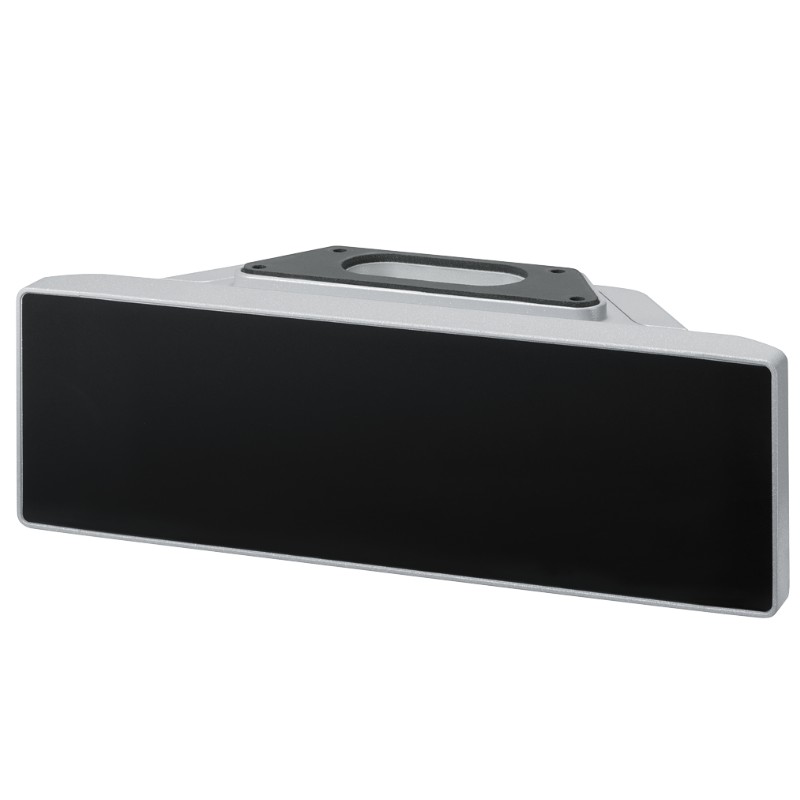
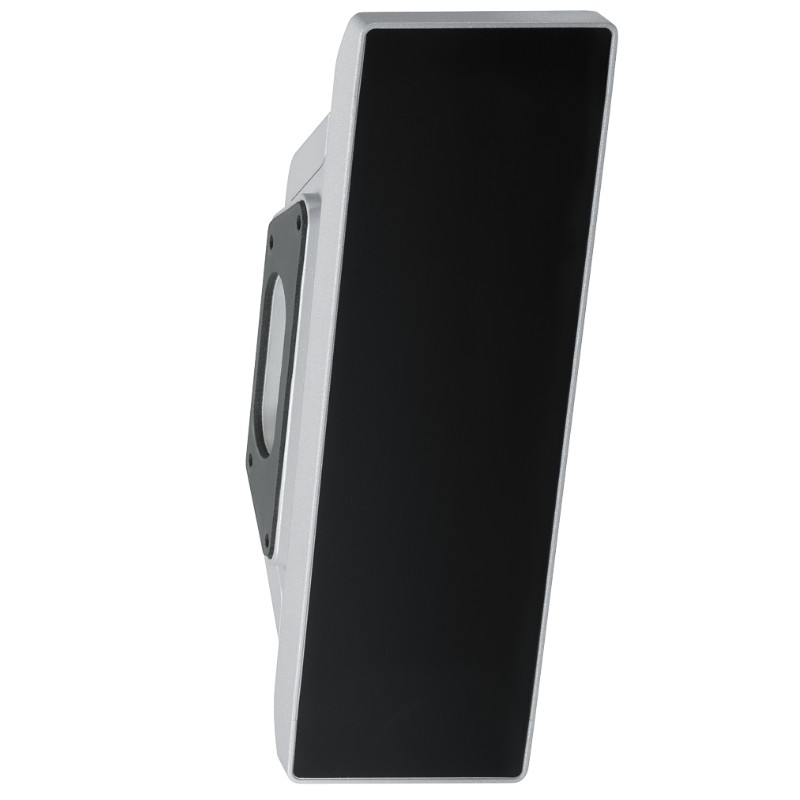
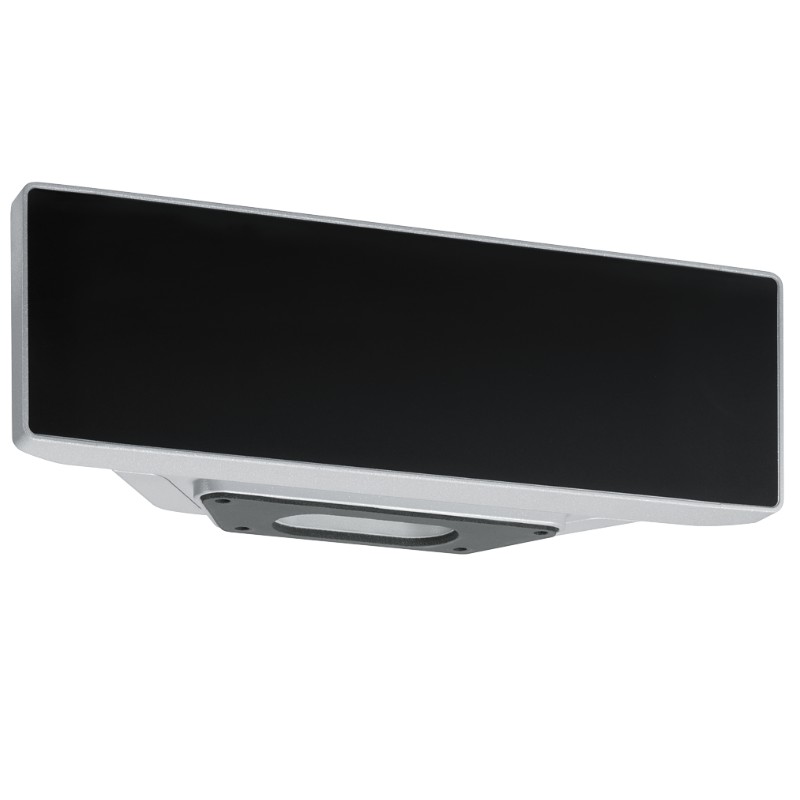
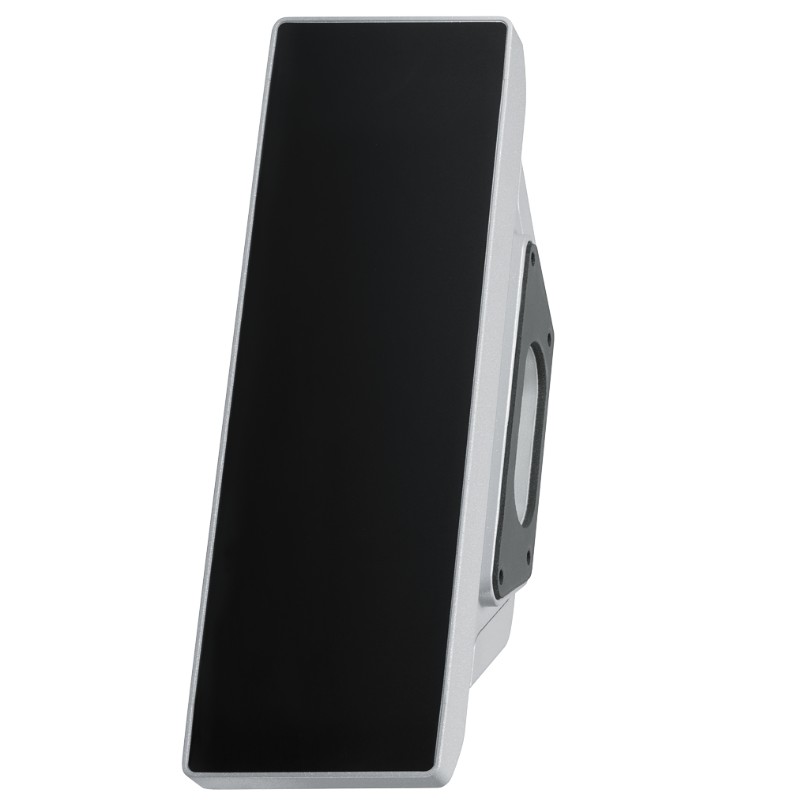
- Siemens
- 6AV7674-1LA31-0AA0
- Extension Unit 12" Hardwired
- Germany
- 313 × 99 × 100.65 mm
- 2.19 kg
- Xiamen, China
- New & In Stock
- T/T, PayPal, Western Union
- 1 Year
- 1-3 Working Days
- DHL, UPS, TNT, FedEx and EMS.
- 24-Hour Service
- COO
- 8
Our advantage

Global Logistics
We have a 10-year logistics and express cooperation agreement, so our products can be shipped to any place in the world.

Brand new and original
Our products are imported in bulk from the place of origin. Because of the cooperative relationship, our products are all original and 100% new.

24-hour service
We provide 7*24 hours service to our customers. We will be there whenever you need us.

Price advantage
All our products are priced very favorably because we have our own warehouse and supply.
| Company Information | |||
| [email protected] | |||
| Mobile | +8615980777398 | ||
| +8615980777398 | |||
| 15980777398 |
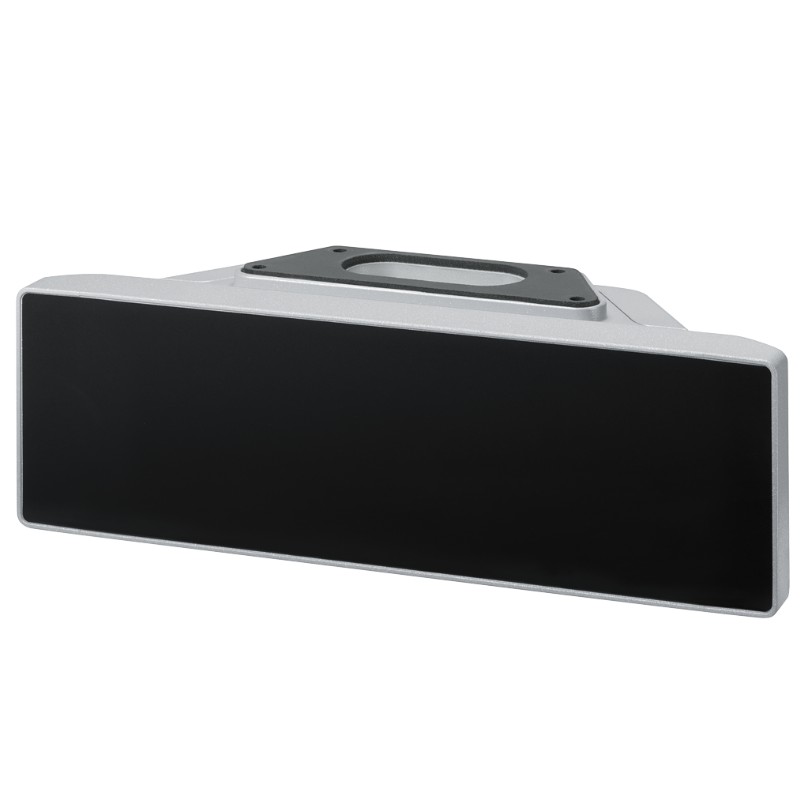
Product Overview
The Siemens 6AV7674-1LA31-0AA0 Extension Unit 12″ Hardwired is an operator control unit for compatible 16:9 SIMATIC HMI PRO devices. It combines physical operating elements with direct hardwired connections, allowing machine builders to add dedicated controls alongside the HMI touchscreen.
In industrial production, touchscreen operation is useful for displaying process values, selecting recipes, and navigating machine settings. However, certain commands are better handled through physical controls. An emergency stop, an illuminated pushbutton, or a selector switch gives the operator a dedicated interface that can be identified and operated without navigating through an HMI screen.
The 12-inch Extension Unit is installed beneath a compatible HMI/IPC PRO device, creating a consolidated operator station. This arrangement is useful on packaging equipment, automated assembly lines, material handling systems, and machine tools where operators need access to both screen-based information and physical controls.
The main distinction between this model and the 6AV7674-1LA30-0AA0 Extension Unit Box 12″ is its functional configuration. The box version is an empty enclosure intended for customer-specific components, whereas the 6AV7674-1LA31-0AA0 is a configured Extension Unit with operating elements and electrical connection hardware. It is therefore selected according to the required operator interface and wiring arrangement, rather than simply as additional enclosure space.
The Hardwired designation refers to the signal connection method. The I/O signals are connected directly to the plant or machine control system instead of being transmitted through PROFINET as in the corresponding PROFINET variant. This arrangement is relevant when the machine’s electrical design calls for direct field wiring between the operator controls and the control cabinet.
The unit also incorporates connections for its LED module, control-element contacts, and safety-related emergency-stop contacts. These connections must be integrated into the machine’s electrical design according to the applicable wiring and safety requirements. Installing the Extension Unit does not, by itself, establish a complete safety function; the emergency-stop circuit and its evaluation depend on the connected safety architecture.
For machine builders and maintenance engineers, the key selection factors are the HMI mounting interface, the required physical controls, the direct-wiring arrangement, and the way emergency-stop signals are handled by the machine controller or safety system.
Technical Specifications
| Parameter | Specification |
|---|---|
| Manufacturer | Siemens |
| Model | 6AV7674-1LA31-0AA0 |
| Product Type | Extension Unit 12″ Hardwired |
| Product Family | SIMATIC HMI Extension Units and Operator Controls |
| Product Category | HMI Operator Control Unit |
| Primary Function | Adds physical operator controls to a compatible HMI PRO installation |
| Connection Type | Hardwired |
| Signal Connection Method | I/O signals connected directly to the plant |
| Compatible Mounting Arrangement | Lower part of a compatible 16:9 HMI/IPC PRO device |
| LED Module Connection | 12-pin connector |
| Control-Element Contact Connection | 16-pin connector |
| Safety-Related Contact Connection | 8-pin connector for emergency-stop contacts |
| Cable Length | 30 m |
| Enclosure Material | Aluminum |
| Front Enclosure Material | Aluminum |
| Ambient Relative Humidity | Up to 90%, non-condensing |
| Scope of Supply | Extension Unit with connectors required for customer interfaces |
| Dimensions | 313 × 99 × 100.65 mm |
| Weight | 2.19 kg |
Product Features
- Direct hardwired I/O: Connects operator-control signals directly to the machine or plant wiring system.
- Dedicated physical controls: Adds hands-on operation alongside the touchscreen interface of a compatible HMI PRO device.
- Separate LED module connection: Uses a 12-pin connector for the LED module.
- Control-element wiring: Uses a 16-pin connector for the contacts of the operating elements.
- Emergency-stop connection: Provides an 8-pin connection for the safety-related emergency-stop contacts.
- Aluminum enclosure: Provides the specified metal construction for the operator-control unit.
- Integrated HMI mounting: Fits beneath the corresponding 16:9 HMI/IPC PRO device.
- Extended wiring reach: The specified 30 m cable length supports connection planning between the operator station and the control installation.
- Industrial operator interface: Combines physical controls and the HMI in one mounting arrangement.
- Defined connection architecture: Separates LED module, control-element, and safety-related contact connections for system integration.
Working Principle
The 6AV7674-1LA31-0AA0 converts physical operator actions into electrical signals that can be connected to the machine’s control and safety circuits. Unlike a passive mounting enclosure, it contains operating elements and connection hardware that form part of the machine’s operator interface.
Operator Action → Physical Control Element → Hardwired Contact → Machine I/O or Safety Circuit → Control Response
When an operator presses a pushbutton or changes a selector switch, the corresponding contact changes state. The signal travels through the direct-wiring connection to the assigned input or control circuit. The machine controller then processes the signal according to the configured control logic.
The LED module has a separate 12-pin connection, allowing its electrical signals to be integrated into the relevant control arrangement. Depending on the configured application, illuminated controls can provide visual feedback about operating states or commands. Their exact behavior depends on the installed control elements and the machine’s wiring.
Emergency-stop contacts use the dedicated 8-pin connection. These contacts must be wired into an appropriate safety-related circuit and evaluated by the required safety equipment. A software indication on the HMI is not a substitute for a properly implemented emergency-stop function.
The 16-pin control-element connection carries the contacts associated with the unit’s operating elements. During commissioning, each contact must be identified and checked against the electrical drawings to ensure that commands reach the intended inputs.
Because this is a hardwired unit, its integration differs from a PROFINET version. The relevant field signals are connected directly to the plant wiring, so cable routing, terminal identification, electrical protection, and control-cabinet I/O allocation need to be planned before installation.
Role in a Siemens SIMATIC HMI PRO Control Architecture
The Extension Unit forms the physical control layer of the operator station. It complements the HMI, which handles screen-based visualization and interaction, by supplying dedicated operating elements with direct electrical connections.
SIMATIC HMI PRO Device → Extension Unit 12″ Hardwired → Direct I/O Wiring → PLC and Safety System → Machine Equipment
| System Component | Function |
|---|---|
| Siemens 6AV7674-1LA31-0AA0 | Provides physical operator controls and hardwired signal connections |
| SIMATIC HMI PRO Device | Displays machine status, alarms, parameters, and operating screens |
| Control Elements | Generate electrical signals in response to operator actions |
| LED Module | Provides illumination or status indication through its designated connection |
| Emergency-Stop Contacts | Supply safety-related contact signals to the designated safety circuit |
| 12-Pin Connector | Connects the LED module |
| 16-Pin Connector | Connects the control-element contacts |
| 8-Pin Connector | Connects the emergency-stop safety-related contacts |
| PLC or Machine Controller | Processes normal control inputs and executes programmed machine logic |
| Safety Relay or Safety Controller | Evaluates safety-related signals according to the machine’s safety architecture |
| Control Cabinet | Houses the relevant I/O, wiring terminals, and control equipment |
The direct-wiring configuration is particularly useful when the machine design requires separate physical signal paths for normal operator commands and emergency-stop contacts. Both must be integrated according to their respective electrical requirements.
Industrial Applications
| Application | Typical Use |
|---|---|
| Packaging Machinery | Combining touchscreen recipe management with dedicated physical machine controls |
| Automotive Assembly | Providing direct-wired operator commands at assembly stations |
| Material Handling | Integrating physical controls into conveyor and transfer-system operator stations |
| Industrial Robotics | Adding dedicated operating elements alongside an HMI used for cell monitoring |
| Machine Tools | Supporting direct control inputs at machine-side operator stations |
| Automated Assembly Cells | Combining screen-based setup with physical commands for production operation |
| Food and Beverage Equipment | Integrating operator controls into compatible HMI PRO installations |
| Pharmaceutical Machinery | Providing a dedicated physical interface for selected equipment operations |
| Test and Inspection Systems | Allowing operators to initiate or control equipment through hardwired inputs |
| Custom Machine Building | Integrating physical controls with an HMI where direct plant wiring is required |
The hardwired configuration is most appropriate when the machine’s electrical architecture calls for direct connections between the operator unit and the plant control system. The selection of safety-related components and the design of the emergency-stop circuit must be based on the machine’s risk assessment and applicable safety requirements.
Installation and Maintenance
- Verify HMI compatibility: Confirm that the selected HMI/IPC is a compatible 16:9 SIMATIC HMI PRO device with the required lower mounting interface.
- Check the electrical drawings: Identify the control-element signals, LED module connections, and emergency-stop contact assignments before wiring.
- Inspect the Extension Unit: Check the enclosure, operating elements, connectors, and cable assembly for visible damage before installation.
- Isolate the equipment: Disconnect the relevant electrical supplies and apply the site’s lockout and tagout procedure before mounting or wiring.
- Secure the mechanical interface: Install the unit beneath the HMI using the specified mounting hardware and assembly procedure.
- Plan cable routing: Route the hardwired connections between the operator station and the control cabinet without excessive tension, sharp bends, or exposure to mechanical damage.
- Connect the LED module: Use the designated 12-pin connector and verify the connection against the applicable wiring diagram.
- Wire the control elements: Connect the operating-element contacts through the 16-pin interface and confirm each signal’s intended I/O assignment.
- Integrate the emergency-stop circuit: Connect the safety-related contacts through the 8-pin interface and verify that the external safety circuit is correctly implemented.
- Check connector engagement: Inspect each connection for correct alignment, secure engagement, and suitable cable strain relief.
- Test operating functions: During commissioning, verify the physical controls, LED behavior, and signal responses individually before returning the machine to normal production.
- Document maintenance results: Record the unit identification, wiring changes, functional test results, and any replaced operating elements or connection components.
Emergency-stop testing must follow the machine’s approved safety validation procedure. Do not rely solely on an HMI alarm or PLC status indication to establish that the safety-related circuit is functioning correctly.
Related Components
| Component | Function |
|---|---|
| Siemens 6AV7674-1LA31-0AA0 | 12-inch hardwired Extension Unit for compatible HMI PRO devices |
| Siemens SIMATIC HMI PRO Device | Main visualization and touchscreen operator interface |
| LED Module | Provides the unit’s illuminated control or status indication functions |
| Physical Control Elements | Supply discrete operator commands through hardwired contacts |
| Emergency-Stop Contacts | Provide safety-related contact signals |
| PLC Digital Input Module | Receives normal control signals from the operator station |
| Safety Relay or Safety Controller | Evaluates emergency-stop signals within the safety architecture |
| Control Cabinet Terminal Blocks | Organize and distribute the field wiring |
| Hardwired Connection Cable | Connects the Extension Unit to the designated plant circuits |
| Siemens 6AV7674-1LA30-0AA0 | Empty Extension Unit Box 12″ for customer-specific components |
Recommended Related Models
| Model / Product Reference | Product Type | Typical Application |
|---|---|---|
| Siemens 6AV7674-1LA31-0AA0 | Extension Unit 12″ Hardwired | Direct-wired operator controls for compatible HMI PRO devices |
| Siemens 6AV7674-1LA41-0AA0 | Extension Unit 15″ Hardwired | Hardwired operator control arrangement for compatible 15-inch-format installations |
| Siemens 6AV7674-1LA51-0AA0 | Extension Unit 19″ Hardwired | Hardwired operator controls for compatible 19-inch-format installations |
| Siemens 6AV7674-1LA61-0AA0 | Extension Unit 22″ Hardwired | Direct-wired operator interface for compatible 22-inch-format installations |
| Siemens 6AV7674-1LA71-0AA0 | Extension Unit 24″ Hardwired | Hardwired control extension for compatible 24-inch-format installations |
| Siemens 6AV7674-1LA81-0AA0 | Extension Unit 24″ Portrait Hardwired | Portrait-format hardwired operator control arrangement |
| Siemens 6AV7674-1LA32-0AA0 | Extension Unit 12″ PROFINET | Alternative 12-inch operator unit using PROFINET for applicable signals |
| Siemens 6AV7674-1LA33-0AA0 | Extension Unit 12″ PROFIsafe | Alternative 12-inch unit using PROFINET/PROFIsafe for I/O signals |
| Siemens 6AV7674-1LA30-0AA0 | Extension Unit Box 12″ | Empty enclosure for customer-specific operator components |
Key Advantages
- Adds physical controls to a compatible SIMATIC HMI PRO operator station.
- Connects operator I/O directly to the plant wiring system.
- Separates LED module, control-element, and emergency-stop connections.
- Supports integration with PLC and safety-related control equipment.
- Combines touchscreen operation with dedicated physical controls.
- Provides a defined connection arrangement for machine wiring and maintenance.
Technical FAQs
How does the hardwired version differ from the 6AV7674-1LA32-0AA0 PROFINET version?
The 6AV7674-1LA31-0AA0 connects its I/O signals directly to the plant. The corresponding PROFINET version transmits applicable non-safety signals through PROFINET while safety signals are connected directly to the system. The choice depends on the machine’s communication architecture and wiring requirements.
What are the three connector types used by the 12-inch hardwired unit?
The LED module uses a 12-pin connector, the control-element contacts use a 16-pin connector, and the safety-related emergency-stop contacts use an 8-pin connector. Each connection must be wired according to the applicable electrical documentation rather than identified by pin count alone.
Can the emergency-stop contacts be connected directly to an ordinary PLC input?
An ordinary PLC input alone does not establish a safety-rated emergency-stop function. The contacts must be integrated into the machine’s designated safety circuit and evaluated by appropriate safety equipment in accordance with the machine’s safety design.
What should be checked if a physical control operates but the machine does not respond?
Check the contact assignment, connector engagement, field wiring, PLC input status, and configured control logic. If the affected control is part of a safety-related function, verify the relevant safety circuit and diagnostics separately rather than troubleshooting it solely as a normal digital input.