

ProductPRODUCT
Featured products
Contact Us
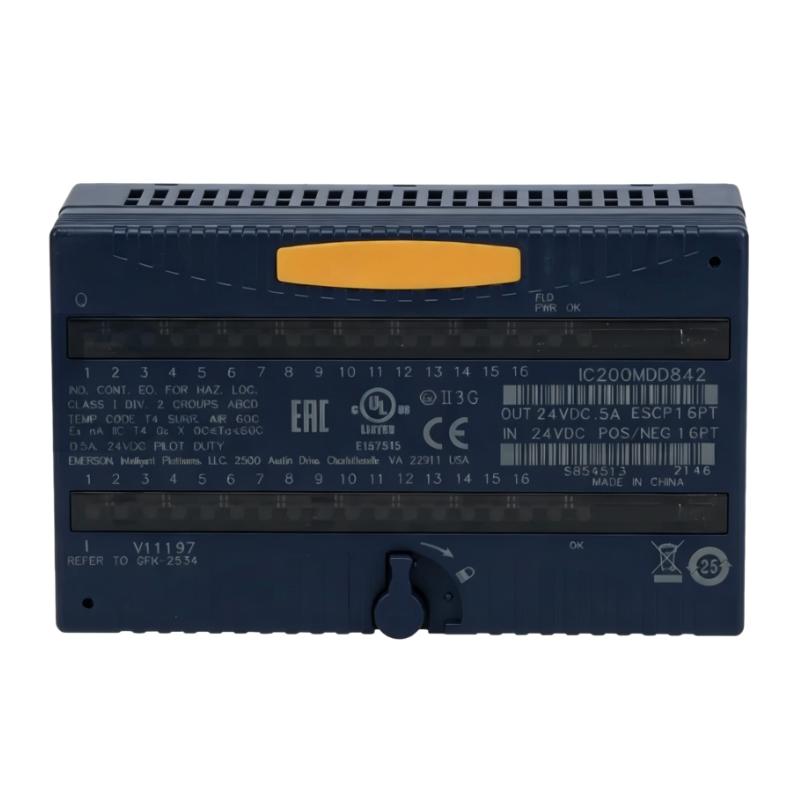
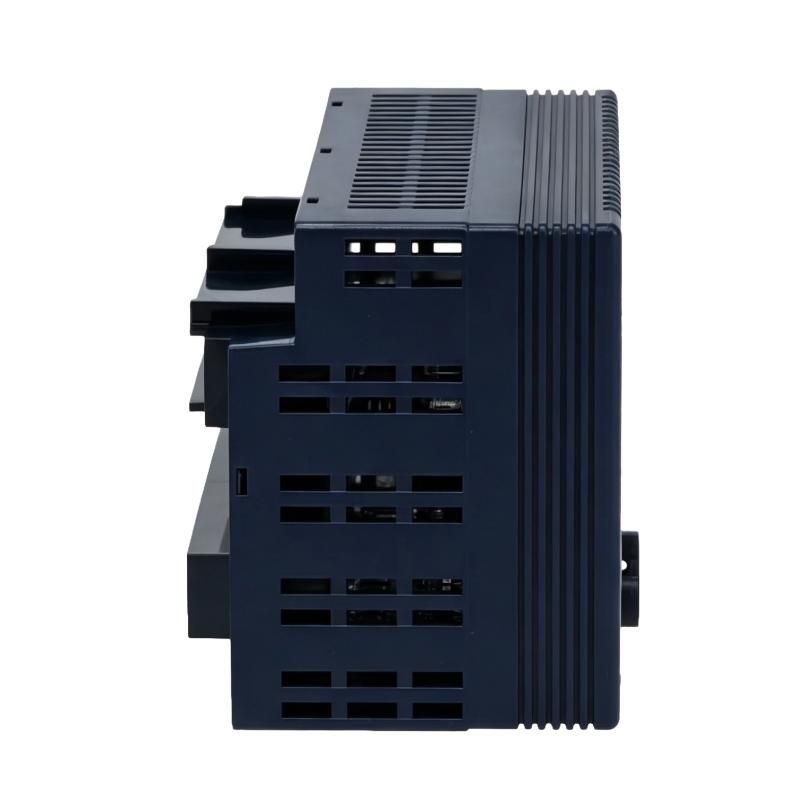
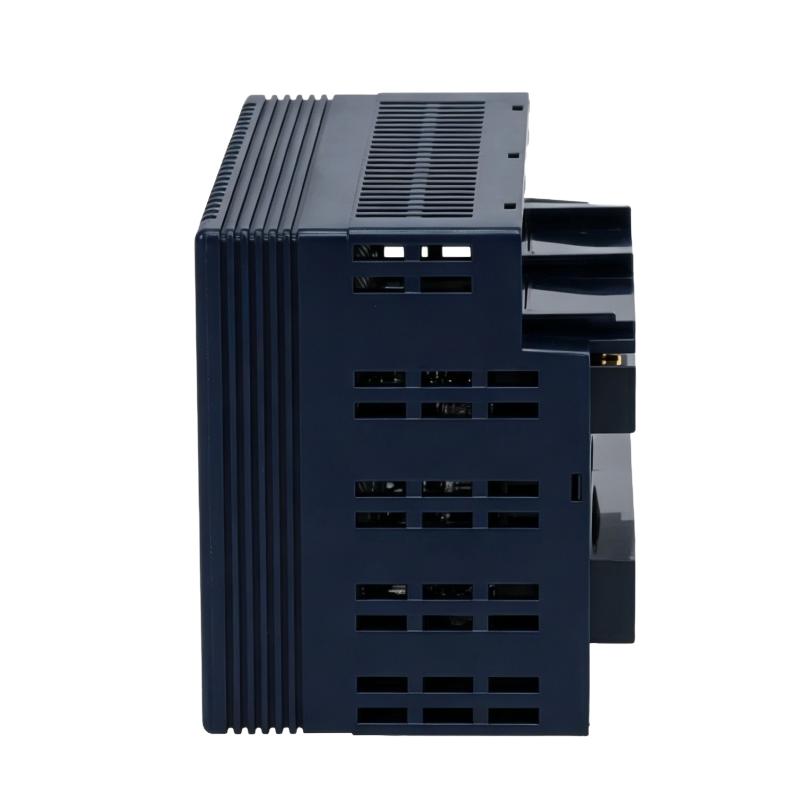
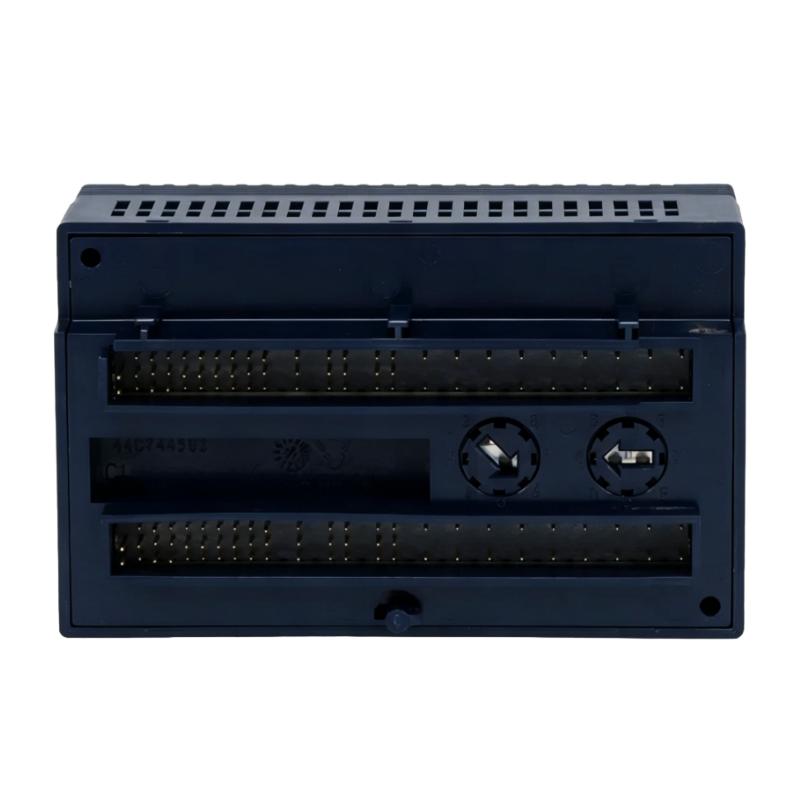
- GE
- IC200MDD842B
- Discrete I/O Module
- USA
- 110 × 66.8 × 50 mm
- 0.14 kg
- Xiamen, China
- New & In Stock
- T/T, PayPal, Western Union
- 1 Year
- 1-3 Working Days
- DHL, UPS, TNT, FedEx and EMS.
- 24-Hour Service
- COO
- 6
Our advantage

Global Logistics
We have a 10-year logistics and express cooperation agreement, so our products can be shipped to any place in the world.

Brand new and original
Our products are imported in bulk from the place of origin. Because of the cooperative relationship, our products are all original and 100% new.

24-hour service
We provide 7*24 hours service to our customers. We will be there whenever you need us.

Price advantage
All our products are priced very favorably because we have our own warehouse and supply.
| Company Information | |||
| [email protected] | |||
| Mobile | +8615980777398 | ||
| +8615980777398 | |||
| 15980777398 |
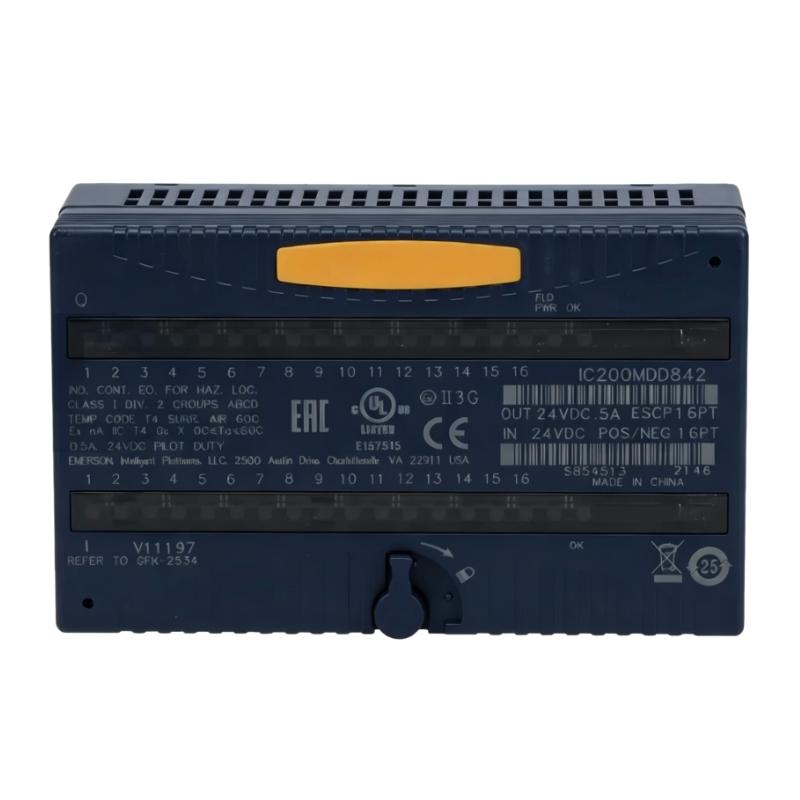
Product Overview
The GE IC200MDD842B VersaMax ESCP Discrete I/O Module is an industrial automation component identified with the GE VersaMax product family. Discrete input/output modules provide interfaces between a controller and equipment that operates with defined digital states, allowing control systems to receive field signals and issue commands to connected devices.
In a machine control installation, discrete I/O is commonly used to monitor conditions from switches, sensors, and auxiliary contacts, as well as to control devices such as indicator lamps, relays, and other compatible loads. The module’s exact input and output arrangement must be confirmed from the documentation for the IC200MDD842B before assigning specific signal types or channel functions.
The complete model designation is important when selecting a replacement or checking an existing control panel. Modules within the same automation family may differ in channel count, electrical ratings, terminal arrangement, and input/output configuration. A similar appearance or shared product family does not guarantee that another module can be substituted directly.
For maintenance engineers, the IC200MDD842B should be evaluated as part of the controller’s I/O architecture. Correct operation depends on the module configuration, field wiring, connected devices, and the way the controller program processes the associated signals.
Technical Specifications
| Parameter | Specification |
|---|---|
| Manufacturer | GE |
| Model | IC200MDD842B |
| Product Series | VersaMax |
| Product Type | Discrete I/O Module |
| Product Category | Industrial Automation I/O Hardware |
| Primary Function | Discrete signal interfacing within a compatible control system |
| Signal Type | Discrete digital signals |
| I/O Configuration | Verify from the applicable product documentation |
| Channel Count | Verify from the applicable product documentation |
| Input Electrical Ratings | Verify from the applicable product documentation |
| Output Electrical Ratings | Verify from the applicable product documentation |
| Controller Integration | Compatible VersaMax system configuration, subject to model verification |
| Installation Type | Industrial control system I/O assembly |
| Typical Application | Machine automation and discrete signal handling |
| Maintenance Approach | Wiring inspection, I/O status checks, and functional testing |
| Dimensions | 110 × 66.8 × 50 mm |
| Weight | 0.14 kg |
Product Features
- Discrete Signal Interface: Supports discrete signal interfacing within a compatible automation arrangement, subject to the module’s documented I/O configuration.
- VersaMax Family Identification: The IC200MDD842B designation helps identify the required component when maintaining an existing GE automation system.
- Controller-Based Operation: Works as part of the wider control system, where the controller processes input states and manages programmed output actions.
- Field Device Integration: Discrete I/O hardware can connect control logic with field devices such as switches, sensors, relays, and other supported equipment.
- Configuration-Specific Electrical Interface: Input and output ratings, wiring requirements, and connected load types must match the documented module specifications.
- Maintenance-Oriented Identification: The complete part number supports spare-parts management and helps technicians distinguish the module from related I/O products.
- System-Level Troubleshooting: The module can be checked alongside field wiring, controller status, and connected devices when investigating discrete signal faults.
Working Principle
The GE IC200MDD842B VersaMax ESCP Discrete I/O Module operates as part of an industrial controller’s signal interface. Discrete I/O systems work with signals that represent defined states, such as an input being active or inactive, rather than continuously varying measurement values.
For an input function, a field device changes its electrical state in response to a machine condition or operator action. The compatible input circuitry detects the state and makes the corresponding information available to the control system. The controller then evaluates that information against the programmed logic.
For an output function, the controller determines the required state according to the application program. The corresponding output interface changes state to operate a compatible external circuit or device, provided that the load and electrical arrangement meet the module’s specifications.
The actual operating sequence and the division between input and output channels depend on the specific IC200MDD842B configuration. During troubleshooting, technicians should verify the module’s documented channel arrangement, field supply conditions, wiring, controller configuration, and the response of the connected devices before concluding that the module has failed.
Role in a VersaMax Control Architecture
Within a VersaMax control architecture, the GE IC200MDD842B Discrete I/O Module provides a signal interface between the controller and the field devices assigned to it. The controller executes the application logic, while the I/O hardware supports the exchange of discrete states needed for machine monitoring and control.
| System Component | Function | Relationship to the Discrete I/O Module |
|---|---|---|
| VersaMax Controller | Executes the application program and coordinates machine operation | Processes the discrete signals associated with the I/O configuration |
| Discrete I/O Module | Interfaces with supported digital field signals | Connects field-level states with the controller system |
| Field Sensors and Switches | Detect machine conditions or operator actions | Supply input states where supported by the module |
| Relays and Output Devices | Operate external circuits or equipment | May be controlled through compatible output channels |
| Field Power Supply | Provides power to applicable field circuits | Must meet the requirements of the connected devices and I/O arrangement |
| Terminal and Wiring Assembly | Provides electrical connections between devices and control hardware | Carries field signals to and from the module |
| Controller Programming Tools | Support application logic and configuration | Help define how the controller uses the I/O signals |
| Operator Interface | Displays machine states and alarms | Presents relevant information processed by the control system |
Industrial Applications
| Application Area | Typical Use | Relevance of the Discrete I/O Module |
|---|---|---|
| Machine Automation | Monitoring machine states and controlling discrete devices | Interfaces the control system with supported field signals |
| Packaging Equipment | Detecting machine positions and coordinating operating sequences | Supports discrete signal handling where the module configuration is suitable |
| Material Handling | Monitoring limit switches and equipment status | Provides an I/O interface for compatible discrete devices |
| Production Machinery | Reading equipment states and issuing control commands | Supports signal exchange between field devices and programmed logic |
| Control Panel Maintenance | Servicing installed automation I/O hardware | Provides a specific part reference for inspection and replacement |
| Industrial Equipment Refurbishment | Maintaining existing VersaMax installations | Helps identify the required I/O component during restoration work |
| Fault Diagnosis | Investigating missing or incorrect discrete states | Can be checked as part of a structured field-signal troubleshooting process |
| Spare Parts Management | Organizing replacement modules for installed equipment | Supports model-level identification and inventory traceability |
Installation and Maintenance
- Verify the Model Identification: Confirm the complete IC200MDD842B designation against the installed module and the equipment’s parts documentation.
- Check the Electrical Specifications: Review the applicable documentation for the channel arrangement, input and output ratings, and supported field connections before installation.
- Isolate the Equipment: Follow the approved electrical isolation procedure before removing the module or changing field wiring.
- Record the Existing Connections: Document the terminal assignments, wire labels, module position, and relevant controller configuration before disconnecting anything.
- Inspect the Module: Check the housing and accessible connection points for visible damage, contamination, discoloration, or signs of overheating.
- Inspect Field Wiring: Look for loose terminals, damaged insulation, corrosion, and incorrect wire placement that could cause signal errors.
- Check Connected Devices: Verify that field sensors, switches, relays, and other connected equipment are suitable for the documented I/O configuration.
- Apply ESD Precautions: Use appropriate electrostatic discharge protection when handling electronic components, following the manufacturer’s handling guidance.
- Remove the Existing Module Carefully: Release the module according to the installation instructions and avoid forcing connectors or mounting features.
- Install the Replacement: Fit the replacement in the specified position and confirm that it is securely seated and correctly aligned.
- Test the I/O Functions: Restore the system according to the approved procedure and verify the relevant input states, output responses, controller indications, and machine behavior.
- Document the Maintenance: Record the model number, wiring checks, configuration details, fault symptoms, replacement information, and functional test results.
Compatible System Components
| Component | Function | Relationship to the Discrete I/O Module |
|---|---|---|
| Compatible GE VersaMax Controller | Executes programmed control logic | Processes signals associated with the supported I/O configuration |
| Field Sensors and Switches | Detect physical conditions or operator actions | Provide discrete input signals where supported |
| Relays and Contactors | Switch external electrical circuits | May be controlled through suitable output interfaces |
| Indicator Devices | Display operating or fault states | Can be driven by compatible output circuits |
| Field Power Supply | Supplies power to connected field devices | Must match the electrical requirements of the installation |
| Terminal Blocks and Field Wiring | Distribute and carry electrical signals | Connect the module to the external devices |
| Programming and Configuration Software | Supports controller setup and logic development | Defines how the control program handles I/O states |
| Control Cabinet Assembly | Houses the controller and associated hardware | Provides the installation environment for the module |
Recommended Related Models
| Model or Product Category | Product Type | Relationship |
|---|---|---|
| GE IC200MDD842B | VersaMax ESCP Discrete I/O Module | Exact model reference for identification and replacement |
| GE VersaMax Discrete I/O Modules | Digital Input/Output Hardware | Related product category for discrete signal interfacing |
| GE VersaMax Controllers | Programmable Controller Hardware | Related system category; verify supported module combinations |
| GE VersaMax Input Modules | Discrete Input Hardware | Related category for configurations requiring digital signal acquisition |
| GE VersaMax Output Modules | Discrete Output Hardware | Related category for configurations requiring digital control signals |
| Industrial I/O Terminal Assemblies | Field Wiring Components | Related hardware category for connecting I/O signals to external devices |
Key Advantages
- Discrete Signal Handling: Supports digital signal interfacing within an appropriate automation configuration.
- VersaMax System Integration: Provides a model-specific reference for maintaining an existing GE control installation.
- Field Device Connectivity: Supports the exchange of discrete states between compatible field devices and control logic.
- Structured Fault Diagnosis: Allows technicians to check the I/O module alongside field wiring and connected equipment.
- Spare Parts Traceability: The complete part number helps reduce errors when identifying replacement hardware.
- Maintenance Support: Provides a defined component reference for servicing and refurbishing industrial control systems.
Technical FAQs
1. What should be verified before replacing the GE IC200MDD842B Discrete I/O Module?
Confirm the full model designation and check the module’s channel configuration, electrical ratings, terminal arrangement, and compatibility with the installed controller. A module from the same product family should not be treated as a direct substitute unless the relevant specifications confirm interchangeability.
2. Why might a discrete input signal fail to appear in the controller?
Possible causes include incorrect field wiring, an unsuitable field supply, a faulty sensor or switch, a configuration issue, or a problem with the I/O hardware. Check the field device and its electrical signal first, then verify the corresponding module status and controller input indication.
3. What can cause an output-controlled device to fail to operate?
The fault may involve the application logic, output configuration, field power, wiring, connected load, or output interface. Confirm the module’s documented output capabilities and check the complete circuit before deciding whether the I/O module needs replacement.
4. How can the IC200MDD842B be assessed during routine maintenance?
Review the installed module identification and configuration, inspect the housing and connections, check field wiring, and test the relevant I/O points under an approved maintenance procedure. Record any abnormal signal behavior and compare the findings with the controller and module documentation.