

ProductPRODUCT
Featured products

Contact Us
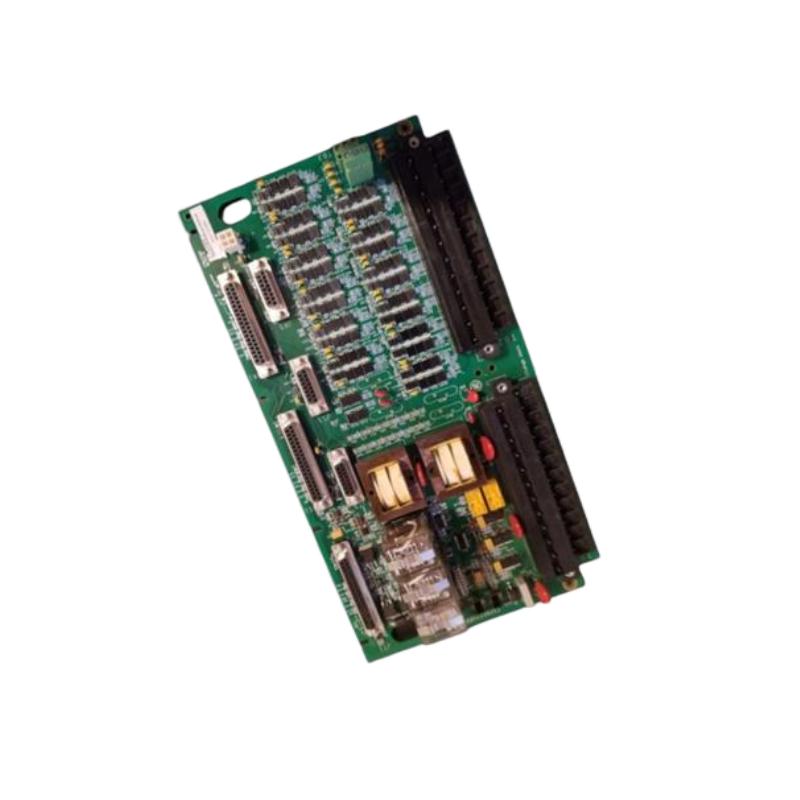
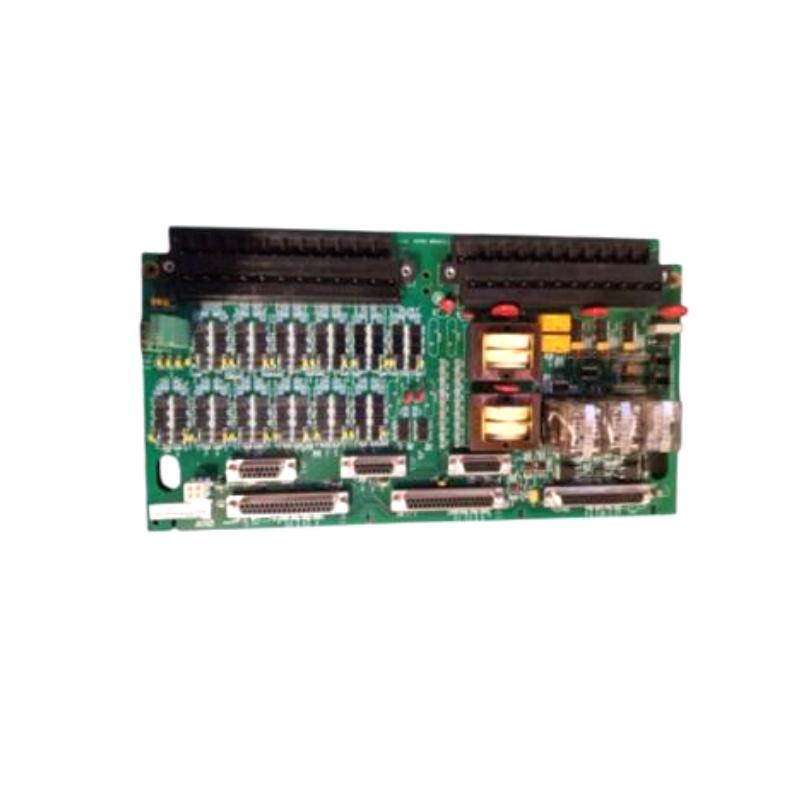
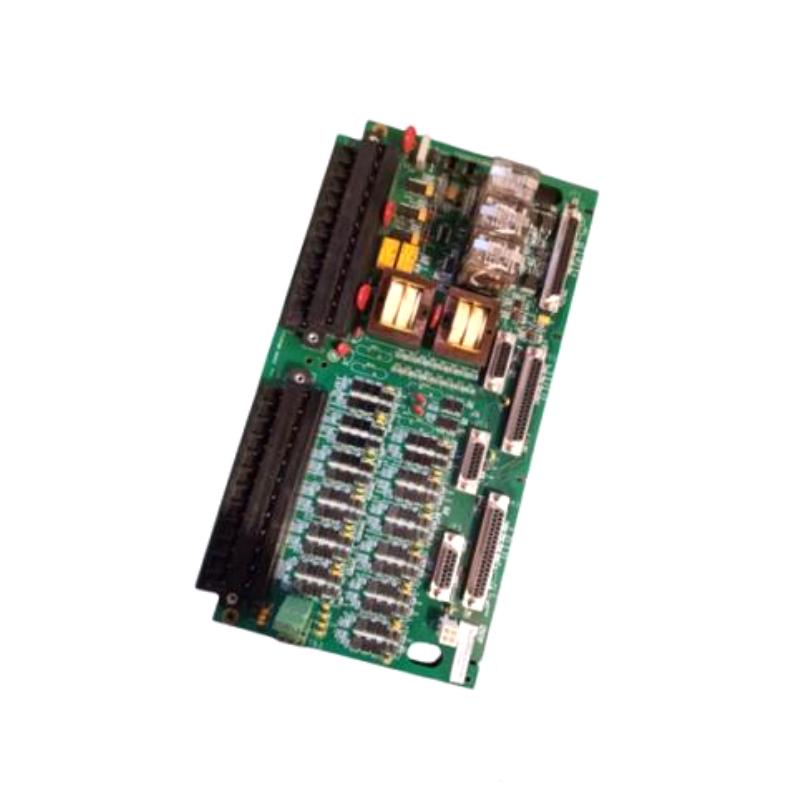
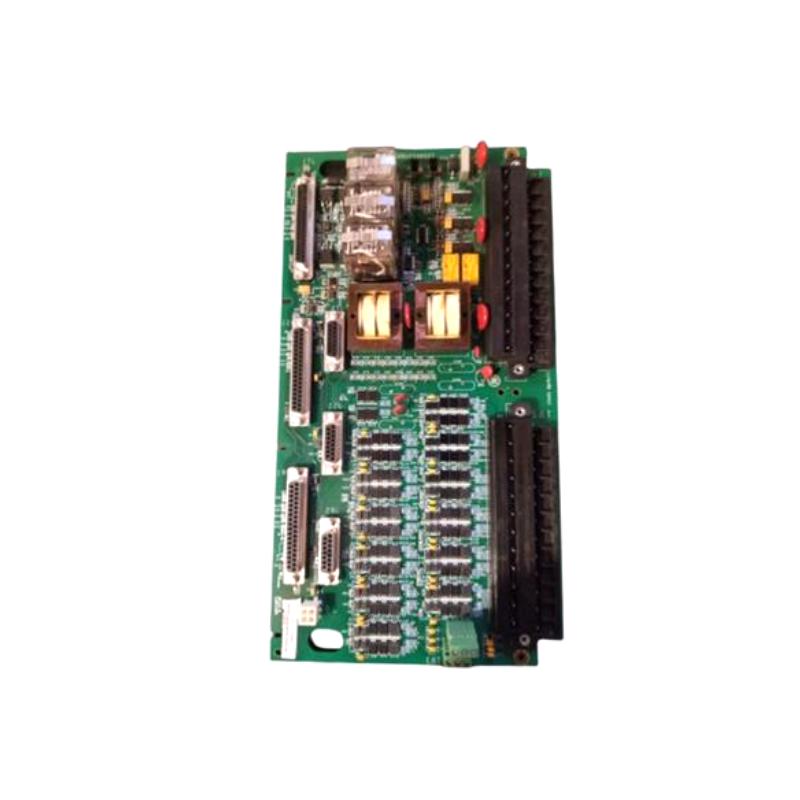
- GE
- IS230STCIH4A
- Contact Input Assembly
- USA
- 280 x 115 x 45 mm
- 0.6 kg
- Xiamen, China
- New & In Stock
- T/T, PayPal, Western Union
- 1 Year
- 1-3 Working Days
- DHL, UPS, TNT, FedEx and EMS.
- 24-Hour Service
- COO
- 6
Our advantage

Global Logistics
We have a 10-year logistics and express cooperation agreement, so our products can be shipped to any place in the world.

Brand new and original
Our products are imported in bulk from the place of origin. Because of the cooperative relationship, our products are all original and 100% new.

24-hour service
We provide 7*24 hours service to our customers. We will be there whenever you need us.

Price advantage
All our products are priced very favorably because we have our own warehouse and supply.
| Company Information | |||
| [email protected] | |||
| Mobile | +8615980777398 | ||
| +8615980777398 | |||
| 15980777398 |
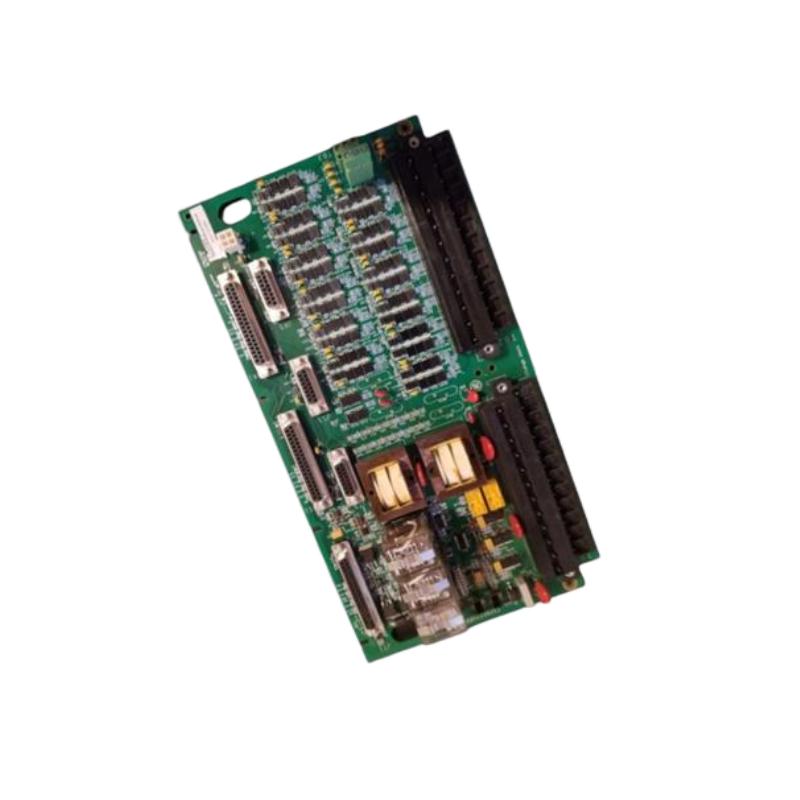
Product Overview
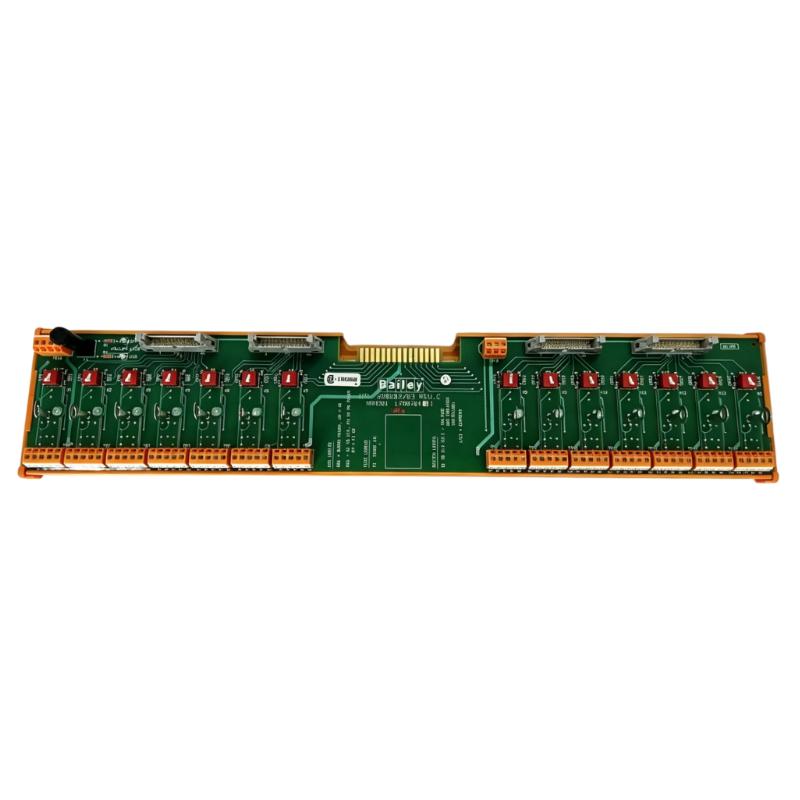
The GE IS230STCIH4A Contact Input Assembly is an industrial automation component designed for use in compatible GE control systems. Contact input assemblies are used in industrial control architectures to interface discrete field signals with electronic monitoring and control equipment. These signals typically represent two-state conditions, such as a switch being open or closed, a relay changing state, or an auxiliary contact indicating the status of connected equipment.
In industrial applications, contact inputs help controllers monitor equipment status, operating permissives, alarm conditions, and external switching devices. When correctly integrated into a control system, discrete input information allows the controller to determine whether specified operating conditions have been met and respond according to its configured logic.
The GE IS230STCIH4A has supplied dimensions of 280 × 115 × 45 mm and a weight of approximately 0.6 kg. Its physical specifications are useful for equipment identification, cabinet planning, shipping, and replacement inventory management.
The exact electrical characteristics and system role of this assembly should be confirmed against the complete product identification and the documentation for the host equipment. Correct identification is particularly important when maintaining industrial control systems in which similar-looking assemblies may have different signal functions or connection arrangements.
Technical Specifications
| Parameter | Specification |
|---|---|
| Manufacturer | General Electric (GE) |
| Model | IS230STCIH4A |
| Product Type | Contact Input Assembly |
| Product Family | GE IS230 Series |
| Primary Function | Discrete contact signal interface |
| Signal Category | Contact input |
| Typical Signal Purpose | Equipment status and switching-state monitoring |
| Dimensions | 280 × 115 × 45 mm |
| Weight | 0.6 kg |
| Installation | Compatible GE industrial control equipment |
| Application | Industrial automation and control |
| Electrical Ratings | Verify against the applicable hardware documentation |
| Replacement Requirement | Confirm part number, revision, connectors, and system compatibility |
Function and Working Principle
The IS230STCIH4A is identified as a contact input assembly. In a typical industrial control system, contact input hardware enables discrete signals from field devices to be incorporated into the controller’s monitoring and logic functions.
A contact input arrangement commonly works through the following sequence:
- Field condition changes: A switch, relay, limit switch, or auxiliary contact changes state in response to an equipment condition or operator action.
- Signal reaches the assembly: The associated field wiring carries the contact signal to the designated input connection.
- Input circuitry evaluates the signal: Compatible input electronics determine the electrical state according to their specified operating characteristics.
- Control logic processes the state: The controller uses the input information to evaluate permissives, interlocks, alarms, or equipment status.
- The system responds: Depending on the configured logic, the controller may update status information, generate an alarm, or initiate an appropriate control action.
The precise sensing circuitry, input voltage, channel count, and isolation arrangement of the IS230STCIH4A should not be assumed without confirmation. These characteristics depend on the actual hardware specification.
Role in Industrial Control Systems
Discrete input signals provide essential information about the state of industrial equipment. Unlike analog signals, which represent continuously varying measurements, contact inputs generally communicate distinct states, such as active or inactive.
Within a compatible control architecture, contact input assemblies can support functions such as:
- Monitoring external switch and relay contacts
- Acquiring equipment status signals
- Supporting alarm and event detection
- Providing status information for configured interlocks
- Reporting discrete conditions to the control system
- Supporting equipment sequencing and operating permissives
For example, a controller may use an auxiliary contact to determine whether a device has reached a specified operating state. The control logic can then decide whether the next operation is permitted. The actual application of the IS230STCIH4A depends on the installed system configuration.
Industrial Applications
Power Generation
Power-generation facilities use discrete signals to monitor equipment states, auxiliary systems, switching devices, and alarm conditions. Correctly matched input hardware helps maintain the integrity of the control system’s status-monitoring functions.
Turbine Control Systems
Industrial turbine installations may incorporate contact signals from switches, relays, and auxiliary equipment. These signals can be used by configured control logic to monitor operating conditions and equipment status. The specific role of this assembly must be verified for the host system.
Industrial Machinery
Manufacturing equipment often uses limit switches, interlocks, and auxiliary contacts to report discrete operating states. Contact input hardware enables these conditions to be incorporated into automated sequences and monitoring functions.
Process Automation
Process facilities use discrete signals to monitor valve limit switches, equipment permissives, and other switching conditions. When integrated with suitable control hardware, these signals help the system distinguish between expected and abnormal operating states.
Equipment Protection and Monitoring
Discrete status inputs may be part of a wider protection or monitoring arrangement. Their effectiveness depends on correct field wiring, suitable input hardware, and properly configured control logic. Safety-related functions must use the specifically approved architecture and components required by the application.
These examples describe common uses of contact input systems and do not confirm a specific installation for the IS230STCIH4A.
Installation and System Integration
Correct installation is necessary to preserve signal integrity and avoid unintended control-system behavior. Installation should be performed by qualified personnel following the procedures specified for the host equipment.
1. Confirm the Assembly Identification
Check the complete IS230STCIH4A part number, revision markings, product labels, connector arrangement, and designated mounting position. Do not select a replacement based solely on dimensions or visual similarity.
2. Isolate the Equipment
Before accessing the control cabinet, follow the approved shutdown, isolation, and lockout procedures. Confirm that the equipment is in a safe condition before removing the original assembly or handling its wiring.
3. Document Existing Connections
Record the original wiring arrangement and verify terminal assignments against the applicable drawings. Maintain wire identification throughout the replacement process to prevent accidental signal cross-connection.
4. Inspect Wiring and Connectors
Check conductors and connectors for loose contacts, corrosion, damaged insulation, contamination, and signs of overheating. Inspect the mounting area for mechanical damage and confirm that the replacement matches the required configuration.
5. Install the Assembly
Secure the assembly in its designated location using the specified mounting method. Ensure that connectors are properly seated and that field wiring is not exposed to excessive strain, bending, or vibration.
6. Verify Input Configuration
Confirm that the associated control system is configured for the installed hardware. Check applicable channel assignments and signal definitions using the system’s approved documentation rather than assuming that another input assembly uses the same configuration.
7. Perform Functional Checks
Following installation, carry out the required commissioning checks. Verify representative input states using an approved test procedure and confirm that the control system displays the expected status. Do not test live control circuits in a manner that could initiate unintended machinery movement or compromise protection functions.
Troubleshooting the GE IS230STCIH4A
When a discrete input does not behave as expected, investigate the complete signal path, including the field device, wiring, input assembly, and controller configuration.
No Contact Input Signal
Possible causes include an open field circuit, faulty switch, disconnected wire, incorrect terminal assignment, or a problem with the associated input electronics.
Recommended checks:
- Confirm the field device’s operating state.
- Inspect wiring and connector seating.
- Verify the designated input channel.
- Review available controller diagnostics.
- Check the associated hardware configuration.
- Confirm that the field signal meets the input circuit’s specified requirements.
Input Remains Active or Inactive
An input that does not change state may be caused by a stuck switch, incorrect wiring, a short circuit, an open circuit, or a configuration mismatch.
Inspect the field contact and its wiring according to the approved maintenance procedure. Compare the physical contact state with the controller’s reported state to help identify where the signal path is interrupted.
Intermittent Input Changes
Intermittent signals can result from loose terminals, damaged cables, vibration, contact wear, contamination, or electrical interference.
Check the mechanical condition of the connections and review the fault history. If the problem occurs only during particular operating conditions, record those conditions to help distinguish a field-device issue from a wiring or hardware fault.
Incorrect Equipment Status
If the controller reports an unexpected status, verify that the field contact, wiring, input assignment, and configured control logic agree. A correct electrical input can still produce an unexpected system response if the logic or signal interpretation is configured incorrectly.
Fault Persists After Replacement
If replacing the assembly does not resolve the problem, investigate the associated field device, power or reference connections where applicable, cabling, configuration, and other components in the signal path. Replacing a module does not correct a fault originating elsewhere in the control system.
Maintenance Recommendations
A structured maintenance approach can help reduce recurring discrete input faults and unplanned downtime.
- Inspect connectors and wiring: Check for loose connections, corrosion, damaged insulation, and mechanical strain.
- Verify field-device operation: Confirm that switches and auxiliary contacts operate reliably.
- Review system diagnostics: Investigate repeated alarms, unexpected state changes, and intermittent input faults.
- Maintain the cabinet environment: Keep the equipment within the environmental limits specified for the installed system.
- Use appropriate handling precautions: Follow electrostatic-discharge procedures when handling sensitive electronic assemblies.
- Maintain accurate records: Record the part number, revision, installation date, wiring changes, and commissioning results.
- Test according to approved procedures: Functional checks should not bypass interlocks or create unsafe operating conditions.
Maintenance frequency should reflect the operating environment, equipment criticality, and the requirements of the host system.
Compatible System Components
The IS230STCIH4A should be evaluated as part of the complete discrete input circuit. A typical industrial control arrangement may contain the following component categories:
| Component | Purpose |
|---|---|
| Field Switch or Relay Contact | Provides a discrete equipment or process state |
| Field Wiring | Carries the contact signal to the control cabinet |
| Contact Input Assembly | Provides the designated input interface |
| Control Processor | Evaluates input states using configured logic |
| Communication Interface | Transfers status information where supported |
| Operator Interface | Displays equipment status and alarms |
| Cabinet Power Components | Supply the required power to designated hardware |
| Diagnostic Equipment | Supports inspection and fault investigation |
This table represents general system functions rather than a confirmed list of directly compatible GE part numbers. Exact compatibility must be established using the host equipment’s hardware configuration.
Replacement and Procurement Considerations
When purchasing a replacement GE IS230STCIH4A Contact Input Assembly, verify the full identification before ordering. Industrial control assemblies can share similar housings while differing in their electrical characteristics and intended functions.
Important checks include:
- Complete model number: IS230STCIH4A
- Hardware revision and label markings
- Product function and signal type
- Connector and terminal arrangement
- Mounting requirements
- Compatibility with the installed control system
- Physical condition and storage history
- Availability of the correct configuration for the intended application
The supplied dimensions are 280 × 115 × 45 mm, and the supplied weight is 0.6 kg. These specifications support identification and logistics planning but do not establish electrical compatibility.
Technical FAQs
What is the GE IS230STCIH4A?
The GE IS230STCIH4A is identified as a Contact Input Assembly for compatible industrial control equipment. It is associated with the acquisition of discrete contact signals.
What is a contact input used for?
A contact input allows a control system to monitor a discrete state, such as a switch position, relay condition, limit-switch status, or equipment auxiliary contact.
What are the dimensions of the IS230STCIH4A?
The supplied dimensions are 280 × 115 × 45 mm.
How much does the assembly weigh?
The supplied weight is approximately 0.6 kg.
What can cause a contact input fault?
Potential causes include faulty field contacts, loose wiring, incorrect terminal assignments, damaged cables, configuration problems, or faults in the associated input electronics.
Can another GE input assembly replace the IS230STCIH4A?
Not automatically. The replacement must match the required signal function, electrical specifications, connector arrangement, hardware revision requirements, and host-system configuration.
How can the assembly be checked after installation?
Follow the approved commissioning procedure, verify the wiring and configuration, and confirm that representative input states are reported correctly by the control system. Ensure that testing does not compromise machine protection or create unintended operating conditions.
Conclusion
The GE IS230STCIH4A Contact Input Assembly is an industrial control component intended to support discrete contact signal acquisition within a compatible automation architecture. With supplied dimensions of 280 × 115 × 45 mm and a weight of approximately 0.6 kg, it can be identified for equipment maintenance, replacement planning, and industrial spare-parts management.
Reliable operation depends on correct part identification, sound field wiring, secure connections, and appropriate control-system configuration. Before installation or replacement, confirm the assembly’s electrical characteristics and compatibility with the host equipment. Careful commissioning and systematic troubleshooting help maintain dependable status monitoring and reduce unnecessary control-system downtime.