

ProductPRODUCT
Featured products
Contact Us
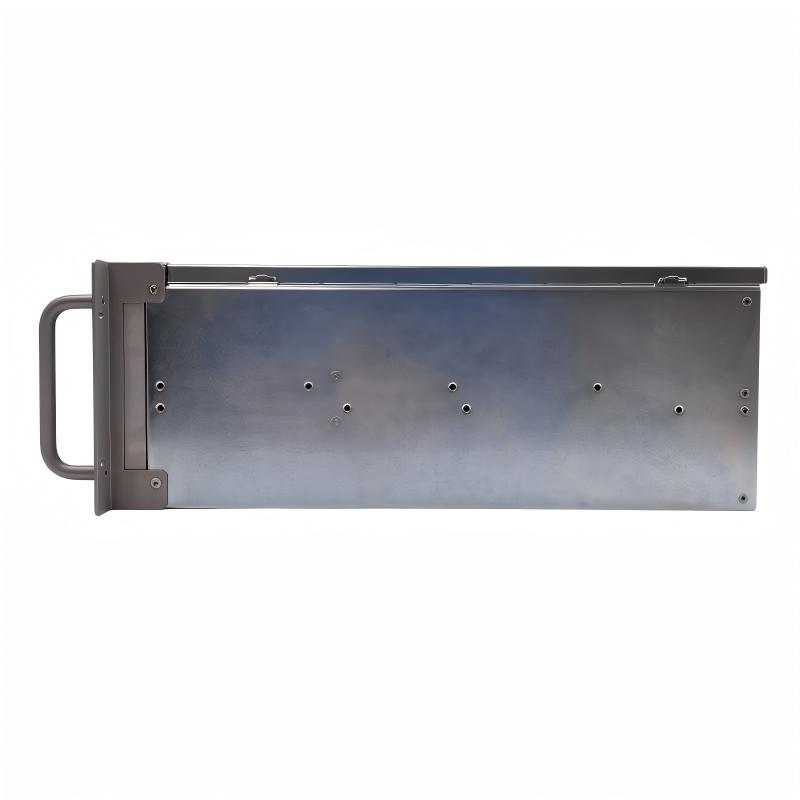
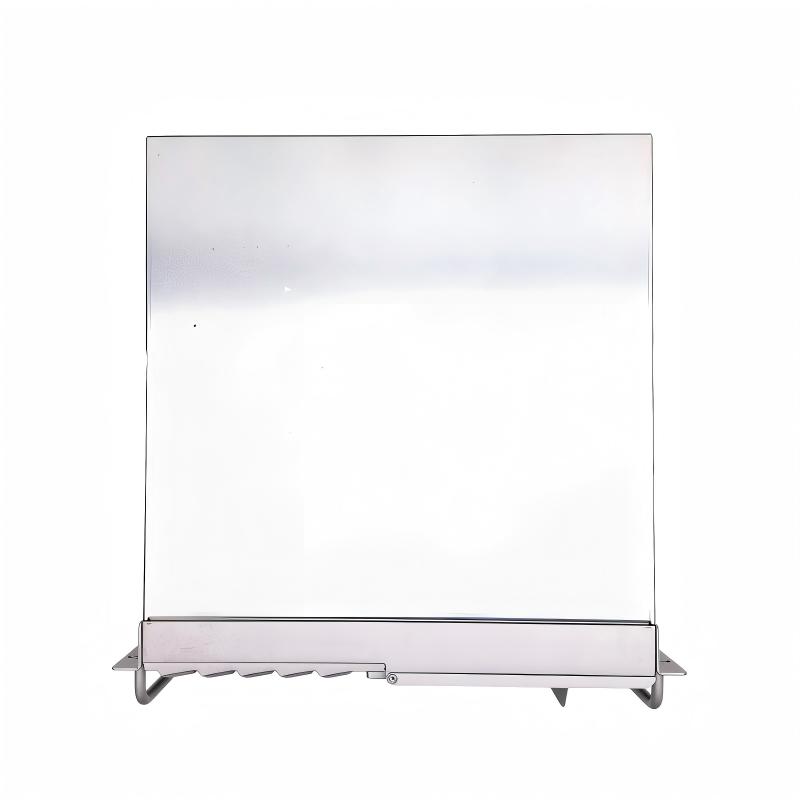
- Siemens
- 6AG4104-4GQ22-0XA3
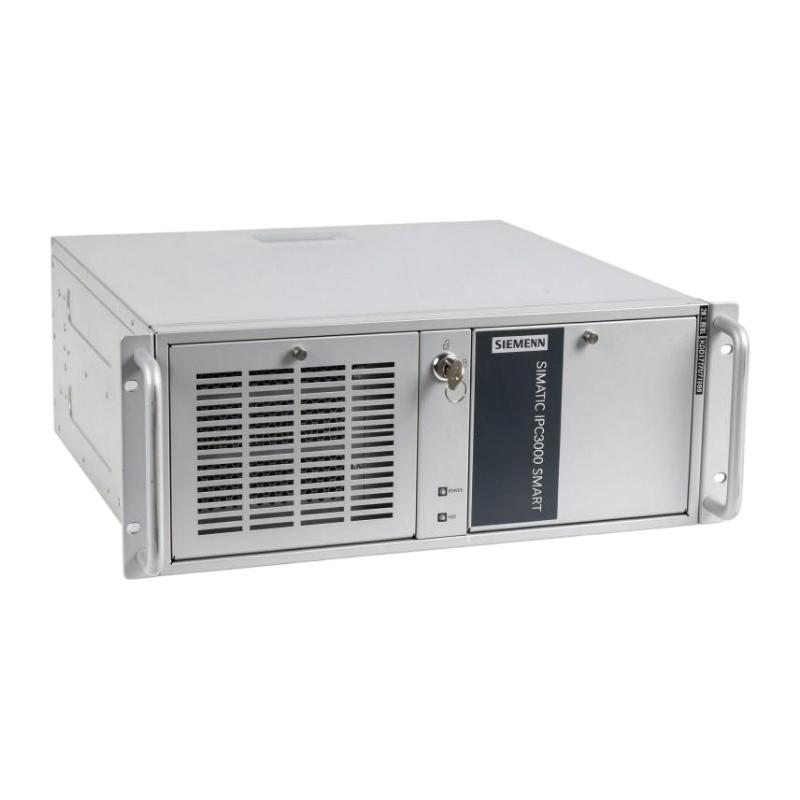
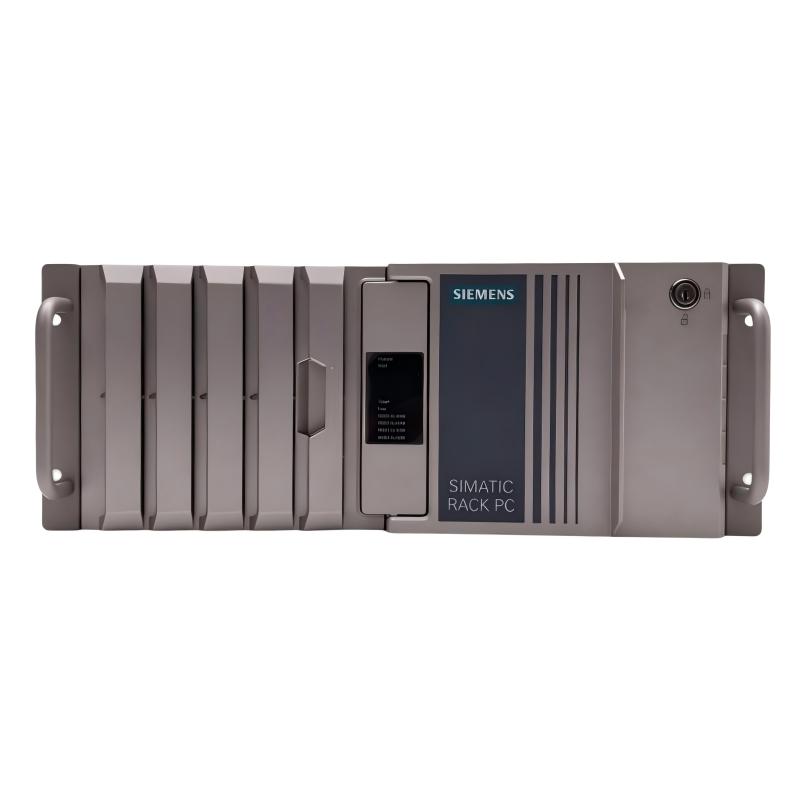
- Rack-Mounted PC
- Germany
- 446 × 430 × 177 mm
- 17 kg
- Xiamen, China
- New & In Stock
- T/T, PayPal, Western Union
- 1 Year
- 1-3 Working Days
- DHL, UPS, TNT, FedEx and EMS.
- 24-Hour Service
- COO
- 3
Our advantage

Global Logistics
We have a 10-year logistics and express cooperation agreement, so our products can be shipped to any place in the world.

Brand new and original
Our products are imported in bulk from the place of origin. Because of the cooperative relationship, our products are all original and 100% new.

24-hour service
We provide 7*24 hours service to our customers. We will be there whenever you need us.

Price advantage
All our products are priced very favorably because we have our own warehouse and supply.
| Company Information | |||
| [email protected] | |||
| Mobile | +8615980777398 | ||
| +8615980777398 | |||
| 15980777398 |
Introduction
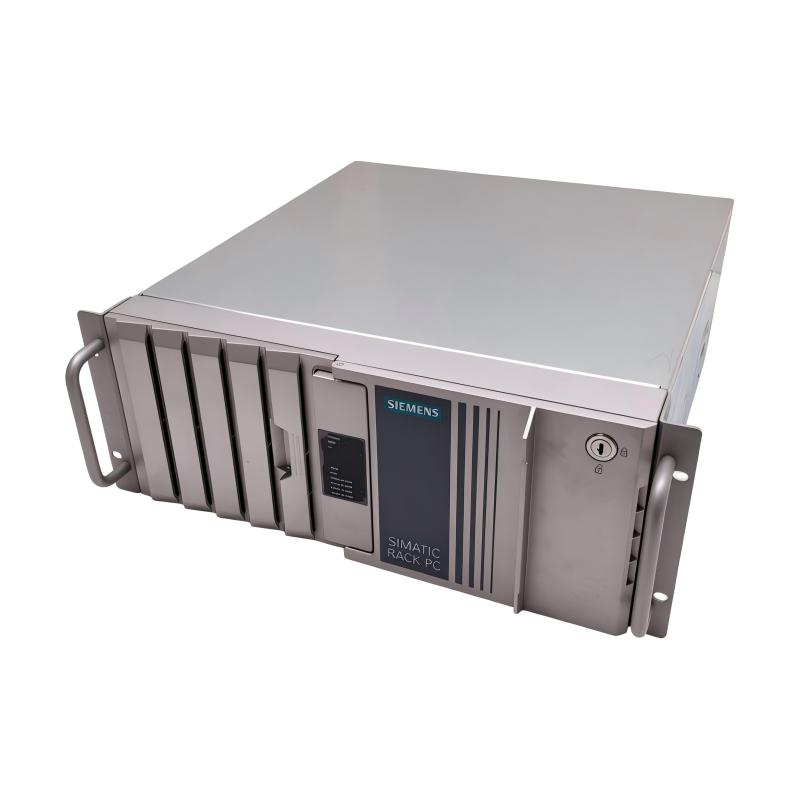
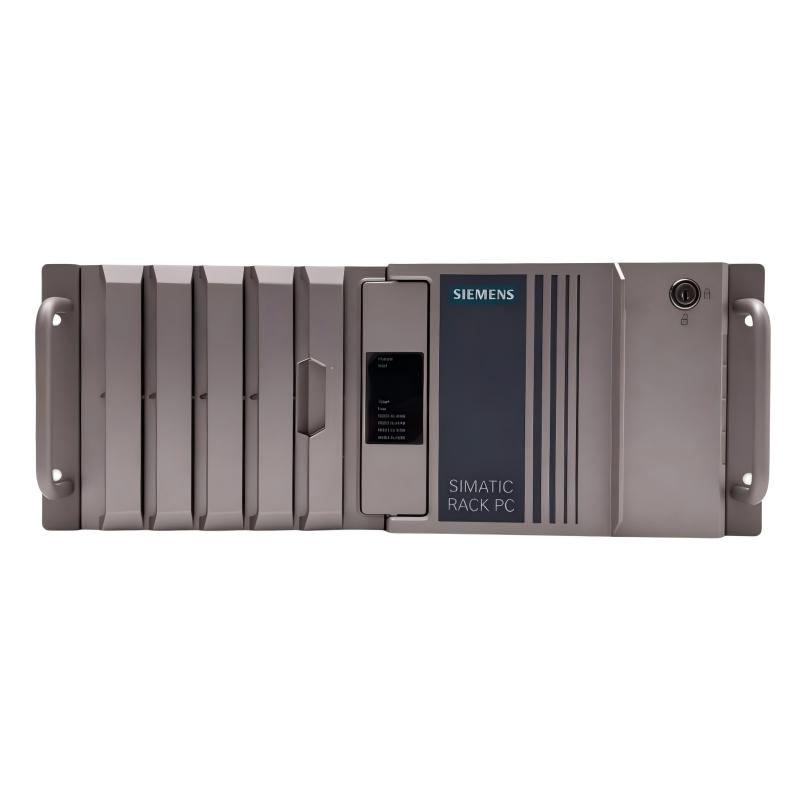
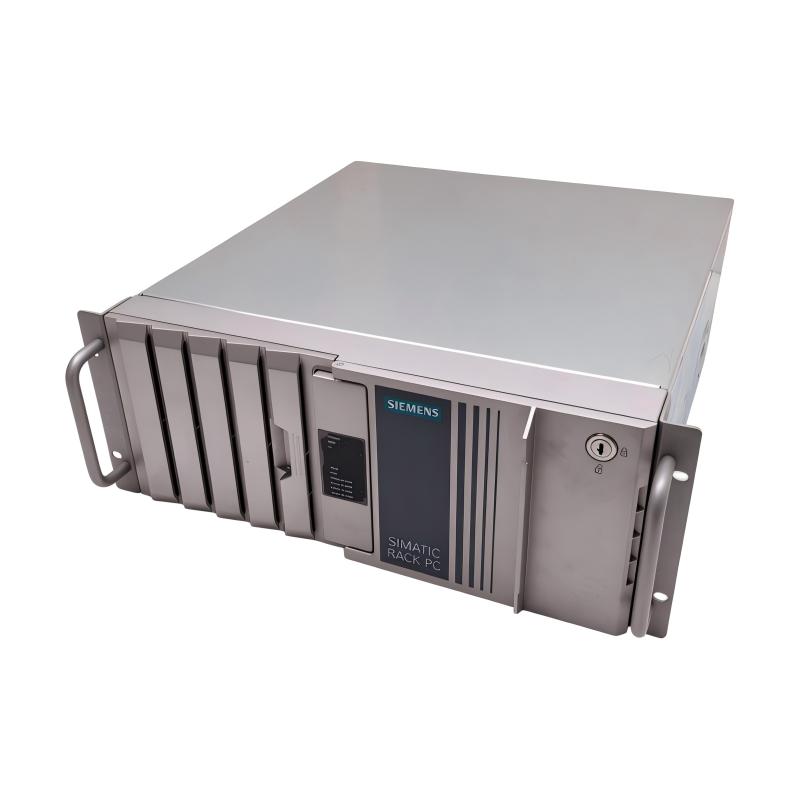
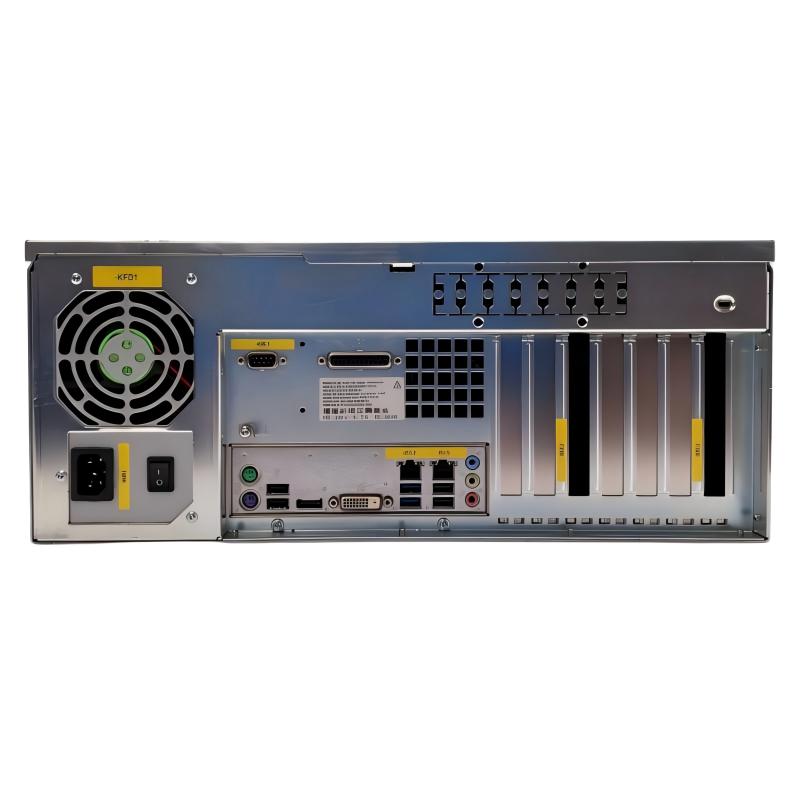
The Siemens 6AG4104-4GQ22-0XA3 Rack-Mounted PC is an industrial computing product designed for installation in control cabinets and equipment racks. Rack-mounted industrial computers provide a centralized platform for running industrial software, processing operational data, supporting system visualization, and connecting automation equipment with higher-level information systems.
In industrial environments, computing hardware must operate reliably alongside PLCs, communication networks, operator stations, and other control equipment. A rack-mounted PC offers a structured installation approach while providing computing resources for applications that require more flexibility than a conventional PLC alone.
With dimensions of 446 × 430 × 177 mm and a weight of 17 kg, the 6AG4104-4GQ22-0XA3 is intended for installations where rack space, mechanical support, ventilation, and service access can be properly planned.
Technical Specifications
| Parameter | Description |
|---|---|
| Brand | Siemens |
| Model | 6AG4104-4GQ22-0XA3 |
| Product Type | Rack-Mounted PC |
| Product Category | Industrial Computer |
| Dimensions | 446 × 430 × 177 mm |
| Weight | 17 kg |
| Installation | Rack-mounted installation |
| Application | Industrial computing and automation systems |
Note: The specifications above retain the product information provided. Processor, memory, storage, operating system, interface configuration, and power-supply details should be verified against the exact order-number configuration before installation or replacement.
Industrial Computing Functions
The 6AG4104-4GQ22-0XA3 is intended to serve as a computing platform within industrial automation and control environments. Depending on its configured hardware and installed software, a rack-mounted industrial PC can support several operational tasks.
Automation Software Execution
Industrial PCs are commonly used to run engineering tools, supervisory applications, equipment configuration software, and other industrial programs. They can provide computing resources for applications that require a general-purpose operating environment.
Data Processing and Management
Manufacturing facilities generate information from controllers, sensors, production equipment, and monitoring systems. An industrial computer can collect and process this information when the required communication interfaces and software are available.
Operator and Supervisory Applications
A rack-mounted PC may be integrated into a supervisory architecture to support visualization, operating interfaces, alarm presentation, and production monitoring. Its actual role depends on the software and system configuration.
Communication with Automation Equipment
Industrial computers can act as communication points between automation devices and higher-level systems. Appropriate network adapters, drivers, protocols, and application software must be selected for the intended installation.
Applications in Industrial Environments
Manufacturing and Production Lines
In automated production facilities, industrial computers may support production monitoring, equipment data collection, manufacturing applications, and communication between control-system components.
Power and Energy Facilities
Power-related installations often use industrial computing platforms for equipment monitoring, data presentation, and operational information management. The computer must be configured to meet the electrical, environmental, and cybersecurity requirements of the facility.
Process Automation
Chemical plants, water-treatment facilities, and other process industries use computing systems to support supervisory applications and operational data handling. A rack-mounted PC can form part of the wider automation infrastructure.
Industrial Communication Systems
Where multiple automation devices need to exchange information with supervisory or enterprise applications, an industrial PC can provide an additional computing and communication layer.
Design and Installation Considerations
The rack-mounted format allows the computer to be installed as part of a centralized industrial computing arrangement. Before installation, engineers should evaluate the available rack space, mounting method, cable routing, and cooling conditions.
The stated dimensions of 446 × 430 × 177 mm should be considered when planning the installation area. Allow additional clearance where required for ventilation, connectors, cable bends, and maintenance access.
At 17 kg, the unit also requires a rack or mounting structure with sufficient load-bearing capacity. Appropriate support should be provided during installation to prevent mechanical stress or accidental movement.
For replacement projects, matching the physical dimensions alone is not sufficient. The complete order number, internal hardware configuration, interfaces, power requirements, and software environment should be checked before selecting a replacement unit.
Installation and Commissioning
A structured installation process helps reduce commissioning problems and protects the computer from avoidable mechanical or electrical damage.
1. Verify the product configuration
Check the complete Siemens order number, 6AG4104-4GQ22-0XA3, against the project documentation. Confirm the required hardware and software configuration before connecting the unit to the automation network.
2. Prepare the rack
Inspect the mounting location and verify that it can support the unit’s 17 kg weight. Ensure that the installation space accommodates the stated dimensions and provides adequate ventilation.
3. Install the computer
Use suitable rack mounting hardware and follow the applicable installation instructions. Avoid placing excessive force on the chassis, connectors, or front panel during installation.
4. Connect power and peripherals
Connect the power supply and external equipment according to the product documentation. Verify that the supply characteristics and cable arrangements match the installed configuration.
5. Configure the operating environment
Install or verify the operating system, device drivers, and required industrial applications. Confirm that software versions are compatible with the intended automation environment.
6. Test communication and operation
Check network connections, peripheral devices, application startup, and data exchange with connected equipment. Perform functional tests before placing the computer into normal service.
Troubleshooting and Maintenance
Industrial computer problems can originate from power conditions, storage devices, memory, cooling, software, or external communication connections. Troubleshooting should begin with basic checks before proceeding to component-level diagnosis.
| Symptom | Possible Cause | Recommended Action |
|---|---|---|
| Computer does not start | Power supply or connection problem | Check the power source, cable, and approved power connections |
| No display output | Display cable, monitor, or graphics configuration issue | Inspect the display connection and verify the monitor |
| Unexpected system shutdown | Thermal or power-related issue | Check ventilation, cooling, and power stability |
| Slow application response | Software load or hardware resource limitation | Review system utilization and application processes |
| Network communication failure | Cable, adapter, driver, or network configuration issue | Check physical connections and network settings |
| Operating system fails to load | Storage or system-file problem | Follow the approved recovery and diagnostic procedure |
| Intermittent operation | Loose connections or unstable operating conditions | Inspect connections and review system event records |
| Peripheral device not detected | Driver or interface configuration issue | Verify device compatibility and driver installation |
Preventive Maintenance
Regular maintenance can help maintain stable operation and reduce unexpected downtime.
- Keep ventilation openings clear of dust and obstructions.
- Check cooling performance and inspect fans where applicable.
- Review system logs for recurring hardware or software warnings.
- Inspect power and communication connections periodically.
- Maintain backups of important configuration files and application data.
- Confirm that operating-system updates and security settings follow site policies.
- Record hardware changes and maintenance activities for future troubleshooting.
Before opening the chassis or replacing internal components, isolate the equipment from its power source and follow the manufacturer’s safety instructions.
Technical FAQs
1. What is the Siemens 6AG4104-4GQ22-0XA3?
It is a Siemens rack-mounted industrial PC intended for industrial computing and integration into automation-related installations.
2. What are its dimensions?
The stated dimensions are 446 × 430 × 177 mm.
3. How much does the unit weigh?
The supplied product weight is 17 kg.
4. Can this computer be installed in an industrial control cabinet?
It can be considered for rack-based control cabinet installations, provided the available space, mechanical support, ventilation, and environmental conditions meet the applicable requirements.
5. Can it communicate with PLC systems?
An industrial PC can communicate with PLC systems when the required hardware interfaces, drivers, software, and communication protocols are supported by the installed configuration.
6. Does the model include a specific operating system?
The operating-system configuration should be confirmed using the complete product order number and its associated documentation. It should not be assumed from the product family alone.
7. What should be checked before replacing an existing unit?
Check the complete order number, hardware configuration, storage arrangement, memory, interfaces, power requirements, operating system, and application compatibility.
8. Why might the computer shut down unexpectedly?
Possible causes include unstable power, excessive internal temperature, cooling problems, or hardware faults. Review diagnostic information before replacing components.
9. How can communication problems be diagnosed?
Start by checking network cables, link status, adapter configuration, drivers, IP settings, and the communication settings of the connected automation equipment.
10. What information should be prepared when requesting a replacement?
Provide the complete model number, equipment photographs, nameplate information, dimensions, weight, and any available hardware or software configuration records. This helps reduce the risk of selecting an incompatible replacement.
Conclusion
The Siemens 6AG4104-4GQ22-0XA3 Rack-Mounted PC is an industrial computing product for applications requiring a rack-based computer within an automation or industrial information system. Its stated dimensions of 446 × 430 × 177 mm and weight of 17 kg are important considerations for mechanical installation and equipment replacement.
For procurement, maintenance, and system integration, confirming the complete order number and exact hardware configuration is essential. Careful verification of interfaces, power requirements, software compatibility, and installation conditions helps ensure that the computer is suitable for its intended industrial application.