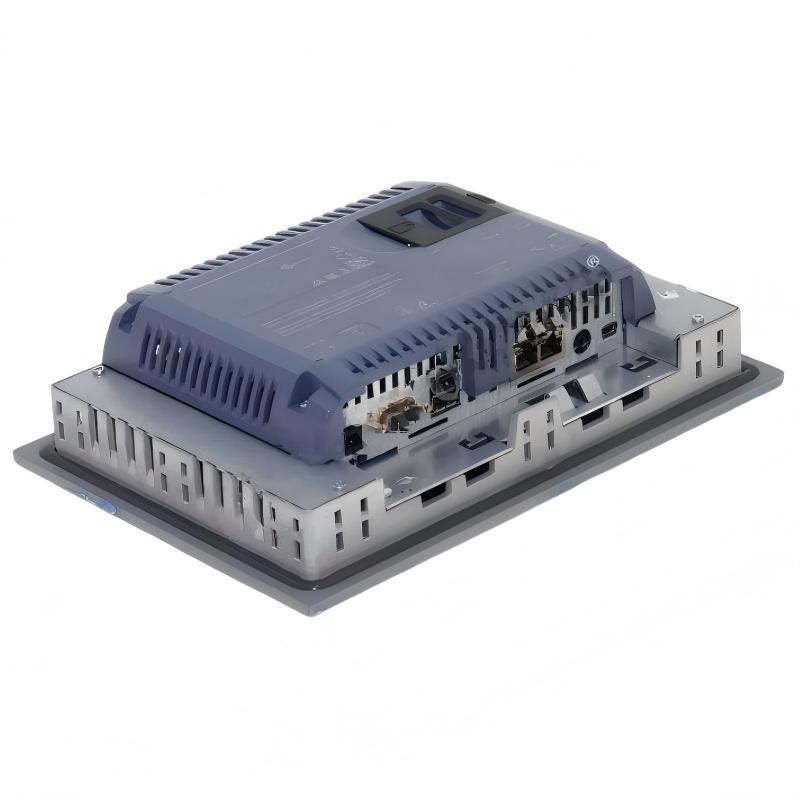
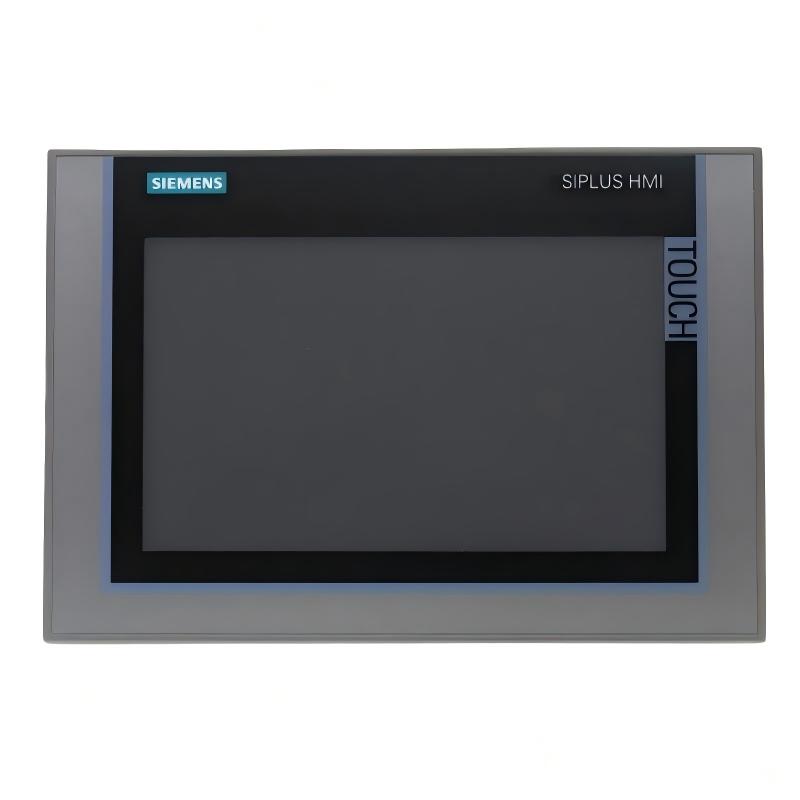
• Siemens 6AG1124-1JC01-4AX0 Touchscreen Panel
  • Siemens 6AG1124-1JC01-4AX0 Touchscreen Panel
  • Siemens 6AG1124-1JC01-4AX0 Touchscreen Panel
  • Siemens 6AG1124-1JC01-4AX0 Touchscreen Panel
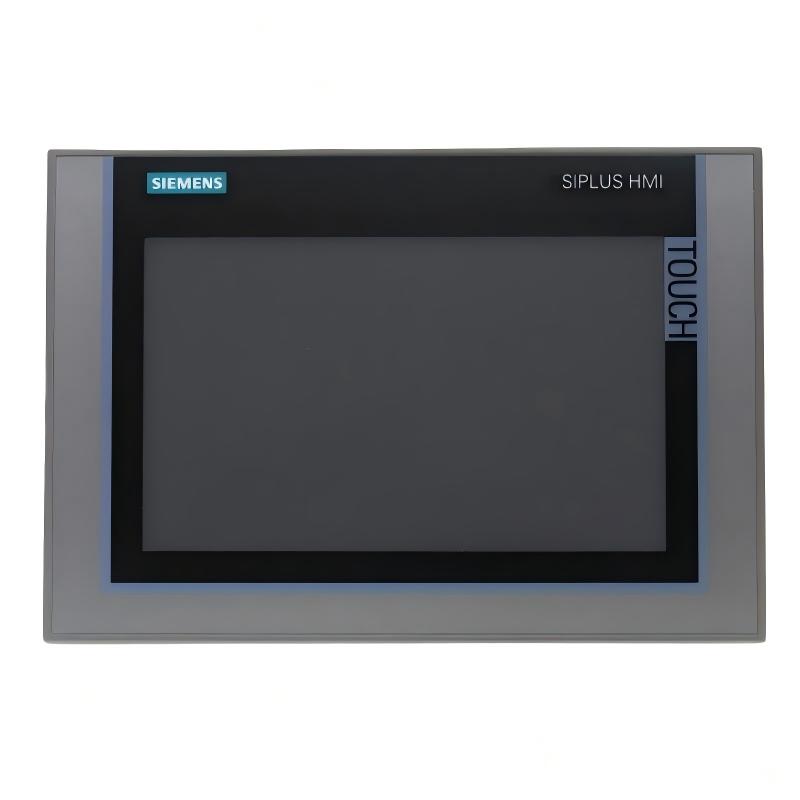
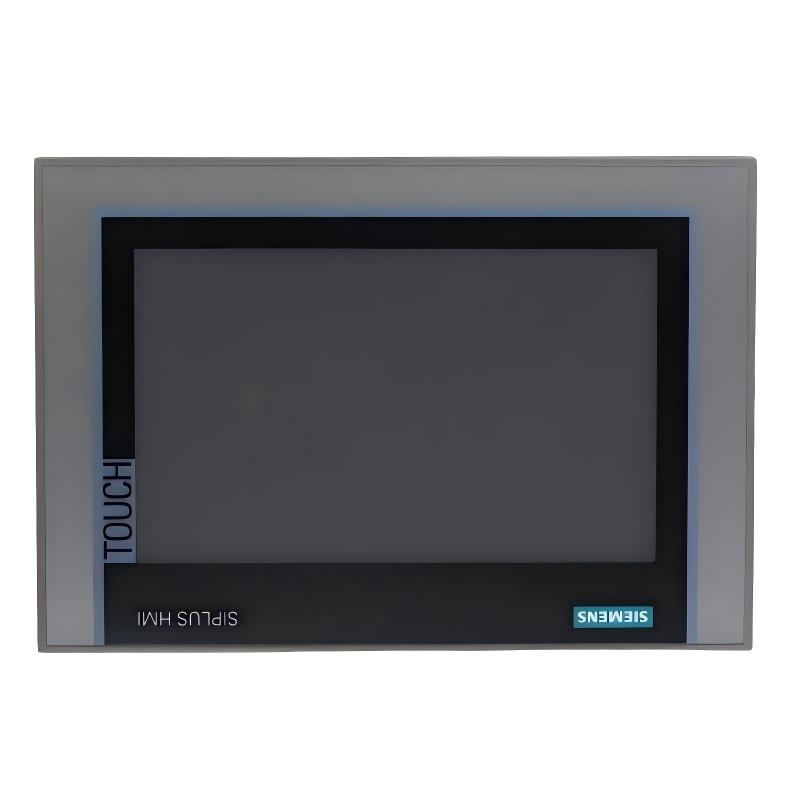
Product Overview The Siemens 6AG1124-1JC01-4AX0 Touchscreen Panel is a compact industrial Human Machine Interface (HMI) designed to provide operators with an efficient platform for machine oper……
Siemens 6AG1124-1JC01-4AX0 Touchscreen Panel
  • Siemens
  • 6AG1124-1JC01-4AX0
  • Touchscreen Panel
  • Germany
  • 9 inch
  • 3.392 kg
  • Xiamen, China
  • New & In Stock
  • T/T, PayPal, Western Union
  • 1 Year
  • 1-3 Working Days
  • DHL, UPS, TNT, FedEx and EMS.
  • 24-Hour Service
  • COO
  • 3

Our advantage

Siemens 6AG1124-1JC01-4AX0 Touchscreen Panel

Global Logistics

We have a 10-year logistics and express cooperation agreement, so our products can be shipped to any place in the world.

Siemens 6AG1124-1JC01-4AX0 Touchscreen Panel

Brand new and original

Our products are imported in bulk from the place of origin. Because of the cooperative relationship, our products are all original and 100% new.

Siemens 6AG1124-1JC01-4AX0 Touchscreen Panel

24-hour service

We provide 7*24 hours service to our customers. We will be there whenever you need us.

Siemens 6AG1124-1JC01-4AX0 Touchscreen Panel

Price advantage

All our products are priced very favorably because we have our own warehouse and supply.


Company Information
E-mail [email protected]
Mobile +8615980777398
Whatsapp +8615980777398
WeChat 15980777398

Product Overview

The Siemens 6AG1124-1JC01-4AX0 Touchscreen Panel is a compact industrial Human Machine Interface (HMI) designed to provide operators with an efficient platform for machine operation, process visualization, alarm management, and production monitoring. As part of the Siemens SIPLUS HMI family, this panel is engineered for industrial automation environments where dependable operator interaction and continuous equipment monitoring are essential.

Equipped with a 9-inch TFT touchscreen display and weighing 3.392 kg, the panel offers an excellent balance between display size and installation flexibility. It is suitable for medium-sized automation systems, production machinery, packaging equipment, conveyor systems, water treatment facilities, and industrial process control applications.

The touchscreen interface enables operators to monitor equipment status, acknowledge alarms, adjust operating parameters, view production information, and interact directly with PLC-controlled machinery through an intuitive graphical interface.


Technical Specifications

Parameter Details
Manufacturer Siemens
Model 6AG1124-1JC01-4AX0
Product Type Touchscreen Panel
Product Family SIPLUS HMI
Display Type TFT Color Display
Display Size 9 inches
Display Resolution 800 × 480 pixels
Display Colors 16 million colors
Touchscreen Yes
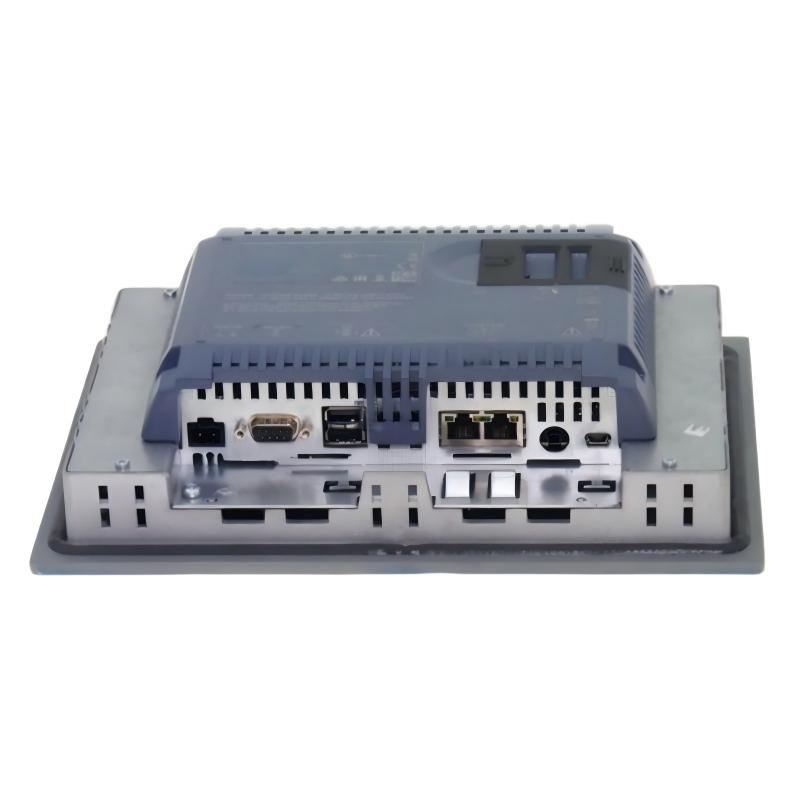
Communication PROFINET / MPI / PROFIBUS DP
Supply Voltage 24 V DC
Installation Industrial Control Cabinet
Operating Temperature 0°C to +50°C
Weight 3.392 kg

Function and Working Principle

The Siemens 6AG1124-1JC01-4AX0 serves as the operator interface between industrial control equipment and production personnel.

A typical operating architecture is:

PLC → Industrial Communication Network → Touchscreen HMI → Operator Input → PLC → Machine Operation

The HMI continuously exchanges data with the PLC and displays operating information in a graphical format. Operators can monitor equipment status while entering commands directly through the touchscreen.

Typical functions include:

  • Machine status visualization
  • Process monitoring
  • Alarm management
  • Parameter adjustment
  • Equipment diagnostics
  • Production data display
  • Maintenance information
  • Operator command input

The graphical interface simplifies machine operation and reduces dependence on physical control buttons.


9-Inch Industrial Display

The 9-inch TFT display provides a comfortable viewing area while maintaining a compact installation size.

The display can present:

  • Machine overview screens
  • Production status
  • Alarm lists
  • Trend graphs
  • Process values
  • Maintenance information
  • Operator control buttons
  • Equipment diagnostics

Its size makes it particularly suitable for machines requiring multiple process indicators without occupying excessive cabinet space.


Touchscreen Operation

The integrated touchscreen allows intuitive interaction with automation systems.

Operators can:

  • Start and stop equipment
  • Select operating modes
  • Modify production parameters
  • View alarms
  • Confirm alarm messages
  • Navigate between process screens
  • Access maintenance functions

The touchscreen interface improves operational efficiency while reducing operator training time.


Communication Functions

The Siemens 6AG1124-1JC01-4AX0 supports industrial communication with automation equipment.

Typical communication capabilities include:

  • PLC data exchange
  • Drive monitoring
  • Process variable display
  • Alarm transmission
  • Production data communication
  • Remote I/O monitoring

These communication functions allow the HMI to become an important visualization component within industrial automation systems.


Industrial Design

The panel is designed specifically for industrial environments.

Key characteristics include:

  • Compact installation
  • Industrial-grade construction
  • Reliable touchscreen operation
  • Suitable for continuous operation
  • Optimized for machine-mounted applications

With a weight of 3.392 kg, the panel provides robust construction while remaining easy to install inside industrial control cabinets.


Industrial Applications

Manufacturing Equipment

Typical applications include:

  • Assembly systems
  • CNC equipment
  • Packaging machines
  • Filling machinery
  • Production workstations
  • Material handling equipment

Machine Automation

The panel provides operators with a centralized interface for:

  • Machine operation
  • Production monitoring
  • Alarm handling
  • Equipment diagnostics
  • Process adjustments

Process Automation

Suitable process applications include:

  • Pump stations
  • Water treatment
  • Compressor control
  • Conveyor systems
  • Mixing equipment
  • Utility monitoring

Industrial Control Cabinets

The 9-inch format is well suited for:

  • PLC cabinets
  • Automation panels
  • Process control stations
  • Equipment operator consoles
  • Distributed control systems

Installation Guide

Step 1: Verify System Compatibility

Before installation:

  • Confirm model number.
  • Verify PLC compatibility.
  • Check communication requirements.
  • Verify power supply specifications.
  • Ensure sufficient installation space.

Step 2: Prepare the Mounting Position

Inspect the cabinet for:

  • Panel opening dimensions
  • Cable routing
  • Ventilation
  • Mounting clearance
  • Operator accessibility

Because the panel weighs 3.392 kg, the mounting hardware should provide adequate support.


Step 3: Install the Touchscreen Panel

Install the HMI into the prepared opening.

Then:

  • Secure all mounting clamps evenly.
  • Verify mechanical stability.
  • Check display alignment.
  • Ensure the front panel is properly seated.

Avoid excessive mechanical stress during installation.


Step 4: Connect the Power Supply

Before energizing:

  • Verify the 24 V DC supply.
  • Check polarity.
  • Inspect wiring.
  • Confirm grounding.
  • Verify connector integrity.

Step 5: Connect Communication Interfaces

Connect the HMI to the industrial automation network.

Verify:

  • Communication cables
  • Network configuration
  • PLC communication parameters
  • Connector condition

Step 6: Configure the HMI

After startup:

  • Load the HMI project.
  • Verify PLC communication.
  • Test screen navigation.
  • Confirm process values.
  • Check alarm functions.
  • Verify touchscreen response.

Step 7: Commission the System

Perform complete operational testing.

Verify:

  • Display quality
  • Touchscreen functionality
  • PLC communication
  • Alarm management
  • Parameter entry
  • Machine control
  • Process visualization

Only place the equipment into production after successful commissioning.


Common Failure Symptoms

Fault Symptom Possible Cause
Panel will not power on Power supply failure
Blank display Display or power issue
Touchscreen not responding Touch hardware problem
Communication loss Network or PLC issue
Incorrect process values Configuration problem
Missing alarms HMI project configuration
Slow screen response Application overload
Intermittent operation Connection or hardware issue

Troubleshooting Guide

HMI Does Not Start

Inspect:

  • DC power supply
  • Wiring
  • Connectors
  • Cabinet power distribution
  • Grounding

Communication Problems

If controller information is unavailable:

  • Verify communication cables.
  • Check PLC operation.
  • Inspect network settings.
  • Verify communication parameters.
  • Check connector installation.

Touchscreen Failure

If the display operates normally but touch input is unavailable:

  • Clean the display surface.
  • Inspect for physical damage.
  • Restart the HMI.
  • Verify the HMI project.
  • Test multiple screen locations.

Display Issues

For flickering or abnormal graphics:

  • Verify power quality.
  • Inspect display connections.
  • Check cabinet temperature.
  • Inspect the display hardware.

Maintenance Recommendations

Recommended maintenance includes:

  • Regular cleaning of the touchscreen.
  • Maintaining cabinet ventilation.
  • Preventing excessive dust accumulation.
  • Periodic inspection of communication cables.
  • Checking mounting hardware.
  • Backing up HMI projects.
  • Monitoring recurring alarms.
  • Performing scheduled preventive maintenance.

Avoid using excessive force when operating the touchscreen.


Compatible Automation Components

Component Function
Siemens PLC Main controller
Touchscreen Panel Operator interface
PROFINET Network Industrial communication
Remote I/O Signal acquisition
Variable Speed Drive Motor control
Sensors Process monitoring

Key Advantages

  • 9-inch industrial touchscreen
  • Compact yet highly visible display
  • Intuitive operator interface
  • Suitable for machine operation
  • Supports industrial automation communication
  • Reliable industrial construction
  • Easy cabinet integration
  • Weight: 3.392 kg

Technical FAQs

What is Siemens 6AG1124-1JC01-4AX0?

The Siemens 6AG1124-1JC01-4AX0 is a SIPLUS industrial touchscreen HMI used for machine control, process monitoring, and industrial automation applications.

What is the display size?

The panel features a 9-inch TFT touchscreen display.

What is the weight?

The panel weighs 3.392 kg.

What is the primary function of this HMI?

It provides operators with a graphical interface for monitoring equipment, managing alarms, adjusting parameters, and controlling industrial machinery.

Where is this touchscreen panel commonly installed?

It is commonly installed in manufacturing equipment, packaging machinery, process automation systems, conveyor systems, and industrial control cabinets.

Why choose a 9-inch HMI?

A 9-inch display offers an excellent compromise between screen visibility and installation size, providing sufficient workspace for process visualization while remaining compact enough for most industrial control panels.


Conclusion

The Siemens 6AG1124-1JC01-4AX0 Touchscreen Panel is a reliable industrial HMI designed for machine operation, process visualization, and automation control.

Its 9-inch touchscreen display, industrial communication capabilities, compact installation size, and 3.392 kg construction make it an excellent choice for manufacturing systems, industrial machinery, process automation, and control cabinet applications.

For automation engineers, maintenance technicians, OEM machine builders, and system integrators, the 6AG1124-1JC01-4AX0 provides a dependable operator interface that improves equipment visibility, enhances production efficiency, and supports reliable industrial automation.


Related Products

Get the latest price? We will reply as soon as possible (within 12 hours)

No:77501