Product Overview
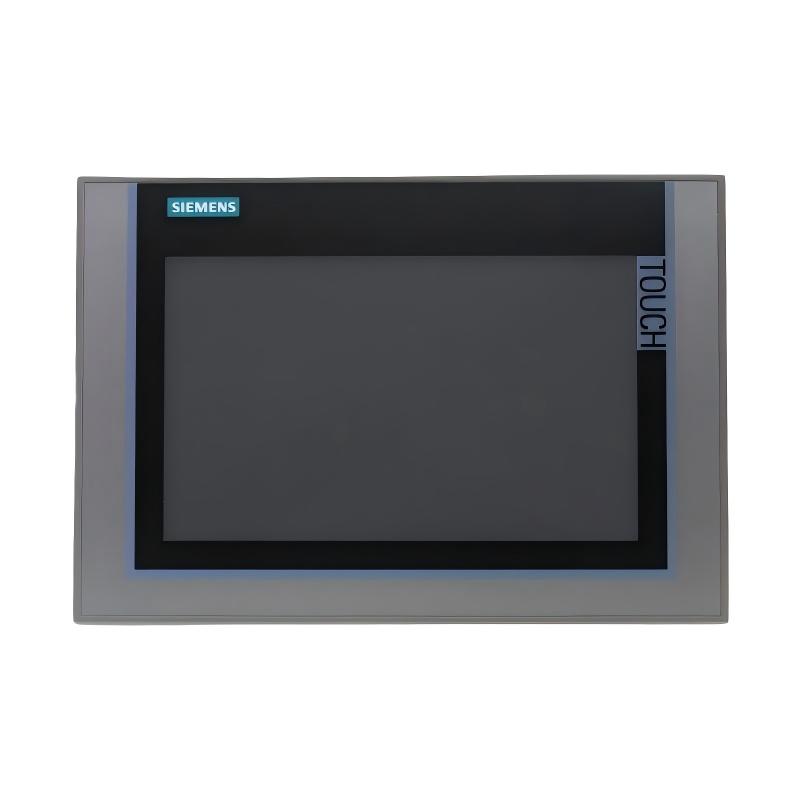
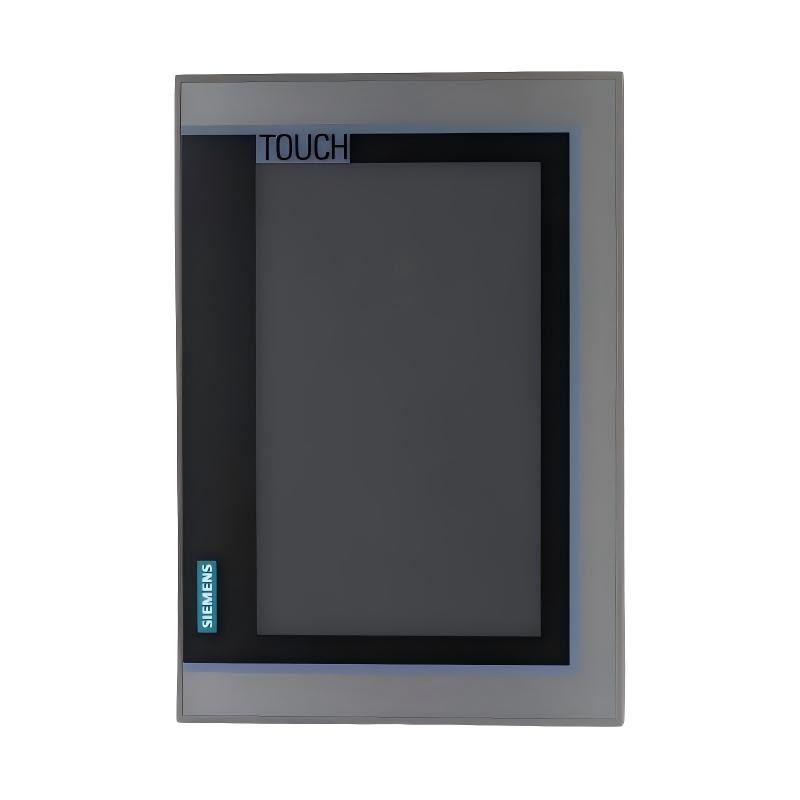
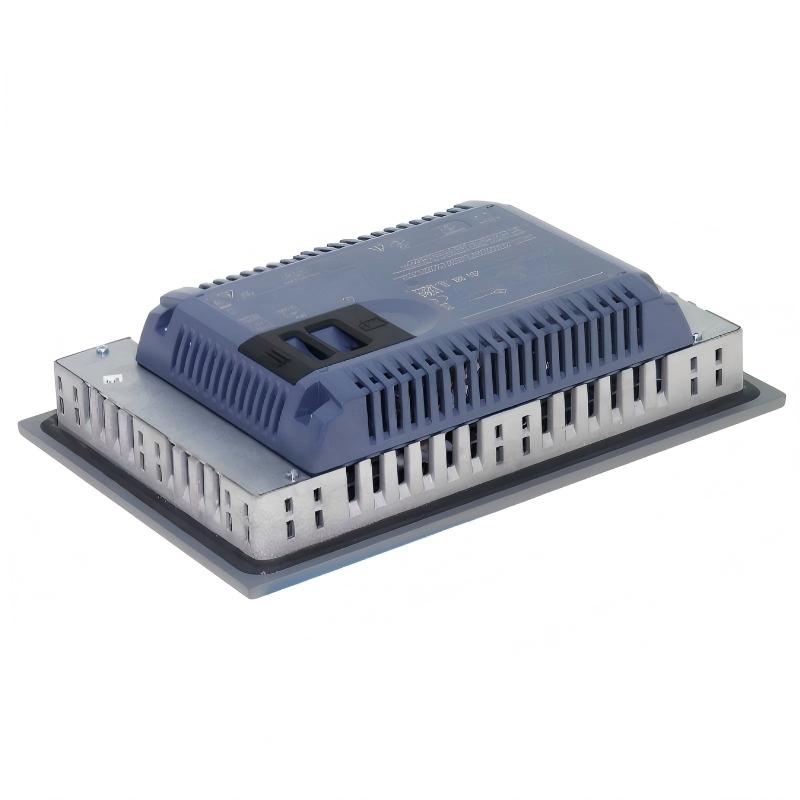
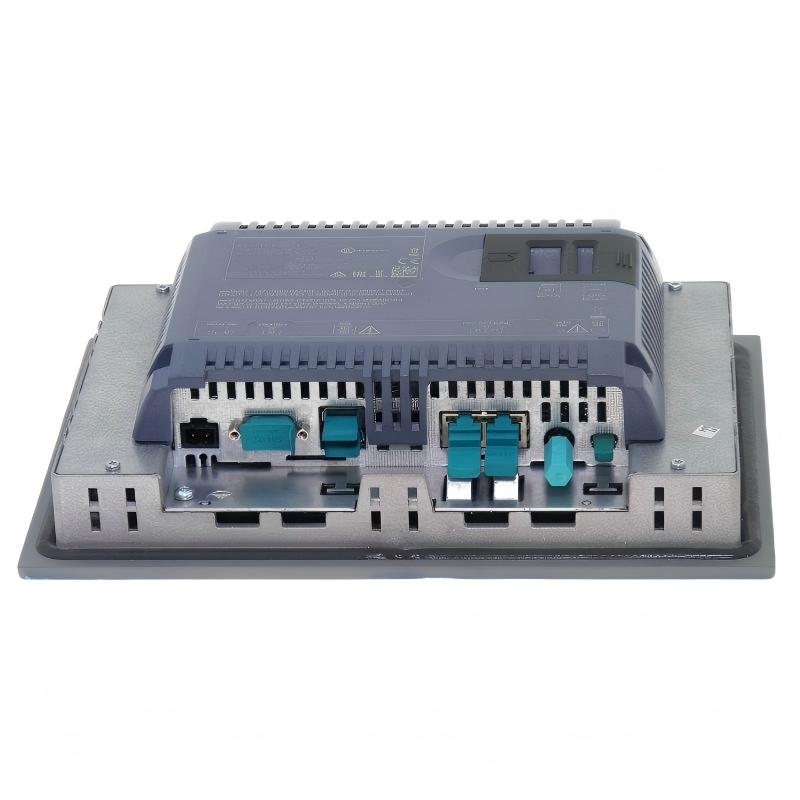
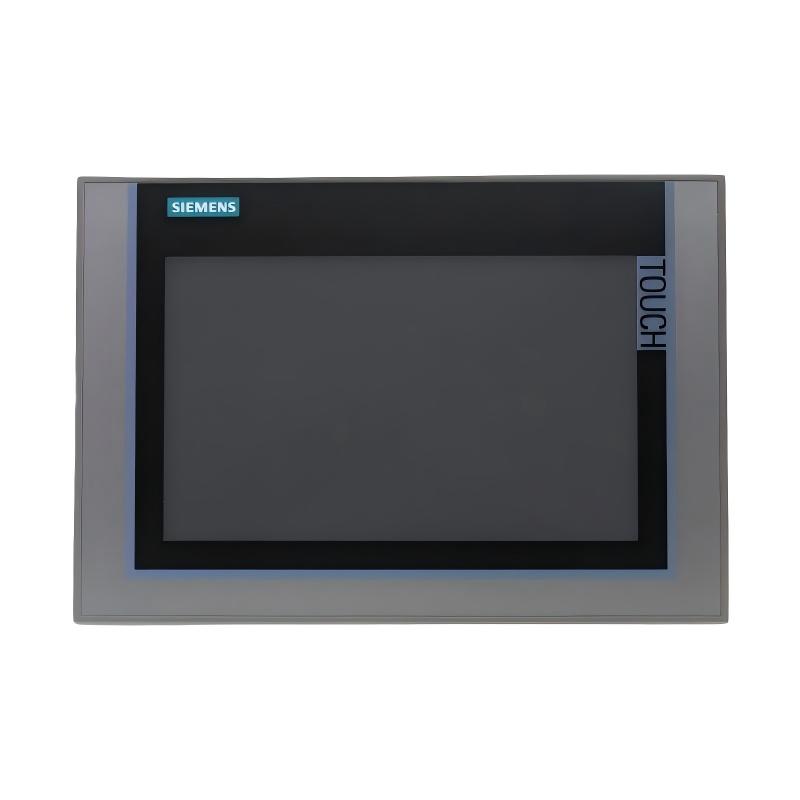
The Siemens 6AG1124-0XC02-4AX1 Touchscreen Panel is a SIPLUS industrial HMI designed for machine operation, process visualization, alarm monitoring, and operator control. It is based on the Siemens TP2200 Comfort platform and features a large-format widescreen TFT display with touch operation.
The panel provides a practical interface between operators and automation equipment such as PLCs, drives, remote I/O, and industrial networks. Its 22-inch-class widescreen display, PROFINET interface, and MPI/PROFIBUS DP interface make it suitable for applications requiring a large and information-rich operator interface.
The unit has a stated weight of 9.280 kg and uses a conformal-coated design intended for industrial applications. The specified operating temperature range is 0 to +45 °C.
Technical Specifications
| Parameter |
Details |
| Manufacturer |
Siemens |
| Model |
6AG1124-0XC02-4AX1 |
| Product Family |
SIPLUS Comfort Panels Standard |
| Product Type |
SIPLUS HMI TP2200 Comfort |
| Display Type |
Widescreen TFT |
| Display Size |
22-inch class |
| Touch Operation |
Yes |
| Display Resolution |
1920 × 1080 pixels |
| Display Colors |
16 million |
| Communication |
PROFINET |
| Additional Interface |
MPI/PROFIBUS DP |
| Configuration Memory |
24 MB |
| Supply Voltage |
24 V DC |
| Operating Temperature |
0 to +45 °C |
| Conformal Coating |
Yes |
| Weight |
9.280 kg |
Function and Working Principle
The Siemens 6AG1124-0XC02-4AX1 functions as a graphical operator interface within an industrial automation system.
A typical operating structure is:
PLC / Controller → Industrial Network → HMI → Touchscreen → Operator Command → PLC / Machine
The panel can display information generated by the control system and provide authorized commands back to the machine.
Typical functions include:
- Machine status visualization
- Process monitoring
- Alarm display
- Parameter input
- Operator control
- Trend visualization
- Diagnostic information
- Production data display
The large display area is particularly useful when operators need to view several process parameters, machine states, alarms, and control buttons simultaneously.
22-Inch-Class Widescreen Display
The TP2200 platform provides a large widescreen TFT interface suitable for complex industrial visualization applications.
The display provides space for:
- Process diagrams
- Machine layouts
- Alarm lists
- Trend curves
- Numerical values
- Control buttons
- Diagnostic screens
The large screen can reduce the need to switch repeatedly between different HMI pages and can make complex machine information easier to organize.
Touchscreen Operation
The panel provides direct touchscreen operation for interaction with the HMI application.
Operators can use the interface to:
- Start or stop authorized machine functions
- Enter process parameters
- Navigate between operating screens
- Acknowledge alarms
- View diagnostic information
- Monitor equipment status
- Access maintenance pages
Touchscreen operation also allows machine builders to create application-specific control layouts without relying entirely on physical switches and buttons.
Communication Functions
The 6AG1124-0XC02-4AX1 supports PROFINET as well as MPI/PROFIBUS DP communication.
This allows the HMI to be integrated into automation architectures containing:
- Siemens PLCs
- Distributed I/O
- Variable speed drives
- Industrial networks
- Machine controllers
- Process equipment
Communication between the HMI and controller allows real-time process values and system status information to be presented to the operator.
SIPLUS Industrial Design
The 6AG1124-0XC02-4AX1 belongs to the SIPLUS Comfort Panels Standard family and uses a conformal-coated configuration.
The coating provides additional protection for the electronic assembly in appropriate industrial environments.
This makes the panel suitable for applications where environmental conditions require additional electronic protection compared with a conventional indoor office display.
The specified operating temperature range for this model is 0 to +45 °C.
Industrial Applications
Manufacturing Lines
The panel can be used as an operator station for automated production lines.
Typical functions include:
- Production monitoring
- Machine control
- Alarm management
- Production parameter adjustment
- Equipment diagnostics
Machine Automation
Machine builders can use the touchscreen as a central operating interface.
Typical screens may include:
- Machine overview
- Manual operation
- Automatic operation
- Parameter settings
- Maintenance
- Alarm history
Process Automation
The large display area is useful for process applications with numerous operating variables.
Possible applications include:
- Pump systems
- Compressor systems
- Material handling
- Production equipment
- Packaging machinery
- Industrial processing systems
Control Cabinets
The touchscreen can be integrated into industrial control panels and operator stations.
A typical architecture may include:
| Component |
Function |
| Siemens PLC |
Main control |
| 6AG1124-0XC02-4AX1 |
Operator interface |
| PROFINET |
Industrial communication |
| Remote I/O |
Field signal processing |
| Drive |
Motor control |
| Sensors |
Process measurement |
Installation Guide
Step 1: Verify the Model
Before installation, confirm:
- Model number: 6AG1124-0XC02-4AX1
- HMI application compatibility
- PLC communication requirements
- Power supply requirements
- Available mounting space
The exact part number should always be checked before replacement.
Step 2: Prepare the Control Panel
Prepare the cabinet or operator station for the large-format HMI.
Check:
- Mounting opening
- Mechanical support
- Cable clearance
- Ventilation
- Operator viewing angle
Because the unit weighs 9.280 kg, the mounting structure should provide adequate mechanical support.
Step 3: Mount the HMI
Position the panel carefully in the prepared mounting opening.
Then:
- Insert the panel into the opening.
- Install the mounting hardware.
- Secure the panel evenly.
- Check that the display is properly aligned.
Avoid excessive mechanical pressure on the display or housing.
Step 4: Connect Power
Connect the required DC power supply.
Before energizing the unit:
- Verify polarity.
- Check wiring.
- Inspect the connector.
- Confirm stable power.
- Verify grounding requirements.
Step 5: Connect Communication
Connect the appropriate industrial communication interface according to the automation architecture.
Possible connections include:
Check connector seating and communication configuration before commissioning.
Step 6: Configure the HMI
After startup:
- Load the required HMI project.
- Configure PLC communication.
- Verify screen navigation.
- Check process values.
- Verify alarm functions.
- Test operator input.
Step 7: Commission the System
Perform a complete functional test.
Check:
- Touchscreen response
- PLC communication
- Alarm display
- Process visualization
- Parameter entry
- Machine control
- Network communication
The HMI should be placed into normal production service only after successful testing.
Common Failure Symptoms
| Fault Symptom |
Possible Cause |
| HMI does not start |
Power supply or wiring issue |
| Blank display |
Power or display hardware problem |
| Touchscreen does not respond |
Touch hardware or configuration problem |
| No PLC values |
Communication problem |
| Incorrect values |
HMI/PLC configuration issue |
| Network communication failure |
PROFINET or PROFIBUS configuration problem |
| Slow screen response |
Application or communication load |
| Missing alarms |
HMI project configuration issue |
Troubleshooting Guide
HMI Does Not Start
Check the following:
- Power supply.
- Power wiring.
- Connector seating.
- Cabinet power status.
- Grounding.
If the HMI remains inactive after the power system has been verified, further hardware diagnosis may be necessary.
PLC Communication Failure
If the HMI starts but does not show controller information:
- Check communication cables.
- Check network connections.
- Verify PLC status.
- Check HMI communication settings.
- Verify network configuration.
- Inspect connectors.
A communication failure does not necessarily indicate an HMI hardware fault; configuration and network problems should be checked first.
Touchscreen Failure
If the display works but touch commands are not recognized:
- Clean the screen.
- Check for physical damage.
- Restart the HMI.
- Check the project configuration.
- Test different areas of the touchscreen.
If the entire touchscreen remains unresponsive, hardware inspection may be required.
Display Problems
For flickering, abnormal images, or missing display areas:
- Check power stability.
- Inspect connections.
- Check cabinet temperature.
- Inspect the display for physical damage.
- Verify that the problem is not caused by the HMI application.
Persistent hardware-related display problems may require panel replacement.
Maintenance Recommendations
For reliable long-term operation:
- Keep the touchscreen clean.
- Prevent excessive dust accumulation.
- Maintain appropriate cabinet temperature.
- Inspect communication connections periodically.
- Check mounting hardware.
- Monitor recurring HMI alarms.
- Maintain backups of HMI project files.
- Keep controller and HMI configuration documentation available.
Avoid using sharp tools or excessive force on the touchscreen surface.
Replacement and Legacy System Considerations
The 6AG1124-0XC02-4AX1 is particularly relevant to maintenance and replacement projects involving existing SIPLUS HMI installations.
When replacing an existing unit, verify:
- Exact MLFB number
- HMI project compatibility
- PLC communication configuration
- Network architecture
- Power requirements
- Mounting arrangement
- Existing operating environment
For legacy equipment, keeping a tested replacement panel available can help reduce production downtime when an installed HMI develops a hardware fault.
Key Advantages
- Siemens SIPLUS industrial HMI platform
- TP2200 Comfort configuration
- Large 22-inch-class widescreen display
- Touchscreen operator interface
- PROFINET communication
- MPI/PROFIBUS DP support
- 24 MB configuration memory
- Conformal-coated design
- Suitable for industrial machine visualization
- Suitable for process monitoring and operator control
- 9.280 kg stated weight
Technical FAQs
What is Siemens 6AG1124-0XC02-4AX1?
The Siemens 6AG1124-0XC02-4AX1 is a SIPLUS HMI TP2200 Comfort touchscreen panel intended for industrial automation and operator-interface applications.
What is the display size?
It is a 22-inch-class widescreen TFT display.
What is the weight?
The stated weight is 9.280 kg.
What communication interfaces does it support?
The panel supports PROFINET and MPI/PROFIBUS DP interfaces.
What is the main function of the panel?
Its primary function is to provide operators with a graphical interface for monitoring, controlling, and diagnosing industrial automation equipment.
Where can it be used?
Typical applications include manufacturing lines, machine automation, process monitoring, industrial control cabinets, and operator stations.
What makes this model suitable for industrial applications?
Its large-format touchscreen interface, industrial communication capabilities, and SIPLUS conformal-coated design make it suitable for demanding automation environments.
Conclusion
The Siemens 6AG1124-0XC02-4AX1 Touchscreen Panel is a large-format industrial HMI designed for machine operation, process visualization, alarm management, and automation system monitoring.
With its 22-inch-class widescreen TFT display, touchscreen operation, PROFINET connectivity, MPI/PROFIBUS DP interfaces, 24 MB configuration memory, conformal-coated design, and 9.280 kg weight, the panel provides a practical operator interface for industrial automation systems.
For automation engineers, machine builders, maintenance technicians, and system integrators, the 6AG1124-0XC02-4AX1 is well suited to applications where a large and clearly organized HMI interface is required for reliable machine and process operation.