

ProductPRODUCT
Featured products
Contact Us
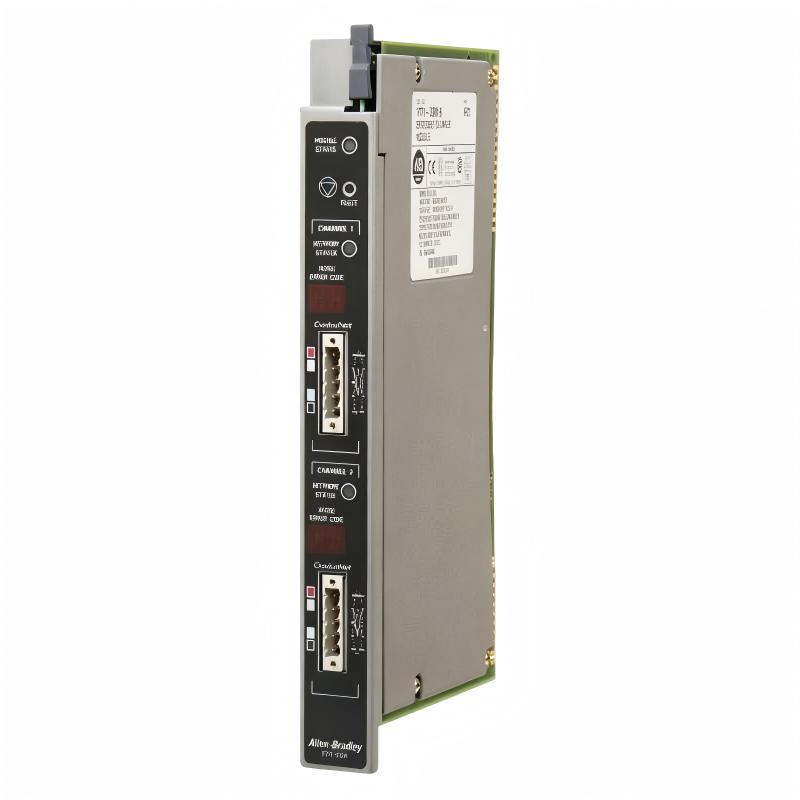
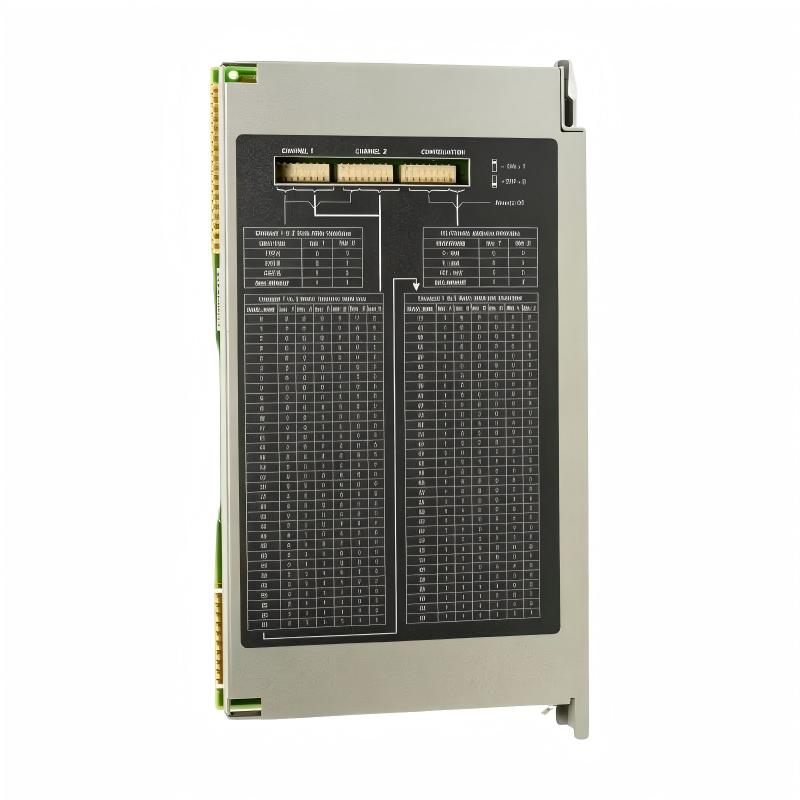
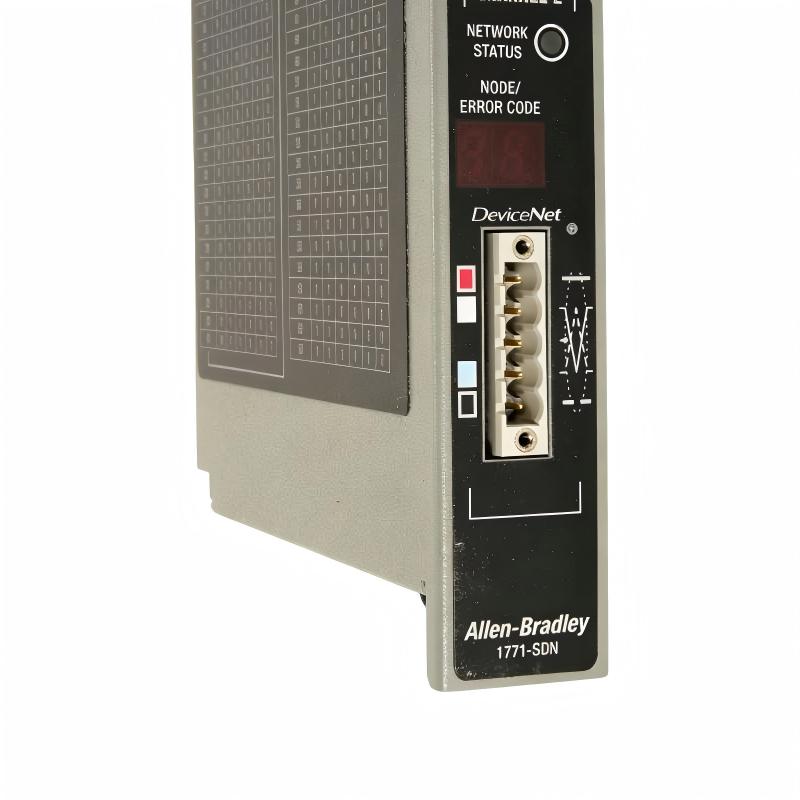
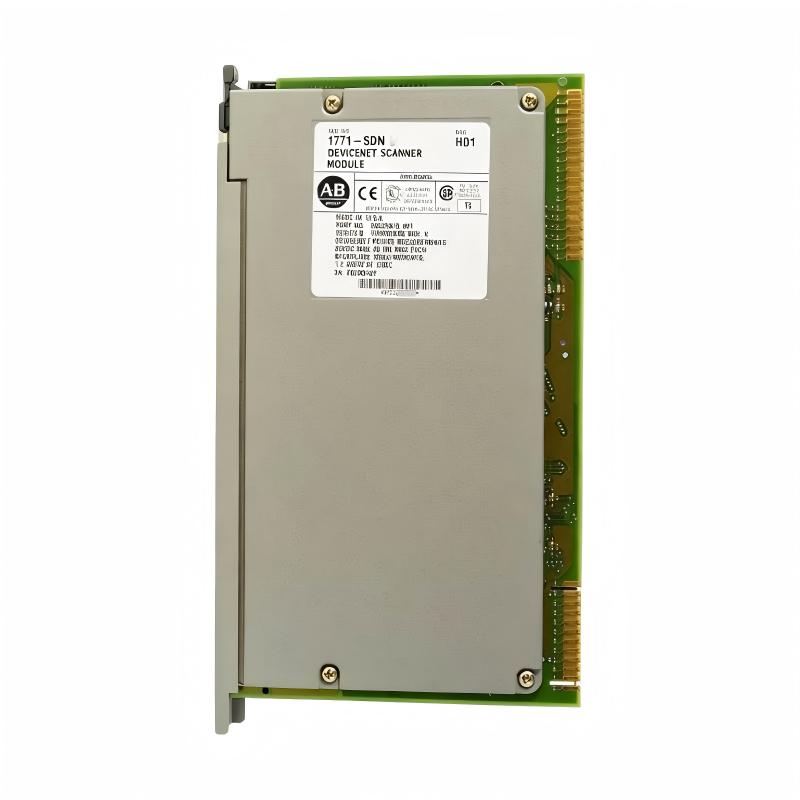
- Allen Bradley
- 1771-SDN
- DeviceNet Scanner Module
- USA
- 270 x 30 x 170 mm
- 0.9 kg
- Xiamen, China
- New & In Stock
- T/T, PayPal, Western Union
- 1 Year
- 1-3 Working Days
- DHL, UPS, TNT, FedEx and EMS.
- 24-Hour Service
- COO
- 5
Our advantage

Global Logistics
We have a 10-year logistics and express cooperation agreement, so our products can be shipped to any place in the world.

Brand new and original
Our products are imported in bulk from the place of origin. Because of the cooperative relationship, our products are all original and 100% new.

24-hour service
We provide 7*24 hours service to our customers. We will be there whenever you need us.

Price advantage
All our products are priced very favorably because we have our own warehouse and supply.
| Company Information | |||
| [email protected] | |||
| Mobile | +8615980777398 | ||
| +8615980777398 | |||
| 15980777398 |
Product Overview
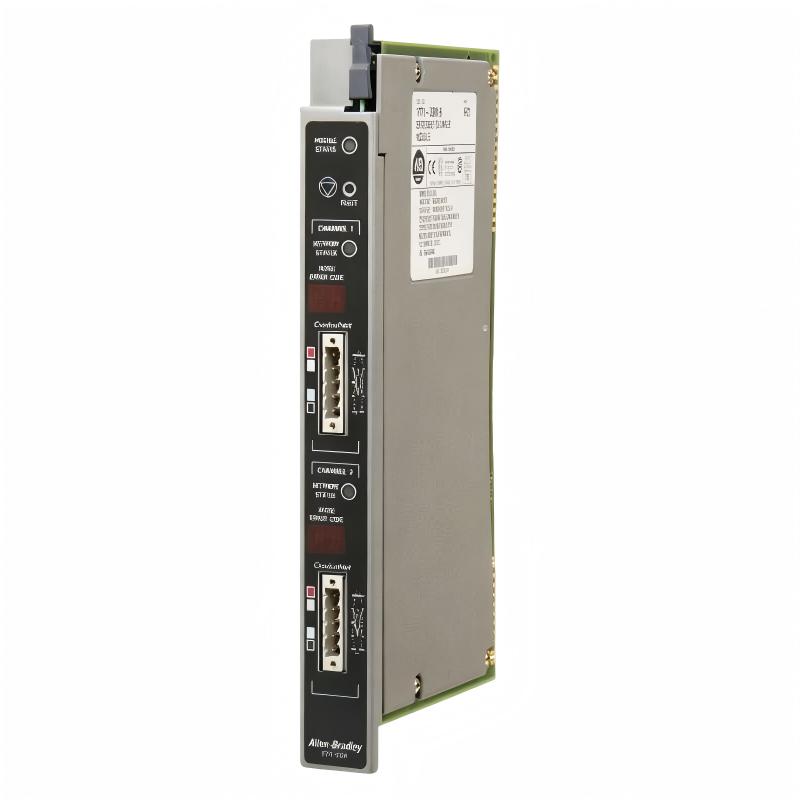
The Allen-Bradley 1771-SDN DeviceNet Scanner Module is an industrial communication module designed to connect DeviceNet field devices with Allen-Bradley PLC-5 control systems. Manufactured by Rockwell Automation, this module belongs to the legacy 1771 I/O product family and provides an interface between the PLC processor and devices operating on DeviceNet networks.
DeviceNet is an industrial communication protocol based on CAN technology. It allows automation equipment such as motor drives, starters, sensors, and distributed I/O devices to exchange process data and diagnostic information with a controller.
The 1771-SDN supports two DeviceNet communication channels, allowing it to interface with two separate DeviceNet networks. The scanner collects input information from network devices and transfers data to the PLC processor. It also distributes output commands from the controller to configured devices.
This architecture helps integrate field-level equipment into an established PLC-5 automation system without requiring every device to be connected directly to individual I/O points.
The module is suitable for maintenance and continued operation of compatible legacy industrial systems. Because it belongs to an older automation platform, engineers should verify the module’s series, configuration, software requirements, and existing network design before purchasing a replacement.
Technical Specifications
| Parameter | Details |
|---|---|
| Brand | Allen-Bradley |
| Manufacturer | Rockwell Automation |
| Model | 1771-SDN |
| Product Type | DeviceNet Scanner Module |
| Product Family | PLC-5 / 1771 I/O |
| Communication Protocol | DeviceNet |
| DeviceNet Channels | 2 |
| DeviceNet Data Rates | 125, 250, and 500 kbps, subject to configuration |
| Network Node Address | 0–63 per channel |
| PLC Communication | Block-transfer and supported discrete data transfer |
| Compatible Chassis | Specified 1771-A1B through 1771-A4B or later supported chassis |
| Backplane Current | 5 V DC, 0.8 A |
| DeviceNet Power | 24 V DC, 50 mA per channel, Class 2 |
| Operating Temperature | 0–60°C |
| Storage Temperature | -40–85°C |
| Dimensions (H × W × D) | 270 × 30 × 170 mm |
| Weight | 0.9 kg |
| Installation | Compatible 1771 I/O chassis |
| Typical Applications | PLC-5 communication, DeviceNet network scanning, legacy automation maintenance |
Note: Dimensions and weight match the supplied specifications and the manufacturer’s installation documentation. Confirm the exact hardware series and configuration before installation.
Function and Working Principle
1. DeviceNet Network Scanning
The 1771-SDN acts as a scanner that manages communication with configured DeviceNet devices. It exchanges data according to the scan list and communication settings established for the network.
Depending on the application, supported communication methods include polling, strobing, change-of-state (COS), cyclic I/O, and explicit messaging. The actual methods available depend on the device, module revision, and network configuration.
This functionality allows the PLC system to monitor field conditions and issue control commands through a shared industrial communication network.
2. Communication Between DeviceNet and PLC-5
The scanner provides the interface between the DeviceNet network and the PLC-5 processor. Input information collected from field devices is transferred to the controller, while output data from the PLC is sent to the configured network devices.
The module supports block-transfer communication with the PLC processor. The available discrete data transfer also depends on the selected 1771 I/O addressing mode.
Correct data mapping is essential because the PLC program must interpret each input and output value according to the configured network layout.
3. Dual-Channel Network Connectivity
The 1771-SDN provides two DeviceNet channels. This allows the module to communicate with devices on two networks, which can help organize field equipment into separate communication segments.
For example, one channel may serve a group of drives while the other connects distributed I/O devices. Such arrangements depend on the original system design and should not be assumed for every installation.
Each channel requires appropriate network wiring, communication settings, and node-address configuration.
4. Diagnostic and Messaging Functions
The scanner supports network communication and diagnostic information that can help engineers investigate device communication problems. Depending on the module series and configuration, the system can provide information about network status, device communication, and messaging operations.
These capabilities help maintenance personnel identify communication failures and verify that configured devices are participating in the network as expected.
Role in PLC-5 Automation Systems
The PLC-5 platform is used in many established industrial installations. In these systems, the 1771-SDN can provide DeviceNet connectivity for field equipment while allowing the existing PLC program to continue using its configured data-transfer methods.
PLC Communication Interface
The scanner transfers configured input and output data between DeviceNet devices and the PLC processor. This enables the controller to monitor machine conditions, coordinate equipment, and execute programmed operating sequences.
Distributed Device Integration
DeviceNet allows compatible devices to share a communication network instead of requiring every signal to use a separate point-to-point connection. This can reduce individual field wiring and support organized machine-level connectivity.
Support for Legacy Equipment
Industrial plants often retain proven control systems because replacing a complete automation platform can require significant engineering, testing, downtime, and capital investment.
Maintaining a compatible 1771-SDN module can help keep an existing system operational when the PLC-5 and DeviceNet architecture remains suitable for the application.
However, long-term maintenance planning should consider the availability of spare modules, configuration backups, technical documentation, and potential modernization requirements.
Industrial Applications
1. Manufacturing and Assembly Lines
Manufacturing facilities may use DeviceNet-connected motor starters, sensors, and distributed I/O to coordinate conveyors, assembly stations, and production machinery.
The 1771-SDN can provide the communication interface required by compatible PLC-5 systems to exchange field-device data.
2. Material Handling Systems
Conveyors, transfer equipment, and sorting systems often contain multiple motor-control devices and sensors. DeviceNet communication allows the PLC to coordinate these components through the configured network.
Maintaining the scanner helps preserve communication between the controller and existing field devices.
3. Motor Control and Drive Systems
Compatible motor starters and drives may exchange operating commands, status information, and fault data through DeviceNet.
The scanner passes configured data between the network and PLC program, enabling the control system to monitor equipment and respond to operating conditions.
4. Process and Utility Equipment
Industrial utility systems may use PLC-5 controllers to coordinate pumps, auxiliary machinery, and distributed control devices. A 1771-SDN can support communication with compatible DeviceNet equipment within the existing system architecture.
5. Legacy Industrial Automation
Facilities that operate older Rockwell Automation systems may need replacement communication modules to maintain production equipment.
When sourcing a 1771-SDN, matching the installed hardware series and preserving the existing configuration are important steps in reducing commissioning risk.
Installation and System Integration
Step 1: Verify the Module and Chassis
Confirm that the module is an Allen-Bradley 1771-SDN and identify its hardware series. Verify that the target chassis is a supported 1771 I/O chassis.
The scanner must be installed in a permitted slot according to the applicable chassis and system documentation.
Step 2: Review the Existing Configuration
Before removing an existing module, document its DeviceNet node addresses, communication rates, switch settings, scan list, and PLC data mapping.
Where possible, back up the PLC program and DeviceNet configuration. This helps avoid unnecessary reconfiguration after replacement.
Step 3: Configure DeviceNet Communication
Set the communication rate and node address for each channel according to the network design. Supported DeviceNet data rates include 125, 250, and 500 kbps.
Ensure that all devices on each network use compatible communication settings and that node addresses are unique within the applicable network.
Step 4: Install the Module Safely
Follow the manufacturer’s installation procedure. Remove power as required before inserting or removing the module, and observe appropriate electrostatic-discharge precautions.
Seat the module securely in the chassis and use the specified locking mechanism.
Step 5: Connect the DeviceNet Network
Connect each DeviceNet channel using the appropriate wiring and connector arrangement. Verify the network cable, conductor colors, power connections, and shield arrangement against the installation documentation.
DeviceNet wiring should follow the applicable network design and electrical installation requirements.
Step 6: Configure PLC Data Transfers
Configure the PLC-5 program to communicate with the scanner using the supported data-transfer methods. Confirm that the configured input and output data sizes match the application and the selected chassis addressing mode.
Incorrect data mapping may result in unexpected machine behavior even when the network appears to be communicating.
Step 7: Test Network Operation
After completing installation and configuration, verify module status indicators, DeviceNet communication, and the status of configured network devices.
Test critical inputs and outputs under controlled conditions before returning the system to normal operation. Review network diagnostics if devices fail to communicate as expected.
Compatible Components and System Accessories
The following components are commonly relevant to a PLC-5 DeviceNet installation. Compatibility depends on the existing system configuration.
| Component | Function | Selection Considerations |
|---|---|---|
| PLC-5 processor | Executes control logic | Verify processor model and supported communication instructions |
| 1771 I/O chassis | Houses the scanner and compatible modules | Confirm supported chassis series and available slot |
| DeviceNet motor starter | Provides motor-control functions | Check DeviceNet compatibility and network configuration |
| DeviceNet-compatible drive | Controls motor speed and operating status | Verify communication profile and required data mapping |
| DeviceNet remote I/O | Connects distributed field signals | Confirm device compatibility and scan-list configuration |
| DeviceNet power supply | Supplies network power | Follow network power and Class 2 requirements |
| DeviceNet trunk and drop cables | Carry network communication and power | Verify cable type, length, termination, and topology |
| RSNetWorx for DeviceNet | Configures and diagnoses the network | Confirm software version and compatibility with the module series |
| PLC programming software | Configures PLC-5 logic and data transfers | Verify project compatibility and available engineering environment |
These are system-level component categories, not items included with the 1771-SDN module.
Replacement and Alternative Model Considerations
The 1771-SDN is a legacy communication module, so replacement selection requires more than matching the DeviceNet protocol.
| Replacement Option | Important Considerations |
|---|---|
| Exact 1771-SDN replacement | Match the installed series, revision, and configuration |
| 1771-SDN Series C | Check configuration-switch requirements when replacing earlier series |
| Another DeviceNet scanner | Verify PLC platform, communication instructions, mounting, and data mapping |
| Modern remote I/O or communication architecture | Evaluate controller compatibility, network migration, wiring changes, and engineering effort |
| EtherNet/IP-based replacement system | Requires a planned migration; it is not a direct plug-in replacement for DeviceNet |
A Series C module can support earlier-series compatibility under the conditions specified in the manufacturer’s documentation. In particular, the required configuration-switch setting must be checked before using Series C as a replacement for an earlier module.
A newer EtherNet/IP module should not be treated as a direct substitute for the 1771-SDN. A migration may require hardware changes, PLC program modifications, new network devices, and commissioning work.
Key Advantages
Dual DeviceNet Channels
Two communication channels allow the module to interface with two DeviceNet networks, subject to the system design.
Integration with PLC-5
The scanner provides the communication interface required to exchange configured data between DeviceNet devices and a compatible PLC-5 processor.
Support for Multiple Messaging Methods
Supported communication methods include cyclic and event-related I/O exchange, polling, strobing, and explicit messaging, subject to the module and device configuration.
Optical Isolation
The module provides optical isolation between the backplane and DeviceNet channels, as well as between the channels, helping isolate electrical disturbances within the specified design limits.
Legacy System Maintenance
For plants that continue to use a compatible 1771/PLC-5 architecture, maintaining a correctly configured scanner can help avoid an unnecessary immediate system-wide replacement.
Technical FAQs
1. What is the Allen-Bradley 1771-SDN?
It is a DeviceNet scanner module for Allen-Bradley PLC-5 and 1771 I/O systems. It exchanges configured data between a PLC processor and compatible DeviceNet devices.
2. How many DeviceNet channels does it support?
The module supports two DeviceNet channels. Each channel requires appropriate network configuration and wiring.
3. What are the supported communication rates?
The documented DeviceNet rates are 125, 250, and 500 kbps. The selected rate must match the configuration of the corresponding network.
4. What are the dimensions and weight?
The supplied specifications are 270 × 30 × 170 mm and 0.9 kg. These values match the manufacturer’s installation documentation.
5. Which chassis is compatible with the module?
The scanner is specified for supported 1771-A1B through 1771-A4B or later 1771 I/O chassis. Verify the exact chassis and slot requirements before installation.
6. Which software is used to configure the DeviceNet network?
RSNetWorx for DeviceNet is associated with configuring and diagnosing the scanner’s network. The exact software version and electronic data sheet requirements depend on the module series and installed environment.
7. Can a Series C module replace Series A or B?
The manufacturer’s documentation describes Series C compatibility with earlier versions under specified conditions. Check the configuration-switch requirements and confirm the replacement procedure for the installed system.
8. Is the 1771-SDN suitable for a new automation project?
It is primarily relevant to maintaining compatible legacy installations. For a new project, engineers should evaluate currently supported control platforms and network technologies, considering long-term support and lifecycle requirements.
9. What should be checked before purchasing a used or refurbished module?
Confirm the exact series, revision, physical condition, connector condition, test status, warranty, and availability of the configuration documentation needed to restore the existing network.
Procurement and Maintenance Recommendations
When purchasing the Allen-Bradley 1771-SDN DeviceNet Scanner Module, provide the supplier with the exact catalog number and, if available, the installed series and revision.
Before confirming an order, verify:
- Hardware series and revision.
- Compatibility with the existing 1771 I/O chassis.
- Support for the required DeviceNet configuration.
- Availability of the correct wiring accessories.
- Condition of connectors and module contacts.
- Supplier testing and warranty terms.
- Availability of configuration and troubleshooting documentation.
For replacement projects, back up the PLC program and DeviceNet configuration before changing hardware. Record network node addresses, baud rates, scan lists, and data mappings so that the replacement can be configured consistently.
Because the 1771-SDN belongs to a legacy platform, spare-parts planning should include an assessment of future availability and the feasibility of migrating to a supported architecture.
Conclusion
The Allen-Bradley 1771-SDN DeviceNet Scanner Module is a communication interface designed for compatible PLC-5 and 1771 I/O systems. With two DeviceNet channels and support for multiple communication methods, it enables a controller to exchange data with compatible field devices across configured industrial networks.
The module remains relevant to the maintenance of established automation installations where the existing PLC-5 architecture is still in service. Successful replacement depends on matching the hardware series, confirming chassis compatibility, preserving network configuration, and validating communication after installation.
The listed dimensions are 270 × 30 × 170 mm, and the weight is 0.9 kg. Before ordering, verify the module revision and ensure that it meets the requirements of the existing DeviceNet network.