

ProductPRODUCT
Featured products
Contact Us
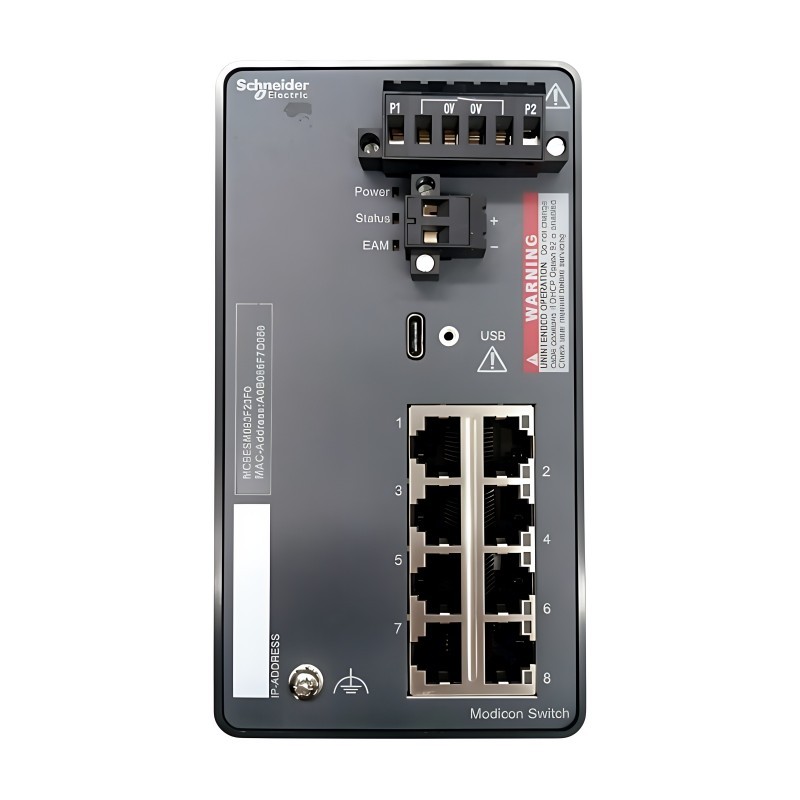
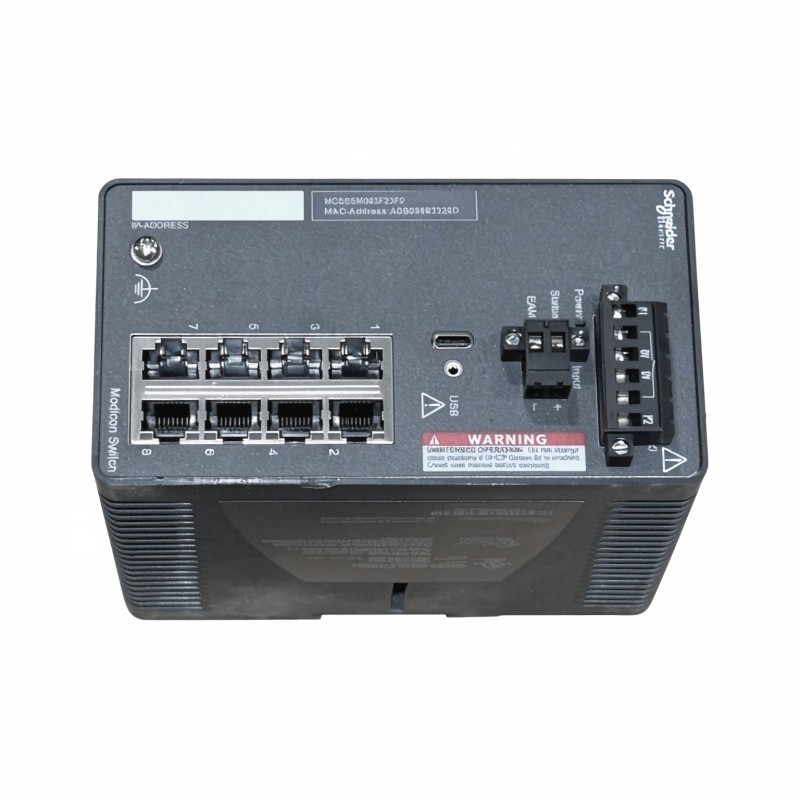
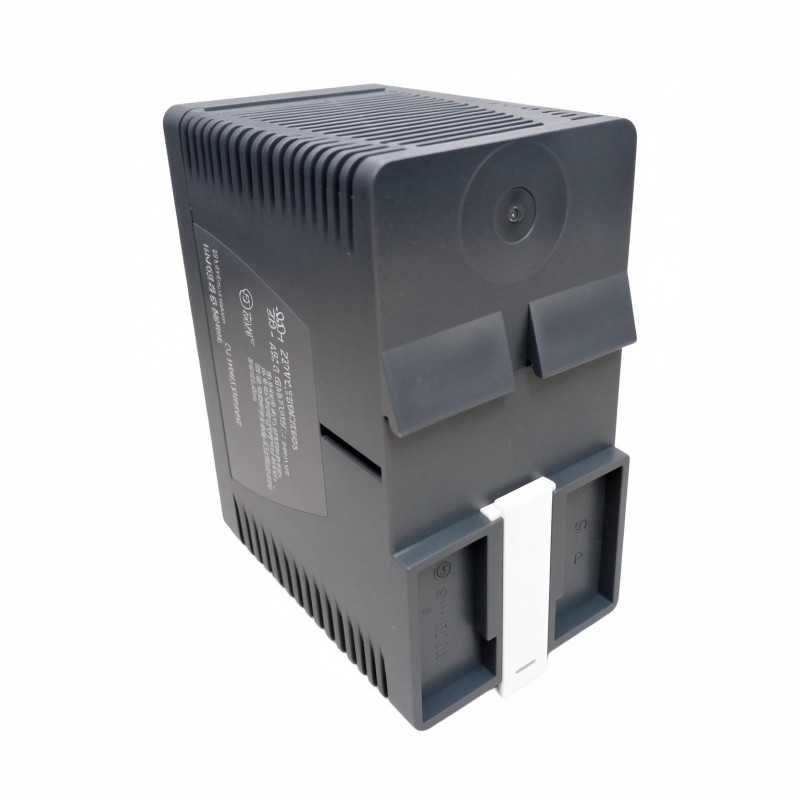
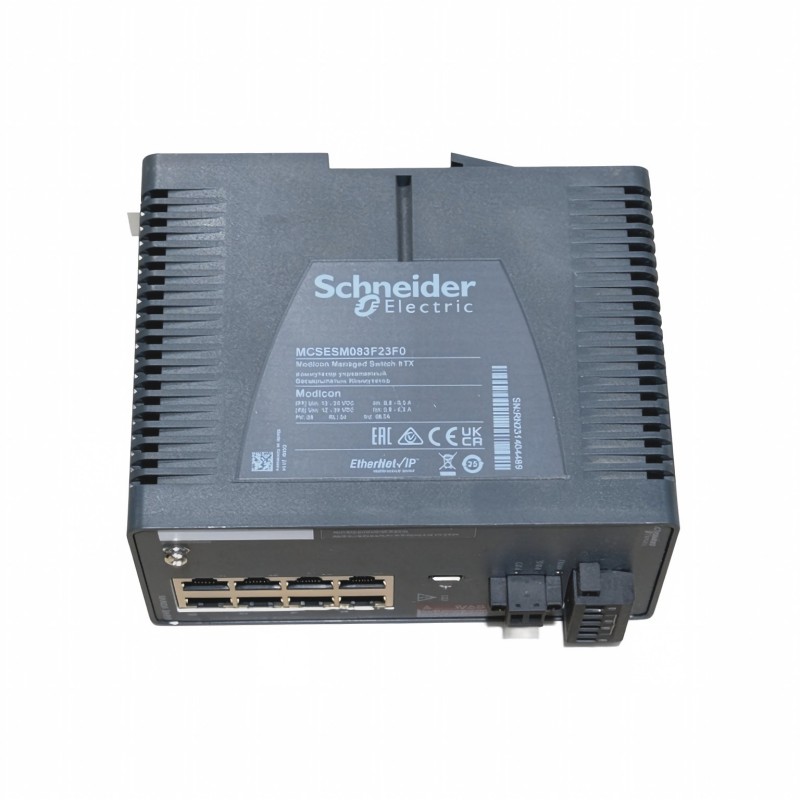
- Schneider
- MCSESM083F23F0
- Network Switch
- France
- 142.8 x 73 x 117.6 mm
- 0.42 kg
- Xiamen, China
- New & In Stock
- T/T, PayPal, Western Union
- 1 Year
- 1-3 Working Days
- DHL, UPS, TNT, FedEx and EMS.
- 24-Hour Service
- COO
- 11
Our advantage

Global Logistics
We have a 10-year logistics and express cooperation agreement, so our products can be shipped to any place in the world.

Brand new and original
Our products are imported in bulk from the place of origin. Because of the cooperative relationship, our products are all original and 100% new.

24-hour service
We provide 7*24 hours service to our customers. We will be there whenever you need us.

Price advantage
All our products are priced very favorably because we have our own warehouse and supply.
| Company Information | |||
| [email protected] | |||
| Mobile | +8615980777398 | ||
| +8615980777398 | |||
| 15980777398 |
Introduction
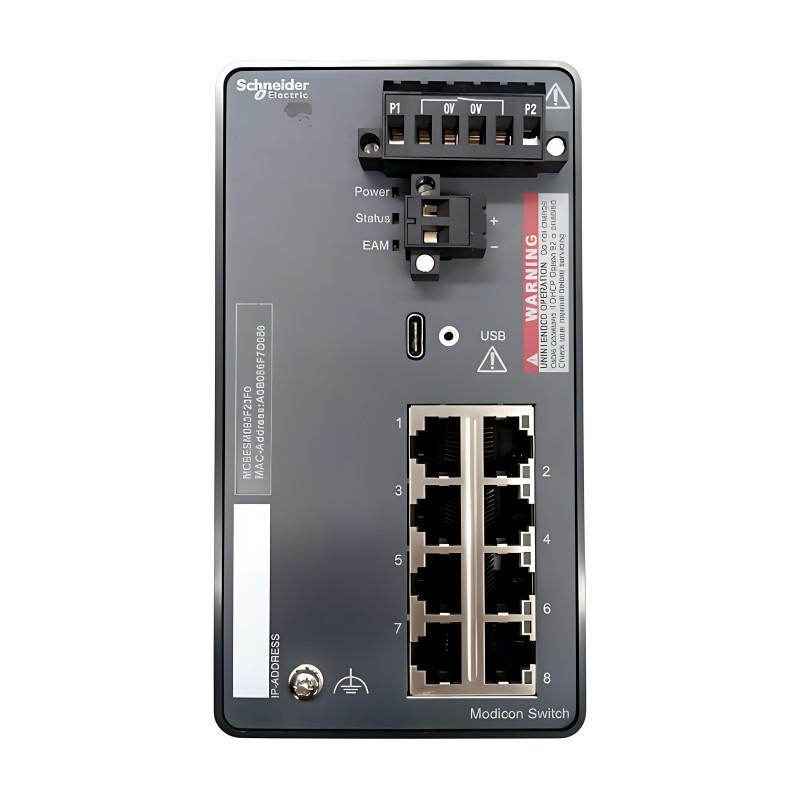
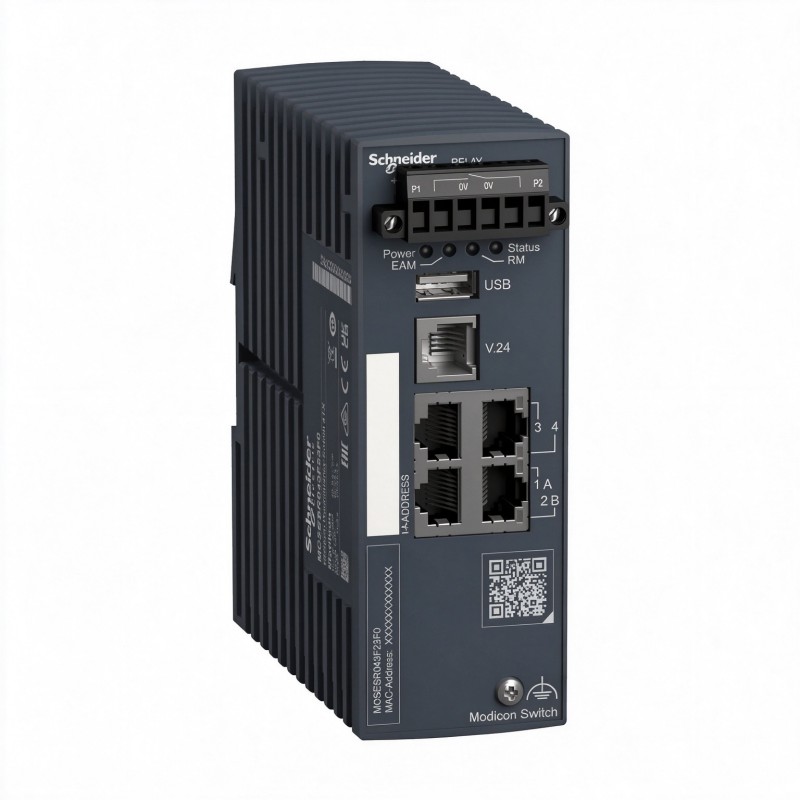
The Schneider Electric MCSESM083F23F0 is a managed industrial Ethernet switch from the Modicon Networking product range. It is designed to provide reliable Ethernet connectivity, network management, and redundancy functions for industrial automation systems.
Modern manufacturing and process control facilities depend on communication networks to connect PLCs, remote I/O stations, HMIs, SCADA computers, industrial drives, and other Ethernet-enabled devices. A managed switch helps organize network traffic, monitor communication conditions, and maintain connectivity across different sections of an automation network.
The MCSESM083F23F0 provides eight 10/100BASE-TX copper Ethernet ports with shielded RJ45 connections. It supports industrial redundancy technologies such as HiPER-Ring, RSTP, and MRP, together with VLAN management, port monitoring, traffic control, and cybersecurity functions.
Its DIN rail mounting design makes it suitable for installation in industrial control cabinets, machine enclosures, and distributed automation panels.
Technical Specifications
| Parameter | Specification |
|---|---|
| Brand | Schneider Electric |
| Model | MCSESM083F23F0 |
| Product Family | Modicon Networking |
| Product Type | Managed Industrial Ethernet Switch |
| Ethernet Ports | 8 × 10/100BASE-TX |
| Connector Type | Shielded RJ45 |
| Communication Protocols | Ethernet TCP/IP |
| Supported Services | HTTP, HTTPS, SSH, SNMP, SFTP, SCP, LLDP, Telnet, SNTP |
| Redundancy Functions | HiPER-Ring, RSTP, MRP, Link Aggregation, Link Backup |
| VLAN | Supported |
| Traffic Management | QoS, IGMP Snooping, Multicast Filtering |
| Configuration | Web-Based Management |
| Rated Supply Voltage | 12–24 V DC |
| Supply Voltage Limits | 9.6–32 V DC |
| Power Consumption | 6 W |
| Power Connection | Removable 6-way connector |
| Mounting | 35 mm DIN Rail |
| Protection Rating | IP30 |
| Operating Temperature | 0–60°C |
| Maximum Copper Cable Distance | 100 m |
| Alarm Output | 1 potential-free contact, 1 A |
| Dimensions | 142.8 × 73 × 117.6 mm |
| Weight | 0.42 kg |
Functional Design and Network Management
Eight-Port Ethernet Connectivity
The MCSESM083F23F0 provides eight 10/100BASE-TX Ethernet ports for connecting industrial network devices. Each port uses a shielded RJ45 connector and supports communication over compatible CAT 5e shielded twisted-pair cabling.
The eight-port configuration allows multiple devices to communicate through a centralized switching point. Typical connected equipment includes:
- PLC controllers and automation processors.
- Remote I/O communication adapters.
- Industrial HMI terminals.
- SCADA and engineering computers.
- Variable frequency drives.
- Other Ethernet-enabled industrial devices.
For copper Ethernet connections, the specified maximum distance between devices is 100 meters when using compliant cabling.
Managed Switching Functions
Unlike an unmanaged Ethernet switch, the MCSESM083F23F0 provides network management and diagnostic capabilities.
Its management functions allow engineers to configure network parameters, organize traffic, monitor ports, and investigate communication problems.
The switch supports web-based configuration, allowing authorized maintenance personnel to access management functions through a browser.
Industrial Network Redundancy
Network redundancy is important in applications where communication interruptions can affect production or process operations.
The MCSESM083F23F0 supports several redundancy mechanisms:
- HiPER-Ring: Supports redundant ring network architectures.
- RSTP: Prevents Ethernet switching loops and manages network topology recovery.
- MRP: Supports industrial Ethernet ring redundancy.
- Link Aggregation: Combines compatible physical links to provide increased link capacity and resilience.
- Link Backup: Provides an alternative communication path under supported configurations.
These functions help engineers design network architectures with improved availability. The actual recovery behavior depends on the selected protocol, network topology, and compatibility of connected devices.
VLAN and Traffic Management
The switch supports Virtual LAN configuration, allowing a physical Ethernet network to be divided into logical network segments.
VLANs can help separate different categories of industrial communication, such as control traffic, engineering access, and supervisory network connections.
Additional traffic management functions include:
- Quality of Service (QoS).
- IGMP Snooping.
- Multicast filtering.
- Data stream control.
- Port monitoring.
- Port mirroring.
- Address conflict detection.
These capabilities help manage network traffic and improve visibility when diagnosing communication issues.
Industrial Cybersecurity
Industrial Ethernet networks require appropriate protection against unauthorized access and configuration changes.
The MCSESM083F23F0 supports several cybersecurity-related functions, including:
- IP-based port security.
- MAC-based port security.
- Port-based access control.
- Role-based access control.
- RADIUS assignment.
- HTTPS management.
- Denial-of-service prevention.
- VLAN-based access control lists.
- Audit trails and SNMP logging.
- Pre-login banners.
These features provide tools for strengthening network access control. They should be configured alongside the plant’s wider cybersecurity policies, including network segmentation, account management, and secure remote access.
Industrial Applications
PLC and Remote I/O Networks
The switch can connect PLC controllers, remote I/O stations, and other Ethernet-based automation equipment.
In distributed control architectures, network switches provide the communication infrastructure required for exchanging process data between controllers and field-level devices.
The MCSESM083F23F0 is suitable for network designs where managed switching and redundancy functions are required.
Manufacturing Automation
Production lines often contain multiple controllers, operator terminals, drives, and monitoring devices.
The eight Ethernet ports provide connectivity for several devices within a machine network or production cell. VLAN and traffic management functions can help organize communication according to the system architecture.
Process Control Systems
Chemical processing, water treatment, energy facilities, and other process industries depend on stable communication between control equipment and supervisory systems.
The switch can form part of a managed Ethernet infrastructure connecting PLCs, HMI stations, and industrial monitoring computers.
SCADA and HMI Communication
SCADA systems exchange information with controllers and distributed equipment over industrial networks.
The MCSESM083F23F0 can provide managed Ethernet connectivity for compatible SCADA and HMI installations. Port monitoring and network diagnostics can assist maintenance personnel in identifying communication problems.
Industrial Machine Networks
Machine builders can use managed switches to connect automation components inside control cabinets or machine enclosures.
The DIN rail mounting arrangement and eight-port configuration make the switch suitable for compact industrial network installations.
Installation and System Integration
1. DIN Rail Mounting
The MCSESM083F23F0 is designed for installation on a standard 35 mm DIN rail.
Before installation, verify that the control cabinet provides sufficient space for the switch, Ethernet connectors, power wiring, and maintenance access.
The specified dimensions are 142.8 × 73 × 117.6 mm, and the listed weight is 0.42 kg.
Ensure that the mounting position allows adequate ventilation and protects the equipment from excessive vibration, moisture, and contamination.
2. Power Supply Connection
The rated supply voltage is 12–24 V DC, with an allowable range of 9.6–32 V DC.
The switch has a removable 6-way power connector. Follow the manufacturer’s terminal assignment documentation when connecting the power supply.
For installations requiring enhanced availability, verify the available power supply arrangements and the intended use of the power input connections.
Check polarity and supply voltage before energizing the equipment.
3. Ethernet Cable Connection
Connect the eight RJ45 ports to the assigned industrial Ethernet devices.
Use suitable shielded CAT 5e twisted-pair cables and observe the maximum 100-meter copper cable distance.
Avoid routing Ethernet cables alongside high-power motor conductors where possible. Proper cable separation and shielding practices help reduce electromagnetic interference.
4. Network Configuration
After connecting the switch, configure its management parameters according to the industrial network design.
Typical configuration tasks include:
- Assigning the management IP address.
- Configuring VLANs where required.
- Setting port parameters.
- Configuring redundancy protocols.
- Establishing access permissions.
- Configuring monitoring and alarm functions.
- Verifying communication with connected equipment.
5. Redundancy Commissioning
If the application requires a redundant Ethernet topology, select the appropriate protocol and configure all participating network devices accordingly.
For ring-based networks, verify that the ring connections and protocol settings are correct. For link aggregation, confirm that the connected equipment supports the intended configuration.
Perform controlled communication tests to confirm that the network responds correctly when an approved link-failure simulation is carried out.
6. Final System Verification
Before returning the equipment to production:
- Confirm stable power supply operation.
- Check the status of all connected Ethernet ports.
- Verify communication with PLCs and other devices.
- Review VLAN and traffic management settings.
- Confirm redundancy operation.
- Check alarm and diagnostic information.
- Save the final switch configuration.
Troubleshooting and Maintenance
| Problem | Possible Cause | Recommended Action |
|---|---|---|
| Switch does not power on | Incorrect DC supply or loose wiring | Check the supply voltage and connector wiring |
| Ethernet port has no link | Damaged cable or disconnected device | Inspect the cable and RJ45 connection |
| PLC communication is unstable | Network configuration problem | Review IP settings and port status |
| Network loop detected | Incorrect redundancy configuration | Check RSTP, MRP, and ring topology settings |
| VLAN communication failure | Incorrect VLAN assignment | Verify VLAN membership and port configuration |
| Slow network performance | Excessive traffic or incorrect QoS settings | Review traffic loading and QoS configuration |
| Redundancy function unavailable | Incompatible network devices or protocol settings | Verify protocol compatibility and configuration |
| Management webpage cannot open | Incorrect management IP or access restrictions | Check network addressing and access permissions |
| Alarm output activated | Power, link, temperature, or configuration fault | Review diagnostic information and alarm settings |
| Intermittent Ethernet connection | Cable damage or electromagnetic interference | Inspect cable condition and routing |
Preventive Maintenance
- Inspect Ethernet connectors and cables regularly.
- Verify the stability of the DC power supply.
- Check the switch’s operating temperature and ventilation.
- Review port status and network diagnostic information.
- Back up the switch configuration after approved changes.
- Check redundancy operation during scheduled maintenance.
- Review user accounts and network access permissions.
- Keep network topology diagrams and configuration records updated.
Technical FAQs
1. What is the Schneider Electric MCSESM083F23F0?
It is a managed industrial Ethernet switch from the Modicon Networking range, designed for industrial network connectivity and management.
2. How many Ethernet ports does it provide?
It provides eight 10/100BASE-TX copper Ethernet ports with shielded RJ45 connectors.
3. Is the MCSESM083F23F0 a managed or unmanaged switch?
It is a managed switch. It supports web-based configuration, VLAN management, traffic control, network diagnostics, and cybersecurity functions.
4. Which redundancy protocols does it support?
It supports HiPER-Ring, RSTP, and MRP, along with link aggregation, link backup, and redundant network coupling functions.
5. What power supply does the switch require?
Its rated supply voltage is 12–24 V DC, with allowable supply limits of 9.6–32 V DC.
6. What is the maximum Ethernet cable distance?
The specified maximum distance between devices is 100 meters using compliant copper Ethernet cabling.
7. Can it be installed on a DIN rail?
Yes. It is designed for mounting on a standard 35 mm symmetrical DIN rail.
8. Does the switch support VLAN configuration?
Yes. VLAN functionality allows engineers to organize network devices into logical communication segments.
9. Can it be used in PLC and SCADA systems?
Yes. It can provide managed Ethernet connectivity for compatible PLC, remote I/O, HMI, and SCADA network architectures.
10. What should be checked before replacing an existing MCSESM083F23F0?
Verify the exact model, number of ports, power supply range, mounting dimensions, redundancy requirements, network configuration, and cybersecurity settings. The replacement should be tested with the existing network architecture before normal production resumes.
Conclusion
The Schneider Electric MCSESM083F23F0 Modicon Managed Ethernet Switch provides eight copper Ethernet ports and a range of industrial network management functions. Its support for HiPER-Ring, RSTP, MRP, VLAN, QoS, traffic monitoring, and cybersecurity features makes it suitable for managed Ethernet architectures in industrial automation.
With 12–24 V DC rated power, 35 mm DIN rail mounting, and a compact industrial design, it can be integrated into compatible PLC, SCADA, HMI, and distributed control networks.
Correct network configuration, appropriate redundancy planning, and regular diagnostic checks are essential for maintaining stable communication and dependable industrial network operation.