

ProductPRODUCT
Featured products
Contact Us
- GE
- 8420-BK-MO
- Modular Blind Flange Kit
- USA
- 150 x 15 x 100 mm
- 0.1 kg
- Xiamen, China
- New & In Stock
- T/T, PayPal, Western Union
- 1 Year
- 1-3 Working Days
- DHL, UPS, TNT, FedEx and EMS.
- 24-Hour Service
- COO
- 39
Our advantage

Global Logistics
We have a 10-year logistics and express cooperation agreement, so our products can be shipped to any place in the world.

Brand new and original
Our products are imported in bulk from the place of origin. Because of the cooperative relationship, our products are all original and 100% new.

24-hour service
We provide 7*24 hours service to our customers. We will be there whenever you need us.

Price advantage
All our products are priced very favorably because we have our own warehouse and supply.
| Company Information | |||
| [email protected] | |||
| Mobile | +8615980777398 | ||
| +8615980777398 | |||
| 15980777398 |
Product Overview
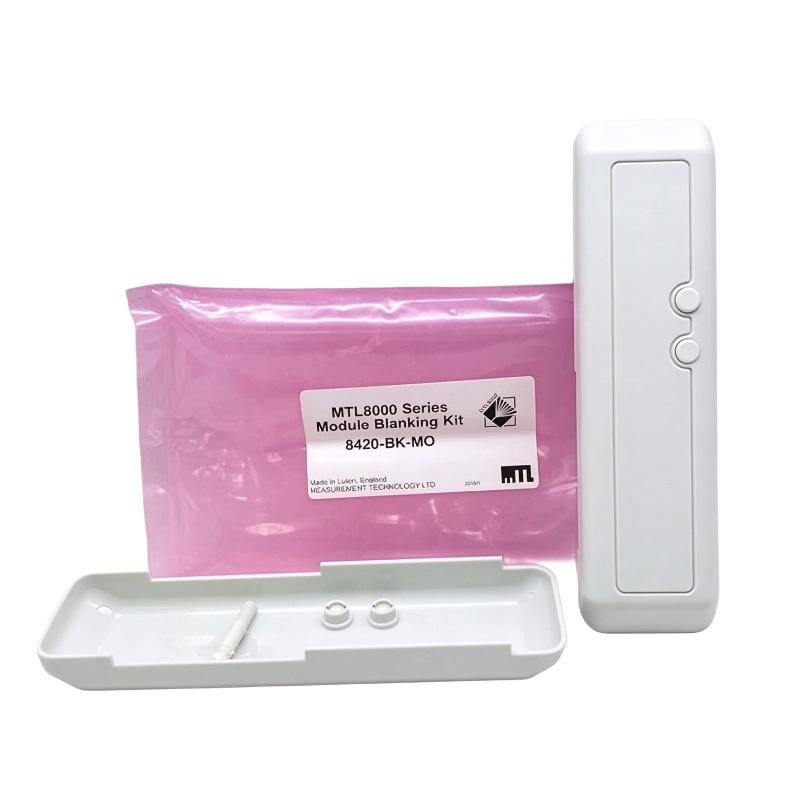
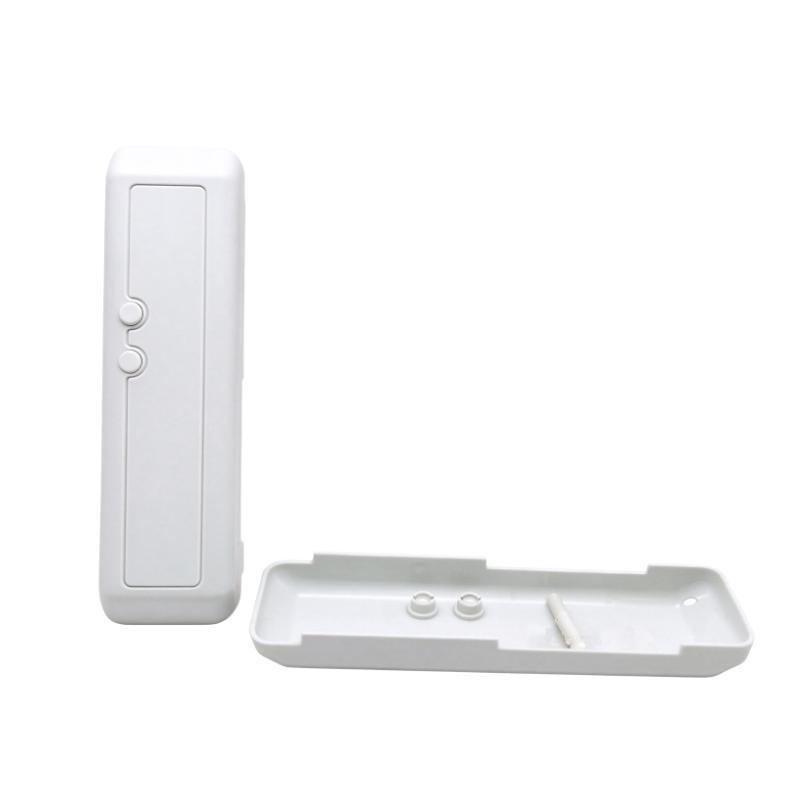
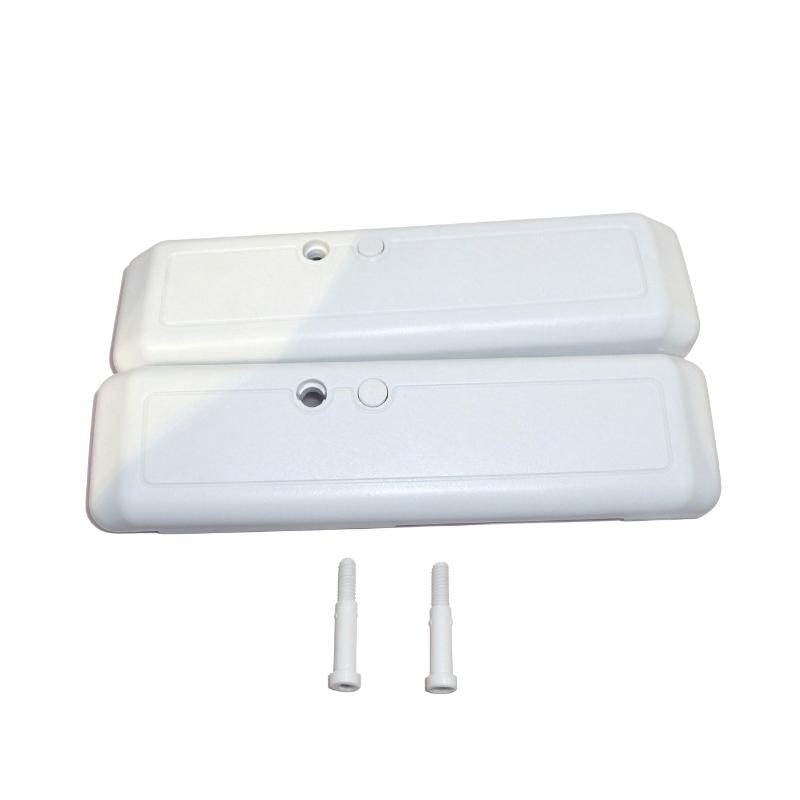
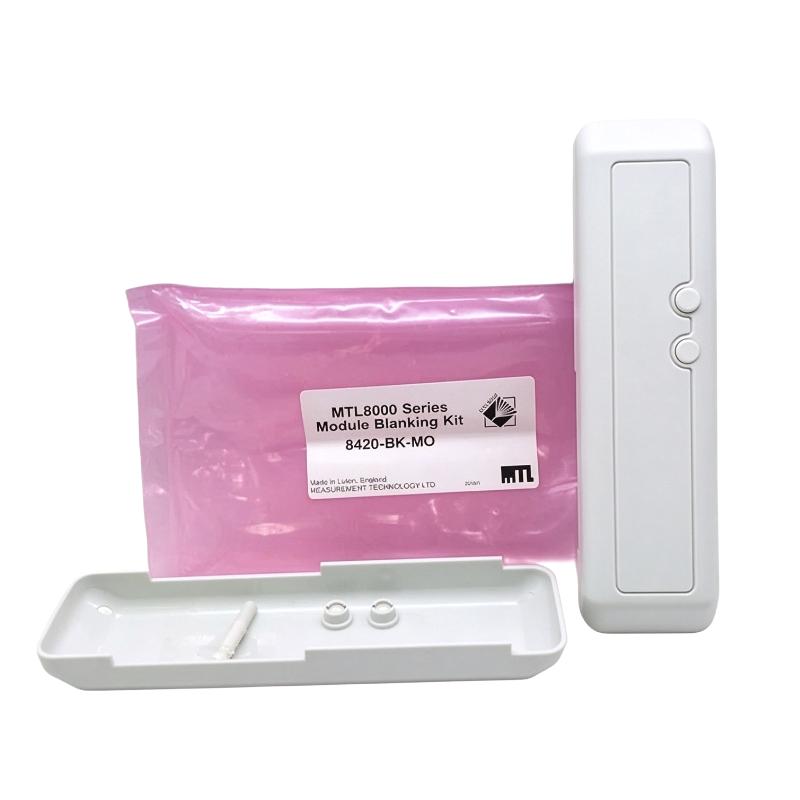
The GE 8420-BK-MO Module Blanking Kit is an industrial automation accessory designed to cover unused module positions in compatible modular I/O systems. Rather than functioning as an active electronic module, it provides a physical cover for an unoccupied slot on an I/O carrier or module assembly.
In modular industrial control systems, unused positions may remain available for future expansion or may be intentionally left empty. These openings should be managed according to the system manufacturer’s installation requirements. A suitable blanking cover helps prevent an exposed opening from becoming an entry point for dust, debris, or accidental contact with internal components.
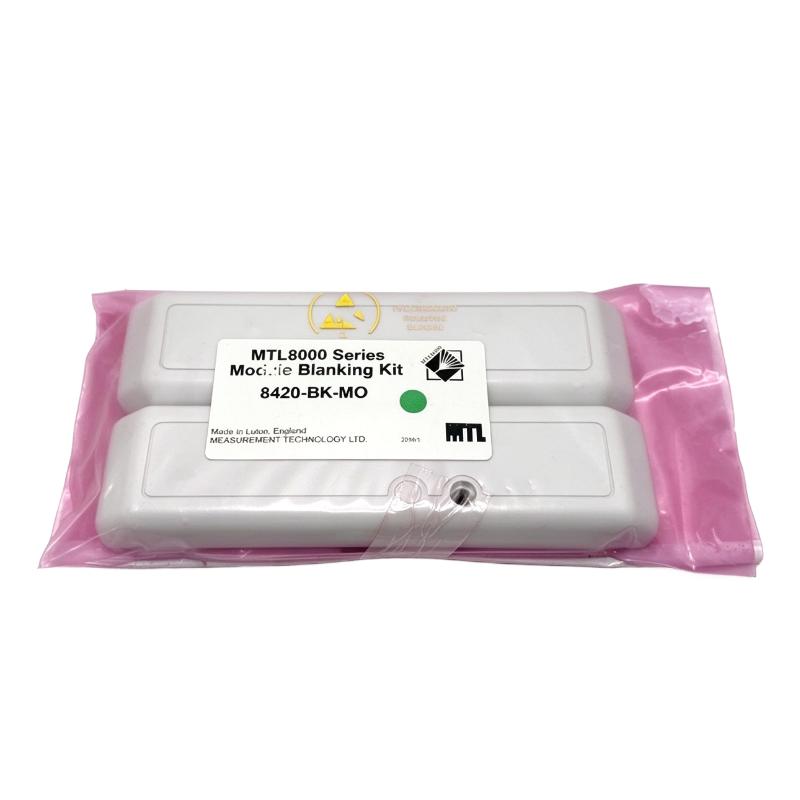
The 8420-BK-MO is identified in product documentation as a module blanking kit, commonly supplied as a two-piece pack. It is associated with field-terminal and I/O system accessories used in industrial control installations. The exact carrier and system compatibility should be confirmed before installation, particularly where hazardous-area approvals or certified system configurations are involved.
Unlike an active I/O module, this accessory does not process input signals, switch outputs, communicate with a controller, or perform independent control functions. Its role is mechanical and protective: it closes an unused module position while preserving the intended arrangement of the modular system.
For maintenance engineers and spare-parts buyers, the complete model number is important. A blanking cover designed for one carrier system should not automatically be considered interchangeable with covers from another manufacturer or product family.
Technical Specifications
| Parameter | Specification |
|---|---|
| Brand / Listing Identification | GE |
| Model | 8420-BK-MO |
| Product Type | Module Blanking Kit |
| Product Category | Industrial Automation Accessory |
| Main Function | Covers unused I/O module positions |
| Typical Packaging | Pack of 2 |
| System Association | Modular industrial I/O and field-terminal systems |
| Dimensions Provided | 150 × 15 × 100 mm |
| Weight Provided | 0.1 kg |
| Electrical Function | None |
| Active Electronics | Not applicable |
| Typical Installation | Unoccupied compatible module-carrier position |
The dimensions and weight are supplied listing values. Confirm the physical dimensions, package quantity, and carrier compatibility against the actual item before ordering.
Function and Working Principle
The 8420-BK-MO performs a straightforward but important function in modular automation installations: it closes a module position that is not being used.
1. Closing Unused Module Positions
Modular I/O carriers are designed with positions for individual modules. Depending on the installation, some positions may remain unused.
The blanking kit provides a physical cover for an appropriate unoccupied position. This helps maintain a more complete and orderly carrier arrangement.
2. Limiting Dust and Debris Entry
An uncovered opening can expose internal areas of an automation assembly to surrounding contaminants. A correctly installed blanking cover helps reduce the possibility of dust and loose debris entering through the unused position.
It should not be treated as a replacement for the environmental protection provided by the complete control cabinet or enclosure.
3. Reducing Accidental Contact
The cover helps close an exposed opening and reduces the chance of accidental contact with internal carrier areas during routine inspection or maintenance.
It does not replace electrical isolation procedures. Maintenance personnel must still follow the system’s lockout and safety requirements.
4. Maintaining System Configuration
In modular I/O systems, unused positions may be reserved for future expansion. A blanking kit allows the system to retain a defined physical arrangement without installing an unnecessary active module.
When expansion is required, the cover can be removed and the correct compatible module installed according to the manufacturer’s procedure.
Role in Industrial Control Systems
The 8420-BK-MO is a passive accessory rather than a controller or signal-processing component. Its value comes from supporting the physical organization and protection of modular I/O equipment.
I/O Carrier Protection
Industrial I/O carriers provide mounting positions for modules that interface with field devices. A blanking cover can be used at a permanently unused position when required by the carrier manufacturer’s documentation.
Cabinet Organization
A control cabinet may contain active I/O modules, terminal assemblies, power supplies, communication equipment, and reserved expansion positions. Blank covers help distinguish intentionally unused positions from incomplete or exposed assemblies.
System Expansion
An unused module position may be reserved for future process requirements. The blanking cover provides a practical way to close that position until an additional I/O function is needed.
Before expansion, engineers should verify module addressing, carrier compatibility, power capacity, field wiring, and system configuration.
Industrial Applications
1. Remote I/O Cabinets
Remote I/O cabinets often contain modular carriers with positions assigned to different field signals. The 8420-BK-MO may be used to close a compatible unused position according to the system’s installation requirements.
2. Process Automation Systems
Process plants use modular I/O systems to connect controllers with instruments, valves, motors, and other field devices. Blanking covers support the physical management of unused module positions within these installations.
3. Distributed Control System Installations
DCS-related I/O infrastructure may include modular field interfaces and expansion arrangements. A suitable blanking accessory can help maintain the intended physical configuration where positions are not populated.
4. Industrial Equipment Maintenance
During maintenance or system modification, engineers may remove an obsolete module or reserve a position for future use. A compatible blanking cover can close the resulting unused position when required by the equipment design.
5. Industrial System Expansion
Manufacturing facilities often expand control capacity in stages. Reserved positions can remain unused until additional field signals or equipment are introduced.
The blanking kit is a physical accessory for this type of installation planning; it does not provide additional I/O capacity by itself.
Installation and System Integration
Correct installation begins with confirming the intended carrier and the manufacturer’s requirements for unused positions.
1. Confirm Carrier Compatibility
Check the carrier model and the applicable system documentation before installing the 8420-BK-MO. Do not assume that the kit fits every GE, Emerson, or MTL modular I/O platform simply because the product appears similar.
2. Inspect the Unused Position
Before fitting the cover, inspect the module position and surrounding carrier area. Remove loose debris and check for visible damage that could prevent secure installation.
3. Install According to the Manufacturer’s Procedure
Fit the blanking cover using the specified orientation and retention method. Confirm that it is properly seated and does not interfere with neighboring modules, terminal assemblies, or carrier components.
4. Observe Hazardous-Area Requirements
Some modular I/O systems are used in hazardous locations and have specific certification conditions. The use of a blanking cover may be required for permanently unoccupied positions.
Follow the system’s approved configuration and applicable safety documentation. Do not assume that an unverified substitute cover preserves the original system certification.
5. Inspect During Maintenance
During routine inspections, check that the cover remains securely installed and that there are no signs of damage, deformation, or contamination around the unused position.
If the position is later required for an active module, follow the manufacturer’s installation and commissioning procedure.
Compatible System Components
The 8420-BK-MO is an accessory for a compatible modular I/O arrangement. Its suitability depends on the carrier and system documentation.
| Component | Function | Relationship to the Blanking Kit |
|---|---|---|
| Modular I/O carrier | Provides mounting positions for I/O modules | The cover is fitted to a compatible unused position |
| I/O modules | Interface with field input and output signals | Installed in populated positions, not replaced by the cover |
| Field terminal assembly | Provides field wiring connections | Must follow the carrier’s approved configuration |
| Remote I/O communication interface | Connects field I/O equipment to the control system | Operates independently of the blanking cover |
| Power supply module | Provides power to system components | The cover does not supply or distribute electrical power |
| Control cabinet | Houses and protects automation equipment | Provides the broader environmental enclosure |
| System grounding arrangement | Supports electrical safety and interference control | Remains necessary regardless of whether a slot is blanked |
The table describes related equipment in a modular I/O installation. It does not mean that these components are included with the 8420-BK-MO kit.
Alternative Models and Replacement Considerations
A blanking cover should be replaced with an accessory designed for the same carrier or explicitly approved as an equivalent.
| Replacement Option | Consideration |
|---|---|
| Another 8420-BK-MO kit | Preferred when the original model and package requirements match |
| Manufacturer-approved module blanking cover | Consider only when the system documentation confirms compatibility |
| Carrier-specific slot filler | May be suitable if its dimensions and retention features match the carrier |
| Generic plastic or metal cover | Not recommended unless formally approved for the application |
Before selecting an alternative, verify:
- Carrier and system model.
- Mechanical dimensions and mounting arrangement.
- Retention or locking method.
- Required environmental protection.
- Hazardous-area certification conditions, where applicable.
- Package quantity and spare-parts requirements.
A generic cover that fits physically may still be unsuitable for a certified industrial I/O system.
Key Advantages
Physical Protection for Unused Positions
The kit provides a dedicated cover for compatible unused module positions, helping close exposed openings in modular I/O equipment.
Supports Cabinet Organization
Blanking covers help maintain a consistent and organized appearance in industrial control cabinets.
Suitable for Expansion Planning
Unused positions can remain reserved for future modules while being physically covered according to system requirements.
Simple Passive Accessory
The kit has no active electronic function and does not require independent programming or communication configuration.
Useful for Maintenance and Spare-Parts Management
Keeping compatible blanking covers available can help maintenance teams restore the intended carrier arrangement after module removal or system modification.
Technical FAQs
1. What is the GE 8420-BK-MO?
It is a module blanking kit used to cover compatible unused positions in modular industrial I/O equipment.
2. Is the 8420-BK-MO an active PLC module?
No. It is a passive mechanical accessory. It does not process input signals, control outputs, or execute PLC logic.
3. What is the main purpose of this kit?
Its purpose is to close an unused module position and help reduce exposure to dust, debris, and accidental contact.
4. How many pieces are normally included?
Available product descriptions identify the 8420-BK-MO as a two-piece kit. Confirm the package quantity with the supplier before purchasing.
5. Can it be used on any industrial I/O carrier?
No. Compatibility depends on the carrier design and the manufacturer’s system documentation. Verify the exact carrier model before installation.
6. Does the blanking kit provide electrical isolation?
No. It is a physical cover, not an electrical isolator. Always follow the required power isolation and lockout procedures during maintenance.
7. Is the 8420-BK-MO used in hazardous-area systems?
It is associated with modular I/O accessories used in industrial systems, including installations where unused positions may have specific blanking-cover requirements. Follow the applicable carrier documentation and certification conditions.
8. Does it require software configuration?
No. As a passive mechanical accessory, it does not require independent software configuration or addressing.
9. Can a generic slot cover replace it?
Only if the alternative is approved for the exact carrier and installation. Physical fit alone does not establish electrical, environmental, or certification compatibility.
10. What should buyers verify before ordering?
Confirm the full part number, carrier compatibility, package quantity, physical dimensions, product condition, and actual weight. For installations subject to hazardous-area approvals, verify that the proposed cover is permitted by the system documentation.
Procurement and Maintenance Recommendations
When sourcing the GE 8420-BK-MO, use the complete model number rather than searching only for a generic module cover. Confirm that the product is the correct blanking accessory for the intended carrier.
Ask suppliers to verify whether the kit contains two covers and whether the items are new, unused surplus, or previously installed. Request photographs when the physical appearance or retention features need to be checked.
For inventory planning, keep a suitable quantity of approved blanking covers available for maintenance and future system changes. Store them in clean, dry conditions and protect the mounting features from damage.
During routine inspections, verify that installed covers remain secure and that unused positions have not been left open where the system documentation requires a blanking cover. If a new I/O module is installed later, remove the cover and follow the correct module installation, wiring, and commissioning procedures.
Conclusion
The GE 8420-BK-MO Module Blanking Kit is a passive industrial automation accessory designed to cover compatible unused positions in modular I/O systems. Its function is to support physical protection, cabinet organization, and the management of reserved module positions.
For maintenance and procurement applications, the most important considerations are carrier compatibility, correct package quantity, secure installation, and compliance with the system’s environmental and certification requirements. Selecting the correct blanking kit helps maintain the intended configuration of industrial I/O equipment.