

ProductPRODUCT
Featured products
Contact Us
- Allen Bradley
- 2711P-T12W22D9PK
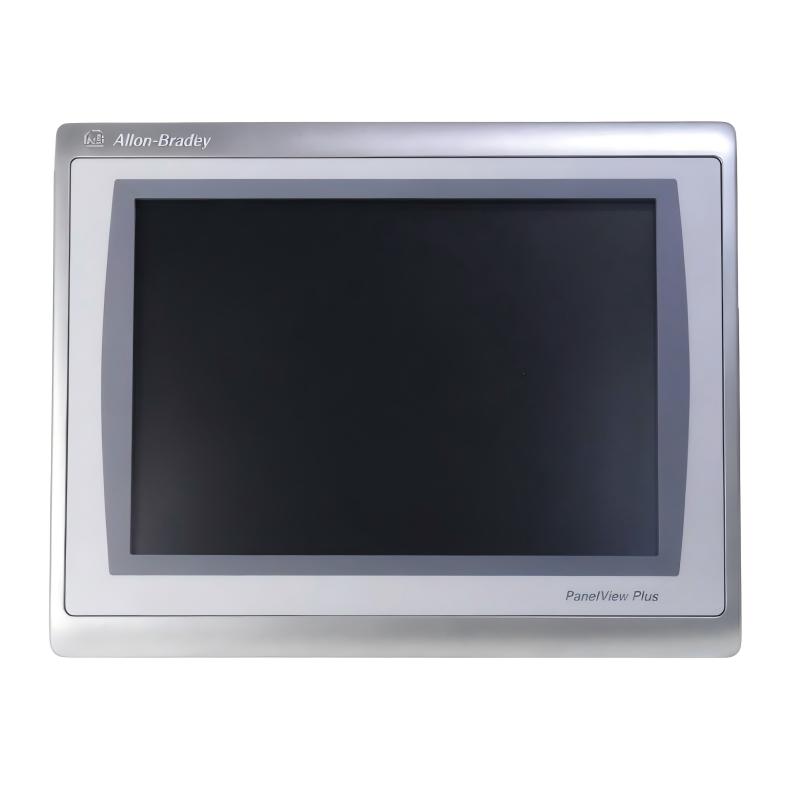
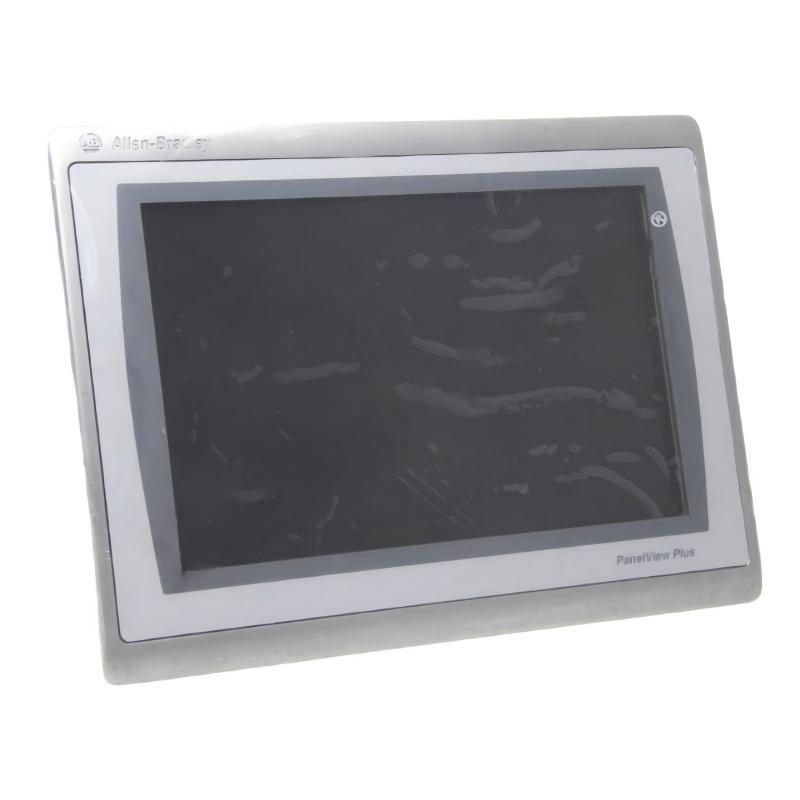
- PanelView Plus 7 Operator Interface
- USA
- 340 x 69.6 x 240 mm
- 2.54 kg
- Xiamen, China
- New & In Stock
- T/T, PayPal, Western Union
- 1 Year
- 1-3 Working Days
- DHL, UPS, TNT, FedEx and EMS.
- 24-Hour Service
- COO
- 3
Our advantage

Global Logistics
We have a 10-year logistics and express cooperation agreement, so our products can be shipped to any place in the world.

Brand new and original
Our products are imported in bulk from the place of origin. Because of the cooperative relationship, our products are all original and 100% new.

24-hour service
We provide 7*24 hours service to our customers. We will be there whenever you need us.

Price advantage
All our products are priced very favorably because we have our own warehouse and supply.
| Company Information | |||
| [email protected] | |||
| Mobile | +8615980777398 | ||
| +8615980777398 | |||
| 15980777398 |
Product Overview
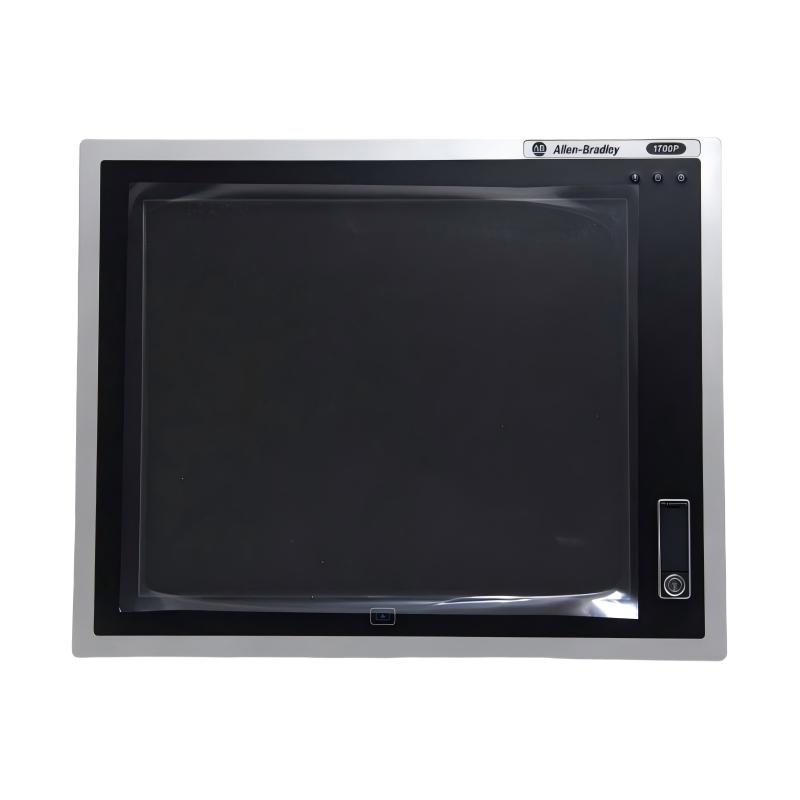
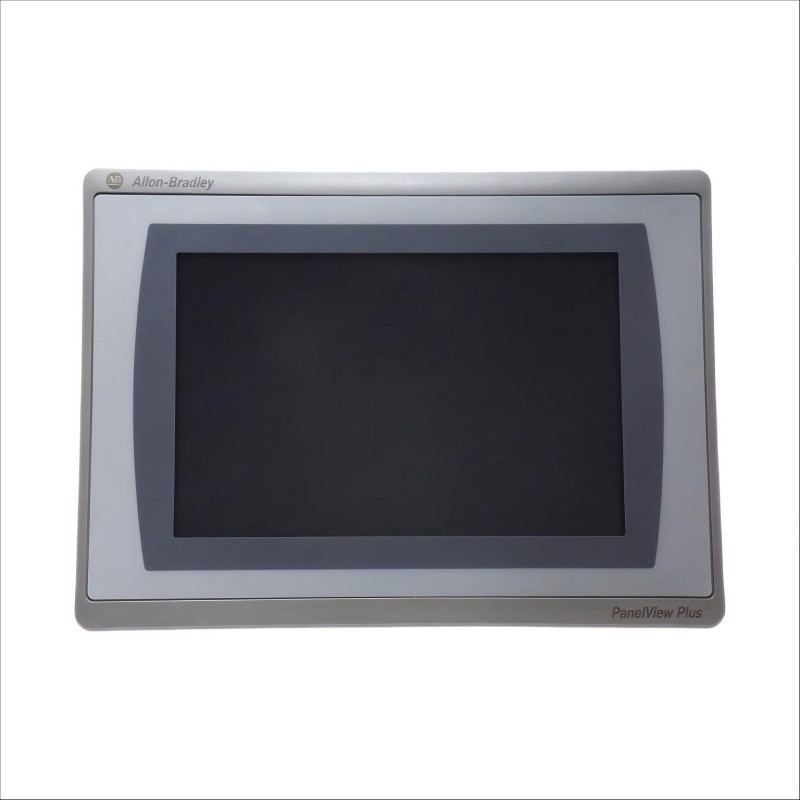
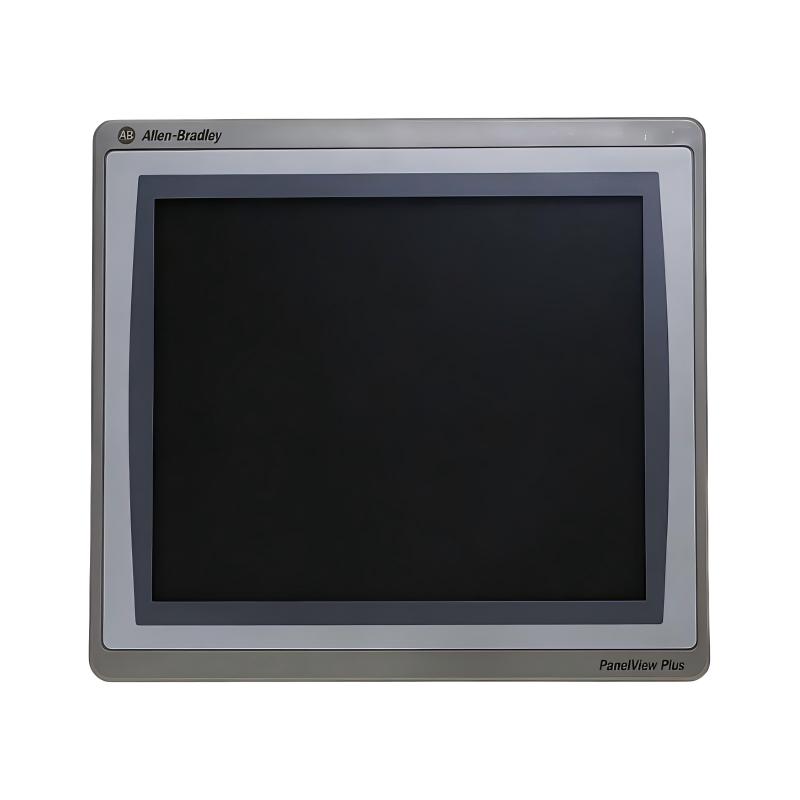
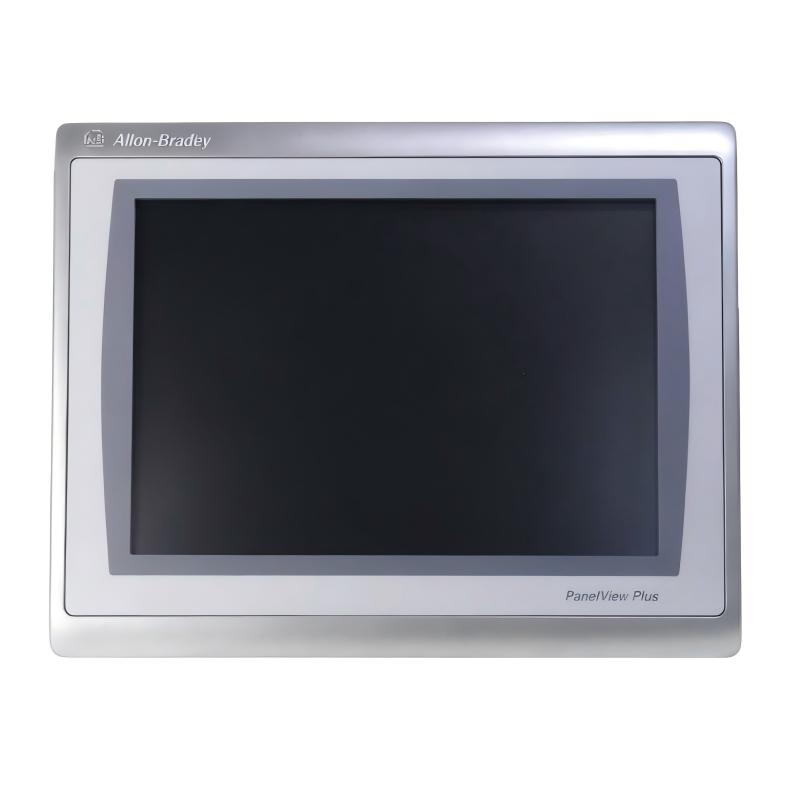
The Allen-Bradley 2711P-T12W22D9PK PanelView Plus 7 Operator Interface is a 12.1-inch industrial human-machine interface (HMI) terminal designed to provide operators with visual access to machine status, process information, alarms, and control functions. Manufactured by Rockwell Automation, this terminal belongs to the PanelView Plus 7 Performance family and is intended for integration into industrial automation systems.
An HMI provides the communication link between machine operators and automated equipment. Instead of interacting directly with PLC programs or individual control devices, operators can use graphical screens to monitor production conditions, enter operating commands, review alarms, and access process information.
The 2711P-T12W22D9PK features a 12.1-inch widescreen color touchscreen with a WXGA resolution of 1280 × 800 pixels. Its display provides a broad visual area for presenting process diagrams, equipment status, production data, and operator controls. The touchscreen design allows users to interact directly with on-screen controls without requiring a separate physical keypad.
This model operates from a 24 V DC power supply and supports Ethernet connectivity with Device Level Ring (DLR) capability. It is designed for use with Rockwell Automation visualization and control environments, including applications developed with FactoryTalk View Machine Edition.
The catalog number also identifies a conformally coated configuration. This coating provides additional protection for electronic assemblies in suitable industrial environments, although it does not eliminate the need for proper enclosure design and environmental protection.
The 2711P-T12W22D9PK is suitable for machine-control panels, production lines, packaging equipment, and other industrial systems where operators need a clear and accessible interface for monitoring and controlling automated processes.
Technical Specifications
| Parameter | Specification |
|---|---|
| Brand | Allen-Bradley |
| Manufacturer | Rockwell Automation |
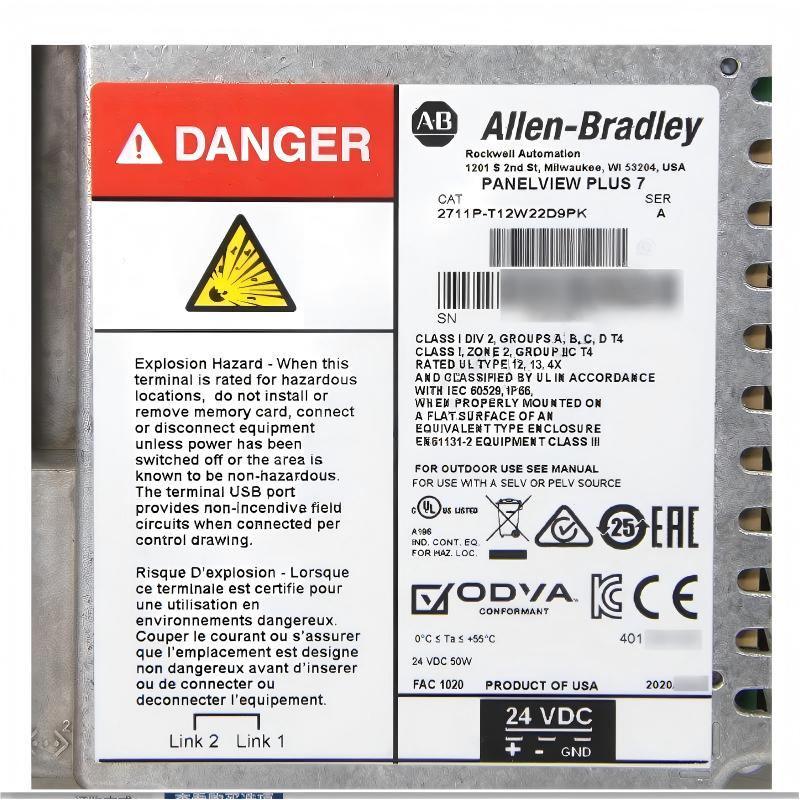
| Model | 2711P-T12W22D9PK |
| Product Series | PanelView Plus 7 Performance |
| Product Type | Graphic Terminal / HMI Operator Interface |
| Display Size | 12.1 inches |
| Display Type | TFT Color |
| Display Resolution | 1280 × 800 WXGA |
| Aspect Ratio | 16:10 |
| Display Color | 18-bit color graphics |
| Viewing Area | 261 × 163 mm |
| Typical Brightness | 300 cd/m² |
| Operator Input | Touchscreen |
| Touch Technology | Analog resistive |
| Power Supply | 24 V DC |
| Ethernet Connectivity | Ethernet with DLR support |
| Operating Environment | Windows 10 IoT Core configuration |
| Conformal Coating | Included |
| Mounting Method | Panel mounting |
| Dimensions Provided | 340 × 69.6 × 240 mm |
| Weight Provided | 2.54 kg |
| Typical Application | Industrial machine visualization and operator control |
| Lifecycle Status | Active according to manufacturer product listing |
Note: Dimensions and weight above are the supplied listing values. Confirm the exact enclosure dimensions, panel cutout, and unit weight against the product drawing and physical terminal before installation.
Function and Working Principle
The PanelView Plus 7 Performance terminal operates as the visual interface between operators and the industrial control system. It receives process information from connected controllers and displays that information through configured graphical screens.
Operators can then use touchscreen controls to interact with the machine-control application. The actual control logic is normally executed by the PLC or other connected controller rather than by the HMI itself.
1. Process Visualization
The terminal displays process conditions through graphical elements such as numerical values, status indicators, equipment diagrams, trend displays, and alarm messages.
For example, a production-line screen may show conveyor operating status, motor speed references, material counts, and equipment alarms. Operators can review these conditions from a central panel rather than checking individual devices.
The 12.1-inch widescreen display provides space for arranging multiple process elements on a single screen. The 1280 × 800 WXGA resolution supports detailed graphical layouts and readable process information when applications are designed appropriately.
2. Touchscreen Operator Interaction
The 2711P-T12W22D9PK uses a touchscreen for operator input. Users can select on-screen buttons, enter numerical values, acknowledge alarms, and navigate between application screens.
Typical operator functions include:
- Starting or stopping equipment through authorized control commands.
- Selecting automatic or manual operating modes.
- Entering production parameters.
- Viewing motor and equipment status.
- Acknowledging process alarms.
- Navigating between machine and process screens.
The actual functions available depend on the FactoryTalk View application and the PLC logic. Appropriate access control and safety interlocks should be implemented in the control system.
3. Ethernet Communication
Ethernet connectivity allows the terminal to exchange information with compatible industrial controllers and network devices.
In a typical Rockwell Automation installation, the HMI communicates with a PLC over an industrial Ethernet network. The PLC supplies process values and status information, while the HMI provides an operator interface for commands and parameter entry.
The DLR capability supports ring-based network topologies using compatible network equipment. Proper network configuration is necessary to achieve the intended network resilience.
4. Alarm and Event Display
Alarm management is an important function in industrial operation. An HMI can display abnormal conditions reported by the control system and help operators identify equipment that requires attention.
Configured alarm screens may include alarm descriptions, timestamps, status indicators, and acknowledgment controls. This information helps operators respond to problems and provides maintenance personnel with useful diagnostic context.
Alarm behavior depends on the application configuration and the connected controller’s logic.
5. Data Monitoring and Process History
The PanelView Plus 7 platform supports visualization features that can be used to display process values and historical information, depending on the application design.
Operators may use trends to review changing temperatures, pressures, production counts, motor speeds, and other process variables. Historical data can help identify abnormal operating patterns and support troubleshooting.
The availability and retention of historical information depend on application configuration, storage settings, and the connected control architecture.
Role in Industrial Control Systems
The 2711P-T12W22D9PK typically operates as the operator-facing component of a PLC-based automation system. It provides visual access to machine functions while the PLC performs the main control and sequencing tasks.
PLC Integration
A programmable logic controller receives signals from field devices, executes control logic, and manages connected equipment. The HMI communicates with the PLC to display process information and provide operator commands.
In a Rockwell Automation environment, the terminal can be used with compatible ControlLogix and CompactLogix controllers, subject to the communication configuration and software requirements.
Typical displayed information includes:
- Machine operating state.
- Motor running and fault status.
- Process temperature and pressure.
- Production counters.
- Conveyor and actuator status.
- Alarm and diagnostic messages.
- Operator-entered setpoints.
The PLC remains responsible for executing control logic and handling safety-related functions through an appropriately designed safety system.
FactoryTalk View Machine Edition
FactoryTalk View Machine Edition is used to develop HMI applications for supported PanelView terminals.
Engineers can create graphical screens, configure tags, define navigation, set up alarms, and design operator workflows. These application elements determine how the terminal presents process information and interacts with the connected controller.
Before replacing an existing terminal, confirm the application version, firmware compatibility, communication settings, and project backup.
Industrial Ethernet Integration
The Ethernet interface allows the HMI to participate in an industrial network. In suitable configurations, the terminal can communicate with controllers and other network devices through supported protocols and network arrangements.
The DLR capability is useful in systems designed around compatible ring networks. Network switches, cabling, device configuration, and topology must all be considered during engineering.
Centralized Operator Monitoring
A single HMI can provide an overview of several machine functions when the control application is designed accordingly.
For example, an operator may use one terminal to monitor a conveyor system, review drive status, acknowledge alarms, and adjust permitted process settings. This reduces the need for separate local indicators and control stations throughout the machine.
Industrial Applications
The PanelView Plus 7 Performance terminal is designed for industrial visualization and operator-control applications. Its widescreen touchscreen and Ethernet connectivity make it suitable for systems requiring clear process information and interactive machine operation.
1. Manufacturing Production Lines
Manufacturing facilities use HMI terminals to monitor production equipment and coordinate operator activities.
A configured PanelView application can display machine status, production counts, operating modes, and process alarms. Operators can use the touchscreen to select authorized commands and review equipment conditions.
The terminal is particularly useful where multiple machine functions need to be presented through a common graphical interface.
2. Packaging Machinery
Packaging machines often involve coordinated motors, conveyors, sensors, filling systems, and product-handling mechanisms.
The 2711P-T12W22D9PK can provide a centralized interface for displaying production settings, machine status, alarm information, and operating sequences.
Operators may use the interface to select product recipes, enter permitted production parameters, and monitor the progress of packaging operations.
3. Material Handling Systems
Conveyors, transfer equipment, sorting systems, and automated material-handling installations require clear operating information.
An HMI can display equipment availability, conveyor status, motor conditions, and alarm messages. Operators can use the interface to identify the affected section and coordinate troubleshooting.
4. Water and Wastewater Treatment
Water treatment facilities use PLC-based systems to monitor pumps, valves, tanks, filtration equipment, and process instruments.
A PanelView terminal can display process values, equipment status, and alarm information. Operators can review system conditions and issue authorized commands through configured application screens.
The terminal’s environmental installation must be appropriate for the control-room or electrical-panel location.
5. Power and Utility Systems
Industrial utility systems may use HMI terminals to monitor auxiliary equipment, cooling systems, ventilation, pumps, and electrical support processes.
The terminal can provide a visual overview of connected equipment and display operating conditions reported by the control system.
6. Process Automation
Chemical, food processing, pharmaceutical, and general process industries often require continuous monitoring of operating parameters.
The PanelView Plus 7 can display process values, equipment states, trends, and alarm conditions. Its role is to support operator visibility and interaction while the connected controllers execute the process logic.
Installation and System Integration
Correct installation is essential for display reliability, communication stability, and safe operation.
1. Verify the Power Supply
The 2711P-T12W22D9PK uses a 24 V DC power supply. Confirm that the supply voltage and available current meet the terminal’s electrical requirements.
Use a suitable industrial power supply and follow the manufacturer’s wiring recommendations. Verify polarity and grounding before energizing the terminal.
The DC supply should be designed for the connected equipment’s total load and should meet the required SELV or PELV conditions where applicable.
2. Confirm Panel Cutout and Mounting Dimensions
The supplied dimensions are 340 × 69.6 × 240 mm. These should be checked against the manufacturer’s mechanical drawing before preparing the control-panel opening.
Do not use the overall product dimensions as the panel cutout dimensions. The front bezel, rear housing, mounting clips, and required clearance are separate mechanical considerations.
Ensure that the terminal is securely mounted and that the panel surface provides adequate support.
3. Connect the Ethernet Network
Connect the terminal to the intended industrial Ethernet network using suitable cabling and network equipment.
Where DLR is used, verify that the network devices and topology support the required ring configuration. Check IP addressing, network settings, device names where applicable, and controller communication paths.
Avoid routing communication cables alongside high-power conductors where this could introduce interference.
4. Configure the HMI Application
Install or transfer the appropriate FactoryTalk View Machine Edition application according to the supported software and firmware versions.
Before commissioning, verify:
- Controller communication settings.
- HMI tag references.
- Screen navigation.
- Alarm configuration.
- User access levels.
- Data display and scaling.
- Operator command permissions.
- Application startup behavior.
Always keep a backup of the original application before modifying or replacing a terminal.
5. Verify Environmental Conditions
The conformally coated configuration provides additional protection for electronic assemblies, but the terminal still requires installation within its specified environmental limits.
Protect the device from direct water exposure, excessive dust, corrosive substances, and temperatures outside its operating range. Provide suitable ventilation and avoid mounting the terminal where excessive heat accumulates behind the panel.
6. Commissioning and Functional Testing
After installation, verify power-up behavior, display operation, touchscreen response, Ethernet communication, and application loading.
Test the operator screens with the connected PLC under controlled conditions. Confirm that displayed values match controller data and that operator commands produce the intended responses.
Check alarm indications, acknowledgment functions, user permissions, and communication-loss behavior before returning the machine to normal production.
Compatible System Components
The 2711P-T12W22D9PK is generally used with a wider industrial automation architecture. Compatibility depends on the controller, network configuration, software version, and application design.
| Component | Function | Integration Considerations |
|---|---|---|
| ControlLogix PLC | Executes machine and process control logic | Verify controller communication and application compatibility |
| CompactLogix PLC | Provides machine-level automation control | Confirm Ethernet configuration and supported communication paths |
| FactoryTalk View Machine Edition | Develops and manages HMI applications | Check software version and terminal firmware compatibility |
| Industrial Ethernet switch | Connects controllers and HMI devices | Confirm network speed, topology, and DLR requirements |
| 24 V DC power supply | Provides operating power to the terminal | Verify voltage, current capacity, and wiring polarity |
| Ethernet cables | Carry communication data | Use suitable industrial-rated cabling and correct routing |
| Control cabinet | Houses the terminal and associated equipment | Verify cutout, mounting, ventilation, and environmental conditions |
| PLC I/O modules | Interface with sensors and actuators | HMI displays information through the controller application |
| Industrial sensors | Provide process and machine measurements | Confirm PLC scaling and HMI tag configuration |
| Variable frequency drives | Control motor speed and operation | Integrate through the PLC or supported network arrangement |
These components are examples of equipment that may form part of the complete automation system. They are not necessarily included with the HMI terminal.
Alternative Models and Replacement Considerations
The PanelView Plus 7 family includes terminals with different screen sizes, operating capabilities, and hardware configurations. Selecting an alternative requires more than matching the display size.
| Alternative Model | Product Description | Replacement Considerations |
|---|---|---|
| 2711P-T12W22D9P | PanelView Plus 7 Performance 12.1-inch terminal | Related non-K configuration; verify conformal coating and hardware details |
| 2711P-T9W22D9PK | PanelView Plus 7 9-inch conformally coated terminal | Smaller display and different panel cutout |
| 2711P-T10C22D9PK | PanelView Plus 7 10.4-inch conformally coated terminal | Different screen size, resolution, and mounting dimensions |
| 2711P-T12W22A9P | Related 12.1-inch PanelView Plus 7 configuration | Confirm operating environment, firmware, and feature differences |
| Current-generation Rockwell Automation HMI | Newer operator-interface platform | May require application conversion, wiring changes, and engineering updates |
Before choosing a replacement, compare:
- Display size and resolution.
- Touchscreen and operator-input configuration.
- 24 V DC power requirements.
- Ethernet and DLR capabilities.
- Conformal coating requirements.
- Application and firmware compatibility.
- Panel cutout and mounting arrangement.
- Communication settings and controller compatibility.
- Existing FactoryTalk View project requirements.
A terminal with the same screen size is not automatically a direct replacement. The application project, firmware, and communication configuration should be checked before installation.
Key Advantages
12.1-Inch Widescreen Display
The 12.1-inch widescreen display provides a broad viewing area for process diagrams, machine status, production information, and operator controls.
WXGA Resolution
The 1280 × 800 resolution supports detailed graphical layouts and clear presentation of industrial process information.
Touchscreen Operation
Direct touchscreen interaction allows operators to navigate screens, enter values, and issue authorized commands without a separate keypad.
Ethernet and DLR Connectivity
Ethernet connectivity supports integration into industrial control networks. DLR capability can be used in compatible ring-based network designs.
Conformal Coating
The conformally coated configuration provides additional protection for electronic assemblies in suitable industrial environments.
FactoryTalk View Integration
The terminal supports FactoryTalk View Machine Edition applications, allowing engineers to develop customized operator screens and process-monitoring functions.
Industrial Panel Mounting
The panel-mount design allows the terminal to be installed in machine enclosures and industrial control cabinets.
Active Manufacturer Lifecycle Status
Rockwell Automation currently identifies the catalog number as an active product. This can be useful when planning procurement, maintenance, and long-term support.
Technical FAQs
1. What is the Allen-Bradley 2711P-T12W22D9PK?
It is a 12.1-inch PanelView Plus 7 Performance industrial HMI terminal designed for operator monitoring and control in PLC-based automation systems.
2. What display resolution does this model support?
The terminal features a 1280 × 800 WXGA display with a 16:10 widescreen aspect ratio and 18-bit color graphics.
3. What power supply does the 2711P-T12W22D9PK require?
It uses a 24 V DC power supply. Verify the electrical requirements and supply capacity before installation.
4. Does this terminal support Ethernet communication?
Yes. The model supports Ethernet connectivity and Device Level Ring (DLR) capability for compatible industrial network configurations.
5. What does the K suffix in the model number indicate?
The K suffix identifies the conformally coated configuration. The coating provides additional protection for electronic assemblies under suitable environmental conditions.
6. Which software is used to develop applications for this terminal?
FactoryTalk View Machine Edition is used to develop supported PanelView Plus 7 applications. Verify software and firmware compatibility before transferring a project.
7. Can the terminal communicate with a ControlLogix PLC?
Yes, it can be integrated with compatible ControlLogix systems through an appropriately configured Ethernet connection and HMI application.
8. Does the HMI execute the machine-control program?
No. The HMI provides visualization and operator interaction. The PLC or other control system normally executes the machine-control logic.
9. What should be checked before replacing an existing PanelView terminal?
Check the full catalog number, screen size, resolution, power supply, communication interface, conformal coating, panel cutout, firmware, and FactoryTalk application compatibility.
10. Is the 2711P-T12W22D9PK still an active product?
Rockwell Automation’s product listing currently identifies this catalog number as Active. Buyers should still confirm current availability, lead time, and the hardware series supplied.
Procurement and Maintenance Recommendations
When purchasing the 2711P-T12W22D9PK, verify the complete catalog number and confirm that the unit is the conformally coated version. Check the display size, resolution, touchscreen condition, Ethernet interface, and 24 V DC power requirements.
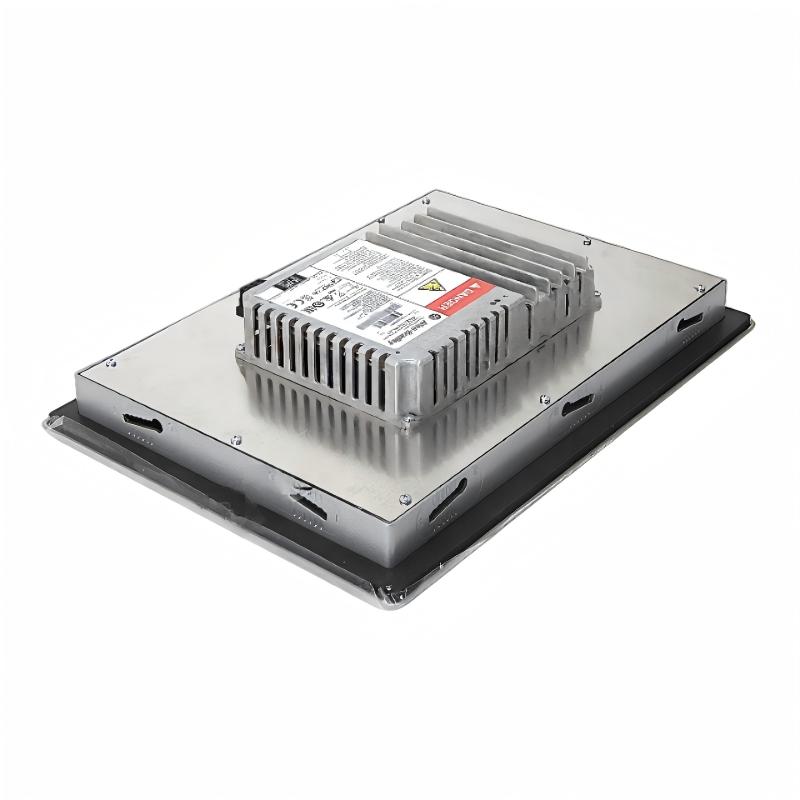
For replacement or maintenance projects, request clear photographs of the product label, front display, rear housing, and connection ports. Confirm the hardware series, firmware information, operating condition, and whether the terminal includes the expected mounting accessories.
Before removing an existing HMI, back up the FactoryTalk View application and record the communication settings. This information can help reduce commissioning time when a replacement terminal is installed.
During routine maintenance, inspect the display surface, mounting hardware, electrical connections, and network cables. Keep the front panel clean using suitable cleaning materials and avoid applying excessive pressure to the touchscreen.
If the terminal experiences communication problems, check the 24 V DC supply, Ethernet connection, network configuration, controller availability, and application communication settings. If the screen fails to load the expected application, verify the project version and firmware compatibility.
For critical production equipment, maintaining a verified application backup and a record of network settings can simplify recovery after an HMI replacement.
Conclusion
The Allen-Bradley 2711P-T12W22D9PK PanelView Plus 7 Operator Interface is a 12.1-inch industrial HMI terminal designed to provide clear visualization and touchscreen interaction for automated machinery and process-control systems.
With its 1280 × 800 WXGA color display, 24 V DC power supply, Ethernet connectivity, DLR capability, and conformally coated configuration, it supports operator monitoring and control in a range of industrial applications.
For successful integration, engineers should verify the terminal’s mechanical dimensions, panel cutout, firmware, FactoryTalk View application, and network configuration. Accurate catalog-number identification and application backups are particularly important when installing or replacing an HMI in an operating production system.