

ProductPRODUCT
Featured products
Contact Us
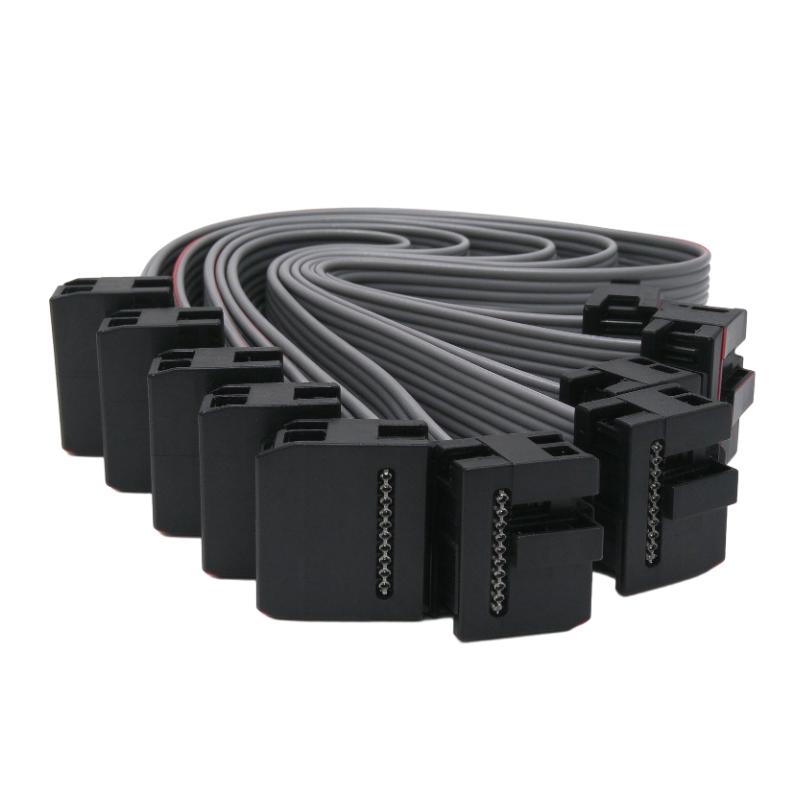
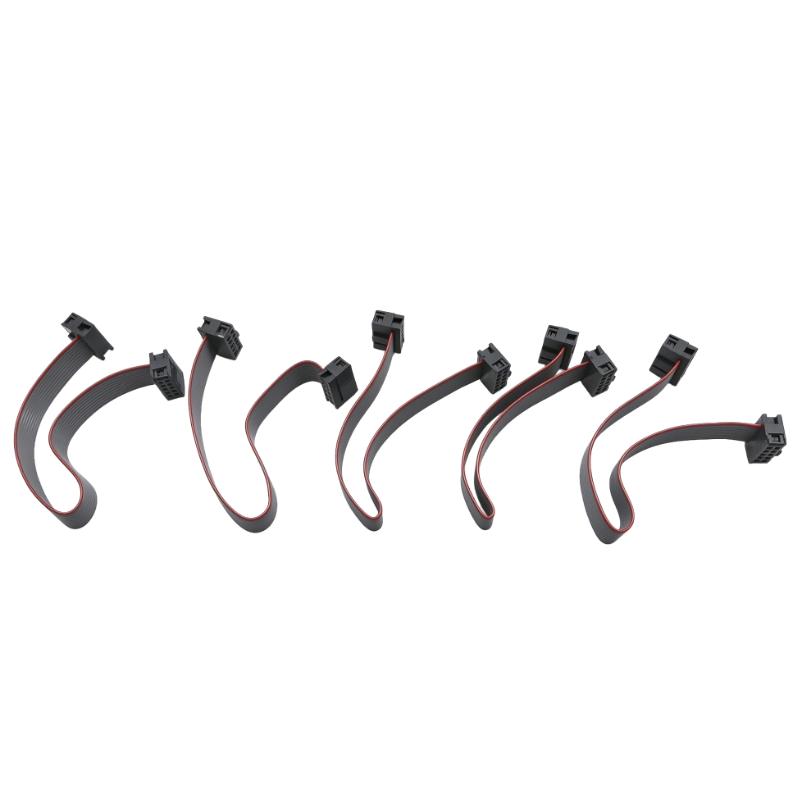
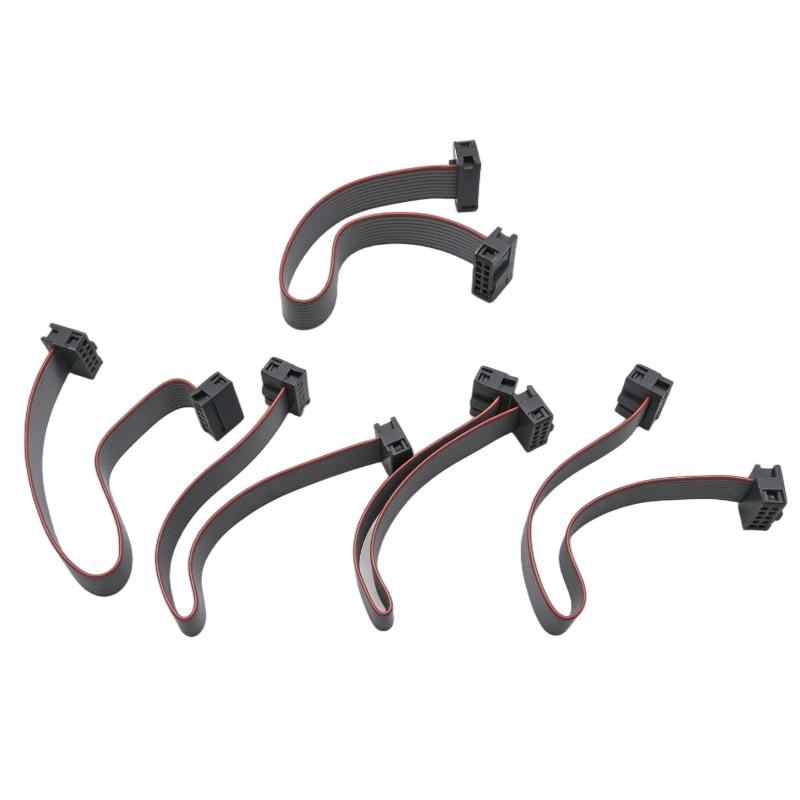
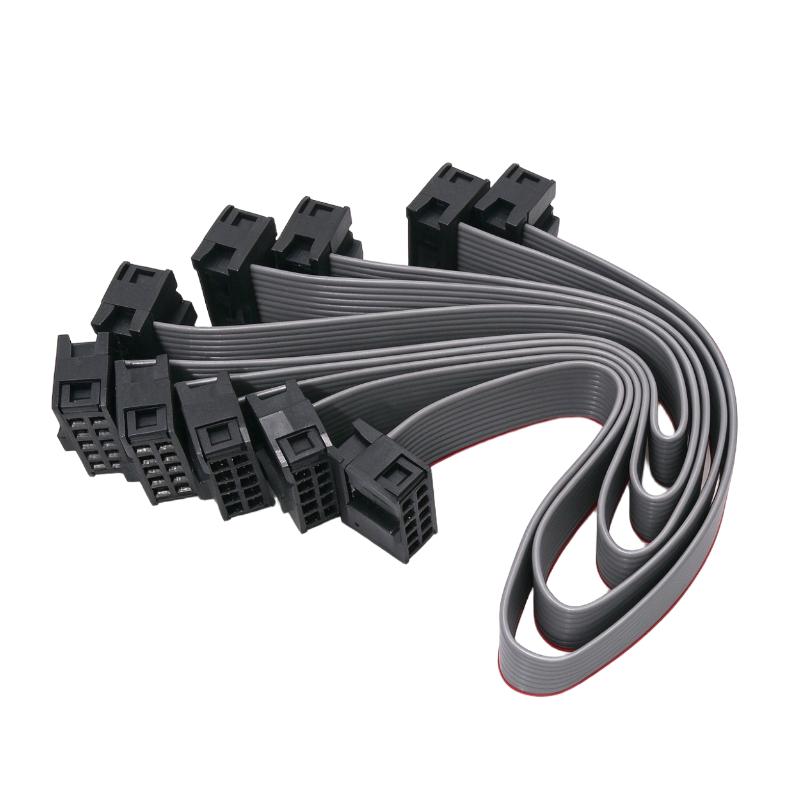
- Allen Bradley
- 1790-15CMCBL
- I/O Expansion Ribbon Cable
- USA
- 15 cm
- 3 kg
- Xiamen, China
- New & In Stock
- T/T, PayPal, Western Union
- 1 Year
- 1-3 Working Days
- DHL, UPS, TNT, FedEx and EMS.
- 24-Hour Service
- COO
- 9
Our advantage

Global Logistics
We have a 10-year logistics and express cooperation agreement, so our products can be shipped to any place in the world.

Brand new and original
Our products are imported in bulk from the place of origin. Because of the cooperative relationship, our products are all original and 100% new.

24-hour service
We provide 7*24 hours service to our customers. We will be there whenever you need us.

Price advantage
All our products are priced very favorably because we have our own warehouse and supply.
| Company Information | |||
| [email protected] | |||
| Mobile | +8615980777398 | ||
| +8615980777398 | |||
| 15980777398 |
Product Overview
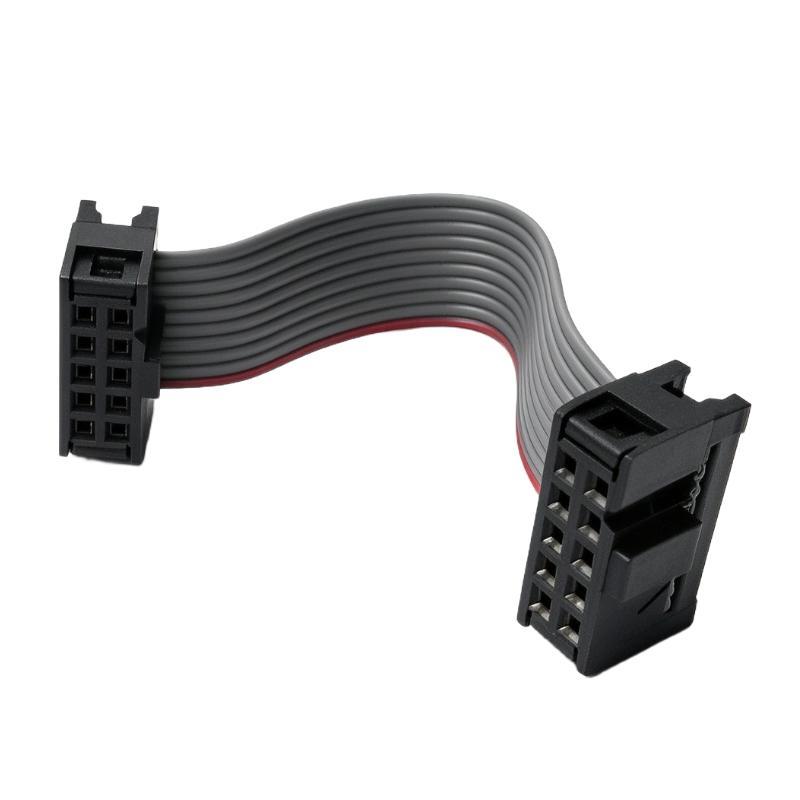
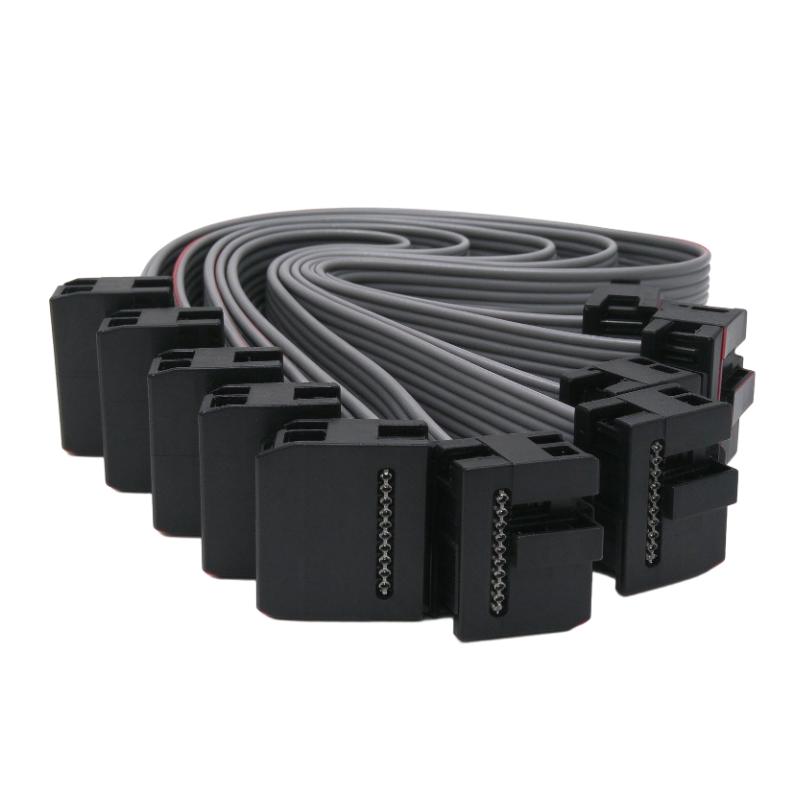
The Allen Bradley 1790-15CMCBL CompactBlock LDX I/O Expansion Ribbon Cable is a 15 cm interconnection cable used to connect compatible CompactBlock LDX I/O base blocks and expansion modules. It carries the expansion connection between adjacent blocks, allowing additional I/O modules to become part of the same distributed I/O assembly.
Unlike a DeviceNet communication cable, the 1790-15CMCBL is specifically intended for the internal expansion connection between CompactBlock LDX modules. It does not connect the I/O assembly directly to a PLC network. Instead, it transfers the expansion connection between the base block and its associated I/O expansion units.
The 15 cm cable is particularly useful when the standard shorter ribbon cable does not provide sufficient reach for the intended mounting arrangement. In a conventional horizontal installation, CompactBlock LDX modules can be mounted side by side in an end-to-end configuration. When modules need to be positioned vertically in a back-to-back arrangement, the longer cable provides the additional length required for the connection.
For example, an industrial control panel may contain a DeviceNet base block together with several digital input and output expansion modules. If the available panel space makes a conventional side-by-side arrangement impractical, the modules can be installed in a vertical configuration using the 1790-15CMCBL. The blocks are positioned alternately right-side up and upside down, with the ribbon cable maintaining their expansion connection.
Another practical advantage is the additional spacing it allows between adjacent blocks. The longer cable supports up to 7 cm of separation between modules in the specified installation arrangement. This can help accommodate different mounting layouts while keeping the expansion connection within the CompactBlock LDX assembly.
The cable is also relevant when replacing an existing expansion interconnection that has become damaged or when reorganizing an installed I/O system. A damaged or improperly seated ribbon cable can interrupt communication between the base block and its expansion modules, potentially affecting the availability of the associated I/O points.
The 1790-15CMCBL is therefore a small but necessary accessory in installations where CompactBlock LDX expansion modules require a longer interconnection. Its primary purpose is to maintain the physical expansion link while allowing greater flexibility in module positioning.
Technical Specifications
| Parameter | Specification |
|---|---|
| Manufacturer | Allen-Bradley |
| Model | 1790-15CMCBL |
| Product Type | CompactBlock LDX I/O Expansion Ribbon Cable |
| Product Family | CompactBlock LDX |
| Component Category | Fieldbus I/O Accessories |
| Cable Type | Ribbon Cable |
| Cable Length | 15 cm |
| Primary Function | Connects CompactBlock LDX Base Blocks and Expansion Blocks |
| Installation Configuration | Horizontal and Vertical Module Arrangements |
| Maximum Module Spacing | Up to 7 cm |
| Compatible System | CompactBlock LDX I/O |
| IP Rating | IP20 |
| Operating Temperature | 0 to 60 °C |
| Storage Temperature | -40 to 85 °C |
| Relative Humidity | Up to 90%, Noncondensing |
| Shipping Weight | 3 kg |
Product Features
- 15 cm Ribbon Cable: Provides additional connection length for CompactBlock LDX expansion arrangements.
- Module-to-Module Connection: Connects compatible base blocks and expansion blocks within the same I/O assembly.
- Vertical Mounting Support: Accommodates back-to-back module arrangements with alternating mounting orientations.
- Additional Installation Clearance: Allows up to 7 cm of spacing between blocks in supported configurations.
- Horizontal Installation Compatibility: Supports end-to-end module arrangements where the longer cable is required.
- Compact Expansion Interface: Maintains the ribbon cable connection without requiring a separate external communication cable.
- Replacement Capability: Can be used to replace a damaged or missing expansion ribbon cable.
- CompactBlock LDX Compatibility: Intended for the 1790 CompactBlock LDX I/O expansion system.
Working Principle
The 1790-15CMCBL functions as the interconnection link between CompactBlock LDX base blocks and expansion modules. Its purpose is to transfer the expansion connection so that additional I/O modules can operate as part of the same assembly.
The basic arrangement is:
PLC / DeviceNet Network → CompactBlock LDX Base Block → 1790-15CMCBL → I/O Expansion Module
Expansion Connection
The base block receives control and communication information through its network interface. The expansion cable connects the base block to an additional I/O module, maintaining the required internal connection between the two units.
When the PLC updates the I/O data, the base block manages the network communication and the expansion arrangement provides the connection required for the additional I/O points.
For example, a machine may initially use a base block with a limited number of digital output channels. When additional outputs are needed, a compatible expansion block can be added and connected through the ribbon cable.
Horizontal Module Arrangement
In a conventional horizontal installation, the base block and expansion modules are positioned side by side in an end-to-end configuration.
The expansion cable connects the adjacent modules while allowing the blocks to be installed on a common panel or DIN rail arrangement.
Vertical Module Arrangement
The longer 15 cm cable is particularly useful when the blocks need to be installed vertically in a back-to-back configuration.
In this arrangement, the modules are positioned alternately right-side up and upside down. The additional cable length provides the necessary connection reach and accommodates up to 7 cm of spacing between blocks.
This is useful in control panels where available mounting space or wiring access makes a conventional horizontal arrangement less practical.
Maintaining the Expansion Connection
The ribbon cable must be correctly aligned and seated at both ends. A loose, damaged, or incorrectly positioned connection can interrupt the expansion link and prevent the associated I/O module from operating as expected.
During maintenance, the cable should be inspected for damaged conductors, connector wear, and improper seating. Replacement with a compatible cable helps restore the intended connection between the modules.
The 1790-15CMCBL therefore supports the physical arrangement and expansion connectivity of the CompactBlock LDX system rather than functioning as an independent fieldbus communication cable.
Role in the CompactBlock LDX Control Architecture
The Allen Bradley 1790-15CMCBL serves as an internal expansion connection within the CompactBlock LDX distributed I/O architecture. It allows compatible expansion modules to be connected to the base block while accommodating different physical mounting arrangements.
A typical system arrangement follows this structure:
PLC Controller → DeviceNet Scanner → CompactBlock LDX Base Block → 1790-15CMCBL → Expansion I/O Module → Field Devices
| System Component | Function |
|---|---|
| Allen Bradley 1790-15CMCBL | Connects the base block to a compatible expansion module |
| CompactBlock LDX Base Block | Provides the main I/O assembly and network connection |
| CompactBlock LDX Digital Input Module | Acquires discrete signals from field devices |
| CompactBlock LDX Digital Output Module | Controls external DC field devices |
| CompactBlock LDX Relay Output Module | Provides relay-based switching outputs |
| DeviceNet Scanner | Handles communication between the controller and distributed I/O |
| PLC Controller | Executes machine logic and processes I/O information |
| DIN Rail | Supports the physical mounting of the I/O assembly |
| Field Wiring | Connects the I/O modules to sensors and actuators |
In a typical machine-control installation, the base block communicates with the PLC through DeviceNet. Additional input and output modules connect through the expansion interface, allowing the system to handle more field signals.
The 1790-15CMCBL becomes particularly useful when the expansion blocks cannot be arranged directly beside the base block. Its longer connection length supports the required module positioning without changing the overall network architecture.
Industrial Applications
| Application | Typical Use |
|---|---|
| Industrial Control Panels | Connecting CompactBlock LDX base and expansion modules |
| Distributed I/O Systems | Maintaining expansion connections between adjacent I/O blocks |
| Conveyor Automation | Supporting additional input and output modules for conveyor control |
| Packaging Machinery | Connecting expansion modules used for distributed machine signals |
| Automated Assembly | Accommodating vertical I/O block arrangements in compact control panels |
| Material Handling | Supporting expanded I/O assemblies for sorting and transfer equipment |
| Factory Automation | Connecting additional digital I/O modules within DeviceNet installations |
| Machine Retrofitting | Replacing damaged ribbon cables during I/O system maintenance |
| Panel Space Optimization | Allowing alternative module positioning when conventional horizontal mounting is unsuitable |
| Process Automation | Maintaining expansion connections in CompactBlock LDX-based control systems |
Installation and Maintenance
- Verify the Cable Model: Confirm that Allen Bradley 1790-15CMCBL is the required 15 cm CompactBlock LDX expansion ribbon cable.
- Check Module Compatibility: Ensure that the installed base block and expansion module support the CompactBlock LDX ribbon cable connection.
- Inspect the Cable: Examine the ribbon cable and connector ends for damaged conductors, deformation, or signs of wear.
- Plan the Module Arrangement: Determine whether the expansion blocks will be installed horizontally or vertically before selecting the cable routing.
- Isolate the System Power: Disconnect the relevant power sources according to the equipment installation and maintenance procedures.
- Position the Expansion Blocks: Mount the base block and expansion modules in the intended arrangement, observing the required mounting orientation.
- Connect the Ribbon Cable: Insert the cable into the designated expansion interfaces and ensure that both ends are correctly seated.
- Check Cable Routing: Ensure that the ribbon cable is not twisted, sharply bent, pinched, or placed under mechanical tension.
- Verify Module Spacing: When using the vertical arrangement, observe the supported spacing of up to 7 cm between blocks.
- Secure the Modules: Check that the blocks are firmly mounted on the panel or DIN rail and that the cable is not carrying the mechanical load of the assembly.
- Test the Expansion Connection: Restore power and verify that the connected expansion modules are recognized and their I/O points operate correctly.
- Record the Installation: Document the module arrangement, cable replacement details, and any changes to the expansion configuration.
Compatible System Components
| Component | Function |
|---|---|
| Allen Bradley 1790-15CMCBL | 15 cm CompactBlock LDX expansion ribbon cable |
| Allen Bradley 1790-7CMCBL | 7 cm CompactBlock LDX replacement ribbon cable |
| Allen Bradley 1790-0B16X | 16-point sourcing digital output expansion block |
| Allen Bradley 1790-0V16X | 16-point sinking digital output expansion block |
| Allen Bradley 1790-0W8X | 8-point relay output expansion module |
| Allen Bradley 1790-16BV0X | 16-point universal input expansion block |
| Allen Bradley 1790-8BV8BX | 8-input / 8-output expansion block |
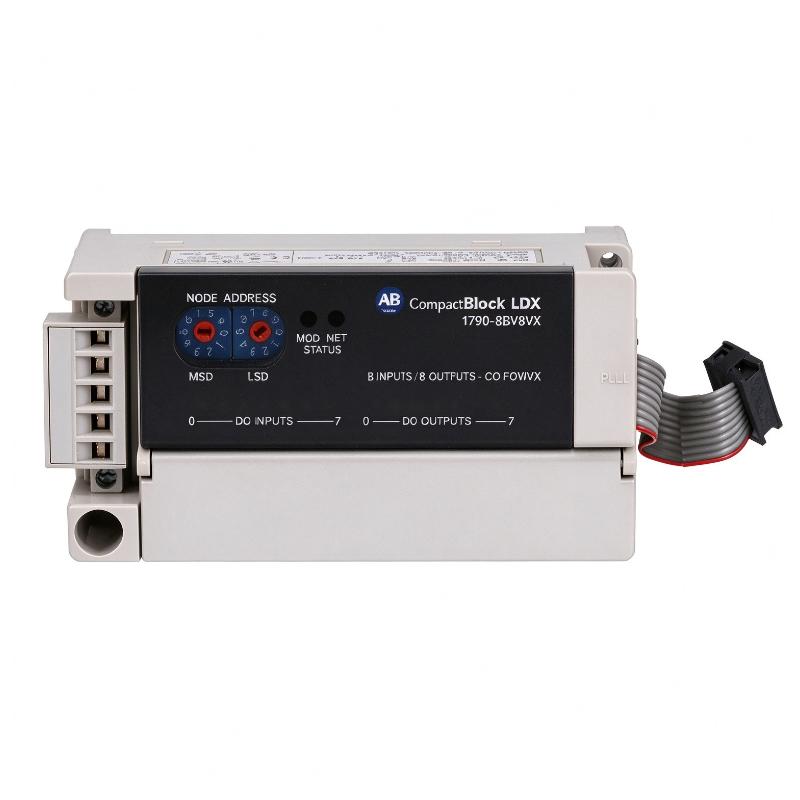
| Allen Bradley 1790-8BV8VX | 8-input / 8-output expansion block |
| CompactBlock LDX Base Block | Provides the main network and I/O connection |
| DeviceNet Scanner | Handles communication between the PLC and distributed I/O assembly |
| PLC Controller | Processes input signals and controls output operations |
| DIN Rail | Provides mechanical mounting for the CompactBlock LDX modules |
Recommended Related Models
| Model | Product Type | Typical Application |
|---|---|---|
| Allen Bradley 1790-7CMCBL | CompactBlock LDX 7 cm Replacement Ribbon Cable | Standard expansion connections between adjacent I/O blocks |
| Allen Bradley 1790-0B16X | CompactBlock LDX 16-Point Digital Output Expansion Block | Additional sourcing output channels |
| Allen Bradley 1790-0V16X | CompactBlock LDX 16-Point Digital Output Expansion Block | Additional sinking output channels |
| Allen Bradley 1790-0W8X | CompactBlock LDX 8-Point Relay Output Expansion Module | Additional relay switching capacity |
| Allen Bradley 1790-16BV0X | CompactBlock LDX 16-Point Universal Input Expansion Block | Expansion of digital input capacity |
| Allen Bradley 1790-8BV8BX | CompactBlock LDX 8-Input / 8-Output Expansion Block | Combined digital input and sourcing output expansion |
Key Advantages
- Provides a 15 cm connection length for CompactBlock LDX expansion arrangements.
- Supports horizontal and vertical module installation configurations.
- Allows up to 7 cm of spacing between blocks in supported arrangements.
- Connects compatible base blocks and expansion modules through the ribbon cable interface.
- Accommodates control panel layouts with limited mounting space.
- Provides a replacement option for damaged expansion interconnection cables.
- Maintains the expansion connection without requiring a separate external network cable.
Technical FAQs
What is the difference between the 1790-15CMCBL and the 1790-7CMCBL?
The primary difference is cable length. The 1790-15CMCBL is the longer 15 cm ribbon cable, while the 1790-7CMCBL is the 7 cm replacement ribbon cable. The longer version is particularly useful when the CompactBlock LDX modules require additional separation or a vertical back-to-back mounting arrangement.
Can the 1790-15CMCBL be used for vertical CompactBlock LDX installation?
Yes. The 15 cm ribbon cable is specified for vertical back-to-back module arrangements. In this configuration, the expansion blocks must be positioned alternately right-side up and upside down. The cable also allows up to 7 cm of spacing between the blocks in the supported arrangement.
Does the 1790-15CMCBL carry DeviceNet communication directly to the PLC?
No. It is an internal expansion ribbon cable rather than a DeviceNet network cable. The DeviceNet connection is handled by the compatible base block, while the 1790-15CMCBL maintains the expansion connection between the base block and additional I/O modules.
What should be checked if an expansion module is not recognized after installing the cable?
First, check that the cable is compatible with the installed CompactBlock LDX modules and correctly seated at both ends. Inspect the ribbon conductors and connectors for damage, and verify that the module mounting arrangement follows the applicable installation requirements. If the expansion module still cannot be recognized, check the base block compatibility and the complete I/O assembly configuration.