

ProductPRODUCT
Featured products
Contact Us
- Schneider
- HMIDT651
- Advanced Touchscreen Panel
- France
- 308.5 x 230.5 x 67 mm
- 3 kg
- Xiamen, China
- New & In Stock
- T/T, PayPal, Western Union
- 1 Year
- 1-3 Working Days
- DHL, UPS, TNT, FedEx and EMS.
- 24-Hour Service
- COO
- 11
Our advantage

Global Logistics
We have a 10-year logistics and express cooperation agreement, so our products can be shipped to any place in the world.

Brand new and original
Our products are imported in bulk from the place of origin. Because of the cooperative relationship, our products are all original and 100% new.

24-hour service
We provide 7*24 hours service to our customers. We will be there whenever you need us.

Price advantage
All our products are priced very favorably because we have our own warehouse and supply.
| Company Information | |||
| [email protected] | |||
| Mobile | +8615980777398 | ||
| +8615980777398 | |||
| 15980777398 |
Product Overview
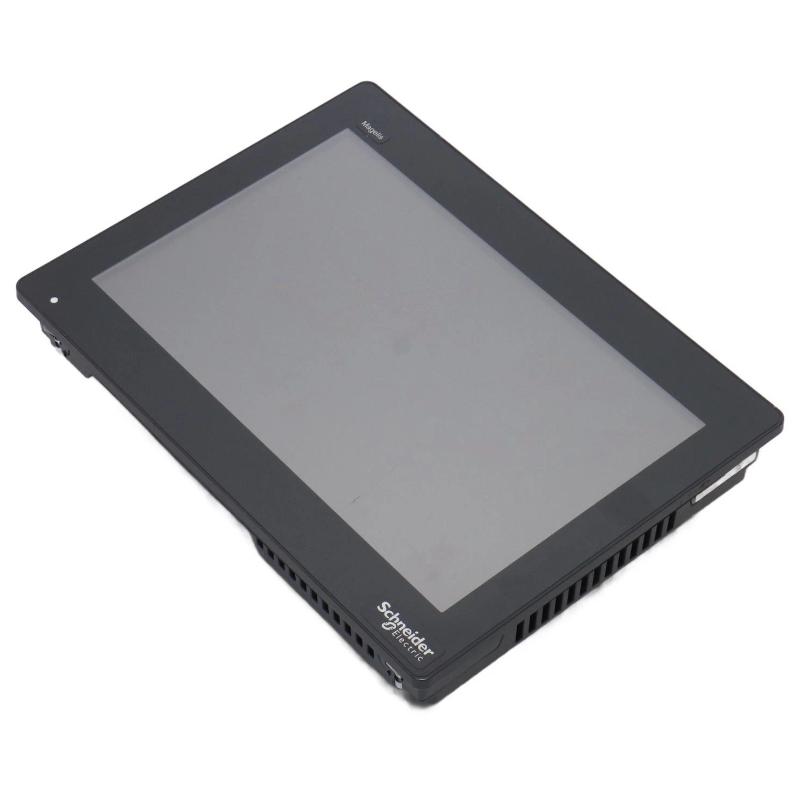
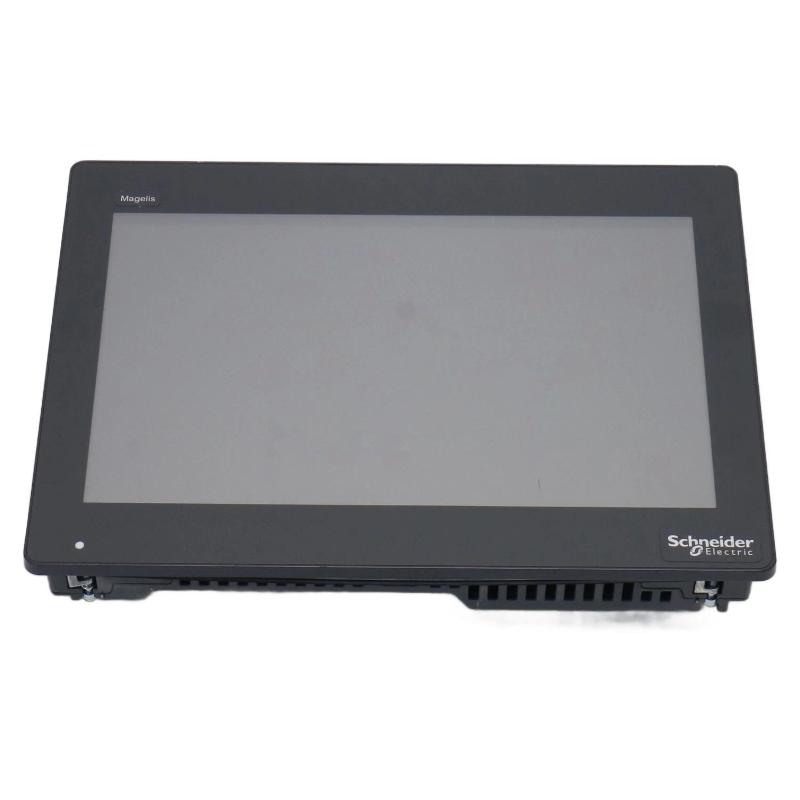
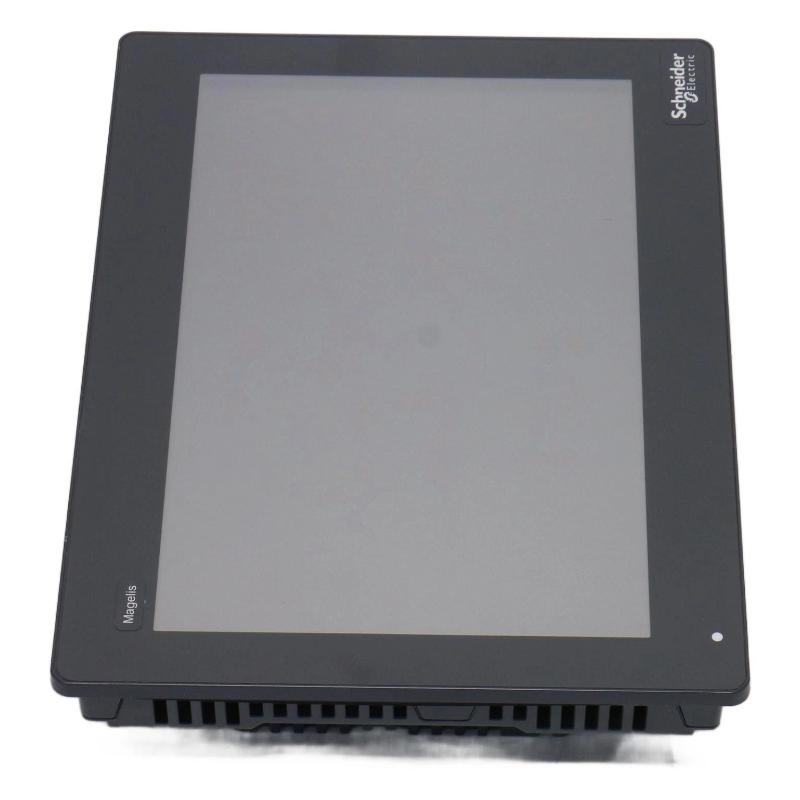
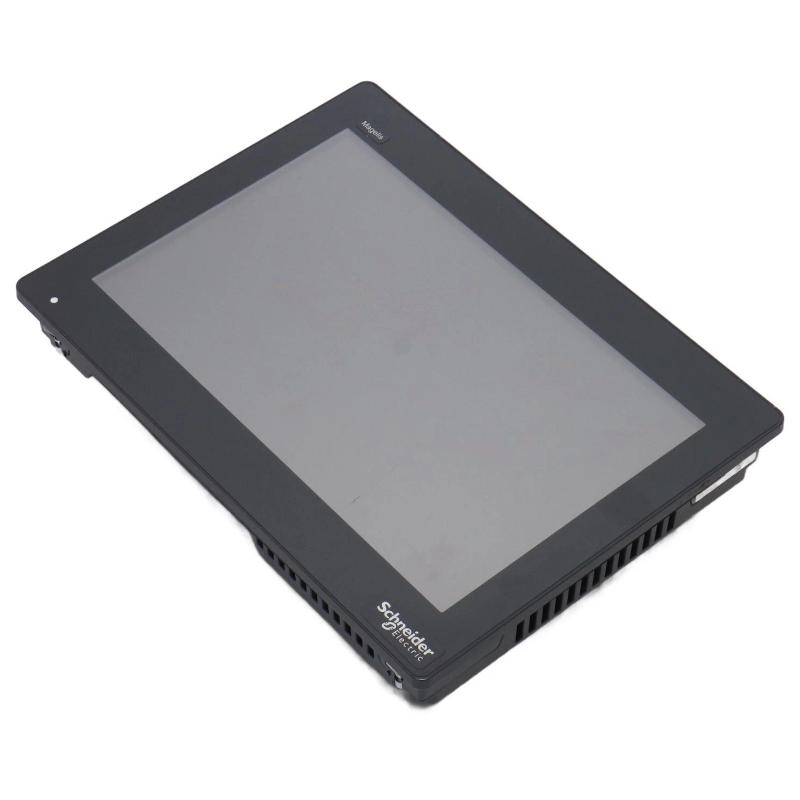
The Schneider HMIDT651 Advanced Touchscreen Panel is an industrial human-machine interface designed to provide operators with a graphical and touch-based method of interacting with automated equipment. It can be integrated into machine-control systems, production equipment, process applications, and other industrial environments where operators need direct access to machine status, alarms, parameters, diagnostics, and control functions.
An industrial touchscreen panel provides a flexible alternative to a traditional control panel containing numerous physical switches, indicators, meters, and push buttons. Through a configurable HMI application, multiple operating functions can be presented on different screens while maintaining a centralized interface for the operator.
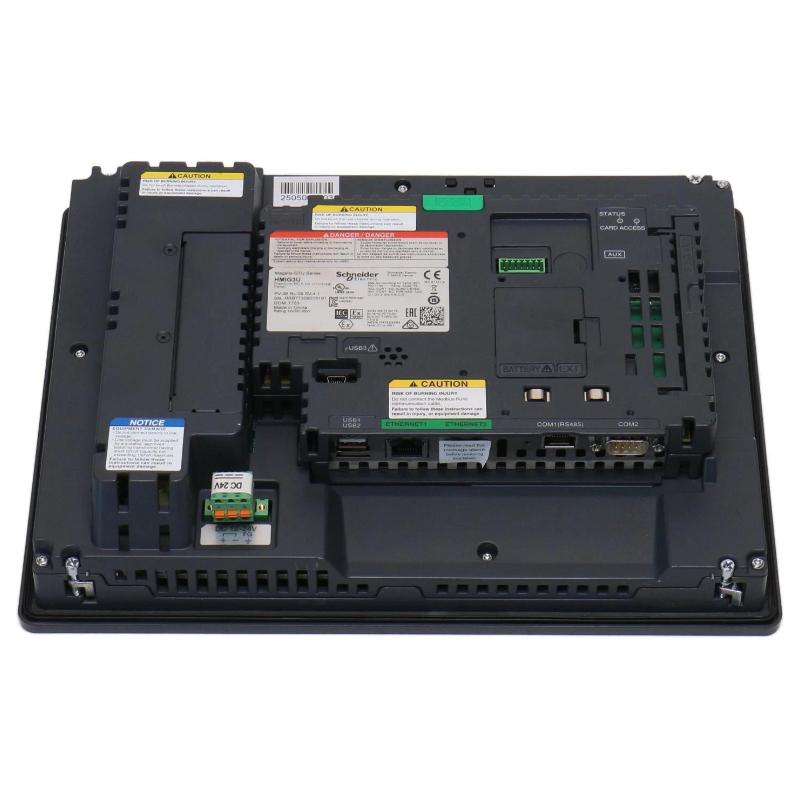
The Schneider HMIDT651 is identified as an Advanced Touchscreen Panel with supplied dimensions of 308.5 × 230.5 × 67 mm and a listed weight of 3 kg. Its physical format is suitable for applications requiring a dedicated operator interface while maintaining a controlled machine or cabinet footprint.
The HMIDT651 functions as part of a larger automation architecture. The actual communication interfaces, display characteristics, mounting requirements, power specifications, software compatibility, and environmental limits should be verified for the exact configuration before installation.
Technical Specifications
| Parameter | Specification |
|---|---|
| Manufacturer | Schneider Electric |
| Model | HMIDT651 |
| Product Type | Advanced Touchscreen Panel |
| Primary Function | HMI visualization and operator interaction |
| Application | Industrial automation and machine control |
| Dimensions | 308.5 × 230.5 × 67 mm |
| Weight | 3 kg |
| Installation | Industrial control panel / machine enclosure |
| Interface Role | Human-machine interface |
| Display Type | Touchscreen panel |
The physical dimensions and weight above are based on the supplied product information. Exact screen resolution, communication interfaces, power requirements, mounting cutout, environmental specifications, and software support should be confirmed for the intended HMIDT651 installation.
Understanding the Schneider HMIDT651
The HMIDT651 provides a graphical operator interface between personnel and an industrial control system.
In a typical automation architecture, a PLC or industrial controller executes the programmed control logic while the HMI provides visualization and operator interaction.
A simplified data flow can be represented as:
Sensors and Field Equipment → PLC / Controller → Industrial Network → HMIDT651 → Operator
The controller receives information from field devices and performs the required control functions. The HMIDT651 then presents selected information to the operator in a graphical format.
Depending on the configured application, the panel may be used to display:
- Machine operating status
- Process values
- Equipment states
- Alarm conditions
- Diagnostic messages
- Production information
- Operating parameters
- Maintenance information
- Graphical equipment layouts
The exact functions depend on the HMI application and connected control architecture.
Function of an Advanced Touchscreen HMI
An advanced touchscreen panel provides a configurable interface that can change according to the machine operating condition.
Instead of installing separate hardware for every operating function, the HMI can use different graphical screens.
For example, a typical HMIDT651 application may contain:
Overview Screen
Provides a general view of machine or process status.
Equipment Screen
Shows the condition of individual motors, pumps, valves, conveyors, drives, or other equipment.
Alarm Screen
Displays active warnings and alarm information.
Parameter Screen
Provides authorized access to selected machine or process parameters.
Diagnostic Screen
Provides maintenance personnel with system and equipment information useful for troubleshooting.
Trend Screen
Displays selected process values over time where trend functionality is configured.
This structure allows one physical touchscreen panel to support many different operator tasks.
Role in Industrial Control Systems
The HMIDT651 occupies the visualization and operator-interaction layer of an industrial automation system.
A typical control architecture contains several functional levels:
Field Devices → Control System → Communication Network → HMI
At the field level, sensors and actuators interact with the process.
At the control level, PLCs and controllers process signals and execute control logic.
At the communication level, information is exchanged between controllers, HMIs, drives, remote I/O, and other devices.
At the operator level, the HMIDT651 provides graphical access to selected information and authorized control functions.
This division allows the HMI to provide a convenient user interface without replacing the underlying control logic.
Industrial Applications
Machine Automation
Industrial machines can use the HMIDT651 as a local operator station for monitoring operating conditions and controlling permitted functions.
Manufacturing Systems
Production equipment can use touchscreen visualization to display machine status, operating parameters, alarms, and production information.
Packaging Machinery
Packaging machines often require multiple operator screens. A touchscreen HMI can combine production settings, machine status, diagnostics, and alarm management.
Material Handling
Conveyors, sorting equipment, automated handling systems, and other material-handling machinery can use an HMI to visualize equipment conditions.
Process Equipment
Process machinery can use touchscreen interfaces to display process variables, equipment status, alarm conditions, and diagnostic information.
Utility Systems
Pump stations, ventilation systems, water systems, and other industrial utility applications can use an HMI for local operator interaction.
Physical Dimensions and Cabinet Planning
The supplied physical dimensions of the Schneider HMIDT651 are:
308.5 × 230.5 × 67 mm
The listed weight is:
3 kg
These physical specifications are important when designing the mounting location.
The overall dimensions should be considered for:
- Control cabinet layout
- Machine-panel design
- Operator access
- Viewing area
- Rear clearance
- Cable routing
- Maintenance access
- Adjacent equipment placement
The 67 mm depth should be considered when determining the available space behind the panel.
The overall dimensions should not automatically be interpreted as the required mounting cutout. The actual panel opening should be prepared according to the applicable mechanical installation specifications.
Installation Guidelines
1. Confirm the Model
Before installation, verify the complete product identification:
Schneider HMIDT651 Advanced Touchscreen Panel
The model should be matched with the intended HMI application and automation architecture.
2. Prepare the Panel
The machine or cabinet mounting surface should be prepared according to the required installation dimensions.
The supplied 308.5 × 230.5 × 67 mm dimensions should be treated as the product’s physical dimensions, not as the exact mounting cutout.
3. Check Mechanical Support
The listed weight of 3 kg should be considered when selecting the mounting structure and enclosure.
The panel should remain mechanically stable during normal operation and expected equipment vibration.
4. Provide Rear Clearance
Adequate space should be provided behind the display for:
- Power wiring
- Communication cables
- Connectors
- Cable routing
- Service access
- Appropriate heat management
5. Verify the Installation Environment
The panel should be installed in an environment suitable for the exact product configuration.
Environmental factors such as dust, moisture, temperature, vibration, and electrical interference should be considered during system design.
Electrical and Communication Integration
The HMIDT651 is designed to function as part of a larger automation system.
A surrounding installation may contain:
- Schneider Electric PLCs
- Modicon controllers
- Remote I/O
- Variable speed drives
- Servo systems
- Industrial network equipment
- Sensors
- Actuators
- Process instrumentation
- Other operator interfaces
The exact communication interfaces, protocols, connector configuration, and power requirements should be verified for the intended HMIDT651 configuration.
Reliable HMI communication requires correct addressing, network configuration, wiring, and application settings.
HMI Application Design
The physical touchscreen is only one component of the operator-interface system.
The associated HMI project may contain:
- Screen layouts
- Navigation structures
- Controller tags
- Alarm definitions
- Parameter fields
- User permissions
- Equipment graphics
- Diagnostic screens
- Trend objects
- Communication settings
A well-designed application should allow operators to locate important information quickly.
For example, the main overview can provide a summary of machine operation, while dedicated screens can provide more detailed information for individual equipment.
Touchscreen Interaction
Touchscreen operation allows many control functions to be incorporated into a single panel.
Typical graphical objects may include:
- Push buttons
- Status indicators
- Numeric displays
- Numeric input fields
- Alarm lists
- Equipment graphics
- Navigation buttons
- Trend displays
- Diagnostic indicators
The interface should clearly distinguish between information displays and operator commands.
For critical machine functions, appropriate interlocks, authorization levels, and confirmation procedures should be implemented within the overall control strategy.
The touchscreen should not be considered a replacement for dedicated machine safety equipment.
Commissioning Procedure
A structured commissioning process helps verify both the HMIDT651 hardware and the HMI application.
Step 1: Mechanical Inspection
Confirm that the panel is securely installed.
Step 2: Wiring Inspection
Check power and communication wiring before energizing the system.
Step 3: Power-Up Test
Energize the HMI and verify that it starts correctly.
Step 4: Communication Verification
Confirm communication between the HMIDT651 and the intended controller or automation network.
Step 5: Application Verification
Check that the correct HMI project and configuration are available.
Step 6: Screen Testing
Test screen navigation, indicators, data fields, alarms, and graphical objects.
Step 7: Touchscreen Testing
Verify that touch controls respond correctly.
Step 8: Data Validation
Compare displayed values with the corresponding controller or field information.
Step 9: Alarm Testing
Verify configured alarm conditions and their display behavior.
Troubleshooting the HMIDT651
Panel Does Not Power On
If the HMIDT651 does not start, inspect:
- Power source
- Power wiring
- Connectors
- Protection devices
- Installation conditions
- External electrical conditions
The incoming power system should be checked before assuming a hardware failure.
Touchscreen Does Not Respond
If the display is active but touch interaction does not work, inspect:
- Touchscreen surface
- Application configuration
- Software behavior
- Touch-related settings
- Physical damage
If only certain controls fail, the HMI application should be reviewed before replacing the hardware.
Communication Failure
If the panel cannot obtain data from the controller, check:
- Communication cables
- Network connection
- Device addressing
- Controller status
- Communication configuration
- HMI project settings
The communication fault may originate from the network or controller rather than the HMI hardware.
Incorrect Displayed Information
If the HMI displays incorrect process values, compare the displayed information with the controller’s actual data.
Potential causes include:
- Incorrect tag mapping
- Incorrect scaling
- Controller configuration
- Communication errors
- HMI application configuration
Intermittent Operation
Intermittent HMI problems may be associated with:
- Loose connections
- Unstable power
- Network interruptions
- Damaged cables
- Electrical interference
- Environmental conditions
- Software problems
- Hardware faults
The fault should be monitored and documented to identify recurring patterns.
Preventive Maintenance
Regular maintenance can help preserve reliable HMIDT651 operation.
Clean the Touchscreen
Keep the display surface free from excessive dust, oil, and other contamination.
Inspect the Mounting
Check the mounting structure and surrounding enclosure for looseness or mechanical damage.
Inspect Cabling
Check power and communication cables for wear, loose connections, and physical damage.
Monitor Communication
Recurring network errors should be investigated rather than ignored.
Maintain HMI Backups
Keep an updated backup of the HMI project and configuration.
Monitor Environmental Conditions
Ensure that the control-panel environment remains suitable for the installed equipment.
HMI Project and Backup Management
An industrial HMI contains both hardware and application configuration.
The HMI project may include:
- Operator screens
- Navigation
- Controller tags
- Alarms
- Parameters
- User access
- Equipment graphics
- Diagnostics
- Communication settings
A current project backup is important when performing maintenance or replacing an HMI.
Before replacing an existing HMIDT651, relevant project and configuration data should be preserved whenever possible.
This helps reduce commissioning time and prevents the need to recreate the operator interface from scratch.
Replacement Considerations
When sourcing a replacement for the Schneider HMIDT651, the complete model identification should be verified.
Important considerations include:
- Complete model number
- Product type
- Physical dimensions
- Mounting arrangement
- HMI software compatibility
- Communication architecture
- Power requirements
- Environmental conditions
- Existing HMI application
The supplied specifications are:
Dimensions: 308.5 × 230.5 × 67 mm
Weight: 3 kg
A display with similar physical dimensions should not automatically be treated as an equivalent replacement. Mechanical, electrical, software, communication, and environmental compatibility should all be confirmed.
Control Cabinet Layout Considerations
The HMIDT651 should be considered during the initial cabinet and machine-panel design.
The 308.5 × 230.5 mm footprint requires sufficient front-panel space for comfortable operator interaction.
The 67 mm depth should also be considered when positioning equipment behind the display.
Potential nearby components include:
- PLC systems
- Power supplies
- Circuit protection
- Variable speed drives
- Network devices
- Terminal blocks
- Push buttons
- Indicator lamps
- Emergency-stop equipment
The display should be positioned so that operators have convenient access while other critical controls remain accessible.
System-Level Fault Diagnosis
An HMI problem should be investigated as part of the complete automation architecture.
For example, if the HMIDT651 displays an incorrect motor status, the fault could originate from:
HMI Tag → Communication Network → PLC Logic → I/O → Motor or Field Device
Likewise, a communication alarm may be caused by a network cable, controller, configuration error, or external device rather than the display itself.
System-level troubleshooting helps maintenance personnel identify the actual source of the problem before replacing components.
Key Advantages
The Schneider HMIDT651 provides several useful characteristics for industrial automation applications:
- Advanced touchscreen operator interface
- 308.5 × 230.5 × 67 mm physical format
- Listed weight of 3 kg
- Graphical visualization capability
- Touch-based operator interaction
- Configurable HMI screen architecture
- Centralized machine-status monitoring
- Alarm and diagnostic visualization
- Suitable for PLC-based automation systems
- Practical solution for industrial machine interfaces
- Suitable for control-panel and process-monitoring applications
Technical FAQs
What is the Schneider HMIDT651?
The Schneider HMIDT651 is an Advanced Touchscreen Panel designed to provide graphical visualization and operator interaction within compatible industrial automation systems.
What are the dimensions of the HMIDT651?
The supplied dimensions are 308.5 × 230.5 × 67 mm.
How much does the HMIDT651 weigh?
The listed weight is 3 kg.
Is the HMIDT651 a PLC?
No. The HMIDT651 is an HMI touchscreen panel. A PLC or controller normally executes the main machine-control logic.
What is the primary function of the HMIDT651?
Its primary function is to provide an operator interface for monitoring equipment, displaying process information, managing alarms, and interacting with authorized machine functions.
What information can the HMIDT651 display?
Depending on the configured application, it can display machine status, process values, alarms, parameters, diagnostics, production information, and graphical equipment information.
Can the HMIDT651 be installed in a control cabinet?
It can be integrated into suitable industrial control-panel applications, provided that the mounting, electrical, communication, and environmental requirements of the exact configuration are satisfied.
Are the dimensions 308.5 × 230.5 × 67 mm the required mounting cutout?
No. These are the supplied product dimensions. The actual panel cutout must be determined from the applicable mechanical installation specifications.
What should be checked if the HMIDT651 cannot communicate with a PLC?
Check the network connection, communication configuration, addressing, controller status, HMI application settings, and cable condition.
Why should the HMI application be backed up?
The application may contain screens, tags, alarms, parameters, navigation, and communication settings. A backup simplifies hardware replacement and system recovery.
Can a similarly sized HMI replace the HMIDT651?
Not automatically. Physical size alone does not establish compatibility. Mechanical, electrical, software, communication, and environmental requirements must also be verified.
Conclusion
The Schneider HMIDT651 Advanced Touchscreen Panel is an industrial human-machine interface designed to provide a graphical connection between operators and compatible automation equipment. Through a configurable touchscreen application, it can provide access to machine status, process information, alarms, parameters, diagnostics, and authorized control functions.
The supplied physical specifications are 308.5 × 230.5 × 67 mm, with a listed weight of 3 kg. These specifications are important for machine-panel design, cabinet layout, mounting preparation, cable routing, and maintenance planning.
Reliable operation depends on the complete automation architecture, including the HMIDT651 hardware, HMI application, PLC or controller, communication network, power system, and field equipment. Proper installation, commissioning, application backup, preventive maintenance, and systematic fault diagnosis can help maintain stable operator interaction.
For replacement or new installation projects, the complete Schneider HMIDT651 model should be verified together with its mounting requirements, software configuration, communication architecture, electrical requirements, and environmental conditions before commissioning.