

ProductPRODUCT
Featured products
Contact Us
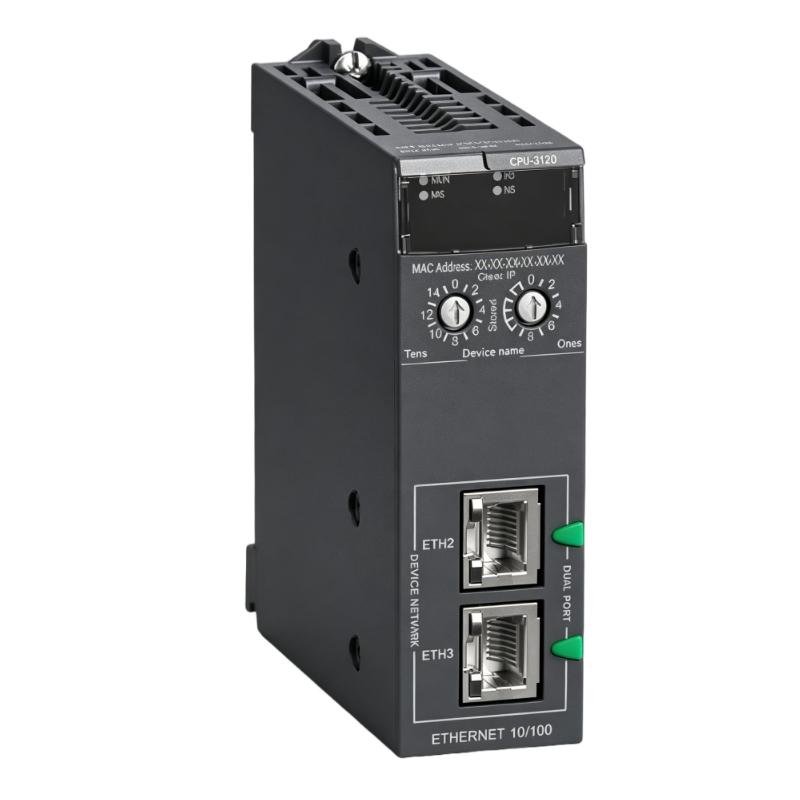
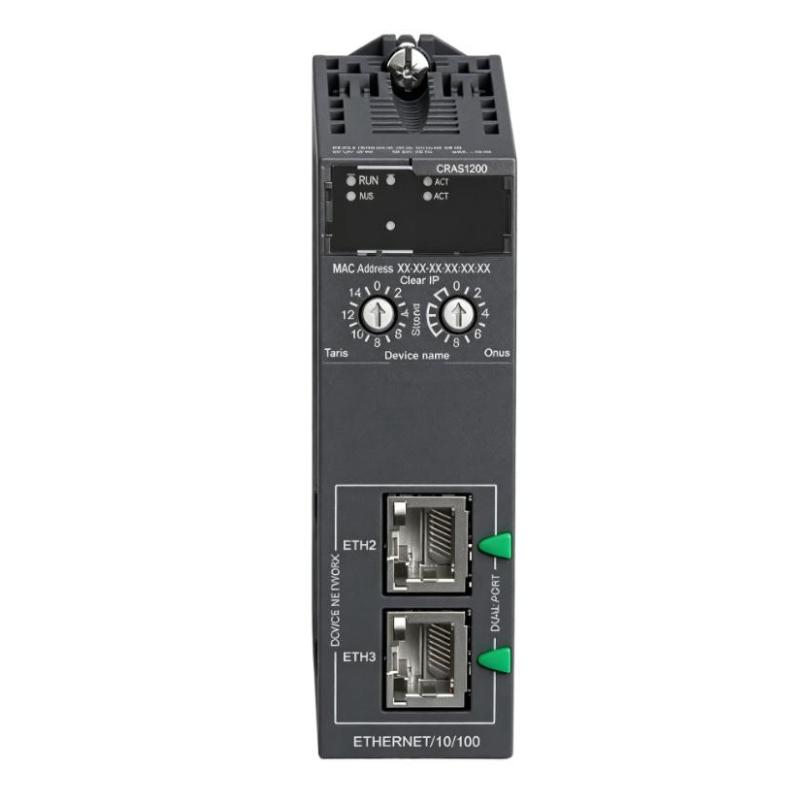
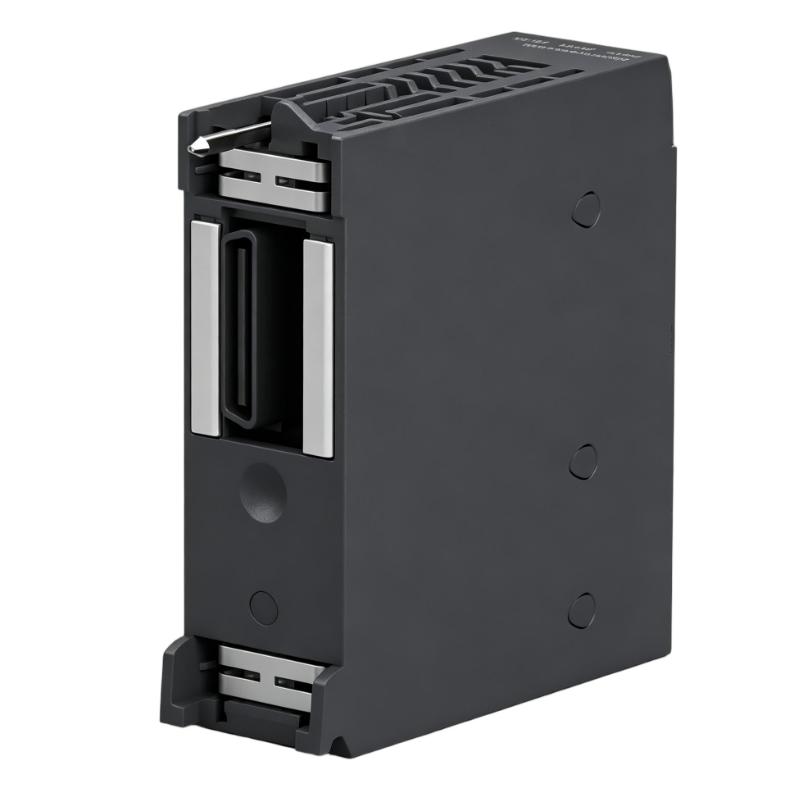
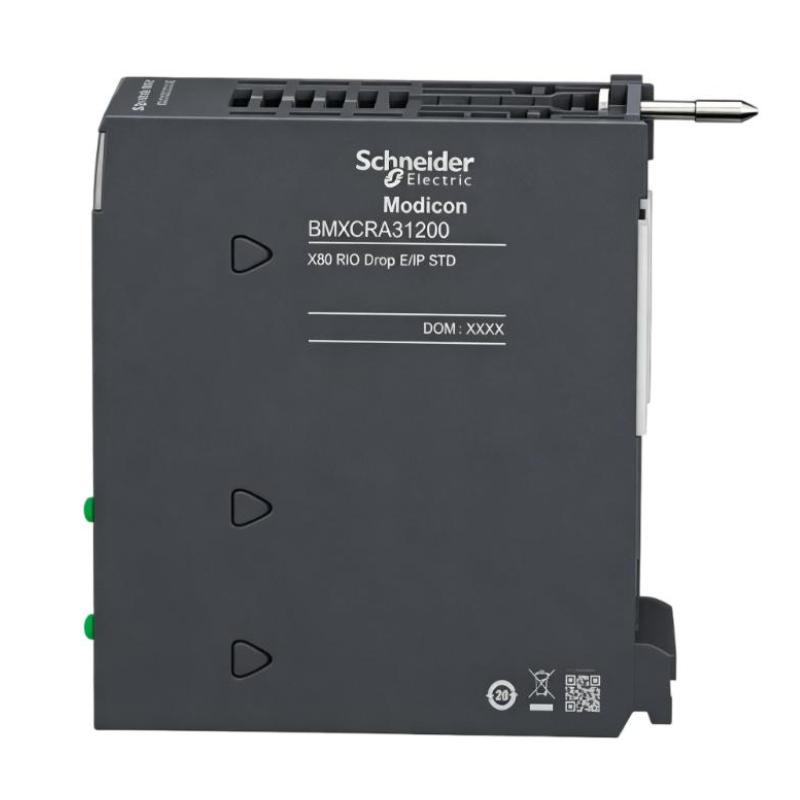
- Schneider
- BMXCRA31200
- Remote I/O Output Adapter
- France
- 32 x 100 x 87.5 mm
- 0.225 kg
- Xiamen, China
- New & In Stock
- T/T, PayPal, Western Union
- 1 Year
- 1-3 Working Days
- DHL, UPS, TNT, FedEx and EMS.
- 24-Hour Service
- COO
- 5
Our advantage

Global Logistics
We have a 10-year logistics and express cooperation agreement, so our products can be shipped to any place in the world.

Brand new and original
Our products are imported in bulk from the place of origin. Because of the cooperative relationship, our products are all original and 100% new.

24-hour service
We provide 7*24 hours service to our customers. We will be there whenever you need us.

Price advantage
All our products are priced very favorably because we have our own warehouse and supply.
| Company Information | |||
| [email protected] | |||
| Mobile | +8615980777398 | ||
| +8615980777398 | |||
| 15980777398 |
Product Overview
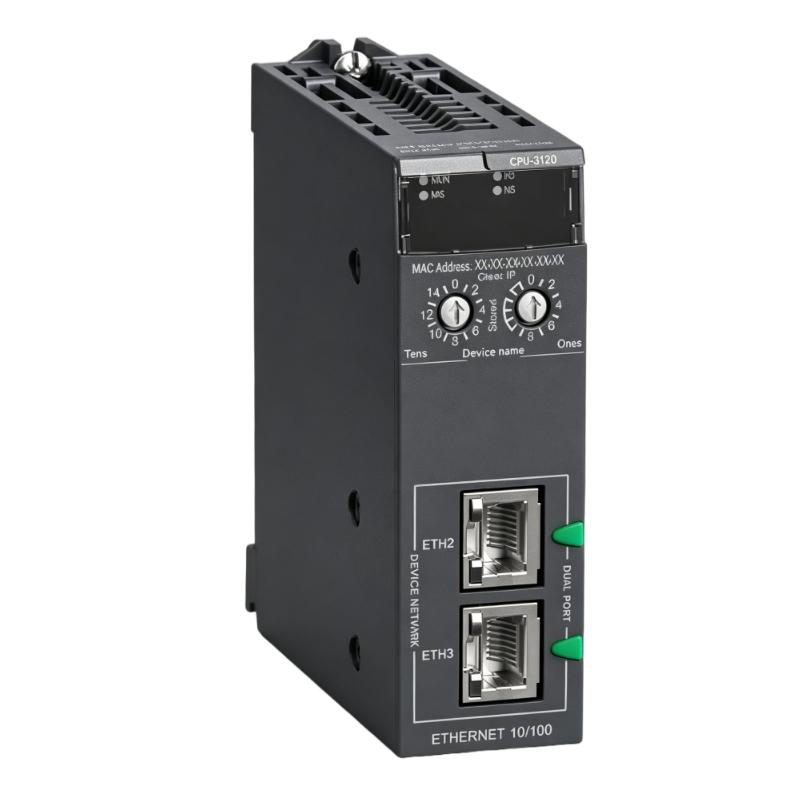
The Schneider BMXCRA31200 Remote I/O Output Adapter is an industrial automation communication and interface component designed to support the connection of remote I/O equipment within a distributed control architecture. Remote I/O systems allow field devices to be connected closer to the process while transferring their signals to a central PLC or controller through an industrial communication network.
In a conventional centralized PLC architecture, sensors and actuators may all be wired directly back to a central control cabinet. As the physical distance increases, this approach can require large amounts of field wiring and extensive cable infrastructure. Remote I/O technology provides an alternative by placing I/O modules closer to the machines, instruments, and field devices.
The BMXCRA31200 serves as an interface between the remote I/O station and the wider control-system architecture. Its role is particularly important in distributed automation applications where reliable communication between remote I/O equipment and the central controller is required.
The supplied physical specifications for the Schneider BMXCRA31200 are 32 × 100 × 87.5 mm, with a weight of 0.225 kg. Its compact form factor makes it suitable for installation in modular industrial automation systems where cabinet space and organized module placement are important.
Exact network characteristics, supported communication functions, diagnostic features, power requirements, and system compatibility should be confirmed against the applicable Schneider Electric documentation for the specific hardware configuration.
Technical Specifications
| Parameter | Specification |
|---|---|
| Manufacturer | Schneider Electric |
| Model | BMXCRA31200 |
| Product Type | Remote I/O Output Adapter |
| Primary Function | Remote I/O System Interface |
| System Role | Distributed I/O Communication / Interface |
| Application | Industrial Automation and Process Control |
| Dimensions | 32 × 100 × 87.5 mm |
| Weight | 0.225 kg |
| Installation | Modular Automation System |
| Typical Applications | Remote I/O, Distributed Control, Machine Automation, Process Automation |
The dimensions and weight above are based on the product information supplied for this article. Exact electrical, communication, and environmental specifications should be verified for the intended installation.
What Is the Schneider BMXCRA31200?
The Schneider BMXCRA31200 is identified as a Remote I/O Output Adapter used in distributed industrial automation architectures.
The basic purpose of a remote I/O adapter is to provide an interface between remote I/O equipment and the control network. Instead of routing every field signal directly to the main PLC cabinet, I/O modules can be installed closer to the process.
A simplified architecture is:
Central PLC → Industrial Network → BMXCRA31200 → Remote I/O Station → Field Devices
Depending on the application, field devices may include:
- Sensors
- Push buttons
- Switches
- Solenoid valves
- Contactors
- Motor-control signals
- Process instruments
- Actuators
The exact architecture depends on the Schneider Electric automation platform and system configuration.
Remote I/O Working Principle
Remote I/O systems divide the control system into multiple functional locations.
Central Controller
The central PLC executes the control program and determines the required control actions.
Industrial Network
The network transfers data between the controller and remote I/O station.
Remote I/O Adapter
The BMXCRA31200 provides an interface within the remote I/O architecture, allowing the remote station to exchange information with the control system.
I/O Modules
Remote I/O modules connect physical field signals to the distributed station.
Field Devices
Sensors provide process information while actuators receive commands generated by the control system.
The overall signal path can therefore be represented as:
Field Device → Remote I/O Module → BMXCRA31200 / Remote I/O Interface → Network → PLC
For output signals, the direction is reversed:
PLC → Network → Remote I/O Interface → Output Module → Field Actuator
Role in Distributed Automation
The BMXCRA31200 can help organize distributed control architectures where field devices are physically separated from the main controller.
This approach can provide several engineering benefits.
Reduced Field Wiring
Instead of running individual signal cables from every field device to the central cabinet, local I/O stations can be positioned closer to the equipment.
Modular System Architecture
Remote I/O allows the control system to be divided into functional sections.
Improved Cabinet Organization
Locating I/O closer to the process can reduce cable congestion in the main PLC cabinet.
Flexible System Expansion
Additional remote I/O stations can be incorporated when the system architecture supports expansion.
Easier Field-Level Maintenance
Technicians can work with I/O equipment located closer to the associated machinery or process equipment.
Industrial Applications
Factory Automation
Manufacturing lines often contain machines distributed across large production areas.
Remote I/O allows sensors and actuators to connect to local I/O stations instead of requiring every cable to return to one central cabinet.
Typical applications include:
- Assembly lines
- Packaging machines
- Material handling
- Conveyor systems
- Robotic work cells
- Production machinery
Process Automation
Industrial process plants frequently have instruments and control devices spread over large areas.
Remote I/O can simplify the connection of:
- Valves
- Pumps
- Motors
- Pressure instruments
- Flow instruments
- Level devices
- Temperature sensors
Water and Wastewater Treatment
Water-treatment facilities often contain geographically distributed equipment.
Remote I/O architectures can connect equipment located around:
- Pump stations
- Filtration systems
- Chemical dosing areas
- Treatment basins
- Water distribution equipment
Building and Utility Automation
Distributed I/O can also be used for equipment such as:
- HVAC systems
- Fans
- Pumps
- Damper controls
- Utility equipment
- Electrical monitoring systems
PLC and Remote I/O Integration
A typical distributed control architecture may include:
PLC CPU → Network Infrastructure → Remote I/O Adapter → I/O Modules → Field Devices
The PLC remains responsible for executing the control program while remote I/O stations provide the physical interface to field signals.
For example, a production machine may use a remote I/O station positioned near a conveyor.
Local sensors can connect to the remote I/O modules, while actuator outputs can control valves, contactors, or other equipment.
The resulting system can significantly reduce the amount of field wiring returning to the main PLC cabinet.
Installation Guidelines
Confirm Product Identification
Before installation, verify the complete product designation:
Schneider BMXCRA31200
The product label and system documentation should be checked before mounting.
Verify System Compatibility
The adapter should only be installed within a compatible Schneider Electric remote I/O architecture.
Verify:
- Controller compatibility
- Remote I/O platform
- Network architecture
- Associated I/O modules
- Power requirements
- Hardware revision
Plan Cabinet Space
The supplied dimensions are:
32 × 100 × 87.5 mm
Adequate space should be provided for the module itself, wiring, connectors, airflow, and maintenance access.
Install Securely
The adapter should be mounted according to the requirements of the applicable Schneider Electric modular system.
Check Network Connections
Network wiring should be inspected carefully before commissioning.
Incorrect network connections can result in:
- Loss of communication
- Intermittent I/O updates
- Station faults
- Controller diagnostic alarms
Remote I/O Network Considerations
Reliable communication is essential for distributed I/O.
When designing the network, engineers should consider:
- Cable routing
- Network topology
- Electromagnetic interference
- Shielding and grounding
- Connector condition
- Cable length
- Network addressing
- Communication diagnostics
High-power motor cables and switching equipment should be separated from sensitive communication wiring wherever practical.
The exact communication protocol and network requirements should be confirmed against the applicable BMXCRA31200 system documentation.
Commissioning Procedure
A structured commissioning process helps identify wiring and communication problems before the system enters normal operation.
Step 1: Inspect the Adapter
Check the BMXCRA31200 for physical damage and verify the product identification.
Step 2: Verify the Remote I/O Configuration
Confirm that the adapter and associated I/O modules match the intended system architecture.
Step 3: Check Power
Verify the power supply and associated connections.
Step 4: Inspect Network Wiring
Check network cables, connectors, shielding, and routing.
Step 5: Verify Controller Configuration
Confirm that the PLC configuration corresponds to the installed remote I/O architecture.
Step 6: Start the System
Energize the remote I/O station and monitor available status information.
Step 7: Check Communication
Verify that the central controller recognizes the remote station correctly.
Step 8: Test I/O
Test representative input and output points under controlled conditions.
Step 9: Confirm Field Operation
Verify that actuators respond correctly and that process signals are correctly received by the PLC.
Troubleshooting the BMXCRA31200
Remote I/O Station Not Detected
Possible causes include:
- Incorrect network connection
- Incorrect system configuration
- Power loss
- Communication wiring problems
- Incompatible hardware
- Network addressing or configuration errors
Check the physical network before making software changes.
Intermittent Communication
Intermittent remote I/O communication can be caused by:
- Loose connectors
- Damaged cables
- Electromagnetic interference
- Poor shielding
- Grounding problems
- Network configuration issues
- Unstable power
Monitoring communication diagnostics can help determine whether the problem is physical or configuration-related.
Output Does Not Operate
If an output device does not respond, inspect the complete signal path:
PLC Program → Network → Remote I/O Adapter → Output Module → Field Wiring → Actuator
This prevents the adapter from being incorrectly identified as the cause of every output fault.
Communication Fault After Maintenance
If the station stops communicating after maintenance, check:
- Cable reconnection
- Connector seating
- Module position
- Power connections
- Hardware configuration
- Network configuration
Multiple I/O Points Fail Simultaneously
When multiple points fail at the same time, investigate common causes first.
These may include:
- Remote station power
- Network communication
- Adapter status
- Common wiring
- Controller configuration
A common failure affecting many channels often indicates a system-level problem rather than several independent I/O failures.
Preventive Maintenance
Regular inspection can help maintain reliable remote I/O operation.
Inspect Network Cables
Check communication cables for damage, excessive bending, loose connections, and environmental deterioration.
Check Module Connections
Verify that modules and connectors remain securely installed.
Maintain Cabinet Conditions
Keep the control cabinet clean and maintain suitable temperature and humidity conditions.
Monitor Communication Diagnostics
Repeated communication warnings should be investigated rather than ignored.
Document Remote I/O Locations
Maintain clear documentation showing the physical location and function of each remote I/O station.
Verify System Changes
Whenever new I/O modules are added, confirm that the controller configuration and power requirements remain appropriate.
Replacement Considerations
When replacing a Schneider BMXCRA31200 Remote I/O Output Adapter, verify the complete model number and system configuration.
Important considerations include:
- Full model designation
- Hardware revision
- Remote I/O platform
- Controller compatibility
- Network configuration
- Associated I/O modules
- Power requirements
- Installation arrangement
The supplied physical specifications are:
Dimensions: 32 × 100 × 87.5 mm
Weight: 0.225 kg
Physical similarity between two automation modules does not guarantee compatibility. The communication architecture, system role, configuration requirements, and associated hardware should always be checked before replacement.
Physical Dimensions and Weight
| Physical Parameter | Value |
|---|---|
| Dimensions | 32 × 100 × 87.5 mm |
| Weight | 0.225 kg |
The compact dimensions are useful for:
- Control cabinet planning
- Remote I/O station design
- Module replacement
- Spare-parts storage
- Equipment transportation
- Maintenance planning
The actual installation should also account for wiring and connector clearance.
Engineering Best Practices
Place I/O Near the Process
Where appropriate, position remote I/O stations close to the equipment they control to reduce field wiring.
Separate Power and Communication Cables
Keep communication wiring away from high-power conductors and major sources of electrical interference.
Maintain Clear Network Documentation
Document station locations, network connections, module configurations, and field-device assignments.
Use Consistent Naming
Remote I/O stations should have clear identifiers corresponding to their physical location and process function.
Test After Configuration Changes
Any modification to the remote I/O architecture should be followed by communication and I/O testing.
Keep Spare Hardware Identified
For critical production systems, maintain appropriately identified spare modules to reduce maintenance recovery time.
Compatible Automation Components
Depending on the specific Schneider Electric architecture, the BMXCRA31200 may be used together with:
- Schneider PLC CPUs
- Remote I/O Modules
- Digital Input Modules
- Digital Output Modules
- Analog Input Modules
- Analog Output Modules
- Communication Modules
- Industrial Ethernet Infrastructure
- HMI Systems
- SCADA Systems
- Field Sensors
- Industrial Actuators
Exact compatibility should be verified against the intended Schneider Electric platform.
Recommended Related Schneider Product Categories
| Product Category | Typical Function |
|---|---|
| Schneider PLC CPUs | Main control processing |
| Schneider Remote I/O Adapters | Distributed I/O communication |
| Schneider Digital Input Modules | Discrete signal acquisition |
| Schneider Digital Output Modules | Discrete actuator control |
| Schneider Analog Input Modules | Process measurement |
| Schneider Analog Output Modules | Analog process control |
| Schneider Communication Modules | Industrial networking |
| Schneider HMI Systems | Operator monitoring and control |
These categories are related to distributed automation but should not be considered direct replacements for the BMXCRA31200 without verifying system compatibility.
Key Advantages
Distributed I/O Architecture
The BMXCRA31200 supports an architecture in which I/O equipment can be located closer to the controlled process.
Reduced Wiring Complexity
Remote I/O can reduce the amount of individual field wiring routed back to a central PLC cabinet.
Modular Automation Integration
The adapter can form part of a larger modular control architecture containing PLCs, I/O modules, and communication equipment.
Compact Physical Design
The supplied dimensions of 32 × 100 × 87.5 mm are suitable for compact industrial control-system layouts.
Lightweight Construction
With a supplied weight of 0.225 kg, the module is convenient for installation, replacement, and spare-parts handling.
Flexible Distributed Control
Remote I/O architecture allows control-system designers to distribute field interfaces across a plant or machine while maintaining centralized control logic.
Technical FAQs
What is the Schneider BMXCRA31200?
The Schneider BMXCRA31200 is a Remote I/O Output Adapter used as an interface within a distributed industrial automation system.
What is the purpose of a remote I/O adapter?
It provides an interface between remote I/O equipment and the wider control-system architecture, allowing field signals to be exchanged with a central controller.
What are the dimensions of the BMXCRA31200?
The supplied dimensions are 32 × 100 × 87.5 mm.
How much does the BMXCRA31200 weigh?
The supplied weight is 0.225 kg.
Why use remote I/O instead of centralized I/O?
Remote I/O can place field interfaces closer to sensors and actuators, potentially reducing field wiring, simplifying cabinet organization, and supporting distributed automation architectures.
What can cause remote I/O communication problems?
Possible causes include power loss, network wiring problems, loose connectors, electromagnetic interference, configuration errors, incompatible hardware, or network infrastructure faults.
Does an output fault always mean the BMXCRA31200 is defective?
No. An output problem can originate in the PLC program, network, adapter, I/O module, field wiring, or actuator. The complete signal path should be tested.
Can another Schneider remote I/O module replace the BMXCRA31200?
Replacement should not be based solely on physical dimensions. The controller platform, communication architecture, system configuration, and module function must be verified.
Conclusion
The Schneider BMXCRA31200 Remote I/O Output Adapter is an important interface component for distributed industrial automation architectures. By connecting remote I/O equipment with the wider control system, it helps enable field-level signal distribution while allowing the main PLC to maintain centralized control logic.
The supplied physical specifications are 32 × 100 × 87.5 mm, with a weight of 0.225 kg. These dimensions make the module suitable for compact modular control installations and provide useful information for cabinet planning, maintenance, transportation, and spare-parts management.
Reliable operation depends on correct system configuration, stable power, appropriate network installation, secure connections, effective EMC practices, and proper commissioning. When troubleshooting the BMXCRA31200, engineers should evaluate the complete communication and I/O signal path instead of assuming that the adapter itself is responsible for every remote I/O fault.
For installation or replacement, the complete BMXCRA31200 model designation should be verified together with the compatible Schneider Electric remote I/O platform, controller configuration, associated I/O modules, network architecture, and applicable system documentation.