

ProductPRODUCT
Featured products
Contact Us
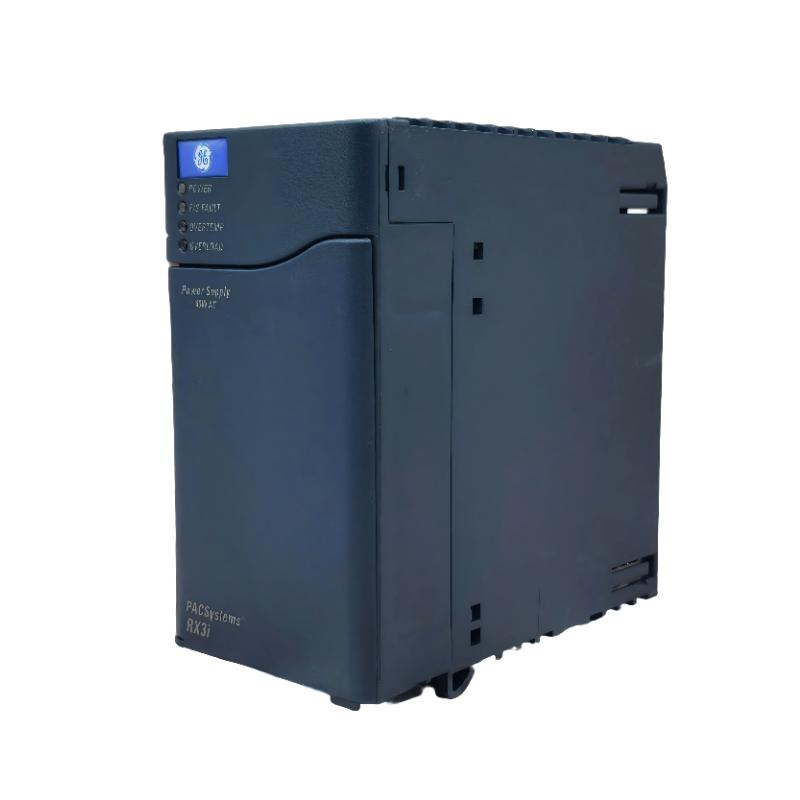
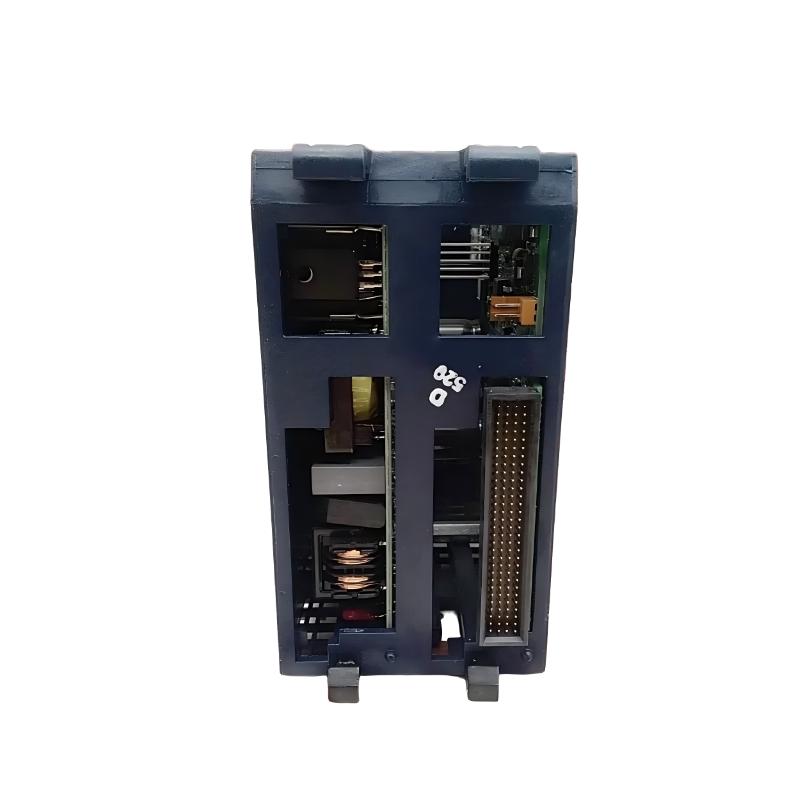
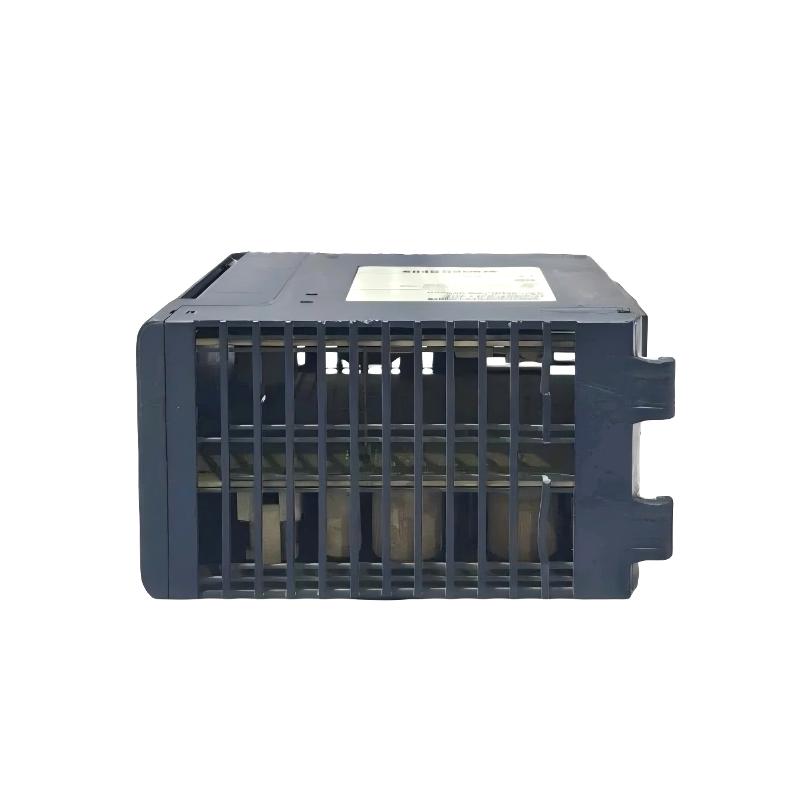
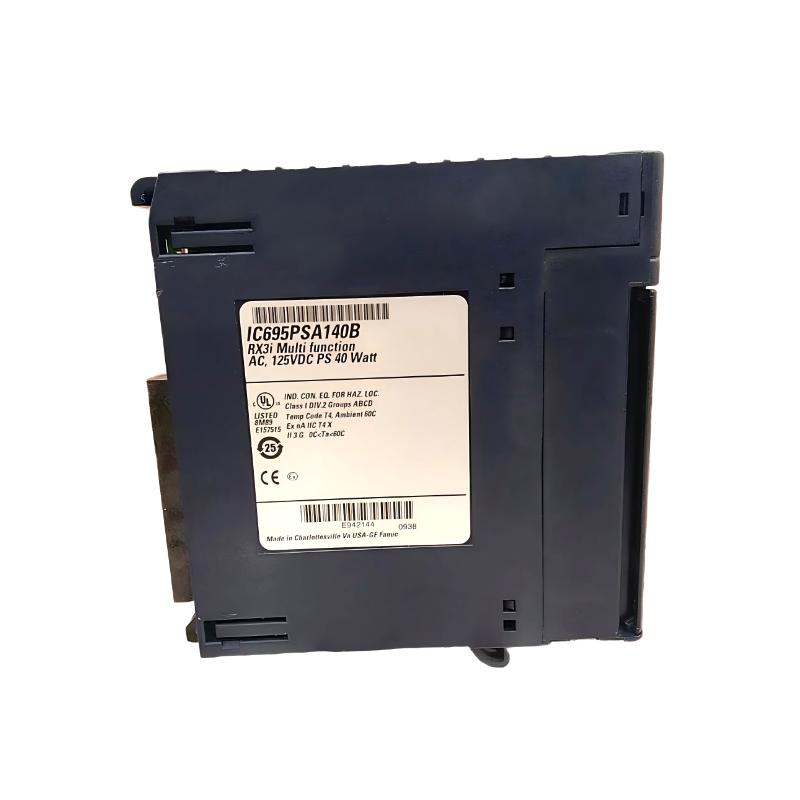
- GE
- IC695PSA140
- RX3i Universal Backplane Power Supply
- USA
- 135 × 71 × 127 mm
- 0.54 kg
- Xiamen, China
- New & In Stock
- T/T, PayPal, Western Union
- 1 Year
- 1-3 Working Days
- DHL, UPS, TNT, FedEx and EMS.
- 24-Hour Service
- COO
- 75
Our advantage

Global Logistics
We have a 10-year logistics and express cooperation agreement, so our products can be shipped to any place in the world.

Brand new and original
Our products are imported in bulk from the place of origin. Because of the cooperative relationship, our products are all original and 100% new.

24-hour service
We provide 7*24 hours service to our customers. We will be there whenever you need us.

Price advantage
All our products are priced very favorably because we have our own warehouse and supply.
| Company Information | |||
| [email protected] | |||
| Mobile | +8615980777398 | ||
| +8615980777398 | |||
| 15980777398 |
Product Overview
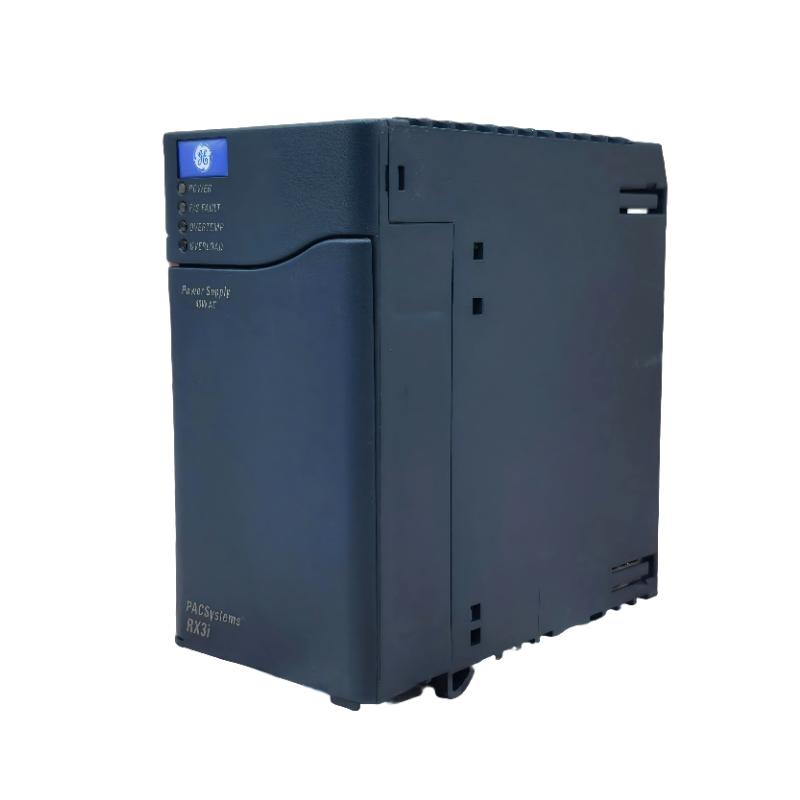
The GE IC695PSA140 RX3i Universal Backplane Power Supply is a high-reliability power module designed for the PACSystems RX3i automation platform. It provides stable operating power to the RX3i backplane, supplying energy for CPUs, communication modules, I/O modules, and other installed system components. As one of the core infrastructure modules of an RX3i control system, the IC695PSA140 helps ensure reliable system operation in demanding industrial environments.
The power supply is engineered to deliver regulated DC power to the backplane while incorporating protection against abnormal operating conditions such as overcurrent and overvoltage. Its universal input capability allows it to be used in a wide range of industrial power environments, making it suitable for manufacturing, power generation, water treatment, oil and gas, transportation, and process automation applications.
The module measures 135 × 71 × 127 mm and weighs approximately 0.54 kg, providing a compact solution for high-performance PLC control cabinets.
Product Identification
| Parameter | Specification |
|---|---|
| Manufacturer | GE |
| Product Series | PACSystems RX3i |
| Model | IC695PSA140 |
| Product Type | Universal Backplane Power Supply |
| Installation | RX3i Backplane |
| Function | Supplies Power to RX3i Backplane |
| Dimensions | 135 × 71 × 127 mm |
| Weight | 0.54 kg |
| Cooling Method | Natural Convection |
| Mounting | Rack Mounted |
| Application | Industrial Automation |
Technical Specifications
| Technical Item | Specification |
|---|---|
| Brand | GE |
| Series | RX3i |
| Model Number | IC695PSA140 |
| Product Category | Universal Backplane Power Supply |
| Installation Position | RX3i Universal Backplane |
| Output Function | Backplane Power Distribution |
| Dimensions | 135 × 71 × 127 mm |
| Weight | 0.54 kg |
| Protection Features | Overcurrent and Overvoltage Protection |
| Cooling | Passive Cooling |
| Operating Environment | Industrial Control Cabinets |
| Maintenance | Preventive Inspection Recommended |
Working Principle
The IC695PSA140 converts the incoming supply voltage into regulated internal voltages required by the RX3i backplane. Once connected to the backplane, it continuously distributes stable power to all installed modules.
A simplified power flow is shown below:
Incoming Power
↓
IC695PSA140 Power Supply
↓
RX3i Universal Backplane
↓
CPU Module
↓
Communication Modules
↓
I/O Modules
↓
Field Devices
Stable backplane power is essential because every controller and I/O module depends on it for normal operation.
Key Functions
Backplane Power Distribution
Provides regulated operating power for the complete RX3i rack.
Stable System Operation
Maintains reliable voltage levels during continuous industrial operation.
Module Protection
Supports safe operation by incorporating internal protection circuits against abnormal electrical conditions.
High System Availability
Reliable power delivery minimizes unexpected controller interruptions caused by unstable power conditions.
Industrial Applications
The GE IC695PSA140 is widely used in industrial automation systems including:
Manufacturing Plants
- PLC production lines
- Robotic automation
- Packaging equipment
- Material handling systems
Power Generation
- Turbine control
- Auxiliary equipment
- Plant monitoring systems
Oil & Gas
- Compressor stations
- Pump control
- Pipeline automation
- Remote control systems
Water & Wastewater
- Pump stations
- Filtration systems
- Water treatment automation
Chemical Processing
- Distributed control systems
- Process monitoring
- Batch automation
Installation Guide
1. Verify Compatibility
Before installation, verify:
- RX3i rack model
- System configuration
- Power supply model
- Available installation slot
- Overall system power requirements
Only install the IC695PSA140 in compatible RX3i systems.
2. Disconnect System Power
Before servicing:
- Shut down the controller.
- Turn off the main supply.
- Lock out electrical power.
- Verify zero voltage before touching equipment.
Never install or remove the power supply while the system is energized.
3. Inspect the Backplane
Check the RX3i backplane for:
- Physical damage
- Bent connectors
- Loose hardware
- Dust accumulation
- Moisture
- Corrosion
Repair any defects before installation.
4. Inspect the Module
Before installation verify:
- Housing integrity
- Connector condition
- Mounting tabs
- Identification label
- No visible shipping damage
Do not install a damaged module.
5. Install the Module
Carefully align the module with the designated power supply position.
Slide the module into place without excessive force.
Ensure:
- Complete connector engagement
- Proper alignment
- Secure locking
- No mechanical stress
6. Connect Input Power
Connect the incoming power according to the equipment wiring documentation.
Verify:
- Correct wiring
- Tight terminal connections
- Proper grounding
- Cable condition
Incorrect wiring may damage the module or connected equipment.
7. Restore Power
After installation:
- Confirm all wiring.
- Inspect module seating.
- Restore system power.
- Observe power indicators.
- Allow the controller to complete startup.
8. Verify Operation
Check that:
- CPU starts normally
- Communication modules initialize
- I/O modules operate correctly
- Diagnostic LEDs indicate normal operation
- No alarm messages are present
Commissioning Checklist
Following installation, verify:
- Backplane voltage is stable
- CPU remains online
- Communication networks initialize correctly
- I/O modules respond normally
- No unexpected controller resets occur
- Cabinet temperature remains within normal limits
Troubleshooting Guide
Power Supply LED Off
Possible causes include:
- No incoming power
- Blown upstream protection device
- Loose wiring
- Incorrect input voltage
- Failed power supply
Verify the incoming supply before replacing the module.
CPU Does Not Start
Possible causes:
- Backplane power unavailable
- Incorrect module installation
- CPU fault
- Damaged backplane connector
- Power supply malfunction
Confirm that the power supply is correctly seated and supplying power.
Backplane Power Fault
Possible causes include:
- Module overload
- Short circuit
- Defective module
- Damaged backplane
- Incorrect system configuration
Disconnect non-essential modules if necessary to isolate the fault.
Intermittent System Shutdown
Possible causes:
- Loose power wiring
- Poor grounding
- Overheating
- Unstable incoming supply
- Failing power supply
Inspect all electrical connections before replacing components.
Communication Modules Offline
Possible causes:
- Insufficient backplane power
- Loose module installation
- Controller startup failure
- Backplane fault
Verify that the power supply is operating normally before troubleshooting communication modules.
Excessive Heat
Possible causes:
- Poor cabinet ventilation
- High ambient temperature
- Excessive system loading
- Dust accumulation
Maintain adequate airflow inside the control cabinet.
Diagnostic Alarm Active
Possible causes:
- Power supply fault
- Controller fault
- Backplane error
- Module compatibility issue
Review controller diagnostics before replacing hardware.
Preventive Maintenance
Monthly Inspection
Check:
- LED indicators
- Wiring terminals
- Mounting security
- Cabinet cleanliness
Quarterly Inspection
Inspect:
- Ground connections
- Input wiring
- Backplane connectors
- Ventilation openings
Annual Maintenance
Perform:
- Complete cabinet cleaning
- Power connection torque inspection
- Functional testing
- Controller diagnostics review
- Power quality verification
Maintenance Checklist
| Inspection Item | Status |
|---|---|
| Incoming Power Verified | ✓ |
| Module Housing Inspected | ✓ |
| Wiring Tightened | ✓ |
| Ground Connection Verified | ✓ |
| Backplane Connector Checked | ✓ |
| Module Fully Seated | ✓ |
| CPU Startup Successful | ✓ |
| Communication Normal | ✓ |
| I/O Modules Operating | ✓ |
| Diagnostic LEDs Normal | ✓ |
Compatible RX3i Components
The IC695PSA140 is designed to operate with other PACSystems RX3i modules.
| Component | Function |
|---|---|
| RX3i CPU Module | System Controller |
| Ethernet Communication Module | Industrial Networking |
| Serial Communication Module | Device Communication |
| Digital Input Module | Field Signal Acquisition |
| Digital Output Module | Output Control |
| Analog Input Module | Process Measurement |
| Analog Output Module | Process Control |
| Universal Backplane | Module Interconnection |
Compatibility depends on the complete RX3i system configuration.
Key Advantages
Reliable Backplane Power
Provides stable operating power for RX3i controllers and I/O modules.
Compact Design
Dimensions of 135 × 71 × 127 mm allow efficient installation within industrial control cabinets.
Lightweight Construction
Weighing only 0.54 kg, the module is easy to install and replace during maintenance.
Industrial Reliability
Designed for continuous operation in demanding automation environments.
System Protection
Integrated protection features help improve overall system reliability and reduce the risk of damage caused by electrical abnormalities.
Frequently Asked Questions
What is the GE IC695PSA140?
It is an RX3i Universal Backplane Power Supply designed to provide regulated power for GE PACSystems RX3i automation systems.
What are the dimensions?
The module measures:
135 × 71 × 127 mm
How much does it weigh?
The module weighs approximately:
0.54 kg
What is its primary function?
Its primary function is to supply stable operating power to the RX3i backplane and installed modules.
Can the module be replaced while the system is energized?
No. The controller should be shut down and electrical power isolated before replacing the power supply.
What are common signs of power supply problems?
Typical symptoms include:
- Power LED off
- CPU startup failure
- Backplane power alarms
- Communication failures
- Unexpected controller resets
What should be checked before replacing the module?
Verify incoming power, wiring, grounding, backplane condition, controller diagnostics, and module installation before concluding that the power supply has failed.
How can service life be extended?
Maintain a clean control cabinet, ensure proper ventilation, inspect electrical connections regularly, and monitor the quality of the incoming power supply.
Installation Checklist
| Item | Status |
|---|---|
| Correct Model Confirmed | ✓ |
| Power Isolated | ✓ |
| Backplane Inspected | ✓ |
| Module Inspected | ✓ |
| Module Installed | ✓ |
| Wiring Verified | ✓ |
| Ground Connected | ✓ |
| Power Restored | ✓ |
| CPU Started Successfully | ✓ |
| I/O Modules Operational | ✓ |
| Diagnostics Normal | ✓ |
| Final Functional Test Passed | ✓ |
Conclusion
The GE IC695PSA140 RX3i Universal Backplane Power Supply is an essential component within the PACSystems RX3i platform, delivering stable and reliable power to controllers, communication modules, and I/O devices. With dimensions of 135 × 71 × 127 mm and a weight of 0.54 kg, it combines a compact design with dependable industrial performance.
Correct installation, proper wiring, routine inspections, and preventive maintenance are fundamental to maintaining system availability. During troubleshooting, technicians should verify incoming power quality, module seating, backplane condition, grounding, and controller diagnostics before replacing the power supply. When installed and maintained correctly, the IC695PSA140 supports long-term, stable operation of RX3i automation systems in a wide range of industrial applications.