Product Overview
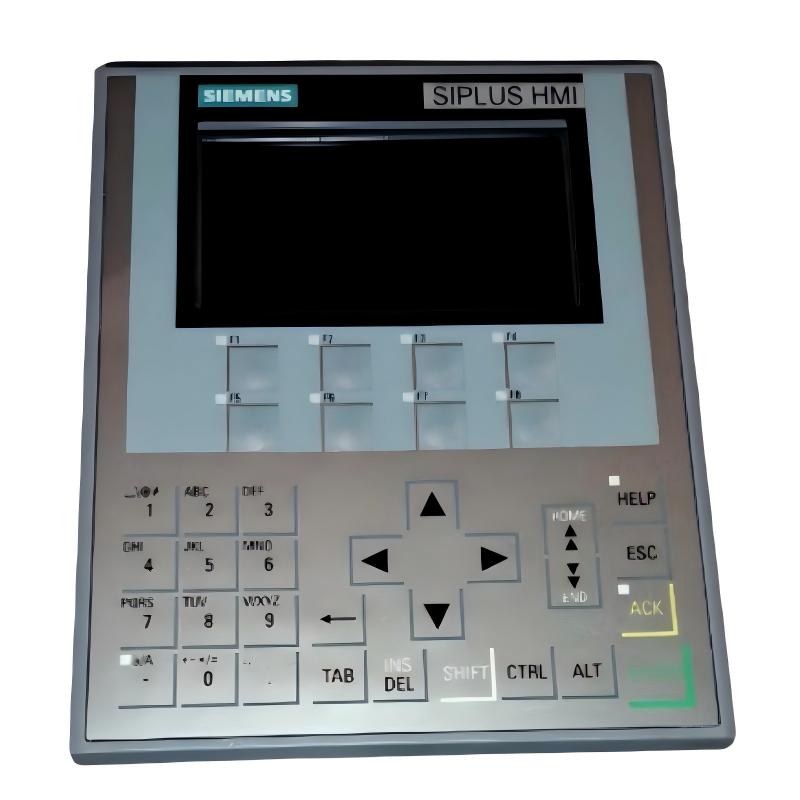
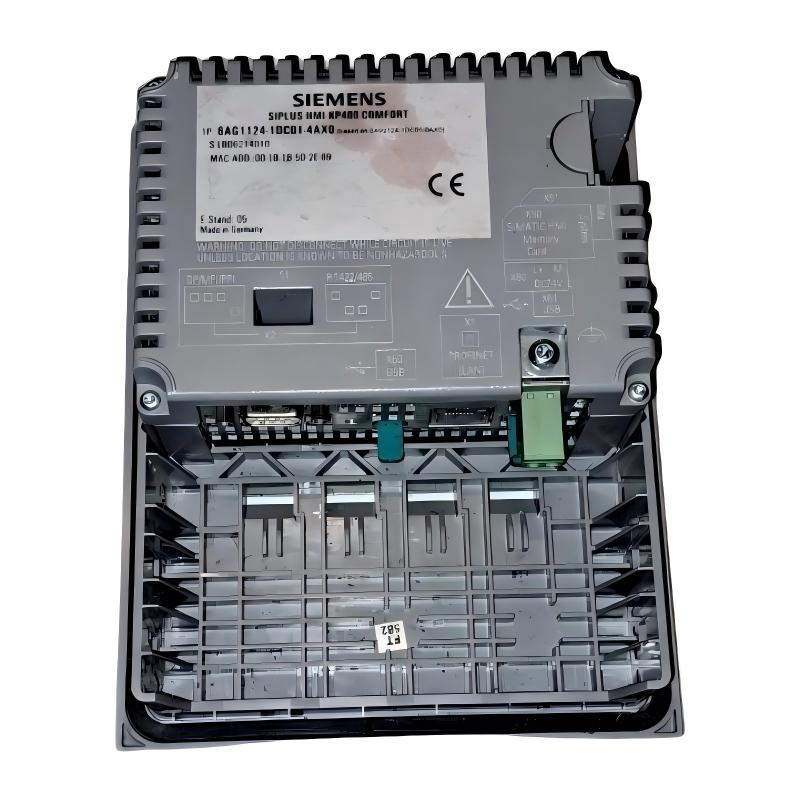
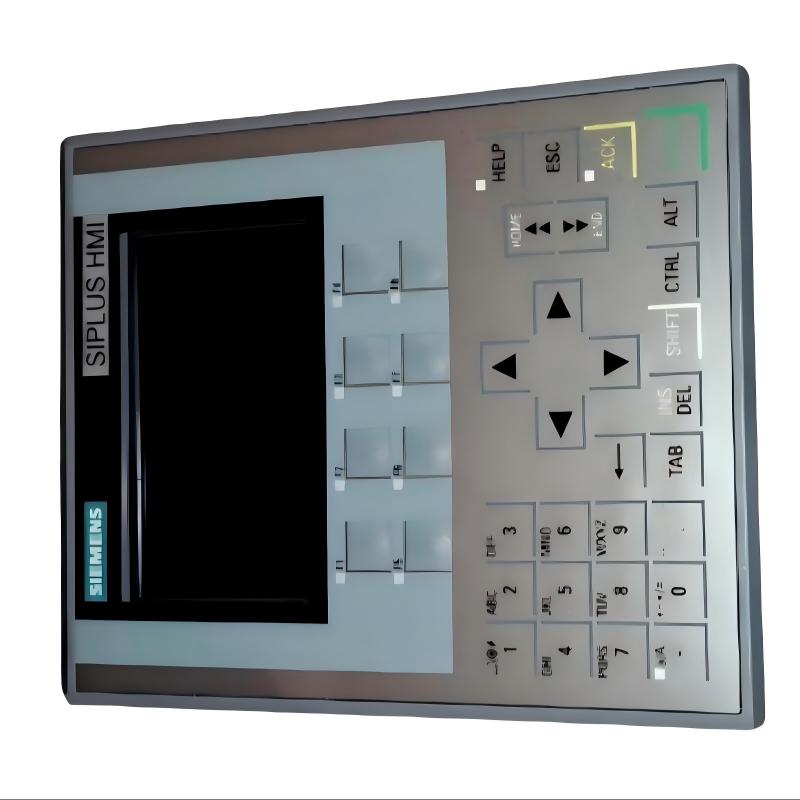
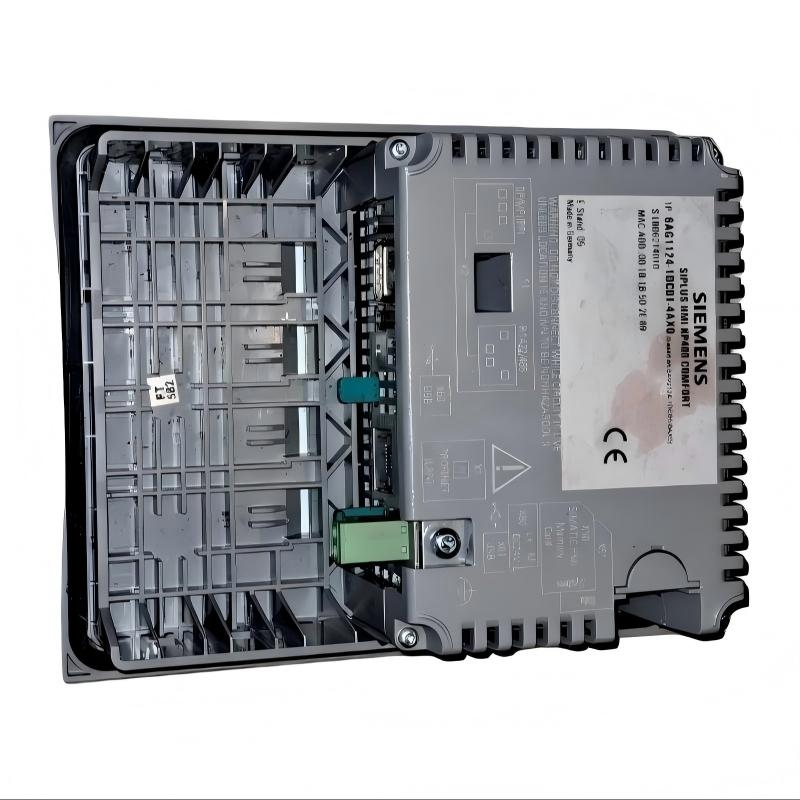
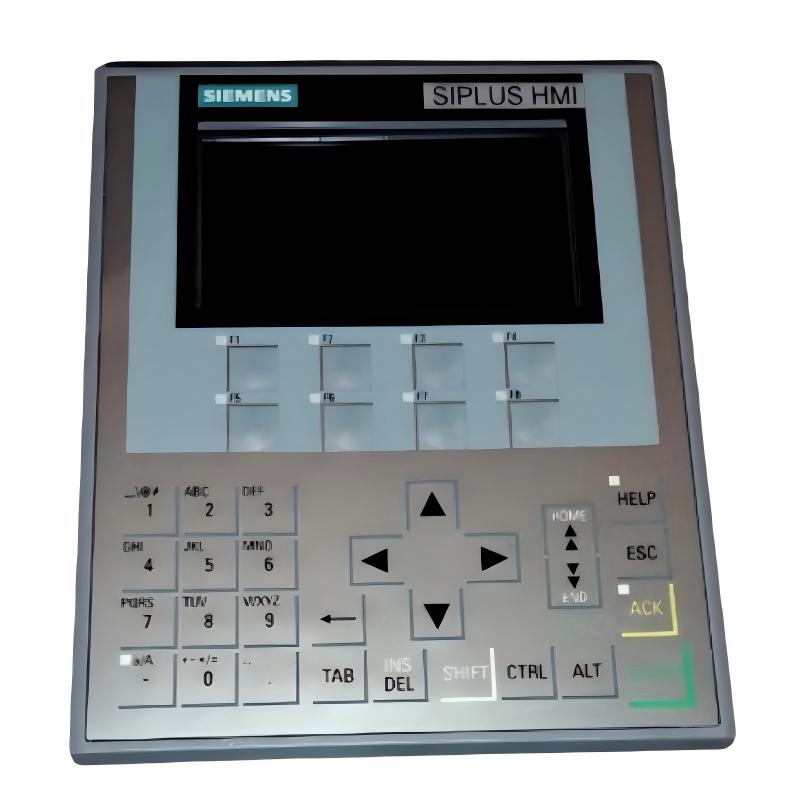
The Siemens 6AG1124-1DC01-4AX0 Touchscreen Panel is a compact industrial HMI designed for machine operation, process monitoring, alarm visualization, and operator interaction. Its small footprint makes it suitable for applications where control cabinet space is limited while a dedicated graphical interface is still required.
With a 4.3-inch display and a stated weight of 0.8 kg, this touchscreen panel is well suited to compact machines, small automation stations, local operator panels, and distributed control points.
As part of the Siemens SIPLUS automation product range, the panel is designed for integration into industrial control architectures where operators need direct access to machine information and control functions.
Technical Specifications
| Parameter |
Details |
| Manufacturer |
Siemens |
| Model |
6AG1124-1DC01-4AX0 |
| Product Type |
Touchscreen Panel |
| Application |
Industrial HMI |
| Display Size |
4.3 inch |
| Touchscreen |
Yes |
| Product Family |
SIPLUS HMI |
| Function |
Machine and Process Operation |
| Installation |
Control Cabinet / Operator Panel |
| Weight |
0.8 kg |
Function and Working Principle
The Siemens 6AG1124-1DC01-4AX0 provides an operator interface between personnel and industrial automation equipment.
A typical system architecture is:
PLC / Controller → Communication Network → HMI → Touchscreen → Operator Command → Machine
The HMI receives information from the control system and presents it in graphical form. Operators can then interact with the machine through touchscreen controls.
Typical functions include:
- Machine status display
- Process monitoring
- Alarm visualization
- Parameter entry
- Operator commands
- Diagnostic information
- Production status monitoring
The compact display is particularly useful when only essential operating information needs to be presented locally.
Compact 4.3-Inch Display
The 4.3-inch display provides a compact interface for machine-level operation.
Compared with larger HMI panels, a small display can be advantageous where:
- Cabinet space is limited
- Only essential parameters are required
- A local control point is needed
- The machine has a compact structure
- Operators need quick access to basic controls
A compact HMI can also be installed closer to the machine or production equipment, allowing operators to interact with the equipment without moving to a centralized control station.
Touchscreen Operator Interface
The touchscreen allows operators to interact directly with graphical HMI screens.
Typical operations may include:
- Start and stop commands
- Parameter selection
- Numerical input
- Alarm acknowledgment
- Screen navigation
- Machine status monitoring
- Maintenance access
The graphical interface can be customized according to the application and operator requirements.
Role in Industrial Automation
The Siemens 6AG1124-1DC01-4AX0 can function as a local HMI within an industrial control architecture.
A typical system may include:
| Component |
Function |
| PLC |
Main machine control |
| Touchscreen HMI |
Operator interface |
| Remote I/O |
Field signal processing |
| Sensors |
Process measurement |
| Drives |
Motor control |
| Industrial Network |
Data communication |
The touchscreen provides the visual layer that allows operators to understand and interact with the underlying automation system.
Industrial Applications
Compact Machine Automation
The small display size makes this type of HMI suitable for compact automated machinery.
Applications can include:
- Packaging machines
- Assembly equipment
- Small production machines
- Material handling equipment
- Compact processing systems
Local Operator Stations
The panel can be installed directly at a machine or equipment station.
Operators can use it to:
- View machine status
- Check alarms
- Adjust operating parameters
- Start authorized functions
- Perform basic diagnostics
Distributed Automation
In larger automation systems, several compact HMIs can be installed at different machine sections.
This allows operators to access local information without depending entirely on a centralized HMI.
Control Cabinet Applications
The 4.3-inch format is useful for control cabinets with limited available space.
Potential advantages include:
- Small installation footprint
- Convenient local visualization
- Easy access to essential machine information
- Reduced panel space requirements
Installation Guide
Step 1: Verify the Model
Before installation, confirm:
- Siemens model number
- HMI application requirements
- PLC communication requirements
- Power supply requirements
- Available cabinet space
Always verify the exact part number before replacing an existing panel.
Step 2: Prepare the Installation Area
The control cabinet or machine panel should provide enough space for:
- HMI mounting
- Cable connections
- Power wiring
- Communication cables
- Maintenance access
Although the panel weighs only 0.8 kg, the mounting system should still provide secure mechanical support.
Step 3: Mount the Touchscreen
Carefully position the HMI in the prepared opening.
Then:
- Insert the panel into the mounting location.
- Secure the mounting hardware.
- Check that the panel is firmly installed.
- Confirm that the display is correctly aligned.
Avoid excessive pressure on the touchscreen surface.
Step 4: Connect Power
Connect the appropriate power supply according to the system design.
Before energizing:
- Check polarity.
- Verify wiring.
- Inspect connectors.
- Confirm stable voltage.
- Verify grounding requirements.
Step 5: Connect the Automation Network
Connect the required communication interface between the HMI and the PLC or controller.
Check:
- Communication cables
- Connector seating
- Network configuration
- PLC communication parameters
- HMI communication settings
Step 6: Configure the HMI
After startup:
- Load the appropriate HMI project.
- Verify PLC communication.
- Check screen navigation.
- Verify process values.
- Test touchscreen input.
- Check alarm functions.
Step 7: Commission the System
Perform a complete functional test before placing the machine into normal operation.
Verify:
- Touchscreen response
- Controller communication
- Alarm display
- Parameter input
- Machine commands
- Process visualization
Common Failure Symptoms
| Fault Symptom |
Possible Cause |
| HMI does not start |
Power or wiring problem |
| Display remains blank |
Power or display fault |
| Touch input unavailable |
Touchscreen or hardware issue |
| No PLC data |
Communication problem |
| Incorrect values |
HMI configuration issue |
| Alarm information missing |
Project configuration problem |
| Slow response |
Application or network load |
| Intermittent operation |
Power, connection, or hardware issue |
Troubleshooting Guide
HMI Does Not Power On
Check:
- Power supply.
- Power wiring.
- Connector condition.
- Cabinet power.
- Grounding.
If the power system is normal but the HMI remains inactive, inspect the panel hardware.
No Communication With PLC
If the display starts normally but controller information is unavailable:
- Check network cables.
- Verify PLC operation.
- Check HMI communication settings.
- Confirm network configuration.
- Inspect connectors.
- Check for communication alarms.
Communication problems should be investigated before assuming that the HMI hardware has failed.
Touchscreen Does Not Respond
If the display is working but touch commands are not recognized:
- Clean the display surface.
- Check for physical damage.
- Restart the HMI.
- Verify the HMI project.
- Test multiple areas of the touchscreen.
If touch input remains unavailable, further hardware diagnosis may be required.
Display Problems
For problems such as flickering, abnormal images, or missing display information:
- Check power stability.
- Inspect connections.
- Check environmental conditions.
- Inspect the display surface.
- Verify the HMI application.
Persistent display faults may indicate hardware degradation.
Maintenance Recommendations
To maintain reliable operation of the Siemens 6AG1124-1DC01-4AX0:
- Keep the touchscreen clean.
- Prevent excessive dust accumulation.
- Maintain suitable cabinet conditions.
- Inspect power connections periodically.
- Check communication cables.
- Monitor recurring HMI alarms.
- Keep backup copies of HMI projects.
- Inspect mounting hardware during scheduled maintenance.
Because the display is compact, avoid applying excessive pressure when operating the touchscreen.
Replacement Considerations
When replacing an existing Siemens HMI, verify the complete system configuration rather than relying only on the physical appearance of the panel.
Important items include:
- Exact model number
- HMI project compatibility
- PLC communication configuration
- Power requirements
- Mounting arrangement
- Communication interface
- Application software
- Existing control architecture
For legacy automation systems, maintaining a compatible spare HMI can help reduce machine downtime during unexpected failures.
Key Advantages
- Compact 4.3-inch touchscreen
- Lightweight 0.8 kg design
- Suitable for space-limited control panels
- Direct operator interaction
- Suitable for machine monitoring
- Supports local machine operation
- Useful for distributed automation applications
- Suitable for industrial HMI replacement and maintenance
Technical FAQs
What is Siemens 6AG1124-1DC01-4AX0?
The Siemens 6AG1124-1DC01-4AX0 is a compact touchscreen panel designed for industrial HMI and machine operator applications.
What is the display size?
The stated display size is 4.3 inches.
What is the weight?
The stated weight is 0.8 kg.
What is the main function of this touchscreen panel?
Its primary function is to provide operators with a graphical interface for monitoring machine status, viewing alarms, entering parameters, and interacting with industrial automation equipment.
Where can this HMI be used?
It is suitable for compact machines, local operator stations, control cabinets, distributed automation systems, and equipment requiring a small graphical interface.
What is the advantage of a 4.3-inch industrial HMI?
Its compact size makes it easier to integrate into machines and control cabinets where installation space is limited while still providing graphical operator control.
Conclusion
The Siemens 6AG1124-1DC01-4AX0 Touchscreen Panel is a compact industrial HMI designed for local machine operation, process monitoring, alarm management, and operator interaction.
With its 4.3-inch display and 0.8 kg weight, the panel is particularly suitable for compact automation equipment, distributed operator stations, and control cabinets where installation space is limited.
For machine builders, automation engineers, maintenance technicians, and system integrators, the 6AG1124-1DC01-4AX0 provides a practical touchscreen interface for bringing essential machine and process information directly to the operator.